A YouTube comment bot can sound like a simple shortcut. For some users, it looks like an easy way to save time. For others, it feels risky from the start. That is exactly why this topic matters. Used the wrong way, comment automation can lead to spammy YouTube bot comments, weak engagement, and trust problems. Used the right way, it can help creators and teams handle repeated comment tasks more efficiently while keeping real human input in the workflow. YouTube also makes it clear that spam, deceptive practices, and fake engagement are not allowed, so the line between helpful automation and harmful activity matters a lot.
This guide explains what a YouTube comment bot is, how it works, where it can help, and where the risks begin. It also looks at safer setup ideas, better workflow habits, and practical ways to manage comment operations without losing authenticity. If you want to understand not just how to comment on YouTube faster, but how to do it in a way that still feels useful, natural, and responsible, this is the part you should read first.
What Is a YouTube Comment Bot?
You may have seen the term YouTube comment bot in tool guides or creator discussions. It sounds simple, but it can mean different things. Some tools help with replies and comment management. Others are used for spammy mass posting. So before talking about risks or setup, it helps to understand what a YouTube comment bot really is and why people use it.
Definition and Basic Use Cases
A YouTube comment bot is a tool that helps post, reply to, or manage comments with less manual work. Some bots use simple scripts. Others use AI to suggest or generate text. In simple terms, a YouTube comment bot can open a video, find the comment box, and post or reply based on preset rules. This is different from normal commenting. If you want to know how to comment on YouTube, the basic process is easy: open the video, type your message, and post it. A bot automates part of that process, such as filling in text, scheduling replies, or repeating actions across many videos. The use case matters. A small creator may use templates to answer repeated questions like “Where is the link?” A support team may sort common comments before replying. That is very different from low-quality YouTube bot comments that repeat the same message under many videos.
For example, a gaming creator may get 300 comments asking about settings. Using a tool to prepare reply drafts can save time. But posting “Great video, check my channel” under 100 unrelated videos looks like spam. That is why the term YouTube comment bot can confuse beginners. It can mean a helpful assistant or a spam tool, depending on how it is used.
Why People Use YouTube Comment Automation Today
Most people search for a YouTube comment bot because they want faster results. As channels grow, comments become harder to manage by hand. In real life, these users often fall into a few clear groups.
- The first group is new creators who want social proof. A video with very few comments can feel empty, so some people think early comments will make the video look more active. But fake or repetitive YouTube bot comments often hurt trust instead of building it.
- The second group is agencies or marketing teams managing client accounts. They may want faster replies or better comment handling during a campaign. In some cases, automation helps organize drafts and repeated questions. But if the goal becomes fake engagement, the risk goes up fast.
- The third group is people trying to harm competitors. Some bad actors flood another channel with spammy comments to create trouble. This is unethical and risky, and it is not a legitimate use of automation.
There is also a safer, practical reason people explore these tools: reply volume. For example, a software creator with hundreds of repeated setup questions may use templates or draft suggestions to save time. That supports community management. Posting the same promotional message everywhere does not.
So when people search for how to comment on YouTube faster or look into a YouTube comment bot, the real issue is not just speed. It is intent. Are they trying to support real conversation, or create fake activity? That difference shapes safety, trust, and long-term channel health.
How YouTube Comment Bots Work
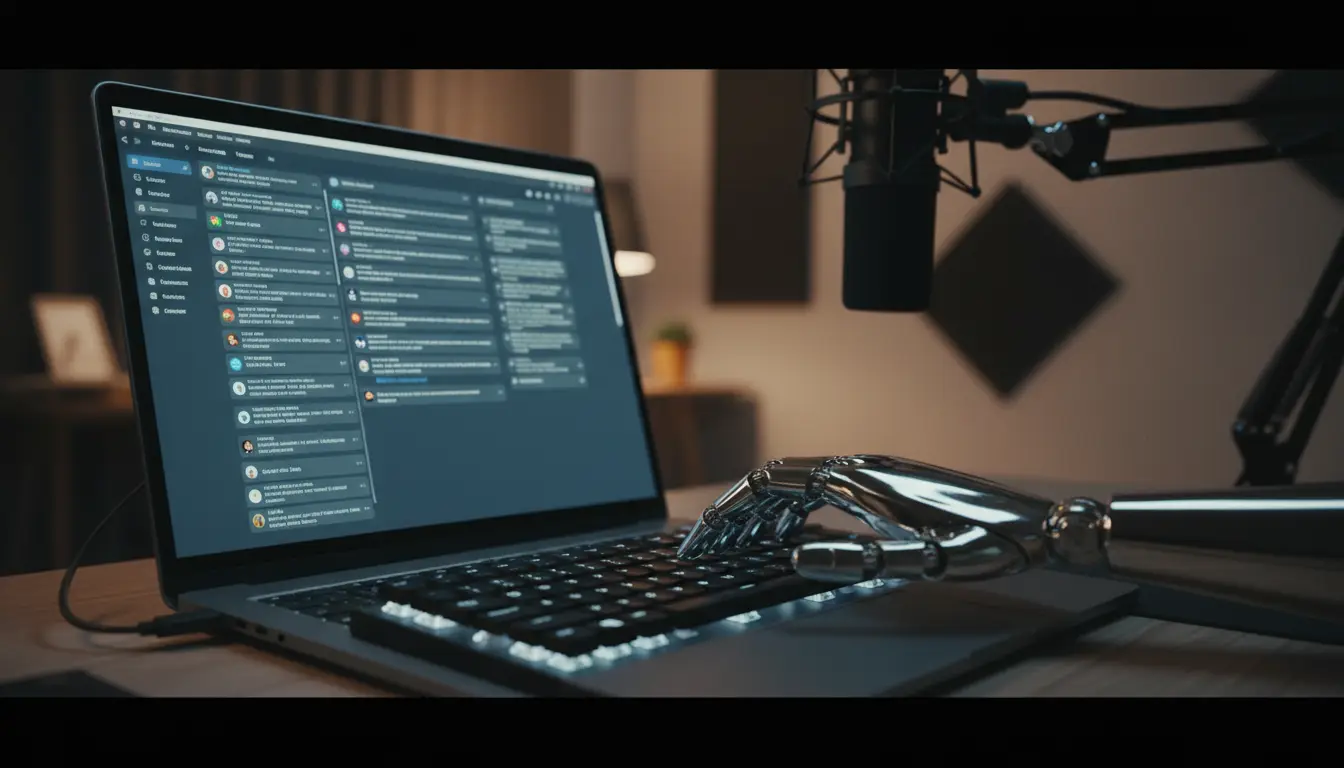
After understanding what a YouTube comment bot is, the next step is knowing how it works. In simple terms, most bots copy the same steps a person uses when learning how to comment on YouTube. They open YouTube, log in, find a target video, place text in the comment box, and post it. The main difference is that a bot can repeat these steps much faster and across many videos.
From Basic Scripts to Modern Automation
Early bots were very simple. They used scripts to open a browser, go to a video, paste a saved comment, and submit it. Many of these tools were built with browser automation frameworks like Selenium or Puppeteer. They could post comments, but they often looked repetitive and easy to spot. Modern tools are more flexible. A newer YouTube comment bot may load video lists, choose different templates, save failed tasks, and space actions across time. Some tools also use AI to make comments look more natural.
Core Features and Common Functions
Most comment bots share the same basic features. They log into accounts, open target videos, find the comment box, and post or prepare replies. Some also keep logs, manage queues, or filter comments by keywords. For example, a tutorial channel may get hundreds of comments asking the same setup question. A tool can help prepare reply drafts for those repeated questions. That is very different from posting the same message under many unrelated videos. One supports workflow. The other creates low-value YouTube bot comments.
Script-Based Bots vs. AI-Powered Comment Tools
A script-based YouTube comment bot usually follows fixed steps and uses saved text. It is simple, but often repetitive. If every comment looks the same, the automation becomes easy to notice. AI-powered tools try to improve this by changing the wording. They may create replies based on a video title, description, or comment content. This can make comments look more human. But better wording does not always mean better use. If the goal is still fake engagement, AI comments can still create problems.
Typical Workflow: Login, Targeting, Commenting, and Timing
Most tools follow the same flow: login, choose target videos, add comments, and repeat the task based on timing rules. Some are also made to reply to comments on your own channel, often called comment responders. Timing matters more than many beginners think. Real people do not reply at the exact same speed all day. They reply in bursts. A bot that posts too fast or too evenly can look unnatural, even if the text sounds fine. So the basic idea is easy: a YouTube comment bot automates the normal process of commenting. The bigger issue is not whether it can post. It is whether the comments support real conversation or just create spam.
Where YouTube Comment Bots Can Help
After looking at how a YouTube comment bot works, the next question is where it can actually help. The answer is not “everywhere.” A better answer is this: it can help most in repeatable, low-risk tasks around replies and comment handling. Used this way, automation supports people. It does not replace real conversation.
Saving Time on Repetitive Comment Tasks
The clearest use case is repeated questions. A creator may post a tutorial and then get the same comment 100 times: “Where is the link?” “What tool did you use?” “Which setting should I choose?” In that case, a YouTube comment bot or reply assistant can help prepare drafts, sort comments by keywords, or queue common responses for review. That saves time without turning the comment section into obvious YouTube bot comments. YouTube Studio already gives creators a place to review published comments and comments held for review, which shows that comment handling at scale is a real workflow problem.
This matters even more for small teams. If one person is editing videos, answering emails, and handling comments, simple automation can reduce repetitive work. For example, a software channel may use templates for setup questions, then let a human quickly check each reply before posting. That is very different from dropping the same promo line under unrelated videos.
Supporting Comment Replies and Community Management
Comment automation can also help with reply support and moderation. YouTube lets creators hold suspicious comments for review, and creators can also use blocked words and moderation tools to manage discussions more closely. That means the platform already expects creators to need help filtering noise before they respond.
A practical example is a product launch. Imagine a brand posts a new demo video and gets hundreds of comments in one day. Some comments ask about pricing. Some ask for the download page. Some are just spam. In this case, a YouTube comment bot is most useful when it helps sort and draft, not when it blindly posts. The goal should be faster support and a cleaner comment queue, not fake activity. That is also closer to the normal idea of how to comment on YouTube in a helpful way: write something relevant, clear, and connected to the video.
Use Cases for Creators, Agencies, and Multi-Channel Teams
Creators, agencies, and multi-channel teams often have different needs. A solo creator may only need help with repeated replies. An agency may need better tracking across several client channels. A larger team may need role-based access and safer collaboration. YouTube supports this kind of teamwork: channel permissions let multiple people manage a channel without sharing one login, and moderators can help review and manage comments.
That is where a YouTube comment bot can fit best: as a workflow helper inside a bigger comment process. For example, an agency handling three tutorial channels may use automation to group repeated questions, prepare first-draft replies, and keep response times more consistent. But the final goal should still be real community care. Once automation is used to flood pages, fake engagement, or mass-produce YouTube bot comments, it stops being useful support and starts becoming a trust problem.
So the real value is simple. A YouTube comment bot can help save time, support comment review, and make team workflows smoother. It helps most when the task is repetitive, the comments are relevant, and a person still stays in control.
Risks and Limitations of YouTube Comment Bots
A YouTube comment bot can save time, but it can also create problems fast. That is the part many users overlook. A tool may work well on the technical side and still create spam, trust issues, or account risk in real use.
YouTube Spam Rules and Detection Signals
YouTube does not allow spam, deceptive practices, or fake engagement. Comments can be removed, and suspicious ones may be held for review automatically in YouTube Studio.
This matters because YouTube is not only looking at the words in a comment. It also looks at patterns. A real person usually watches some of the video, reads a few comments, and then replies. A YouTube comment bot may go straight to posting. That kind of behavior can look unnatural, even if the text sounds fine. This is an inference based on YouTube’s moderation systems and spam enforcement.
Repetitive Comments, Low-Quality Replies, and Red Flags
The clearest warning sign is repetition. Low-value YouTube bot comments often repeat lines like “Great video” or “Check my channel” under many posts. Comments that are off-topic or too generic also stand out. For example, a crypto-style comment under a cooking video feels fake right away. YouTube says spammy and untargeted content is not allowed.
Timing can also be a red flag. Real people do not usually reply every 30 or 60 seconds for hours with the same steady rhythm. They comment in bursts. So even a smarter YouTube comment bot can look suspicious if it acts too evenly.
Reputation Risks, Trust Issues, and Ethical Concerns
The risk is not only about moderation. It is also about trust. When viewers notice obvious YouTube bot comments, a channel can feel staged or low quality. That can hurt a creator’s image, even if no formal penalty happens.
There is also an ethical issue. Sometimes the problem is not a bad bot, but a real team that looks too coordinated. For example, an agency may manage many channels from the same office and reply during the same work hours. Even if the comments are real, the pattern may still look unusual. So a YouTube comment bot can help with small tasks, but it cannot replace honest interaction or natural community building.
Best Practices for Safe and Responsible Use
After looking at the risks, the goal becomes clearer. A YouTube comment bot should only support useful work, not create fake activity. The safest approach is simple: keep comments relevant, keep patterns natural, and keep a human in control. That fits both YouTube’s spam rules and Google’s people-first content guidance.
Writing Comments That Feel Relevant and Human
Good comments match the video and add something real. They answer a question, point to a useful detail, or respond to what the creator actually said. A weak comment says, “Nice video.” A better one says, “The setup step at 2:10 solved my issue.” That is closer to the normal idea of how to comment on YouTube in a helpful way. Google also says good content should be created to benefit people, not just manipulate results.
A simple example helps. If a software channel gets many comments asking for a download link, a YouTube comment bot can prepare a short draft reply. But the reply should still fit the question. If the same vague sentence gets posted everywhere, it starts to look like low-value YouTube bot comments instead of real support. YouTube says repetitive and untargeted comments can be removed.
Avoiding Spam Patterns and Over-Automation
The fastest way to create trouble is repetition. YouTube lists identical, untargeted, or repetitive comments as spammy behavior, and suspicious comments may be held for review instead of showing publicly.
That means automation should not post the same message across many videos. It should also not reply instantly to everything. Real people read, pause, and respond in uneven bursts. A safer workflow is to use a YouTube comment bot for sorting, drafting, or queueing, then let a person approve the final reply. YouTube also gives creators blocked words, held-for-review settings, and moderation controls, which shows that careful review matters.
Setting Realistic Limits for Volume, Timing, and Accounts
Safe use also means staying realistic. Do not try to comment everywhere, all day, from many accounts at once. The more aggressive the volume, the more likely the pattern will look unnatural. YouTube’s fake engagement policy says engagement should come from real user intent, not deception or artificial activity.
For example, a solo creator may use automation only to help with repeated replies on one channel after a tutorial goes live. That is much safer than using many accounts to leave promotional comments across unrelated videos. If you manage a team, keep roles clear, review drafts, and focus on useful replies instead of scale for its own sake. In practice, the best YouTube comment bot setup is usually the most boring one: low volume, relevant comments, and human review before posting.
Step-by-Step Guide to Setting Up a YouTube Comment Bot
A YouTube comment bot should be set up for small, clear tasks. It should help with replies or comment sorting, not mass posting. That is safer and closer to the normal idea of how to comment on YouTube in a useful way.
What You Need Before You Start
Start with one clear goal. You may want help with repeated questions under your own videos, or you may want draft replies for review. It also helps to turn on moderation tools like held-for-review settings and blocked words first.
Choosing a Bot or Automation Tool
Choose a tool that gives you control. A good YouTube comment bot should support drafts, pauses, logs, and human review. Tools like Selenium and Playwright are often used for browser automation because they can open pages and perform actions step by step.
Basic Setup, Testing, and First Run
Start small. Use one account and test on a few comments under your own channel. A software creator, for example, might use the tool to draft replies to repeated setup questions under one tutorial. That is much safer than posting the same line across many videos.
Monitoring Performance and Adjusting Settings
After testing, check the results in YouTube Studio. Look for comments held for review, repeated wording, or timing that feels too even. If something looks off, reduce the volume and add more human review. The best setup is usually simple: low volume, relevant replies, and a person making the final decision.
Using DICloak for Safer YouTube Comment Bot Workflows
When a YouTube comment bot workflow grows from one account to many, the real challenge is control. Accounts need separation. Proxies need to match each profile. Team actions need to stay organized. In this kind of setup, users can use DICloak to make multi-account comment work cleaner and easier to manage.
Using RPA Features to Support Repetitive Tasks
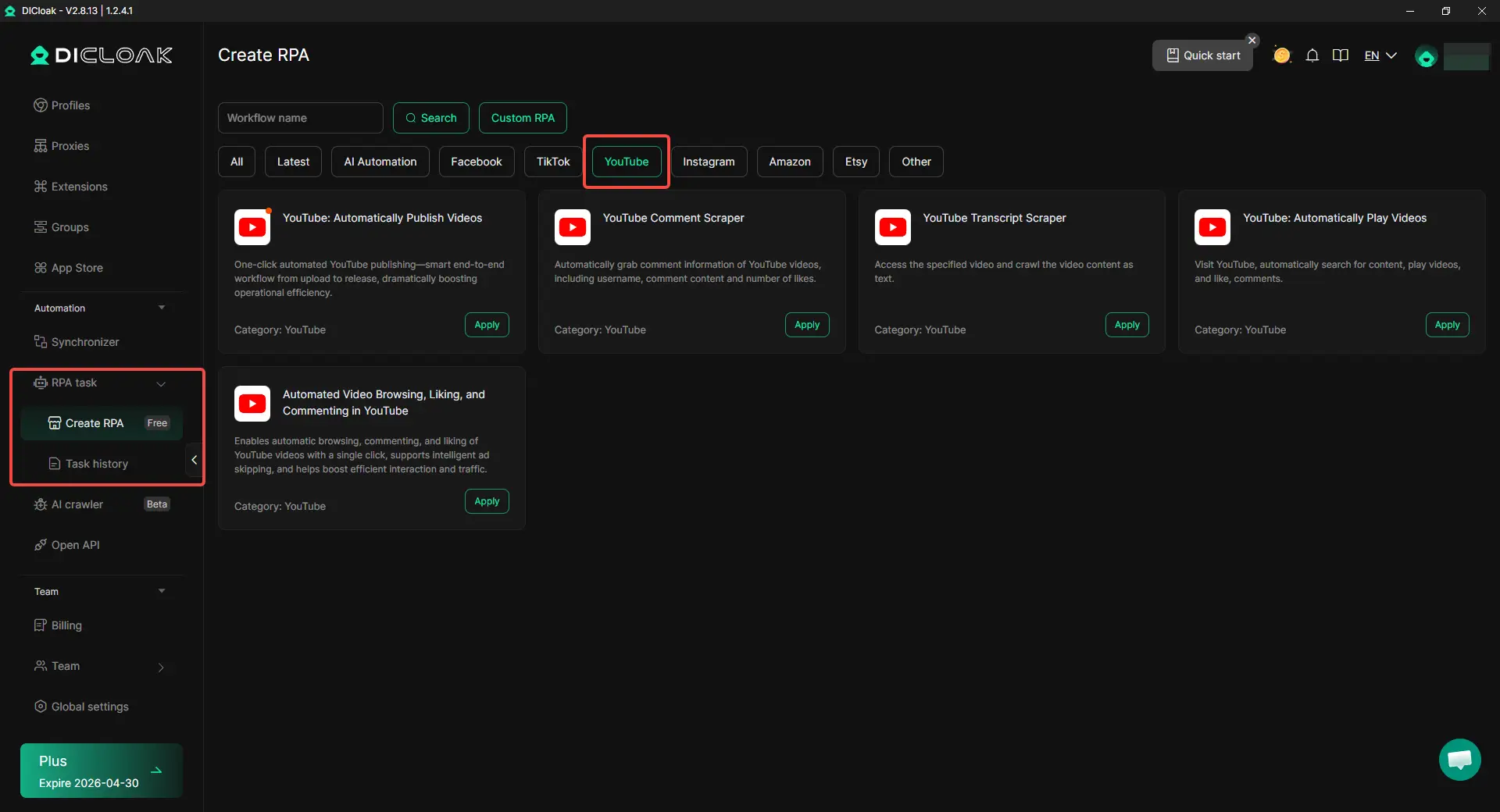
For users looking into a youtube comment bot, YouTube RPA offers a practical alternative. It can automate video browsing, liking, and commenting in one workflow, instead of handling comments alone. This makes it useful for repeated YouTube tasks that would otherwise take a lot of manual clicks. For multi-account work, this becomes even more valuable. Users can combine RPA with separate browser profiles and proxy settings, making it easier to run repeated tasks across multiple accounts while keeping each account environment organized and independent.
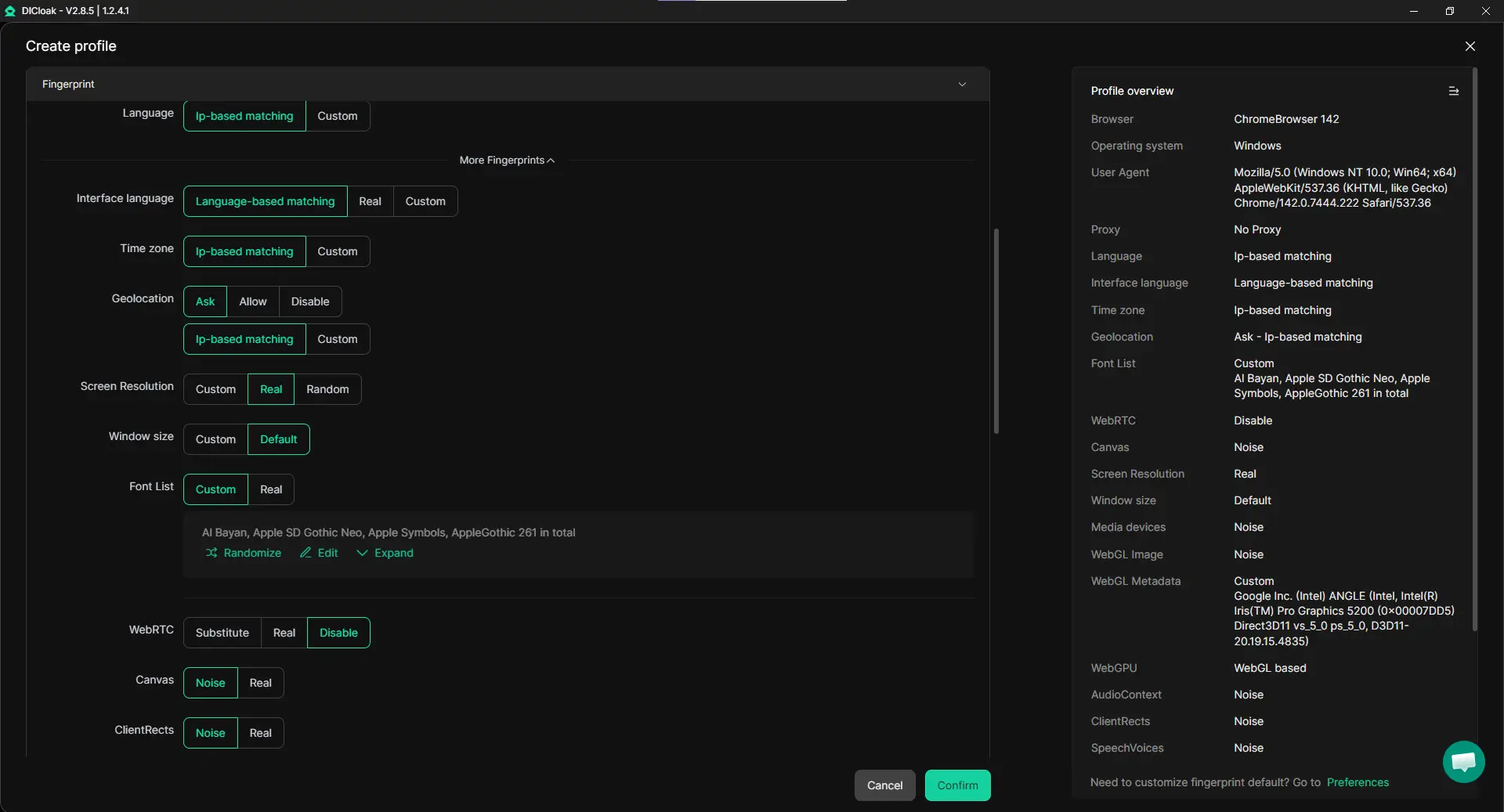
Users can place each account in its own browser profile, so cookies, sessions, and browsing data stay separate. This helps creators, agencies, and social media teams handle multiple accounts on one device with less confusion.
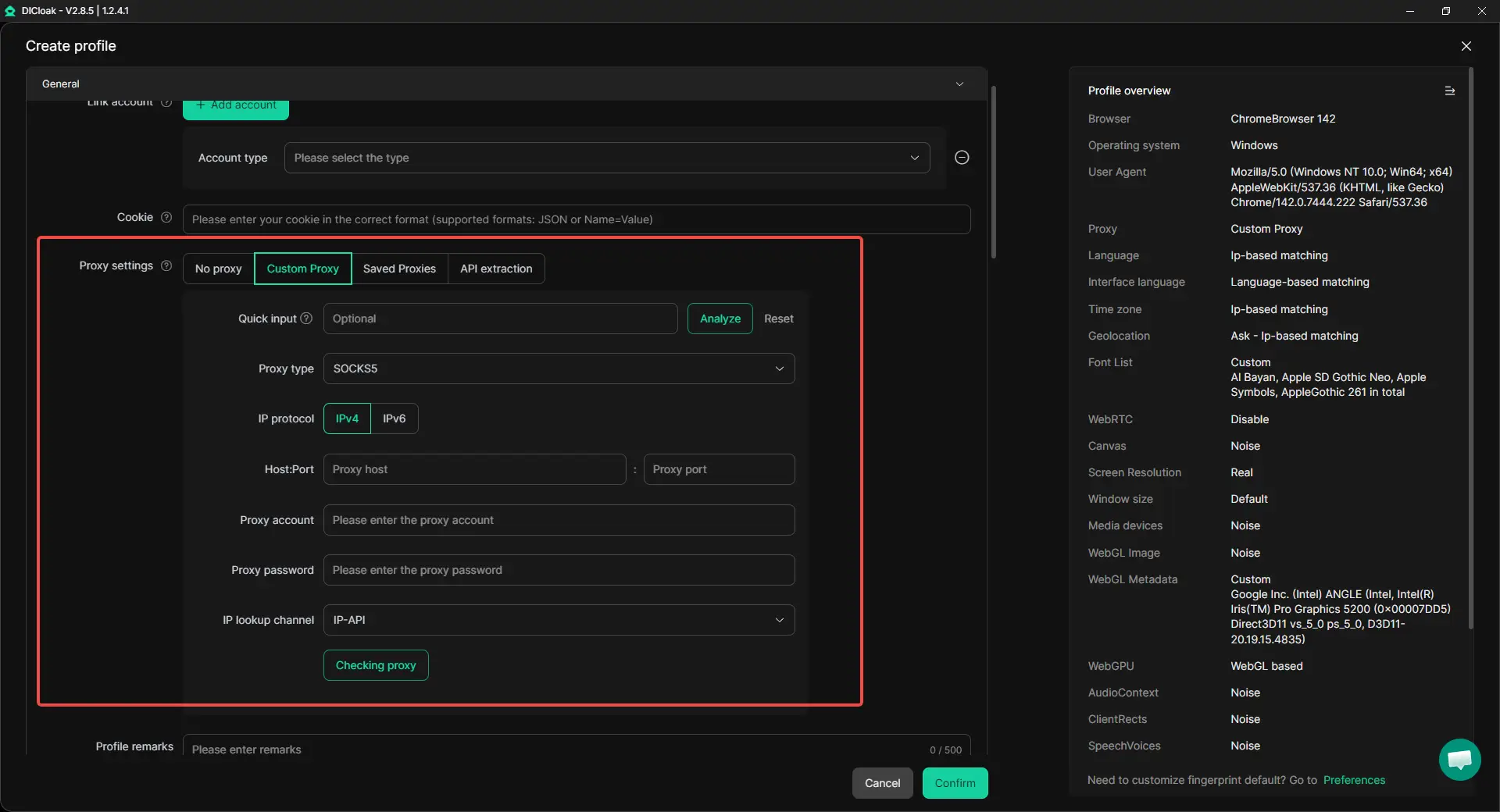
Setting Up Custom Proxies for More Stable Operations
Users can assign different proxies to different profiles and work with common proxy types like HTTP, HTTPS, and SOCKS5. This makes it easier to keep each account environment organized instead of using one shared connection for everything.
Keeping Team Workflows More Organized and Controlled
For teams, users can share profiles, set permissions, isolate data, and check operation logs. This makes it easier for one person to prepare replies, another to review them, and a manager to keep oversight. For multi-account work, that kind of structure is often more useful than pushing a YouTube comment bot harder.

Conclusion
A YouTube comment bot can be useful, but only when it is used with care. In the safest workflow, it helps with repeated tasks like sorting comments, preparing draft replies, and reducing manual work. It should support real communication, not replace it. That is the key difference between a helpful tool and low-value YouTube bot comments that create spam, trust issues, and account risk.
The best long-term approach is simple. Keep comments relevant. Keep automation limited. Keep human review in the process. For creators, agencies, and teams, this means using automation to improve efficiency while still responding in a way that feels clear, natural, and honest. In the end, the smartest use of a YouTube comment bot is not about posting more. It is about managing comment workflows better while protecting trust, quality, and channel health.
Frequently Asked Questions
Is using a YouTube comment bot allowed on YouTube?
A YouTube comment bot is not automatically safe just because it saves time. If it is used for spam, fake engagement, repetitive comments, or misleading activity, it can violate YouTube’s rules. Safer use usually means helping with drafts, sorting, or moderation support, while keeping human review in the process.
Can a YouTube comment bot help grow a channel faster?
A YouTube comment bot can help save time on repeated reply tasks, but it is not a shortcut to real growth. Helpful, relevant replies can support community engagement. Low-quality or spammy comments usually do the opposite and may hurt trust instead of helping the channel.
What is the difference between a YouTube comment bot and normal comment automation?
A YouTube comment bot usually refers to a tool that automates posting, replying, or managing comments. Normal comment automation can include safer tasks like drafting replies, filtering repeated questions, or supporting moderation. The main difference is how the tool is used and whether it supports real conversation or creates fake activity.
Can YouTube detect a YouTube comment bot?
Yes, YouTube can detect suspicious comment behavior. A YouTube comment bot may create patterns that look unnatural, such as repetitive wording, off-topic replies, or overly consistent timing. Even if the text looks normal, the behavior can still raise red flags.
What is the safest way to use a YouTube comment bot?
The safest way to use a YouTube comment bot is to keep the workflow small, relevant, and human-reviewed. It works best for repeated support tasks, such as preparing draft replies or sorting common questions under your own videos. It should not be used for mass posting, fake engagement, or spammy YouTube bot comments.
 Web Proxy Tools
 Free Tools
 Cookie Plugin
 UA Generator
 MAC Address Generator
 IP Generator
 IP Address List
 2FA Code Generator
 World Clock
 Anonymous Check
 WebRTC Leak Test
 UUID Generator
 Free Web Proxy Site
 Proxy Checker
 FB Ad Checker
 AI Web Scraping
 Free SMM Tools
 Twitter Shadowban Checker
 Instagram Name Checker
 UTM Generator
 Username Generator
 AI Hashtag Generator
 LinkedIn Headline Generator
 Social Media Image Resizer