In today's digital age, online privacy and security have never been more important. Whether you're managing multiple social media accounts, browsing unfamiliar websites, or simply trying to protect your identity, a virtual browser online free can be the solution you need. These cloud-based tools offer a secure and isolated environment for all your online activities, allowing you to surf the web without leaving a trace.
But with so many options available, how do you choose the right one? In this article, we'll guide you through the top free virtual browsers of 2025, compare their features, and show you how to pick the perfect one based on your specific needs. Whether you're a marketer, developer, or privacy-conscious individual, you'll find valuable insights on how to enhance your online security and efficiency. Keep reading to discover how a free virtual browser can transform your browsing experience!
What is a Virtual Browser Online Free?
A virtual browser online free is a web browser that runs on a remote server, not on your own device. You open it in a normal browser tab, but all real browsing happens in the cloud. The remote server loads the website, runs the code, and then streams the page to you like a video. Your device only shows the result and sends back your clicks and typing. Many security tools call this “remote browser isolation” or “cloud browser,” and some services offer a free virtual browser plan so you can try it without paying.
This setup is very different from a traditional browser like Chrome, Edge, or Firefox. A normal browser runs directly on your laptop or phone. When you visit a site, your device downloads scripts, images, and tracking code. If the site is unsafe, your device is the one at risk. With a virtual browser online free, the risky content stays on the remote server. Malware and bad scripts hit the cloud machine instead of your computer, which adds an extra safety layer.
Think of it like this. With a traditional browser, you walk into every building yourself. With a virtual browser, you send a robot to enter first and show you a live camera feed. If something explodes inside, only the robot gets hurt. This is why many companies and schools use cloud-based browsers to open unknown links or test new sites.
A simple example helps. Imagine you are on public Wi-Fi in an airport and you need to check a small, unknown website with many ads and pop-ups. If you use a regular browser, scripts on that site can try to track your device, read browser data, or drop malicious files. If you use a virtual browser online free, the site loads on a remote server in a secure data center. Your real IP, your local files, and your system are never exposed to that website. You only see a safe “view” of the page, which is much better for privacy and security.
Who Should Use a Virtual Browser Online Free?
Target Audience of Virtual Browser Online Free
After understanding how a virtual browser online free works, it becomes clear who can benefit the most from it. These tools serve many types of users, not only cybersecurity experts. Marketers, developers, and people who care about privacy often rely on a free virtual browser because it gives them a safer and more controlled space to work online.
Marketers use virtual browsers when they manage several accounts on social platforms or eCommerce sites. Each account stays in its own isolated session, so one login does not affect another. This helps reduce the chance of account restrictions. For example, a small business owner running three Instagram shop pages can open each one inside a different cloud session without creating a link between them.
Developers also rely on these tools. A developer may receive a testing link from a client. The link may contain unfinished code or heavy scripts. Opening it in a local browser can slow the device or expose bugs that crash the system. Using a virtual browser online free, the developer can test that link safely in the cloud, allowing them to check layouts, scripts, and features without stressing their own machine.
Privacy-conscious individuals are another major group. Many people do not want websites to track their device identity, IP address, or browsing habits. A virtual browser online free helps hide this information because the website only sees the cloud server. For example, a traveler using hotel Wi-Fi may want to read news sites from another region without exposing their real location. A cloud browser can display those pages without sharing any personal data.
Practical Applications of Virtual Browser Online Free
The real strength of a virtual browser online free comes from how it works in day-to-day situations. One common use case is anonymous browsing. When someone wants to read sensitive articles or search for private topics, the cloud server acts as a shield. The website sees only the server’s identity, not the user’s device or location.
Testing links is another useful scenario. Many people receive unknown links from clients, co-workers, or even friends. Some links may lead to heavy pop-ups or unsafe pages. Opening these links inside a free virtual browser lets the user inspect the page without putting their system at risk. This is why many companies encourage employees to test suspicious URLs in a cloud-based browser first.
Managing multiple accounts is also a very practical application. Social media managers, online sellers, and ad buyers often switch between many accounts throughout the day. A virtual browser online free allows each account to stay separate. Sessions do not leak cookies or fingerprints. An eBay seller with several storefronts, for example, can log in to each one in a different cloud session and avoid cross-contamination.
These real-world cases show why a virtual browser is more than a tool for experts. It solves everyday privacy and workflow problems in simple and safe ways.
Comparison of the Top 4 Virtual Browsers Online Free
Now that we understand who uses a virtual browser online free and why it matters, the next step is choosing the right tool. Each platform offers different levels of privacy, speed, and control. Some focus on simple, disposable browsing, while others offer powerful profile isolation for multi-account workflows. Below is a comparison of five reliable options in 2025. Each one serves a different need, so you can find the best match for your work or daily tasks.
1. Browser.lol
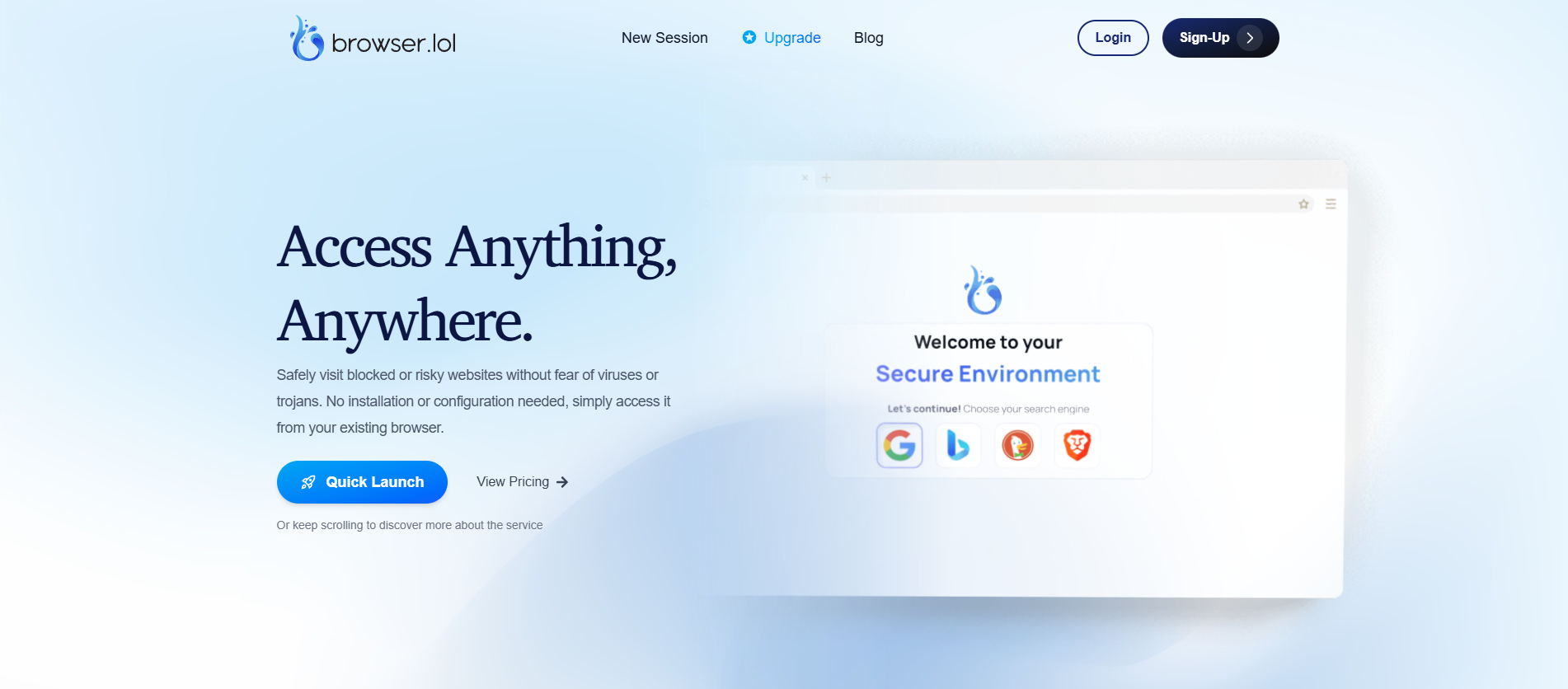
Browser.lol is one of the simplest free virtual browser tools available. It runs fully in the cloud and opens instantly in your regular browser tab. There is no login and no installation. This makes it useful for quick tasks like opening suspicious links or checking pages that may contain heavy scripts.
For example, if a coworker sends you a link you are not sure about, you can paste it into Browser.lol and load it safely through a remote server. The real website never touches your device, which reduces risk.
It is not built for multi-account marketing or profile management, but it is great for simple, safe browsing moments.
2. Browserling
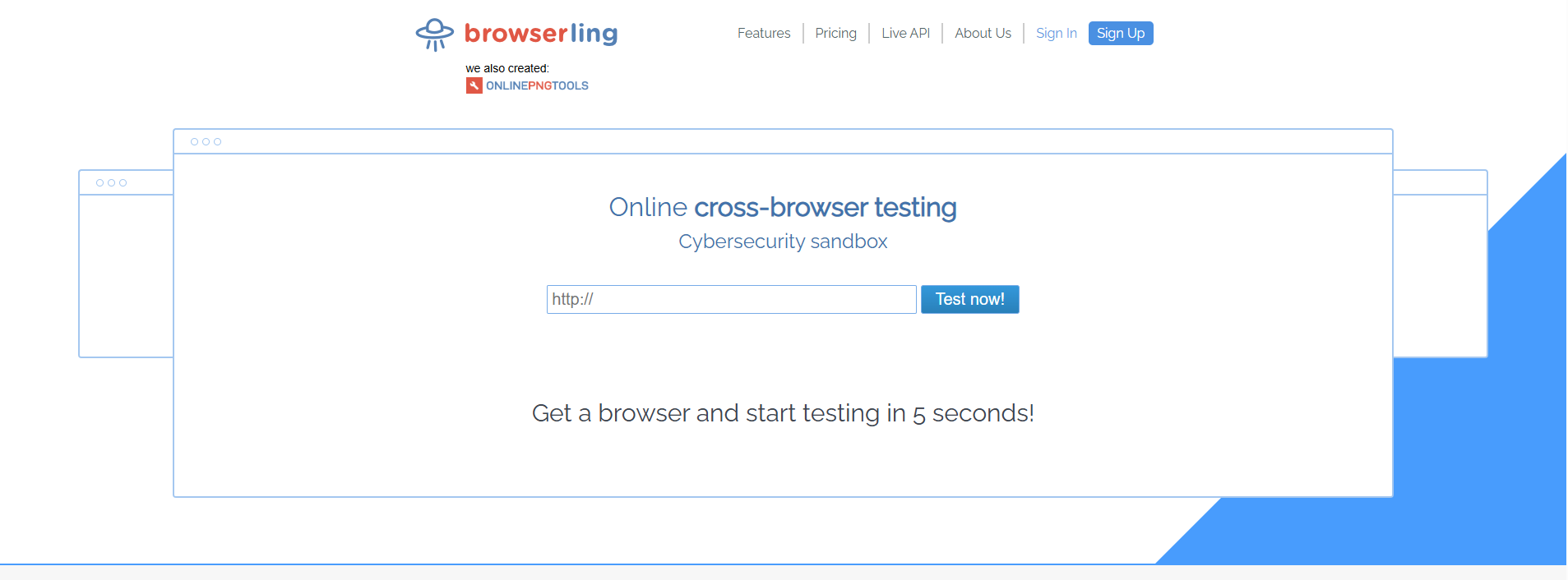
Browserling offers live browser sessions inside virtual machines. While many developers use it for testing layouts, it also works as a lightweight virtual browser online free option for viewing unknown pages safely.
A freelance developer, for example, may receive a prototype link from a client. Instead of risking their computer, they can open it through Browserling and inspect how the page loads across different browsers.
This tool is especially useful for QA testers and developers who need multiple browser types without managing them locally.
3. BrowserStack
BrowserStack is known as a large-scale testing platform, but many privacy-focused users treat it as a secure browsing tool because sessions run inside isolated cloud machines. It is not a typical free virtual browser, but its trial and temporary sessions allow safe, anonymous browsing when needed.
Its isolation makes it useful for users who need to open sensitive pages or test web apps across different devices. A developer working on a mobile website, for example, can check how it behaves on Android and iOS without owning those devices.
It delivers excellent controlled environments for testing and secure page viewing. However, it is not designed for multi-account marketing

4. Silo by Authentic8
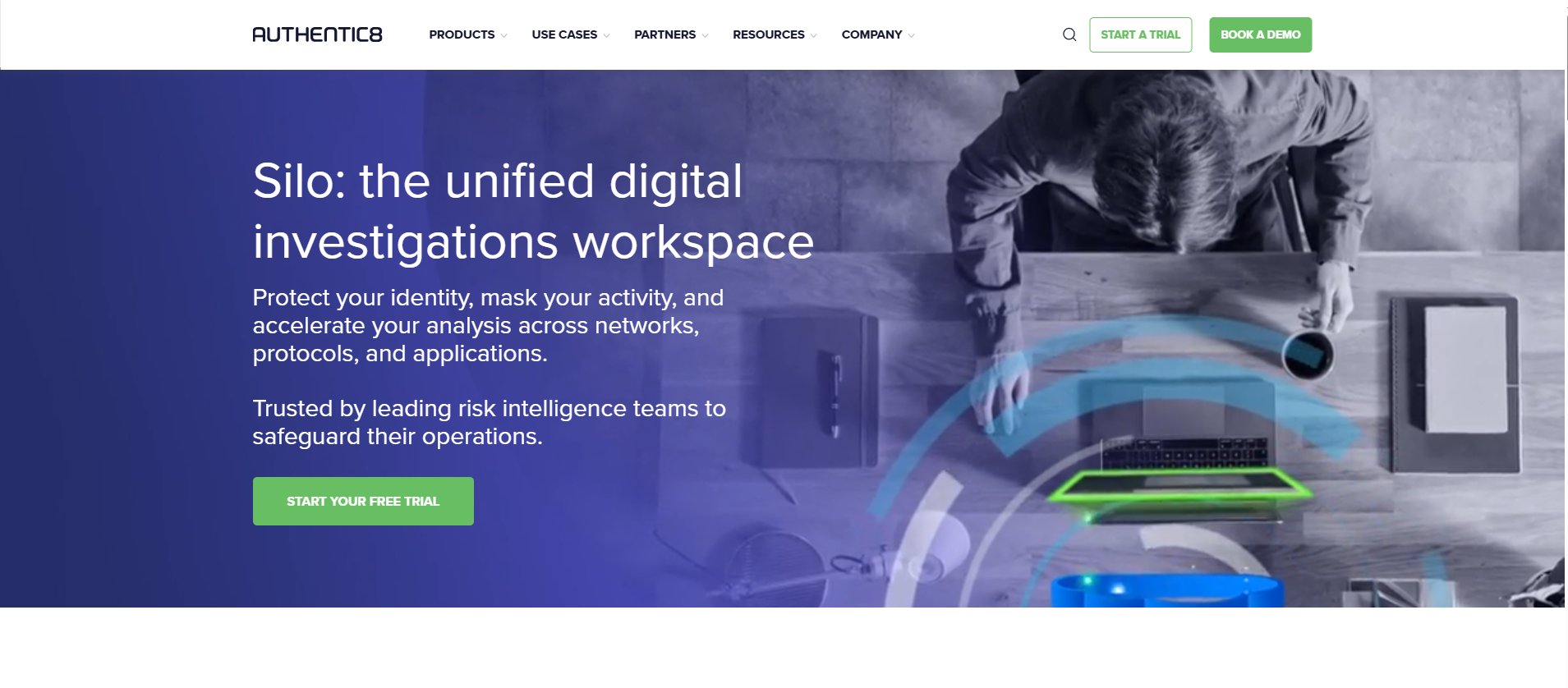
Silo is a cloud-hosted secure browser built for situations where privacy and compliance are critical. Each session runs in a sealed virtual container, which prevents websites from tracking users or injecting harmful code into their devices.
Silo is built for regulated industries and government use cases. It is excellent for high-security environments but less suited for casual tasks.
How to Choose the Right Virtual Browser Online Free
Selecting the right virtual browser online for free can be tricky, as each tool has its unique features that cater to different needs. Here are key factors to consider when choosing a free virtual browser for your personal or business tasks.
1. Privacy and Security Features
The main reason for using a virtual browser online free is to protect your online privacy and security. Look for browsers that offer features like IP masking, secure profile isolation, and anti-detect capabilities. These features prevent websites from tracking your device identity, location, and browsing activity. DICloak provides strong protection with customizable fingerprint settings and isolated profiles for each account, keeping your real identity hidden and your online actions secure.
If you are a privacy-conscious individual accessing sensitive websites, a virtual browser online free with IP masking and session isolation will ensure your personal information remains private.
2. Profile Management and Multi-Account Handling
If you need to manage multiple accounts, such as social media or eCommerce platforms, look for a virtual browser online free that offers easy profile creation and management. Tools like DICloak allow users to set up isolated profiles for each account. This means that each account operates independently, preventing cross-contamination and reducing the risk of being flagged or banned by platforms.
3. Automation Tools
For users who need to perform repetitive tasks like form submissions, web scraping, or managing multiple accounts, automation tools are essential. Some virtual browser online free tools come with built-in RPA (Robotic Process Automation) or AI-powered crawlers. These features allow you to automate tasks such as logging into accounts or browsing specific pages, saving time and boosting efficiency.
For example, a developer testing web pages can use automation features to quickly test various website layouts without manual input, increasing productivity.
4. Ease of Use and Interface
While advanced features are important, ease of use should not be overlooked. Choose a free virtual browser with a simple, intuitive interface that makes it easy to set up and navigate. Platforms like Browser.lol offer a clean and minimal interface, ideal for users who want a no-frills, fast solution for quick browsing.
5. Free vs. Paid Plans
Most virtual browser online free tools offer both free and paid plans. When deciding, it’s important to check the limitations of the free plan. Some may have restrictions on the number of profiles or the number of features available, such as limited proxy configurations or automation tools. If you need more advanced features like unlimited profiles, automation, or access to additional security measures, you may want to consider upgrading to a paid plan.
6. Compatibility and Device Support
Ensure the virtual browser online free tool is compatible with your device and operating system. Some tools work better on specific platforms, such as Windows or Mac, while others may offer browser-based solutions that work across devices.
For example, if you’re a Mac user and prefer to use a free virtual browser, make sure the tool supports macOS or runs smoothly through your web browser without needing to download additional software.
By considering these factors—privacy features, profile management, automation tools, ease of use, and compatibility—you can select the right virtual browser online free that fits your specific needs. Whether you're protecting your privacy, managing multiple accounts, or automating tasks, there's a virtual browser that can make your online experience safer and more efficient.
Virtual Browser Online vs. Antidetect Browser: What's the Difference?
When it comes to online privacy and security, both virtual browsers and antidetect browsers offer solutions, but there are key differences. A virtual browser runs in the cloud, isolating your browsing from your device and protecting you from malicious websites. While it’s a great option for secure browsing and testing, its primary focus is on privacy through session isolation and IP masking.
An antidetect browser, like DICloak, takes things a step further by offering advanced features for digital fingerprinting protection. It not only isolates browsing sessions but also allows you to customize device fingerprints, manage cookies, and configure proxies on a per-profile basis. This makes it a superior choice for managing multiple accounts or engaging in activities that require high levels of privacy, such as online marketing or testing.
For example, while a virtual browser may protect your session by masking your IP, an antidetect browser ensures that every aspect of your online identity—like screen resolution, operating system, and even WebRTC settings—is masked. This level of customization and control over your digital footprint makes antidetect browsers like DICloak the go-to choice for anyone needing advanced privacy and security, especially when managing multiple accounts or avoiding detection by websites.
Now that we've covered the difference, let's dive into how you can get started with an antidetect browser for enhanced privacy and control.
How to Get Started with an Antidetect Browser: A Complete Guide
Using an antidetect browser is a simple process, but it involves several steps to ensure that you maximize its privacy, security, and profile management capabilities. Here’s a step-by-step guide to using a web-based antidetect browser, with each step incorporating key features that enhance your browsing experience:
1. Sign Up and Log In
The first step is to sign up for a antidetect browser service. Depending on the platform, you might be required to create an account using your email address.
2. Create Antidetect Browse Profiles
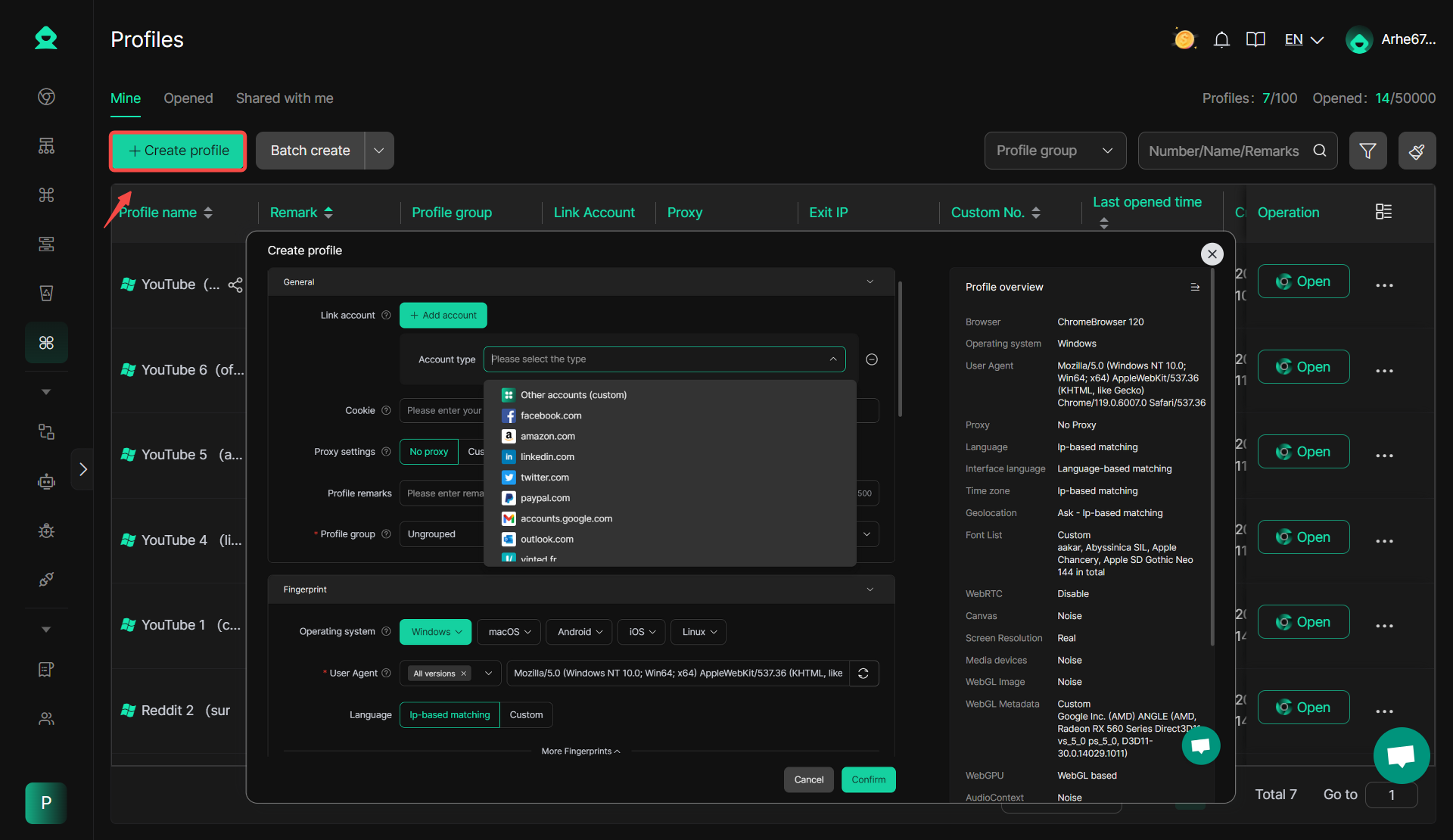
After logging in, you can begin creating antidetect profiles. For example, in DICloak, you can create a profile and configure it with a specific account, modify the fingerprint, cookies, and other device information, allows you to simulate different online identities with isolated profiles for each profile. This customization helps mask your actual device info, ensuring anonymity and multi-login without any risk of detection or account association. By setting up antidetect isolated profiles, it helps mask your actual device info, ensuring anonymity and multi-login without any risk of detection or account association.
3. Configure Privacy Settings
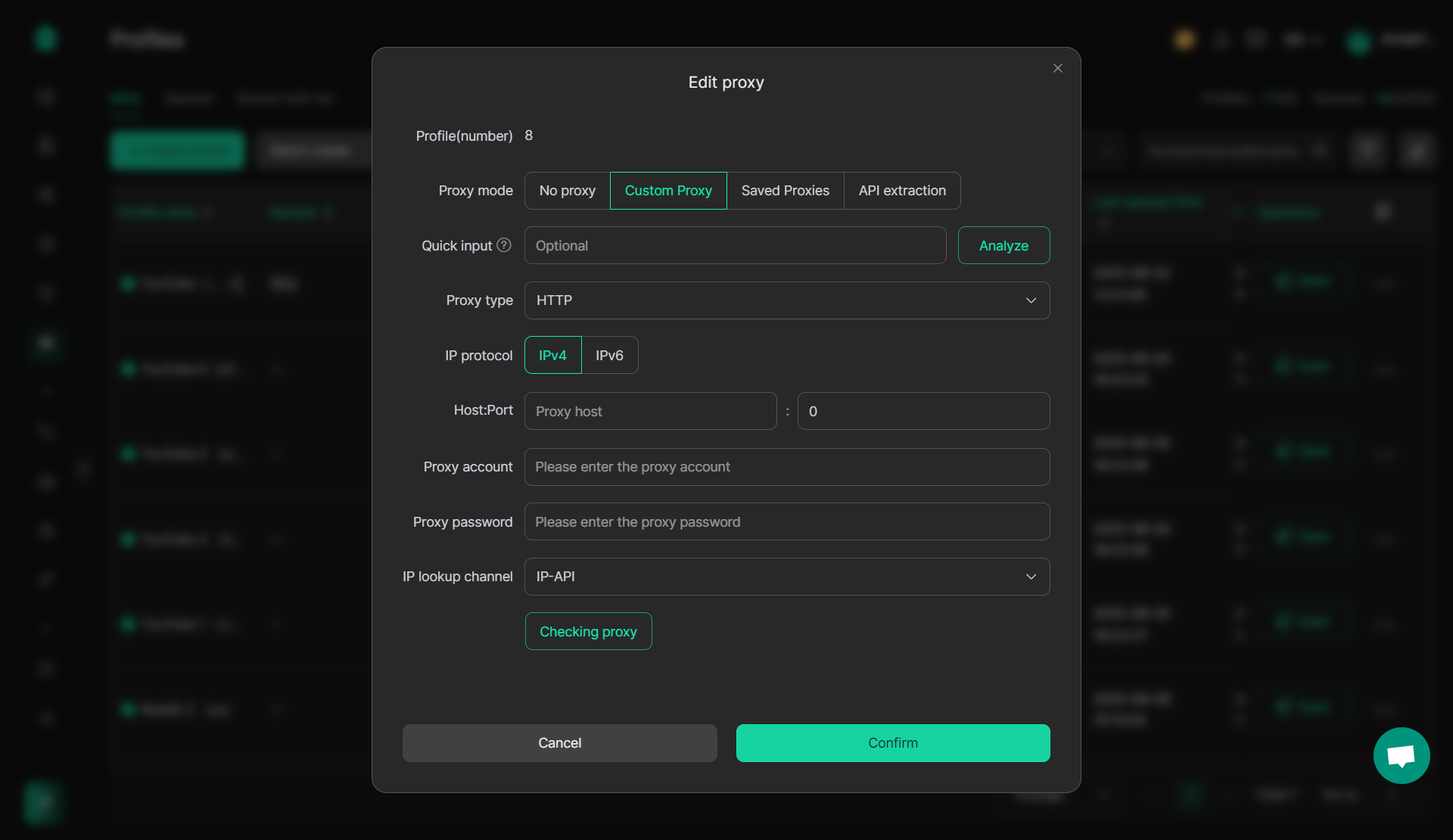
Once your profiles are set up, it’s time to configure your privacy settings. Many antidetect browsers, such as DICloak, allow you to not only adjust settings like browser fingerprints, but also configure proxies to mask your IP address. By doing so, you can achieve an additional layer of protection, ensuring that both your device information and IP address are hidden, providing true anonymity. This multi-layered approach enhances your privacy, making it much harder for any tracking or data collection to occur, and ensuring a safer online experience.
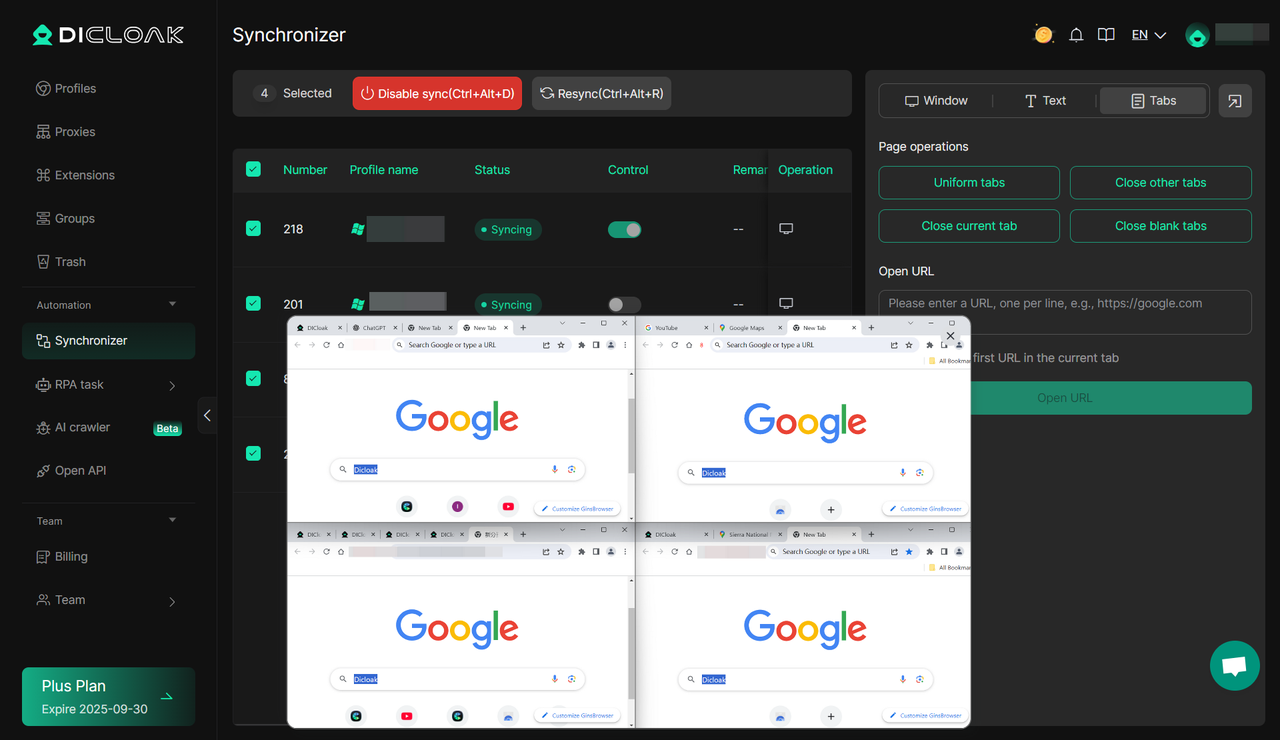
Once your profiles are set up and your privacy settings are configured, you can open the antidetect profile for generally browsing with the identiy include device fingerptints, IP you've set, while also ensures your online activity is protected. Not only can you open multiple profiles simultaneously, but in DICloak, you can also use the Multi-Window Synchronizer feature. This allows you to operate several profiles at the same time, making it easy to manage multiple accounts while maintaining full privacy. Whether you’re browsing social media, shopping, or researching, your activities will be secure and isolated, with your real identity masked as configured.
5. Automate Tasks (Optional)
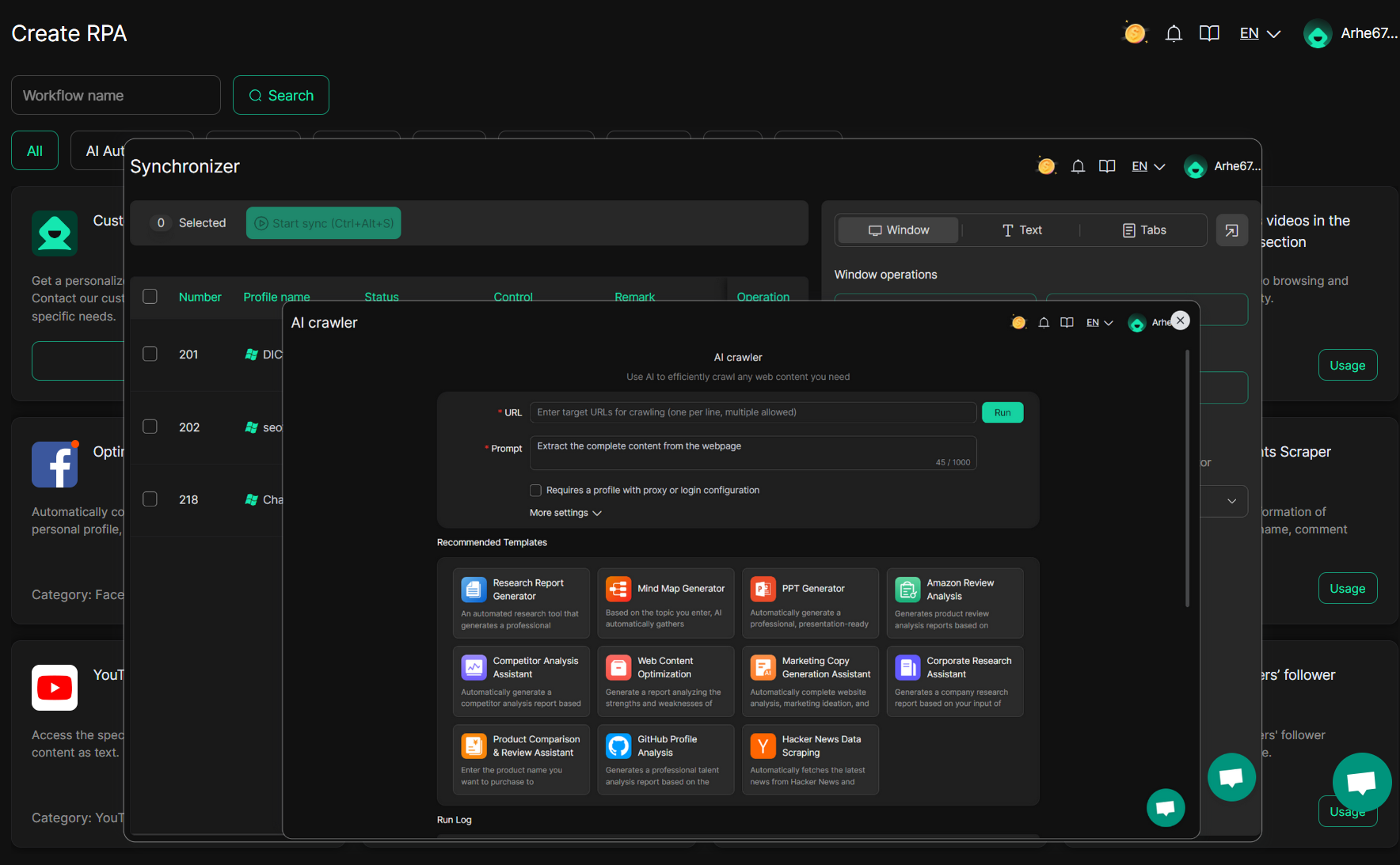
In addition to regular web browsing, many antidetect browsers, like DICloak, provide a wide range of automation tools to help streamline your online activities. With features like window Synchronizer, RPA (Robotic Process Automation) templates, and AI crawlers, you can automate tasks such as form submissions, account logins, and even web scraping. These tools allow you to perform multiple tasks simultaneously and efficiently, saving you time and reducing manual effort. Once set up, the antidetect browser will handle these tasks automatically, freeing you from repetitive actions and boosting your productivity.
6. Monitor and Manage Your Profiles
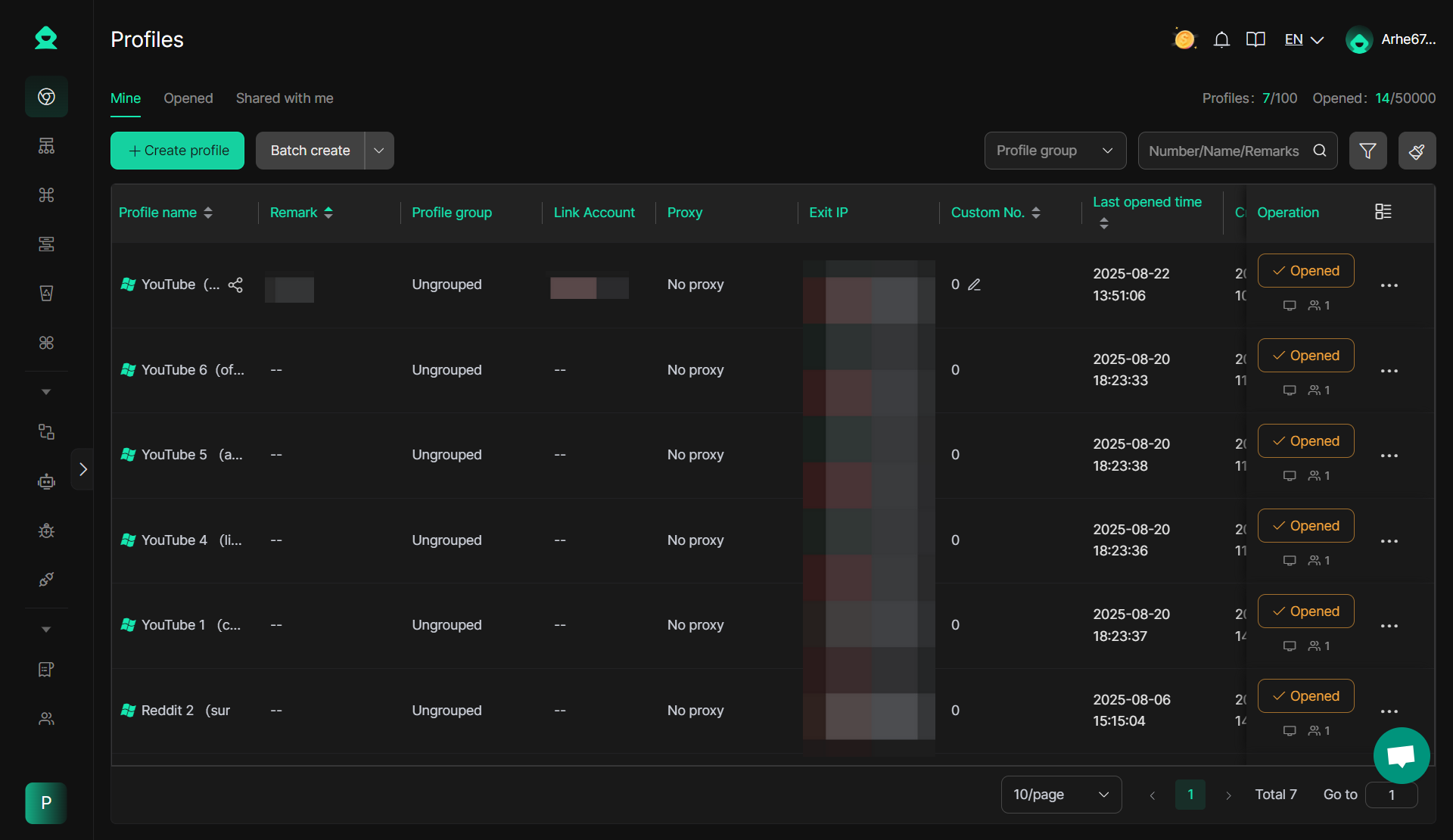
Managing your profiles is an essential feature when using a antidetect browser. It’s important to regularly monitor your profiles, update settings, and add or remove profiles as needed. In DICloak, profile management is made easy with advanced batch operations for creating profiles, setting configurations, and linking accounts. Whether you need to update a profile's settings or manage multiple profiles simultaneously, DICloak provides a comprehensive dashboard that lets you perform all tasks efficiently in one place, ensuring smooth and organized operations.
This guide provides an easy-to-follow process for using a antidetect browser effectively. By utilizing privacy, automation, and management features, you can enhance your online security while handling multiple accounts with ease.
Frequently Asked Questions About Virtual Browsers Online Free: Everything You Need to Know
What is a free virtual browser and how does it work?
A free virtual browser is a cloud-based tool that allows you to browse the internet in an isolated environment. It hides your IP address and browsing activity, providing enhanced security and privacy. By running entirely in the cloud, it keeps your device safe from malware and trackers.
Who should use a free virtual browser?
A free virtual browser is ideal for marketers, developers, and anyone who values online privacy. It's also great for individuals who need to test websites, manage multiple accounts, or browse anonymously. Whether you're handling several social media profiles or exploring unknown sites, a virtual browser offers a safe, secure solution.
How does a free virtual browser help with managing multiple accounts?
Managing multiple accounts can be challenging, but a free virtual browser allows you to create isolated profiles for each account. This ensures that sessions do not cross-contaminate, protecting each account's privacy and preventing bans or restrictions from platforms.
Is a free virtual browser enough for secure online browsing?
While a free virtual browser provides significant privacy and security benefits, it's important to remember that it may not cover all aspects of online protection. For advanced security needs, combining it with additional tools, like VPNs or dedicated security software, can provide even more robust protection.
Can I use a free virtual browser for testing websites and web apps?
Yes, a free virtual browser is an excellent tool for developers and testers. It allows you to test websites and web apps in a controlled, isolated environment. You can simulate different devices, browsers, and operating systems without risking your main device, making it a valuable tool for quality assurance and development.
 Web Proxy Tools
 Free Tools
 Cookie Plugin
 UA Generator
 MAC Address Generator
 IP Generator
 IP Address List
 2FA Code Generator
 World Clock
 Anonymous Check
 WebRTC Leak Test
 UUID Generator
 Free Web Proxy Site
 Proxy Checker
 FB Ad Checker
 AI Web Scraping
 Free SMM Tools
 Twitter Shadowban Checker
 Instagram Name Checker
 UTM Generator
 Username Generator
 AI Hashtag Generator
 LinkedIn Headline Generator
 Social Media Image Resizer