Your agent worked in local testing, then failed in production after one tool call returned more data than expected and your app had no guardrail on scope, timeout, or token handling. That is the exact mess teams run into with meta mcp: the protocol looks simple, but real deployments break at the trust boundary between model, client, and tool server. The core ideas come from the Model Context Protocol documentation and Anthropic’s official MCP announcement, while Meta-side integration decisions still depend on your runtime and model stack, including options documented in Meta Llama developer docs.
You need more than a diagram. You need a setup you can run without leaking secrets or giving tools broad access by accident. You will get a plain-language map of how meta mcp passes context and tool requests, where failures happen, and what to lock down before launch: scoped credentials, isolated tool permissions, request validation, output filtering, and audit logs aligned with common API risks in the OWASP API Security Top 10. Start with the protocol flow, then tighten each control point.
What Is Meta MCP, and When Do You Actually Need It?
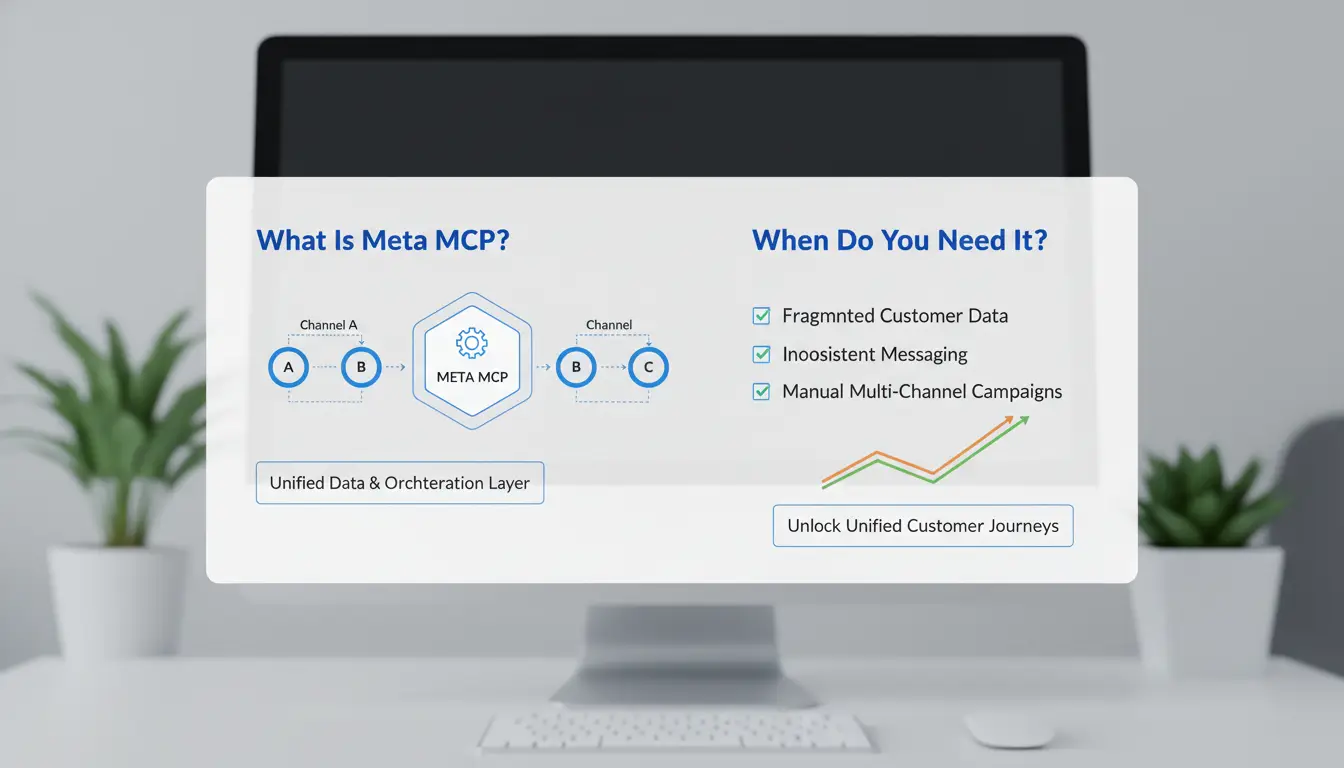
Meta MCP is a control layer between your AI app and multiple MCP servers. It routes tool calls, applies policy checks, and normalizes responses. In plain terms, it is one traffic manager instead of many direct wires. Use it when one client needs safe, coordinated access to several tools, not just one. The base protocol comes from Model Context Protocol, and Meta-side model/runtime choices are documented in Meta Llama docs.
Meta MCP in one sentence: aggregator, router, and middleware
With direct MCP, your client talks to each server itself. With meta mcp, the client talks once, then the layer forwards requests to the right server.
This helps when tools have different auth rules, output formats, or timeout behavior. It also gives one place for request validation, scoped credentials, output filtering, and audit logs aligned with OWASP API Security Top 10.
Use cases where Meta MCP is worth the extra layer
| Scenario |
Direct client-to-server MCP |
Meta MCP layer |
| One tool, one team |
Usually enough |
Extra setup |
| 3+ tools, shared across teams |
Hard to govern |
Easier centralized control |
| Strict audit and permission boundaries |
Scattered logs/policies |
Single enforcement point |
If you only call one internal tool, keep it direct. If multiple teams share tools and permissions change often, meta mcp is usually the safer setup.
How Does Meta MCP Work Under the Hood?
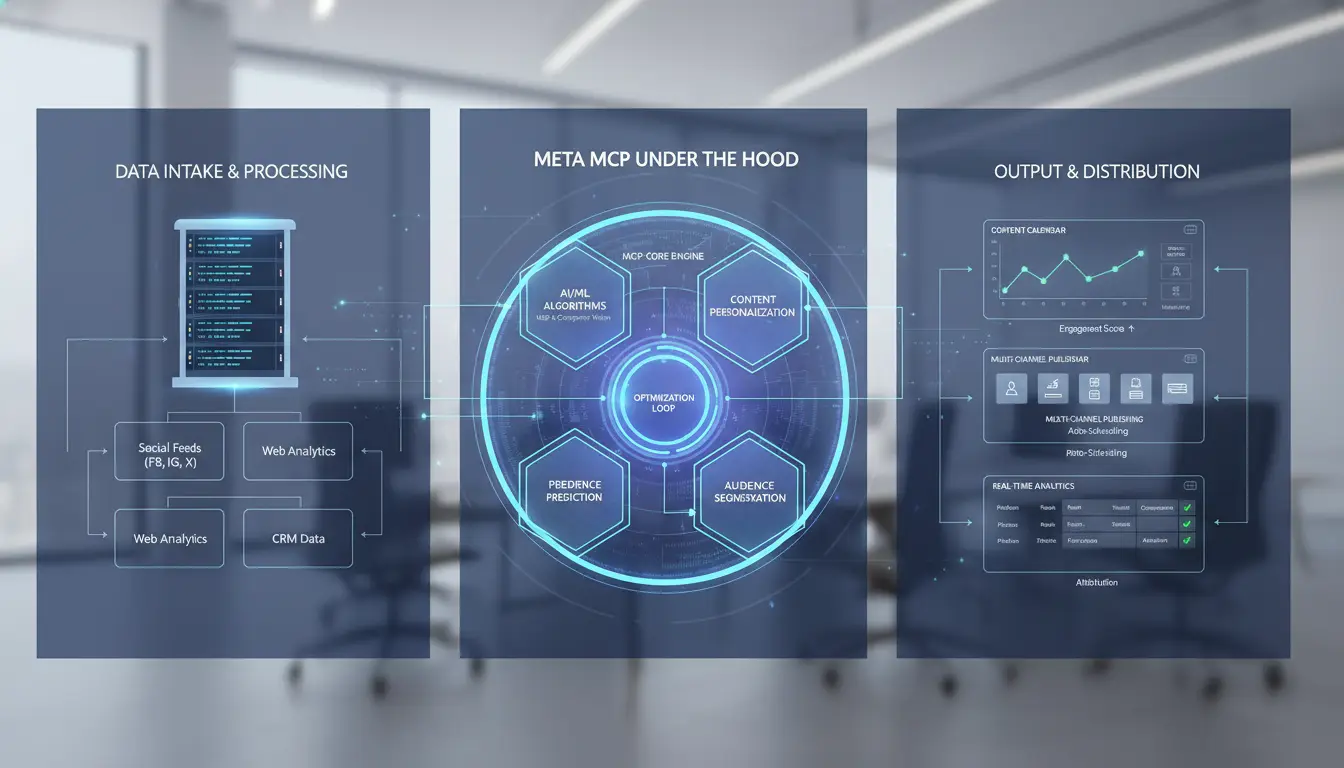
Request flow: client request to routed tool execution
A meta mcp request usually moves through five steps: client call, capability check, namespace match, tool run, response return. The client sends a prompt plus tool intent to an MCP endpoint, using the schema defined in the Model Context Protocol. The router checks allowed namespaces like files.read or crm.search, then discovers eligible tools from registered MCP servers. Most failed calls happen at namespace-to-tool mapping, not model output. Middleware sits between routing and execution. You can use it to block risky params, strip secrets, enforce allowlists, or rewrite fields into a stable internal format. Return payloads should pass output filtering before they go back to the model or user, aligned with controls in the OWASP API Security Top 10.
How compatibility works with different MCP clients
Client support differs by transport and config shape:
| Client type |
Transport |
Common break point |
| STDIO-only clients |
Local process pipes |
Server expects host/port, client sends command only |
| Network-capable clients |
HTTP/WebSocket |
Wrong base URL, auth header, or TLS setting |
Many meta mcp connection errors come from config mismatch, not bad tools. Check transport mode, namespace names, auth keys, and timeout values against Anthropic’s MCP spec notes.
What Should You Check Before Installing Meta MCP?
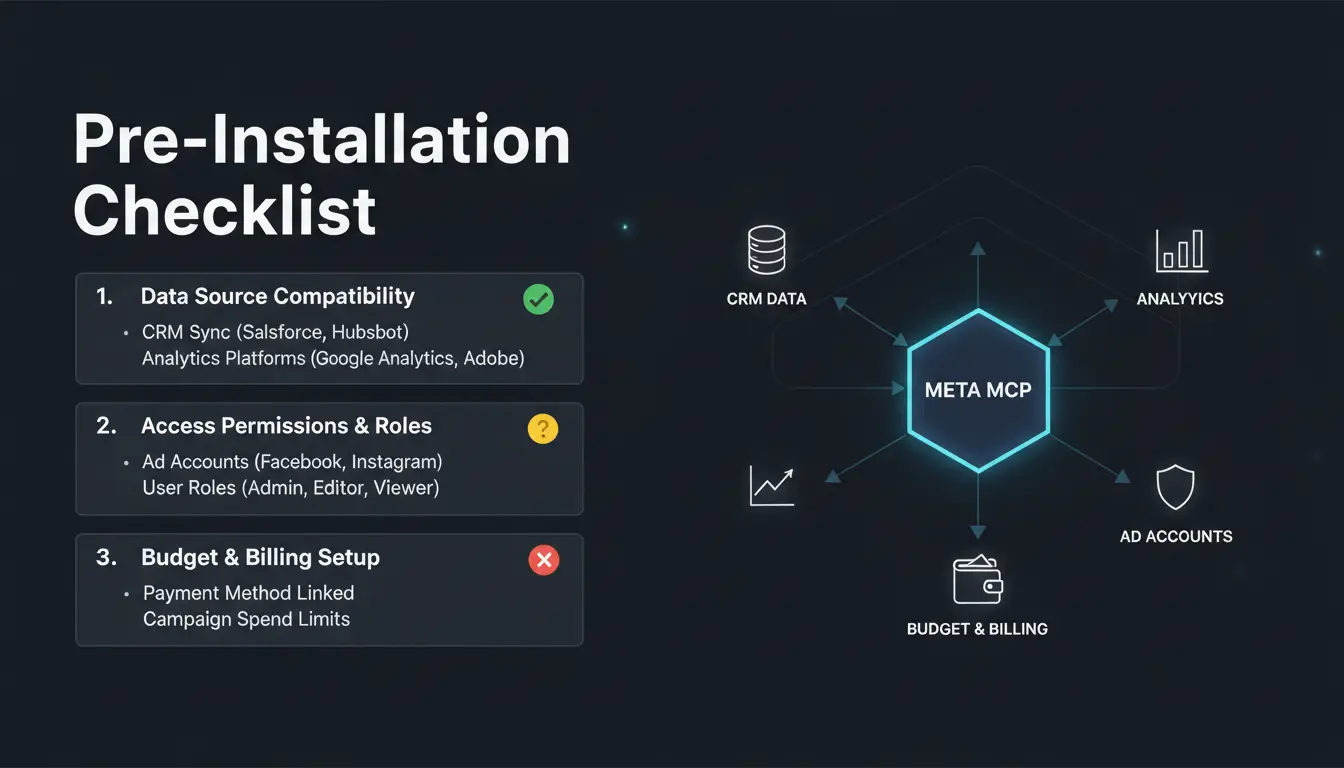
Before you install meta mcp, validate three things: runtime, tools, and config boundaries. Most setup failures start before launch, not during runtime. Check your MCP server plan against the MCP spec and your model runtime notes in Meta Llama docs.
Pre-install checklist for local and Docker deployments
Use a fixed checklist for both paths:
- Confirm language runtime and package manager versions match your project lock file.
- Reserve ports and map them in one place; avoid random port reuse.
- Set read/write file permissions for logs, temp files, and tool outputs.
- List every external tool the server can call, then remove unused entries.
- Keep secrets in environment variables, never in committed config files.
| Setup mode |
Good for |
Main risk |
Control |
| Local dev |
Fast debugging |
Dirty local state |
Clean env script |
| Container |
Reproducible runs |
Volume permission errors |
Explicit UID/GID mapping |
| Hybrid |
Realistic testing |
Drift between host and container |
Shared config template |
Configuration choices that affect stability later
Auto-detection is quick, but hidden defaults can break after updates. Manual config takes longer, yet it gives stable behavior and easier rollback.
For meta mcp namespaces and tools, use short, unique names like billing.read and crm.search. Keep one naming rule across repos, logs, and access policies so audits stay clear.
How Do You Set Up Meta MCP Step by Step Without Breaking Things?
Use this order and do not skip checks. The goal is one clean tools/list and one successful tool call through meta mcp. Lock secrets and tool scope before you open any client connection.
Fast path: Docker Compose setup and first health check
Create docker-compose.yml with three services: mcp-server, tool-service, and redis (or your queue). Put secrets in .env, not in compose. Required values are usually: model endpoint URL, model API key, tool base URL, allowlist of tool names, and log level.
Start with: docker compose up -d
Then check: docker compose logs -f mcp-server
Healthy startup usually shows config loaded, tool registry loaded, and listening port. Verify readiness with curl http://localhost:/health and expect 200. If health is up but tools fail, check request validation and tool auth scope against OWASP API Security Top 10.
Client connection examples and first tool test
Point your MCP client (Cursor or Claude-style) to the server URL and transport your stack supports from the MCP announcement. Keep one test tool enabled.
Run smoke test sequence:
tools/listtools/call with a tiny payload, like { "echo": "ping" }
Success means the client gets a tool result, not a model-only reply. If routing fails in meta mcp, inspect server logs for blocked tool name, bad token, or schema mismatch.
Why Do Meta MCP Setups Fail, and How Can You Fix Them Fast?
Most meta mcp outages come from a small set of repeat mistakes, not deep protocol bugs. Teams lose time when they guess and restart services without checking evidence. Fix speed comes from narrowing the failure domain in logs before changing config.
Top failure patterns in real deployments
Tool mismatch shows up when the client calls a tool name the server did not register, or calls the right name in the wrong namespace. Timeout failures often come from slow backend tools, not MCP itself; check tool runtime against client timeout settings.
Auth and path errors are just as common. A stale token, wrong header format, or missing scope blocks tool calls. A bad file path or container mount breaks config loading at startup. Environment variables fail when names differ across local, CI, and production. Use one env schema file and validate at boot.
Keep security checks tight while debugging. The MCP spec and docs and OWASP API Security Top 10 both stress scoped credentials, input validation, and audit logs.
A practical troubleshooting workflow
Start with structured logs in this order: request ID, tool name, auth result, timeout, backend response code. If request IDs are missing, add them now.
Isolate by hop. Run the same call:
- client -> meta mcp only (mock backend),
- meta mcp -> backend directly (skip client),
- full path end to end.
If step 1 fails, fix client payload or auth. If step 2 fails, fix server routing, tool config, or backend health. If only step 3 fails, investigate context size, concurrency limits, or network policy between services.
How Can Teams Run Meta MCP More Securely Across Multiple Accounts and Environments?
Teams running meta mcp across client accounts usually fail at the same points: shared browser state, reused IP routes, and admin access that is too wide. Treat each account as a separate security boundary, not as tabs in one workspace.
Where team risk appears: shared devices, mixed identities, and access sprawl
- How fingerprint overlap and unmanaged proxies increase detection risk If two operators log into different accounts from one browser profile, sites can link them through shared fingerprint signals like canvas, fonts, and storage behavior. Reused proxy endpoints add another link path. This creates avoidable flags during login checks and tool actions.
- Why missing permission boundaries creates audit and security gaps When every teammate can edit credentials, proxy settings, or automation rules, one wrong change can expose all environments. Without action history, you cannot trace who changed what during an incident.
How DICloak helps: isolated profiles, proxy binding, permissions, and logs
- Create dedicated browser profiles per account with independent fingerprints and proxy settings You can use DICloak to assign one profile per account, then bind each profile to its own proxy route. This keeps identity signals separated during daily work.
- Use profile sharing, role permissions, and operation logs to control who can change sensitive settings You can share access without sharing raw credentials, set role-based limits, and review operation logs for audits. Pair this with MCP guardrails from the Model Context Protocol to reduce cross-account mistakes.
How Do You improve Meta MCP for Performance and Reliability?
Performance tuning that actually matters
Slow replies usually come from too many parallel tool calls and repeated fetches. Set per-tool concurrency caps, short timeouts, and a priority order so user-facing calls run before background tasks. In meta mcp flows, add a tiny middleware cache keyed by prompt + tool + args for 30–120 seconds to cut duplicate calls.
Multi-account teams hit extra delay from login churn and mixed browser state. You can use DICloak to map each account to an isolated profile, bind a dedicated proxy per profile, and run batch or RPA login prep. That keeps session context stable and reduces human setup mistakes.
Reliability patterns for production workloads
Production breaks usually happen during tool outages or silent config edits. Use fallback servers with health checks and graceful degradation: return partial results, queue retries, and mark stale data clearly. Pin MCP/tool versions and review change logs in the MCP docs and Meta Llama docs.
Tools like DICloak let you lock team permissions, share only required profiles, and track operation logs for fast incident tracebacks when meta mcp behavior shifts.
Meta MCP vs Direct MCP Server: Which Architecture Should You Choose?
Pick based on failure risk, not just build speed. Direct MCP is lighter. meta mcp adds a control layer that can reduce drift across apps, but it raises setup and run cost.
Decision criteria for solo builders and small teams
| Situation |
Choose direct MCP |
Choose meta mcp |
| Tool count |
1-3 tools, stable scope |
4+ tools changing often |
| Team size |
1-5 people |
6+ people sharing patterns |
| Change rate |
Few prompt or policy edits |
Frequent policy and routing edits |
| Security controls |
Basic key scoping and logs |
Central policy checks and shared guardrails |
| Debug path |
You want shortest path from bug to fix |
You need repeatable behavior across clients |
If you run one client and a small tool set, direct MCP usually stays easier to test and patch. If you keep rebuilding the same wrappers, meta mcp can save time by centralizing policy, routing, and output checks aligned with OWASP API Security Top 10.
Decision criteria for growing or regulated teams
Use one rule: if audit trail quality affects release approval, add the meta layer early. Regulated teams need consistent request validation, scoped credentials, and action logs across clients. That maps well to MCP’s server-client pattern.
The trade-off is operational overhead: one more service, versioning rules, and on-call burden. Direct MCP keeps flexibility high per app, but behavior can drift. A meta layer lowers drift and simplifies cross-team reviews, especially with mixed model stacks noted in Meta Llama docs.
Frequently Asked Questions
Is meta mcp only useful for large teams?
No. Meta mcp helps small teams too when they run several MCP servers for different tools, data sources, or environments. It gives one control layer for routing, auth, and policy checks. If your team uses only one tool on one server, you may not need this extra layer yet.
Can meta mcp work with both local and cloud MCP servers?
Yes. Meta mcp can route requests across mixed local and cloud MCP deployments in one setup. Keep endpoint URLs stable, align auth rules (tokens, scopes, and rotation timing), and plan namespaces so tool names do not collide. This prevents wrong-tool calls and makes audits and troubleshooting much easier.
How often should I update a meta mcp deployment?
Update on a planned schedule, not every release day. Pin versions, test in staging with real tool flows, and promote only after checks pass. Keep a rollback package ready so you can revert fast if latency rises or routing breaks. Monthly or sprint-based review cycles work better than untested hot upgrades.
What logs are most important for meta mcp debugging?
Start with request routing logs to confirm which server and tool were chosen. Then review tool invocation results, including payload validation and exit status. Check timeout and retry traces to find slow hops. Finally, inspect auth failures and config parsing errors, since bad tokens or malformed routing rules often cause cascading issues.
Can meta mcp become a single point of failure?
Yes, it can if you run only one instance with no failover. Reduce risk with health checks, active-passive or active-active replicas, and fallback routing rules to critical tools. Store config in versioned backups and test failover drills. With redundancy in place, meta mcp stays a control layer, not a bottleneck.
Meta MCP gives teams a practical way to standardize how models connect to tools, data, and workflows, so AI systems stay more reliable, auditable, and easier to scale. The key takeaway is that treating integrations as a shared protocol layer reduces custom engineering overhead and helps organizations move faster with less operational risk. Try DICloak For Free
 Web Proxy Tools
 Free Tools
 Cookie Plugin
 UA Generator
 MAC Address Generator
 IP Generator
 IP Address List
 2FA Code Generator
 World Clock
 Anonymous Check
 WebRTC Leak Test
 UUID Generator
 Free Web Proxy Site
 Proxy Checker
 FB Ad Checker
 AI Web Scraping
 Free SMM Tools
 Twitter Shadowban Checker
 Instagram Name Checker
 UTM Generator
 Username Generator
 AI Hashtag Generator
 LinkedIn Headline Generator
 Social Media Image Resizer