Managing multiple accounts is harder than ever in 2026. If you are using Lalicat and dealing with random logouts, unstable sessions, or limited team features, it may be time to switch. In this guide, we compare the Best Lalicat Alternatives on the market and explain what really matters when choosing a safer, more stable antidetect browser. Whether you run affiliate campaigns, e-commerce stores, or social media accounts, this article will help you find the right tool—with DICloak standing out as the top choice for growing teams.
Why modern marketers are searching for a Lalicat alternative
If you have ever stared at a suspended Google Ads account or lost a profitable affiliate campaign overnight, you know how stressful multi-account management can be. For years, Lalicat was a popular choice to hide your browser fingerprint—the unique digital trace your device leaves behind when you visit a website. But as detection mechanisms get smarter, modern marketers are actively searching for a Lalicat alternative that offers better stability and overall value.
The most common reasons people leave Lalicat
Let's look at why growing teams are moving away from this older platform to protect their business.
Frequent account logouts and session issues
The biggest headache for any marketer is being randomly logged out of active sessions. When your browser profile is not perfectly stable, platforms like Facebook and Amazon quickly get suspicious. A weak connection between your proxy (your masked IP address) and your browser profile often triggers security checkpoints, leading to frustrating account bans.
Slow customer support and outdated UI
Time is money in affiliate marketing and cross-border e-commerce. When a critical campaign breaks, you cannot afford to wait days for a support ticket to be answered. Furthermore, many users report that Lalicat's user interface feels mechanical and stuck in the past, making daily tasks tedious when you are trying to manage dozens of profiles at once.
Hidden costs for team seats and API access
Scaling your operations should not break the bank. Lalicat users often find themselves forced into expensive tier upgrades just to add a single team member or connect basic automation scripts. Modern agencies need transparent pricing where collaboration and automation are included natively.
What to expect from a 2026 Lalicat alternative
Today's anti-detect browsers are significantly more advanced. You should expect seamless cloud syncing, modern interfaces that do not freeze, and deep hardware-level masking that easily passes modern security checks. Most importantly, the newest tools prioritize password-free teamwork and smooth API access without charging hidden fees.
Pro Tip: When switching to a new browser, always export your existing session cookies first. Importing warm cookies into your new profiles will dramatically reduce the risk of triggering instant account bans.
The best Lalicat alternatives at a glance
Finding the right replacement means looking at exactly how your business operates. Whether you need affordable stealth browsers for freelancers or a secure enterprise system, the anti-detect market has grown rapidly. You no longer have to settle for clunky software just to keep your campaigns safe. Let’s look at the absolute best Lalicat competitors available today.
Best overall for teams: DICloak
If your main goal is to prevent sudden account bans while managing dozens of profiles, DICloak is the clear winner. It takes the core concept of anti-detect browsing and upgrades it for 2026, making it perfect for social media multi-account management.
Instead of just hiding your IP address, DICloak isolates every single detail of your browser profile. It ensures that your canvas fingerprint, WebGL data, and fonts match naturally. To platforms like Facebook or Amazon, your 50 open tabs look like 50 completely different physical computers located around the world.
What truly makes DICloak the top choice is how it handles teamwork. It features secure, password-free sharing and customized permission levels. Your staff can access the exact accounts they need without ever seeing the master passwords or messing up your proxy configurations. Add in their built-in robotic process automation for repetitive tasks, and it is a massive step up from Lalicat.
Pro Tip: Before moving your entire operation, test DICloak's free tier. You can set up 5 profiles, connect your proxies, and import your existing cookies to see how smoothly the platform runs compared to your old setup.
What to look for in a reliable Lalicat alternative
Leaving a familiar tool is frustrating, especially when your business relies on keeping accounts alive. But if you are tired of sudden logouts and frozen screens, you need an upgrade. When searching for the best Lalicat competitors, you must look beyond basic IP masking. A true anti-detect browser needs to fake your entire hardware setup flawlessly. Here is exactly what you should check before moving your operations.
Stability when running 50+ profiles simultaneously
The biggest test of any multi-account software is what happens when you open 50 tabs at once. Weak tools will crash, taking your unsaved work with them. A secure session isolation browser must keep every profile strictly separated without draining your computer's RAM.
If you manage dozens of Amazon or Facebook accounts, stability equals safety. If one profile crashes and leaks your real IP address or canvas fingerprint (a tracking method that looks at how your browser draws images), the platform will link your accounts. One ban turns into fifty bans. Look for software that relies on deep kernel-level spoofing rather than superficial browser extensions.
Ease of connecting proxies and residential IPs
Your browser profile is only as strong as your proxy setup. Many users leave older tools because adding proxies is a slow, manual nightmare. A modern alternative must have bulk import features for HTTP, HTTPS, and SOCKS5 proxies.
You should also look for anti-detect browser that can check proxy before launching a profile. If a proxy fails, the browser should stop the launch to prevent your real IP from leaking.
Native support for modern Mac and Windows systems
Emulating a Windows computer on a Mac used to trigger instant security flags. Today, a top-tier alternative must offer native support for both Windows 11 and Apple Silicon (M-series) Macs. If your agency uses a mix of devices, your browser must generate correct, natural-looking device parameters for each one.
Instead of generic emulation, the best tools collect data from real users. This ensures your browser fingerprint spoofing tools output exact matches for modern operating systems. When your team logs in from different devices, the platform should sync effortlessly in the cloud without corrupting your carefully crafted profiles.
The top 6 Lalicat alternatives ranked and reviewed
Now that you know what makes a stable browser profile, it is time to look at the market. Moving away from an older tool gives you a chance to upgrade your security and streamline your daily tasks. We tested the leading anti-detect browsers based on their fingerprint accuracy, proxy handling, and team features. Here are the best Lalicat competitors available in 2026 to keep your accounts safe and your workflow moving.
DICloak: The top Lalicat alternative for professional teams
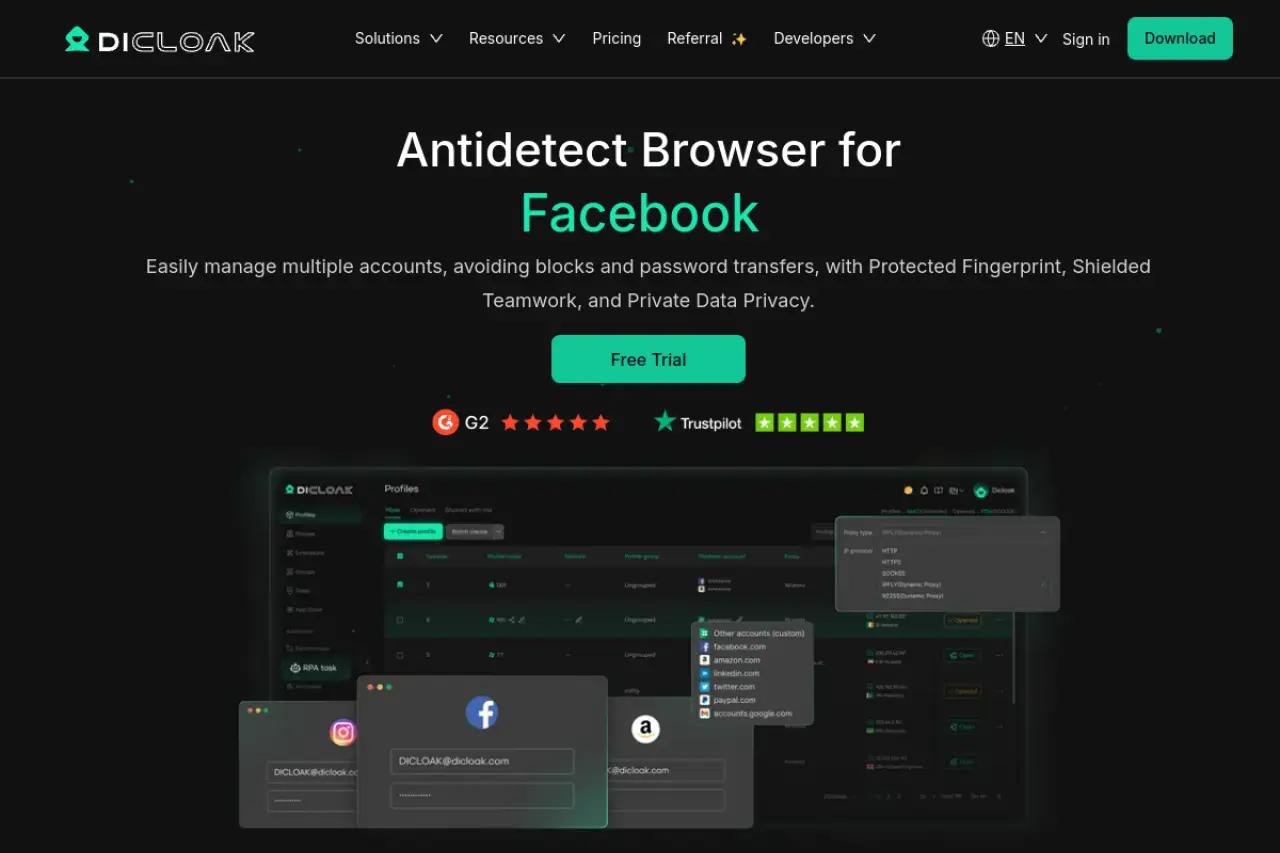
DICloak stands out as the ultimate upgrade for users leaving older tools. Instead of simple surface-level masking, DICloak simulates custom browser fingerprints at a deep kernel level. This means platforms like Facebook and Amazon see a genuine, unique device every time you log in.
Best for: Social media agencies and e-commerce teams
It is perfectly built for teams running complex multi-account operations, especially in cross-border e-commerce, affiliate marketing, and crypto campaigns.
Key strengths: Deep browser isolation and built-in automation
The platform offers incredible built-in RPA (Robotic Process Automation). You can automate repetitive tasks across dozens of profiles without writing any code. It also supports flexible proxy configurations, letting you assign your own purchased proxies per profile easily. Team management is password-free, keeping your master accounts fully secure.
Key limitations: Free tier is limited to 5 profiles
The free plan is strictly for testing, so growing agencies will need to upgrade to Plus plan (including 100 profiles) for managing larger client portfolios.
Pricing: Starts with a free plan; base plan from $8/month
The Base plan is highly affordable. Teams needing automation bots can grab the Plus plan for $28.80/month, which includes a window synchronizer.
"If you manage multiple high-value accounts, DICloak's deep fingerprint spoofing provides the peace of mind that older tools simply cannot match."
BitBrowser: Best Lalicat alternative for dual-engine flexibility
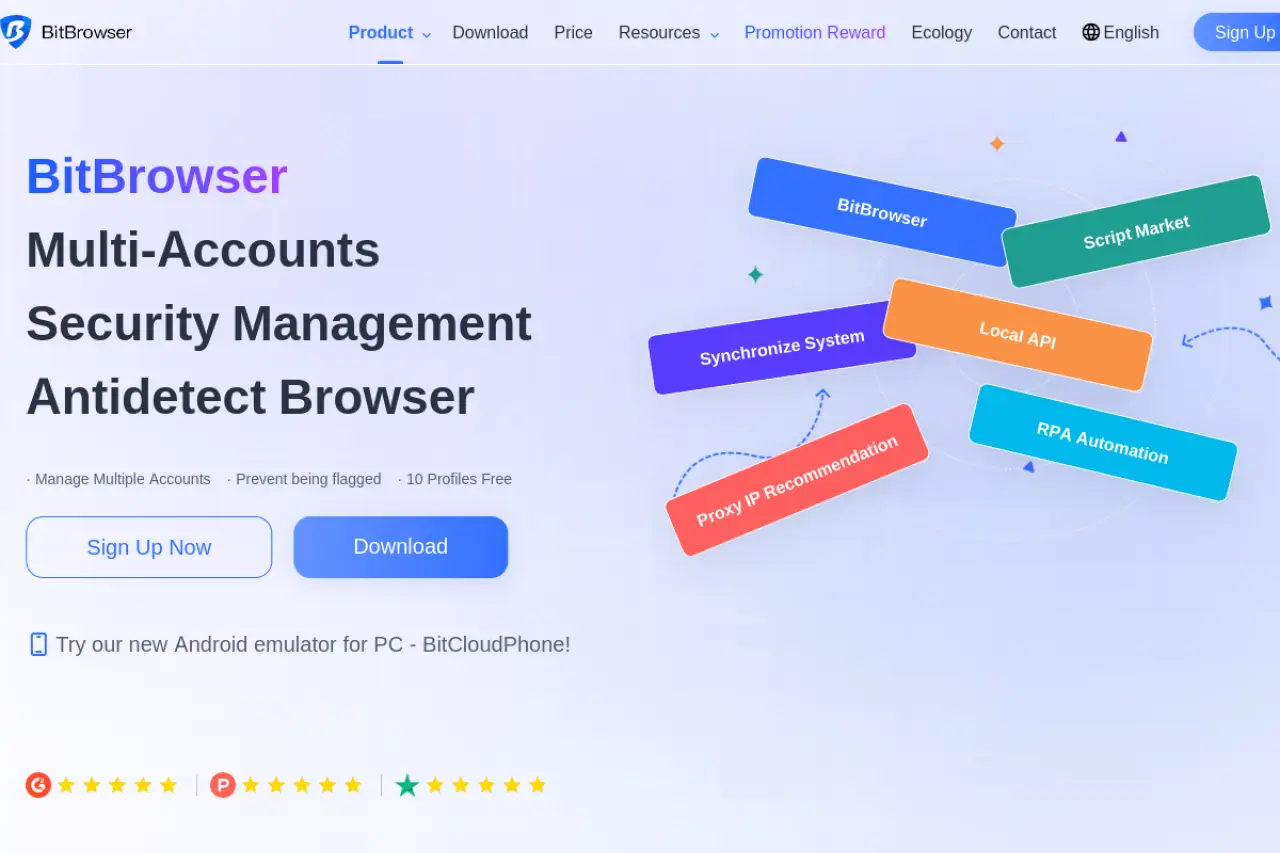
BitBrowser gives you something rare: a choice between Chromium and Firefox browser engines. This dual-core approach is excellent if you need varied browser profiles to avoid detection.
Best for: Affiliate marketers needing Firefox and Chrome cores
It is a favorite for crypto trading, traffic arbitrage, and social media marketing where engine diversity matters.
Key strengths: Supports mobile app profile and group control
BitBrowser includes a Cloud Phone virtual Android setup. This is perfect if you manage mobile-only apps. It also has strong group control features, letting you sync actions across multiple windows at once.
Key limitations: UI can be slightly overwhelming for beginners
Because it packs so many technical features, new users might find the dashboard cluttered compared to simpler tools.
Pricing: Free tier available; Base starts at $10/month
You get 10 profiles for free. Upgrading to the $10/month plan gives you 50 profiles and unlocks the group control sync.
MoreLogin: Best for managing mobile apps and cloud phones
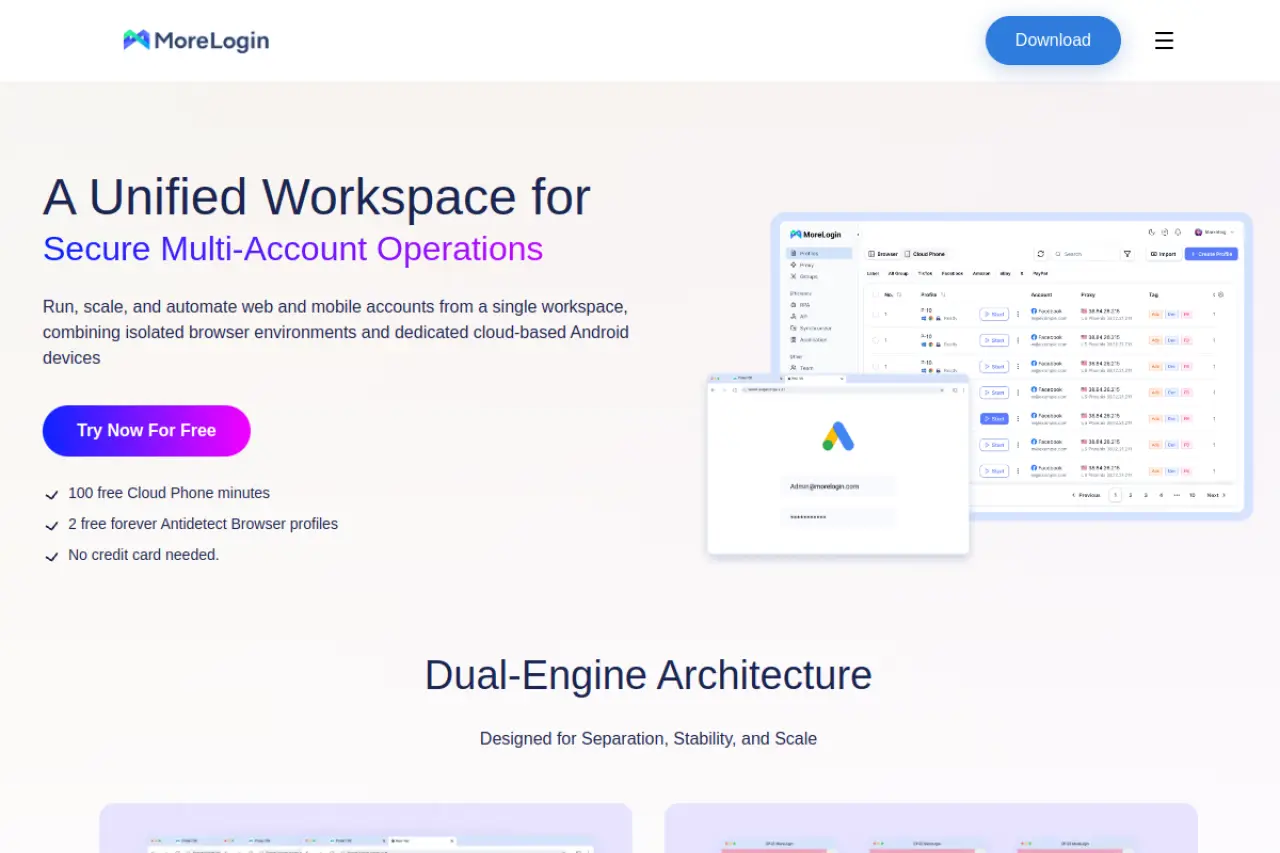
MoreLogin uses machine learning to generate its fingerprints. It collects data from millions of real users, ensuring your browser profile blends into the crowd naturally.
Best for: WhatsApp and TikTok account management
If your marketing strategy relies heavily on mobile platforms, MoreLogin is built precisely for your workflow.
Key strengths: Virtual Android profile and machine learning safety
The standout feature is the Cloud Phone. It acts as a virtual Android emulator, allowing you to run mobile apps safely. The advanced canvas fingerprinting (which masks how your browser draws hidden graphics) ensures your hardware data looks completely authentic.
Key limitations: Pro features required for team collaboration
The free version lacks the multi-user tools needed for growing agencies.
Pricing: Starts free; Pro version from $9/month
The $9/month Pro tier starts at 10 scalable profiles and unlocks cloud phones and the window synchronizer.
Octo Browser: The fastest Lalicat alternative for power users
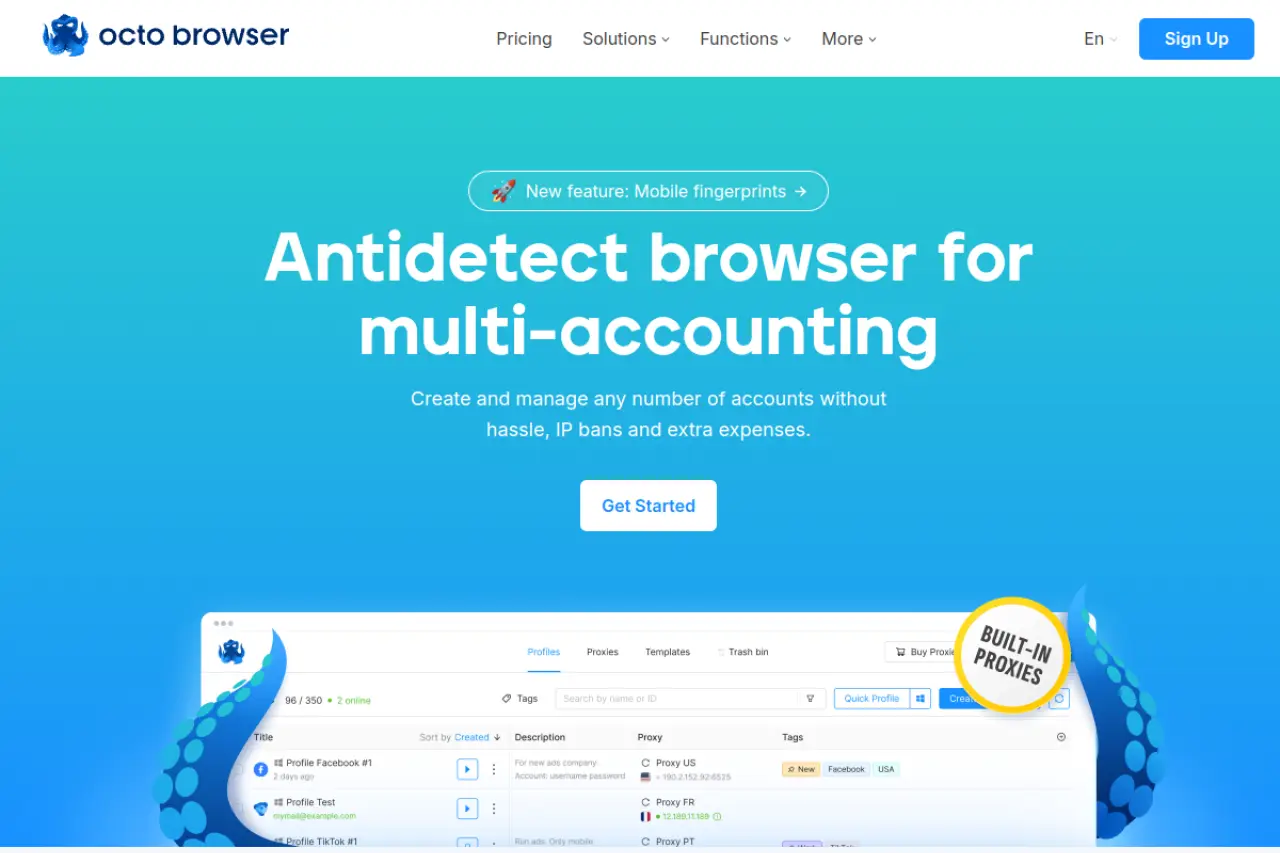
Octo Browser is a premium, Chromium-based tool designed for speed and scale. It handles massive amounts of profiles without slowing down your computer.
Best for: Heavy web scraping and bonus hunting
It is highly favored by digital agencies and scrapers who need extremely fast profile launches and reliable performance.
Key strengths: Fast profile launches and built-in cookie collector
Octo Browser features a Cookie Robot that automatically browses websites to harvest cookies. This builds trust with platforms before you even log in. It also has a proxy shop right inside the app.
Key limitations: Higher starting price than other options
The entry price is steeper, making it less ideal for beginners on a tight budget.
Pricing: Tiered plans starting from €10/month
The €10 Lite plan only gives you 3 profiles. To get 100 profiles and API access, you need the €79/month Base plan.
Hidemium: Best for no-code automation tasks
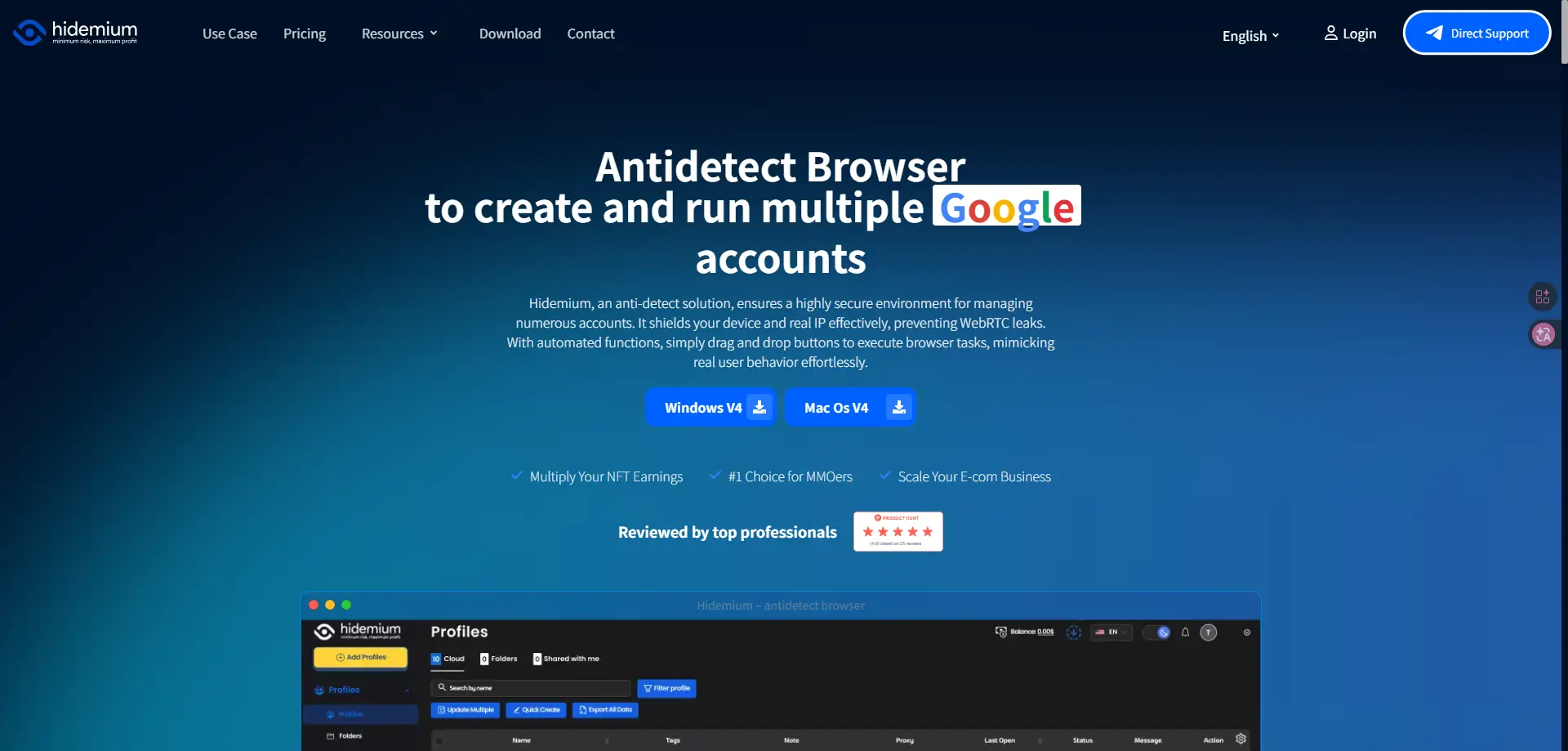
Hidemium focuses heavily on streamlining workflows. It uses customized fingerprints based on real-user data to prevent account bans.
Best for: Price monitoring and competitor research
It is a great fit for users who need to scrape competitor pricing or run automated ad checks across multiple regions.
Key strengths: AI-powered scripts for automated workflows
You do not need to be a developer to automate your work here. Hidemium features an AI Prompt Script tool that writes automation sequences for you. It also gives you the choice between cloud sync and local VPS storage.
Key limitations: Team permissions are locked behind higher tiers
Advanced team member functionality requires higher-tier cloud subscriptions.
Pricing: Custom cloud and local storage plans available
They offer unique usage-based Local plans for solo operators, alongside standard monthly Cloud subscriptions for teams.
Browser.lol: The best Lalicat alternative for quick browsing
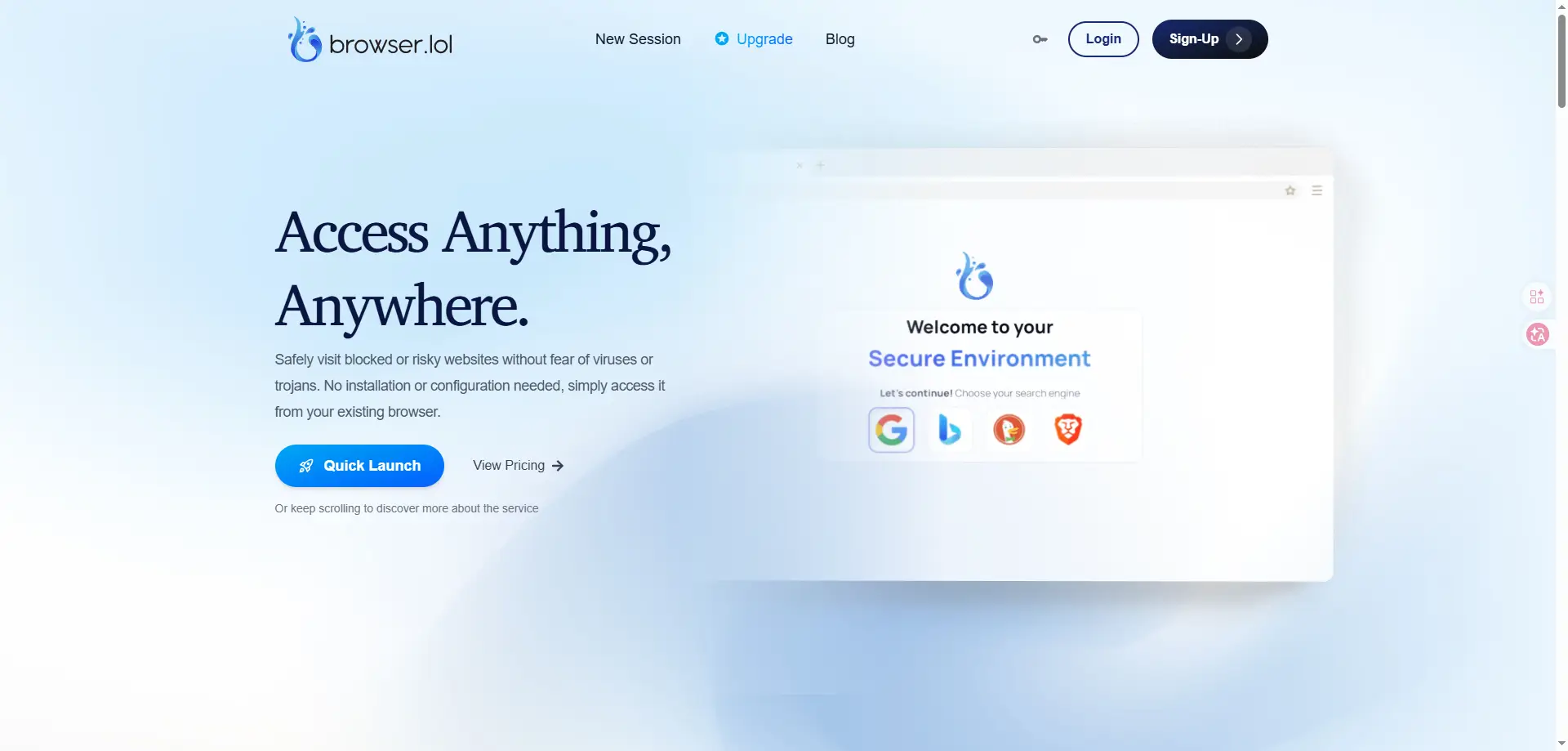
Browser.lol offers a totally different approach. Instead of downloading heavy software, it gives you instant, cloud-based virtual sessions right inside your current browser.
Best for: Checking suspicious links and anonymous one-off tests
If you just need a safe, isolated space to test a tracking link or do a quick search, this is your tool.
Key strengths: Instant cloud sessions with no installation
Because the browsing happens on remote virtual machines, no malware or trackers can touch your local device. The sandboxed profile wipes completely clean after you finish.
Key limitations: Not built for long-term account management
These are ephemeral sessions. It is not designed for nurturing the same social media account over six months.
Pricing: Free starter; paid tiers from $19.99/month
You get 10 free profiles for light use. The $19.99/month Starter Plus adds an API and a cookie collector.
Comparing Lalicat alternatives: Pricing and features
You have seen what the top tools can do individually. Now, how do they stack up when you look at the monthly bill and core features? Choosing the right tool means balancing your budget against the safety of your accounts. You do not want to overpay for features you will never use, but you cannot afford a cheap fingerprinting flaw that gets your business banned.
Comparison table: Key decision factors for Lalicat alternatives
To make your decision easier, we organized the core details of these six browsers. The goal is to match your daily workload with the right feature set. If you manage a large team running hundreds of accounts, a tool with strong permissions and built-in automation will save you hours of manual work. If you are just starting out, a generous free tier might be your top priority.
Here is how the top competitors compare on price and features.
| Browser |
Starting Paid Plan |
Free Tier |
Standout Features |
| DICloak |
$8 per month |
Yes (5 profiles) |
Automation and team collaboration |
| BitBrowser |
$10 per month |
Yes (10 profiles) |
Dual-engine flexibility |
| MoreLogin |
$9 per month |
Yes (2 profiles) |
Virtual cloud phone emulator |
| Octo Browser |
€10 per month |
No |
Fast cookie harvesting robot |
| Hidemium |
Usage-based |
Limited freemium |
AI script task automation |
| Browser.lol |
$19.99 per month |
Yes (10 profiles) |
Instant cloud virtual machines |
Notice that DICloak offers the strongest balance for growing teams, giving you advanced robotic process automation at a very accessible starting price.
Is a cheap Lalicat alternative worth it?
You have seen the features and the prices. Now you might be wondering if you can just grab the absolute cheapest option on the market. It is tempting to pick a free or ultra-cheap tool to save a few dollars. But when you manage multiple accounts for your business, the browser itself is only a small part of the equation. Cheap tools often mean weak security. If a budget tool leaks your real hardware data, you risk losing all your accounts instantly.
Hidden costs of choosing low-budget options
Saving ten dollars a month on software feels great until you lose a profitable advertising account. The biggest hidden cost of a cheap browser is poor session isolation. Low-budget tools often fail to mask your Canvas fingerprint properly. Canvas is a piece of code websites use to draw invisible images in the background, which reveals your specific graphics card details. If your browser cannot fake this correctly, platforms like Facebook and Amazon will link your profiles together and ban them all.
"You do not pay for an antidetect browser. You pay for the peace of mind that your business will survive the next platform security update."
When an account gets banned, you lose the time spent warming it up. You also lose the money sitting in the ad account and the revenue it would have generated. Suddenly, that free multi-account browser costs you thousands of dollars. Stable tools like DICloak invest heavily in reverse-engineering detection systems so you stay safe.
How to budget for proxies and browser subscriptions
A secure multi-account setup requires two things: a solid browser and high-quality proxies. When comparing Lalicat pricing vs competitors, remember that the software subscription is only half of your monthly bill.
Do not spend your entire budget on the browser and then use cheap, shared proxies. If ten other people use your proxy IP address for spam, even the best antidetect browser cannot save your accounts from getting flagged. Calculate your monthly budget by combining the cost of both tools. For a team managing 50 accounts, look for a browser tier that costs around $10 to $30 a month. Then, allocate a separate budget for clean residential proxies. Think of your browser as a digital vault, and the proxy as the secure, untraceable road leading to it.
How to avoid flags with a Lalicat alternative
You just saw why spending a few extra dollars on a stable tool protects your business. But buying a premium Lalicat alternative does not guarantee your safety automatically. How you configure your new software matters just as much as the tool itself. Platforms like Google and Facebook look for human errors in your setup. If you rush the profile creation process, you will trigger security flags. Let us look at how to set up your profile correctly from day one.
Common mistakes when setting up your first profiles
The most common reason for account suspensions is inconsistent hardware data. When people switch to a new browser profile, they often try to clone their existing profiles directly to save time. This is a massive mistake. If ten different advertising accounts suddenly share the exact same screen resolution, audio hardware, and operating system version, detection algorithms will notice immediately.
Another frequent error involves masking too much data. Many beginners turn on every privacy feature available in their new software. They block web trackers, disable location services entirely, and try to hide their graphics card details completely. Real human users do not browse the internet this way. When a platform like Amazon or Facebook sees a totally blank digital identity, it immediately marks that account as highly suspicious. You want to blend in with the crowd, not disappear from it. Your goal is to look like an average person logging in from a standard office computer or home laptop. Using a Lalicat alternative with deep customization ensures you generate natural hardware configurations that pass security checks quietly.
The importance of matching your proxy to your browser settings
Your browser profile and your IP address must tell the exact same story. A perfectly customized hardware fingerprint becomes completely useless if your network connection gives you away. This happens constantly when users fail to match their proxies with their system configurations.
Imagine you buy a high-quality residential proxy located in New York. If you do this, your browser timezone must be set to Eastern Standard Time. Furthermore, your system language should naturally be English. If your network address says you are in the United States, but your browser language is set to German and your system clock points to Europe, fraud detection systems will flag your account instantly. The mismatch proves you are hiding something.
You must also actively prevent WebRTC leaks. WebRTC is a common technology that websites use to support real-time video and audio communication. While helpful for regular browsing, it can accidentally expose your real local IP address even when your proxy is perfectly active. A secure Lalicat alternative will automatically force all WebRTC traffic through your assigned proxy to prevent this. Always review your setup to ensure your location, time, and language are perfectly synchronized before logging in.
Which Lalicat alternative should you choose for your team?
You now know how to configure your system to avoid security flags. The final step is matching your specific business needs to the right tool. Not every team needs the same features. A solo marketer has very different requirements than an agency managing hundreds of client stores. Let us break down the best Lalicat competitors based on specific use cases so you can make an informed choice for your daily operations.
| Tool |
Best Use Case |
| DICloak |
Managing multiple accounts securely |
| BitBrowser |
Flexible affiliate marketing setups |
| MoreLogin |
Mobile traffic and social media |
| Octo Browser |
Heavy web scraping and power users |
| Hidemium |
Crypto airdrop farming and AI scripts |
| Browser.lol |
Instant anonymous cloud sessions |
The top choice for managing 100+ accounts
Managing multiple accounts securely is one of the highest-risk operations in social media marketing. Platforms use strict detection mechanisms to link profiles together. If they succeed, you risk losing your entire business overnight. You need deep browser isolation to ensure every account looks like it belongs to a completely different person operating a unique computer.
For large-scale operations, DICloak stands out as the absolute best Lalicat alternative. It simulates custom hardware fingerprints at a deep system level, preventing platforms from seeing your real machine. Furthermore, DICloak includes built-in RPA. This means you can automate repetitive tasks, like checking inventory or warming up new accounts, without writing any code. As your team grows, DICloak allows you to assign specific roles to employees. You can share access to account without ever revealing the password, keeping your assets completely secure.
FAQs about picking a Lalicat alternative
Switching your multi-account management setup can feel risky. You want to make sure your new browser profile protects your hard-earned assets without causing massive downtime. Whether you need better automation or simply a more stable interface, transitioning from Lalicat does not have to be painful. Here are the most common questions we hear from marketers looking for a reliable replacement.
What is the best overall Lalicat alternative in 2026?
DICloak stands out as the best overall replacement for team collaboration and security. It provides deep system-level hardware fingerprint spoofing, meaning it alters how websites see your actual computer hardware. It also includes powerful robotic process automation and password-free sharing, making it perfect for growing operations.
Is there a 100% free alternative to Lalicat for beginners?
Yes, several tools offer free starter plans without requiring a credit card. For example, DICloak offers free plan with 5 profiles, which is excellent for learning how stealth browsers work before you scale up your campaigns.
Which Lalicat alternative is safest for Facebook and Google Ads?
Running ads requires strict isolation because advertising platforms use highly aggressive detection mechanisms. DICloak is highly recommended here due to its custom browser fingerprints that successfully disguise your underlying hardware.
Can I run these Lalicat alternatives on Mac M3 or Linux?
Most modern antidetect browsers are fully compatible with newer operating systems and Apple Silicon chips. Tools like DICloak offer native support for Mac and Windows, ensuring incredibly fast profile launches. Always check the official documentation of your chosen software to confirm Linux support, as it varies widely by provider.
How do I move my data from Lalicat to another browser?
Migrating your accounts involves exporting your active cookies and proxy lists from Lalicat and importing them into your new tool. Many alternatives, such as DICloak, feature transfer profile designed specifically for this process. Once your cookies are imported, the new browser profile will recognize your previous active sessions, keeping your accounts logged in and secure.
 Web Proxy Tools
 Free Tools
 Cookie Plugin
 UA Generator
 MAC Address Generator
 IP Generator
 IP Address List
 2FA Code Generator
 World Clock
 Anonymous Check
 WebRTC Leak Test
 UUID Generator
 Free Web Proxy Site
 Proxy Checker
 FB Ad Checker
 AI Web Scraping
 Free SMM Tools
 Twitter Shadowban Checker
 Instagram Name Checker
 UTM Generator
 Username Generator
 AI Hashtag Generator
 LinkedIn Headline Generator
 Social Media Image Resizer