This January, we rolled out several key updates to enhance fingerprint management, proxy control, profile organization, and personal network settings. These improvements make it easier to maintain consistent browsing behavior, manage multiple profiles efficiently, and ensure stable connectivity across different networks.
🔍 Highlights at a glance
- Fingerprint Settings: Browser Kernel 143 support, enhanced WebRTC control, and custom window size for more consistent fingerprints.
- Proxy Management: Proxy groups, bulk proxy assignment, and exit IP visibility for easier and safer proxy usage.
- Profile Management: Enhanced tag filtering for faster profile search and organization.
- Personal Settings: Network line switching for improved connectivity and stability.
🔐 Fingerprint Settings Updates
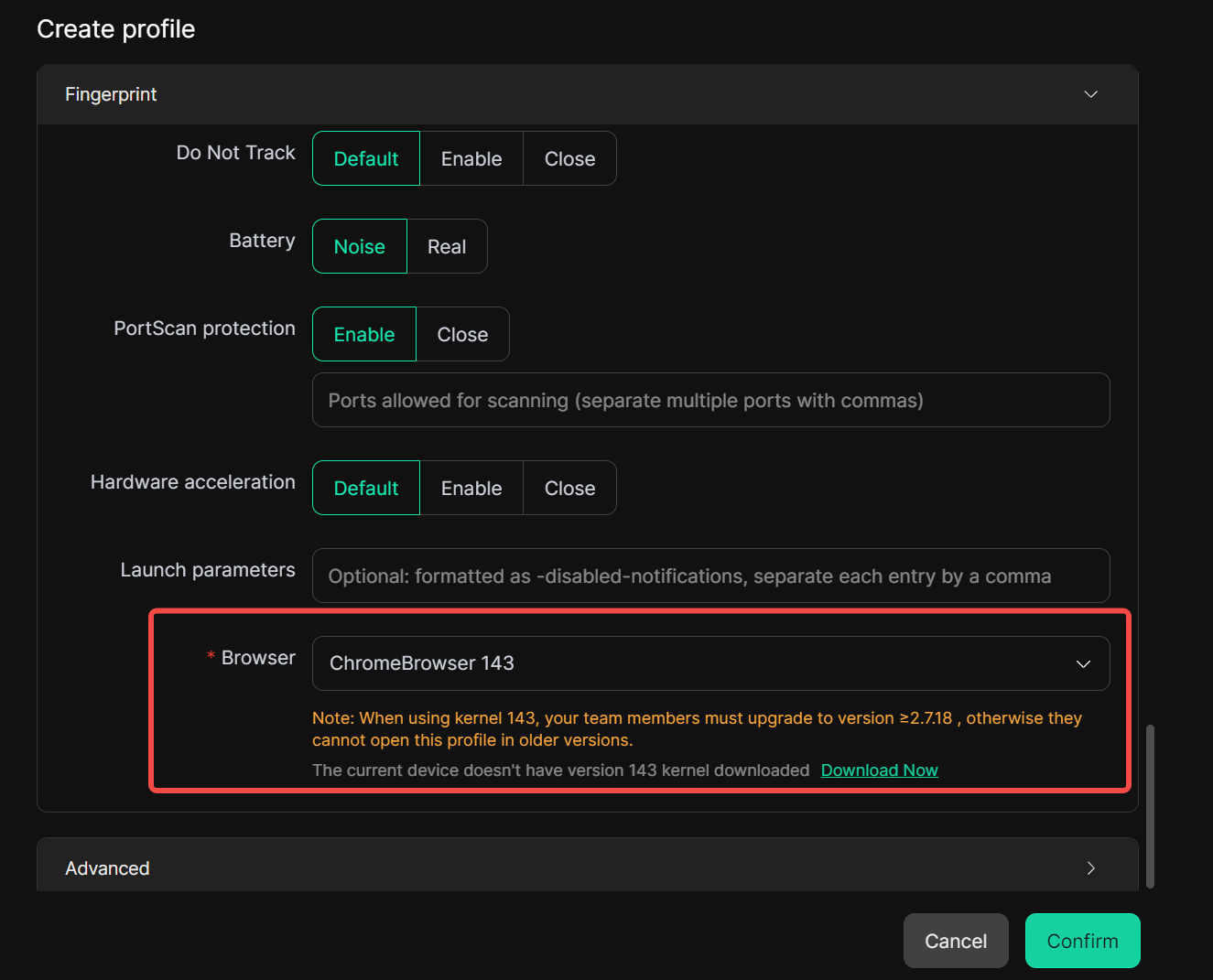
Support for Browser Kernel 143
A new browser kernel (143) is now available as part of fingerprint configuration. This allows profiles to better match websites that require newer or specific browser versions, improving access success rates and overall compatibility across more platforms.
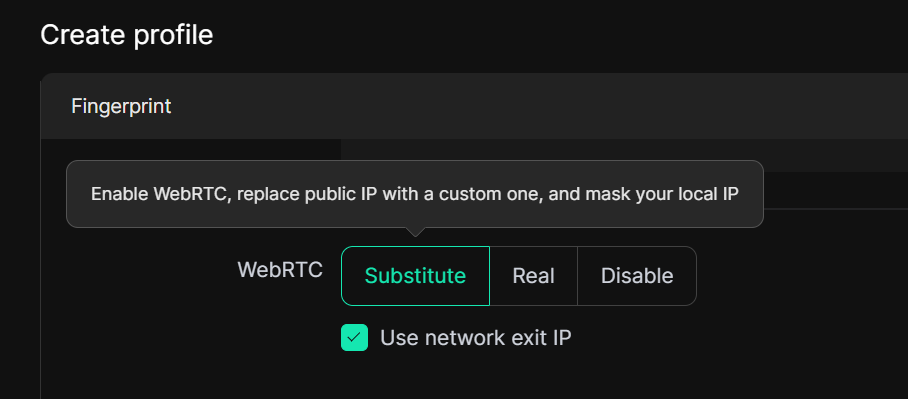
Enhanced WebRTC Fingerprint Control
The WebRTC fingerprint option has been further optimized. When selecting “Substitute”, the browser will expose only the current proxy IP during WebRTC communication, while fully masking the real local IP. This ensures IP consistency at the fingerprint level, reduces the risk of IP leaks, and helps maintain a more reliable and undetectable browsing identity.
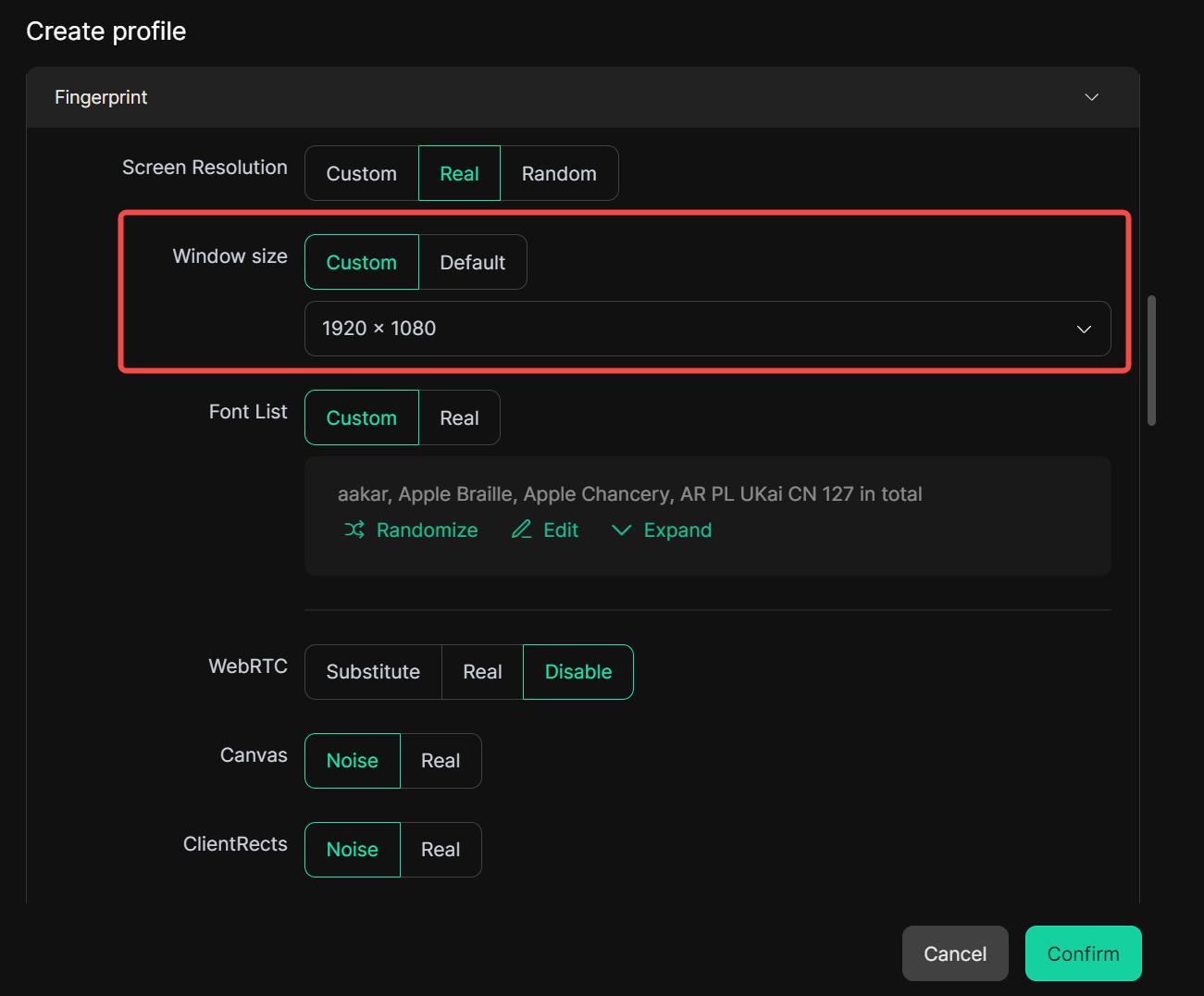
Custom Window Size as a Fingerprint Parameter
Window size is now available as well. You can define the initial window dimensions for each browser profile, and the profile will always launch at the same size. This helps maintain consistent browsing behavior across profiles, ensures stable visual layouts, and improves overall fingerprint consistency.
🌐 Proxy Settings Enhancements
Proxy Group Management
You can organize proxies into different groups and assign them to specific browser profiles. Each profile will only use proxies from its designated group, making proxy management clearer and more structured.
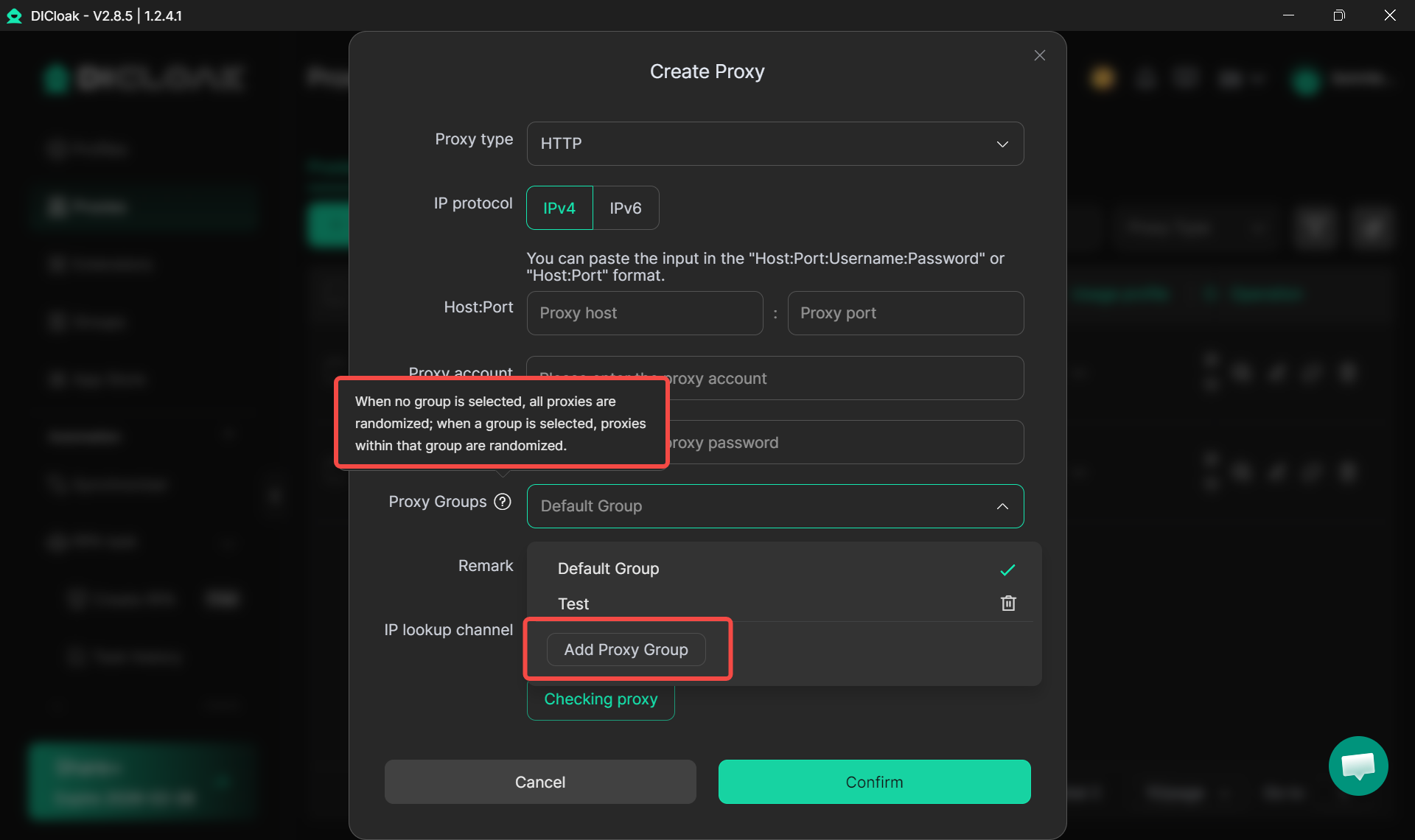
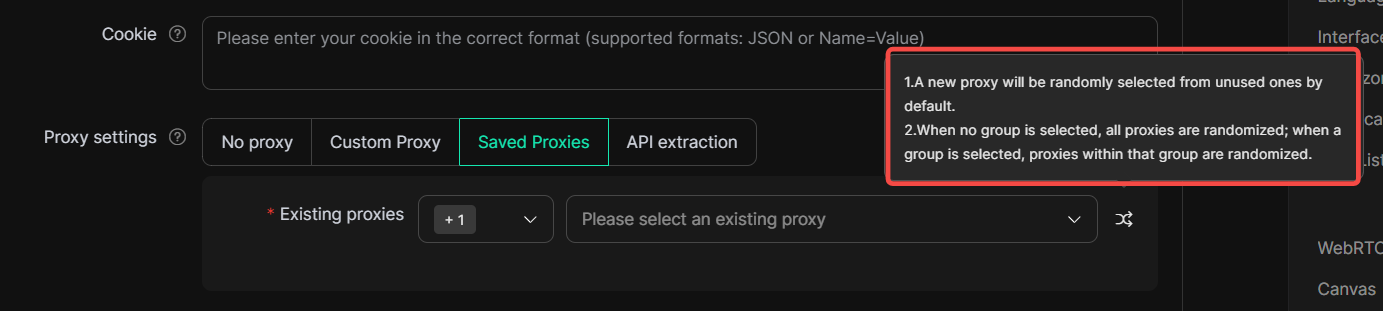
When creating or editing a profile, simply select one or more Proxy Groups under Saved Proxies. After clicking the double-arrow icon, it will automatically select proxies only from the chosen group when the profile is in use.
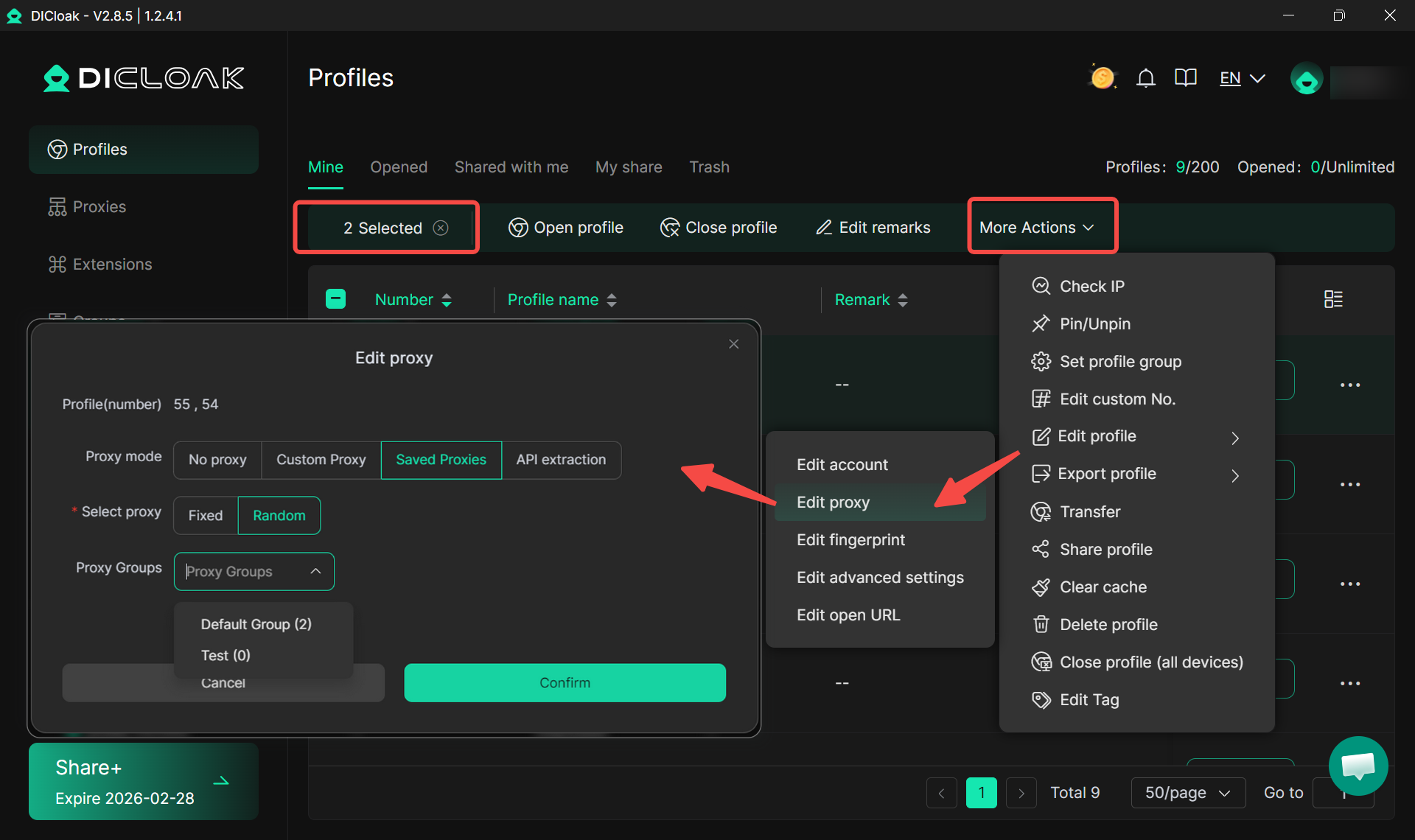
Random Proxy Allocation for Batch Profiles
You can now assign proxies to multiple profiles in bulk using a selected Proxy Group instead of manually choosing proxies one by one. This streamlines large-scale proxy assignment, reduces repetitive setup work, and supports more efficient multi-profile operations.
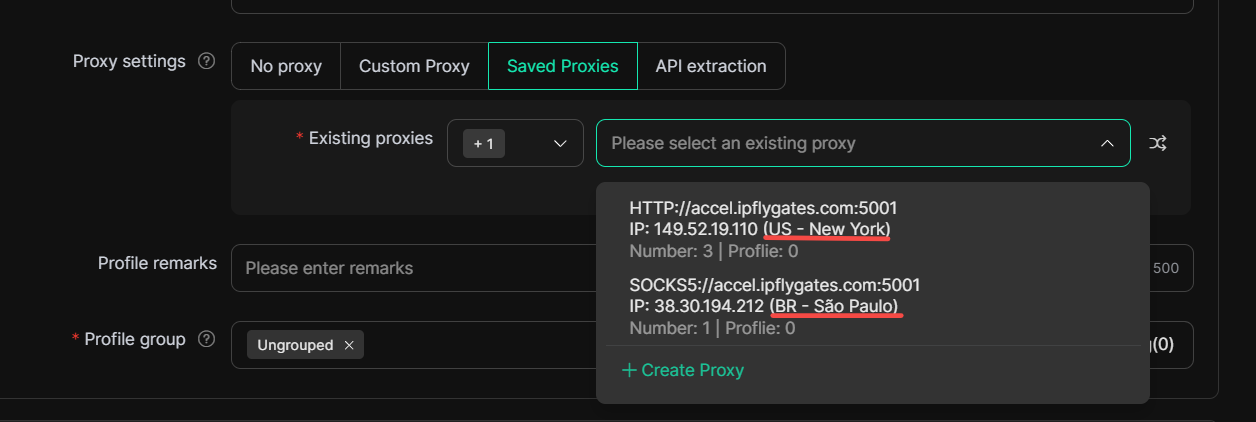
Exit IP Visibility During Proxy Selection
When selecting a proxy while creating or editing a profile, the exit IP is now shown in the interface, allowing you to quickly verify the outbound IP, avoid misconfigurations, and manage proxies confidently across regions and providers.
🗂 Profile Management Update: Enhanced Tag Filtering
Tag-based filtering in the profile list has been improved for more efficient management. You can now combine multiple tags with other criteria, making it easier to quickly find specific profiles—especially useful when handling large numbers of profiles across teams or projects.
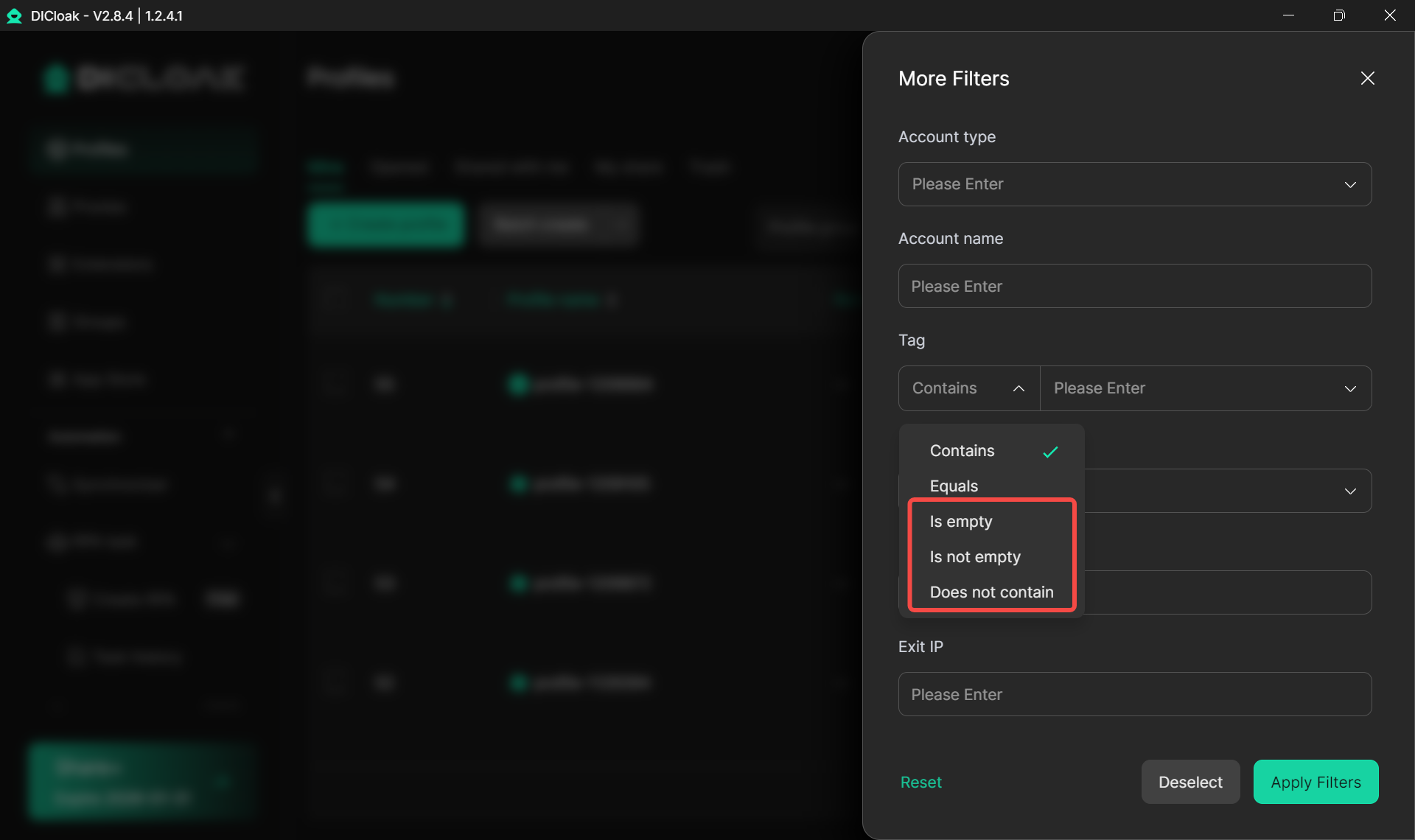
⚙️ Personal Settings Update: Network Line Switching
A new network line switching option has been added to Personal Settings. If connection issues occur, users can switch network lines directly within the app to restore connectivity, providing an easy way to troubleshoot and improve stability across different networks.
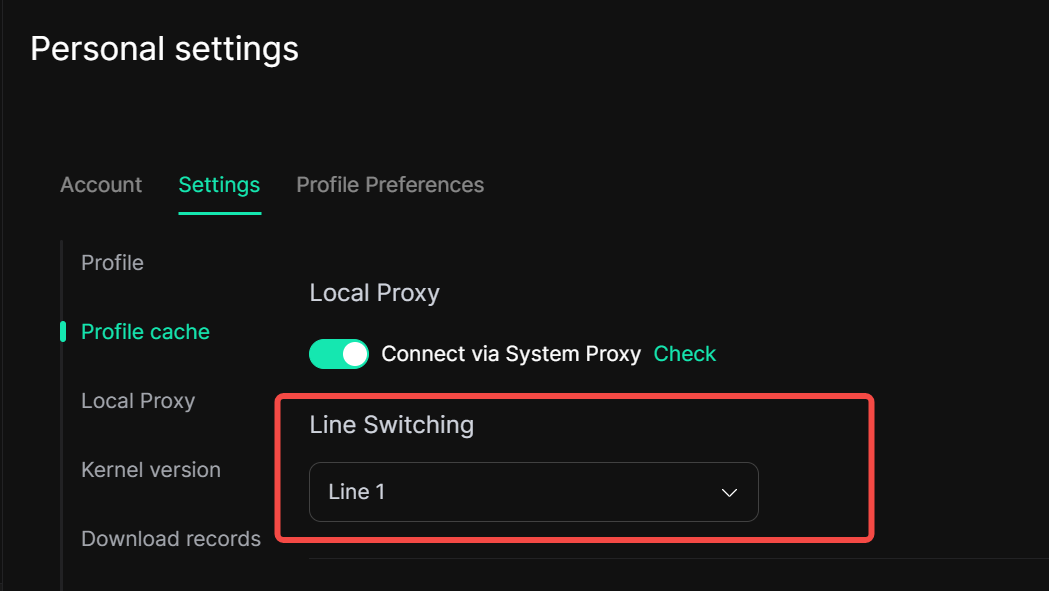
📣 Get DICloak & Stay Connected
Experience the latest features and improvements by downloading DICloak today! Manage your profiles more efficiently, protect your online identity, and take full advantage of our fingerprint and proxy enhancements.
Don’t miss out on tips, guides, exclusive updates, and community discussions—join our Telegram channel to stay connected and make the most of your DICloak experience. ✅
 Web Proxy Tools
 Free Tools
 Cookie Plugin
 UA Generator
 MAC Address Generator
 IP Generator
 IP Address List
 2FA Code Generator
 World Clock
 Anonymous Check
 WebRTC Leak Test
 UUID Generator
 Free Web Proxy Site
 Proxy Checker
 FB Ad Checker
 AI Web Scraping
 Free SMM Tools
 Twitter Shadowban Checker
 Instagram Name Checker
 UTM Generator
 Username Generator
 AI Hashtag Generator
 LinkedIn Headline Generator
 Social Media Image Resizer