As we kick off 2026, DICloak is excited to roll out its first product update of the year. This release focuses on making profile and proxy management more secure, flexible, and easier to control. With improved WebRTC fingerprint protection and the new proxy group management feature, managing multiple profiles is now safer and more efficient than ever. Below, we’ll walk you through the key updates related to Profiles and Proxies.
Key Takeaways
- Enhanced WebRTC fingerprint protection to prevent real IP leaks and keep proxy identities consistent
- New proxy group management for better control over proxy assignment across profiles
Improved WebRTC Fingerprint Protection
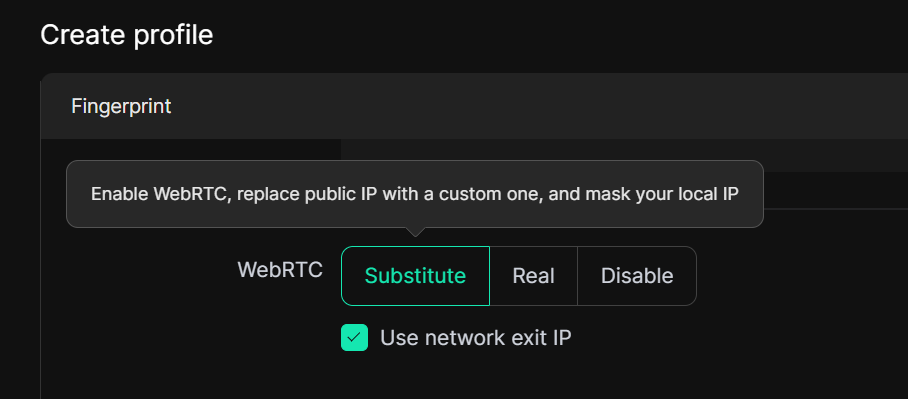
When you choose "Substitute" in the WebRTC fingerprint settings, the browser will reveal only your proxy IP during WebRTC communications, keeping your real local IP hidden. The exposed IP always matches the proxy you are currently using.
This helps protect your privacy, prevents IP leaks, and ensures that your online identity stays consistent with the proxy, making it harder for websites or trackers to detect your real location.
Added Proxy Group Management
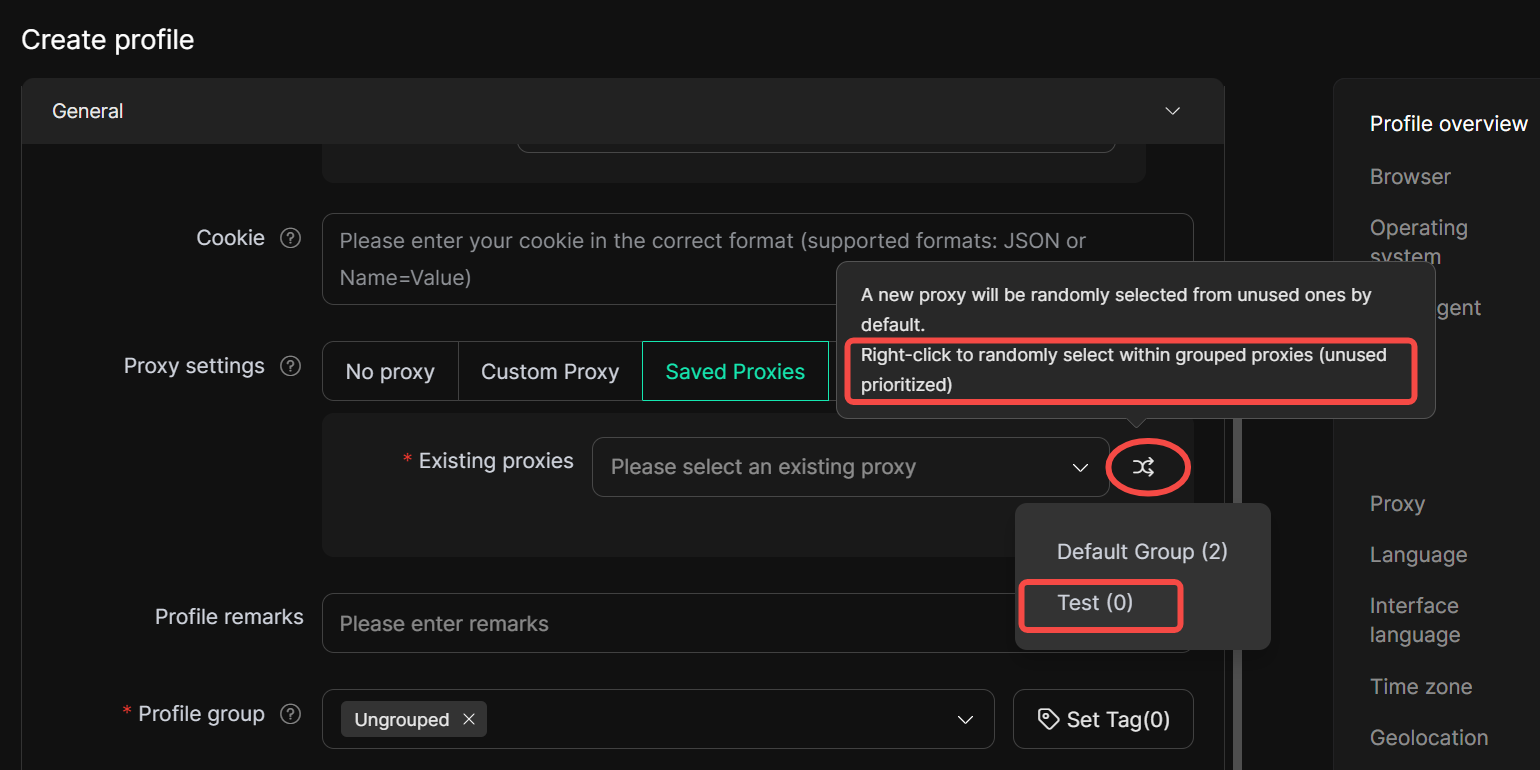
You can now organize your proxies into groups and assign these groups to specific profiles, ensuring that each profile only uses proxies from its assigned group.
How to use:
1. Create a proxy group by entering a name directly in the Proxy Groups box.
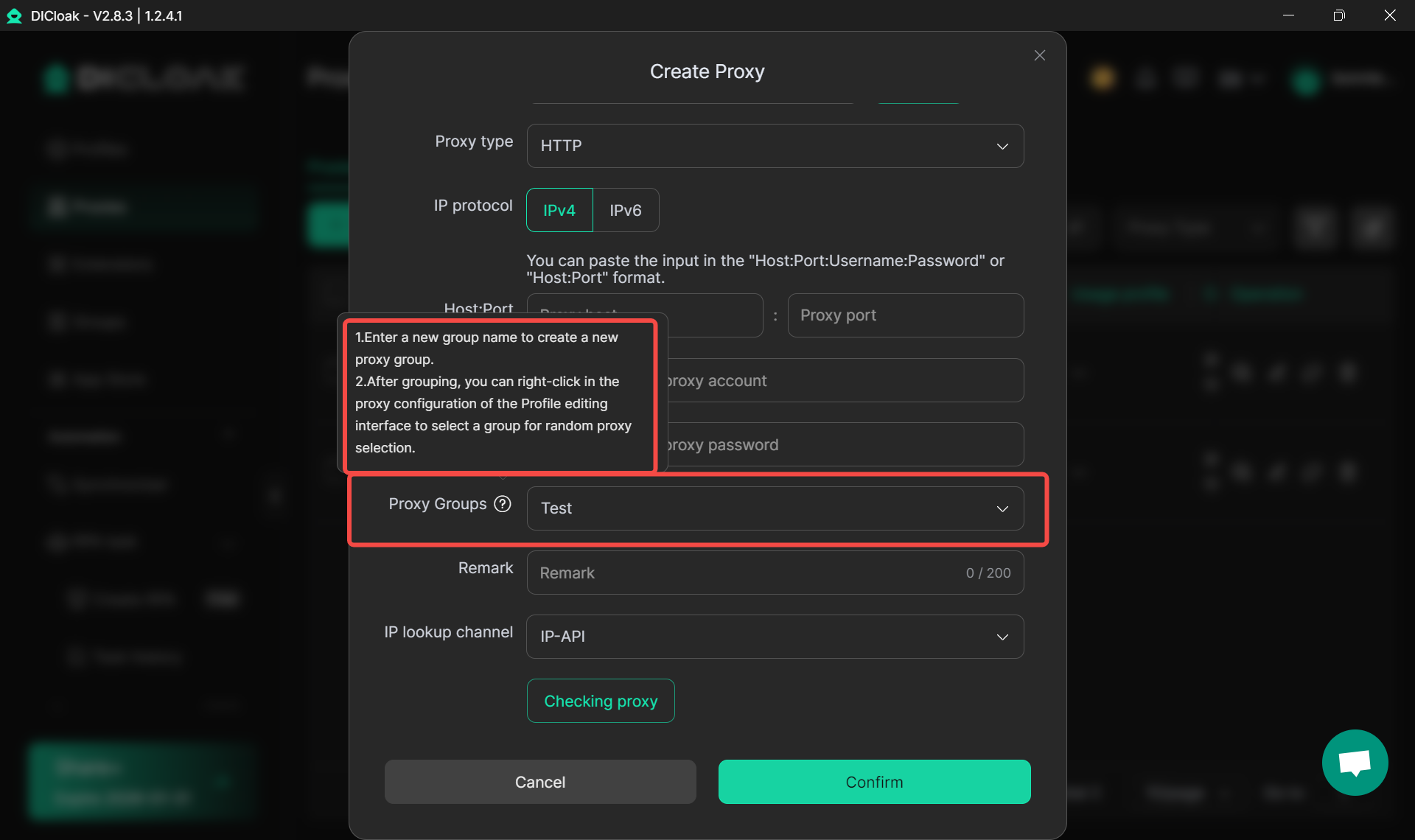
2. When creating or editing a profile, right-click the double-arrow icon in Saved Proxies and select the desired Proxy Group. Any proxies assigned to the profile will then be randomly selected only from the chosen group.
Get the Latest DICloak News
To stay up to date with the latest DICloak updates, feature releases, and product news, be sure to follow our official Telegram channel!
Join the channel to get DICloak updates as soon as they’re released and never miss what’s new.
 Web Proxy Tools
 Free Tools
 Cookie Plugin
 UA Generator
 MAC Address Generator
 IP Generator
 IP Address List
 2FA Code Generator
 World Clock
 Anonymous Check
 WebRTC Leak Test
 UUID Generator
 Free Web Proxy Site
 Proxy Checker
 FB Ad Checker
 AI Web Scraping
 Free SMM Tools
 Twitter Shadowban Checker
 Instagram Name Checker
 UTM Generator
 Username Generator
 AI Hashtag Generator
 LinkedIn Headline Generator
 Social Media Image Resizer