A common failure pattern looks like this: Snapchat opens, but messages stay stuck on “Sending,” Stories do not load, and login retries fail. When that happens, people search snapchat shutting down and assume the platform is ending. Most of the time, that is not what is happening. The issue is usually one of three things: a temporary service outage, an app-side bug after an update, or a local network/device problem. You can verify live incident signals on Downdetector’s Snapchat page, then cross-check official guidance from Snapchat Support and updates from @snapchatsupport. For long-term context, Snapchat is still an active product under Snap Inc..
You will get clear answers to three questions: Is Snapchat actually shutting down, what usually causes these outage scares, and what steps fix the app fastest when it stops working. You will also see which warning signs point to a wider platform issue versus a problem only on your phone. Start with the checks that separate a real outage from a local app failure.
Is Snapchat Shutting Down in 2026? What’s True and What’s Rumor
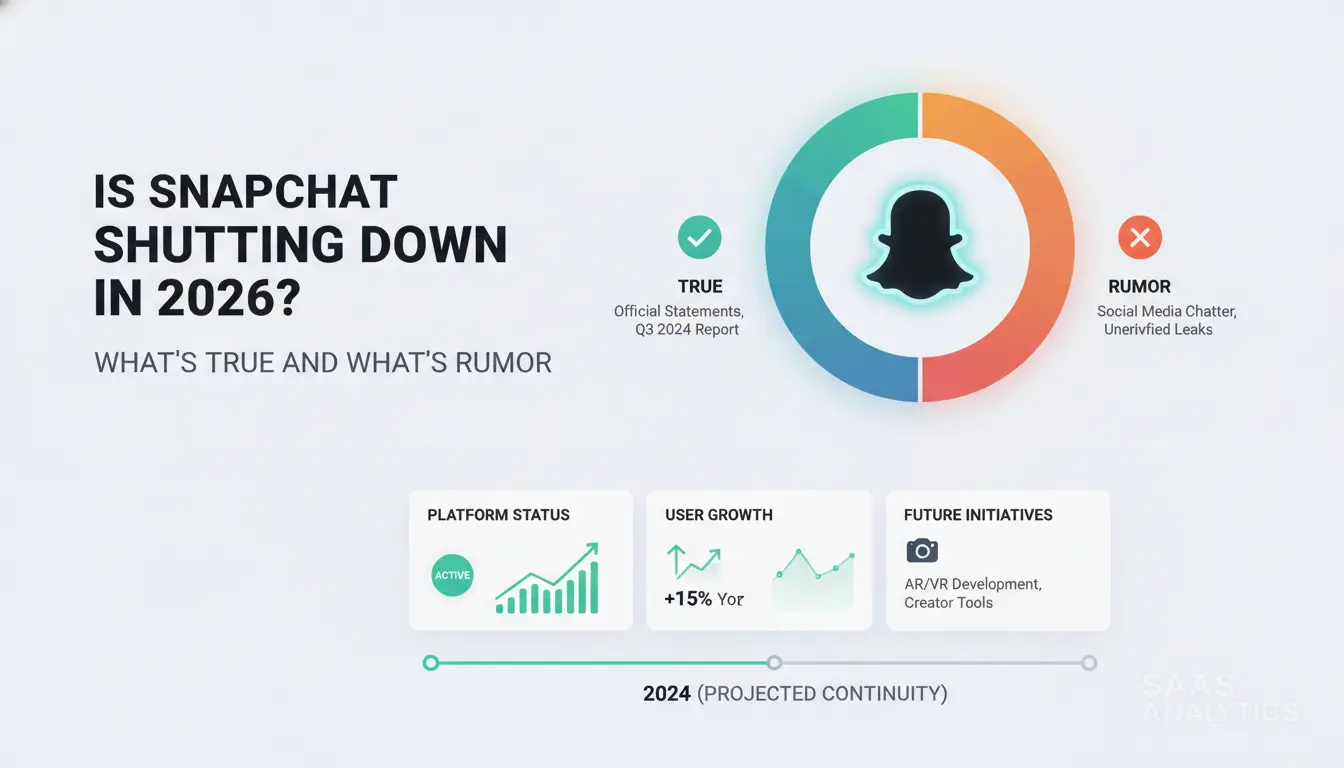
Most “snapchat shutting down” claims are rumor, not a real closure. A full platform shutdown means the service ends for everyone, not a short outage or your account issue.
What people usually mean when they search 'Snapchat shutting down'
Users often mix three different problems:
- full shutdown (service ends),
- temporary outage (service is down for hours),
- personal problem (login error, app crash, device bug, or account action).
Panic posts blur these lines. A tweet like “Snapchat is dead” often starts from one failed login or a local app bug, then spreads fast.
How to verify shutdown claims in minutes
Check official channels before reposting anything. Look at Snapchat Support, live notices from @snapchatsupport, and company updates from Snap Inc.. Then cross-check crowd signals on Downdetector’s Snapchat page. If reports spike across cities at the same time, it is likely a platform outage. If reports stay low and your app still fails, the issue is likely on your side.
How often major social platforms actually shut down
Active global apps rarely disappear overnight. What happens more often is a temporary outage, regional disruption, or policy change that limits some features. As of May 2026, Snapchat remains an active product under Snap Inc..
Why 'Snapchat Is Shutting Down' Rumors Keep Spreading
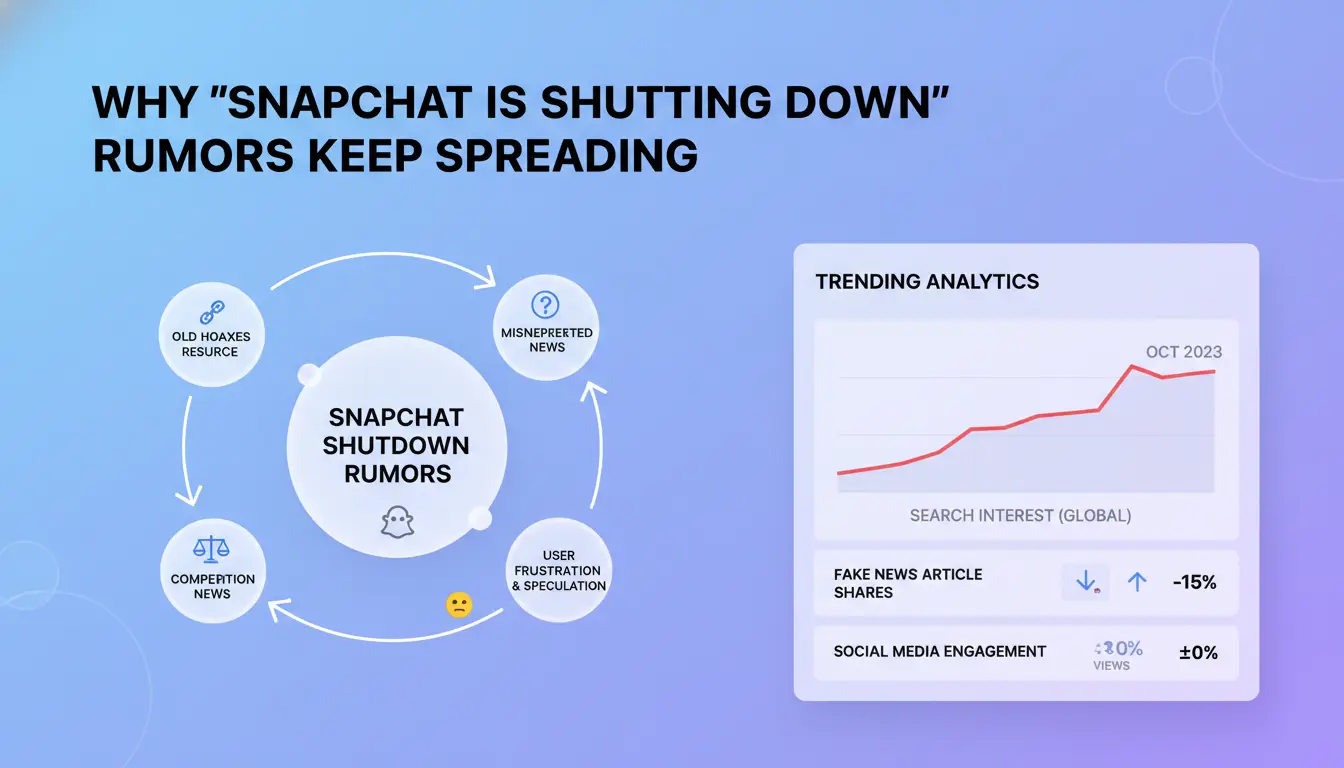
Most rumor waves start when users hit errors at the same time and assume the app is gone. The phrase "snapchat shutting down" then spreads faster than any correction from official channels like @snapchatsupport.
Outages, bugs, and login failures that look like a shutdown
Crash loops, login failures, and server timeouts can all look like a permanent shutdown in the moment. If thousands of people post “it’s dead” during one outage window, that creates false certainty. Local app bugs can also trend as global news when creators repeat the same clip without checks.
Policy updates, account bans, and feature removals
Users often confuse stricter rule enforcement with platform closure. If an account gets locked after policy violations, people may post that Snapchat is shutting down for everyone. Feature removals create the same panic. Snap has retired products before, like Snapcash, but that did not mean the core app was ending under Snap Inc..
Viral misinformation patterns on short-form platforms
Old screenshots get reposted as “new proof,” especially during live outages tracked on Downdetector. A quick date check and an official-status check stop most false alarms. Before sharing, verify timestamp, account credibility, and whether Snapchat Support confirms any shutdown notice.
How to Tell If Snapchat Is Down for Everyone or Just Not Working for You
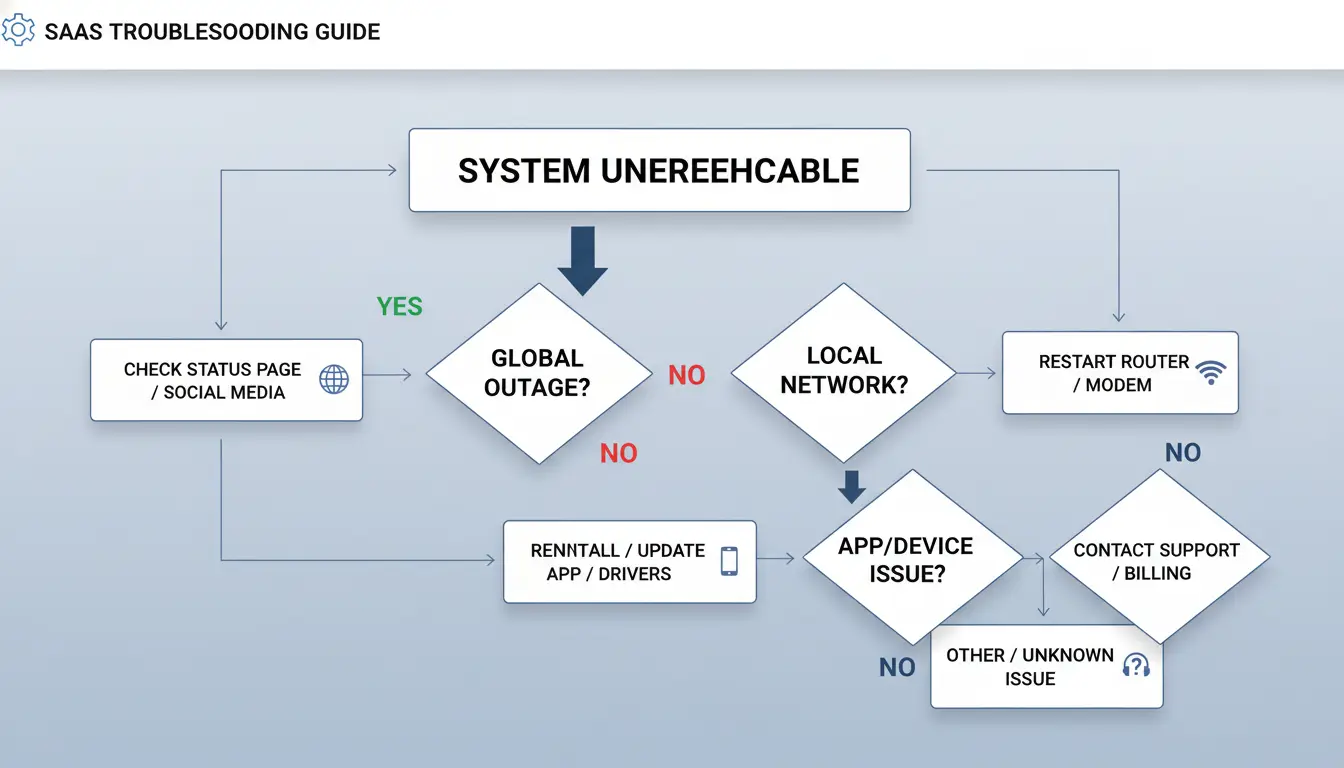
If you see posts about snapchat shutting down, pause and run a fast check path. Most panic comes from local app or network faults, not a full platform shutdown. Use Downdetector’s Snapchat page and @snapchatsupport together, then confirm with one friend on a different network.
Quick 5-minute diagnosis checklist
- Test Snapchat on mobile data, then on Wi-Fi.
- Try another phone with a different account.
- Ask one friend in another area to send a snap now.
- Check live spikes on Downdetector.
- Check incident posts from @snapchatsupport.
- If only your phone fails, restart app, clear cache, and update.
Signs of a network or ISP-related issue
If snaps fail on one network but work on another, treat it as a connection route issue. Common signs: stories never load, messages stay pending, or login works but media fails. This can come from DNS delay, unstable mobile data, or blocked traffic paths. Switching between Wi-Fi and mobile data is the fastest isolation test.
Signs of an account-level issue
If Snapchat opens but blocks actions, check for account warnings. Look for temporary lock messages, forced verification, or suspicious login alerts. Review email or SMS only through links confirmed in Snapchat Support. If your friend can use Snapchat but you cannot on any device, this points to account status, not snapchat shutting down.
What to Do If Snapchat Keeps Crashing, Freezing, or Won’t Open
If people around you report the same issue, this may not be Snapchat shutting down. Check live reports on Downdetector and status updates from @snapchatsupport. If reports are quiet, run this fix order on your phone.
Start with low-risk fixes first
Force close Snapchat, then restart your phone. Check free storage; low space can cause app crashes during camera or chat load. Update Snapchat in your app store. In Snapchat settings, clear cache only, not account data. Close battery saver and aggressive background cleaner apps, since they can kill Snapchat processes and cause freezing loops.
Update and compatibility checks that solve hidden failures
Install the latest phone OS, then reopen Snapchat. Old OS builds can break newer app releases. Check permissions: camera, microphone, photos, notifications, and background data. If any are off, features may fail and look like a crash. If you suspect “snapchat shutting down,” compare your symptoms with Snapchat Support known issue notes before deeper changes.
When to reinstall and what to back up first
Before reinstall, confirm you can log in and receive your verification code. Back up Memories to Snapchat cloud and save local drafts or media to device storage. Do not reinstall until login access is confirmed. Then delete, reinstall, and sign in again.
If fixes fail: how to contact support with useful evidence
Send support your device model, OS version, Snapchat version, exact error text, and timestamps. Include screenshots and steps that trigger the crash. During active incidents, wait and retry later instead of repeating reinstall attempts.
Does Deleting Your Snapchat Account Mean Snapchat Is Shutting Down?
No. Your account choice and platform status are separate. People often search “snapchat shutting down” after login issues, but account deactivation or deletion does not mean Snapchat is closing. Live outage checks still come from Downdetector and official Snapchat Support. If one account disappears, the app can still run for everyone else.
Deactivation vs deletion vs app uninstall
| Action |
Login access |
Recovery |
| Deactivate/Delete account |
Access stops after deactivation starts |
You can reactivate by logging in during the deactivation window described in Snapchat’s delete-account guide |
| Uninstall app |
Access only removed from that device |
Reinstall and log back in |
| Log out only |
Access paused on that device |
Log in anytime |
Uninstalling does not delete account data. It only removes the app from your phone.
What happens to chats, Memories, and linked data
Chats and Memories follow Snapchat’s own storage and retention rules in Support. Some content can stay until deletion jobs complete. Linked services can break if they relied on Snapchat Login or your verified phone/email.
Before you deactivate: a personal backup checklist
- Save important Memories and chat media you need.
- Request your account data from Accounts Portal.
- Confirm your email and phone still work.
- Check two-factor settings so you can reactivate during the allowed window.
- Remove Snapchat Login from apps you still use.
How Social Media Teams Can Reduce Multi-Account Risk During Snapchat Disruptions
When people worry about snapchat shutting down, teams often rush, share logins, and create bigger risks than the outage itself. The safer move is to lock down who touches each account, where they log in, and how actions get tracked.
Why shared devices and mixed logins create avoidable risk
Frequent device or browser changes can look suspicious to platform security systems. One teammate logs in from one city, another logs in from a new machine, and trust signals break fast. Shared browser setups also mix cookies, sessions, and saved credentials. That can link accounts that should stay separate. During outage panic, people post from the wrong brand account, miss replies, or change settings without telling the team.
How DICloak helps teams operate more safely
You can use DICloak to give each Snapchat account its own isolated browser profile, so fingerprints stay separate per account. You can also bind an independent proxy to each profile, then set role-based permissions so only approved staff can edit settings or billing-related actions. Operation logs add accountability. If something breaks during a snapchat shutting down scare, you can check who did what and roll back faster.
Assign one profile to one brand account. Keep that mapping fixed. Bind a stable proxy per profile and avoid random switching. Use batch actions and RPA for repetitive tasks like status checks or draft loading, then keep human review before publishing, password changes, or recovery updates.
Common Mistakes That Make Snapchat Problems Worse
When people fear snapchat shutting down, panic actions often cause lockouts and stolen accounts, not faster fixes.
Repeating login attempts too fast
Rapid retries can trigger temporary restrictions that look like a shutdown. Wait 10 to 15 minutes between attempts, then verify your password reset email or code before trying again. If a team handles multiple accounts, you can use DICloak to map one Snapchat or client account to one isolated browser profile, with an independent proxy per profile, so one risky session does not link to others.
Trusting unverified fixes and fake support pages
Rumor spikes attract phishing pages that copy login screens. Only trust Snapchat Support and @snapchatsupport. Tools like DICloak let you enforce role-based access, keep operation logs, and limit who can change credentials during incident windows.
Skipping updates, backups, and recovery setup
This mistake turns short outages into long recovery work. Keep app and OS updates current, store backup codes, and review recovery email monthly. Teams can use optional RPA or batch workflows in DICloak to keep routine posting stable during disruptions.
What Real Snapchat Shutdown Warning Signs Would Look Like
Signals that actually matter
If rumors about snapchat shutting down are real, you will see formal public records, not just social posts. Check Snap Inc. investor relations for filings, earnings calls, or product retirement notes. Then confirm matching updates on Snapchat Support and @snapchatsupport. Sustained wind-down signs look like this: support pages removed, API or partner docs archived, and shutdown dates published across official channels.
Signals that usually do not mean shutdown
A spike on Downdetector, one-country outage, or trending hashtag usually points to an incident, not closure. Random screenshots and “insider leaks” without official links are noise. Feature bugs, login loops, and delayed rollouts happen during normal app updates.
Create your own 'don’t panic' monitoring routine
Check three places in order: official support, support X account, incident tracker. Personal use: act only if two sources agree for 60+ minutes. Business teams: trigger backup comms if two sources agree for 30+ minutes.
Frequently Asked Questions
Is snapchat shutting down globally or only in some countries?
A full global shutdown is very rare for a major app. Most “snapchat shutting down” rumors come from regional problems: server outages, app store issues, internet provider blocks, or country-level legal restrictions. In those cases, users in one area lose access while others still use Snapchat normally. Check Snap Status and local news before assuming a global closure.
Can a Snapchat outage look like my account was banned?
Yes. During outages, you may see login errors, failed message sends, or stories not loading, which can look like a ban. A true account lock usually shows a clear lock notice and may require unlock steps on Snapchat’s support page. If many users report issues at once, it is likely service trouble, not a personal penalty.
If snapchat shutting down someday, what happens to Memories and chats?
If snapchat shutting down ever became permanent, data handling would likely follow Snap’s terms, legal rules, and shutdown notices. Memories stored on Snapchat could be removed after a deadline, and most chats are already temporary by design. Export important content early: save Memories to your device and request your account data from Snapchat settings.
How long do Snapchat outages usually last before service is normal again?
Most outages are fixed in minutes to a few hours. Bigger incidents can last longer when they involve server failures, software bugs, or cloud provider problems. Start by checking Snap’s official status channels. If your issue continues after service is restored for others, update the app, clear cache, and contact support with screenshots and timestamps.
What is the safest way to prepare if I rely on Snapchat for business?
Do not build your whole business on one app. Keep copies of all campaigns, Stories, and ad assets in cloud storage. Use strong passwords, two-factor authentication, and limited team permissions. Plan backup channels like Instagram, TikTok, email, and SMS. Write a short outage playbook so your team can post updates fast during disruptions.
If Snapchat were to shut down, the biggest lesson is how quickly digital communities and content habits can be disrupted, especially when users rely on one platform for communication and brand reach. For creators, businesses, and everyday users, this is a reminder to diversify audiences, back up important content, and stay adaptable as the social media landscape continues to shift. Try DICloak For Free
 Web Proxy Tools
 Free Tools
 Cookie Plugin
 UA Generator
 MAC Address Generator
 IP Generator
 IP Address List
 2FA Code Generator
 World Clock
 Anonymous Check
 WebRTC Leak Test
 UUID Generator
 Free Web Proxy Site
 Proxy Checker
 FB Ad Checker
 AI Web Scraping
 Free SMM Tools
 Twitter Shadowban Checker
 Instagram Name Checker
 UTM Generator
 Username Generator
 AI Hashtag Generator
 LinkedIn Headline Generator
 Social Media Image Resizer