Rednote is a popular lifestyle app for reviews, trends, shopping ideas, and short videos. But many users still ask: Is Rednote Safe in 2026? This guide explains the main privacy risks, safety settings, teen concerns, and smart ways to use Rednote more safely.
What is Rednote?
Rednote, also known as Xiaohongshu or Little Red Book, is a Chinese social media and lifestyle app. Users share short videos, photos, product reviews, travel tips, beauty content, and shopping ideas. It feels like a mix of Instagram, Pinterest, and TikTok, but with more focus on real-life recommendations.
Many users joined Rednote to find honest reviews or follow lifestyle trends. For example, someone may use it to check skincare tips, restaurant photos, or travel ideas before making a decision.
Still, the question Is Rednote Safe is worth asking. Like any social app, Rednote involves personal data, account security, content risks, and shopping-related risks. Before using it deeply, users should understand how the platform works and adjust their privacy settings carefully.
What Are the Main Safety Concerns with Rednote?
When people ask Is Rednote Safe, the answer is not a simple yes or no. Rednote can be useful for lifestyle tips, reviews, and shopping ideas, but users should understand the main risks before sharing too much personal data. The biggest concerns are data handling, app security, and user-reported issues around privacy and account experience.
How Does Rednote Handle User Data?
Rednote collects user data like most social apps, including account details, content activity, device data, and location-related signals. The main concern is where that data is stored and how it may be processed. Recent reports show Rednote is separating Chinese and international users, with international user data hosted in Singapore, but some data may still be transferred or processed in China.
For a normal user, this means you should avoid sharing sensitive details in your profile, posts, comments, or private messages. For example, do not post your home address, ID details, school location, or private travel plans.
Are There Known Security Vulnerabilities?
Yes, past security research found issues in some versions of Rednote. Citizen Lab reported that certain Android versions had a vulnerability that could let network attackers read files the app had permission to access. This issue came from a third-party SDK and was not found in the Google Play version or iOS version at the time of the report.
This does not mean every Rednote user is unsafe. But it does show why app source matters. Download Rednote only from official app stores. Keep the app updated. Avoid unofficial APK files, because they may carry more risk.
What Are Users Reporting About Safety Issues?
Many user concerns focus on privacy, content separation, account changes, and trust. Some international users have reported confusion as Rednote separates global and Chinese user spaces, sometimes based on IP address or region signals.
There are also normal social app risks, such as scams, fake product reviews, copied content, and suspicious shopping links. For example, a user may see a product recommendation that looks real, but the seller or link may not be trustworthy. Before buying, check the account history, comments, and outside reviews. Rednote can be useful, but it is safer when you treat it like any large social platform: browse smart, share less, and verify before you trust.
How to Protect Your Privacy on Rednote
If you are asking Is Rednote Safe, a big part of the answer depends on how you use it. Like most social apps, your safety improves when you control your settings and limit what you share. A few simple steps can reduce most privacy risks.
Which Settings Should You Adjust for Better Privacy?
Start with your account privacy settings. Set your profile to limit who can see your posts, followers, and interactions. Turn off options that allow strangers to message you freely if you do not need them. Also review permissions on your phone. Rednote may ask for access to your location, contacts, camera, or storage. Only allow what is necessary. For example, if you only browse content, you do not need to give full location access.
How to Limit Data Sharing on Rednote
Keep your activity simple and controlled. Avoid linking too many external accounts, such as other social media or email services, unless needed. Each connection can increase data exposure. For example, a user who connects multiple platforms may share more data across apps without realizing it. Keeping accounts separate makes tracking and data sharing more limited. You can also reduce how much data is collected by limiting uploads, avoiding unnecessary interactions, and not clicking unknown links inside the app.
What Personal Information Should You Avoid Sharing?
Avoid sharing sensitive personal details in posts, comments, or messages. This includes your home address, phone number, workplace, school, travel plans, or financial information. For example, posting a “day in my life” video that shows your home location or routine can expose more than expected. Even small details can be combined by others. The safest approach is to treat Rednote like a public space. Share what is useful, but keep private details offline. This simple habit can answer a big part of the question Is Rednote Safe in a practical way.
Is Rednote Safe for Children and Teens?
Rednote can be fun for teens who like fashion, travel, food, beauty, and short videos. But parents should not treat it as a fully risk-free app. When asking Is Rednote Safe for children and teens, the main concerns are age rules, screen time, private messages, shopping content, and exposure to adult or misleading posts.
What Age Restrictions Does Rednote Have?
Rednote’s privacy policy says children under 13 are not allowed to register or use the platform. The platform also has a Teen Mode, which limits minors by default to 40 minutes per day and blocks use from 10:00 PM to 6:00 AM. These limits can help, but they are not a full replacement for parent guidance.
How Can Parents Monitor Their Child's Usage?
Parents can start by checking the child’s privacy settings, followers, messages, and saved content. It is also smart to turn on Teen Mode when available and review app permissions, such as location, contacts, camera, and photo access. For example, if a teen only watches videos, full location access is not needed.
What Are the Risks of Inappropriate Content?
Like other social platforms, Rednote may show content that is not right for younger users. This can include mature topics, beauty pressure, shopping scams, fake reviews, risky links, or strangers sending messages. Taiwan also announced a one-year suspension of Xiaohongshu/Rednote in 2025 after citing fraud and security concerns, which shows why users should be careful with shopping and unknown contacts.
How Does Rednote Compare to Other Social Media Platforms?
Rednote is different from apps like Instagram, TikTok, and Pinterest because it combines lifestyle content, short videos, reviews, and shopping discovery in one place. This makes it useful, but it also creates more safety questions. When asking Is Rednote Safe, users should compare its privacy tools, teen protections, content rules, and data practices with other major platforms.
What Safety Features Does Rednote Offer?
Rednote offers basic safety tools such as privacy settings, content controls, and Teen Mode. Teen Mode can limit daily use and reduce access to content that may not be suitable for minors. The platform also has separate rules for minors and user privacy.
Still, Rednote’s international setup is changing. Recent reports show that Rednote is separating Chinese and global users, with international data hosted in Singapore, while some processing may still involve China. This does not mean the app is unsafe by default, but it does mean users should be careful with personal data.
Are There Safer Alternatives to Rednote?
There is no perfect social app, but some platforms offer more mature safety systems for younger users. Instagram has Teen Accounts with default private settings, contact limits, and content controls for teens. TikTok also has Family Pairing, which lets parents adjust safety settings with their teens.
For adults, the safer choice depends on what you need. If you want lifestyle reviews and China-focused trends, Rednote may still be useful. If you want stronger parent controls, Instagram or TikTok may feel easier to manage. Either way, safety depends on your settings, what you share, and how carefully you check people, products, and links.
What to Do If You Encounter Safety Issues on Rednote
Even if you are careful, problems can still happen. If you ever feel unsure while using the app, it is important to act quickly. When people ask Is Rednote Safe, a big part of the answer is knowing what to do when something goes wrong.
How to Report a Problem or Abuse
If you see harmful content, scams, or suspicious accounts, use the built-in report feature. You can usually tap the three dots on a post, comment, or profile and choose “Report.” Select the reason clearly, such as spam, fraud, or inappropriate content. For example, if a seller posts fake product deals or suspicious links, reporting it helps protect other users and may remove the content faster.
What Steps to Take if Your Account Is Compromised
If you think your account has been hacked, act fast. Change your password right away and log out of all active sessions if possible. Turn on two-step verification for extra protection. For example, if you notice messages sent without your permission or changes to your profile, do not wait. Securing the account early can prevent further damage. Also check your connected devices and remove anything you do not recognize.
How to Contact Rednote Support for Help
If the issue cannot be fixed through settings, contact Rednote support through the app. Look for the Help Center or Feedback option in your account settings.
Explain the problem clearly and include details like screenshots if possible. For example, if your account is locked or your posts are removed by mistake, clear information can help speed up the review.
Knowing these steps can make a big difference. Problems are easier to handle when you respond quickly and use the right tools.
Common Misconceptions About Rednote's Safety
Many people ask Is Rednote Safe because the app has gained more global attention. Some concerns are reasonable, but not every fear is accurate. Like other social apps, Rednote has both normal platform risks and some region-related privacy questions.
Is Rednote Really More Dangerous Than Other Apps?
Rednote is not automatically dangerous just because it is a Chinese app. Many risks, such as scams, fake reviews, data collection, and harmful content, also exist on Instagram, TikTok, Facebook, and other platforms. The real question is how much data you share, what permissions you allow, and how carefully you use the app.
Do All Users Face the Same Risks?
No. Risk depends on how you use Rednote. A user who only watches cooking videos and keeps a private profile faces less risk than someone who posts personal routines, joins unknown groups, clicks shopping links, or shares location details. For example, a casual viewer and a public creator do not have the same exposure.
Are Privacy Concerns Overblown?
Privacy concerns are not useless, but they should be understood clearly. Rednote does collect user data like other social apps, and users should be careful with permissions and personal details. But panic is not helpful. A better approach is to use strong privacy settings, avoid oversharing, and treat the app like any public social platform.
How to Decide If Rednote Is Right for You
Before asking Is Rednote Safe, it helps to ask what you want from the app. Rednote may be useful for lifestyle tips, product reviews, travel ideas, and trend research. But it may not be the right fit for every user.
What Factors Should Influence Your Decision?
Think about your main purpose first. If you only want to browse beauty tips, food ideas, or travel posts, your risk may be lower. If you plan to post personal videos, shop through links, or talk to strangers, you need to be more careful. Your age, privacy needs, location, and comfort with data sharing should all affect your choice.
How to Weigh the Risks vs. Benefits
Rednote can offer useful content and real user reviews, but it also has normal social app risks. These include scams, privacy exposure, fake reviews, and unwanted messages. A balanced approach works best. Use privacy settings, avoid sharing sensitive details, and check sellers or links before trusting them.
What Are the Signs That Rednote Might Not Be Safe for You?
Rednote may not be a good fit if you feel pressured to share too much, receive suspicious messages, see too many risky shopping links, or cannot understand the app’s privacy controls. It may also be risky for younger users without parent guidance. If the app makes you uncomfortable or hard to control, it is better to limit use or choose another platform.
Enhancing Rednote Safety with DICloak Antidetect Browser
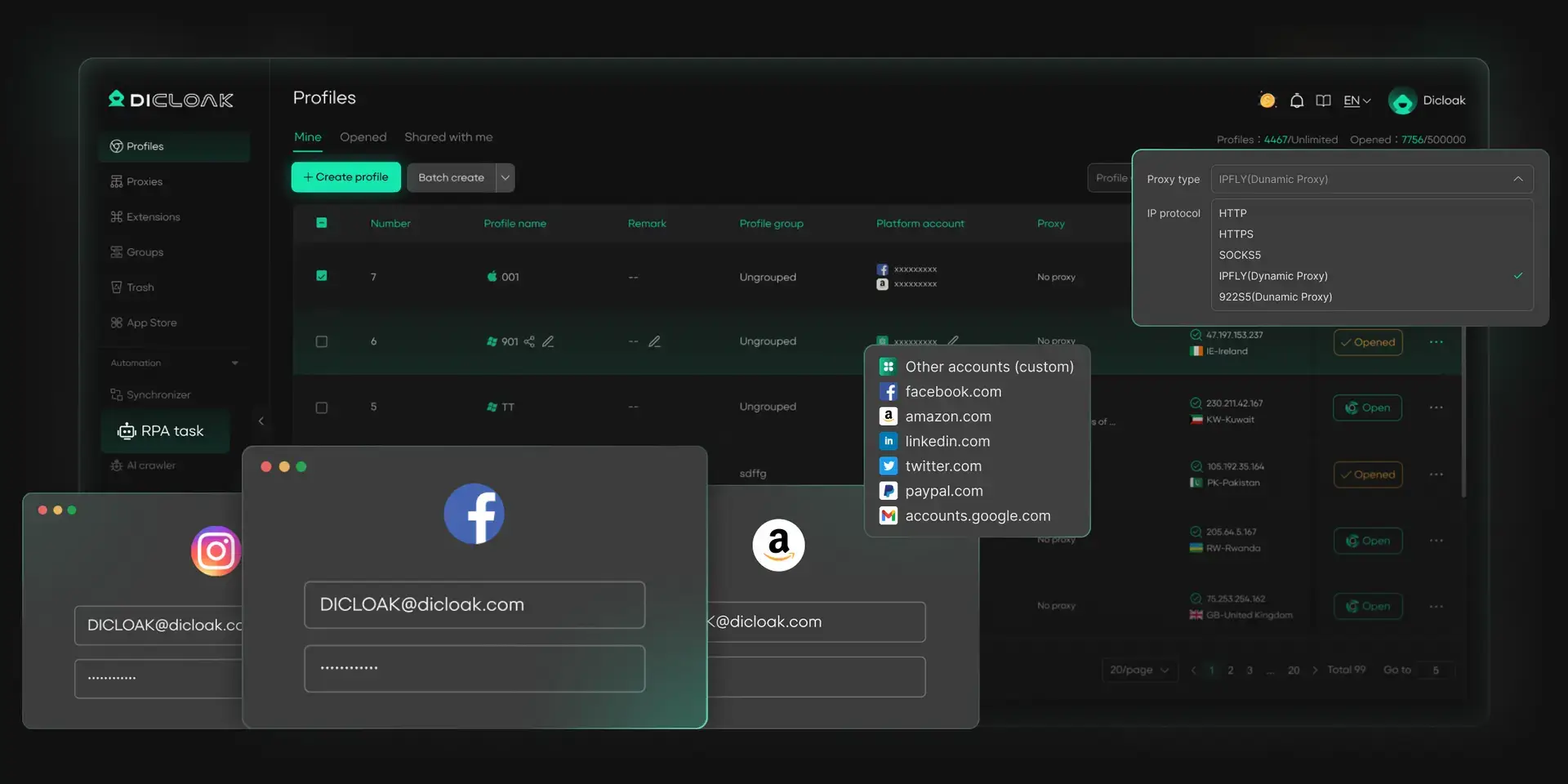
For users who manage several Rednote accounts, safety is not only about privacy settings. It is also about keeping each account environment clean and separate. DICloak helps users manage multiple social media accounts with isolated browser profiles, unique fingerprints, and automation tools, making Rednote account work more organized and easier to control.
Manage Multiple Social Media Accounts Safely
Handling many social media accounts can be challenging, especially for social media marketers or small businesses. DICloak provides the best way to manage multiple social media accounts on a single device. Each account gets a unique fingerprint and isolated browser profile, keeping accounts secure and independent. This reduces the risk of being banned on social media or flagged for suspicious activity while enabling smooth operations across all major social media platforms.
- Secure each account with unique fingerprints
- Run multiple accounts on one device without conflicts
- Maintain natural, consistent activity across accounts
Automate Account Engagement
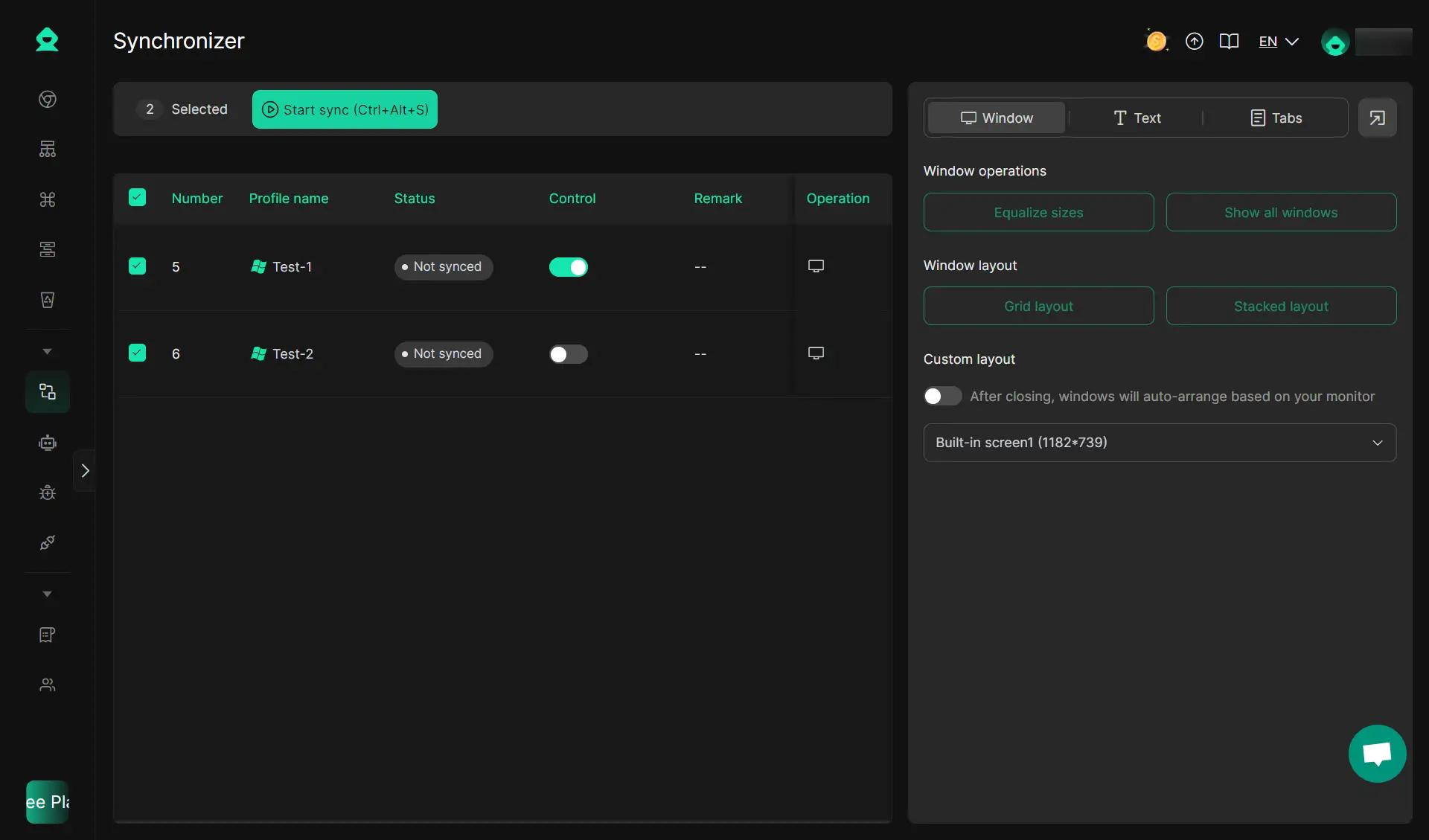
Keep your accounts active and engaging with DICloak’s built-in automation tools. Describe tasks in plain language, and DICloak' RPA handles repetitive actions automatically. The Multi-Window Synchronizer also supports you like, comment, and follow across multiple profiles and platforms simultaneously, mimicking real user behavior for safe social media browsing.
- Act like a real user to avoid detection
- Automatically like, comment, and interact
- Reduce repetitive tasks and save time
Boost Marketing Efficiency
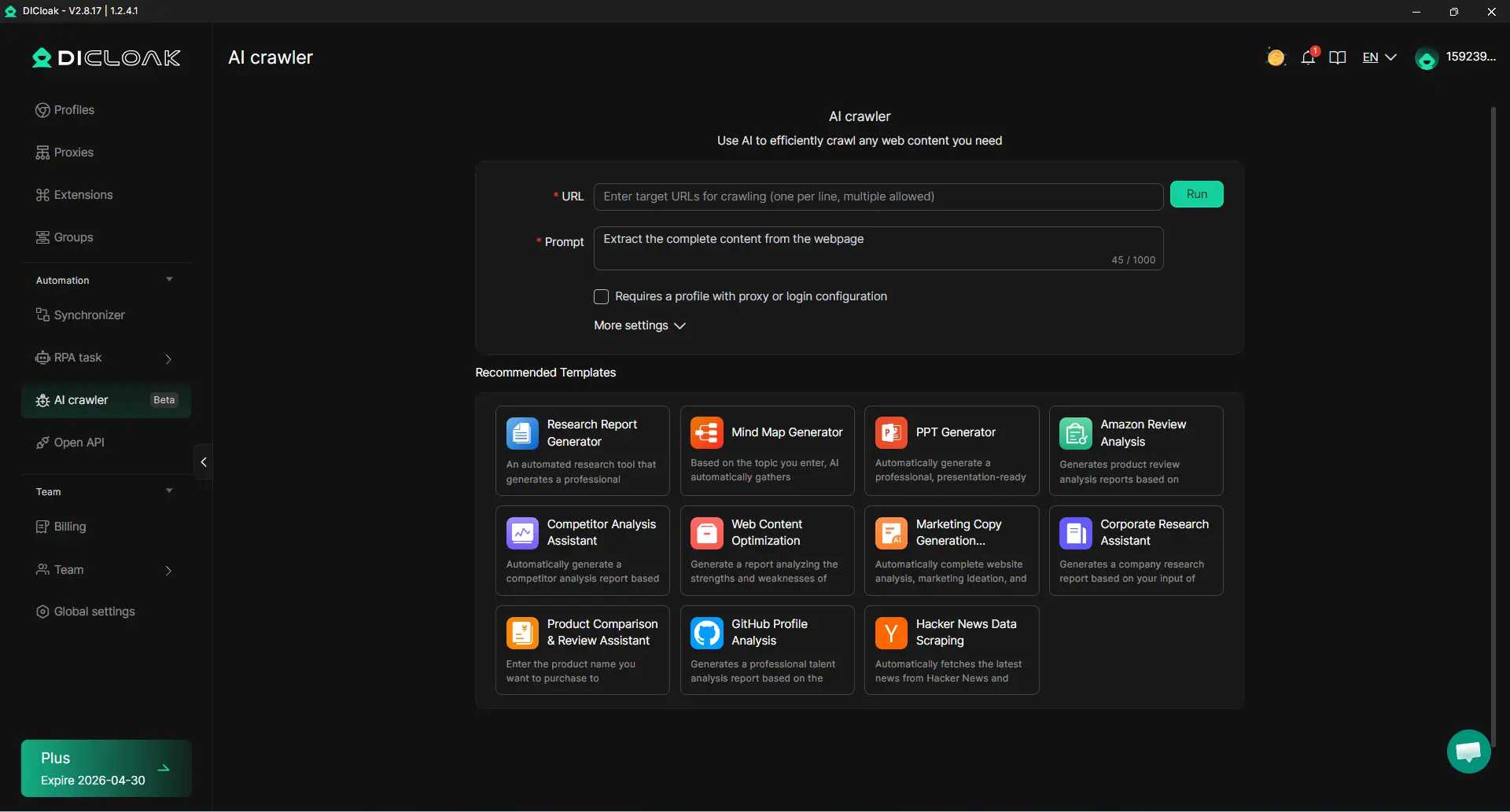
DICloak’s AI Crawlers help simplify social media marketing for small business and agencies. Collect and analyze data, generate content ideas, and create marketing copy effortlessly. You can also gather competitor or product information to optimize campaigns and refine strategies.
- Collect and analyze data efficiently
- Generate content ideas effortlessly
- Refine marketing strategies with AI insights
Start using DICloak today and take full control of your social media accounts safely and efficiently!
FAQ About Is Rednote Safe
Is Rednote Safe to Use in 2026?
Rednote can be safe for normal browsing if you use it carefully. Keep the app updated, limit permissions, avoid sharing private details, and be careful with shopping links or unknown users.
Can Rednote Access My Phone Contacts?
Rednote may ask for contact access, but you do not have to allow it. If you do not need friend suggestions or contact syncing, it is safer to deny this permission in your phone settings.
Does Rednote Share Data with Third Parties?
Like many social apps, Rednote may share some data with service providers, ad partners, or analytics tools. You should review privacy settings and avoid adding sensitive personal information to your profile or posts.
How Often Does Rednote Update Its Security Measures?
Security updates can happen through app updates and platform rule changes. The safest habit is to keep the app updated from an official app store and avoid downloading unofficial APK files.
What Should I Do If I Want to Delete My Rednote Account?
Go to account settings and look for account deletion or account cancellation options. Before deleting, save any content you need and remove personal information from your profile. Account deletion may take time to finish.
Conclusion
Rednote can be useful, but it should be used with care. Keep your app updated, limit permissions, avoid sharing private details, and check links or sellers before trusting them. If you manage multiple accounts, tools like DICloak can also help keep each account environment cleaner and more separate.
 Web Proxy Tools
 Free Tools
 Cookie Plugin
 UA Generator
 MAC Address Generator
 IP Generator
 IP Address List
 2FA Code Generator
 World Clock
 Anonymous Check
 WebRTC Leak Test
 UUID Generator
 Free Web Proxy Site
 Proxy Checker
 FB Ad Checker
 AI Web Scraping
 Free SMM Tools
 Twitter Shadowban Checker
 Instagram Name Checker
 UTM Generator
 Username Generator
 AI Hashtag Generator
 LinkedIn Headline Generator
 Social Media Image Resizer