Most people searching for ways to make money online end up stuck on the same question: which sites can you actually trust, and which ones just waste your time? When you land on Freecash, it’s hard to tell from the homepage if the site is real, if payouts actually happen, or if you’re just signing up for another survey scam. The real problem isn’t just “is Freecash legit,” but whether you’ll get paid for your effort, or find yourself banned or locked out right before cashing out.
There’s plenty of talk online about “is Freecash safe” or whether Freecash is real or fake, but most advice skips over the fine print. Some platforms pay out small amounts but quietly freeze accounts with no warning. Others make you jump through endless hoops, and the promised rewards never actually arrive. Trusting the wrong site can cost not just time, but your data, and sometimes even your main email or payment account if the platform is careless with security.
The only way to avoid these traps is to check for proof: real payout screenshots, active support, clear terms, and honest user reviews that aren’t just copy-pasted. You also need to know what warning signs to watch for, like sudden account restrictions, forced offers, or unclear payout rules. Not all platforms are scams, but the risk of wasted effort is real if you rush in without checking the details.
Before you sign up, here’s what to look for, so you can tell if Freecash or any online earning platform is worth your time.
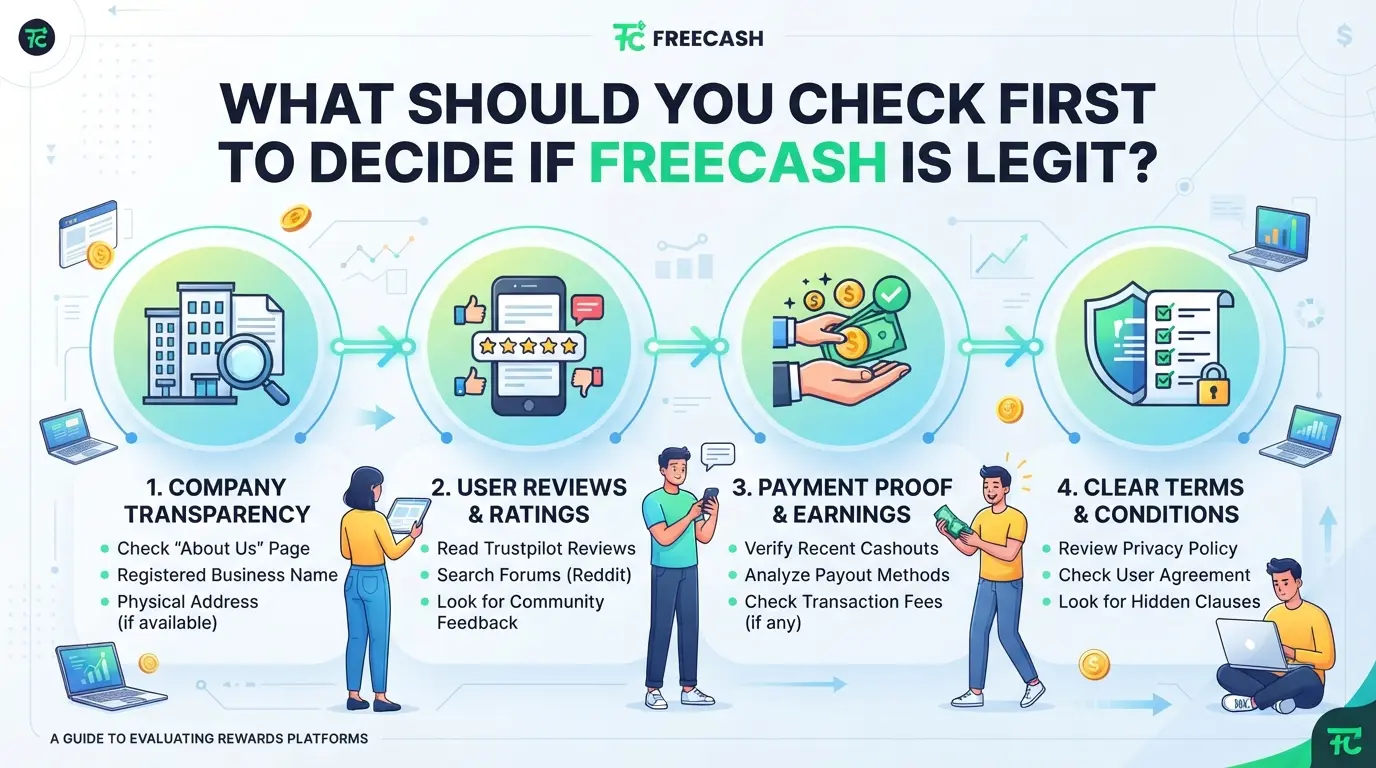
What Should You Check First to Decide If Freecash Is Legit?
The fastest way to tell if Freecash is worth your time is to find hard proof, either real company details, a traceable payment record, or complaints that show how problems get handled. If you can’t confirm at least one of these, move on.
Official Business Registration and Transparency
Freecash should display its company name, registration number, and legal address directly on the site, usually in the footer or on an "About" or "Legal" page. Terms of service and privacy policy links need to be visible and not buried. If the company info is missing, vague, or hidden behind layers of navigation, that’s your first warning. Sites that hide legal details often disappear or refuse to answer when issues come up.
Payment Proofs and Payout History
Check for recent, real-world evidence before investing your time. Here’s what to look for:
- Screenshots from users showing recent payouts (with dates and usernames not blurred)
- Listings on third-party payout trackers like beermoneyforum.com
- Comments in public forums where users post withdrawal times and any payout issues
If you only see old screenshots or the same payment image everywhere, treat that as a red flag.
User Reviews and Complaint Patterns
Fastest sanity check: type “Freecash Trustpilot” or “Freecash Reddit” and scan the first two pages. Real users will mention bans, payout delays, or support responses by name. To avoid getting burned, run this checklist:
- Search for unresolved complaints or mass ban reports in the last 60 days
- Compare review patterns: Are negative reviews detailed, or just spam?
- Watch for copy-paste responses from Freecash support (signals scripted or low-effort handling)
If most complaints go unanswered or issues repeat, expect the same treatment if you hit a problem.
These checks filter out most risk before you even sign up. But even if Freecash looks clean, new users often get blocked or restricted for reasons that don’t show up until later, so it pays to know what triggers those problems next.
Why Do Some Users Get Blocked or Restricted on Freecash?
Account blocks on Freecash often come down to one thing: the platform’s systems see something that looks risky or outside the rules. Even if you start with a clean account, a single mistake, like rushing offers or logging in from the wrong place, can get you flagged fast.
Violating Platform Rules or Terms
Most users who get banned broke a site rule, even if by accident. Common triggers are running multiple accounts from the same phone, using fake names, or automating tasks with scripts. Just one of these can lock you out right after a payout request.
Suspicious Activity or Fraud Detection
Platforms like Freecash use automated checks to catch fraud. If you finish too many paid offers in a short time, or your clicks follow a pattern that looks robotic, the system can freeze your account. For example, if you log in from different countries within a few hours, you’ll likely get reviewed, or auto-blocked. Sometimes, even honest users get caught up in these sweeps when using shared Wi-Fi or public proxies. The real headache comes when you try to appeal: support may ask for ID, more details about your device, or proof that you’re not using automation. If you can’t provide what they want, your account stays locked. Rushing tasks or switching locations too quickly is the fastest way to trigger a block, even for real users.
Geographical or Payment Method Issues
- Trying to access Freecash from a country it doesn’t support leads to instant restrictions.
- Linking a payment method (like PayPal) from a region that doesn’t match your profile often results in failed withdrawals.
- Using payment accounts under different names, or with mismatched details, increases the chance of payout holds.
If you’re wondering “is freecash legit” because you see people complaining about bans, most of these cases trace back to the above reasons, not random punishment. Spotting these risks early will save you time and frustration. Next, you’ll want to know how to pick out warning signs before you even sign up.
How Can You Spot Red Flags or Scam Signals on Freecash and Similar Sites?
If you have to ask "is Freecash legit," you’re right to be cautious. The fastest way to spot a risky site is to check for warning signs before you spend time or money. Here’s how to catch scams early and avoid losing effort or personal info.
Unrealistic Earnings Promises
Sites that guarantee high payouts for simple tasks, like $100 for one survey or huge bonuses for new sign-ups, rarely pay out as promised. If the platform won’t explain how its money flows in and out, or if the math looks too good to be true, you’re almost always looking at a red flag. If you see claims of “easy money” with no clear proof, walk away, real reward sites post actual user payouts and explain where the funds come from.
Lack of Transparent Contact or Support
It’s easy to miss support warnings until you need help. Check these details before joining:
- No email, phone, or live chat support, only a web form or bot.
- Company info hidden, missing, or registered offshore with no real address.
- Support replies take days or never come; no staff on public forums.
Pressure Tactics or Upfront Payments
Any demand for money before you’ve earned or withdrawn is a major warning. Real earning sites never require deposits to “unlock” rewards or force you to pay for higher withdrawal limits. Watch for these moves:
- Upfront payment or deposit required before cashing out.
- Referral codes mandatory for sign-up, no open registration.
- Constant pop-ups or countdown timers pushing you to buy premium access.
If a site shows one or two of these signals, pause and check user reviews on independent forums, not just on the site itself. When in doubt, avoid entering your main email or linking payment platforms to any service that triggers these red flags.
Next, you’ll need a checklist to run before you even create an account, so you don’t miss another hidden risk.
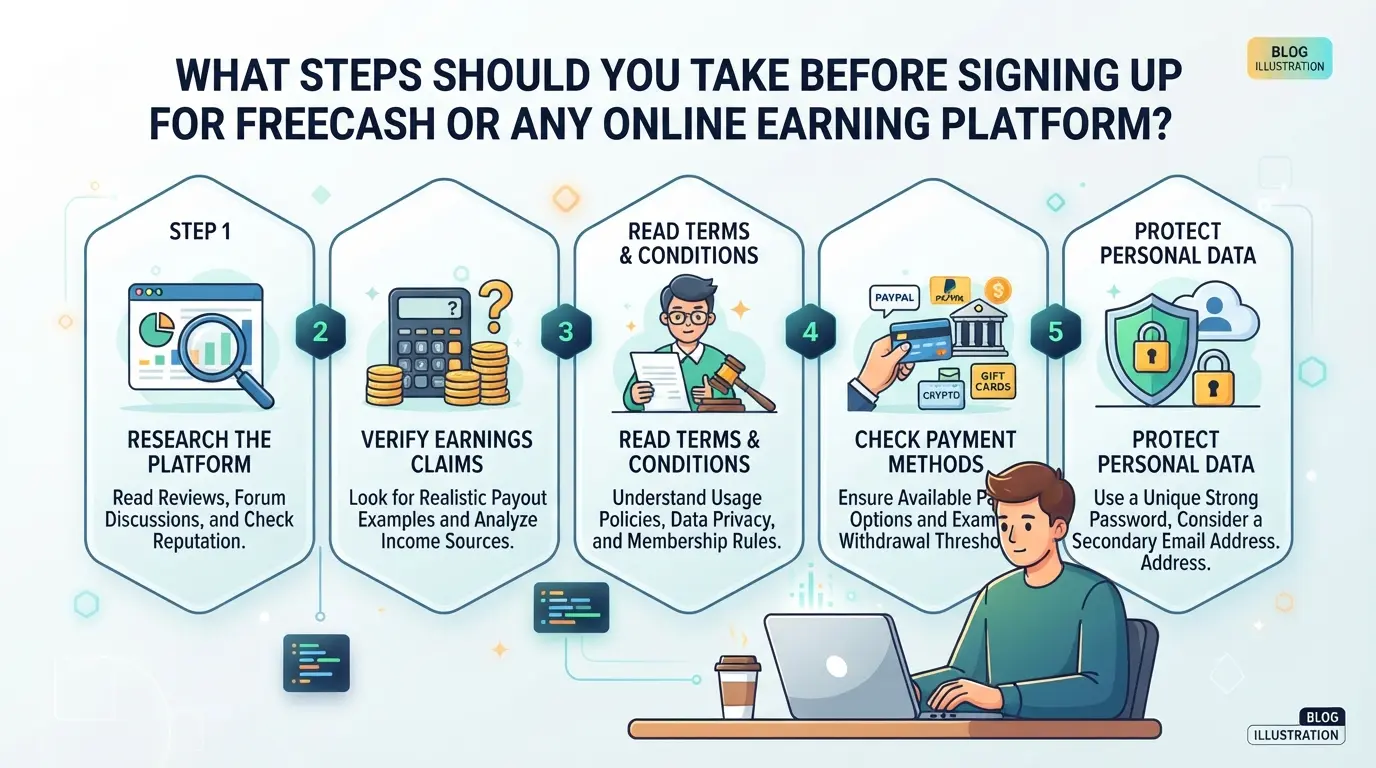
What Steps Should You Take Before Signing Up for Freecash or Any Online Earning Platform?
Jumping onto a site like Freecash can be tempting, but rushing in leads to wasted time or worse. Use this step-by-step checklist to lower your risk and spot trouble before it costs you.
Research the Platform’s Reputation
- Search for honest reviews on more than one site, don’t trust only the top Google results.
- Look for recent scam warnings or payout complaints in forums.
- Check if users report missing payments or support ignoring tickets.
- If you spot a pattern of bans or payment delays, move on, real sites get hit by spam, but repeated issues aren’t random.
Test with Minimal Personal Information
- Use a throwaway email, not your main address, so leaks or spam can’t hurt you.
- Skip linking your main phone number unless you trust the site.
- Set a unique, strong password, reuse opens you to bigger problems if the site is fake.
- If the sign-up form asks for payment info up front, that’s a red flag.
Understand the Platform’s Rules and Payout Terms
- Read the payout minimums and payment methods, some sites bury impossible requirements in the fine print.
- Check if your country is supported for cashouts; some sites ban users for “wrong” regions.
- Note withdrawal fees, limits, or ID checks before you start.
- If rules aren’t clear or change often, the risk isn’t worth it.
Start Small and Monitor Your Experience
- Try one or two small tasks, see if earnings show up as promised.
- Request a tiny payout early, before investing real hours.
- Track response times if you contact support.
- If your balance gets stuck or support vanishes, stop, don’t sink more time hoping for a fix.
How to Manage Multiple Earning Accounts Safely: DICloak Workflow for Online Money-Making
If you run more than one account on Freecash or similar earning sites, the real challenge isn't just signing up, it's keeping those sessions separate and organized as your side hustle grows. Once you add team members or start rotating devices, browser data and network settings can overlap, leading to confusion or possible account issues. For advanced users handling multiple platform accounts, DICloak brings order by separating browser profiles, customizing network connections, and letting you coordinate actions across accounts, all without touching your platform credentials or earnings directly.
Separate Browser Profiles and Configurable Fingerprint Settings
Operators can create a dedicated browser profile for each platform account in DICloak, keeping cookies, storage, and browser signals isolated. Each profile gets its own settings, like User Agent, language, time zone, and hardware details, so that team members don’t accidentally mix sessions or leak device info between accounts. This setup keeps work environments clean and helps teams track who is responsible for each session. The scope here is limited to browser-profile management; it doesn’t touch platform account data or payout controls. 
Configure a Separate Proxy for Each Account Profile
For workflows that need a stable, distinct network path per account, operators can add their own proxy to each DICloak profile. Before logging in, you can test the proxy connection and see its exit IP, country, and time zone, helpful for confirming you’re not overlapping locations between accounts. Proxy selection and compliance are up to you; DICloak simply stores and applies what you provide. It does not bundle, sell, or rotate proxies for you. 
Use the Window Synchronizer for Efficient Multi-Account Actions
When you want to submit tasks or check balances across several accounts at once, DICloak’s Window Synchronizer lets you mirror clicks and typing from a main window to other open profiles, live, while you watch. This saves time without risking unsupervised automation. Only supported actions run in sync, and you control every step from the master window. 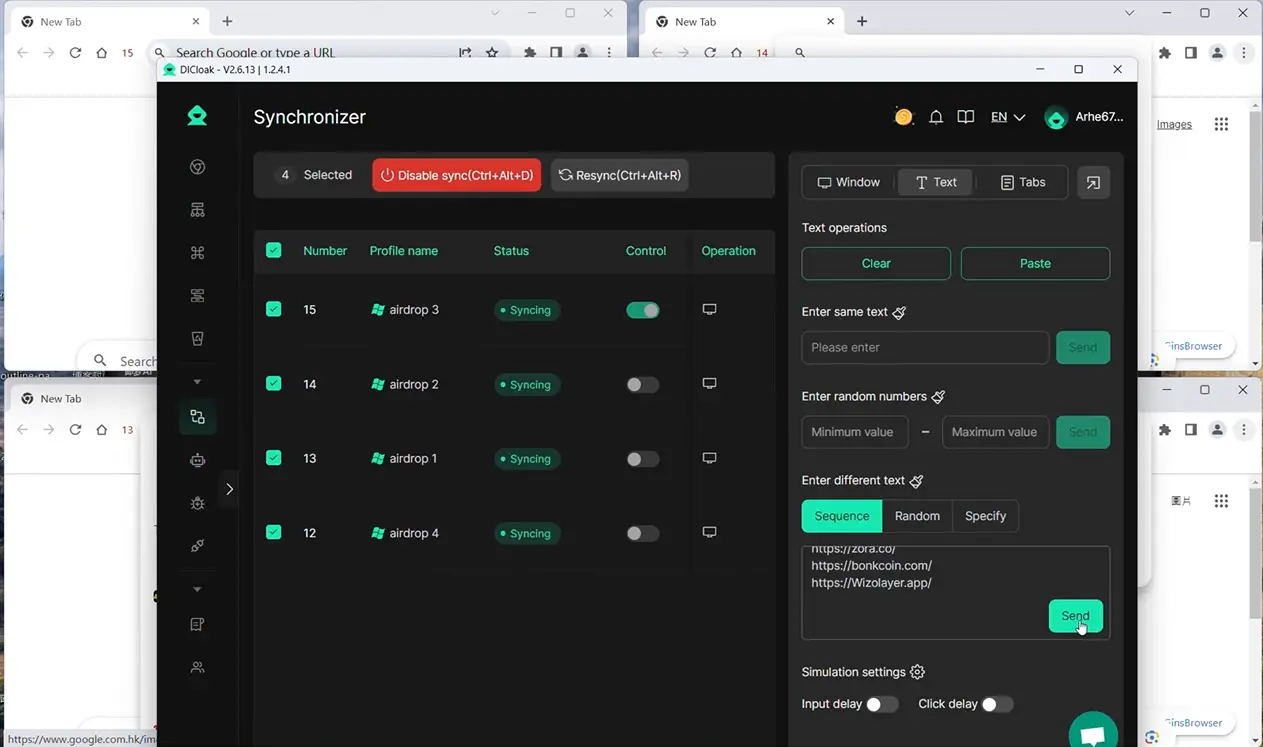
If you’re considering scaling up, the real risk comes when platform rules change or your setup gets sloppy. The next section covers when it’s too risky to keep running multiple accounts on sites like Freecash.
When Is It Too Risky to Use Freecash or Similar Sites?
Some situations push the risk too high, no matter how tempting the rewards look, it’s smarter to walk away than gamble your time or data.
If the Platform’s Legitimacy Cannot Be Verified
If you can’t find real payment proofs, company info, or see fresh scam warnings on review sites, skip that platform. No payout history or hidden ownership almost always means your effort will be wasted, or worse, your data sold off.
If You Are Asked for Upfront Payments or Sensitive Data
Watch out if a site asks you to pay before you can cash out, or demands banking or ID details early on.
- You could lose money to fake “unlock” fees or have your personal details stolen for fraud.
- Only share sensitive data after you’ve confirmed the platform’s reputation through independent reviews and actual user payouts.
If You Cannot Comply with Platform Rules
Joining from a blocked country or using tricks to fake your region can backfire fast. Platforms often shut down accounts without warning when they spot these rule breaks, and you’ll have no way to recover earned rewards. If you can’t play by their rules, don’t sign up at all.
How Does Freecash Compare to Other Online Earning Platforms in 2026?
If you’re weighing Freecash against other sites, the main questions are trust, how fast you get paid, and how often payouts actually work. People ask “is Freecash legit” because so many earning platforms vanish, stall payments, or block accounts without warning. Here’s how Freecash matches up with the main alternatives this year.
Legitimacy and Trust Signals
| Platform |
Business Transparency |
User Reviews & Scam Reports |
| Freecash |
Clear ownership, public terms |
Mostly positive, some payout delays |
| Swagbucks |
Well-known, long history |
High trust, rare scam claims |
| Ysense |
Registered, but less open |
Mixed reviews, some slow support |
Real user payout evidence matters more than a brand name, sites with hidden owners or copy-pasted reviews usually signal trouble. 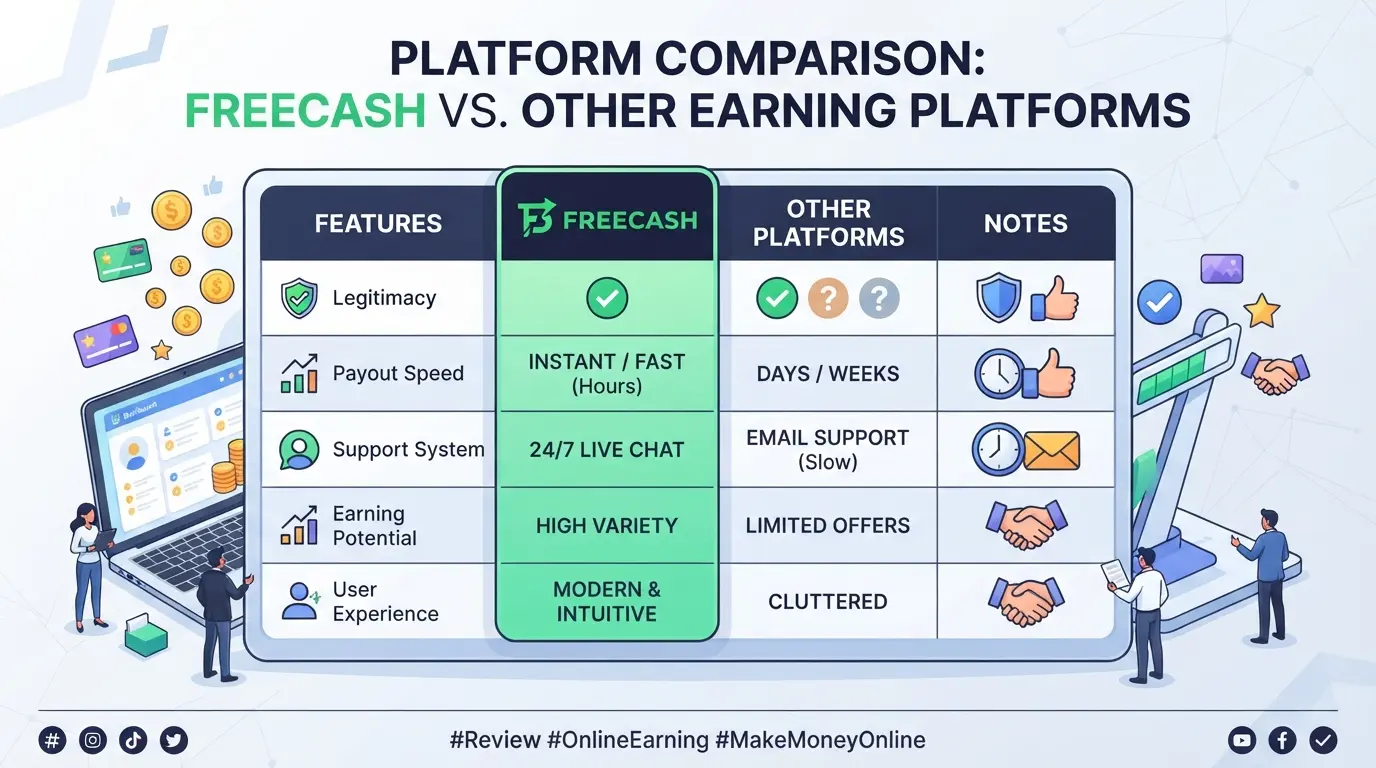
Payout Methods and Speed
Swagbucks and Freecash both offer PayPal and crypto withdrawals. Freecash users often get paid within 24 hours, while Swagbucks can take up to a week. Ysense usually sits in the middle, 2-5 days on average.
Account Safety and Support
Freecash has stricter anti-fraud checks, so bans can come fast if you slip up, even on a small mistake. Swagbucks is patient but slow to reply. Ysense support is uneven; some issues wait days, others never get answered.
If you’re blocked or a payout stalls, check your email for details first, most platforms now send an automated ban reason, but some problems still need live chat to resolve.
What to Do If You Get Blocked or Have Issues With Freecash
Getting locked out or restricted on Freecash usually means a rule was tripped, sometimes by mistake. You can often recover if you act fast and have clear proof.
Check for Violation Notices or Emails
- Log in and read any pop-up or email for the block reason.
- Check your last actions, using multiple accounts or suspicious proxies often triggers flags.
- If the reason is vague or missing, note the exact time your access stopped.
Contact Support with Clear Evidence
- Gather screenshots showing your profile, offers completed, and any error messages.
- Send a short, direct ticket or email (no long stories).
- Include transaction IDs if you lost a payout.
Review Community Forums for Similar Cases
- Search Reddit or Trustpilot for others’ block stories.
- Check Discord for recent Freecash support outcomes, some bans do get reversed.
Decide When to Move On or Try Alternatives
- If support gives a canned answer, don’t wait weeks, try another legit platform.
- Save your data before closing the old account.
Frequently Asked Questions About is freecash legit
Is Freecash actually legit in 2026?
Freecash remains a legit platform in 2026, based on user reviews and transparency. It partners with trusted payment providers and displays proof of payouts. Most users report successful cashouts, though some mention occasional delays. Key legitimacy checks include secure SSL connections, clear terms, and verified payout histories.
How fast does Freecash pay out earnings?
Payouts from Freecash often arrive within minutes to hours for PayPal, crypto, and gift cards. Some users report up to 24 hours for larger amounts. Supported methods include PayPal, Bitcoin, Ethereum, and digital cards. Most users say withdrawals are quick if their accounts meet all verification steps.
Can I use multiple Freecash accounts safely?
Using multiple Freecash accounts is risky and can lead to bans. The platform’s terms forbid multi-accounting. If you need extra privacy, use safe practices like unique devices and emails, but avoid breaking rules. DICloak workflow may help with privacy but does not guarantee account safety from platform detection.
What should I do if Freecash blocks my account?
If your Freecash account is blocked, first check your email for reasons. Contact support to appeal, providing any requested information. Stay polite and honest during the process. If appeals fail, it’s best to move on and avoid making new accounts to prevent further bans.
Are there safer alternatives to Freecash for making money online?
Safer alternatives include Swagbucks, InboxDollars, and PrizeRebel. Before joining, check their payment proofs, read terms, and review user feedback. Always use secure passwords, avoid sharing personal information, and stick to platforms with clear payout histories for the safest experience.
If you’re considering using a rewards platform, it’s wise to weigh the pros and cons and review real user experiences before signing up. Take time to compare alternatives and think about privacy and payout reliability so you can make a confident choice. Try DICloak For Free
 Web Proxy Tools
 Free Tools
 Cookie Plugin
 UA Generator
 MAC Address Generator
 IP Generator
 IP Address List
 2FA Code Generator
 World Clock
 Anonymous Check
 WebRTC Leak Test
 UUID Generator
 Free Web Proxy Site
 Proxy Checker
 FB Ad Checker
 AI Web Scraping
 Free SMM Tools
 Twitter Shadowban Checker
 Instagram Name Checker
 UTM Generator
 Username Generator
 AI Hashtag Generator
 LinkedIn Headline Generator
 Social Media Image Resizer