On May 27, 2026, thousands of users saw their Instagram feeds freeze for hours, comments failed to load, stories wouldn't refresh, and search returned blank screens. That outage wasn’t a one-off. Instagram outages have disrupted daily use for millions this year, often without warning. For creators and businesses, even a short Instagram outage today can mean lost engagement or missed sales. The platform’s status page rarely gives more than a vague update, so users flood DownDetector and X with screenshots and questions like "Is Instagram down?" or "Instagram not working for anyone else?"
What catches most people off guard is how outages don’t just break posting, they can lock you out, scramble direct messages, or trigger temporary account restrictions if you try too many refreshes. Even big brands scramble for answers when the usual fixes, restarting your app, switching devices, or killing background processes, don’t work. That’s why knowing exactly what causes these disruptions, how to check if it’s a local issue or a global outage, and what actions actually help can save time and prevent bigger headaches.
Next, you’ll see why Instagram outages happen, which signs signal platform-side problems versus something on your end, and what steps to take when things go down.
What Usually Causes Instagram Outages and Why They Happen
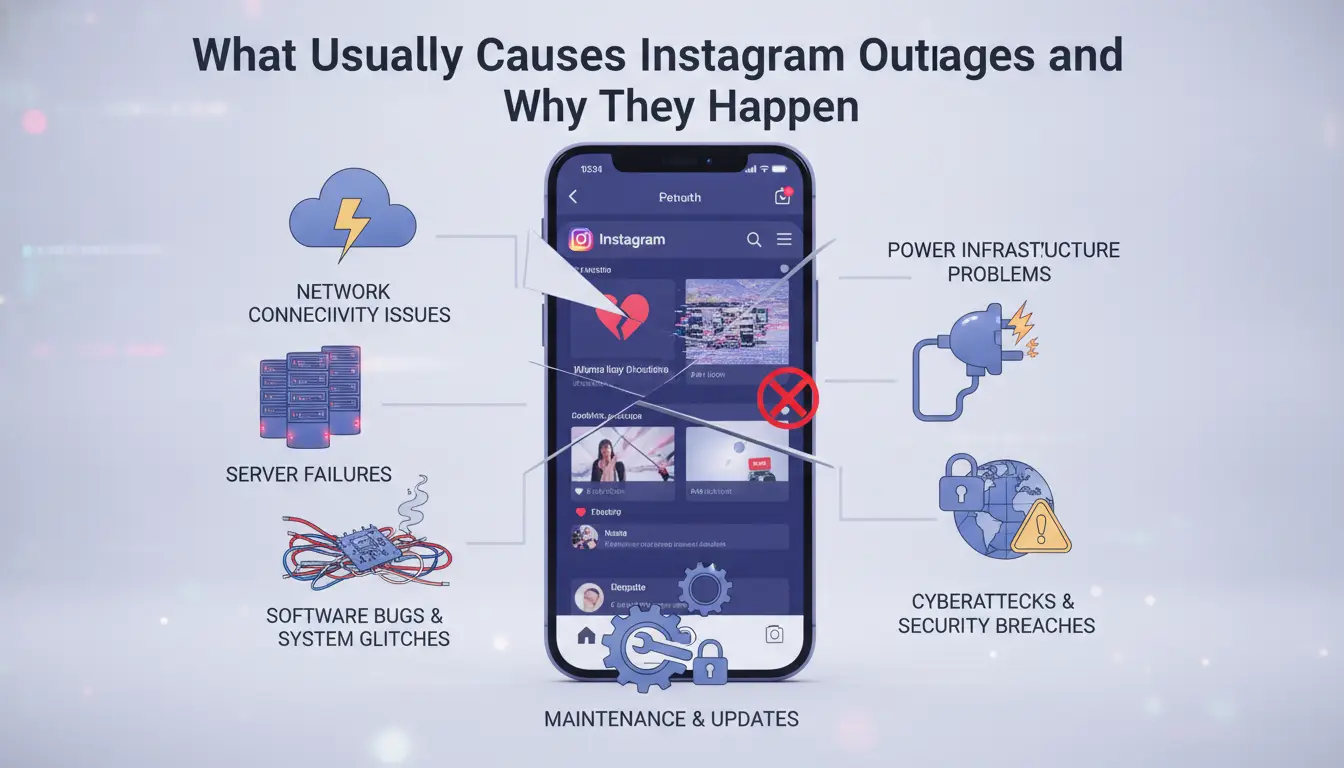
Instagram outages don’t just come out of nowhere. Most breakdowns trace back to technical failures or external disruptions that hit the platform’s core systems. If you’ve ever seen “Instagram not working” trend on Downdetector or Twitter/X, the cause usually fits one of these patterns.
Technical Failures: Server, Infrastructure, and Software Issues
Instagram runs on thousands of servers managed by Meta, spread across global data centers. When these servers get overloaded, like during major events, viral trends, or sudden traffic spikes, the platform can slow down or go offline. You’ll notice posts not loading, stories getting stuck, or login errors. Sometimes, the issue isn’t just overload; it’s a software update gone wrong. Meta pushes frequent updates to Instagram’s backend, and a buggy rollout can break features or take the whole service down. A single misconfigured database or failed code deployment can trigger a chain reaction, locking users out worldwide. This happened in early 2024 when a routine update knocked out login and feed loading for millions.
External Factors: Cyber Attacks, Power Outages, and Network Disruptions
Instagram outages can also start outside Meta’s control. Large-scale cyber attacks, especially Distributed Denial of Service (DDoS), flood the platform with fake traffic, making real users hit walls. Attackers target Instagram to disrupt operations or grab attention. In 2023, a DDoS attack briefly took down Instagram in parts of Europe, leaving users searching for “Instagram outage today” updates from BBC News. Power outages in key data centers or regional network failures can cut off access for entire countries. For example, a major power loss in California or fiber cuts in Europe have both caused spikes in “Instagram down” searches and widespread platform errors.
Most users only see the surface symptoms, slow loading, failed posts, or sudden logouts. But the causes behind instagram outages often mix technical glitches with outside disruptions. Knowing these patterns helps you spot whether it’s a platform-wide problem or just your device acting up.
Next up: how to quickly check if Instagram is down or experiencing an outage, so you don’t waste time troubleshooting the wrong issue.
How to Quickly Check If Instagram Is Down or Experiencing an Outage
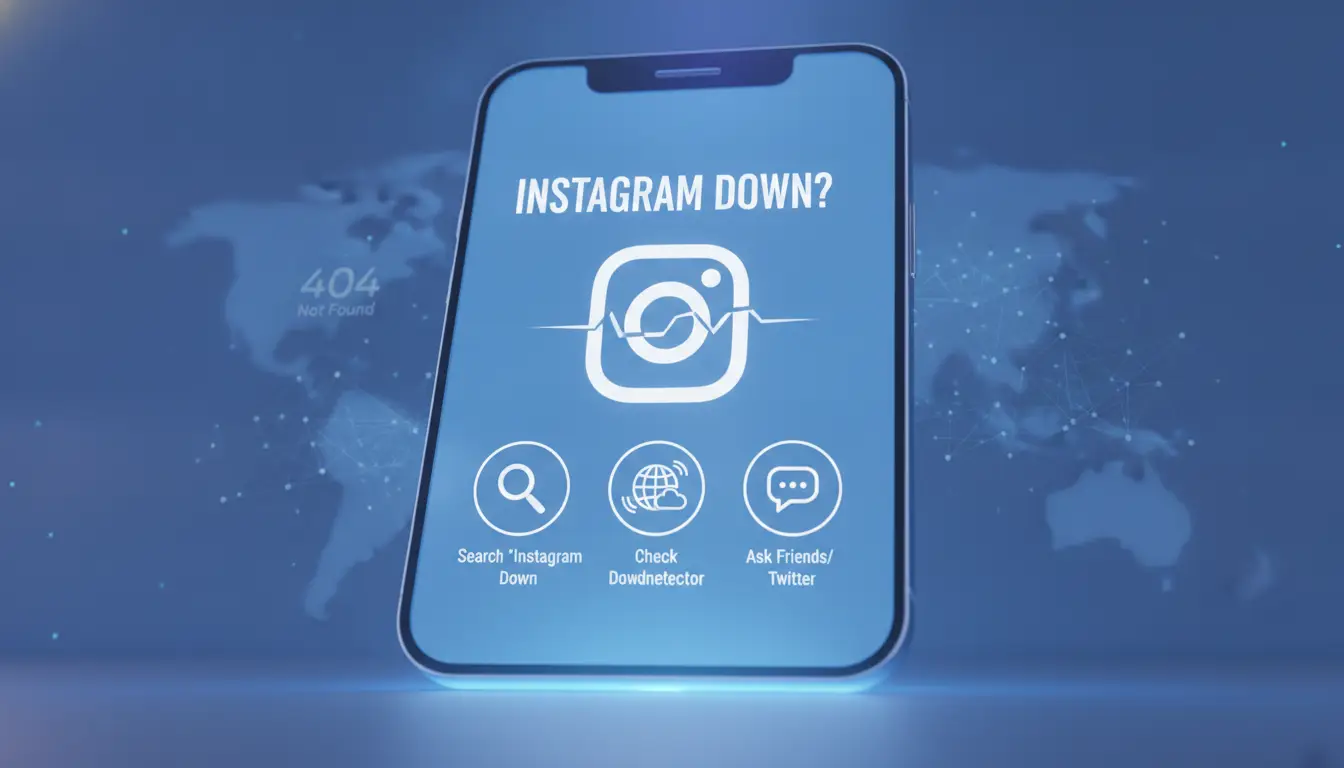
Sometimes, Instagram stops working, but it’s not clear if the problem is with your device or with Instagram itself. Jumping straight into fixes wastes time if the issue is platform-wide. Here’s how you can quickly confirm what’s wrong before you start changing settings or reinstalling apps.
Using Official Status Pages and Third-Party Outage Trackers
The fastest way to check for instagram outages is to look at Instagram’s official status page, but the catch is that it rarely updates in real time. For quicker answers, most people rely on third-party outage trackers. Sites like Downdetector and IsItDownRightNow collect user reports and show live maps or graphs of outage spikes.
If you see thousands of new reports or a big spike on these charts, it usually means the issue is not just on your end. Some sites even let you sort by region, so you can see if the outage is local or hitting users worldwide. Most users check both the status page and a tracker, if both show problems, you can stop troubleshooting your device.
| Tool |
Real-Time Updates |
User Reports |
Region Filters |
Link |
| Official Status Page |
Slow |
No |
No |
Instagram Help |
| Downdetector |
Fast |
Yes |
Yes |
Downdetector |
| IsItDownRightNow |
Fast |
Yes |
No |
IsItDownRightNow |
Table: Comparison of main status checking tools. Sources: Instagram, Downdetector, IsItDownRightNow
Recognizing Signs of a Platform-Wide Outage vs. Local Problems
When Instagram is down for everyone, you’ll see the same errors across accounts, feeds won’t load, Stories won’t open, or you get “Couldn’t refresh feed” on every device. If you search “Instagram not working” or “Instagram outage today” on X (Twitter), you’ll usually find hundreds of people posting within minutes during a real outage.
On the other hand, if only your account can’t log in, or you can open Instagram on mobile data but not WiFi, you’re likely facing a local issue, maybe a bad app update, account restriction, or a network glitch. Always check a tracker before resetting anything, jumping to fixes too soon can lock you out or cause new problems if the outage is on Instagram’s side.
If it looks like a platform-wide outage, the best move is to wait and watch the status pages. Next, you’ll see what steps actually help when Instagram goes down and how to avoid making the problem worse.
What to Do When Instagram Is Down: Immediate Steps for Users
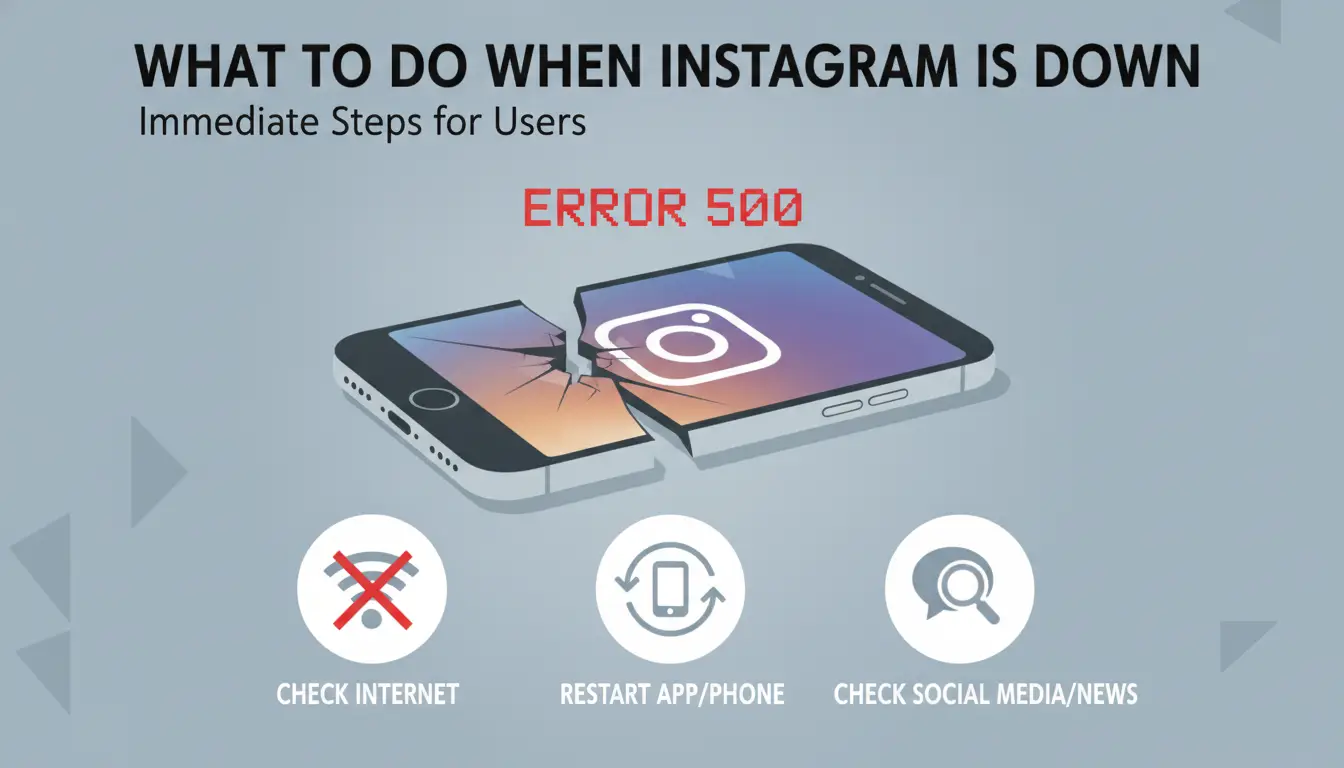
When Instagram outages hit, your next steps matter. Pushing random buttons or logging in and out may do more harm than good, especially if the problem is on Instagram’s side. Here’s what actually helps when "Instagram down" reports start flooding in.
Basic Troubleshooting: Device, App, and Connection Checks
Before blaming a global Instagram outage today, check that it’s not just your phone or Wi-Fi acting up. Start by closing and reopening the Instagram app, this clears any short-term glitches. If nothing changes, restart your phone. Simple, but if the app is frozen or won’t load, a reboot can often reset stuck processes.
Next, check your internet connection. Switch between Wi-Fi and mobile data to see if one works better. Sometimes, home routers drop connections for a few minutes, a quick reconnect or moving closer to your router can fix the issue. Try loading another app or website, like YouTube or X, to rule out a total outage on your device. If everything else loads fine but Instagram not working persists, it’s likely not your network.
When to Wait and When to Seek Further Help
If basic checks don’t work and you see others talking about Instagram outages online, patience beats panic. Most platform outages last under an hour, though bigger ones can stretch to several hours. Frantically logging in and out or spamming the refresh button raises red flags, Instagram’s security system may temporarily lock your account if it thinks you’re a bot.
If you absolutely need to post or access something urgent, check Instagram’s official Twitter account or Meta’s Status Page for updates. No update? Wait it out. Avoid uninstalling and reinstalling the app unless Instagram specifically recommends it, this rarely helps and can erase drafts or locally saved content.
Only contact Instagram Help Center if your issue continues after others report the outage is over. When things return, log in normally, if you see persistent errors, document them with screenshots before reaching out for support.
The most common mistake during an Instagram outage is trying too many fixes too fast, locking yourself out is worse than waiting.
Next, see why these outages hit businesses and content creators especially hard, and what risks they face that regular users often don’t.
Why Instagram Outages Matter for Businesses, Marketers, and Content Creators
When Instagram goes down, the problems ripple out fast for anyone running a business or marketing campaign. It isn’t just about being unable to scroll or post , a sudden outage can throw off your whole content plan, waste ad spend, and damage the connection you’ve built with your audience. For brands and creators who rely on Instagram as a main sales or engagement channel, even a short disruption can set things back for days.
How Outages Affect Scheduled Posts, Engagement, and Ad Campaigns
Most social teams plan posts and stories to hit at peak hours, when their audience is most active. If Instagram is down or you hit an "Instagram outage today" during a scheduled push, your content simply doesn’t go live. Sometimes, even after the outage clears, scheduled posts don’t backfill, they’re just lost. That means you miss those high-engagement windows, and your reach drops.
Ad campaigns take a direct hit, too. If you’re running a paid promotion and Instagram isn’t working, your ads might still spend budget but fail to show or capture conversions. According to Meta's Business Help Center.com/business/help/), ad delivery can be delayed or interrupted during platform outages, but charges may still apply. This can create reporting errors and wasted spend, which is hard to explain to clients or managers.
Strategies to Mitigate Impact and Maintain Brand Reputation
When "Instagram not working" becomes the top trending topic, silence hurts your brand. Followers may wonder if you’re ignoring them or if your business is having problems. A quick post on Twitter/X or your official site can keep people updated. Some brands use Statuspage to show real-time updates. This builds trust and shows you’re on top of things.
It also pays to stay flexible. If your campaign is time-sensitive, pause ad spend across platforms or reschedule posts until Instagram outages pass. Adjust expectations with clients or team members, and track engagement carefully the rest of the week. Missing one big push isn’t the end , but how you handle it can decide if followers stick around or look elsewhere.
Next, you’ll see how to keep multiple Instagram accounts safe and avoid problems when outages strike.
How DICloak Helps Social Media Marketers Manage Instagram Accounts Safely During Outages
Instagram outages often trigger account access errors, forced logouts, or sudden bans, especially if you manage several profiles on one device. When "Instagram down" trends on Twitter or Downdetector, marketers rushing to switch accounts or refresh apps can accidentally get all their accounts linked and flagged. This risk jumps during an Instagram outage today, since Instagram’s automated systems can mistake rapid logins or repeated actions for bot behavior.
Isolated Browser Profiles and Custom Fingerprints for Each Account
You can use DICloak to create a separate, isolated browser profile for every Instagram account. Each profile gets its own fingerprint, meaning Instagram sees each login as a unique device, even if you’re really on the same machine. This setup blocks platform detection and cross-linking, so one account getting flagged doesn’t put your whole batch at risk. Setting up these environments takes a few clicks, not hours.
Automated Workflows and Proxy Integration to Maintain Activity Safely
Tools like DICloak let you automate routine actions, such as scheduled logins or engagement, across multiple profiles using built-in RPA and proxy support. During "Instagram not working" events, these features help you keep accounts active without unsafe manual switching or repeated failed logins. The real win is avoiding mass bans by keeping each account’s behavior and network trail separate, even when outages throw normal routines off.
How to Stay Informed and Prepare for Future Instagram Outages
Staying ahead of Instagram outages means less downtime and fewer surprises. Most people only notice a problem when “Instagram down” starts trending on Twitter/X or group chats light up with complaints, by then, you’re already reacting instead of planning.
Setting Up Outage Alerts and Monitoring Tools
The fastest way to catch an Instagram outage today is to use real-time alert services. Downdetector and IsItDownRightNow both track platform issues and let you see user reports by region and time. You can set up notifications through their apps or join their Twitter feeds for instant updates.
For more control, tools like UptimeRobot let you monitor Instagram’s main page and send a push notification if it goes offline. To avoid too many alerts, set a custom threshold, like only pinging you if downtime lasts over 5 minutes. For teams, a shared Slack or Discord channel can centralize outage alerts and keep everyone in the loop.
If you post across multiple social platforms, consider a dashboard like Hootsuite or Buffer to quickly spot when Instagram is not working but other networks are fine. This helps you shift focus without wasting time guessing if the issue is just on your side or global.
Building a Backup Plan for Social Media Operations
Don’t wait for the next outage to scramble. Make a simple backup plan: list which tasks must go out on Instagram and which can move to Facebook, TikTok, or Threads. Prewrite key posts so you can shift them if needed.
Document your normal posting workflow and who is responsible for each step. If DMs break or you lose access, have a backup communication channel, like WhatsApp or email, ready for urgent announcements.
The most reliable teams practice their backup plan before a real Instagram outage hits. That way, when “Instagram outage today” starts trending, your team isn’t scrambling, they’re executing.
Frequently Asked Questions About Instagram Outages
How can I tell if Instagram outages are affecting everyone or just me?
To check if Instagram outages are widespread or just affecting you, visit Instagram’s official status page or use third-party sites like Downdetector. Compare your experience with recent user reports on Twitter or Reddit. If many users say “Instagram not working,” it’s likely a platform-wide issue.
What should I avoid doing during an Instagram outage?
During an Instagram outage, avoid logging in repeatedly, switching accounts, or resetting your password. These actions can trigger Instagram’s security checks. Instead, wait for updates on Instagram outage today from official sources. Excessive troubleshooting may lead to account lockouts or delays once service returns.
Are Instagram outages common in 2026?
Instagram outages still happen in 2026, though they’re not daily events. They usually occur during major technical updates or when external factors, like internet disruptions, impact services. If you notice Instagram down, check for news on planned maintenance or unexpected outages before taking action.
Can I schedule posts to go live after an outage ends?
Yes, you can use scheduling tools like Later or Buffer to plan posts. Monitor Instagram’s platform status to find the best time after an outage. This helps your content reach more people when Instagram not working issues are resolved and normal activity resumes.
Is it safe to use proxies for Instagram during outages?
Using proxies during Instagram outages can protect your account and isolate activities, especially for business profiles. However, always choose reputable proxy services. Avoid suspicious logins or actions, as Instagram may flag unusual behavior during outages, increasing the risk of account restrictions.
Instagram outages highlight the platform's vulnerability and the widespread impact disruptions can have on users and businesses. Staying informed and exploring alternative tools can help mitigate downtime and keep your digital activities running smoothly. Try DICloak For Free
 Web Proxy Tools
 Free Tools
 Cookie Plugin
 UA Generator
 MAC Address Generator
 IP Generator
 IP Address List
 2FA Code Generator
 World Clock
 Anonymous Check
 WebRTC Leak Test
 UUID Generator
 Free Web Proxy Site
 Proxy Checker
 FB Ad Checker
 AI Web Scraping
 Free SMM Tools
 Twitter Shadowban Checker
 Instagram Name Checker
 UTM Generator
 Username Generator
 AI Hashtag Generator
 LinkedIn Headline Generator
 Social Media Image Resizer