A common paid social failure looks like this: a team launches 12 new ads on Monday, spends hard for two days, then pauses almost all of them with no clear signal on what actually worked. The issue is rarely effort. It is test design. If you are searching for how to test creatives fast, the goal is not to test more ads, but to get clean decisions from smaller, tighter batches.
Platform mechanics force this. Meta’s learning phase guidance ties delivery stability to enough optimization events, and weak structure can trap ad sets in noisy learning loops. At the same time, rapid swaps without controls can break comparison quality, even when spend is high. This is why teams that follow basic A/B testing principles and use built-in Google Ads Experiments tend to find winners faster with less waste.
The core takeaway is simple: define one variable per test, set a hard decision window, and use pass/fail rules before launch. That system gives you faster wins and cleaner scaling paths. Now start with the setup that makes every creative test readable by day three.
What Should You Test First If You Need Results Fast?
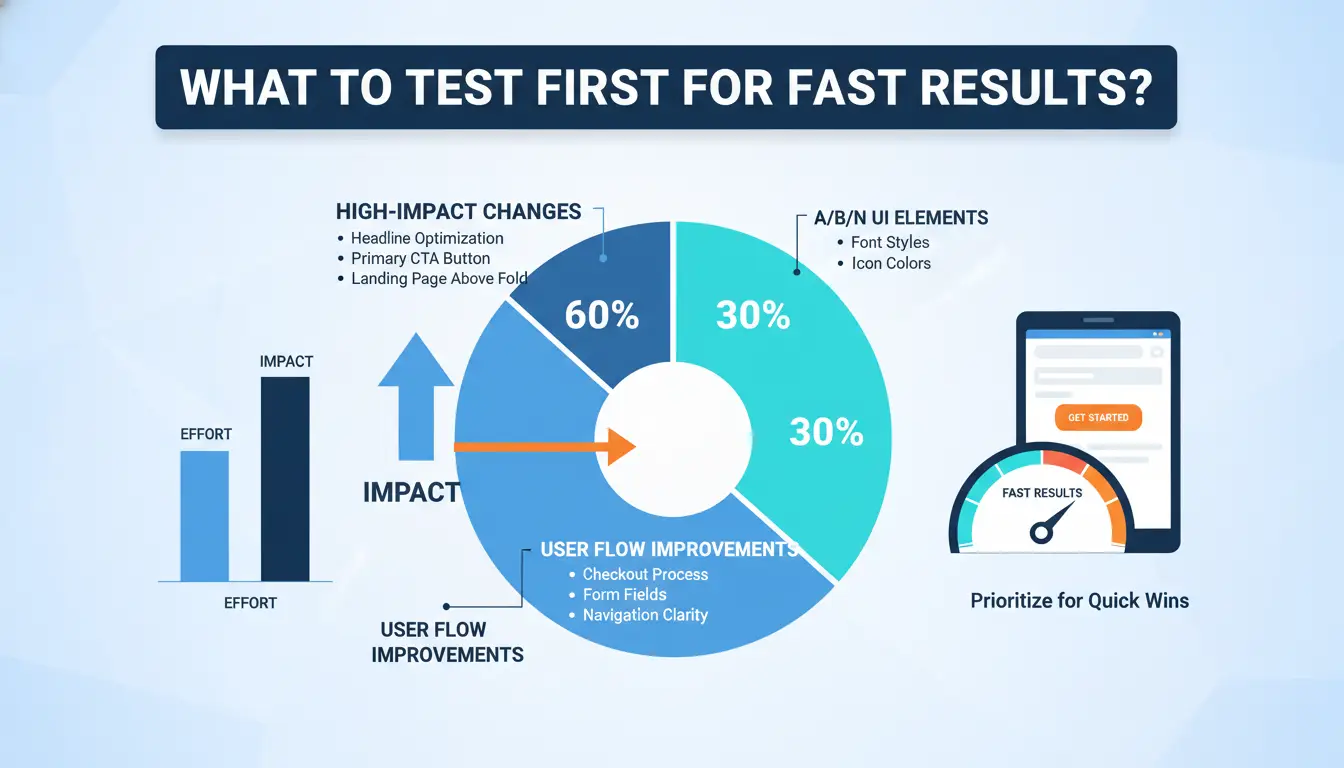
If you want to learn how to test creatives fast, do less at once. You get clearer wins by testing one high-impact change per round, then keeping budget on variants that pass your rule window.
Start with one clear hypothesis per test round
Turn “this ad might work” into one test question: “Will a problem-led hook beat a feature-led hook on CTR in 3 days?”
Tie one variable to one expected change. Example:
- Variable: opening hook
- Expected change: higher thumb-stop and CTR
- Hold steady: audience, bid strategy, placement, and landing page
This keeps your result readable and follows clean A/B testing principles.
Prioritize variables that move performance the most
Start with message choices, not visual polish. Test in this order:
- Hook
- Offer
- Angle
- CTA line
- Color or font tweaks
Small design edits rarely fix weak message-market fit. If the core promise is off, better borders will not rescue CPA. A direct way to rank impact: ask, “Would this change alter buying intent, or just make the ad look nicer?”
If you are unsure where to start, review your top failed ads and sort losses by weak hook, weak offer, or weak angle. That gives a fast priority map for how to test creatives fast.
Use a simple test matrix to avoid random testing
Build a 3x3 matrix: 3 angles × 3 hooks. Keep one CTA for round one. Run only 3–5 variants per round to protect spend and signal quality. Use fixed decision windows, like day-3 checks, then cut losers and iterate winners in Google Ads Experiments.
How Do You Set Up a Fast Creative Test Without Wasting Budget?
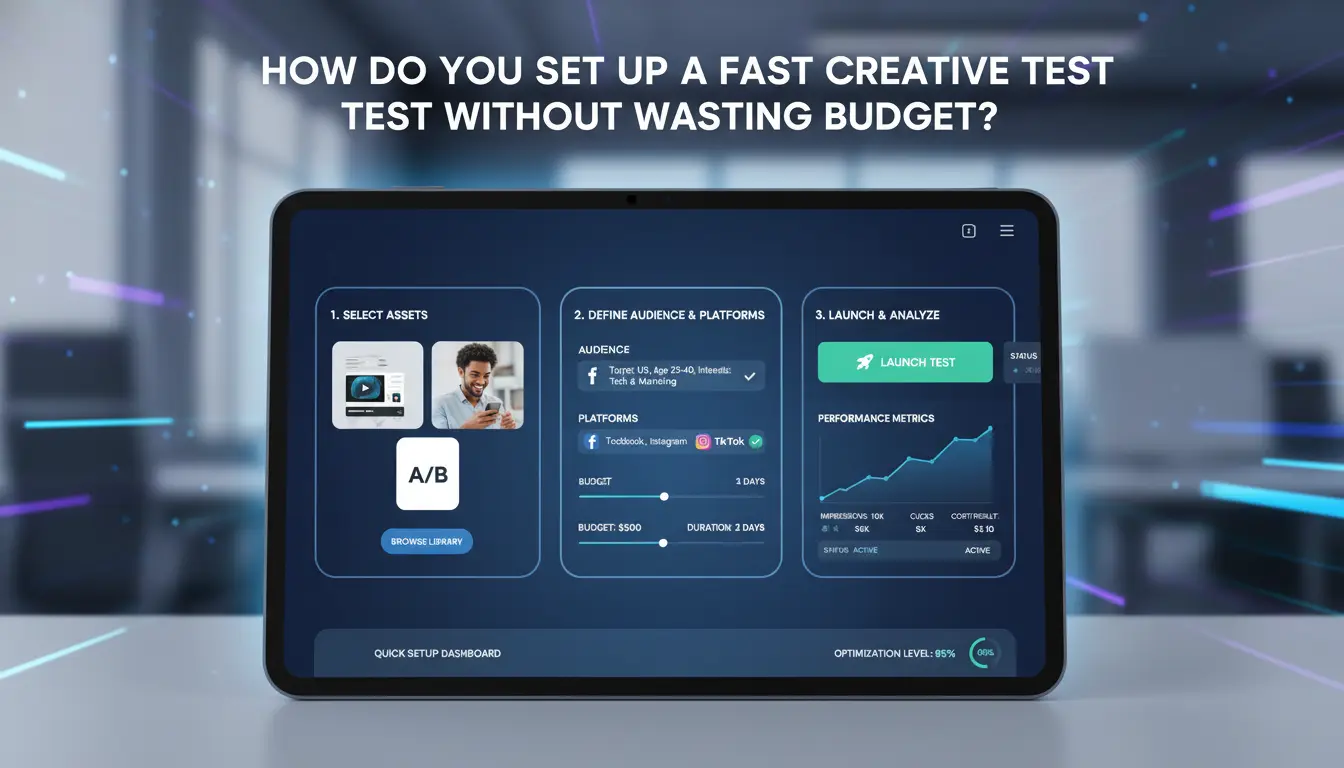
If you want to learn how to test creatives fast without burning spend, keep the setup small and strict. Your goal is readable results by day three, not perfect certainty.
Choose the right testing environment and campaign structure
Use native split testing when you need cleaner comparisons. Platforms separate traffic for you, which reduces overlap risk in auction delivery, aligned with A/B testing principles. Use manual setup when you need speed and can enforce controls yourself. In Google Ads, you can run this through Experiments. On Meta, stable delivery still depends on enough optimization events.
| Setup |
Use it when |
Keep it to |
| Native split test |
You need cleaner readouts |
2–4 creatives, 1 audience block |
| Manual ad set test |
You need faster launch |
2 ad sets max, same audience logic |
Set guardrails before launch
Set minimum spend and runtime before launch. A practical floor is 72 hours unless one creative clearly fails early. Pre-set a stop-loss, such as pausing a creative after it spends 1.5x your target CPA with zero conversions. Also set a minimum data rule, like no winner call before each creative gets similar spend.
Control variables so test results are reliable
Keep objective, audience, placements, bid strategy, and schedule fixed. Change one primary variable only: hook, angle, or opening visual. Do not swap copy and video in the same round. If two things change, you lose the read. That is the core rule for how to test creatives fast and keep budget from getting diluted.
What Is the Fastest 48-Hour Workflow to Test Creatives?
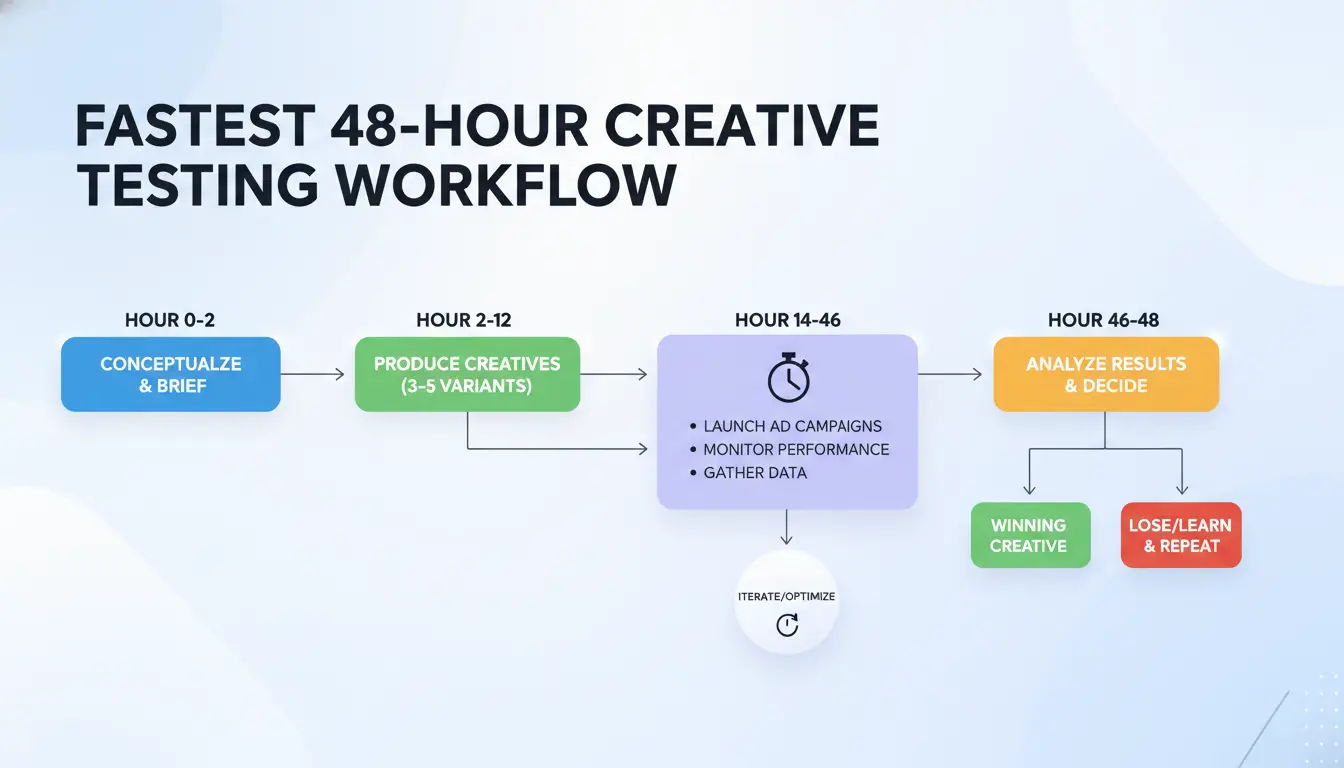
If you want to learn how to test creatives fast, run a strict 48-hour loop with fixed rules. The goal is not perfect data. The goal is clean directional data you can repeat every two days.
Day 0: Prep assets, naming, and tracking
Set up before spend starts. Use one naming pattern across all files and ads:
[Angle]_[Hook]_[Format]_[Version]_[Date] Example: PainPoint_Hook3_UGC_V2_2026-05-19
This lets you sort by angle or hook in minutes.
Build UTMs before launch so every click lands in your dashboard with source, campaign, ad set, and creative ID. If you use Meta, align names with Meta Ads reporting fields. Keep one sheet with planned hypotheses and pass/fail rules.
Day 1: Launch small, monitor early signals, avoid premature decisions
Launch with equal budgets per creative. In the first 6-12 hours, watch early metrics only: spend delivery, CTR (link), thumb-stop rate for video, CPC, and landing page view rate.
Do not call winners yet. Early data is noisy when impressions are low. Treat this stage as traffic quality screening. A creative with low CTR and high CPC across multiple ad sets is an early risk. A creative with stable CTR and acceptable CPC can move to Day 2 review. Use A/B testing basics and avoid editing live ads mid-window.
Day 2: Cut losers, keep contenders, spin next variants
Use clear bands:
- Kill: spent target test budget and missed CTR/CPC guardrails
- Keep: near target, mixed signals, needs more data
- Iterate: hit guardrails and showed stable engagement
Turn winners into briefs fast: keep the same angle, change one variable (hook, opening 3 seconds, headline, or CTA). That is the repeatable loop for how to test creatives fast.
Which Metrics Tell You Quickly If a Creative Is Winning?
If you want to learn how to test creatives fast, use a metric hierarchy instead of waiting for full ROAS maturity. Read results in tiers, then decide inside a fixed window (often 3 days) using platform guidance from Meta’s learning phase docs and clean test design from A/B testing basics.
Use metric tiers: attention, engagement, conversion
Start with top-of-funnel signals: thumb stop rate, CTR, and 3-second hold rate for video. Move to mid and bottom metrics: CPC, CVR, CPA, and ROAS. A creative can pass attention but fail conversion. That still gives useful direction: keep the hook, change landing page fit or offer clarity.
Set practical decision thresholds by campaign goal
Use threshold bands before launch, then apply them the same way every test cycle.
| Goal |
Early gate (Day 1-2) |
Decision gate (Day 3-5) |
| Lead gen |
CTR > 1.2%, CPC in target range |
CVR stable, CPA within target band |
| Ecommerce |
CTR > 1.0%, hold rate stable |
Add-to-cart rate stable, CPA/ROAS near target |
For low-volume accounts, do not wait for full purchase volume. Use proxy events aligned with platform setup, such as Google Ads Experiments with add-to-cart or lead-start checkpoints.
Avoid common metric interpretation traps
High CTR with weak CVR usually means message mismatch. The ad wins attention, but the click intent does not match the page. Early ROAS can mislead if spend is low or conversion lag is long. Use minimum spend or event-count gates before declaring a winner. This is the core of how to test creatives fast without low-quality decisions.
Why Do Fast Creative Tests Fail Even When You Follow Best Practices?
If you’re learning how to test creatives fast, failure usually comes from execution drift, not bad ideas. Teams break test logic, read noise as signal, then scale the wrong ad. The fix is strict structure before launch and strict stop rules during delivery.
Testing too many variables at once
When one test changes hook, format, offer, and audience together, you cannot tell what caused the result. Symptoms are unstable CTR, mixed CPA direction, and “winners” that fail on the next launch. Platforms also need enough optimization events to stabilize delivery, as explained in Meta’s learning phase guidance.
Keep one variable per cell. Hold audience, budget split, bid model, and landing page constant. If one ad set cannot answer one clear question, do not launch it.
Ending tests too early or too late
Pausing too early locks in randomness. Waiting too long burns budget after a clear loser appears. Use a fixed decision window and minimum evidence checks from A/B testing basics, then confirm with platform tooling like Google Ads Experiments.
| Decision timing |
What happens |
Fix |
| Too early |
Noise looks like a win |
Wait for pre-set event threshold and time window |
| Too late |
Spend drains on weak ads |
Apply hard fail rules and auto-pause losers |
Creative fatigue and audience overlap hiding true winners
Rapid cycles can hide good creatives when the same people see too many similar ads. Watch frequency trend, rising CPM, and falling CTR together. If frequency climbs while CTR drops, refresh angles or rotate formats. Separate test audiences to reduce overlap, then retest top ads in a clean cell. That is how to test creatives fast without corrupting your read.
How Can Teams Test Creatives Fast Across Multiple Accounts Without Triggering Risk?
If your team asks how to test creatives fast, speed alone is not the hard part. Clean separation is. One shared browser, mixed logins, and rushed handoffs can poison test data and trigger account checks. A safer workflow keeps each account session isolated, keeps role boundaries clear, and makes launch steps repeatable.
Why multi-person creative testing creates hidden operational risk
When two buyers touch one account from different machines, session history gets messy. One person changes naming rules, another edits targeting, and your A/B read becomes weak. You also get access conflicts, missed approvals, and wrong creative-to-account mapping.
Unstable IP behavior and mixed browser signals can add risk flags. Platforms track session patterns and device traits, not just ad content. Meta account quality systems and browser fingerprinting signals make this a real operational issue, not theory.
Use DICloak to isolate profiles and bind proxies per account
You can use DICloak to create one browser profile per ad account, so each workflow runs in its own environment. This reduces cross-account contamination during creative tests.
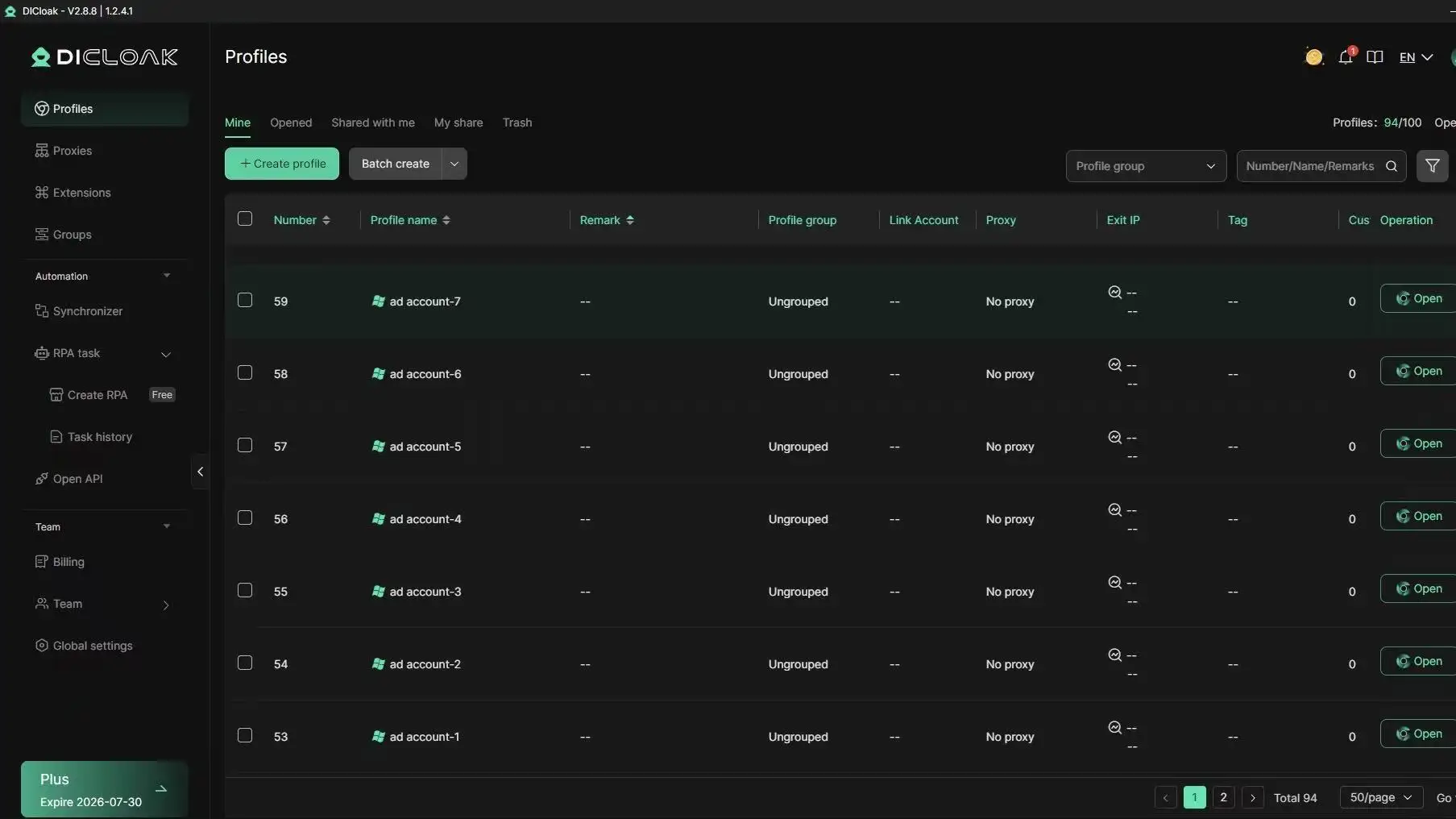
Bind one proxy to one profile and keep that mapping fixed. Do not rotate team members through the same profile without controls.
Speed up team execution with permissions, logs, and bulk operations
You can use role-based access and shared profiles to cut handoff delays. Copywriters upload assets, media buyers launch, reviewers approve, each with limited rights.
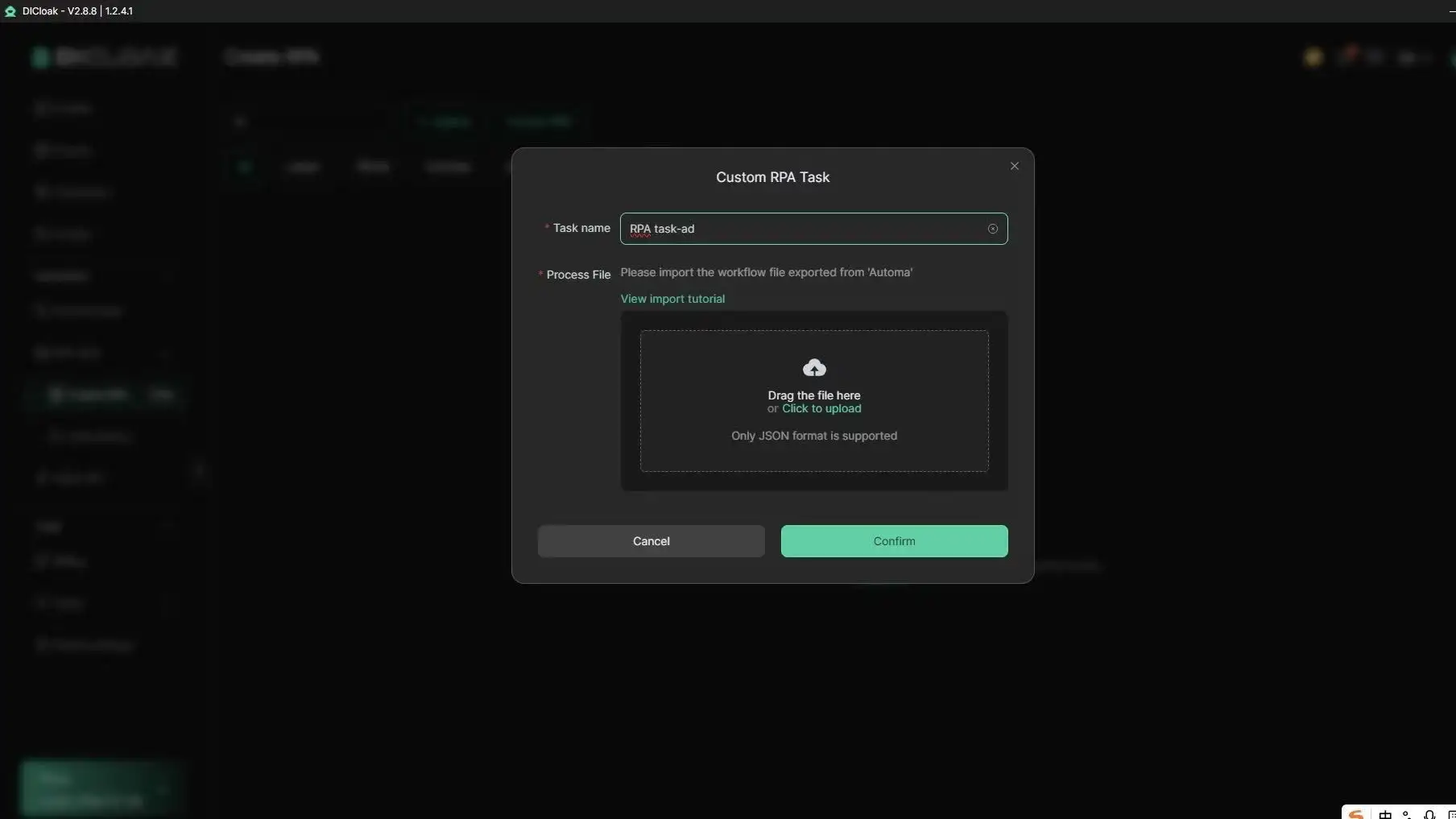
Use operation logs to see who changed what and when. Use batch actions for repeated setup steps. For recurring launch tasks, use RPA in DICloak to keep execution consistent while your team tests more creatives in less time.
How Do You Turn One Winning Creative Into a Repeatable Testing System?
Document winner patterns, not just winner files
A single winning ad is not a system. Log why it won: angle, hook shape, visual pacing, offer framing, and CTA logic. Tag each asset by audience intent in one swipe file. This is the core move in how to test creatives fast.
Build iteration rules for round 2 and round 3
Set change limits so results stay readable: keep about 70% of the winner, change one major variable per round. Branch into a new concept only after two weak rounds on the same pattern. You can use DICloak to run each ad account in an isolated browser fingerprint, bind one proxy per profile, and keep team actions controlled with permissions and operation logs.
Create a weekly testing cadence your team can sustain
Run a fixed Monday-Friday cycle: launch, check early signal, cut losers, clone winners, queue next variants. Tools like DICloak let you use batch actions and RPA for repeated launch steps, so speed does not break test quality when you scale how to test creatives fast.
When Is Fast Testing the Wrong Approach?
Fast cycles help, but not in every account. If you are learning how to test creatives fast, treat speed as a tool, not a rule. Your test is weak when timing is shorter than your buying cycle, or when event volume is too low for stable delivery, as noted in Meta’s learning phase guidance.
Low-volume accounts and long conversion windows
If an ad set gets only a small number of optimization events in a week, quick swaps can create fake winners. You may pick a creative that had two lucky days, then lose money at scale. Use softer checks before raising spend: CTR trend, hold rate on video, and landing-page engagement. Keep one control ad running for the full window. Follow basic A/B testing principles so each result has a clean comparison.
High-ticket or trust-heavy offers that need deeper research
High-price or trust-heavy offers often convert after repeated touches. A fast hook can win cheap clicks but fail on qualified leads. Pair short creative screens with buyer feedback: call notes, objection logs, and sales-team tags. You can also run platform experiments in Google Ads Experiments while keeping the same audience and bid settings.
How to choose between rapid iteration and slower validation
Use this rule set when deciding how to test creatives fast without breaking validity:
| Condition |
Rapid iteration |
Slower validation |
| Weekly optimization events |
50+ |
Below 50 |
| Sales cycle |
Under 3 days |
Over 7 days |
| Offer risk (high CAC, compliance, brand trust) |
Low |
High |
Run a hybrid model: screen 5–8 hooks fast, then confirm top 1–2 creatives over a full sales window before scaling.
Frequently Asked Questions
How to test creatives fast if I only have a small daily budget?
When learning how to test creatives fast on a small budget, test one element per round, like headline, hook, or image. Run only 3–4 variants, not 10. Watch early signals such as thumb-stop rate, CTR, and CPC in the first 48–72 hours. Keep tests live a bit longer so each variant gets enough impressions.
Can I test static images and video creatives in the same fast test when learning how to test creatives fast?
Yes, you can test both formats together if your goal, audience, placement, and offer stay exactly the same. That keeps the comparison fair. Read results by format norms: videos often win on watch metrics, while statics may win on quick clicks. Use one clear winner rule before launch.
How many creative variations are ideal for a fast testing cycle?
For most teams, 3–5 variations per cycle is the sweet spot. This gives enough contrast to find a winner without splitting budget too thin. For example, test three hooks with the same copy and CTA. After one round, keep the winner and build the next 3–5 versions from it.
How often should I refresh creatives to avoid fatigue?
Refresh based on frequency and engagement trends, not guesswork. If frequency climbs while CTR drops and CPA rises, fatigue is likely. Many teams review active campaigns every 7–14 days. Keep a reserve of pre-approved concepts so replacements can go live fast when performance starts to slide.
What tools help automate repetitive work when learning how to test creatives fast?
To improve how to test creatives fast, automate repeat steps: scheduled launches, naming rules, dashboard pulls, and Slack or email alerts for KPI changes. Use templates for UTM tags and test briefs so tracking is clean. Workflow tools also speed handoffs from media buyer to designer for quick iteration cycles.
Conclusion
Testing creatives fast is about learning quickly, not producing perfect assets, so focus on high-volume experiments, clear hypotheses, and one-variable changes you can measure. When you build a repeatable testing loop and make decisions from early performance signals, you cut wasted spend and scale winning ideas with confidence.
Try DICloak For Free
 Web Proxy Tools
 Free Tools
 Cookie Plugin
 UA Generator
 MAC Address Generator
 IP Generator
 IP Address List
 2FA Code Generator
 World Clock
 Anonymous Check
 WebRTC Leak Test
 UUID Generator
 Free Web Proxy Site
 Proxy Checker
 FB Ad Checker
 AI Web Scraping
 Free SMM Tools
 Twitter Shadowban Checker
 Instagram Name Checker
 UTM Generator
 Username Generator
 AI Hashtag Generator
 LinkedIn Headline Generator
 Social Media Image Resizer