Juggling more than one Facebook account on the same device gets messy fast. The official app and website both say you can add accounts, but the second you try switching, it either logs you out of the first account or forces you to re-enter passwords. What should be simple, switch Facebook accounts without logging out, often ends with lost drafts, security alerts, or even account restrictions if Facebook spots something it doesn’t like.
The risk isn’t just inconvenience. If you’re running pages for work, handling client accounts, or separating business from personal life, getting locked out or tripping Facebook’s security checks can mean missed notifications or, worse, temporary account bans. Facebook doesn’t publish a safe limit for account switching, and the lines between “multi-account” and “suspicious activity” get blurry fast, especially if you rely on browser tricks or shared devices.
The real issue is that Facebook’s tools are built to keep each user in their own lane, not to help you toggle between Facebook accounts safely or manage multiple Facebook accounts in 2026 without friction. Yet for social media managers, small business owners, and anyone with a side project, that kind of control isn’t a luxury, it’s survival. Knowing how to switch between multiple facebook accounts without logging out is the difference between a smooth workflow and a day spent resetting passwords.
So what actually works, without setting off alarms or risking your accounts? Start with the official Facebook methods, then see where they fall short.
Why Switching Between Multiple Facebook Accounts Gets Risky in 2026

Switching between multiple Facebook accounts on one device in 2026 puts you right in the crosshairs of Facebook’s detection tools. Every time you move between accounts, Facebook tracks changes, sometimes even subtle ones. Slip up, and you risk instant lockdowns or forced verification. If you want to manage more than one Facebook account without logging out, you need to know what triggers the system and what’s changed compared to just a few years ago.
How Facebook Detects Account Switching
Facebook doesn’t just look at logins, it checks your device fingerprint, browser profile, cookies, IP address, and even physical location each time you switch accounts. If two accounts use the same device and IP, or the browser profile looks too similar, the system links them. That’s why toggling accounts on one phone or laptop is riskier now than in the past.
Common Triggers for Account Restrictions
The fastest way to get flagged is by logging in and out of several Facebook accounts from the same device in a short window. Facebook’s backend tracks patterns: if five accounts log in from the same browser within an hour, especially with the same cookies or device data, expect at least one to get a checkpoint or “Suspicious Login Attempt” warning. Even if you clear cookies or use incognito mode, Facebook can match device and browser data, so the old tricks don’t stop their checks.
A classic failure case: A small business manager rotates between three Facebook Pages using personal accounts on the same laptop and browser. After the third account login, Facebook demands phone verification for all three accounts, freezing access until each code is entered. If one account lacks a valid phone or the same number is reused, that account may get locked out entirely. This isn’t just theory; even agencies with careful workflows hit this wall if they skip proper isolation. Trying to manage multiple Facebook accounts on a single device, without separate browser profiles or proxies, almost always leaves fingerprints Facebook can connect.
Why Logging Out Isn’t Always Safer
- Logging out doesn’t erase every trace, session cookies, local storage, and browser fingerprints may stick around.
- Overlapping sessions (for example, switching too quickly) raise red flags, sometimes leading to forced verification.
- If you forget to clear all data between switches, Facebook sometimes identifies reused device signals and blocks the next login.
Switching accounts without preparation usually means getting stuck at a verification prompt or losing access for hours. That’s the real cost of skipping the groundwork. The next step: setting up your environment the right way before even trying to manage more than one Facebook account.
What to Prepare Before Managing Multiple Facebook Accounts
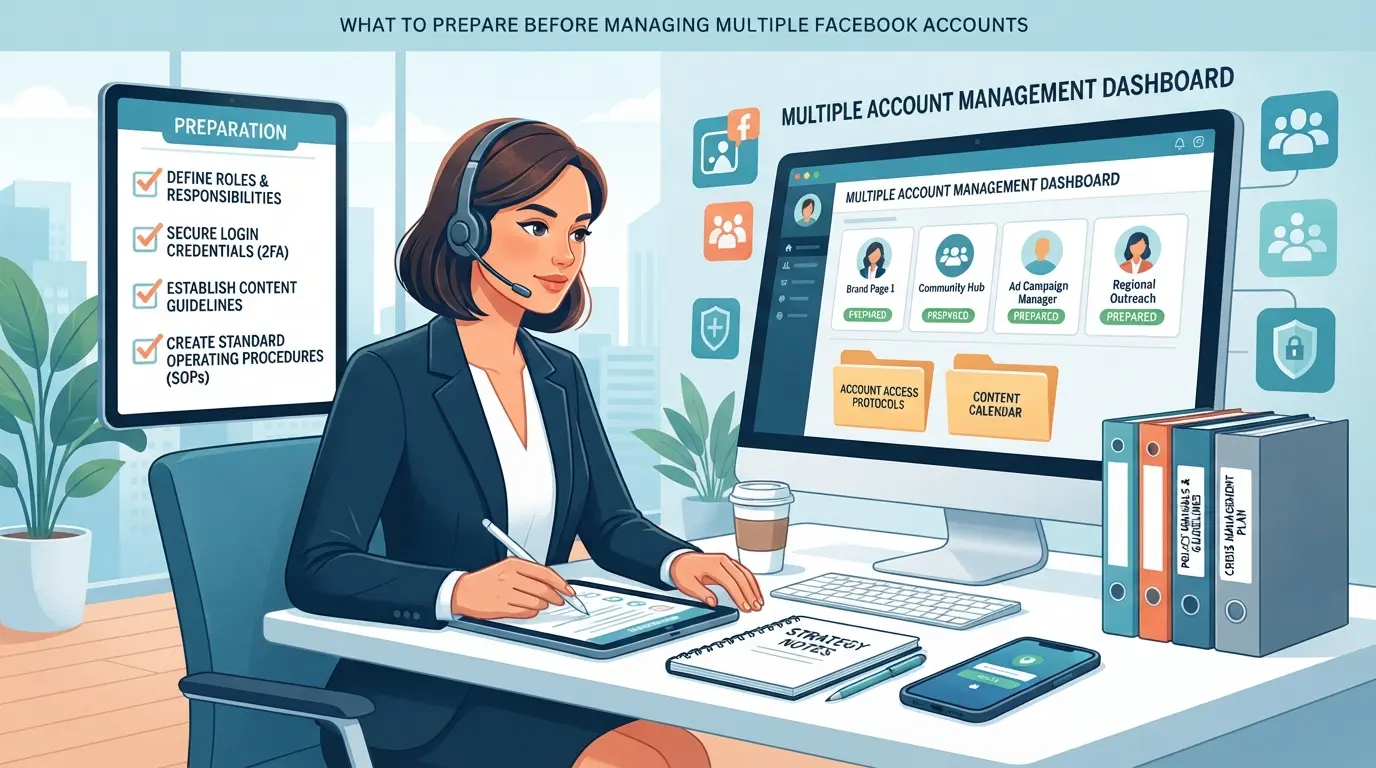
You need more than just extra logins to switch Facebook accounts without logging out, every weak spot in your setup increases the odds of restrictions or lockouts. The real groundwork is about making sure every account acts, looks, and logs in like its own person.
Separate Email Addresses and Strong Passwords
Mixing emails between accounts or recycling passwords is the fastest way to get linked and flagged. Each Facebook account should use a unique email and a strong, unrepeated password. A dedicated password manager keeps these details straight and helps you avoid mistakes like copy-paste errors or reusing passwords by accident.
Device and Browser Hygiene
- Clear browser cookies and cache before adding a new account.
- Never save Facebook passwords in your browser, use a password manager instead.
- Disable autofill for logins to avoid cross-account leaks.
Understanding Facebook’s Security Policies
Running several accounts means you’re one step away from triggering Facebook’s automated checks. Shared recovery details, mismatched locations, or even logging in too quickly can look suspicious. If two accounts share an email, phone, or recovery method, expect security prompts or temporary locks.
When to Use Separate Devices or Profiles
Certain setups make it much easier to keep accounts truly isolated. Sometimes, only a physical separation (like a second device) is safe enough, especially for business or agency use.
- Use a second phone or computer for high-risk or client accounts.
- Create separate browser profiles for each Facebook account to keep cookies, sessions, and logins apart.
- Never switch accounts on a single browser tab; always open a new profile or window.
If your setup passes these checks, you’re ready to look at specific ways to switch between Facebook accounts without logging out, while keeping each account’s footprint clean and separate.
How to Switch Between Facebook Accounts Without Logging Out: Step-by-Step Methods
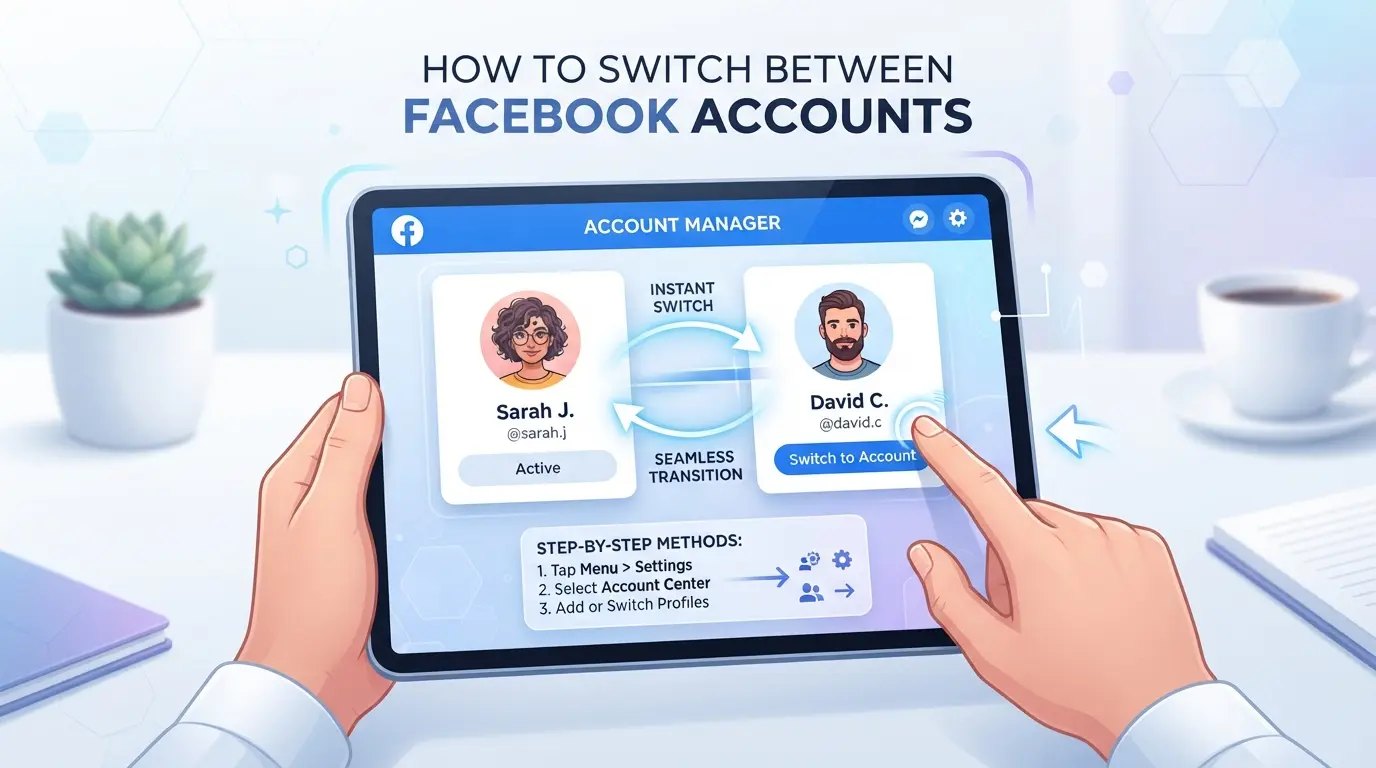
The fastest way to switch Facebook accounts without logging out is to use Facebook’s built-in account switcher or browser profiles, but each method comes with its own risks and limits. Below are the step-by-step methods that work in 2026, plus where you’ll hit friction or get flagged for suspicious activity if you’re not careful.
Using Facebook’s Built-In Account Switcher (2026 Update)
- Click your profile picture in the top-right corner (desktop) or the menu (mobile). Choose “Switch Account” to open the switcher.
- Select “Add Account,” enter credentials for the new profile, and save. This attaches the new login to the switcher, skip if already visible.
- Toggle between accounts by clicking the profile icon, then the account name. If Facebook asks for a code, you’ll need to pass an extra security check.
- If you see a forced logout or “Suspicious Login Attempt” pop-up, Facebook has flagged your device. Stop and review your activity, too many switches in a short period can cause this.
The main limitation: Facebook caps the number of accounts you can add to the switcher (usually 3-5). Frequent switching from the same device or IP can trigger additional verification, especially if accounts have different real names or activity patterns.
Switching Accounts in the Facebook Mobile App
- Open the Facebook app, tap the menu (bottom right on iOS, top right on Android), then tap your name. You’ll see “See all profiles” or “Switch accounts.”
- Tap “Add Account” and log in. This adds the new profile to the account list in the app.
- To switch, tap your profile photo, select the other account, and wait for the reload. If you get a pop-up about session expiry, close and reopen the app, this usually means your token timed out.
- Push notifications will default to the active account only. If you need alerts from multiple accounts, adjust notification settings in each profile, be careful, enabling all can cause device confusion and missed alerts.
On mobile, jumping quickly between more than two accounts often leads to forced logouts or notification errors. Android tends to handle multiple accounts better than iOS, but both can show the wrong badge count after rapid switches.
Using Separate Browser Profiles or Incognito Windows
- In Chrome, Edge, or Firefox, create a unique browser profile for each Facebook account. Each profile keeps its own cookies, so sessions won’t mix.
- Open a new window with the chosen profile. Log in to Facebook there, this lets you run several accounts side by side.
- Incognito or private windows let you log into a single extra account, but closing the window wipes all sessions. Only use incognito for one-off access or risk losing your place.
- If Facebook asks for re-authentication or flags you for “Unusual Login,” close all incognito windows and log in again from a clean profile.
Browser profiles give you more control, but if you forget which window is which, you risk posting from the wrong account or locking yourself out. This setup leaves session traces on your device, so remember to clean up profiles from shared machines.
Getting these details wrong is what often sets off Facebook’s security systems, next, you’ll see what triggers account restrictions and how to avoid them.
Common Mistakes That Trigger Facebook Account Restrictions
Most account locks happen when you break Facebook’s invisible patterns, mixing work and personal logins, using the same device for everything, or moving too fast between accounts. Here’s what to watch for if you want to switch Facebook accounts without logging out and avoid getting flagged.
Mixing Personal and Business Accounts on the Same Browser
Using one browser for both your personal and business Facebook accounts seems quick, but it’s a shortcut that often backfires. Facebook tracks cookies, saved sessions, and autofill data, cross-contamination can link your real identity to business projects or trigger forced verifications. Keeping each type of account in a separate browser profile is the simplest way to avoid this.
Reusing the Same IP or Device Fingerprint Across Accounts
- Use a separate proxy for each account when possible
- Clear browser fingerprints and cookies before switching
- Avoid logging into new accounts from the same device in one session
Rapid Switching or Suspicious Activity Patterns
Switching accounts too fast or copying the same actions between them (like posting the same link across profiles) is a red flag. Facebook’s systems connect these patterns to automation or bot activity.
- Wait at least 1-3 minutes between logins
- Change up your browsing routine for each profile
- Don’t repeat identical actions across accounts in a short window
Ready to move beyond these basic pitfalls? Now’s the time to see how browser profiles and proxies can keep your workflow safer.
How Social Media Managers Use DICloak to Switch Between Multiple Facebook Accounts Without Logging Out
Manual browser tricks usually break down fast when you try to switch between multiple Facebook accounts on the same device. Even with careful planning, a slip, wrong profile, mismatched network, or one forgotten cache, can trip Facebook’s detection systems and get accounts stuck in verification loops. Tools like DICloak don’t change Facebook’s policies, but they give operators a way to separate account sessions, manage network fingerprints, and handle bulk tasks that are nearly impossible to track by hand. Here’s how teams handle Facebook account switching more safely using DICloak’s browser profile, proxy, and bulk management features.
Isolating Each Facebook Account with Separate Browser Profiles and Fingerprint Settings
Operators running more than one Facebook account need to keep each session in its own browser profile, or they risk cross-contamination of cookies, device fingerprints, and storage. In DICloak, you can create a new browser profile for each Facebook account, then set up fingerprint settings, like operating system, screen size, language, and time zone, to match expected user signals. This makes every profile a self-contained workspace, so when you log in or switch accounts, the browser storage and device details don’t leak between sessions. The scope here is profile management: this doesn’t change the Facebook account itself or guarantee what happens on the platform side.

User-Provided Proxy Configuration for Assigned Profiles
Handling network signals is just as important as keeping browser storage separate. In DICloak, operators can assign a user-provided proxy to each browser profile before starting a Facebook session. That means one account can appear to log in from Chicago and another from Paris, as long as the proxy fits your workflow. You can enter the proxy details, test the connection, and confirm the exit IP, country, and time zone match your intended setup. The proxy configuration is managed per profile, choosing which proxy to use, its quality, and rotation rules is always up to you. The tool does not supply proxies or claim this setup guarantees account safety.

Using Bulk Operations to Manage Multiple Profiles Efficiently
As team workloads grow, opening, editing, or grouping dozens of Facebook profiles one at a time becomes a major bottleneck. DICloak’s Bulk Operations let you select multiple Facebook profiles and apply actions like batch opening, remark editing, group assignment, or proxy updates with a single command. This saves time and reduces the chance of mistakes from repetitive manual work. One caution: bulk edits apply to every selected profile, so a wrong setting can affect more than you expect, double-check selections before confirming. Bulk Operations only act on browser profile data, not on Facebook’s own content or settings.

Getting these pieces right doesn’t just prevent wasted effort, it’s how teams keep control as they scale. Next, you’ll see where team collaboration tools fit into this workflow.
When to Use Team Collaboration Tools for Facebook Account Management
If more than one person needs to switch Facebook accounts without logging out or manage multiple Facebook accounts in 2026, team collaboration tools stop you from losing track of who did what. Problems show up fast when everyone shares passwords or keeps logins in a spreadsheet.
Sharing Access Without Sharing Passwords
- Assign profile sharing or Facebook’s Business Manager roles instead of passing around the same login.
- Never reuse browser sessions, Facebook tracks device and location for each login.
- Shared credentials make it impossible to know who triggered a restriction if something goes wrong.
Permission Controls and Operation Logs
A solid workflow uses permission controls so each teammate gets only the access they need, no more, no less. Operation logs track every action by user and timestamp, so if a post, change, or restriction appears, you can trace the source directly instead of guessing. This accountability matters most when accounts get flagged and Facebook wants an audit trail.
How to Recover If Your Facebook Accounts Get Restricted or Flagged
Getting locked out right after switching accounts usually means Facebook flagged a pattern it thinks is risky. Fast action matters most, one wrong move can make recovery harder.
Immediate Actions to Take After a Restriction
- Read the restriction message, check if it asks for ID, phone, or email.
- Use the official recovery link provided. Don't jump between devices or browsers now; every failed login attempt increases your risk of a permanent block.
- Submit only real documents. Fake or mismatched uploads can shut you out for good.
Appealing Facebook’s Decision
- Click “Request Review” if you see it, this is usually a one-time chance.
- Attach screenshots or proof of business if you manage client pages; weak appeals (like “I did nothing wrong”) rarely work.
- Wait for a response, most appeals get a result within 48 hours, but weekend submissions can take longer.
Preventing Future Restrictions
- Keep a log of every login, device, and proxy used, repeat mismatches are a red flag.
- Switch accounts slowly and avoid rapid toggling, especially on shared IPs.
- Use unique browser profiles for each account. Blending sessions is the fastest way to get multiple accounts banned at once.
Frequently Asked Questions About how to switch between multiple facebook accounts without logging out
Can I switch between more than two Facebook accounts on one device in 2026?
Facebook’s built-in account switcher lets you add and quickly switch between up to 10 accounts, but only one can be active at a time. If you need to manage more, you can use different browser profiles, mobile app cloning, or separate browsers. These methods let you switch Facebook accounts without logging out, but require extra setup.
Does switching accounts without logging out increase my risk of getting flagged by Facebook?
Rapid switching or logging in from different locations may trigger Facebook’s security checks. To stay safe, always use real account information, avoid suspicious activity, and don’t switch too quickly. Using the same device and browser for each account can also help minimize detection when you toggle between Facebook accounts safely.
Is it safe to use browser incognito mode for multiple Facebook accounts?
Incognito mode lets you sign in to another Facebook account without logging out of your main one. It doesn’t save cookies, but it also doesn’t protect against Facebook’s anti-abuse systems. For managing many accounts, separate browser profiles are more secure and give each account its own space.
What should I do if Facebook asks for verification after switching accounts?
If Facebook asks for verification, follow the prompts right away. Provide the requested ID, photo, or email confirmation. Don’t ignore the warning, waiting too long can lock your account. If your access is blocked, use the appeal process on Facebook’s Help Center to restore your account.
Are there tools to help manage many Facebook accounts safely for business or agency use?
Yes, browser profile managers like MultiLogin or Ghost Browser help create isolated sessions for each account. Look for features like separate cookies, user agents, and easy profile switching. These tools are designed for agencies that handle lots of Facebook accounts and want to avoid cross-account tracking.
Now that you know how to smoothly manage multiple profiles, you can decide which method best fits your daily workflow and privacy needs. Taking the next step to simplify your account switching will save time and reduce hassle whether you use Facebook for personal or professional purposes.
Try DICloak For Free
 Web Proxy Tools
 Free Tools
 Cookie Plugin
 UA Generator
 MAC Address Generator
 IP Generator
 IP Address List
 2FA Code Generator
 World Clock
 Anonymous Check
 WebRTC Leak Test
 UUID Generator
 Free Web Proxy Site
 Proxy Checker
 FB Ad Checker
 AI Web Scraping
 Free SMM Tools
 Twitter Shadowban Checker
 Instagram Name Checker
 UTM Generator
 Username Generator
 AI Hashtag Generator
 LinkedIn Headline Generator
 Social Media Image Resizer