When people search for steam unblock, they are usually dealing with one of three problems: Steam is blocked by a school or work network, a firewall or proxy is stopping the connection, or a specific feature or piece of content is limited. Steam’s own support pages make this clear. Valve notes that Steam needs certain network ports to work properly, and blocked ports, proxies, or restrictive networks can stop the app from connecting normally.
That is why a good steam unblock guide should start with the basics, not random tools. In this article, you will learn how to tell whether the problem is your network, your content access, or your account, and what steps are safest to try first.
What Does Steam Unblock Usually Mean?
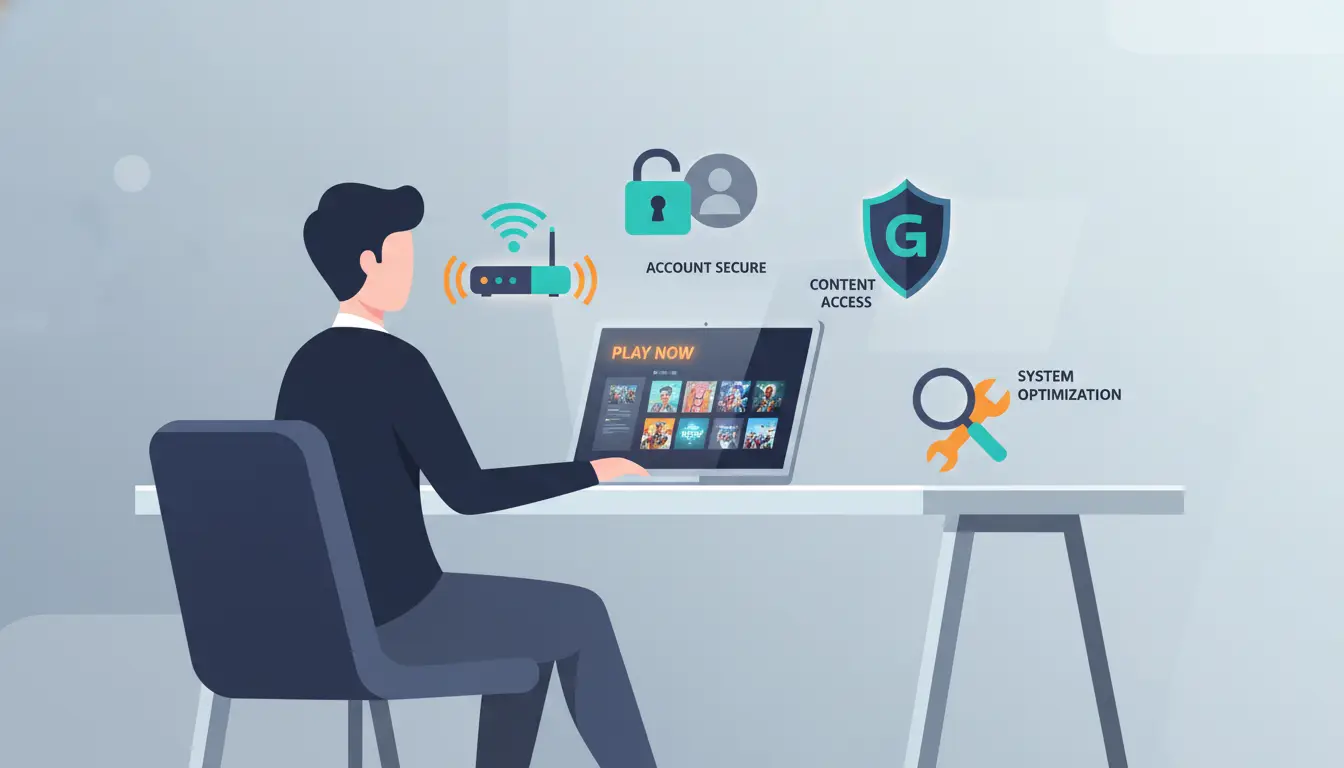
When people search for steam unblock, they are usually talking about one of three different problems. Steam may be blocked by a school or work network. A game, gift, or store page may be limited by region. Or the Steam account itself may have a restriction. These problems can look similar from the user side, but they are not the same. Steam’s own support pages separate network issues, region restrictions, and account restrictions into different help topics, which is a good sign that users should not treat every “Steam blocked” problem the same way.
Steam app or website blocked by a school or work network
A common steam unblock case is simple network blocking. Steam says many university and business networks, along with some proxies, block the ports Steam needs to run properly. A firewall can also stop Steam from connecting to the Steam Network. A real example is a student who can open regular websites on campus Wi-Fi but cannot load the Steam client or store pages. In that case, the problem is usually the network, not the account. This is also why some users describe Steam as “blocked” even though nothing is wrong with their library or profile.
Region-limited content vs. blocked Steam access
Another common confusion is region limits. Steam explains that in most cases, products bought directly from the Steam store do not have region restrictions. But gifts can have region limits because of regional price differences, and some titles may be handled differently by publishers. So if one user cannot redeem or receive a game in another region, that does not mean all of Steam needs to be steam unblocked. It may only mean that one product or gift has a territory rule attached to it.
Steam account restrictions vs. network restrictions
Account restrictions are different again. If Steam blocks community features or places limits on the account, that usually points to an account-level issue, not a connection problem. Steam says community bans are issued when an account is used in ways that violate the Steam Community Guidelines, and limited user accounts also lose access to some social features. In a practical case, a user may still open the Steam app but find that trading, posting, or community actions are blocked. That is not a normal steam unblock problem. It is an account status problem, and it has to be handled in a different way.
Why Steam Gets Blocked
Once you know that steam unblock can mean different things, the next step is understanding why the block happens. In most cases, Steam is not “randomly broken.” The cause is usually one of three things: the network is blocking Steam, a specific piece of content has a region limit, or the account itself has a restriction. Steam’s own support pages treat these as separate problems, which is a useful way to think about them.
Network firewalls, proxies, and blocked ports
A very common steam unblock case starts with the network. Steam says many university and business networks, along with some proxies, block the ports Steam needs to run correctly. Firewalls can also stop the client from reaching the Steam Network. A simple example is this: Steam works fine at home, but the same account cannot connect on school Wi-Fi or an office connection. In that case, the issue is often the network setup, not the Steam account.
Region-related content limits on gifts and some titles
Some users think every Steam access problem is a region block, but that is not usually true. Steam says that in most cases, products purchased directly on your Steam account do not have region restrictions. The more common region issue is with gifts, because some gifts cannot be sent across certain purchase regions due to price differences. So if a user can open Steam normally but cannot redeem or receive one game, that is very different from needing steam unblocked at the network level.
Account restrictions caused by rule violations
The third cause is an account-level restriction. Steam says accounts can be restricted for violations of the Steam Subscriber Agreement or Steam Community Guidelines, and limited accounts also lose access to some community and social features used in abuse prevention. In practice, this means a user may still open Steam but find that trading, posting, or other account features are blocked. That kind of problem will not be fixed by trying to get steam unblocked on a different network, because the restriction is tied to the account itself.
How to Check What Kind of Steam Block You Have
Before you try any steam unblock fix, first find out what kind of block you are dealing with. This saves time and helps you avoid the wrong solution. A Steam connection problem, a region limit, and an account restriction can all look similar at first, but they usually leave different signs. Steam’s support pages also treat them as different issues.
Signs of a local network or firewall block
A local network or firewall block usually shows up when Steam works on one connection but not another. For example, Steam may fail on school Wi-Fi but open normally on your home internet. Steam says many university and business networks, along with some proxies, block the ports Steam needs. So if the app, store, or community pages all fail on one network, that is a strong sign you need a steam unblock check at the network level, not an account fix.
How to tell if the issue is region-related
A region issue looks more narrow. Steam says that in most cases, products bought directly on your account do not have region restrictions, but some gifts cannot be sent across certain purchase regions. So if Steam opens normally, but one gift or one title is unavailable, the problem is more likely regional content limits than “Steam is blocked.” In that case, steam unblocked is the wrong question. The real question is whether that specific game or gift has a territory rule.
How to see whether your account is restricted
An account restriction usually affects account features, not the full connection. Steam says accounts may be restricted for violations of the Steam Subscriber Agreement or Community Guidelines, and limited accounts lose access to some community and social features used to prevent abuse. So if you can sign in and open Steam, but cannot trade, post, or use parts of the community, check for an account-level restriction first. That is not a normal steam unblock problem.
Safe Steps to Restore Steam Access
Once you know what kind of steam unblock problem you have, the next step is to fix it safely. The best approach is to start with normal checks first, not random “unblock” tools. Steam’s own support pages point users toward firewall, antivirus, router, and port-related checks before anything else.
Check firewall, antivirus, and network port issues
A lot of Steam access problems come from local security settings. Steam says a firewall may stop Steam from connecting to the Steam Network, and its support pages also list required ports that must be open for Steam to work normally. Steam also warns that some antivirus or anti-spyware tools can block updates or stop the client from connecting to content servers. A simple example is when Steam installs correctly but cannot log in or download anything after a security tool update.
Test Steam on another network or device
If Steam still does not work, try another network or device before changing too many settings. This is one of the fastest ways to tell whether the problem is your account or your connection. For example, if Steam fails on school Wi-Fi but opens on your home internet or mobile hotspot, that points to a network block, not a broken account. Steam’s support pages make it clear that restrictive networks and blocked ports are common causes of connection problems.
When to contact Steam Support instead of guessing
If normal checks do not fix the issue, stop guessing and use Steam Support. This matters most when the problem looks account-related, when the same error keeps returning, or when you are not sure whether the issue is network, security software, or account status. Steam also notes that after changing firewall, antivirus, or security settings, you should fully exit and restart Steam before testing again. If that still does not help, support is the safer next step than trying random third-party fixes.
Region Restrictions on Steam: What Is Actually Limited?
After checking network and account problems, it helps to clear up one common misunderstanding. Many users search steam unblock because they think all Steam content is region-locked. In reality, Steam says that in most cases, products bought directly on your account do not have region restrictions. That means a normal store purchase is usually not the same as a blocked Steam connection or a restricted gift.
Why most Steam purchases are not region-locked
Steam’s support page says that, in most cases, games you buy directly from the Steam store are not restricted by region. So if you can sign in, open the store, and buy a game normally, you usually do not need a steam unblock fix for that purchase. A good example is a player who travels and still sees their owned game in the library. In many cases, the game itself is still there because the purchase was tied to the account, not blocked as a region-locked product.
How gift restrictions and publisher rules can affect access
The more common region limit shows up with gifts. Steam explains that some gifts can only be redeemed in certain countries because of regional price differences. This is why a user may be able to use Steam normally but still fail to send or redeem one game in another region. In some cases, publishers also control where a title can be sold or activated, so the issue is with that product rule, not with Steam as a whole being “blocked.”
Why store country and travel can change what you see
Your Steam store country can also affect what you see and buy. Steam says your store country should match your current location, and changing it usually requires a local payment method from that country. When people travel, the store view, prices, and available payment options may change, even if their account still works. So if something looks different while you are abroad, it does not always mean you need steam unblocked. It may just mean Steam is showing the store for your current region.
Risks of Using Unverified Steam Unblock Methods
Once people get stuck, it is easy to start clicking random “Steam unblock” tools. That is where many problems get worse. A safer steam unblock plan starts with checking your network, ports, firewall, and account status first. Steam’s own support pages focus on those normal causes, not on outside unblock tools.
Why random unblock tools can create account or security problems
Random unblock tools can create new risks because you do not always know what they change, what data they collect, or how they route your traffic. Steam already warns that some security software and network tools can interfere with Steam updates and server connections. So adding more unknown tools on top of an already broken setup can make things less stable, not more stable. A simple example is a user who installs a “Steam unblock” app, then cannot tell whether the real problem is the school network, the new tool, or their firewall.
How suspicious methods can make troubleshooting harder
Suspicious methods also make troubleshooting harder because they hide the real cause. If you change too many things at once, you lose the clean test path. Steam’s support guidance is much simpler: check ports, firewall settings, antivirus interference, router issues, and different networks step by step. If a third-party tool changes connection behavior in the middle of that process, it becomes much harder to see what is actually blocking Steam.
Why third-party fixes are often worse than proper network checks
In many cases, third-party fixes are worse than proper checks because the real issue is not “Steam needs to be unblocked by a magic tool.” It is usually a blocked port, a firewall rule, a proxy, or a restricted network. Steam explicitly says many university and business networks block the ports Steam needs to operate. That means the safer first move is to test another network or review local security settings, not trust a random fix site or app.
Long-Term Ways to Avoid Steam Access Problems
After fixing a steam unblock issue once, the smart next step is to stop the same problem from coming back. Most long-term Steam access problems are not random. They usually come from the same few causes: restrictive networks, ignored support warnings, or confusion between account, region, and connection issues. Steam’s own support pages make that pattern pretty clear.
Keep your network setup Steam-friendly
A Steam-friendly setup starts with the basics. Make sure your firewall, router, antivirus, and local network are not blocking the ports Steam needs. Steam says many university and business networks, along with some proxies, block required ports, and it also lists security software as a common cause of connection trouble. A good example is a home setup that works for months, then stops after a router change or antivirus update. In that case, the fix is usually in the network setup, not in another steam unblock search.
Watch your account standing and support messages
It also helps to pay attention to account standing. If Steam limits part of your account because of rule violations or account status issues, changing networks will not solve it. Steam says community bans and limited accounts affect access to some features, so users should watch for account notices and support messages instead of assuming every restriction is a connection error.
Know the difference between content limits and connection problems
One of the best long-term habits is knowing what kind of problem you are looking at. Steam says most direct purchases are not region-locked, while some gifts and specific publisher rules can still create regional limits. That means a content access issue is not always the same as Steam being blocked by a network. If you keep that difference clear, you will make better decisions and waste less time on the wrong steam unblock fix.
When a Managed Browser Environment Helps More Than Another Quick Fix
When DICloak makes sense for structured multi-account workflows
DICloak makes more sense when the real challenge is not “Steam is blocked,” but “I need a cleaner and more controlled multi-account setup.” That is especially true for people working across larger account workflows or team environments. Features like profile sharing, permission settings, data isolation, operation logs, website access restrictions, and security protection mode are built for that kind of structured use. So in this article, DICloak is not a Steam unblock fix. It is a better fit when the problem is account organization, session separation, and workflow control at scale.
How separate browser profiles help keep sessions organized
DICloak becomes more useful when the real issue is session management, not just access. It helps by:
- Keeping profiles separate Each browser profile runs in its own environment, so different sessions do not get mixed together in one browser.
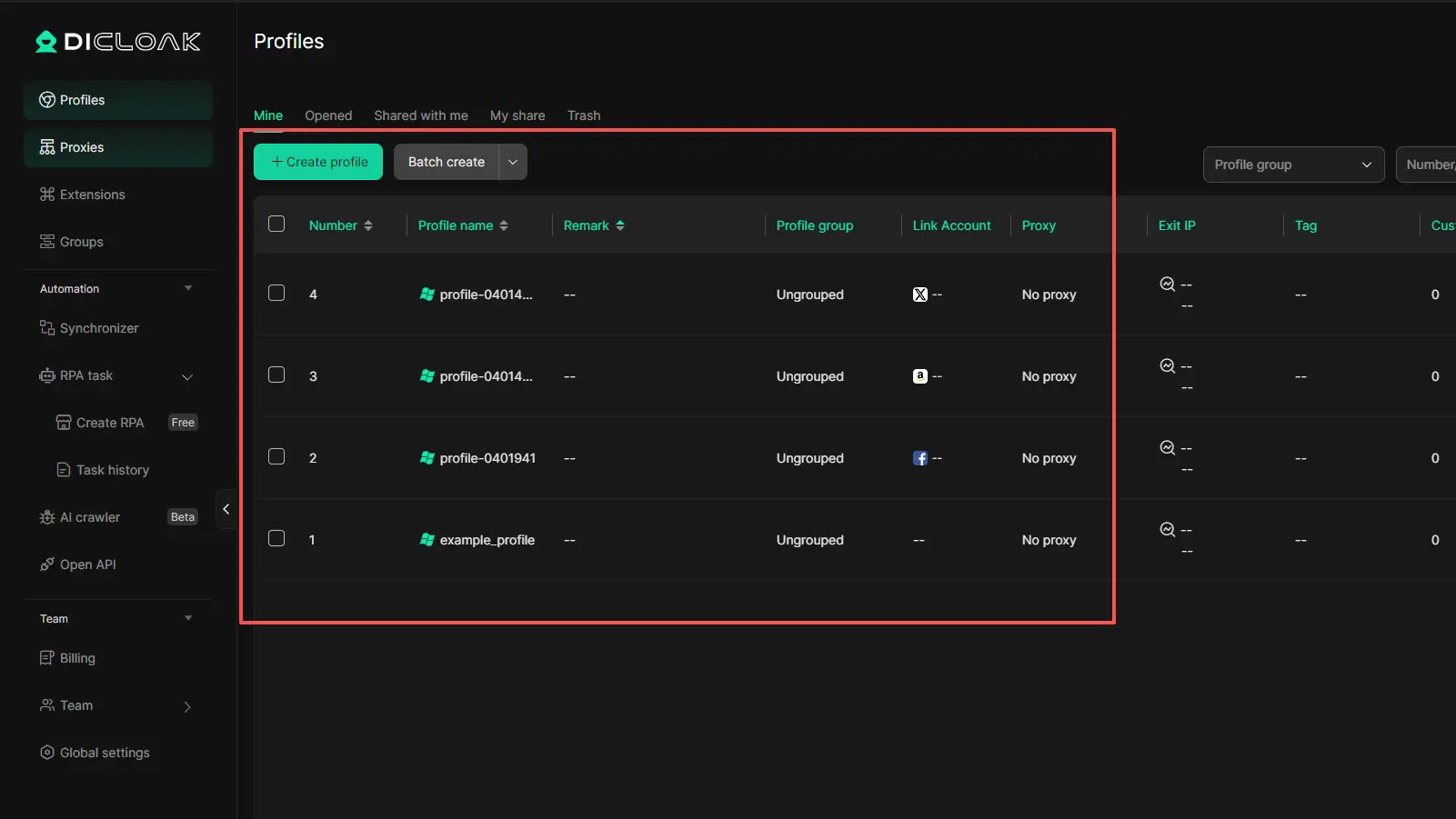
- Supporting fingerprint-related settings and proxy setup Each profile can use its own setup, which makes account environments easier to organize and manage.
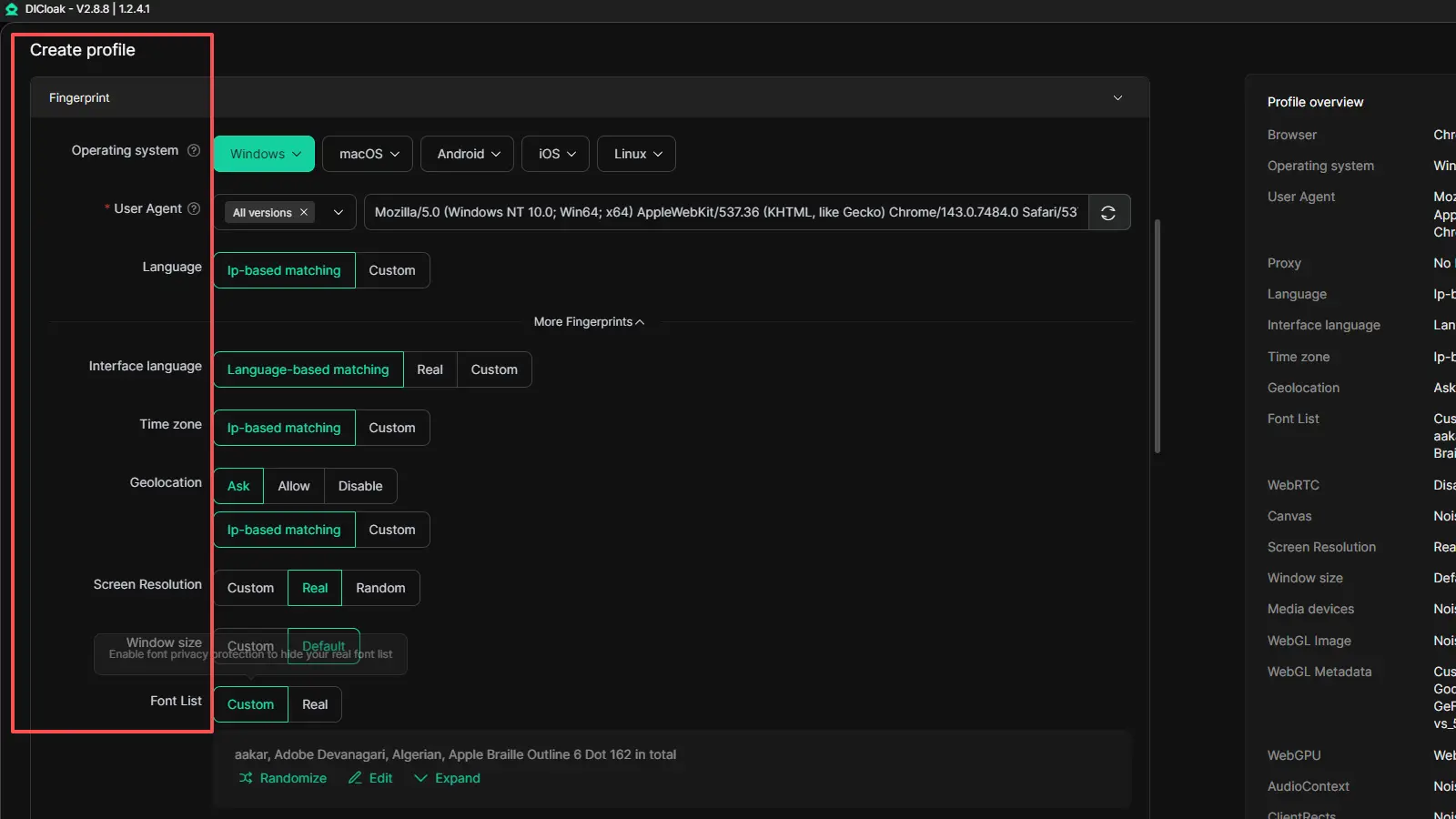
- Making repeated work easier Features like bulk operations and the synchronizer help reduce manual steps when handling repeated profile-based tasks.
FAQs About Steam Unblock
Q1: Can I steam unblock without breaking the rules?
Yes, in many cases you can fix a steam unblock problem without breaking any rules. If Steam is blocked by a school network, work firewall, proxy, or closed ports, the safest path is to check your network settings, security software, and Steam Support steps first. That is very different from trying to bypass account restrictions or publisher limits. Steam’s own support pages focus on network checks and port access, not random unblock tools.
Q2: Why is Steam blocked on my school or work network?
A steam unblock issue often happens because school and work networks block the ports Steam needs to run. Steam says many university and business networks, along with some proxies, can stop the client from connecting properly. In simple terms, the network may allow normal websites but still block Steam traffic.
Q3: Are all Steam games region-locked, or do I only need steam unblock for some content?
No, not all Steam games are region-locked. Steam says that in most cases, products bought directly from the Steam store are not restricted by region. The more common region problem affects some gifts and certain publisher-controlled content. So a steam unblock search is not always about the full platform. Sometimes it is only about one gift or one title.
Q4: How can I tell if Steam is blocked by my network or my account?
A steam unblock problem is usually network-related if Steam works on one connection but fails on another, such as working at home but not on campus Wi-Fi. It is more likely account-related if you can open Steam but cannot use certain features because of account limits or community restrictions. Steam treats network problems and account restrictions as separate issues, which is the best way for users to think about them too.
Q5: What should I do if Steam still does not open after basic steam unblock fixes?
If basic steam unblock steps do not work, stop changing random settings and contact Steam Support. Steam recommends checking firewall, antivirus, router, and port issues first, then restarting Steam after changes. If Steam still fails after those checks, support is the safer next step than guessing with third-party fixes.
Conclusion
A steam unblock problem is not always about the same thing. Sometimes Steam is blocked by a school or work network. Sometimes the issue is a firewall, proxy, or closed ports. In other cases, the real problem is a gift restriction, a region rule, or an account-level limit. Steam’s own support pages make these differences clear, and that is why the safest fix is always to identify the real cause first.
For most users, the best long-term approach is simple: keep your network Steam-friendly, pay attention to account status, and do not confuse content limits with connection problems. That way, when you need steam unblocked, you can solve the real issue instead of wasting time on the wrong fix.
 Web Proxy Tools
 Free Tools
 Cookie Plugin
 UA Generator
 MAC Address Generator
 IP Generator
 IP Address List
 2FA Code Generator
 World Clock
 Anonymous Check
 WebRTC Leak Test
 UUID Generator
 Free Web Proxy Site
 Proxy Checker
 FB Ad Checker
 AI Web Scraping
 Free SMM Tools
 Twitter Shadowban Checker
 Instagram Name Checker
 UTM Generator
 Username Generator
 AI Hashtag Generator
 LinkedIn Headline Generator
 Social Media Image Resizer