Switching between Quora profiles usually sounds easy, until you try to keep two or more accounts active without getting flagged or mixed up. People who need to manage multiple Quora accounts often hit snags: browser fingerprints match up, cookies leak, or one missed logout triggers a chain of restrictions. Even if you’re careful, Quora’s systems can tie your accounts together by IP, session, or typing style.
Trying to keep everything separate with basic tricks, Incognito windows, clearing cookies, or juggling browsers, only works for a while. The real risk isn’t just Quora’s automated bans, but missing a detail that links your “work” and “personal” profiles, or getting locked out during a verification check. One careless login on the wrong device and you spend hours fixing a wave of security emails and phone verifications.
What actually works is building a clear system for multiple Quora accounts management. That means using isolated browser profiles, steady proxies, and a repeatable routine, so you don’t have to remember which account was active last or which device is safe. The smartest operators don’t just rely on memory, they use tools and workflows that leave no trace behind.
If you want to handle several Quora profiles without getting tripped up, here’s what you need to watch first.
Why Managing Multiple Quora Accounts Gets Risky Fast
Trying to handle several Quora profiles goes wrong fast because the platform links accounts in ways that aren’t obvious. Most bans don’t come from a single big mistake, but from small details, like browser history, shared devices, or sudden IP changes, that give away the connection. If you don’t set up strict separation, even one slip can get all your accounts flagged, not just the one you were using.
How Quora Detects Multi-Account Activity
Quora’s detection system isn’t just looking for obvious signs. What actually trips most users is overlap between accounts at the network, browser, or device level. Watch for these triggers:
- IP address reuse: Logging in from the same Wi-Fi or mobile network, even once, links your accounts. Proxy mistakes or forgetting to switch networks make this easy to miss.
- Browser fingerprinting: Quora tracks browser version, fonts, screen size, and device IDs. Using the same browser profile or not cleaning cookies links profiles, even in private mode.
- Session overlap: If you open two accounts on the same device, or switch accounts without closing the first session fully, Quora can connect them instantly.
What Usually Gets Accounts Restricted or Banned
The real danger comes from behavioral patterns that don’t look human. For example, if you use two accounts to upvote or comment on the same thread in quick succession, Quora’s anti-abuse system flags this as “orchestrated” behavior. Even if you’re careful about IP and devices, mass actions, like answering dozens of questions in an hour, or sending invites from multiple accounts at once, are easy to spot.
One edge case that trips up experienced operators is account recovery or phone verification. Say you lose access and use the same mobile number across accounts. Quora then ties these together, and you risk a wave of bans. Or, if you reset passwords from the same device, the device ID fingerprint gives you away. The tradeoff is clear: speed and convenience (like keeping accounts open in separate tabs) almost always make you easier to detect.
The hardest part isn’t avoiding one mistake, but keeping every detail, IP, browser, session, behavior, separated every single time. Slip up once, and Quora’s automated checks link your accounts permanently. If you see a “suspicious activity” email, or sudden requests for phone verification, it usually means a network or device pattern got caught.
You can’t just rely on memory or basic browser tricks for safe multiple Quora accounts management. The next step is to set up the right tools and habits, before you even log in with a second account, so these hidden links never form in the first place.
What to Prepare Before You Start Managing Multiple Quora Accounts

Jumping into multi-account work without a plan is asking for trouble, Quora’s detection system spots sloppy setups fast. Before you even think about logging in with more than one profile, you need a tight routine for device isolation, browser profiles, and proxy selection. Missing just one prep step can link your accounts and trigger restrictions.
Checklist: Devices, Browsers, and Proxy Planning
You want each Quora account cut off from the others at both the device and browser layer. That means picking hardware that never overlaps sessions, and using either separate OS user accounts or portable browser builds. If you try to shortcut with just incognito mode or clearing cookies, you’ll get flagged, Quora fingerprints beyond just browser history.
- Use dedicated devices or virtual machines for each account, don’t share logins on the same hardware.
- Set up unique browser profiles (Chrome, Firefox, or portable builds) and never mix accounts in one profile.
- Plan proxy assignments ahead, so every profile gets its own stable IP. Avoid rotating proxies mid-session.
Account Sourcing: Creating vs. Buying vs. Farming
Where your accounts come from changes your risk profile. You can create, buy, or farm Quora accounts, but each method has its own pitfalls.
- Check if bought accounts have clean history and are not recycled from past bans.
- When creating accounts, use unique emails and phone numbers, never reuse credentials.
- If farming, stagger creation times and avoid patterns. Register from distinct IPs and devices.
Proxy Setup Essentials (Without Circumvention Tools)
Many get tripped up by proxies, bad choices can burn all your profiles in one sweep. Quora can flag mismatched locations, reused IPs, or sudden changes, so setup matters more than just picking “any” proxy.
- Assign one proxy per browser profile and keep it consistent; avoid switching proxies on the fly.
- Use residential proxies, not datacenter ones, Quora often blocks datacenter IP ranges.
- Test each proxy’s IP reputation before use. If the proxy IP has been blacklisted or used for other bans, do not connect.
Skipping any step above is how most bans start, Quora’s system looks for reused device fingerprints, repeated IPs, and shared cookies. The next section will break down the exact steps for running multiple Quora accounts safely, so you can move from theory to daily routine without risking a wave of restrictions.
Step-by-Step: How to Set Up and Operate Multiple Quora Accounts Safely
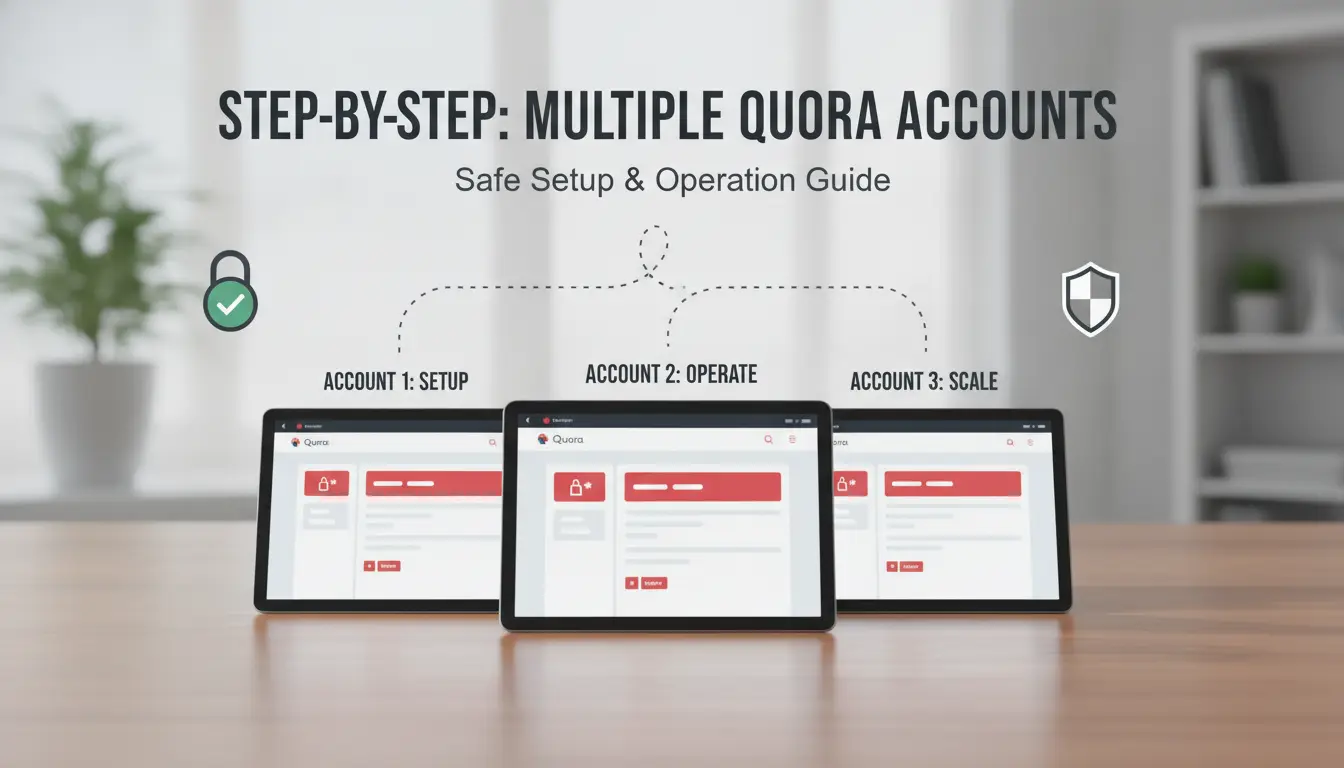
If you want to set up and run several Quora accounts without getting flagged, you need a careful system, not just different browsers or random proxies. Here’s the process operators use in 2026 to keep each account separate and avoid bans.
Step 1: Create or Import Accounts with Unique Profiles
- For every new or existing Quora account, set up a dedicated browser profile. Never reuse the same browser profile for more than one account, even once.
- If you have old sessions or cookies, import them directly into the matching browser profile. This keeps login history clean and avoids red-flag “new device” alerts from Quora.
- Check browser storage: if the account fails to load, or Quora requests suspicious verification, wipe that profile and start over. Overlapping cookies or missed session data are the usual cause.
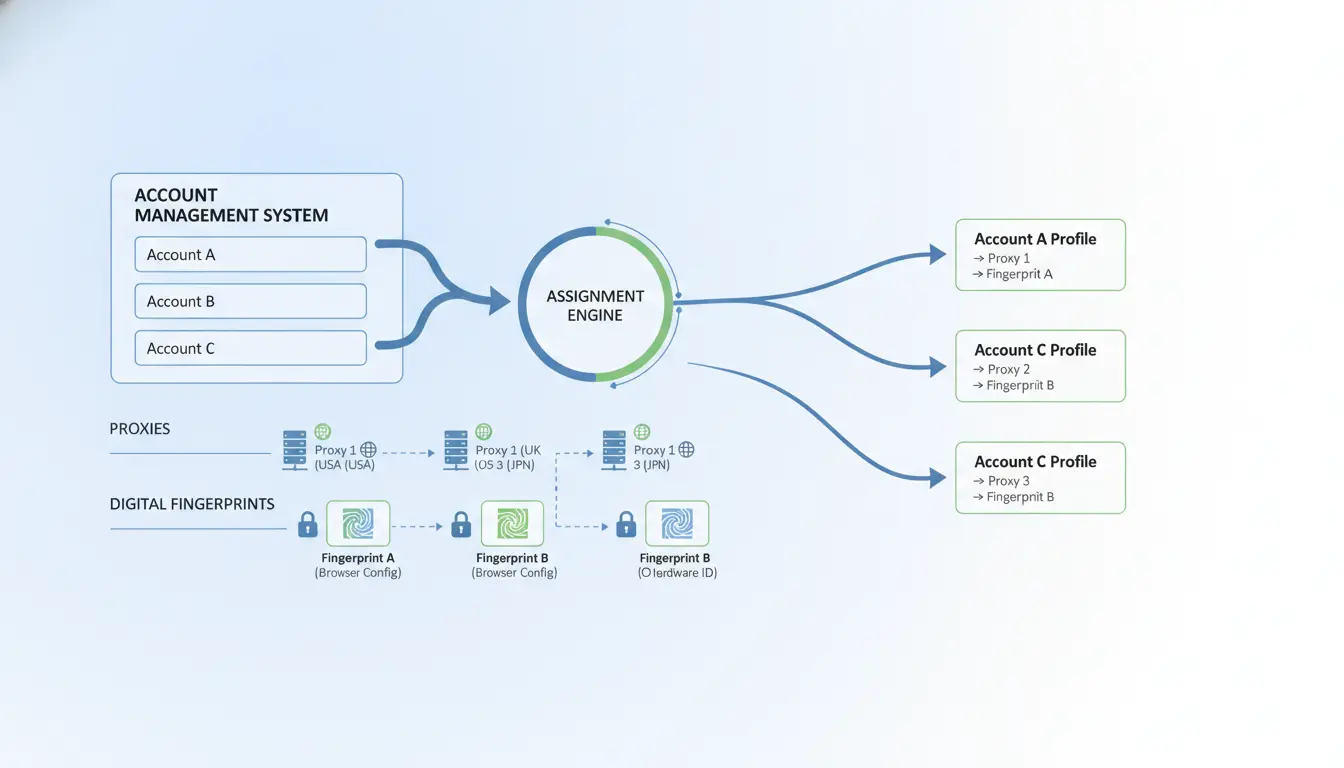
Step 2: Assign Proxies and Configure Browser Fingerprints
- Bind a unique, stable proxy to each browser profile. Never share a proxy between accounts, if two accounts log in from the same IP, even hours apart, Quora can link them.
- Adjust browser fingerprints so each profile looks like a normal, single user. Change user-agent, timezone, and language settings to match the proxy’s region. If you skip this, Quora may spot a mismatch and trigger an email warning or lockout.
- Test each profile by visiting whoer.net or a similar site. If browser details or IP location don’t match your intended setup, fix it before logging into Quora.
Step 3: Log In and Warm Up Accounts Naturally
- Log in to each account one at a time, using its assigned profile and proxy. Avoid opening more than one Quora session in your browser at once.
- Mimic real user behavior: scroll, read, and interact with content naturally for a few sessions before posting or following. New accounts that act “robotic” get flagged fast.
- Never mass-verify emails or phone numbers in a burst. If Quora asks for a check, space out your actions, batch verification is a pattern linked to farmed accounts.
- If you see a login challenge or “unusual activity” warning, stop. Reset the profile and proxy before trying again.
Step 4: Monitor Account Health and Adjust
- Watch for early warning signs: slower post approvals, sudden drops in reach, or “your session has expired” errors. These hint at soft bans or shadow restrictions.
- Keep logs of each account’s login times, proxy use, and browser profile. If you spot overlap, pause all activity, linked accounts often get flagged together.
- If an account is flagged, don’t rush to appeal. First, review your setup for leaks or repeated patterns. Fix the root cause before attempting recovery.
This process takes extra time upfront, but skipping isolation or rushing warm-up steps usually ends with Quora linking your accounts. Next, see which mistakes trip up even careful operators and how to avoid triggers that lead to restrictions.
Common Mistakes That Lead to Quora Account Restrictions
Most people lose their extra Quora accounts for the same reasons, one slip in browser, device, or behavior and the system connects their profiles. If you want to avoid bans, you need to spot these mistakes before they cost you all your work.
Mixing Profiles or Reusing Devices
Using the same browser or device for two Quora accounts is a classic error. Even if you clear cookies, browser fingerprints and device IDs can link accounts. The effect: one flagged profile can drag down every account you touched on that device.
Sloppy Proxy or IP Management
A leaky or badly rotated proxy setup almost always gets caught.
- If your IP changes too often or overlaps between accounts, Quora may trigger a lockout.
- The safer move: keep each account tied to a stable, dedicated proxy and avoid switching IPs mid-session.
Unnatural Activity Patterns
Posting the same answer text or spamming upvotes across accounts will get those profiles flagged fast. Quora’s system can spot copy-paste behavior or sudden bursts of activity, real users don’t mass-post or upvote in patterns. Slow down, vary your actions, and act like a real person.
Careful multi-account management means building habits that avoid these mistakes. Next, see how teams can set up safer workflows for handling more than a few profiles.
How Teams and Agencies Can Use DICloak for Safer Multi-Account Quora Workflows
After seeing how easy it is to trip Quora’s detection systems, teams need a system that separates accounts, tracks who did what, and cuts out mistakes that lead to bans. The point isn’t just convenience, it’s damage control when something goes wrong.
Setting Up Isolated Browser Profiles for Each Account
Each Quora account should run in its own isolated browser profile, with a unique proxy assigned. This stops cookies, device fingerprints, and login history from crossing over. If you skip isolation, one slip, like logging into two accounts in the same browser, often means both get flagged.
Collaborating Safely: Permissions, Logs, and Profile Sharing
When several people handle accounts, access control matters more than most expect. If every team member can open any profile, it’s only a matter of time before two people log in from different IPs or devices on the same day. That’s the classic Quora “linked accounts” pattern, which triggers extra verification or even bans. The safer approach is to set permissions per user, so only assigned staff can open certain profiles. Good systems log every action, who logged in, who changed cookies, so when something goes wrong, you can trace it back. Imagine a scenario where one operator accidentally mixes up proxies. Without logs, it’s guesswork to find which accounts are now at risk; with logs, you can lock down just the exposed ones.
Automating Repetitive Tasks with RPA
Manual handling creates avoidable risks. Use automation to:
- Script logins for each profile to avoid IP mix-ups
- Schedule posts or answers at set times to reduce human error
- Monitor email or SMS verifications so no alert slips through
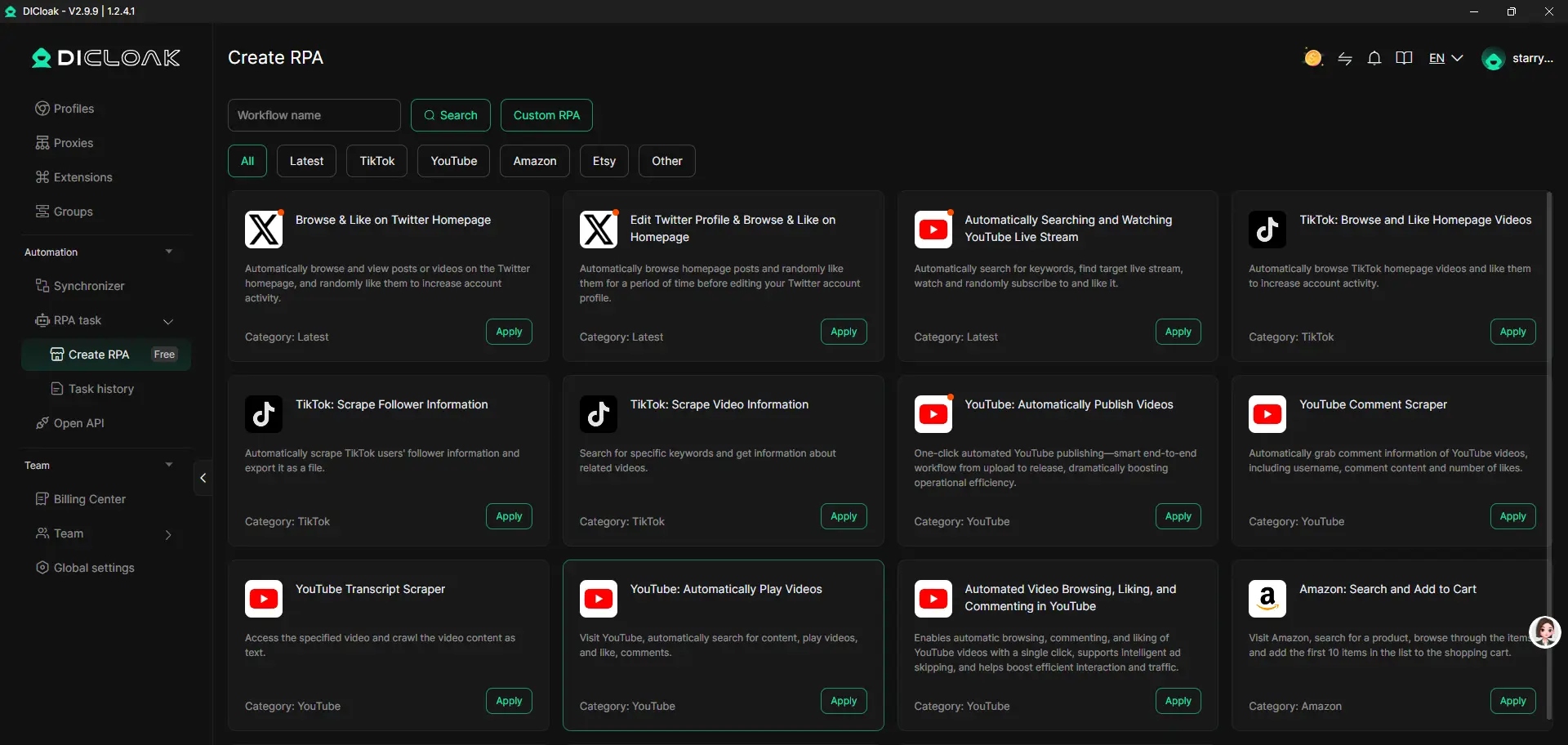
Teams that automate these steps catch problems sooner and don’t make as many simple mistakes.
Building this workflow means you’re not just hoping staff remember every rule, you’re putting guardrails in place. That’s the real difference between single-operator setups and agency-scale work. The next step is knowing when your system needs to level up, so you’re not caught off guard as account volume grows.
When to Scale Up: Signs You Need a More Advanced Multi-Account Workflow
Limits of Manual Management
Basic tricks, like private tabs and switching browsers, hit a wall fast. One missed step can link accounts or lock you out, and mistakes multiply with each extra profile.
Workflow Signals: More Accounts, More People, More Complexity
If you’re spending time tracking logins, sharing account details, or juggling proxy lists by hand, it’s time to move up. Teams often realize they need a system when account tasks outpace what one person can safely coordinate.
Choosing the Right Tools for Growth
- Make sure each profile runs in its own browser profile
- Use team features: assign roles, review action logs
- Automation helps, but doesn’t remove the need for careful setup, skipping isolation steps leaves traces that can link accounts
What to Do If a Quora Account Gets Restricted or Flagged
Getting hit with a restriction usually means one mistake triggered a review, missed proxy rotation, device overlap, or reused cookies. Fixing it quickly can save your other profiles.
Immediate Actions: Stop, Assess, and Isolate
- Pause all logins for every Quora account, activity on linked profiles can trigger cascading bans.
- Check whether the restricted account shares IP, device, or browser fingerprint with other accounts. If yes, isolate those accounts immediately.
- Review the last session details, was it a new device or suspicious proxy? This often points to the cause.
Appealing or Recovering the Account
- Submit an appeal via Quora’s help page. Use a clear explanation, don’t mention “multiple accounts.”
- If denied, retire the flagged account. Trying to reuse it can get your other profiles flagged too.
- Monitor response times, Quora appeals can take up to 72 hours, especially after weekends.
Adjusting Your Workflow to Prevent Future Issues
- Audit your proxy and browser profile setup, leaks usually happen through reused IPs or fingerprint mismatch.
- Rotate proxies and device fingerprints before logging into any new account.
- Track each account’s activity, if two profiles show the same login pattern, fix it before Quora spots the overlap.
Frequently Asked Questions About manage multiple Quora accounts
Is it allowed to manage multiple Quora accounts in 2026?
Quora’s policy says each person should use one account. Creating extra accounts can break their rules. Some users try to manage multiple Quora accounts for different topics or businesses, but this carries risks. If Quora notices, they may ban all your accounts. Always review the latest terms before starting.
How many Quora accounts can I safely operate at once?
Most users stick to one or two accounts for safety. Running more than three increases your risk of getting flagged for suspicious activity. If you need several profiles, keep each account’s info, login, and behavior separate to avoid detection. Scaling up requires careful planning to protect your accounts.
Can I use the same phone number or email for several Quora accounts?
No, Quora needs a unique email and phone number for every account. Using the same credentials can link your profiles and cause bans. Always use different emails and phone numbers to keep your accounts separate and reduce the chance of overlap.
What’s the safest way to switch between Quora accounts?
Log out completely before switching accounts. Use separate browsers or browser profiles for each account. Some users rely on proxies or proxys to keep sessions isolated. Avoid logging in to multiple accounts from the same device at the same time to stay safe.
Do I need a paid tool to manage multiple Quora accounts, or can I do it manually?
Manual handling works for one or two accounts, but gets harder with more profiles. Paid tools help automate logins and keep sessions separate if you manage multiple Quora accounts. If you only run a few, manual workflows are enough. For bigger setups, tools can save time and reduce mistakes.
Once you decide to simplify your workflow and protect your privacy while handling several profiles, consider tools that simplify account management and minimize risks. Evaluate which solution best fits your needs and smoothly integrates into your routine. Try DICloak For Free
 Web Proxy Tools
 Free Tools
 Cookie Plugin
 UA Generator
 MAC Address Generator
 IP Generator
 IP Address List
 2FA Code Generator
 World Clock
 Anonymous Check
 WebRTC Leak Test
 UUID Generator
 Free Web Proxy Site
 Proxy Checker
 FB Ad Checker
 AI Web Scraping
 Free SMM Tools
 Twitter Shadowban Checker
 Instagram Name Checker
 UTM Generator
 Username Generator
 AI Hashtag Generator
 LinkedIn Headline Generator
 Social Media Image Resizer