Trying to manage multiple Fiverr accounts is never as simple as using a different email or device. Anyone who’s tried running more than one Fiverr profile knows the real headache starts when Fiverr’s system detects overlap, suddenly, both accounts are flagged, or worse, permanently banned. It’s not just about logging in from a new browser; even a shared Wi-Fi, copy-pasted browser profiles, or recycled payment details can link your accounts faster than you expect.
Some sellers figure extra accounts double their chances, but the risk stacks up just as fast. Fiverr’s automated checks quietly watch for patterns: account fingerprints, cookie trails, reused phone numbers, or similar activity windows. Get this wrong, and you don’t just lose one profile, you can get your earnings frozen across the board. And once an account is blacklisted, appeals rarely work.
That’s why a safe Fiverr multi-account workflow means more than switching IPs or clearing your history. You need to separate browser profiles, keep cookies and local data from leaking, use fresh proxies for each account, and avoid any cross-login on the same machine. Forgetting one small detail, like letting a browser auto-fill your name, can kill both accounts at once. The real trick is building a routine where nothing slips and every session stays isolated, even after months of use.
Getting the technical side right can save you from the harshest Fiverr penalties. Here’s what actually works for sellers handling more than one account.
Why Managing Multiple Fiverr Accounts Gets Risky in 2026
Managing several Fiverr profiles isn’t just about juggling logins or switching devices. The real risk comes from how Fiverr spots connections between accounts, one mistake can link your profiles and trigger a ban. The main danger is that tiny overlaps (like using the same IP or browser settings) create a chain reaction, making your accounts look suspicious before you even notice.
How Fiverr Detects Linked Accounts
Fiverr relies on multiple detection signals to connect accounts, even if you think they’re fully separated:
- IP address overlap: Reusing the same home or office IP will flag both profiles. Even logging in once on shared Wi-Fi leaves a trace.
- Browser fingerprint similarities: Details like installed fonts, screen size, and browser version combine to form a unique fingerprint. Matching settings across accounts can link them instantly.
- Device identifiers: Hardware IDs, MAC addresses, or even Bluetooth activity get tracked. Using one laptop for two accounts is enough to trigger suspicion.
Typical Consequences of Getting Flagged
Once Fiverr matches your accounts, the fallout is fast and tough to fix. Temporary restrictions mean you can’t withdraw funds or reply to buyers for days, but the bigger threat is permanent bans. Usually, you lose access to all profiles, Fiverr locks you out and freezes earnings, not just on the flagged account but on any linked ones. For example, if you run two seller accounts from the same machine, a single slip (like logging into both within the same Chrome session) can get both banned overnight. Appeals rarely work, since Fiverr treats cross-account activity as intentional abuse.
Teams face extra pain, if one operator mixes up proxies or browser profiles, every account managed on that device becomes suspect. That’s why a safe workflow isn’t just about using different passwords or emails. It means never letting browser data, cookies, or device IDs cross between sessions. Missing this step, say, forgetting to clear fingerprint traces after switching accounts, can wipe out months of work, earnings, and reputation in one shot.
Strict rules and automated detection make multi-account management risky. Even small mistakes, like overlapping payment info or repeated login patterns, can lead to bans that don’t get reversed, even if you try to explain later. The smartest sellers build routines that isolate each account fully, treating every session as a separate environment. Without this discipline, the risk is never just losing one profile; it’s losing your entire operation.
Before you start handling multiple Fiverr accounts, you need a plan to keep every session and device truly separate. Missing one detail can cost everything, so preparation comes first.
What to Prepare Before You Start Managing Multiple Fiverr Accounts

Before you even log in to a new Fiverr account, you need a setup that keeps each identity fully separate. Rushing in with just fresh emails and a few browser tricks won’t cut it, Fiverr’s detection systems look for device, network, and data overlap. Here’s what you have to check off before you start, or you’ll risk losing every account in a single sweep.
Unique Devices or Browser Profiles
Running multiple Fiverr accounts on the same device creates a trail that’s almost impossible to hide. The safer move is isolating every account: either use a dedicated physical device for each, or set up strong browser profile separation, never let cookies, autofill, or saved data cross over. If you’re using browser profiles, make sure each one is started fresh with no shared data from previous sessions.
Proxy Setup for Each Account
- Assign a unique residential or mobile proxy to each account, never share IPs between profiles.
- Test your proxy to confirm it’s not blacklisted or already used on Fiverr.
- Rotate proxies only when the account’s activity or location would realistically change; sudden jumps set off review flags.
Account Data and Workflow Planning
It’s not enough to keep accounts apart on the technical side, your workflow and recovery info need the same care. Otherwise, one slip can connect everything you built.
- Register each account with a unique email and phone number that’s never been used on Fiverr.
- Use a password manager that stores credentials separately by profile, and never reuse passwords.
- Double-check that each account’s profile details don’t repeat names, bios, or payment info, even subtle overlaps can link accounts.
The biggest pitfall is trusting shortcuts: skipping any step above is how most multi-account sellers get caught. Miss one, like forgetting to clear a browser cache before logging in, and you risk triggering Fiverr’s link analysis. Next up: how to actually run day-to-day operations without crossing these lines.
How to Manage Multiple Fiverr Accounts More Safely: Step-by-Step Workflow
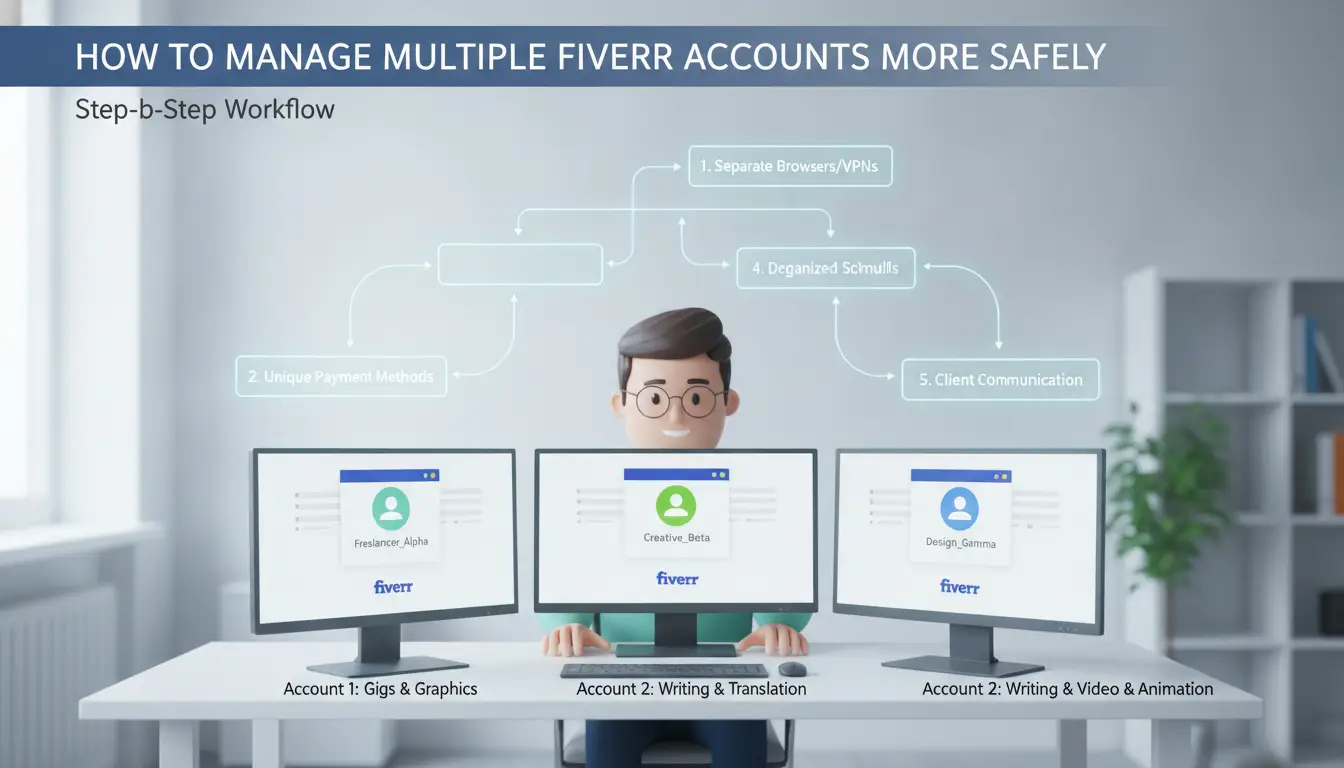
If you want to avoid bans or account links, you need a routine that keeps each Fiverr profile isolated, right down to browser fingerprint, cookies, and payment flow. The steps below break out what works in daily use, not just in theory.
Creating and Configuring Each Account
- Use completely unique signup info, name, email, phone, and payment method must not overlap with any other account. Even a recycled phone number can cause a link.
- Set up each account on a fresh browser profile. Never reuse the same browser session or let auto-fill save details across accounts. If you accidentally let Chrome or Edge save a password, clear it out before moving on.
- Build each profile with different gig types, descriptions, and even small grammar choices. Copy-pasting bio text or gig images between accounts is a classic detection trigger.
- Before you work, double-check that your proxy or network separation is active. If you see the same IP on two accounts, stop, logging in will likely get both flagged.
Daily Login and Usage Habits
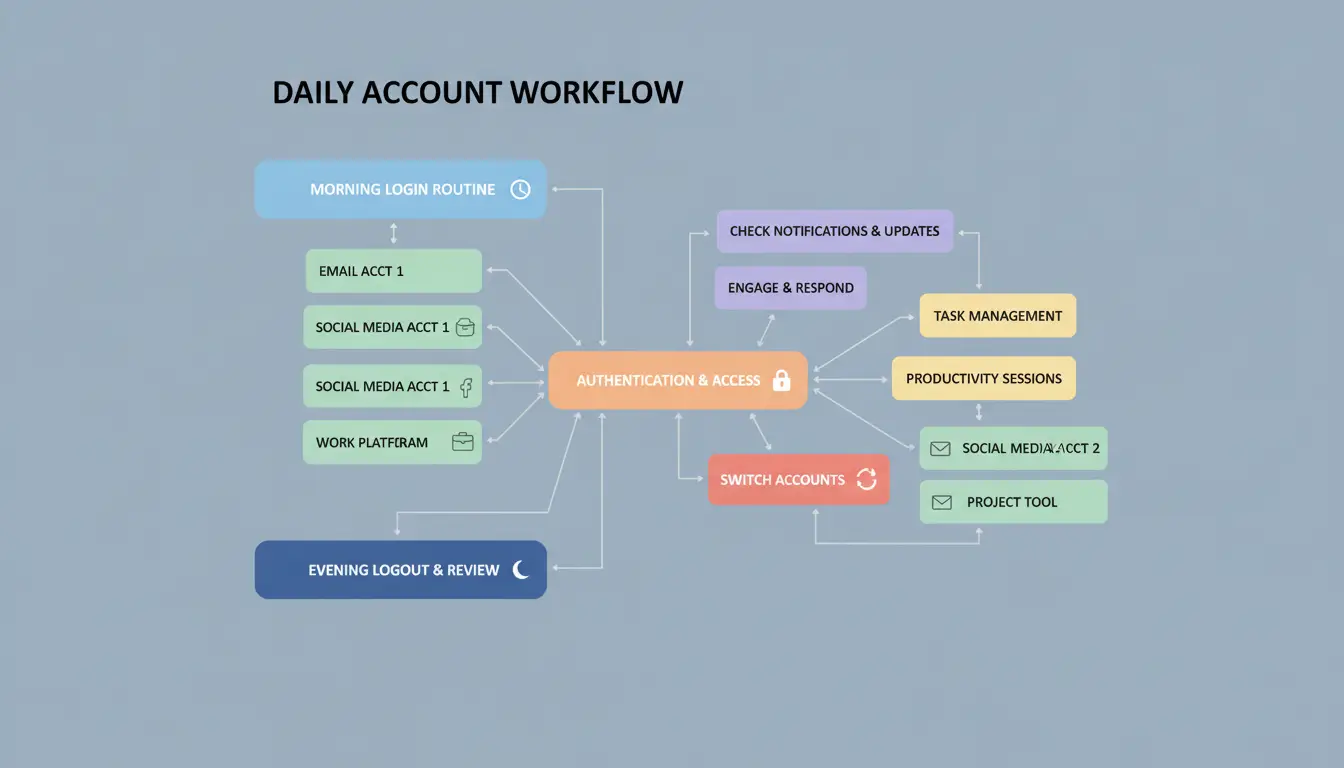
- Only log into one account per browser profile and proxy at a time. If you need to switch, close all Fiverr tabs, clear browser data (including cache and cookies), and reconnect your proxy before logging in again.
- Vary your login times and browser usage patterns. If all accounts log in at 8:00 am sharp or copy the same workflows, the risk level jumps.
- Avoid simultaneous logins on the same device, even in different browser profiles. If you see a warning about "multiple sessions detected," log out everywhere and wait at least 30 minutes before trying again.
- Rotate devices, if you always use the same laptop or phone, device fingerprinting can connect your accounts.
Managing Payments and Withdrawals
- Keep payment methods strictly separated, never use the same card, PayPal, or bank details on more than one account. Fiverr flags shared payouts quickly.
- Never transfer funds or gigs between your accounts. Sending money or orders internally is a common shortcut that often leads to mass bans.
- Space out withdrawals. Withdrawing from several accounts to the same method in the same week increases the odds of linking. Wait 5-7 days between withdrawals to the same financial destination.
- If a payout fails or gets delayed, don’t rush to retry with another account, wait for a clear result first, or you risk both getting locked.
Cutting corners on any step above often leads to account restrictions or outright bans. The next section covers real-world mistakes that trigger Fiverr’s detection systems, so you’ll see why even one small slip can cost you every account you manage.
Common Mistakes That Trigger Fiverr Restrictions or Bans
The fastest way to get flagged, no matter how careful your setup looks, is to repeat mistakes Fiverr’s systems catch every week. Here’s where sellers slip up when handling more than one account, and what actually gets accounts taken down.
Reusing IPs or Browser Fingerprints
Fiverr tracks both your IP address and your browser’s unique fingerprint. If you log into two accounts from the same IP or with identical browser details, their system links them fast. The fix: never reuse proxies or browser setups between accounts, even for a minute.
Sharing Devices or Sessions
All it takes is two accounts logging in from the same device, even hours apart, for session traces to overlap.
- You might see sudden logouts or both accounts locked within 24 hours.
- Use a dedicated device or run each account in a fully isolated browser profile. Avoid any copy-paste of cookies or saved passwords across accounts.
Copy-Paste Profile Data
Fiverr’s pattern-matching flags accounts that share profile text, images, payment info, or even similar gig descriptions. If you copy details between accounts, you risk a network-wide ban. Change every field, bio, gig images, even writing style, so no two profiles look related.
Getting these basics wrong sinks most attempts at multiple Fiverr accounts management. Next, it gets trickier when scaling up with a team or adding automation.
Scaling Up: How Teams Can Manage Multiple Fiverr Accounts Without Increasing Ban Risk
Teams can safely handle more than one Fiverr account by splitting roles, controlling permissions, and keeping every profile isolated. This cuts down on cross-account mistakes that trigger bans.
Team Access and Permission Control
Never let all team members access every account. Assign clear roles, give each person permission only for the accounts they need. Limiting access to one account per operator is the simplest way to avoid accidental cross-login.
Profile Sharing and Data Isolation
Passing profiles between team members gets risky fast. Use tools that let you share browser profiles without mixing cookies or autofill data. If one person’s session leaks into another’s, Fiverr can spot it and shut down both accounts. Always transfer profiles as isolated containers, not just logins.
Operation Logs and Workflow Auditing
- Track who logs in and from where
- Review permission changes weekly
- Flag any cross-account device or IP usage
Spotting risky patterns early means you can fix them before Fiverr’s system does. If an operator’s device shows up on two accounts, even once, you’re already exposed.
Smarter Multi-Account Management on Fiverr: How DICloak simplifys Safe Workflows
Handling several Fiverr accounts takes more than swapping IPs or clearing browser history. DICloak lets teams build isolated browser profiles, assign proxies, and set permission controls, covering the main risks that get sellers banned.
Isolated Browser Profiles for Each Account
Operators can create a separate browser profile for every Fiverr account, making sure fingerprints and session data never cross. One slip, like shared cookies, can trigger account linkage within hours.
Proxy Configuration and IP Management
Assigning unique user-provided proxies per profile stops IP overlap. Teams can label each profile with its own proxy, so when a session starts, even cookie and local storage stay tied to the right IP. If two accounts ever share an IP, even for a minute, Fiverr’s detection can flag both. DICloak keeps each profile’s proxy independent, but users must verify proxy quality outside the tool.
Team Collaboration and Permission Control
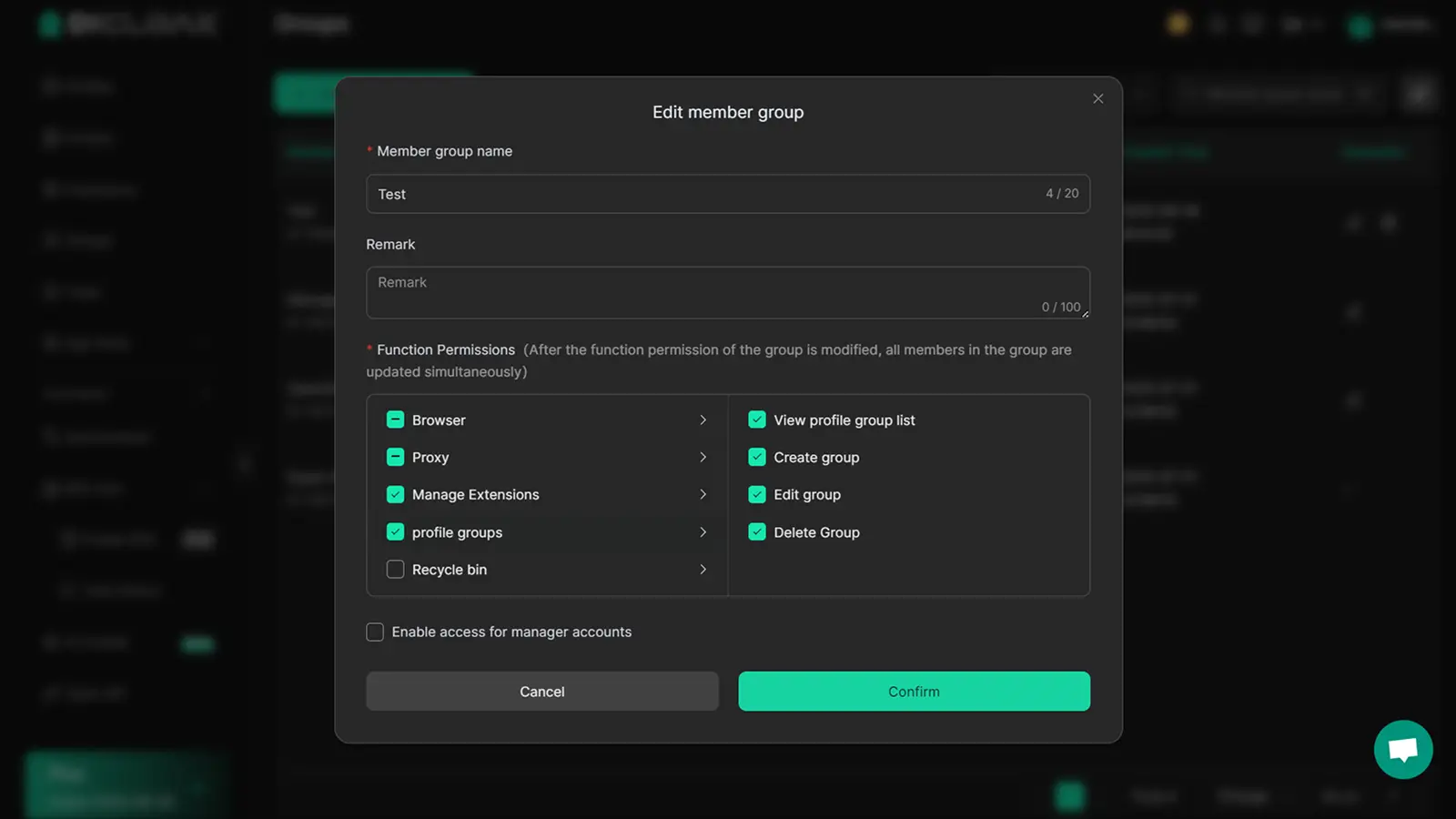
- Operators can share profiles without risking session contamination
- Admins review logs to spot cross-login mistakes quickly
- Teams automate routine actions and set permission layers for safer access
DICloak doesn’t guarantee you’ll pass Fiverr fingerprint checks or avoid bans, platform rules change often. What it does: let teams handle browser profiles, proxies, and workflow control in one place. Next, you’ll see how manual and tool-assisted approaches stack up for everyday account management.
Manual vs Tool-Assisted Multi-Account Management: What Actually Works Best?
If you’re weighing whether to manage multiple Fiverr accounts by hand or use a specialized tool, the real difference comes down to risk and scale. Manual setups work for simple cases, but the more accounts you handle, the higher the chance you miss a critical detail and trigger a restriction. For sellers who care about keeping earnings safe and minimizing ban risk, tool-assisted workflows change the game.
Manual Workflow: Pros and Cons
Manual handling means tracking browsers, IP addresses, cookies, and device IDs yourself. That sounds doable with two accounts, but gets messy fast when juggling more. Here’s how the decision plays out:
| Aspect |
Manual Workflow |
Tool-Assisted Workflow |
| Cost |
Free (except proxies) |
Paid (plus proxy cost) |
| Complexity |
High |
Low |
| Risk Exposure |
High |
Lower |
The weakest link in manual setups is human error, one accidental cross-login or reused browser profile can wipe out multiple accounts.
Tool-Assisted Workflow: Pros and Cons
Using a tool means session isolation and proxy management are handled for you. That reduces risk and cuts setup time, especially as you scale past three accounts. For most sellers, the tradeoff is paying for software but gaining peace of mind and time savings.
Which Approach Fits Your Scenario?
Solo operators with one or two accounts can survive manually, but small teams or anyone scaling up will hit a wall. Once you manage four or more Fiverr accounts, manual tracking starts failing, the workload and ban risk both spike. That’s when tool-assisted workflows become the safer bet.
When Managing Multiple Fiverr Accounts Stops Making Sense: Signs You Should Rethink Your Workflow
Signs of Diminishing Returns
If ban rates spike, your workflow gets tangled, or earnings stay flat, you’re not scaling, you’re just multiplying risk. At that point, it’s time to pause and rethink before another account goes down.
Safer Alternatives to Multi-Account Management
Pushing through with more accounts can get all your profiles linked and banned.
- If organic growth stalls, adding accounts rarely solves the core issue, your main offer may need work.
- Running one strong, team-based account or shifting to platform-compliant scaling often works better and is less likely to trigger mass bans.
Frequently Asked Questions About manage multiple Fiverr accounts
Is it allowed to manage multiple Fiverr accounts in 2026?
Fiverr’s official policy does not allow users to manage multiple Fiverr accounts. Each person can have only one account, except for approved business accounts. Violating this policy risks permanent bans on all linked accounts. Fiverr uses automated systems to detect and flag users trying to bypass these rules, so the risks are high.
How many Fiverr accounts can I safely operate?
Officially, you should only operate one account. Running more increases your chance of detection and ban. Managing several accounts adds workflow complexity, different emails, payment methods, and content. Even with careful handling, Fiverr’s systems may still link your accounts and close them all.
Can I use the same device for multiple Fiverr accounts?
Using the same device for multiple Fiverr accounts is risky. Fiverr tracks device IDs, cookies, and browser fingerprints. To lower detection risk, people use separate devices or isolated browser profiles, but this is not foolproof. Shared devices can still link accounts and lead to bans.
What happens if Fiverr flags one of my accounts?
If Fiverr flags an account, they may restrict, suspend, or permanently ban it. Often, all accounts linked by device, IP, or payment details get banned together. This means losing access to all accounts, balances, gigs, and client messages tied to those profiles.
Do proxies guarantee safety for multi-account management?
Proxies can help hide your IP address when handling multiple Fiverr accounts, but they don’t guarantee safety. Fiverr also looks at browser fingerprints, device details, and behavior patterns. Even with proxies, if other signals match, your accounts could still get flagged or banned.
If you're ready to simplify your workflow and keep your profiles secure, consider tools that allow you to organize and protect your online presence efficiently. Take the next step toward smarter account management by exploring solutions that support smooth switching and privacy. Try DICloak For Free
 Web Proxy Tools
 Free Tools
 Cookie Plugin
 UA Generator
 MAC Address Generator
 IP Generator
 IP Address List
 2FA Code Generator
 World Clock
 Anonymous Check
 WebRTC Leak Test
 UUID Generator
 Free Web Proxy Site
 Proxy Checker
 FB Ad Checker
 AI Web Scraping
 Free SMM Tools
 Twitter Shadowban Checker
 Instagram Name Checker
 UTM Generator
 Username Generator
 AI Hashtag Generator
 LinkedIn Headline Generator
 Social Media Image Resizer