WhatsApp groups are widely used by online sellers, event organisers, professional communities, distributors, and cross-border businesses. A relevant group may include potential customers, existing buyers, suppliers, and industry contacts.
The challenge begins when a business needs to organise those contacts outside WhatsApp. Copying numbers manually takes time, duplicate entries are common, and important information about where each contact came from can easily be lost.
A structured WhatsApp Group Number Export can move group numbers and contact data into Excel or CSV files for further review. The exported list can then be cleaned, labelled, and prepared for a CRM or another approved business system.
Exporting contact data does not automatically give a business permission to send marketing messages. The process should support legitimate contact management and permission-based communication rather than unsolicited bulk outreach.
Why WhatsApp Group Contacts Are Difficult to Manage
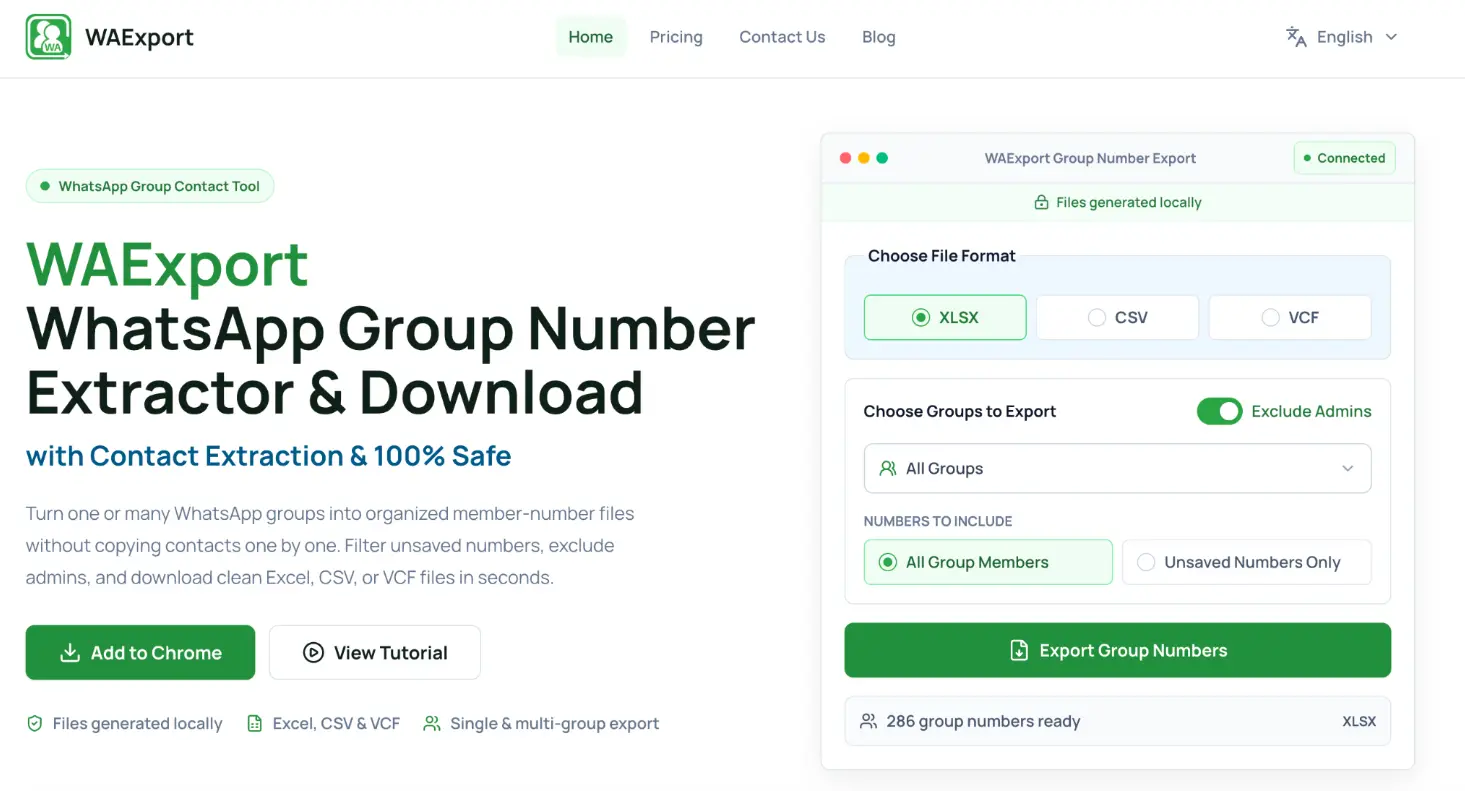
A WhatsApp group may contain hundreds of members, but the information is not automatically organised as a useful business contact list.
Manual Copying Takes Too Much Time
Copying each number individually is manageable for a small group. It becomes inefficient when several large groups need to be reviewed.
Manual work also increases the risk of:
- skipping group members;
- copying the same number more than once;
- placing digits in the wrong order;
- losing international country codes;
- mixing numbers from unrelated groups;
- recording information in inconsistent formats.
A repeatable export process reduces this repetitive work and creates a clearer starting point for data preparation.
Duplicate and Incomplete Numbers Create Poor Data
The same person may belong to several groups or use different names in different contexts. A list created from multiple groups may therefore contain repeated numbers.
Numbers may also appear with spaces, brackets, local prefixes, or missing country codes. These differences can prevent a spreadsheet or CRM from recognising that two entries represent the same contact.
Exported data should be cleaned before it is used for analysis, segmentation, or system import.
Group Context Gets Lost After Export
A phone number alone does not explain why the contact is relevant.
Someone may have joined a product-support group, attended an online event, participated in an industry community, or entered a supplier discussion. Once all numbers are combined into one spreadsheet, that context can disappear.
Businesses should preserve the source group and, where appropriate, the date or reason the data was collected. Source information helps employees understand how each contact can be used responsibly.
What to Check Before Exporting Group Contacts
Contact exports should begin with a clear business purpose.
Confirm the Business Purpose
Define why the data is needed before downloading it.
Legitimate purposes may include:
- organising members of a customer-support group;
- preparing an event attendance list;
- reviewing supplier or distributor contacts;
- transferring approved contacts into an internal system;
- removing duplicates from several existing lists;
- maintaining records for a managed business community.
Avoid collecting numbers simply because they are accessible. A clear purpose helps limit the export to relevant data and reduces unnecessary storage of personal information.
Choose the Relevant WhatsApp Groups
Not every group connected to a business account should be exported.
Select groups that directly relate to the intended task. Personal groups, inactive communities, and groups with no relevant business relationship should remain outside the export.
If several groups are included, record their names or assign source labels before combining the files. This makes later segmentation more reliable.
Decide Which Contact Fields Are Needed
A useful contact list may require more than a phone number, but it should not contain unnecessary information.
Depending on the purpose, relevant fields may include:
- phone number;
- available contact name;
- source group;
- country or region;
- date added or exported;
- customer or partner category;
- consent or communication status;
- internal notes.
Collect only the fields needed for the planned workflow. Additional personal data creates more responsibility without necessarily improving the list.
How to Export WhatsApp Group Numbers
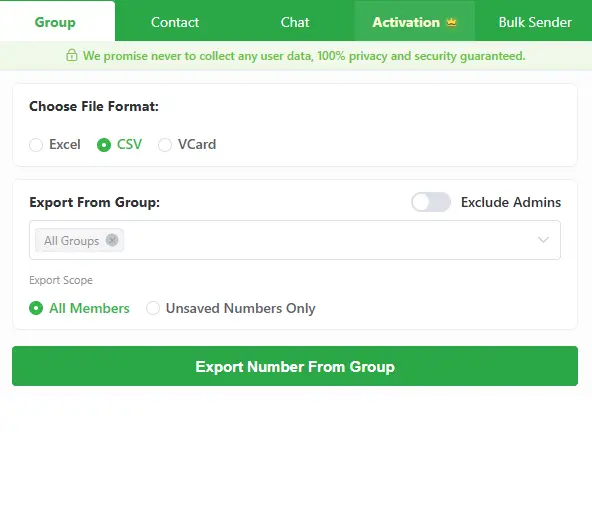
The export process should create a file that can be checked before it enters a broader marketing or sales workflow.
Extract Group Numbers and Contact Data
A WhatsApp group contacts extractor such as WAExport can extract WhatsApp group numbers and contact data for export to Excel or CSV.
Select the appropriate groups and review the export settings before beginning. If the tool provides a preview or selection stage, confirm that the intended groups are included and unrelated groups are excluded.
After downloading the file, keep one unchanged copy. Use a separate version for editing, deduplication, and classification.
Choose Excel or CSV
Excel is practical when employees need to review and edit the list manually. Users can apply filters, add columns, highlight incomplete entries, and compare several groups in one workbook.
CSV is useful when the contact data will be imported into a CRM, database, reporting tool, or another compatible platform. It is lightweight and widely supported, but it does not preserve advanced spreadsheet formatting.
The receiving system should determine which format is selected.
Check the Exported File
Open the file and verify that:
- the expected group members are present;
- phone numbers appear in the correct column;
- country codes have not been removed;
- names and numbers remain correctly associated;
- special characters display properly;
- no columns have shifted;
- the file contains no unrelated group data.
Do not assume that a completed download is immediately ready for use.
How to Clean an Exported Contact List
Raw contact data usually requires preparation before it becomes useful.
Remove Duplicate Entries
Start by identifying exact duplicate phone numbers. Then check for numbers that differ only because of spaces, brackets, dashes, or country-code formatting.
When duplicate entries come from different groups, avoid deleting the source information. Combine the relevant group labels so the final record still shows every appropriate context.
Standardise Country Codes and Number Formats
International lists often contain several numbering styles.
Choose one consistent format and apply it across the file. Preserve the correct country code and avoid treating the first digits of a local number as an international prefix without verification.
Store phone numbers as text in spreadsheets when necessary. Otherwise, spreadsheet software may remove a leading plus sign or change a long number into scientific notation.
Add Source and Group Labels
Create a source field before combining several exports.
Useful labels may include the group name, event, market, product, or community category. These labels allow employees to filter the list later and prevent contacts from being treated as if they all have the same relationship with the business.
Preparing WhatsApp Contacts for Lead Management
A clean list still needs to be organised according to the business workflow.
Segment Contacts by Relevant Criteria
Segment contacts using information that is known and relevant, such as source group, country, product interest, customer status, or event participation.
Do not infer sensitive personal characteristics from group membership. Segmentation should support useful communication without creating unsupported assumptions about individuals.
Verify Data Before CRM Import
Check that phone numbers are complete and consistently formatted. If a separate number-verification tool is used, record the result in a dedicated field rather than overwriting the original number.
Also confirm that each contact has an appropriate reason to be stored in the CRM. Group membership alone may not constitute consent for marketing.
Test Imports with a Small Sample
Before importing the entire list, test a small group of records.
Confirm that:
- each field maps to the correct CRM column;
- phone numbers remain unchanged;
- country and source labels import correctly;
- duplicate rules behave as expected;
- existing customer records are not overwritten;
- consent information is preserved.
A small test is easier to reverse than a full import containing thousands of incorrect records.
Responsible Use of Exported WhatsApp Contacts
Lead management should respect privacy, platform rules, and the expectations of group members.
Obtain Permission Before Marketing Outreach
Participation in a WhatsApp group does not automatically mean that a person has agreed to receive direct promotional messages.
Businesses should identify an appropriate legal basis and communication permission before outreach. Consent records should explain when, where, and how permission was obtained.
Avoid Unsolicited Bulk Messaging
Do not use exported group numbers for indiscriminate mass messaging.
Unwanted outreach can damage trust, generate complaints, and lead to account restrictions. Messages should be relevant, expected, and sent only to contacts the business is authorised to reach.
Protect and Delete Personal Data
Store exported lists in approved locations and limit access to employees who need them.
Delete files that no longer serve a legitimate purpose. If the data is transferred to another system, remove unnecessary working copies from downloads folders, personal devices, and temporary shared locations.
Building a Repeatable Contact Management Workflow
A reliable workflow starts with a defined purpose and a limited selection of relevant groups. Contacts are then exported to Excel or CSV, checked for accuracy, cleaned, and labelled with their original source.
Before CRM import or outreach, the business should verify number formatting, test a small sample, and confirm that each contact can be used appropriately.
This approach turns WhatsApp group data into an organised resource while keeping permission, accuracy, and privacy at the centre of the process.
 Web Proxy Tools
 Free Tools
 Cookie Plugin
 UA Generator
 MAC Address Generator
 IP Generator
 IP Address List
 2FA Code Generator
 World Clock
 Anonymous Check
 WebRTC Leak Test
 UUID Generator
 Free Web Proxy Site
 Proxy Checker
 FB Ad Checker
 AI Web Scraping
 Free SMM Tools
 Twitter Shadowban Checker
 Instagram Name Checker
 UTM Generator
 Username Generator
 AI Hashtag Generator
 LinkedIn Headline Generator
 Social Media Image Resizer