If you need a facebook video downloader online, the challenge in 2026 is not finding a tool. It is finding one that actually works without low-quality output, broken audio, or risky redirects. For many users, the goal is simple: facebook video download online should be fast, clean, and safe enough for real work, whether that means saving tutorials, checking competitor creatives, or backing up useful clips. In this guide, we look at the best ways to download facebook videos online, which tools handle HD and short-form content better, and how to avoid the account and privacy risks that often come with free downloader sites.
Why is finding a reliable Facebook video downloader online still difficult in 2026?
If you are managing social assets or running competitor analysis, you know the frustration: Facebook still lacks a native "Save" button for offline storage. For a social media practitioner, downloading isn't about hoarding memes; it’s about backing up high-spend marketing materials, analyzing competitor ad hooks, and ensuring tutorials are available for offline team training.
The reality of the tool market remains grim. Most "free" utilities are essentially ad-delivery vehicles designed to mine your browser data or trigger security flags. While these tools offer a quick fix, the landscape is a minefield of intrusive trackers and malicious scripts that can compromise the very business accounts you use for work.
Which online tool should you choose for high-resolution 4K downloads?
When visual fidelity is the priority for high-stakes presentations or ad creative analysis, SnapSave.app remains the industry standard for quality-driven users.
Achieving Full HD and 4K resolutions
Most downloaders fail at high resolutions because Facebook serves video and audio as separate streams for anything above 720p. SnapSave solves this by processing videos on its own servers, performing a technical "muxing" process to recombine the streams into a single high-definition file. This allows for Full HD, 2K, and 4K downloads that most browser-based scripts simply can't handle.
Balancing quality vs. rendering time
The trade-off for this quality is technical overhead. Because SnapSave must render the file on their hardware before serving it to you, high-resolution downloads take significantly longer than standard ones. From a privacy perspective, remember the trade-off: since they process the video on their end, their servers "see" the URL and content you are requesting.
Pros:
- Supports the highest available resolutions (Full HD, 2K, 4K).
- Cross-platform functionality (Windows, macOS, Android, iOS) without installation.
- Reliable server-side muxing for synchronized audio/video at high bitrates.
Cons:
- Rendering 4K files is slow and resource-intensive.
- The interface is cluttered with aggressive ads that can lead to suspicious redirects.
How can you save more than just videos, including Reels and Stories?
Modern campaigns rely heavily on short-form content. Using a general video downloader for specialized formats like Reels or ephemeral Stories often results in aspect ratio errors or failed parses.
Capturing short-form content with SaveFB.io
SaveFB.io is built specifically for the Facebook ecosystem's newer formats. It is the go-to for Reels and Stories, offering a clean MP4 output that maintains the original mobile-optimized quality. It is entirely browser-based, making it efficient for practitioners who need to move content quickly from Facebook to a video editor or a collaborative drive.
Stability and longevity with FBdown.net
FBdown.net is the "classic" choice for a reason. In the cat-and-mouse game of social media downloading, Facebook frequently updates its UI and video delivery protocols to break third-party scrapers. FBdown is typically the first to patch its scripts to match these technical shifts, making it the most stable fallback when other tools fail after a platform update.
What are the best options for multi-platform downloading and audio extraction?
SEO and content workflows often require sourcing from multiple platforms or stripping audio for podcast notes and transcripts.
Using SaveFrom.net for cross-platform flexibility
SaveFrom.net is a powerhouse for practitioners working across Facebook, YouTube, and Instagram. However, from a security standpoint, use caution: the site frequently redirects users to mirror domains that may host intrusive scripts. While its browser extension is convenient for frequent users, as a strategist, I recommend only using it within a hardened or isolated browser profile to mitigate the risk of these redirects.
Extracting MP3 audio with Getfvid.com
For extracting audio from Facebook Live sessions or webinars, Getfvid.com is the most streamlined utility. It provides a dedicated "Convert to MP3" path that bypasses the need for secondary conversion software. Its "one-click" extension is highly efficient for bulk work, though the site does use redirects that require a watchful eye.
Why do Facebook video downloads fail or trigger security alerts?
Downloading content isn't a passive activity; it leaves a digital footprint that Facebook’s security systems are trained to flag.
The risk of "unusual behavior" flags
Facebook tracks every request through User-Agent strings and IP reputation. When you use a free downloader, its parsing server (often a flagged IP range) makes the request on your behalf. If you are logged into Facebook in the same browser, the platform may link this "bot-like" scraping activity to your professional account, triggering "unusual behavior" flags, temporary blocks, or shadowbans.
The hidden dangers of ad-heavy downloader sites
Free tools aren't free; they are funded by scripts that can "pollute" your browser profile. These scripts can capture cookies or browser fingerprints, potentially compromising the session tokens of your main business accounts. This "browser pollution" is a primary reason why professional marketers see their accounts restricted without an obvious cause.
How to set up a secure workflow for safe, bulk content saving?
If you are managing client accounts or a high-volume content engine, you cannot risk your primary IP or browser profile.
Using isolated browser profiles to protect main accounts
The only way to safely scrape or download content is through isolation. By using a separate container, you prevent "browser fingerprinting"—the method Facebook uses to identify your device across different sessions and accounts. This ensures that any malicious scripts from a downloader site cannot reach your sensitive business data.
Optimizing download success with DICloak
DICloak is the professional’s solution for this workflow. Rather than using a standard browser, DICloak provides an isolated, genuine device environment for every operation.
- Fingerprint Protection: It provides a unique, non-emulator browser fingerprint for every container, preventing Facebook from linking your downloading activity to your primary marketing accounts.
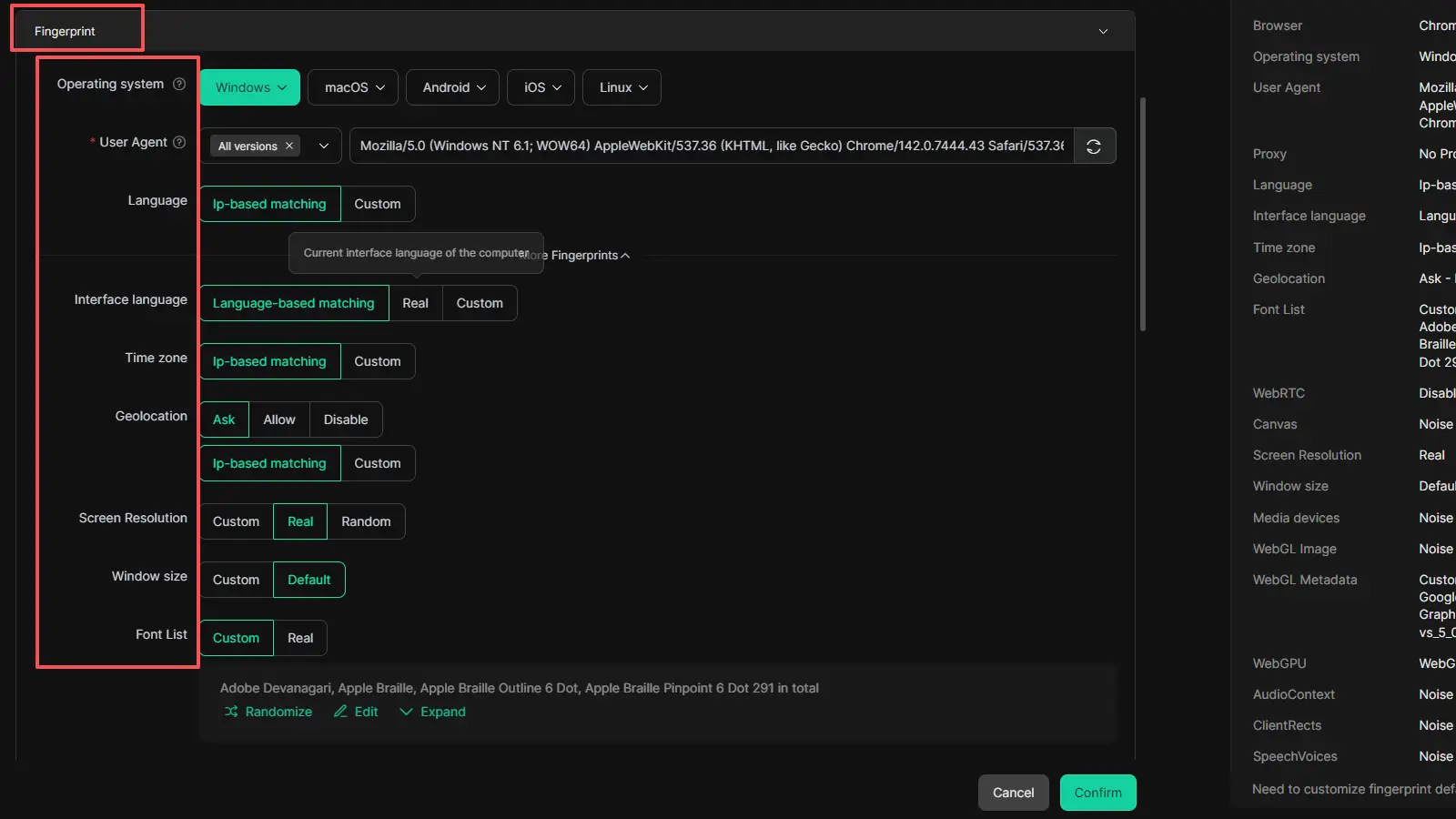
- IP & Session Isolation: Each operation is contained, meaning cookies and scripts from ad-heavy downloader sites never touch your main work environment.
- Shadowban Prevention: When analyzing competitor clips, it can help reduce the risk that high-volume downloader activity looks messy or suspicious.
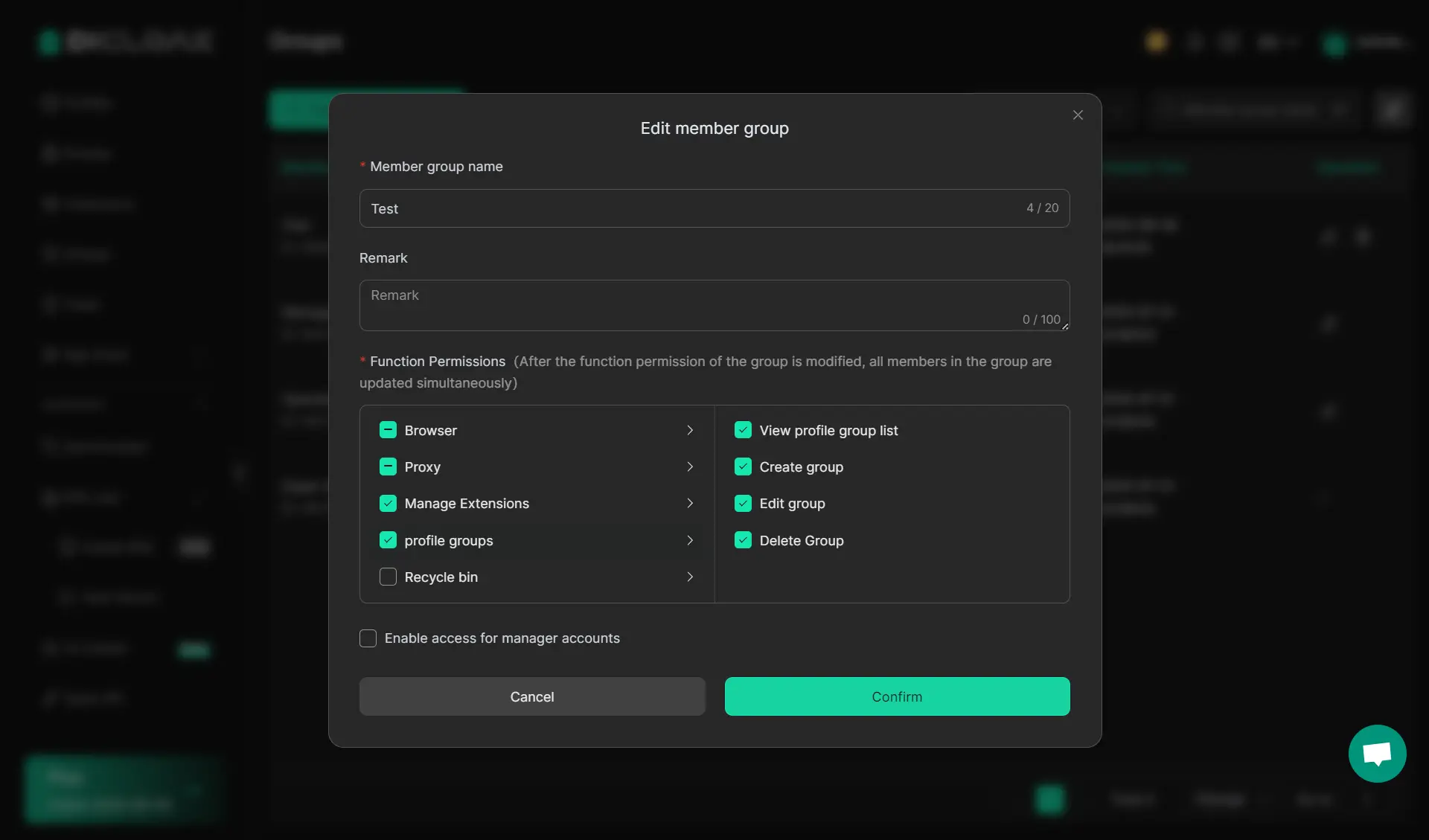
- Team Collaboration: Teams can share access to these secure environments without risking account bans caused by overlapping sessions or inconsistent IP locations.
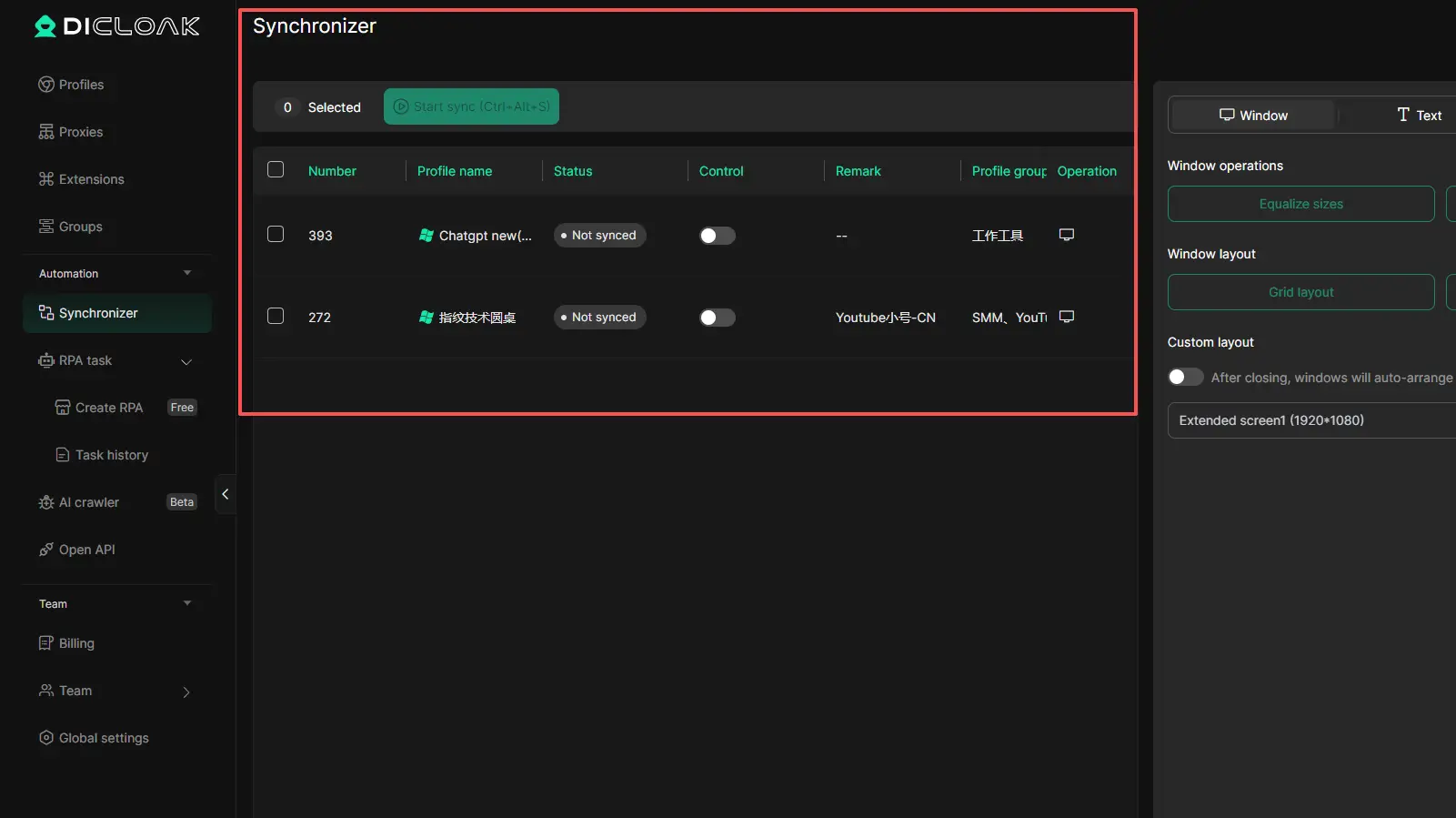
- Multi-Window Synchronizer to repeat actions across multiple profiles more efficiently when handling larger content-checking or download workflows
Is it legal to download Facebook videos for personal or business use?
Legality in 2026 remains a matter of usage, not just the act of downloading.
Navigating copyright and commercial usage
All content on Facebook is protected by copyright. Downloading a competitor's ad for analysis is generally considered fair use in a professional context, but redistributing that content or using it in your own paid ads is a direct violation of intellectual property law. You are solely responsible for obtaining permissions for any commercial use.
Identifying "red flags" in downloader tools
The ultimate red flag is any tool that requires a Facebook login or password. Legitimate online downloaders never need your account credentials. Any site asking for a login is likely a phishing attempt designed to hijack your Business Manager or personal profile.
Which downloader is best for your specific technical requirements?
| Tool Name |
Best For |
Key Feature |
| SnapSave.app |
High-Resolution 4K |
Server-side muxing for 4K video+audio |
| FBdown.net |
Stability |
Fast patches for Facebook UI/protocol changes |
| SaveFrom.net |
Multi-Platform |
Supports YouTube/Instagram; offers extensions |
| Getfvid.com |
Audio Extraction |
"One-click" extension for MP3 conversion |
| SaveFB.io |
Reels & Stories |
Specialized for Facebook's short-form formats |
While individual tools like SnapSave are excellent for one-off tasks, professionals should always wrap these tools in a secure environment like DICloak to maintain account integrity and high success rates.
FAQ About Facebook video download online
Q1:What is the fastest way to download a Facebook video without software?
Use a browser-based parser like FBdown.net. You simply paste the URL. For practitioners, avoid "software" versions of these tools as they often contain bundled bloatware.
Q2:Are these online downloaders safe for my computer?
Generally, the sites are "safe" from viruses, but "unsafe" regarding privacy. They use aggressive trackers and redirects. Use an isolated container like DICloak to keep your main system clean.
Q3:Can I download private videos from groups?
Most standard tools fail here because they lack the necessary access tokens or session cookies to bypass Facebook's encryption. Legitimate tools usually cannot "see" inside private groups unless they ask for your login—which is a major security risk.
Q4:Why did my high-quality download fail?
Usually, it's a "muxing" error on the tool's server or a change in Facebook's video delivery protocol. Using a real device environment (like DICloak) instead of a standard browser can help bypass detection that causes these interrupts.
Q5:How do I avoid getting my Facebook account banned for too many downloads?
Stop downloading from your primary work browser. Facebook tracks your User-Agent and IP reputation. Use isolated browser profiles to ensure your professional accounts aren't linked to high-volume scraping.
Q6:Is there a way to extract only the audio from a Facebook video?
Yes. Getfvid.com is the most efficient tool for this, allowing you to select MP3 as the output format directly from the download menu.
Conclusion
The best way to download facebook videos online depends on what you actually need. If your focus is quality, format support, or quick browser-based use, different tools fit different jobs. But the bigger lesson is that a facebook video downloader online is never just about grabbing a file. It is also about avoiding redirects, protecting your browser profile, and not exposing your work accounts to unnecessary risk. For casual use, a simple facebook video download online tool may be enough. For repeated or professional use, a cleaner and more isolated workflow matters just as much as the downloader itself.
 Web Proxy Tools
 Free Tools
 Cookie Plugin
 UA Generator
 MAC Address Generator
 IP Generator
 IP Address List
 2FA Code Generator
 World Clock
 Anonymous Check
 WebRTC Leak Test
 UUID Generator
 Free Web Proxy Site
 Proxy Checker
 FB Ad Checker
 AI Web Scraping
 Free SMM Tools
 Twitter Shadowban Checker
 Instagram Name Checker
 UTM Generator
 Username Generator
 AI Hashtag Generator
 LinkedIn Headline Generator
 Social Media Image Resizer