Meta states in its Help Center that permanent deletion includes a 30-day cancel window, and full data removal can take up to 90 days. That timeline catches people off guard, especially when they just want their profile gone right away. If you searched for how to delete facebook account, you likely need clear steps, not vague menu hints that change between phone and computer views.
This guide gives you the exact path for mobile and desktop, shows where deletion sits inside Accounts Center, and points out the checks to do before you confirm, like saving photos and posts through Download Your Information. You will also see the difference between deactivation and deletion, what happens during the waiting period, and what you can still recover before the deadline passes. The goal is simple: finish the process once, avoid lockouts, and avoid surprise data loss. Start with the one choice that controls everything next: temporary deactivation or permanent deletion.
Should you delete or deactivate Facebook account first?
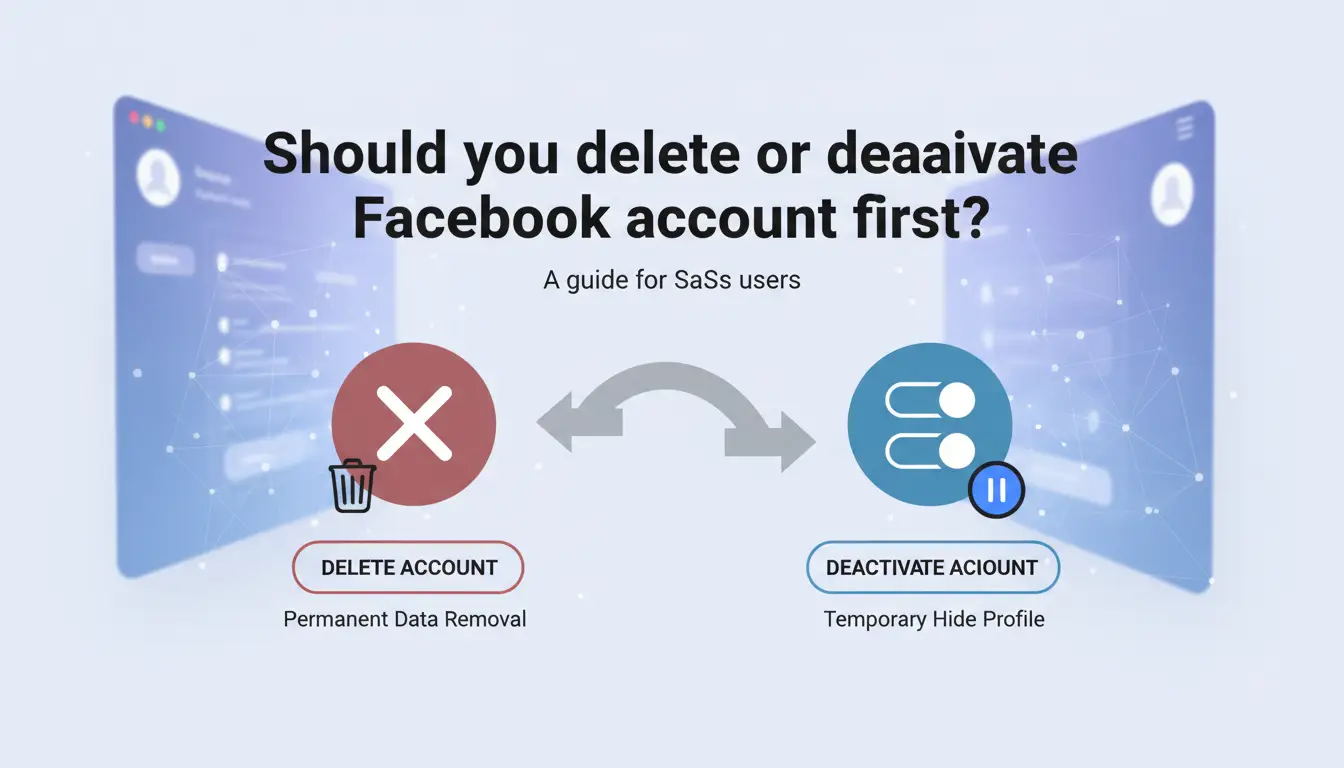
If you searched how to delete facebook account, pause for one minute and pick the right path before you tap confirm. Deactivation is reversible. Deletion is permanent after the cancel window.
What permanent deletion removes vs what deactivation keeps
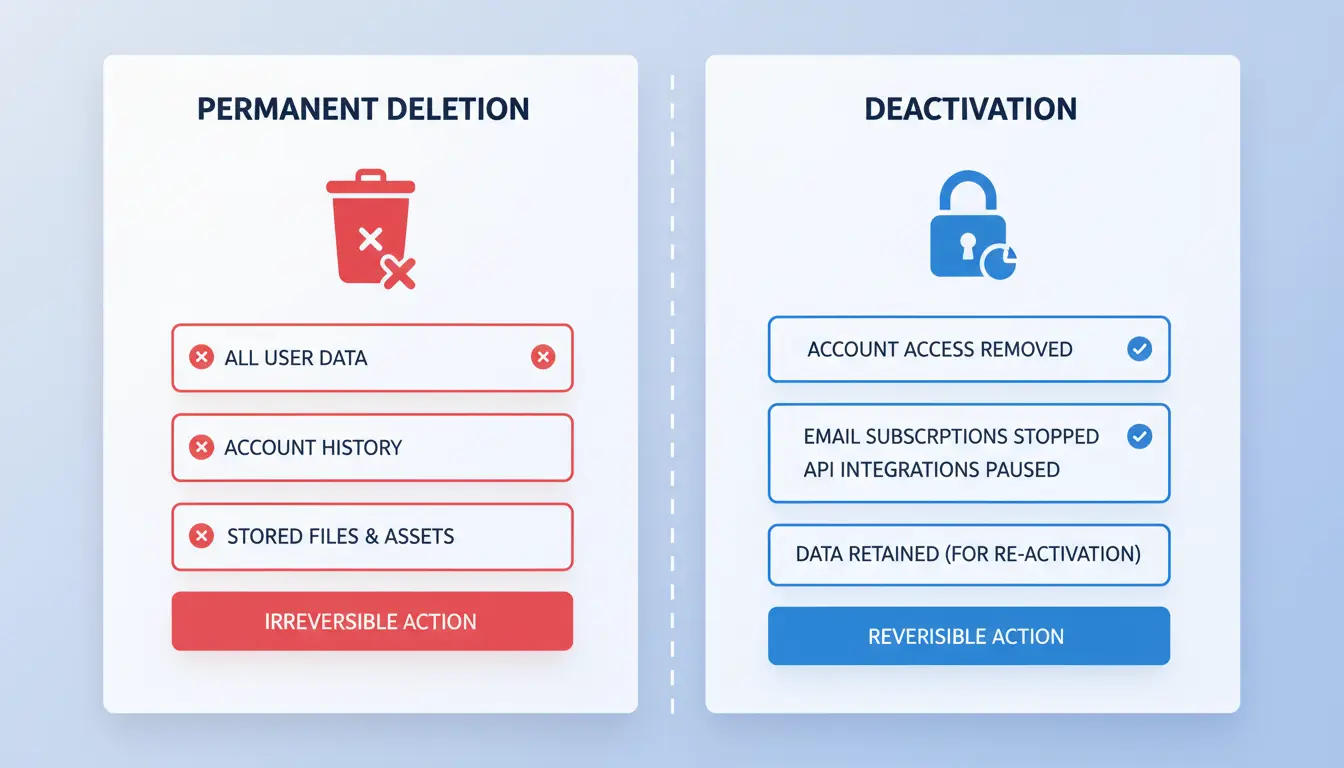
| Item |
Deactivation |
Permanent deletion |
| Profile visibility |
Hidden from most people |
Removed after deletion process ends |
| Login access |
You can reactivate by logging in |
Disabled, then removed |
| Messenger |
Usually still works |
Access ends with account removal |
| Pages you manage |
Need another admin to keep page active |
Can lose admin control if no backup admin |
| Apps using Facebook Login |
May still break until you reactivate |
Login access can stop completely |
Facebook handles both options in Accounts Center.
When deactivation is the safer short-term choice

Choose deactivation if you need a break, expect to return, or still depend on Facebook Login for apps. You keep your data and can come back with one login. This path also gives you time to move page roles, check group ownership, and test life without Facebook access before making deletion final.
Decision checklist before you commit
Before permanent deletion, check these points:
- Do you still use Facebook Login for any app or game?
- Are you the only admin on pages, groups, or ad assets?
- Did you download photos, posts, and messages from Download Your Information?
- Are you ready for the deletion cancel window to expire?
If any answer is “not sure,” deactivate now and revisit later.
What should you do before deleting your Facebook account?
Before you confirm deletion, pause and run a short checklist. If you searched for how to delete facebook account, this prep is what prevents lost files, locked services, and business assets getting stuck without an admin.
Download your Facebook data the right way
Open Download Your Information and create a custom export instead of the default full dump. Pick a date range, choose JSON or HTML, and set media quality. JSON is easier to parse later. HTML is easier to read fast.
| Export setting |
Recommended pick |
Why |
| Date range |
All time for final backup |
Catches old posts and messages |
| Format |
JSON + HTML (run twice if needed) |
JSON for archive, HTML for quick viewing |
| Media quality |
High for photos you may reuse |
Better recovery for originals |
Focus on files people regret losing: photos, videos, posts, and message history. Save the archive in two places, like local drive and cloud storage.
Transfer page and group admin roles before deletion
Check every Page and Group you manage. Add a trusted person as admin, then verify they can post and edit settings. You can review ownership and permissions in Meta Business Help Center and your page/group settings.
No handoff means orphaned assets. That can block ad work, inbox access, or moderation later.
Check linked logins and connected accounts
Go to Settings and review apps and sites that use Facebook Login. Change those logins to email or another method before account deletion. Also check Accounts Center for linked Instagram profiles and shared sign-in paths. Remove links you still need elsewhere.
Secure billing, ads, and payment details
In Ads Manager, end active campaigns and confirm no scheduled spend remains. Cancel recurring subscriptions tied to your Facebook login. Remove saved cards after campaign closure and invoice checks.
Do this prep before you start how to delete facebook account steps in settings. It saves recovery time and avoids access problems.
How to delete Facebook account on app and desktop (step-by-step)
If you searched for how to delete facebook account, use these exact paths and you can finish the process on phone or computer without hunting through menus. Facebook now places deletion inside Accounts Center, so the old standalone settings path may not show.
Delete Facebook account in the mobile app via Accounts Center
Open the Facebook app and sign in to the profile you want to remove.
- Tap Menu.
- Tap Settings & privacy > Settings.
- Tap Accounts Center.
- Tap Personal details.
- Tap Account ownership and control.
- Tap Deactivation or deletion.
- Choose the Facebook account.
- Select Delete account and continue.
- Enter your password and confirm.
Before the last confirm screen, Facebook may offer alternatives like deactivation. Stay on the delete flow if you want permanent removal. If needed, export your data from Download Your Information in a browser before you submit.
Delete Facebook account on desktop browser
On desktop, the path is similar but starts from your profile menu.
- Go to facebook.com and sign in.
- Click your profile picture (top right).
- Click Settings & privacy > Settings.
- Open Accounts Center (left side).
- Click Personal details > Account ownership and control.
- Click Deactivation or deletion.
- Pick the correct Facebook profile, choose Delete account, and continue.
- Enter your password and finish confirmation.
| Device |
Path to deletion |
| Mobile app |
Menu > Settings & privacy > Accounts Center > Personal details > Account ownership and control > Deactivation or deletion |
| Desktop browser |
Profile picture > Settings & privacy > Settings > Accounts Center > Personal details > Account ownership and control > Deactivation or deletion |
If your session is old, Facebook can ask for password re-entry before the final step. That is normal and part of account security.
What to do if you only see deactivation options
This usually means one of two issues.
- You are inside the wrong profile in a multi-account setup. Go back to Deactivation or deletion and switch to the Facebook profile you want.
- You opened an old settings page or cached view. Reload, then enter through Accounts Center again.
You can also sign out and sign in again with the exact account to delete. If deletion is still missing, check Facebook’s current account deletion help page and follow that path from your account state.
Final confirmation steps most people skip
Right before submit, check your recovery email and phone in account settings. If you need to cancel deletion during the waiting period, you must be able to log back in.
Save two things: your deletion request date and the on-screen confirmation notice (screenshot or PDF). If you log in during the 30-day deletion window, Facebook cancels deletion. If you do not log in, Facebook proceeds with permanent deletion after that window.
What happens after you submit a Facebook deletion request?
After you confirm deletion, your account does not disappear at once. If you searched for how to delete facebook account, this is the part that decides whether you can still undo it.
The 30-day cancellation window explained
Facebook starts a 30-day cancellation period after your request, as described in the Facebook Help Center. During this time, your deletion is pending, not final.
| Stage |
What it means |
Can you reverse it? |
| Day 0 request |
Account enters pending deletion |
Yes |
| Days 1–30 |
Profile is hidden from normal use |
Yes, by logging back in |
| After day 30 |
Deletion process moves forward |
No normal self-cancel |
If you log in during that 30-day period, Facebook can cancel deletion. That includes login on app or web, and some linked sign-ins through Facebook.
What friends, groups, and messages may still show
Your profile and timeline stop being visible in normal browsing soon after the request. Sent messages can still appear in other people’s inboxes, since those copies live in their chat history. Group posts or comments may also persist for a while in caches or notifications. This is normal behavior for shared content systems.
How long Facebook may keep some records
Facebook says full deletion can take extra time after the cancellation window, and some data may stay in backups for a limited period, based on Meta’s privacy policy. “Deleted from account” means you cannot access it anymore. “Removed from systems” can take longer due to backup cycles, abuse checks, or legal requests. You can review official timing notes in Facebook’s deletion guidance.
If you started how to delete facebook account and changed your mind, timing decides everything. Facebook allows cancellation only during its deletion grace period (up to 30 days) in Facebook Help Center guidance.
How to cancel deletion within the allowed period
Log in to the same account before the deadline. Use a device and browser you used before if possible, since trust checks are lighter. Go to the prompt that says your account is scheduled for deletion, then choose Cancel Deletion. If login works, Facebook restores access and removes the pending deletion request in Accounts Center.
You should see a confirmation screen that your deletion was canceled, then your normal home feed loads.
What to do if recovery fails
If login fails, reset your password through facebook.com/login/identify. Then complete any identity checks, code verification, or device trust prompts.
If you cannot pass recovery checks, check your email for Facebook notices about permanent deletion timing. Once the grace period ends, recovery is no longer possible, even if you know the old password. If you still need account removal steps later, follow the same path used for how to delete facebook account in Accounts Center.
Why does Facebook account deletion fail for some users?
If you are stuck on how to delete facebook account, the issue is usually a hidden account check. Most failed deletions come from unresolved account checks, not from a broken button. Facebook sends these checks through Accounts Center before it accepts permanent deletion.
Pending business obligations that block deletion
Deletion can fail if your profile still controls business assets. Common blockers are active ad accounts, unpaid ad balances, or Pages with no backup admin. Check your status in Meta Business Help Center. Fix path: pay any open balance, assign a new admin or owner, remove yourself from ad account roles, then retry deletion. If you skip this, the delete button may appear but not complete.
Security checks and account verification issues
Facebook may stop deletion after a risky login signal. You might see password re-entry, two-factor code prompts, or device confirmation. Use a trusted device you logged in with before, and complete checks in one session. If codes fail, recover access through Facebook account recovery. Repeated failed attempts can trigger temporary locks, so wait for the lock window to end before trying again.
Settings path differences across app versions
Menu paths change across app versions and regions. On mobile, deletion is often under Accounts Center, then Personal details, then Account ownership and control. On desktop, the order can look different even with the same account.
If you cannot find the option, update the app and open Accounts Center in a browser. This is a common fix for users searching how to delete facebook account.
How can social media teams remove shared Facebook access safely before deletion?
Why shared logins create risk during account shutdown
If your team shared one Facebook login, shutdown can fail in quiet ways. A former staff member may still have a saved session on a home laptop. Another person may trigger account activity by mistake, which can delay deletion. Do not submit deletion until you clear every active session and device in Accounts Center. Also review login history in Facebook Security and Login.
How DICloak helps teams offboard access before final deletion
You can use DICloak to separate each operator in isolated browser profiles, with independent proxy settings per profile. That stops session overlap and makes handoff cleaner. You can also set role-based permissions and check operation logs, so you can confirm who opened the account before shutdown. This is useful when your team needs a clear record before running how to delete facebook account steps.
Practical workflow for agencies and marketing teams
Assign one owner profile for final action. Remove partner and staff access, sign out all sessions, rotate password, and confirm backup codes are controlled by the owner. Export data through Download Your Information if needed. Then submit deletion from the owner profile only, and keep audit records until the waiting period ends.
What if you do not want to delete Facebook completely?
If you searched how to delete facebook account but deletion feels too final, pause and reduce exposure now. You can lock privacy settings and keep a recovery path in Accounts Center.
Privacy lockdown steps that reduce exposure fast
Set past posts to Friends or Only me. Set future posts to a limited audience. Turn off profile discovery by email and phone. Enable tag review before anything appears on your timeline.
A reversible exit plan with deactivation and cleanup
Deactivate now, then remove sensitive posts, photos, and contact details. Check linked apps and active sessions again after 48 hours.
Team-managed accounts need extra care before offboarding. You can use DICloak to place each operator in isolated browser profiles with independent proxy binding, so old session states cannot be silently reused.
Tools like DICloak let you assign permission controls and keep operation logs. That gives you a clear handover trail before you commit to how to delete facebook account permanently.
Frequently Asked Questions
Can I use how to delete facebook account steps if I forgot my password?
Yes. If you forgot your password, start with Account Recovery on the login page. Use your email, phone, or trusted device to reset it. Facebook may ask for ID to confirm identity. After you regain access, follow how to delete facebook account steps in Settings > Accounts Center > Personal details > Account ownership and control.
How to delete Facebook account of someone who passed away?
For someone who passed away, you can request memorialization or full removal. Memorialization keeps the profile visible with “Remembering” and blocks logins. Removal deletes the account after review. Use Meta’s official forms for Special Request for Deceased Person’s Account. You usually need proof of death, like a death certificate, plus proof of authority or relationship.
If I delete Facebook account, what happens to Messenger?
If you permanently delete Facebook, your Messenger account tied to that profile is also deleted. You lose message history access after deletion completes. During the deletion waiting period, you can still cancel and recover both. If you deactivate instead, Messenger usually stays active, so friends can still message you unless you turn it off separately.
When following how to delete facebook account, how long until data is fully deleted?
When you follow how to delete facebook account steps, Facebook gives a 30-day cancellation window. If you log in during that time, deletion is stopped. After day 30, your profile is removed from public view. Meta says full data deletion can take up to 90 days, while some backup copies may remain briefly for legal or security reasons.
Can I complete how to delete facebook account but keep access to apps that used Facebook Login?
Not safely. Before you complete how to delete facebook account, update every app and site that uses Facebook Login. In each app, add an email-password login, Google, or Apple sign-in, then unlink Facebook in security settings. If you skip this, you can lose access to services, purchases, and saved progress tied to that login method.
Deleting your Facebook account is a permanent step, so make sure to download your data first and confirm you no longer need connected apps or login access tied to your profile. Once you complete the deletion request and wait through the grace period, your account and personal information are removed, giving you a clean break from the platform. Try DICloak For Free
 Web Proxy Tools
 Free Tools
 Cookie Plugin
 UA Generator
 MAC Address Generator
 IP Generator
 IP Address List
 2FA Code Generator
 World Clock
 Anonymous Check
 WebRTC Leak Test
 UUID Generator
 Free Web Proxy Site
 Proxy Checker
 FB Ad Checker
 AI Web Scraping
 Free SMM Tools
 Twitter Shadowban Checker
 Instagram Name Checker
 UTM Generator
 Username Generator
 AI Hashtag Generator
 LinkedIn Headline Generator
 Social Media Image Resizer