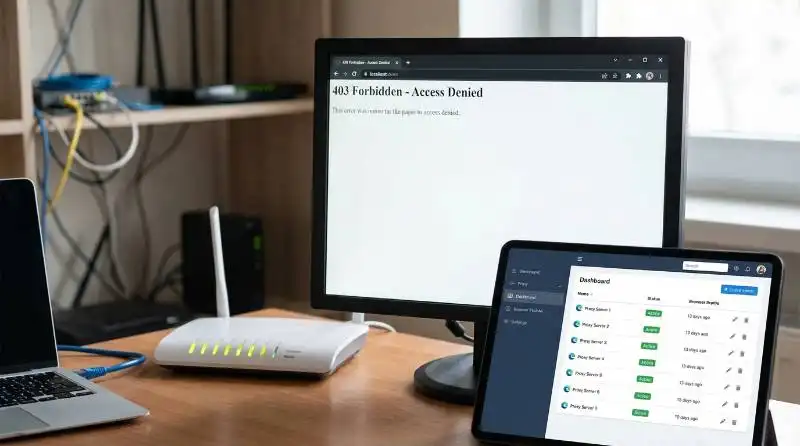
It’s one of the most common frustrations online: you try to visit a website or access a service, only to be blocked by an "Access Denied" or "403 Forbidden" error. This digital dead-end often signals an IP ban, a security measure that can instantly disrupt your workflow, data collection, or account management. This guide will explain what an IP ban is, why it happens, and provide a comprehensive overview of effective and safe methods to resolve it—from simple fixes for temporary blocks to advanced professional tools for overcoming sophisticated restrictions.
Understanding the IP Ban: What It Is and Why It Happens
Understanding the mechanics of an IP ban is the first step toward effectively solving and preventing it. A ban is not a random error but a specific security measure that websites and online services implement for clear reasons. By learning why your access was restricted, you can choose the right method to regain it and avoid future blocks.
Defining an IP Ban
Your IP (Internet Protocol) address is a unique numerical identifier assigned to your device when it connects to the internet. You can think of it as a digital mailing address that directs online traffic to and from your computer.
An IP ban is a security measure where a website or online service actively blocks all connection requests originating from a specific IP address. This effectively prevents the device associated with that IP from accessing the platform's servers, content, or services.
Common Reasons Your IP Gets Banned
Websites implement IP bans to protect their resources, enforce their rules, and ensure a secure environment for their users. Here are the most common triggers for an IP ban:
- Excessive Requests: Sending too many requests to a server in a short period, often a sign of automated web scraping or bot activity.
- Violating Terms of Service (ToS): Engaging in activities forbidden by a platform's rules, such as spamming, harassment, or posting prohibited content.
- Multiple Account Logins: Attempting to log into or manage multiple user accounts from the same IP address, which many platforms flag as suspicious.
- Suspicious Security Signals: Triggering security alerts through actions like multiple failed login attempts, which can be interpreted as a hacking attempt.
- Shared IP Address Misuse: When another person on a shared network (like public Wi-Fi, an office, or a school) engages in harmful activity, leading to a ban on everyone using that IP.
- Accessing Geo-Restricted Content: Trying to access content that is blocked in your geographical region due to licensing agreements or other regulations.
Once you understand what might have caused the ban, the next step is to confirm that an IP ban is actually the problem.
The First Step: How to Confirm You Have an IP Ban
Before attempting to fix a suspected IP ban, it's strategically important to diagnose the problem correctly. Other issues, such as a website outage or a local network problem, can sometimes look like a ban. Performing a few simple checks can save you time and effort by ensuring you're trying to solve the right issue.
Simple Checks to Diagnose an IP Ban
Use these diagnostic methods to determine if your IP address is the source of the access issue.
- Try a Different Network The easiest test is to switch your connection. Disconnect from your Wi-Fi and use your phone's mobile data network (or a hotspot) to access the site. If the website loads successfully on the new network, your original IP address is almost certainly the problem.
- Check for Specific Error Messages Error messages like "403 Forbidden" or "Access Denied" are strong indicators of an IP ban. These codes mean the server understands your request but is refusing to fulfill it.
- Using an Online Checker Tool Services like "Down For Everyone Or Just Me" can help you confirm if the issue is specific to your connection. If the tool reports that the site is up, but you still can't access it, this points to a block on your end.
Once you've confirmed an IP ban is in place, you can start with the most basic solutions.
Basic Methods for Getting Around a Simple IP Ban
For temporary or less sophisticated bans, simple solutions that focus on getting a new IP address can sometimes be effective. These methods work by prompting your Internet Service Provider (ISP) to assign your network a different IP, which the target website won't recognize as banned.
Restarting Your Router for a New IP Address
Most residential ISPs assign dynamic IP addresses, which are not fixed and can change over time. You can often trigger this change by restarting your router. However, there's a right way to do it. Your ISP's DHCP server "leases" an IP address to you for a set period. A quick restart might get you the same IP if the lease hasn't expired. Unplugging the router for a longer period—ideally overnight—ensures the lease expires and increases the chance of being assigned a fresh IP upon reconnection.
Contacting the Website Administrator
If you believe the ban was a mistake—for instance, if you were flagged for activity from someone else on a shared network—you can contact the platform's support team. Politely explain the situation, state that you believe your IP was blocked in error, and ask for the ban to be reviewed and lifted. This is a viable option if you haven't intentionally violated the terms of service.
However, these simple fixes are often not enough for more serious or persistent bans, as modern websites use more advanced tracking methods.
Why Simplefixes for an IP Ban Often Fail
While manual methods might work for a solo user facing a temporary block, they are unreliable for any serious professional or business operation. Modern websites and online platforms use sophisticated tracking that goes far beyond just your IP address. To truly understand why basic fixes fail, you need to know about a more advanced identification technique: browser fingerprinting.
The Limit of Changing Your IP: Browser Fingerprinting
Browser fingerprinting is a method websites use to identify and track users based on a unique combination of their browser and device configurations. Even without cookies, a site can create a highly accurate "fingerprint" of your device by collecting data points such as:
- Browser version and type (e.g., Chrome, Firefox)
- Operating system (e.g., Windows 10, macOS)
- Screen resolution and color depth
- Language and time zone settings
- Installed fonts and plugins
- WebGL and Canvas fingerprints (graphics rendering data)
Because this combination of characteristics is unique to your device, a website can recognize you as the same user even if you change your IP address. If your fingerprint is associated with a ban, the block will remain in place, making simple IP changes ineffective. This reality necessitates more robust tools.
Using Proxy Servers to Navigate an IP Ban
Proxy servers represent the next step in the business maturity model. Small-scale scrapers and marketers often graduate to proxies because they offer a more reliable and flexible way to change an IP address than simply restarting a router. They are a common and effective method for navigating IP-based restrictions.
How Proxies Work to Hide Your IP
A proxy server acts as an intermediary that routes your internet traffic on your behalf. When you connect to a website through a proxy, your request first goes to the proxy server, which then forwards it to the target website. The website sees the request coming from the proxy's IP address, not your own. This masks your original IP, allowing you to bypass a ban.
Key Types of Proxies to Consider
Different tasks require different types of proxies. Here are two of the most effective types for bypassing IP bans:
- Residential Proxies: These are IP addresses assigned by ISPs to real residential devices. Because they belong to actual homes, they appear more authentic and are much harder for websites to detect and block compared to datacenter proxies.
- Rotating Proxies: These automatically assign a new IP address for every connection request or after a set time interval. This dynamic rotation is ideal for avoiding detection during tasks that involve many requests, like web scraping, as it prevents a single IP from being flagged for excessive activity.
While proxies solve the IP problem, they do not solve the browser fingerprinting problem on their own. For example, even if you use a pristine residential proxy that makes you appear to be in a different city, a sophisticated website can still identify you if your browser fingerprint is identical to the one that was previously banned. The website sees a 'ghost' in a new machine—the same unique user, just with a new IP address.
The Ultimate Solution for a Lasting IP Ban Fix: Antidetect Browsers
For any business where online accounts are assets—be it e-commerce stores, client social media pages, or ad accounts—an antidetect browser is not just a tool, but a risk management strategy. It is the most comprehensive and effective solution for overcoming persistent IP bans because it addresses both IP-based blocking and advanced browser fingerprinting, protecting those assets from being de-platformed. Professional agencies and data-driven businesses operating at scale require an antidetect browser to protect revenue and operational continuity.
Why an Antidetect Browser is More Powerful than a Proxy Alone
An antidetect browser's primary function is to create and manage multiple, completely separate browser profiles. Each profile is configured with a unique, genuine browser fingerprint, making it appear to websites as a distinct, real user on a separate device. When you combine this technology with a proxy server for each profile, your activity becomes virtually undetectable. A website sees a new IP address and a completely new device fingerprint, leaving no trace of the original, banned identity.
A leading example of this technology is DICloak, which provides a powerful and user-friendly solution for managing digital identities.
Introducing DICloak: The Smart Way to Prevent and Bypass Any IP Ban
⚡The DICloak Antidetect Browser has become a global favorite for its unparalleled ability to efficiently and securely manage multiple accounts. Designed for professionals in social media management, affiliate marketing, traffic arbitrage, e-commerce, account farming, airdrops, and more, DICloak offers powerful features like RPA automation, bulk operations, and a synchronizer. Additionally, it allows you to customize fingerprints and integrate proxies for each profile, ensuring top-level security and operational efficiency. It’s the ultimate tool for seamless, secure, and scalable operations.

What Makes DICloak Stand Out?
✅ Manage 1,000+ Accounts on One Device: Stop wasting money on extra hardware! DICloak allows you to manage multiple accounts on a single device, cutting costs and boosting efficiency.
✅ Guaranteed Account Safety, No Ban Risks: Every account gets its own isolated browser profile with custom fingerprints and IPs, drastically reducing the risk of bans. Your accounts, your control!
✅ Flexible Proxy Configuration for Maximum Performance: Seamlessly integrate with all major proxy protocols (HTTP/HTTPS, SOCKS5) and manage your proxy pool with bulk operations. No more struggling with IP management—DICloak has you covered.
✅ Streamlined Team Collaboration for Better Results: Easily manage your team with advanced tools like profile sharing, permission settings, data isolation, and operation logs. Your team works smarter, not harder.
✅ Automate the Grind with RPA: DICloak's built-in RPA saves you hours of manual work. Automate repetitive tasks, streamline workflows, and focus on what really matters—growing your business.
✅ Powerful Bulk Tools to Scale Your Operations: Create, import, and launch multiple browser profiles in one click. DICloak makes scaling your business as easy as it gets.
✅ Compatible with All Major Operating Systems: Based on the Chrome core, DICloak supports simulating Windows, Mac, iOS, Android, and Linux operating systems. No matter what platform you need, DICloak has you covered.
DICloak offers several plans tailored to different needs, making its powerful technology accessible for individuals, small teams, and large organizations. To help you get started, DICloak offers a free trial plan that allows you to test the product's core functions before committing.
A Plan for Every Need
- Free Plan: Start here with the Free Plan to experience the core functionality. It’s perfect for understanding how isolated browser profiles work, but you'll quickly need to upgrade if you manage more than a handful of accounts. It includes 1 team member, 5 profiles, and 3 extensions.
- Base Plan: Upgrade to the Base Plan once your operations require team collaboration or more than five accounts. This plan is built for small teams who need to share access to profiles securely and includes support for 5 extensions and 5 RPA tasks.
- Plus Plan: The ideal choice for users and teams needing advanced features to support diverse business scenarios. This plan scales up your capabilities significantly, offering support for 100 extensions and 500 RPA tasks.
- Share+ Plan: Best suited for larger teams with higher resource demands and the need for unlimited seats for team members. This plan also includes support for 100 extensions, enabling maximum operational scale.
DICloak accepts a variety of payment options for its paid plans, including PayPal, Visa, Mastercard, and various cryptocurrencies like Bitcoin (BTC), USDT, and ETH.
Conclusion: Getting Around IP Bans the Smart Way
An IP ban can be a significant obstacle, but it is entirely manageable with the right knowledge and tools. While basic methods like restarting a router can sometimes work for simple, temporary blocks, persistent and sophisticated bans require a comprehensive solution. The key is to manage not just your IP address but also your browser fingerprint. By doing so, you present a completely new and genuine identity to websites, making it nearly impossible for them to link you to a previous ban. For a reliable, professional-grade solution, an antidetect browser is the clear choice.
Try DICloak's free plan today to work online without getting flagged.
Frequently Asked Questions About Bypassing an IP Ban
Here are answers to some of the most common questions about dealing with IP bans.
What's the difference between a temporary and a permanent IP ban?
A temporary ban is a short-term block, often lasting a few hours or days, that is typically issued for minor infractions. In many cases, it is lifted automatically. A permanent ban is reserved for severe violations, such as hacking or spamming, and often requires a direct appeal to the platform's support team to be reviewed and potentially lifted.
Can a website ban more than just my IP address?
Yes. Modern websites use a technique called browser fingerprinting to track a device's unique configuration, including its browser type, operating system, screen resolution, and other settings. This means they can still identify and block you even if you successfully change your IP address.
Will restarting my router always fix an IP ban?
Restarting your router only works if your Internet Service Provider (ISP) has assigned you a dynamic IP address, which can change upon reboot. If you have a static IP, your address will not change. Furthermore, this method does nothing to protect you against browser fingerprinting.
Is using a proxy enough to get around every IP ban?
No. While a proxy is effective at changing your IP address, it does not hide your browser fingerprint. Sophisticated websites can still identify and block you based on your device's unique digital characteristics, even if you are using a new IP.
Pro-Tip: Always pair a high-quality residential or mobile proxy with each browser profile. This ensures your IP address has the same high trust score as the genuine browser fingerprint you are creating, making your entire digital identity congruent and less likely to be flagged.
How does an antidetect browser like DICloak offer a safer solution to an IP ban?
DICloak provides a complete solution by allowing you to manage both your IP address and your browser fingerprint. By creating unique, isolated browsing environments for each task or account, it makes each session appear on websites as a separate, genuine user. This dramatically reduces the risk of detection and repeat bans, offering a much safer and more reliable long-term solution.
 Web Proxy Tools
 Free Tools
 Cookie Plugin
 UA Generator
 MAC Address Generator
 IP Generator
 IP Address List
 2FA Code Generator
 World Clock
 Anonymous Check
 WebRTC Leak Test
 UUID Generator
 Free Web Proxy Site
 Proxy Checker
 FB Ad Checker
 AI Web Scraping
 Free SMM Tools
 Twitter Shadowban Checker
 Instagram Name Checker
 UTM Generator
 Username Generator
 AI Hashtag Generator
 LinkedIn Headline Generator
 Social Media Image Resizer