Last month, dozens of developers reported losing access to their OpenAI accounts overnight, no warning, just a sudden ban. One user on the OpenAI Community Forum described how a single login from a new device triggered a restriction, locking them out of key projects for days. The real frustration isn’t just the lost access, it’s the maze of the chatgpt account appeal process, where responses can take a week and most appeals end without clear answers. If you’re running multiple ChatGPT accounts for automation, team use, or client projects, a ban on one profile can quickly spiral, risking every connected account.
Most users expect a quick fix: send an email, get unbanned, move on. But OpenAI’s ban system flags accounts for more than just policy violations. Shared proxies, device fingerprint overlaps, or fast account switches often trigger restrictions even when you haven’t broken any rules. The appeal process is slow, and repeated mistakes, like using the same proxy or browser profile, raise your risk each time you try to recover ChatGPT account access.
This guide gives you a real-world, step-by-step approach for a ChatGPT ban appeal: what to check before submitting, which mistakes kill your chances, and how to avoid linked-account bans in the future. If you want the best shot at OpenAI account unban, and need safer ways to manage multiple accounts long-term, here’s what works right now.
How to Tell If Your ChatGPT Account Is Banned, Deactivated, or Restricted
Figuring out whether your ChatGPT account is banned, temporarily restricted, or just deactivated can save you hours of trial and error. Too many people jump straight into the chatgpt account appeal process without checking the real reason behind their lockout. If you know your exact account status, you avoid wasted appeals and can target the right steps for recover ChatGPT account access.
Signs Your ChatGPT Account Is Banned vs. Temporarily Restricted
Permanent bans and temporary restrictions show up differently when you try to log in. If your account is permanently banned, you’ll usually get a blunt error message like “Your account has been permanently banned” or “You violated our terms.” Sometimes, you lose access to both ChatGPT and other OpenAI products. With temporary restrictions, the error is softer, messages like “Too many login attempts,” “Account temporarily locked,” or “Please verify your identity.” These mean your account might be restored after a cooldown or extra verification.
The main difference is that permanent bans don’t go away on their own. Temporary locks often clear in a few hours or days, but bans stick until your OpenAI account unban request is reviewed. Some users report being locked out after using shared proxies or switching devices too often, if your error message mentions “security reasons,” it’s probably a restriction, not a full ban.
| Account Status |
Common Error Message |
Access Duration |
| Permanent Ban |
“Account permanently banned” |
Forever |
| Temporary Restriction |
“Account temporarily locked” |
Hours to days |
| Deactivated |
“Account deactivated” |
Until reactivation |
(Source: OpenAI Help)
How to Check Your Account Status Directly
OpenAI sends official notifications for bans and restrictions. If you’re unsure, check your email for messages from OpenAI, most permanent bans come with a clear subject like “Account Suspension Notice.” For temporary issues, you might see “Suspicious Activity Detected” or “Verification Required.” If nothing shows up, log in at ChatGPT’s official site and note the exact error.
If you still can’t figure it out, contact OpenAI support through their help page. Send them your account email and a screenshot of the error. Clear communication speeds up your chatgpt account appeal. The single most effective step is to check both your email and official site error messages before submitting any ChatGPT ban appeal, guessing wastes time and risks unnecessary delays.
Why ChatGPT Accounts Get Banned: Common Triggers and Hidden Risks
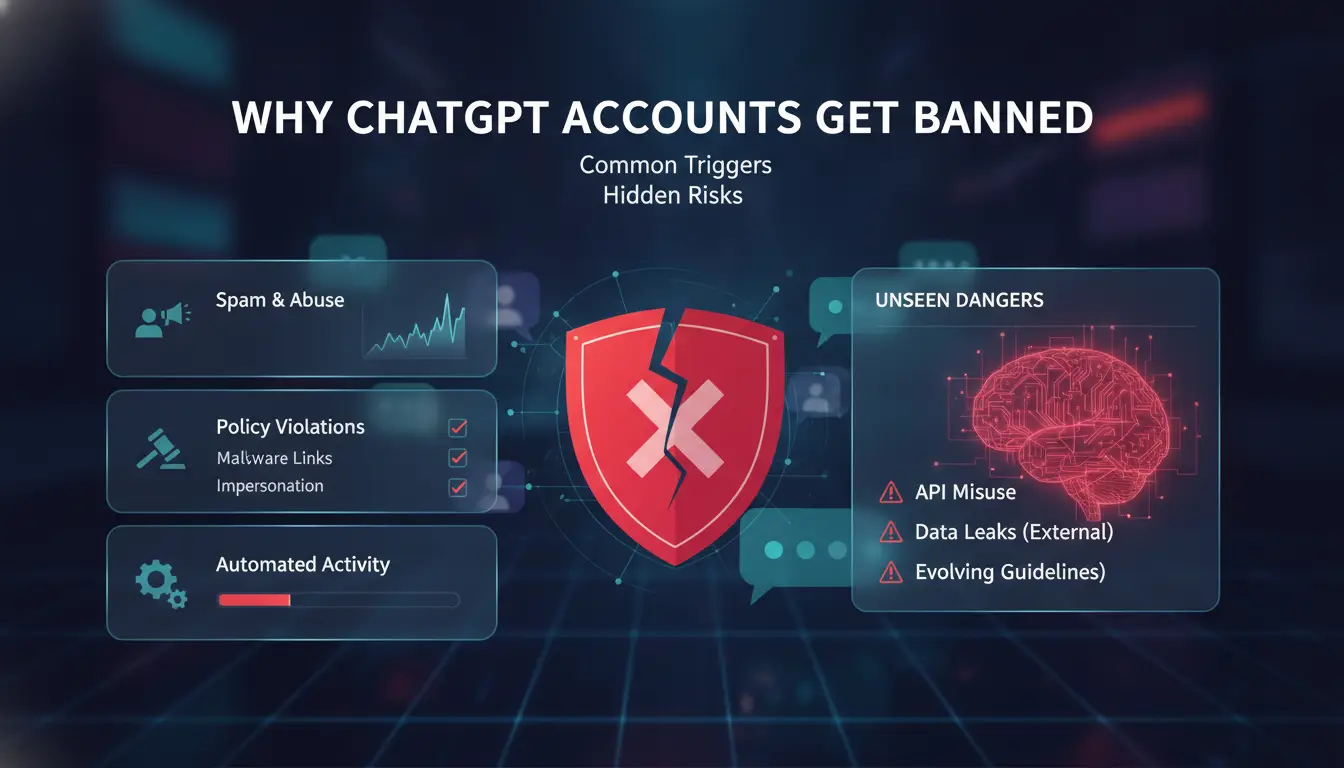
OpenAI bans ChatGPT accounts for more than just obvious rule-breaking. Most users hit a wall not because they posted something wild, but because the system spots patterns that look risky, even if you never meant to break the rules. Understanding these triggers makes your chatgpt account appeal more likely to succeed, and helps you avoid a second ban right after recovery.
Top Policy Violations That Lead to Bans
OpenAI watches for clear problems. Accounts get banned fast for abuse, like spamming ChatGPT, sending automated prompts, or pushing prohibited content such as adult material or hate speech. Even one mistake can lead to a lock.
Suspicious activity is also a major trigger. If your account logs in from different countries in a short time, or you share access with friends, OpenAI may flag the behavior as sharing or “account farming.” They use technical signals, not just what you type.
Hidden Risks: Multi-Account Use, Shared Devices, and IP Issues
One of the biggest hidden risks is overlapping device or IP usage. If you log in to ChatGPT from multiple accounts on the same device or through the same proxy, OpenAI’s system connects those accounts, even if names and emails are different. Many bans happen because people run two personal accounts or switch between work and home machines.
Team use is a high-risk move. If several people access ChatGPT from one location, the accounts can quickly get linked and restricted. Account farming, making batches of accounts on the same network, almost always ends in bans. For users managing multiple accounts, safe browser profiles and unique proxies matter. You can use a tool like DICloak to set up separate environments and lower your risk of a chain ban.
Country Restrictions and Regional Bans
Location plays a big role. OpenAI blocks ChatGPT in countries with heavy internet controls or where local law doesn’t allow AI use. If you travel or move, sudden changes in login location trigger extra checks and can freeze your account.
If your country is blocked, appeals usually don’t work. You can only recover ChatGPT account access if you log in from an approved region. For up-to-date details, check OpenAI’s help page or the Wikipedia list of restricted countries.
What to Do Before You Submit a ChatGPT Account Appeal
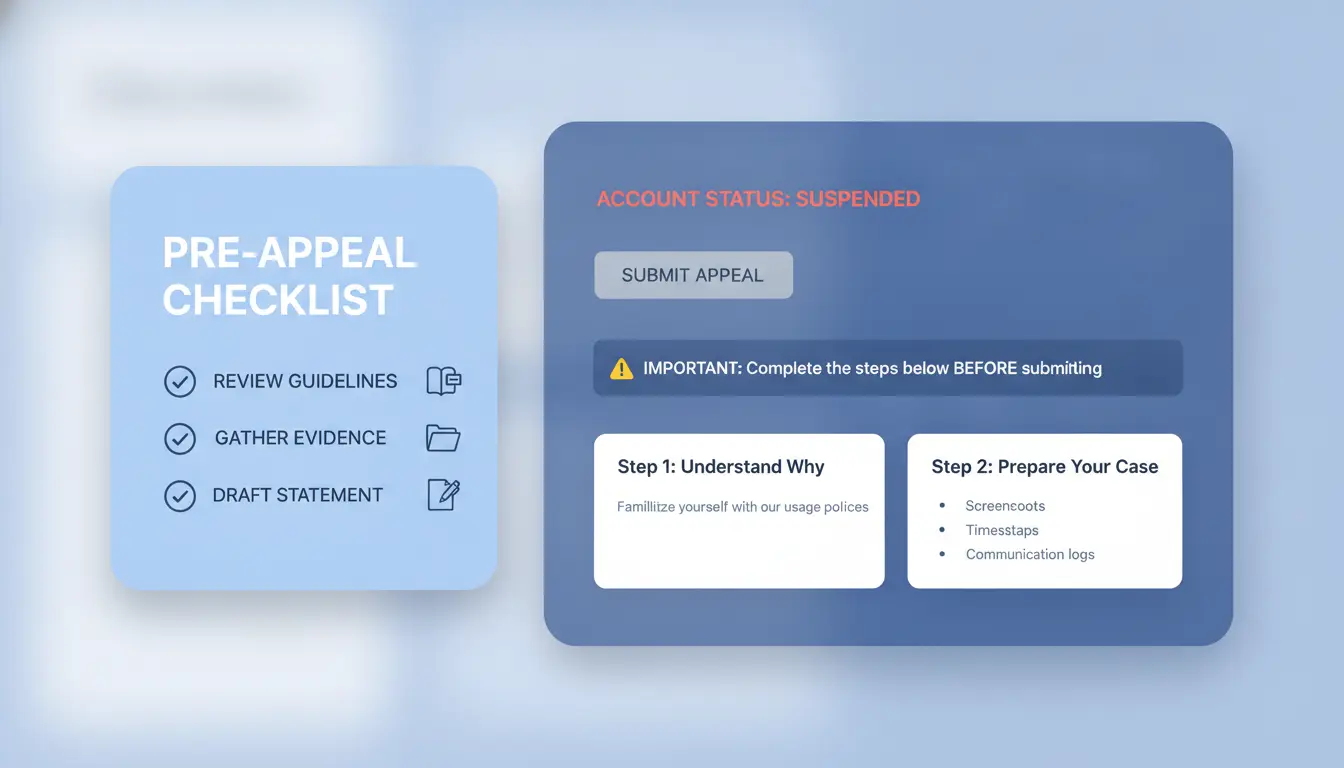
Jumping straight into a chatgpt account appeal without prep can backfire. OpenAI rarely reverses bans if your appeal looks rushed or lacks proof. Before you send anything, you need to protect your data, check what triggered the block, and pull together clear evidence for your case.
Exporting Your ChatGPT Data and Conversations
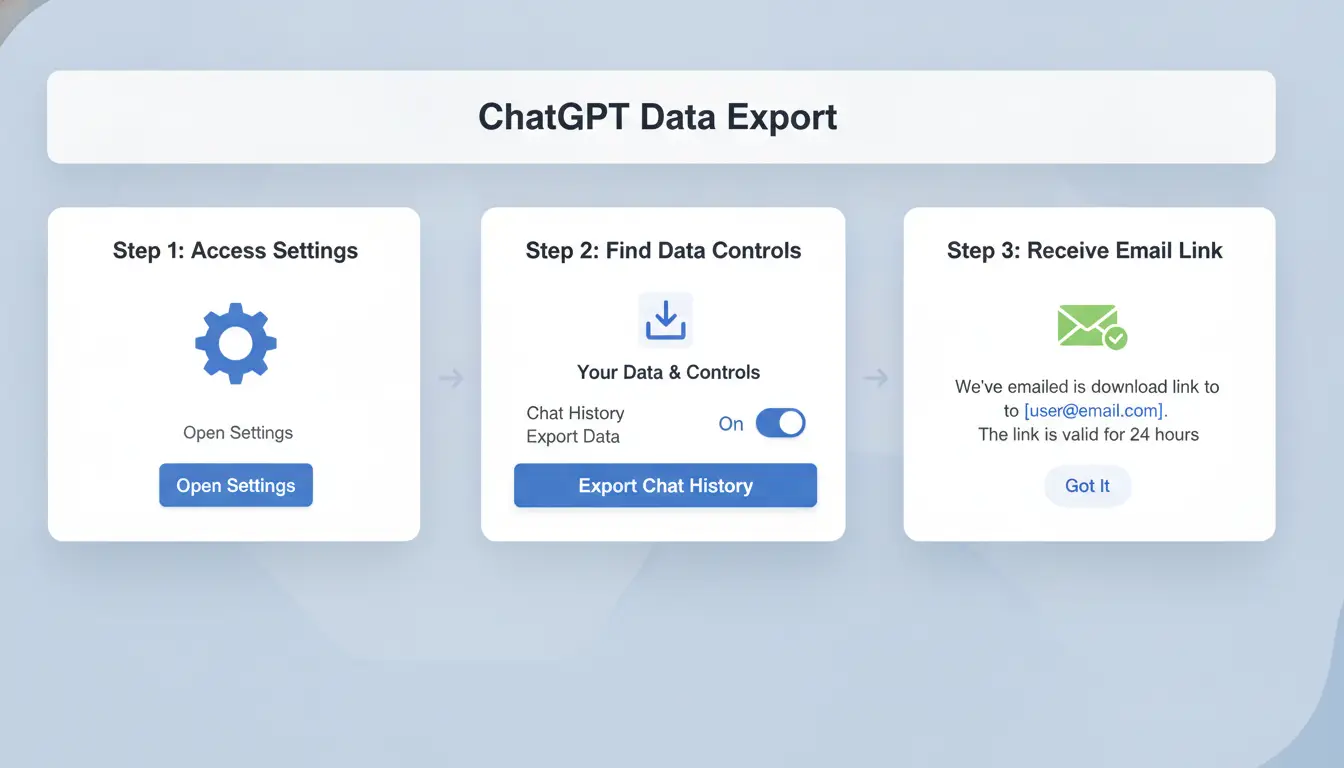
Always back up your chats and files before starting a ChatGPT ban appeal. Once your account gets flagged, you might lose access for days or longer. OpenAI can lock your history without warning, so download your important conversations and any files you've uploaded. Go to your ChatGPT account settings, look for “Data Controls,” and use the export option, this sends a download link to your email. If you skip this step, you risk losing all your past work, which you’ll need if you want to recover ChatGPT account access later.
Assessing the Reason for Your Ban
Don’t assume you know why you got banned. Check your recent actions, did you use a new proxy, share a device, or log in from multiple locations fast? Review any emails from OpenAI for clues. If you suspect your account was accessed without your OK, scan your devices for malware and change your passwords right away. Sometimes, bans come from simple mistakes, like reusing browser profiles or switching accounts too quickly, which you need to explain in your appeal.
Preparing Evidence and Appeal Materials
A strong chatgpt account appeal is clear and organized. Gather screenshots that show your login history, emails from OpenAI, and any logs that prove your account was used by you, not someone else. Write a short, direct explanation of what happened and what you did to fix the issue. Keep your attachments under 5MB, and use common formats like PDF or PNG. Missing proof or sending a messy claim almost always gets you ignored. Check OpenAI’s help page for the latest submission rules before you send your appeal.
How to Write and Submit a Strong ChatGPT Account Appeal
Getting your account back starts with a careful approach, not just sending a quick note. OpenAI’s review team checks details, history, and patterns behind bans. If your ChatGPT account appeal is rushed or incomplete, you may lose the chance to recover ChatGPT account access for good. Here’s how to do it right.
Where and How to Submit Your Appeal
Use the official OpenAI support page or email support@openai.com directly. The web form asks for your account email, a description of your issue, and any supporting files. Make sure you submit from the same email linked to your banned account, using a different address often delays the process. Attach screenshots if you have them. Include device details, browser type, and any proxy use. If your ban relates to multiple accounts or shared devices, mention it up front. OpenAI wants clear, honest info, not excuses.
What to Include in Your Appeal Message
Your appeal should be short, direct, and respectful. Start with your account email and describe what happened. If you think it was a mistake, like using a shared proxy or browser profile, explain that, but don’t accuse OpenAI or admit to breaking rules. Attach evidence if you can, such as login logs or screenshots showing normal activity. Here’s a sample template:
“My account (email: youremail@example.com) was banned after I logged in from a different device. I did not violate any policies. I sometimes use shared proxies for work. Please review my account for possible errors.”
Tone matters. Avoid emotional language. Show you’re willing to cooperate.
Common Mistakes That Lead to Rejected Appeals
The most common errors are missing info, vague explanations, or admitting to violations. If you don’t explain device changes or proxy use, OpenAI may see that as hiding something. Writing a confrontational message nearly always leads to a rejection. The biggest mistake is reusing old browser profiles or proxies after a ban, this triggers linked-account bans and kills your chance for OpenAI account unban. Make sure each appeal is honest, complete, and focused on facts.
What Happens After You Appeal: Timelines, Outcomes, and Next Steps
Submitting a chatgpt account appeal isn’t the finish line, it’s the start of a waiting game. OpenAI’s support system doesn’t guarantee quick answers, and the outcome depends on more than just your message. Here’s what you should expect, what each response really means, and what to do if your appeal doesn’t go your way.
How Long Does a ChatGPT Appeal Take?
Most users get a reply within 2–7 days, but there’s no fixed timeline. If your account was banned for policy violations, responses tend to arrive faster. Cases involving device fingerprint overlaps or proxy issues can take longer, especially if OpenAI needs to review log data. Using the same browser profile or IP for multiple accounts is a common reason for delays. You can track updates in your support ticket, but don’t expect instant feedback, OpenAI support sometimes takes up to 14 days during busy periods. For status details, check OpenAI’s Help Center.
Possible Appeal Outcomes and What They Mean
OpenAI replies in three main ways: account restored, denied, or flagged for further review. If your ChatGPT ban appeal succeeds, you’ll get access back, sometimes with a warning about future activity. A denial usually points to policy violations or repeated risky login behaviors. “Further review” means your case needs more checking; you might be asked for extra details. The key is to read the support reply closely. If they mention “linked accounts” or “fingerprint conflicts,” your risk is higher for future bans. For more about account status, see OpenAI’s official guidelines.
What to Do If Your Appeal Fails
If your appeal is denied, you have a few options. You can reply and ask for clarification or submit a new appeal if you have fresh evidence. Protect your data, download any important files if you still have limited access. To avoid repeat issues, change your proxy, clear browser fingerprints, and don’t reuse device setups for new accounts. Using tools like DICloak helps isolate browser profiles and manage proxies, which lowers the risk of linked bans when trying to recover ChatGPT account access. If all else fails, consider starting over with a clean device and network.
The most important step after a failed OpenAI account unban is to change how you manage accounts, reusing setups nearly always triggers new restrictions.
How to Reduce Ban Risk When Managing Multiple ChatGPT Accounts (with DICloak)
Managing several ChatGPT accounts sounds easy, until bans start piling up and the chatgpt account appeal process drags on. The real issue is hidden linkage: browser fingerprints, overlapping cookies, and reused IP addresses make OpenAI’s detection far more aggressive than most expect. Manual switching and team handovers can leave traces that tie accounts together, turning a simple mistake into a full restriction chain.
Why Multi-Account Management Is Risky Without Proper Tools
OpenAI bans are not just about policy. If two accounts share a fingerprint or IP, even once, both might get flagged. Quick manual logins, reusing browser profiles, or copying cookies can trigger restrictions. Team sharing gets risky when people use the same device or proxy. Once accounts are linked, even a clean chatgpt account appeal can fail because the system sees a pattern.
How DICloak Helps: Isolated Profiles, Proxy Integration, and Team Collaboration
You can use tools like DICloak to build unique browser profiles for each ChatGPT account. DICloak’s isolated profiles stop fingerprint overlap, while proxy integration keeps IPs from crossing. Team collaboration lets you assign access and log every action, so you always know who did what. RPA automation reduces manual errors that often cause bans.
Best Practices for Ongoing Safety and Compliance
Routine audits and operation logs help spot risky actions before they snowball. Use profile sharing only when needed; avoid linking accounts through team mistakes. If you want a smoother OpenAI account unban or recover ChatGPT account access, keep every login isolated, every time.
When to Move On: Alternatives If Your ChatGPT Appeal Fails
If your chatgpt account appeal leads nowhere, you need a clear plan, blind retries just raise your risk of permanent bans. Many users waste days hoping for a reply or keep making new accounts that get flagged again. The real question is how to start over without repeating mistakes, and what tools or platforms can keep your workflow running.
Can You Create a New ChatGPT Account Safely?
Opening a new account after a failed ChatGPT ban appeal is risky. OpenAI tracks device fingerprints, IP addresses, and browser profiles. If you reuse the same proxy or browser setup, your new account might get banned within hours. To break the link, use a new device profile and a clean proxy. Tools like DICloak browser let you isolate account environments, so your new login looks different to OpenAI’s detection systems. Never recycle recovery emails or phone numbers from banned accounts, a single overlap can trigger another restriction.
Exploring Other AI Platforms and Tools
If you can’t recover ChatGPT account access, you can switch to alternative AI platforms. Popular options include Claude AI, Google Gemini, and Microsoft Copilot. Each has its strengths and limits. Here’s a quick comparison:
| Platform |
Free Tier |
Notable Limits |
Link for Signup |
| ChatGPT |
Yes |
Strict bans, limited resets |
OpenAI |
| Claude AI |
Yes |
Region restrictions, slower reply |
Claude AI |
| Gemini |
Yes |
Google account required |
Gemini |
| Copilot |
Yes |
Needs Microsoft login |
Copilot |
Each tool handles account safety and recovery differently. Migrating your workflow means exporting chat logs, templates, or prompt libraries, most platforms let you download or transfer content, but check their help pages for details.
Lessons Learned: How to Avoid Future Account Loss
The biggest mistake is ignoring why your OpenAI account unban failed. Set up a safer workflow from the start: keep each account in its own browser profile, use unique proxies, and document every compliance step. Regular backups of your prompts and chat histories help in case you need to switch platforms fast. Missing these steps is what usually leads to repeat bans and wasted appeals. If you want to avoid losing access again, build your routines around isolation and traceability.
Frequently Asked Questions
Can I appeal a ChatGPT ban more than once?
Yes, you can submit a chatgpt account appeal more than once, but only if you have new information or if your first appeal was not answered. OpenAI recommends only appealing again if you can clarify mistakes or add evidence. Sending many appeals without new details may not help and could delay a decision.
What evidence increases my chances in a ChatGPT account appeal?
For a successful chatgpt account appeal, submit clear proof you followed OpenAI’s rules. Useful evidence includes screenshots showing your account activity, explanations about flagged actions, or proof of account ownership. Showing you understand the rules and have fixed any problems also helps your case.
Is it safe to use proxies or team tools with ChatGPT accounts?
Using proxies or team management tools can make your account look suspicious to OpenAI. If you must use them, choose trusted services and always follow OpenAI’s terms. Sharing accounts or using unknown proxies may cause bans or make a ChatGPT ban appeal harder to win.
How long does it take to recover a banned ChatGPT account?
Recovering a ChatGPT account after a ban usually takes a few days to a week if you submit a clear appeal. Complicated cases or missing information can slow things down. Respond quickly to OpenAI’s requests and give all needed details to speed up the recover ChatGPT account process.
Will OpenAI tell me exactly why my account was banned?
OpenAI does not always give detailed reasons for bans. You might get a general explanation, like “violation of terms of service.” This means you may not know the exact action that caused the ban. For more details, include specific questions in your OpenAI account unban appeal.
Navigating the ChatGPT account appeal process requires patience and clear communication to resolve issues efficiently. Understanding the common reasons for account restrictions and providing detailed, accurate information during your appeal increases your chances of reinstatement. Try DICloak For Free
 Web Proxy Tools
 Free Tools
 Cookie Plugin
 UA Generator
 MAC Address Generator
 IP Generator
 IP Address List
 2FA Code Generator
 World Clock
 Anonymous Check
 WebRTC Leak Test
 UUID Generator
 Free Web Proxy Site
 Proxy Checker
 FB Ad Checker
 AI Web Scraping
 Free SMM Tools
 Twitter Shadowban Checker
 Instagram Name Checker
 UTM Generator
 Username Generator
 AI Hashtag Generator
 LinkedIn Headline Generator
 Social Media Image Resizer