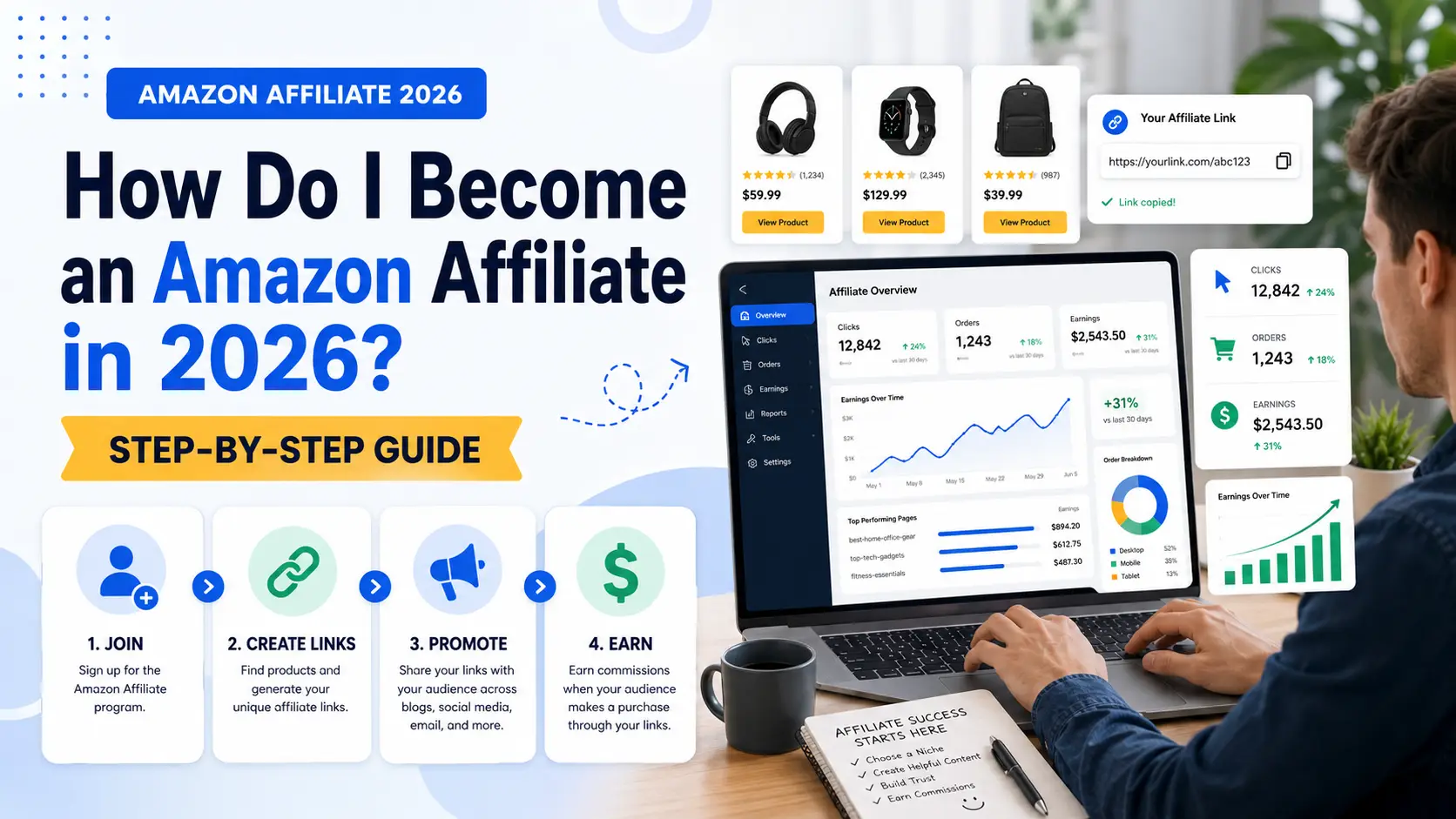
Becoming an Amazon Affiliate in 2026 means joining the Amazon Associates Program and earning commissions when people buy products through your links. It is one of the most popular ways to start affiliate marketing because Amazon sells millions of products in many categories.
The basic idea is simple. You create useful content, add Amazon affiliate links, and earn money from qualifying purchases. For example, a camping blogger can review a tent, add an Amazon link, and earn a small commission when readers buy that tent through the link.
This guide explains how to become an Amazon affiliate, what rules you need to follow, and how to build a simple workflow that can grow over time.
What Is the Amazon Affiliate Program?
Before you sign up, it helps to understand how the program works. The official name is Amazon Associates. It lets bloggers, creators, and publishers earn commissions by recommending Amazon products.
Amazon Associates works through special tracking links. After you join, you can create affiliate links for Amazon products. When someone clicks your link and makes a qualifying purchase, you may earn a commission.
For example, a small tech blog may write a review of a wireless mouse. If a reader clicks the Amazon affiliate link and buys the mouse, the blog can earn money from that sale.
Who the Amazon Affiliate Program is best for
The Amazon Affiliate Program is best for people who already create useful content. This can be a blog, YouTube channel, product review site, app, or public social media page.
It works best when your product recommendations match your content. A cooking blogger can recommend pans, air fryers, or kitchen tools. A home office creator can recommend desks, chairs, monitors, or lamps.
How Amazon affiliates earn commissions
Amazon affiliates do not earn money just by adding links. Readers must click the links and buy eligible products. The commission rate depends on the product category and Amazon’s current rules.
This is why trust matters. A helpful review or honest comparison can make readers more likely to click and buy.
What Are the Requirements to Join the Amazon Affiliate Program in 2026?
The Amazon Affiliate Program is free to join, but you still need to meet basic requirements. Amazon wants to see that your platform is real, public, and useful for shoppers.
Minimum age, country, and account requirements
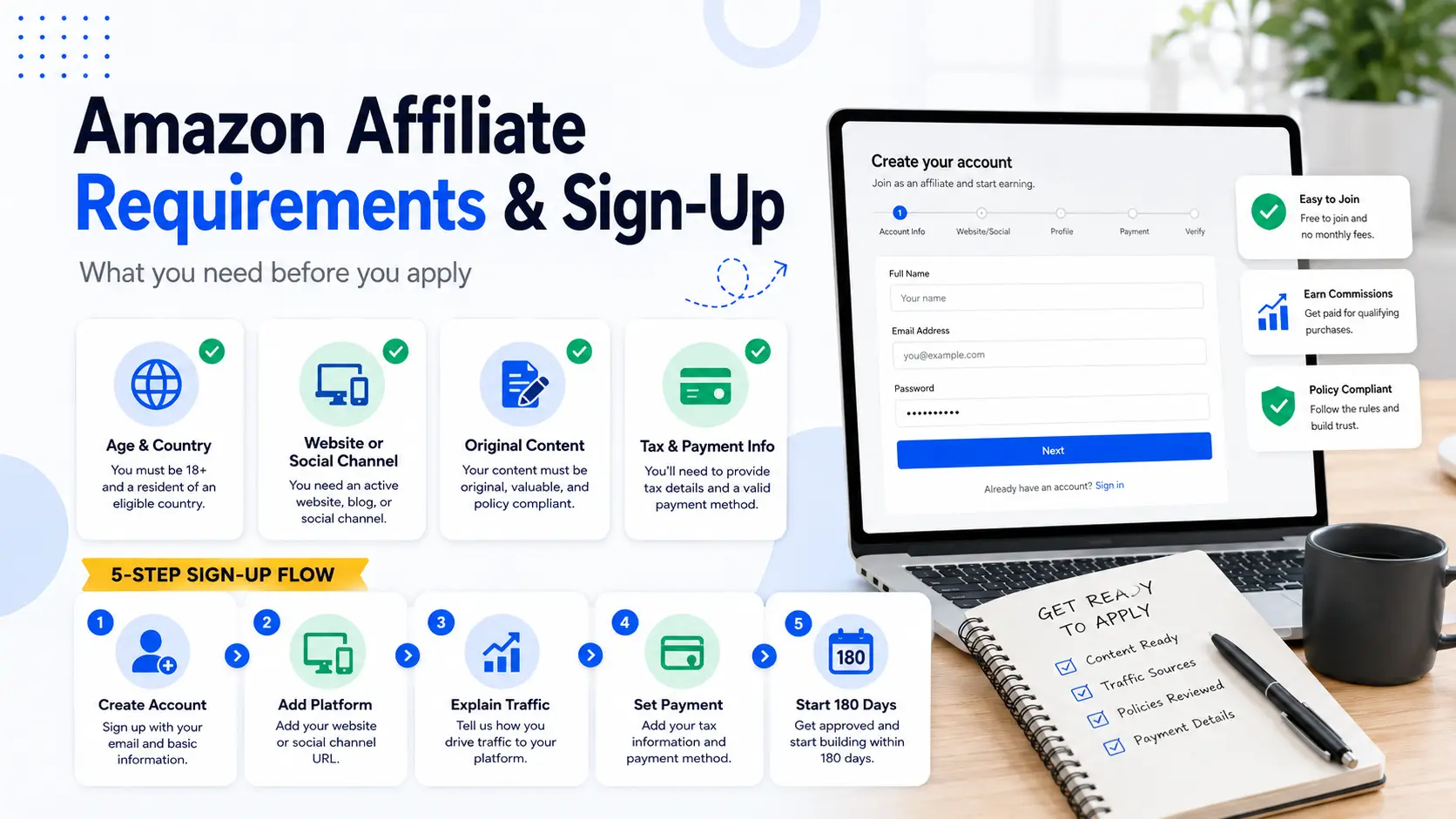
You usually need to be at least 18 years old to join because you are entering a business agreement. You also need to live in a country or region supported by Amazon Associates.
You will need an Amazon account, a valid email address, payment details, and tax information. These details help Amazon review your account and pay your commissions later.
Website, app, and social media requirements
Amazon asks where you plan to place your affiliate links. You can use a website, blog, app, YouTube channel, or public social media page.
Your platform should be live and easy to check. If your site is private, broken, or under construction, Amazon may not approve it.
For example, a cooking blog with real recipes and helpful product tips is stronger than a one-page site with no clear content.
What kind of content Amazon usually accepts
Amazon usually looks for original and helpful content. Good examples include product reviews, buying guides, how-to posts, tutorials, and comparisons.
For example, a travel blogger can review backpacks, packing cubes, and portable chargers. This kind of content helps readers make buying decisions.
Copied product descriptions, thin pages, and random product lists are weaker. They do not give readers much value.
Common reasons Amazon Affiliate applications get rejected
Many applications fail because the site or channel is not ready. Common reasons include too little content, copied content, no clear topic, private pages, broken links, or poor use of Amazon’s name.
For example, a tech reviewer with only two short posts may struggle to get approved. It is better to build a small library of useful content before applying.
How to Sign Up for the Amazon Affiliate Program
Once your platform is ready, you can start the sign-up process. The steps are not hard, but you should fill in each part carefully.
Step 1: Go to Amazon Associates and create your account
Go to the Amazon Associates website for your country. Then create an account or sign in with your current Amazon account.
Use your real name and email. Amazon may use this information for account checks, tax forms, and payments.
Step 2: Add your website, app, or social media channel
Next, add the place where you will share affiliate links. This may be your blog, YouTube channel, app, or public social account.
Only add platforms you own or control. For example, if you run a camping blog, add that blog URL. If you make gear review videos, add your public YouTube channel.
Step 3: Explain how you plan to drive traffic
Amazon will ask how people find your content. Keep your answer clear and honest.
For example, you can say: “I write buying guides for home office products. Most visitors come from Google search. I plan to add Amazon affiliate links in reviews and comparison posts.”
This shows that your traffic plan matches your content.
Step 4: Set up your payment and tax information
After sign-up, add your payment and tax details. Payment options may include direct deposit, Amazon gift card, or check, depending on your country.
Do not skip this step. If your tax information is missing, your payments may be delayed.
Step 5: Understand the first 180 days after joining
After joining, new Amazon Associates accounts need to bring in qualifying sales within the first 180 days. Amazon reviews your application after you reach the required sales.
This is why timing matters. Do not apply too early if your site has only one or two short posts. It is better to publish useful content first, then apply when you have a better chance of getting clicks and sales.
How to Choose the Right Products to Promote as an Amazon Affiliate
After you sign up, the next step is choosing products. This step matters because the wrong product can waste good traffic.
Choose products that match your niche
The best Amazon affiliate products should fit your niche. If your site is about home workouts, promote dumbbells, yoga mats, resistance bands, or workout benches.
Do not promote random products just because they are popular. A fitness blog should not suddenly push phone cases. Readers may feel confused.
Check price, reviews, demand, and buyer intent
Before adding an Amazon affiliate link, check the price, reviews, rating, and demand. Also think about why someone would buy the product.
For example, a $12 kitchen sponge may sell often, but each commission is small. A $180 air fryer may sell less often, but each sale may earn more.
Buyer intent also matters. A person searching “best laptop stand for neck pain” is closer to buying than someone searching “what is a laptop stand.”
Compare low-price products and high-ticket products
Low-price products are easier to buy. High-ticket products can bring larger commissions, but people may take longer to decide.
A home office blog can promote both. It may recommend a budget desk lamp in one guide and review a higher-priced office chair in another. This gives the site more ways to earn.
Avoid products that do not fit your audience
A product can have good reviews and still be wrong for your readers. Think about their budget, needs, and buying reason.
For example, a backpacking blog should not promote heavy luggage in every article. Lightweight backpacks, packing cubes, and portable chargers may fit the audience better.
How to Create Amazon Affiliate Links That Convert
Once you choose the right products, you need to create links and place them well. A good link should feel helpful, not forced.
How to create product links in Amazon Associates
You can create Amazon affiliate links inside your Amazon Associates account. Many affiliates also use SiteStripe when logged in to Amazon.
For example, if you want to promote a coffee grinder, open the product page, create your affiliate link, and add it to your review or buying guide.
Where to place affiliate links in your content
Place links where readers are ready to act. Good spots include product names, short review sections, comparison tables, and “best for” recommendations.
For example, in a guide called “Best Coffee Grinders for Small Kitchens,” you can place one link after each product review. This helps readers click when they already understand the product.
How to write natural product recommendations
Your recommendation should explain why the product fits a real need.
Instead of writing, “Buy this desk lamp now,” write: “This desk lamp works well for small desks because it folds flat and has three light settings.”
That feels more useful and less pushy.
Common affiliate link mistakes to avoid
Do not add too many links. A page full of links can look spammy and hurt trust.
Also, do not hide your affiliate relationship. Add a clear disclosure near your content, such as: “As an Amazon Associate, I earn from qualifying purchases.”
How to Promote Amazon Affiliate Links in 2026
After you create your links, you need the right traffic. More visitors can help, but matched visitors are better. You want people who already care about the product topic.
Use blog posts and SEO content for long-term traffic
SEO content can bring steady traffic from Google. Good formats include product reviews, buying guides, comparisons, and problem-solving posts.
For example, a pet blog can write “Best Dog Beds for Small Apartments.” The reader has a clear need, so the article can naturally include Amazon affiliate links.
Use YouTube reviews, tutorials, and comparison videos
YouTube works well because people like to see products before buying. You can create reviews, setup videos, demos, or comparison videos.
For example, a creator can compare two budget microphones and add Amazon affiliate links in the description. A clear disclosure should appear near the links.
Use social media without spamming links
Social media can help you reach new readers. You can use TikTok, Instagram, Facebook, Pinterest, or X. But do not post the same link again and again.
A better way is to share useful content first. A kitchen creator can post a short air fryer recipe, then mention the air fryer used and add the link where the platform allows it.
Build niche-focused content instead of promoting random products
Niche-focused content usually performs better because it attracts the right audience. A home office site should focus on desks, chairs, monitors, lighting, and cables.
When your content has a clear theme, readers understand why you recommend each product.
What Legal and Compliance Rules Must Amazon Affiliates Follow?
Amazon affiliate marketing is not only about clicks and sales. You also need to follow the rules. This protects your account and helps readers trust you.
How to write a clear affiliate disclosure
Every Amazon affiliate needs a clear disclosure. Readers should know that you may earn money when they buy through your links.
A simple disclosure can say: “As an Amazon Associate, I earn from qualifying purchases.”
Place it where people can see it before they click. On a blog, this can be near the top of the article. On YouTube, it can be in the description near the links.
Where you can and cannot place Amazon affiliate links
Use Amazon affiliate links only in approved places. These may include your website, blog, app, public social page, or video description if they are listed in your Amazon Associates account.
Be careful with emails, private messages, PDFs, and offline files. These placements can have stricter rules.
Why you should not copy Amazon reviews or product images without care
Do not copy Amazon customer reviews and present them as your own content. Write your own review or product notes.
Also be careful with prices, ratings, and images. Product details can change. Old prices can mislead readers.
For example, instead of copying a customer review, write your own note: “This blender may work well for small kitchens because it has a compact size and simple controls.”
What happens if you break Amazon Associates rules
If you break Amazon affiliate rules, Amazon may reject your application, hold earnings, or close your account.
The safer path is simple. Use clear disclosures. Share links only where allowed. Write original content. Keep product information honest and updated.
How to Track and Improve Your Amazon Affiliate Performance
After you follow the rules and start sharing links, you need to track your results. This helps you see which pages, products, and links bring real sales.
How to read clicks, ordered items, shipped items, and earnings
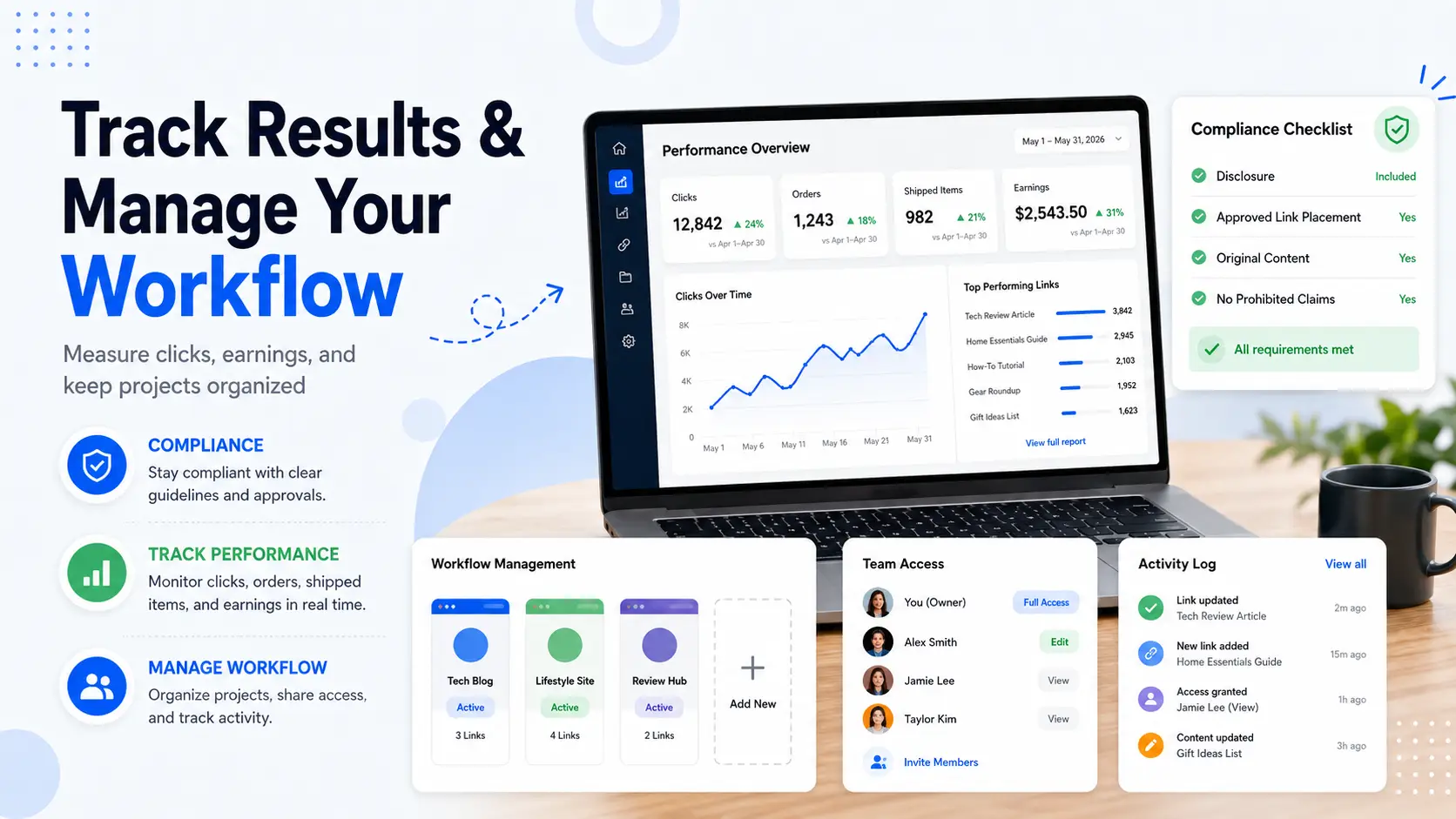
Amazon Associates reports can show clicks, ordered items, shipped items, and earnings. These numbers show what happens after people click your links.
For example, a coffee maker review may get 80 clicks but only one order. This may mean the product is too expensive, the review is not clear enough, or the link appears too late in the article.
How to find which products perform best
Check which products get orders, not just clicks. A product with fewer clicks but more sales may be a better fit for your audience.
For example, a tech blog may promote three wireless keyboards. If one model brings most sales, the writer can feature it higher or create a full review for it.
How to update old content and improve weak links
Old content can lose value when products change, prices rise, or items go out of stock. Review your top pages every few months.
For example, if a “best running shoes” guide still links to old models, update it with newer options. This can make the page more useful and improve Amazon affiliate performance.
When to test new products, titles, and content formats
Small tests can help you improve results. You can test a clearer title, a better comparison table, or a different link placement.
For example, a YouTube creator may find that comparison videos get fewer views than short reviews, but bring more sales. That data helps with future content planning.
How to Keep Your Amazon Affiliate Workflow Organized as You Grow
Managing one Amazon affiliate site is usually simple. You write content, add links, promote the page, and check reports. But once you run several niche sites, social channels, and team tasks, the real challenge becomes organization.
Separate each project before it gets messy
Each affiliate project should have its own workspace. A tech review blog, a home office site, and a kitchen product project may use different links, social accounts, dashboards, and content calendars.
This is where DICloak can help. You can create separate browser profiles for different projects or channels, then name them clearly, such as “Affiliate-Test” or “Kitchen Reviews - Pinterest.” This makes it easier to work in the right place without mixing accounts, links, or campaign assets.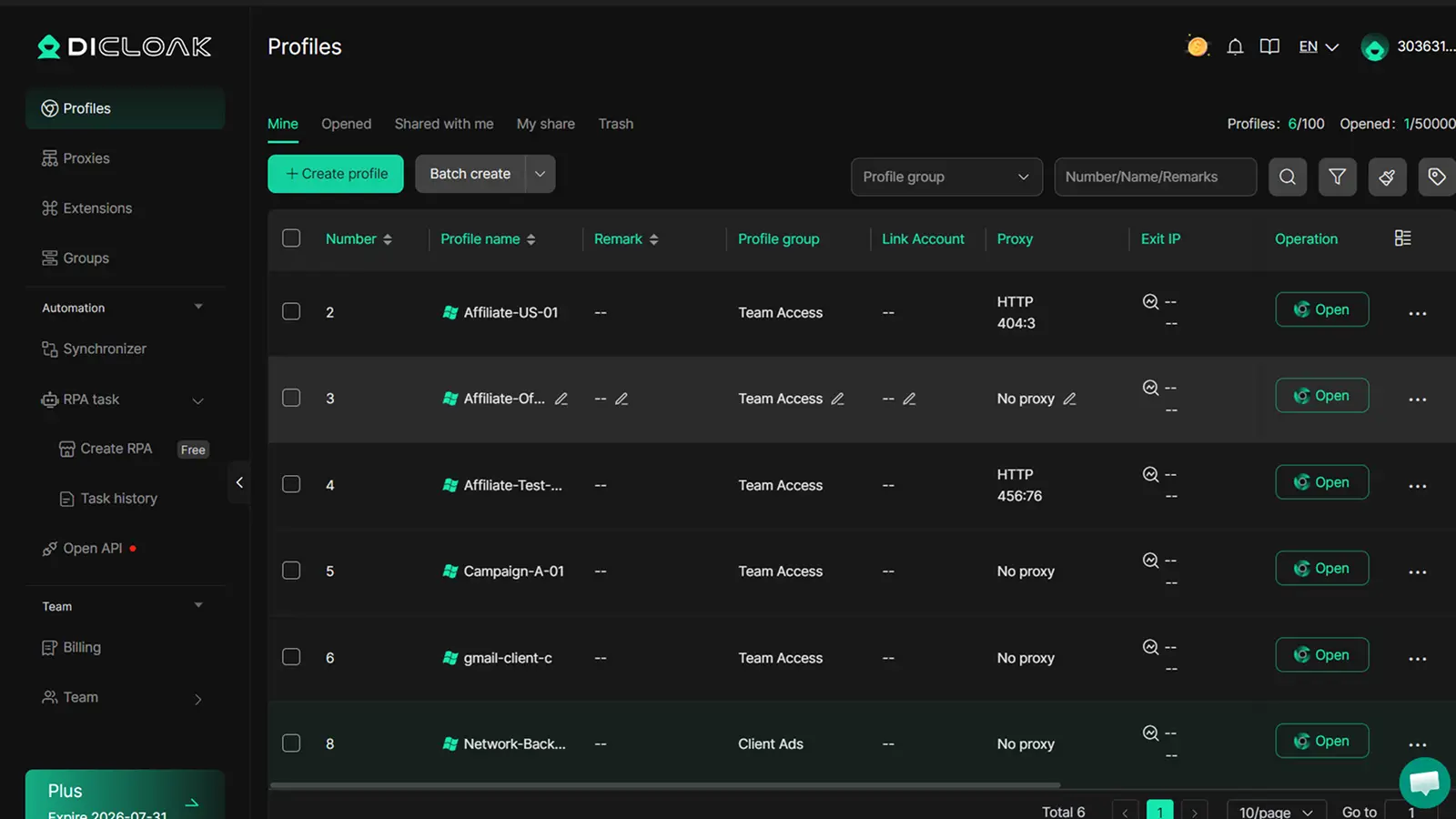
Give team members the right access
Affiliate teams often include writers, assistants, editors, or media buyers. Sharing full account access can create confusion and errors.
With DICloak, you can share selected profiles and set role-based permissions. Team members work only in their assigned project workspace, while managers retain control over account access and settings.
Review activity and reduce repeated work
When multiple people manage content, links, or dashboards, it’s important to know who did what. Operation logs in DICloak make it easy to review activity and track changes.
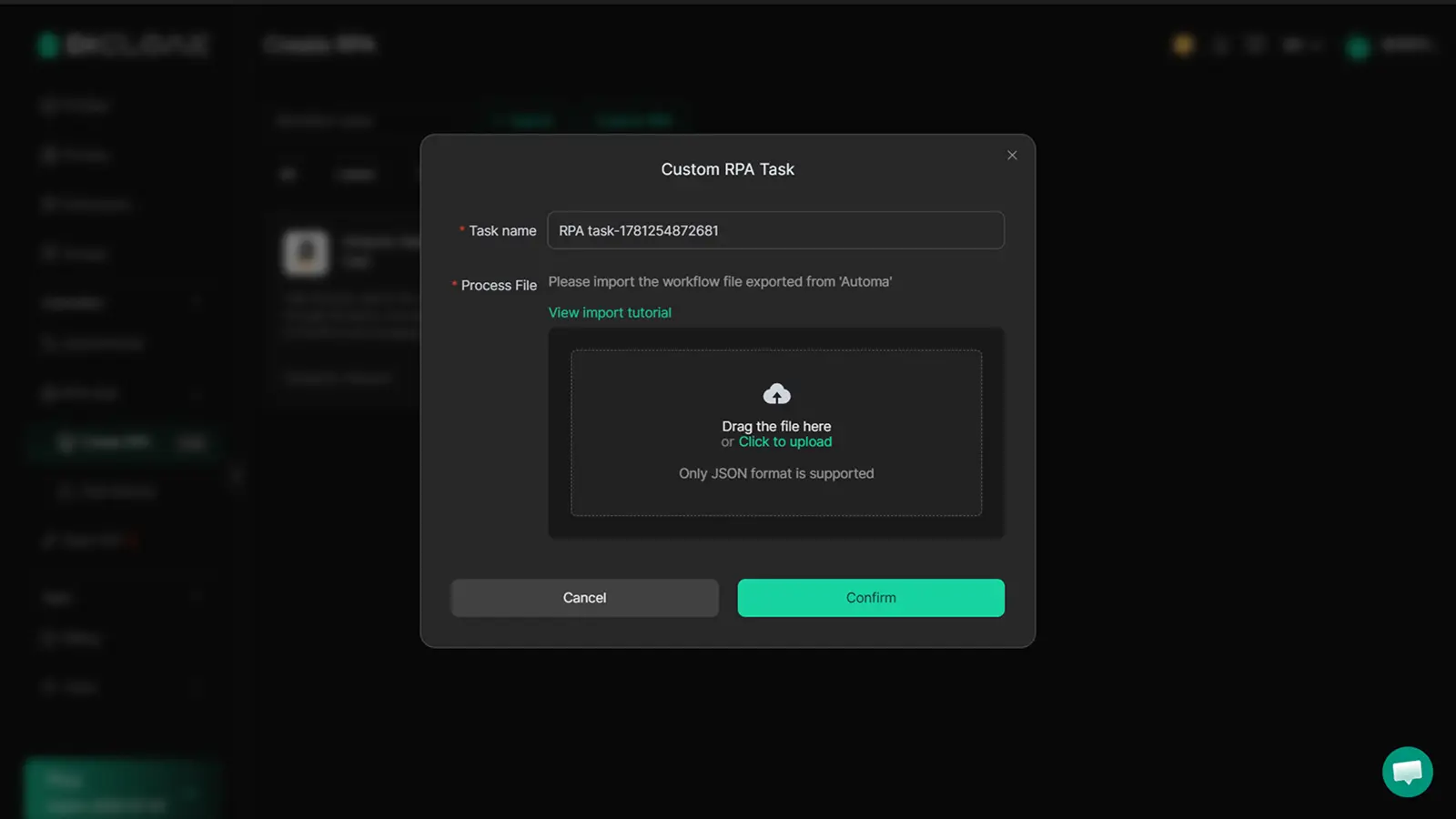
RPA workflows can reduce repetitive browser tasks, like checking multiple dashboards or updating links across projects, making daily operations more efficient.
FAQ about Amazon Affiliate Program
How do I become an Amazon affiliate in 2026?
Join the Amazon Associates Program, add your website or social account, create affiliate links, and start sharing them. Make sure your content follows Amazon’s rules.
Is it free to join the Amazon Affiliate Program?
Yes. Joining Amazon Associates is free. You only need a valid platform, payment details, and tax information.
Do I need a website to become an Amazon affiliate?
Not always. You can also use a public app, YouTube channel, or social media page if it follows Amazon’s rules.
Can I use Amazon affiliate links on YouTube, TikTok, or Instagram?
Yes, if the account is public and listed in your Amazon Associates account. You also need a clear affiliate disclosure near your links.
What happens if I do not make sales within 180 days?
Amazon may close your account if you do not make the required qualifying sales. You can reapply later with stronger content and better traffic.
Start your Amazon affiliate journey with the right niche, useful content, and clear disclosures. When your workflow grows across multiple projects, channels, or team members, DICloak helps keep everything organized in separate browser profiles.Try DICloak for free.
 Web Proxy Tools
 Free Tools
 Cookie Plugin
 UA Generator
 MAC Address Generator
 IP Generator
 IP Address List
 2FA Code Generator
 World Clock
 Anonymous Check
 WebRTC Leak Test
 UUID Generator
 Free Web Proxy Site
 Proxy Checker
 FB Ad Checker
 AI Web Scraping
 Free SMM Tools
 Twitter Shadowban Checker
 Instagram Name Checker
 UTM Generator
 Username Generator
 AI Hashtag Generator
 LinkedIn Headline Generator
 Social Media Image Resizer