When Meta cut ad account access for hundreds of agencies in March 2026, campaign managers scrambled to keep paid traffic running. Google Ads remains the default for search and display, but rising click costs and stricter account controls have pushed many to seek a google ads alternative. Switching isn’t just about choosing a new platform, most teams face hidden risks, from sudden bans to lost tracking data. Even experienced marketers who moved budgets to Microsoft Advertising or TikTok Ads found that platform rules, account setup, and conversion reporting changed their workflow more than expected.
Real-world teams now compare Google Ads competitors like Facebook Ads, TikTok, and regional platforms, not just for pricing, but for account reliability and access control. For agencies handling multiple brands, the stakes are higher: one misstep can put all client accounts at risk. That’s why many now use browser profile tools such as DICloak to keep account fingerprints, proxies, and team permissions isolated, especially when switching platforms.
If you’re weighing alternatives to Google Ads, the real question isn’t “which platform is cheaper?” but “how do I avoid losing control of my paid campaigns?” Here’s what you need to check before making the switch.
Why Advertisers Look for Google Ads Alternatives: What Problems Are You Trying to Solve?
Most advertisers searching for a Google Ads alternative are not just price shopping, they’re reacting to real pain points. Whether you run campaigns for your own business or manage accounts for clients, certain problems with Google Ads keep coming up. Understanding these is the first step before you switch to other paid advertising platforms.
Common Frustrations with Google Ads
Google Ads is popular, but it brings some unique headaches. High cost per click is a top complaint. For many industries, you can see prices jump past $10 per click, which drains budgets fast, especially if you’re competing with large brands. Some advertisers report that even small campaigns burn through funds before they see results.
Strict policy enforcement is another big issue. Google’s automated systems can flag or ban accounts with little warning. A single mistake, like using words Google doesn’t allow, or a mismatch between your ad and landing page, can get your account suspended. Once banned, getting an account back is slow and often unsuccessful. Agencies managing multiple clients risk losing all access if one mistake triggers a wider ban.
| Problem |
Why It Matters |
| High cost per click |
Eats through budget quickly |
| Account bans |
Can lock you out with no warning |
| Strict ad policies |
Easy to make costly mistakes |
Table: Key Google Ads frustrations. Based on advertiser feedback and Google Ads policy documentation.
When Switching Platforms Makes Sense
It’s not always about saving money. Some businesses find Google’s targeting too broad, making it hard to reach niche or local groups. If your audience is younger, or you need to reach them on mobile, TikTok Ads or Facebook Ads may fit better. Others get better return on investment using regional ad networks or direct buys.
The real turning point is when Google’s rules or costs block your growth. That’s when looking at alternatives to Google Ads, or trying new Google Ads competitors, becomes more than just an experiment, it’s a must if you want to keep control of your campaigns.
What Risks Should You Know Before Moving Away from Google Ads?
Switching from Google Ads to another paid advertising platform looks simple, but the biggest problems rarely show up in feature lists or price tables. The real risk is losing access or breaking your campaign flow just because each “google ads alternative” handles accounts, tracking, and policies differently. Here’s where most teams get tripped up.
Account Restrictions and Platform Policies
Most Google Ads competitors, like Meta Ads, TikTok, or Yandex, run strict fraud and ad quality checks. That means your new ad account may face extra review or even get flagged before your first campaign finishes. Common triggers for bans include using recycled payment methods, fast spend spikes, or running similar content across multiple accounts.
Unlike Google, some platforms link accounts by fingerprint, IP, or team member overlap. If your agency reuses devices or proxies, all linked accounts could go down at once. This risk gets even higher if you run campaigns for several brands. Using browser profile tools such as DICloak can help keep account fingerprints and access separate. That way, you avoid the pitfall of having all your clients’ ads disabled because of one mistake.
Tracking and Attribution Challenges
Every alternative to Google Ads has different rules for pixels and conversion tracking. You may need to install a new pixel or update your website code just to see basic results. If the setup is off by even a small step, you lose data or see gaps in reports. For example, Facebook and TikTok both use pixels, but they can count conversions at different stages, leading to mismatched numbers.
Switching platforms also means you might lose access to past data or have to run campaigns blind for a few days. That makes it harder to judge if your google ads alternative is really working, especially when numbers don’t line up with your old reports. Carefully test tracking before moving your whole budget.
How to Compare Google Ads Alternatives: What Matters Most for Your Campaigns?
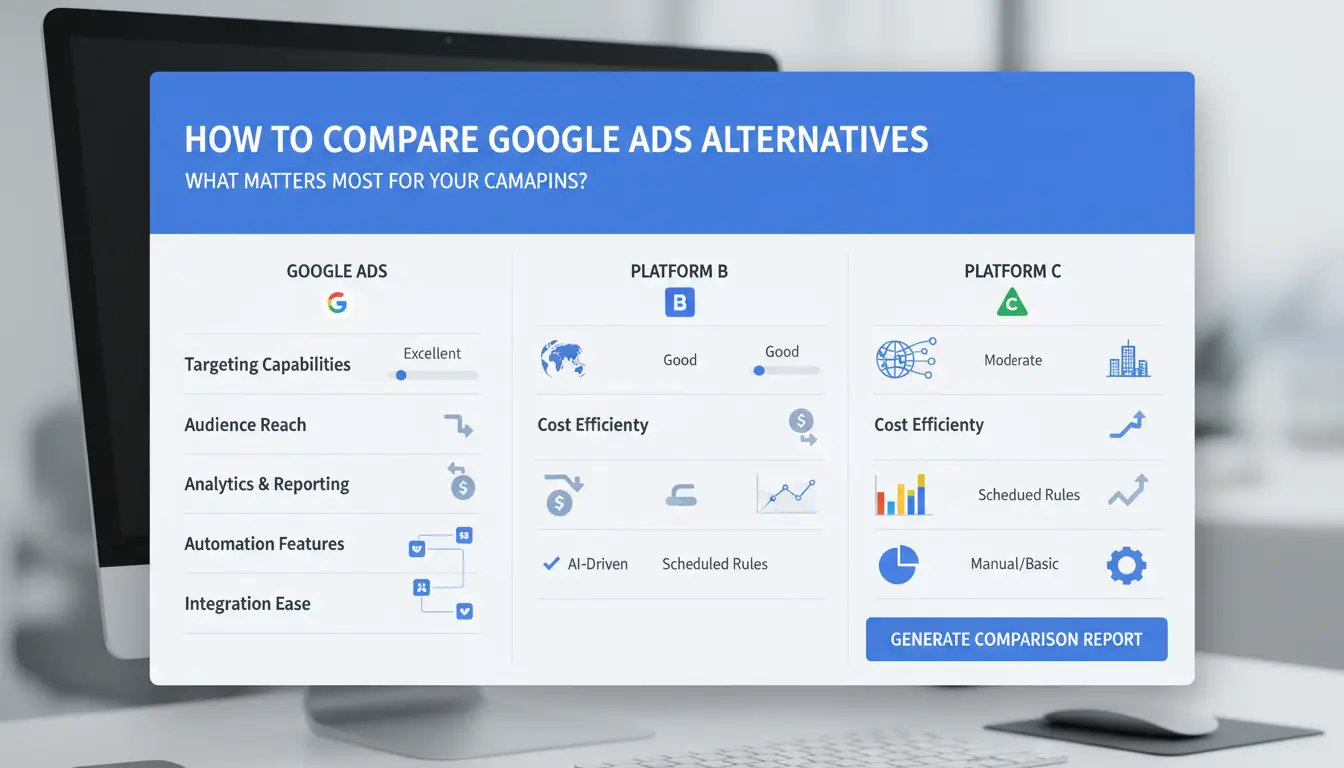
Choosing a google ads alternative isn’t just about cost, it’s about fit, reach, and control. Teams that switch platforms want to know which paid advertising platform matches their audience, offers flexible targeting, and keeps budgets under control. These are the real questions to focus on when comparing Google Ads competitors.
Audience Reach and Demographics
Start by checking if a platform’s users match your target market. For example, Facebook Ads has deep reach across age groups, while TikTok skews younger. Some alternatives to Google Ads, like LinkedIn Ads, work better for B2B campaigns. Always review published data or use free audience insight tools to check volume and engagement, don’t just trust headline numbers.
Traffic quality matters as much as size. Look for metrics like average session duration or conversion rates published by the platform or in industry benchmarks. High volume means little if users don’t take action.
Ad Formats and Targeting Options
Platforms differ in what ads they allow, display, search, social, native, and video all reach users in different ways. Google Ads supports search, display, shopping, and video. Facebook and Instagram focus on social and video. TikTok is video-first, while networks like Taboola offer native placements.
Targeting options also matter: geo-targeting, device targeting, interests, and lookalike audiences are not standard everywhere.
| Platform |
Ad Formats |
Advanced Targeting |
| Google Ads |
Search, Display, Video |
Geo, Device, Demographic |
| Facebook |
Social, Video |
Interest, Lookalike, Geo |
| TikTok |
Video |
Interest, Device, Geo |
| Taboola |
Native |
Contextual, Geo |
Source: Official product pages
Budgeting, Bidding, and Cost Structure
Check if the google ads alternative supports your preferred pricing model: CPC (cost per click), CPM (cost per thousand views), or CPA (cost per action). Minimum daily spend varies, Google Ads often requires $1/day, while Facebook lets you start at $1, but some networks have higher minimums.
Watch for hidden fees, such as setup charges or currency conversion costs. Payment flexibility also matters, some platforms accept only cards, others allow PayPal or local methods. Missing these details can turn a “cheaper” platform into a budget headache.
Which Google Ads Alternatives Are Worth Trying in 2024?
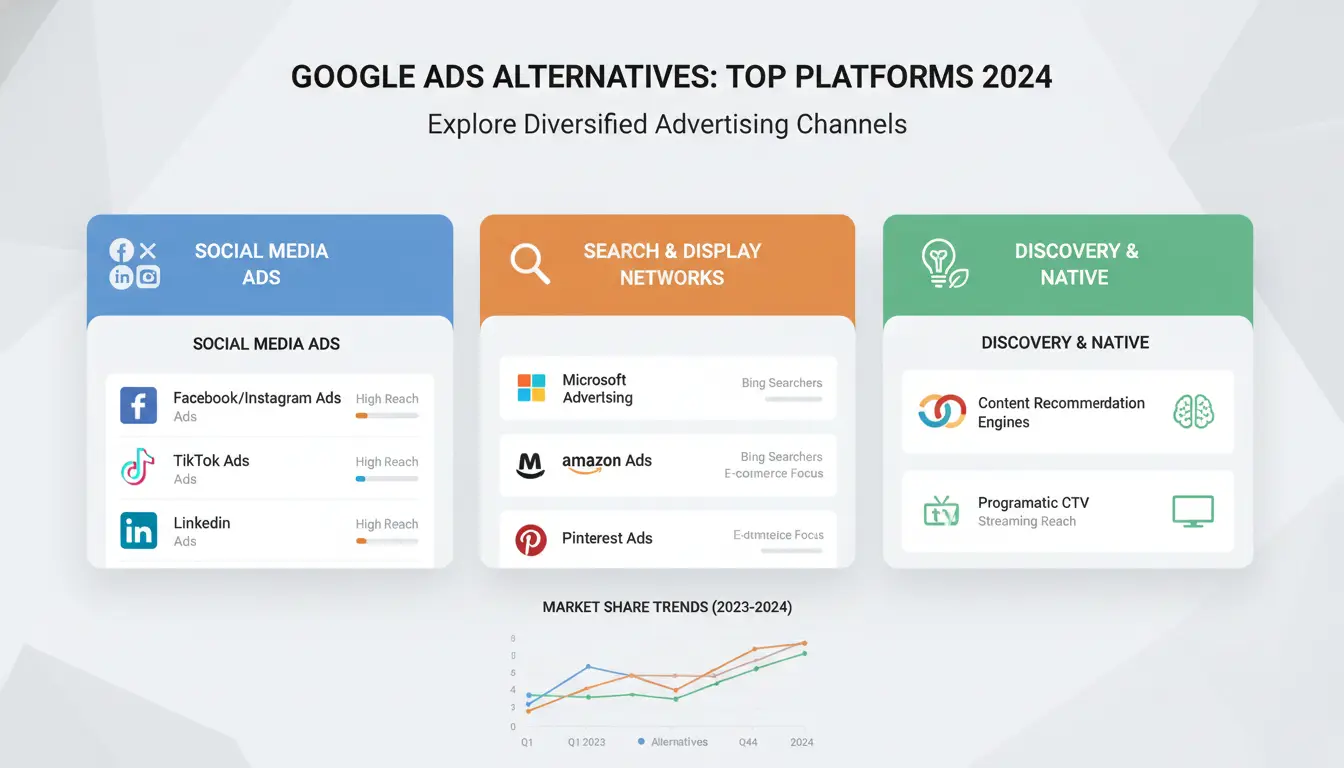
Switching from Google Ads often means rethinking more than cost. The right google ads alternative can shield your campaigns from bans and give you reach in new channels. Here’s where different platforms fit best.
Microsoft Advertising (Bing)
Microsoft Advertising covers about 30% of US desktop search. If your target group overlaps with Bing’s audience, you might see lower click costs. For finance, B2B, and older demographics, Bing Ads sometimes outperform Google in conversion rate.
Meta Ads (Facebook & Instagram)
Meta’s social platforms let you target by age, interests, and behavior, useful for engagement-driven campaigns. Creative ad formats like Stories and Reels work well for brands needing visual impact.
Amazon Advertising
If you sell products online, Amazon Advertising puts your brand in front of ready-to-buy shoppers. Their targeting uses purchase history, not just search intent, which can mean higher conversion for retail.
PropellerAds, Infolinks, and Other Niche Networks
These paid advertising platforms offer native, push, and pop ad formats. Smaller networks are a fit when you want less competition or need global reach outside typical Google Ads competitors.
LinkedIn, Reddit, Quora, TikTok, and Pinterest
Each platform serves a unique crowd. LinkedIn targets professionals, Reddit and Quora reach niche communities, TikTok grabs Gen Z, and Pinterest sparks shopping ideas. 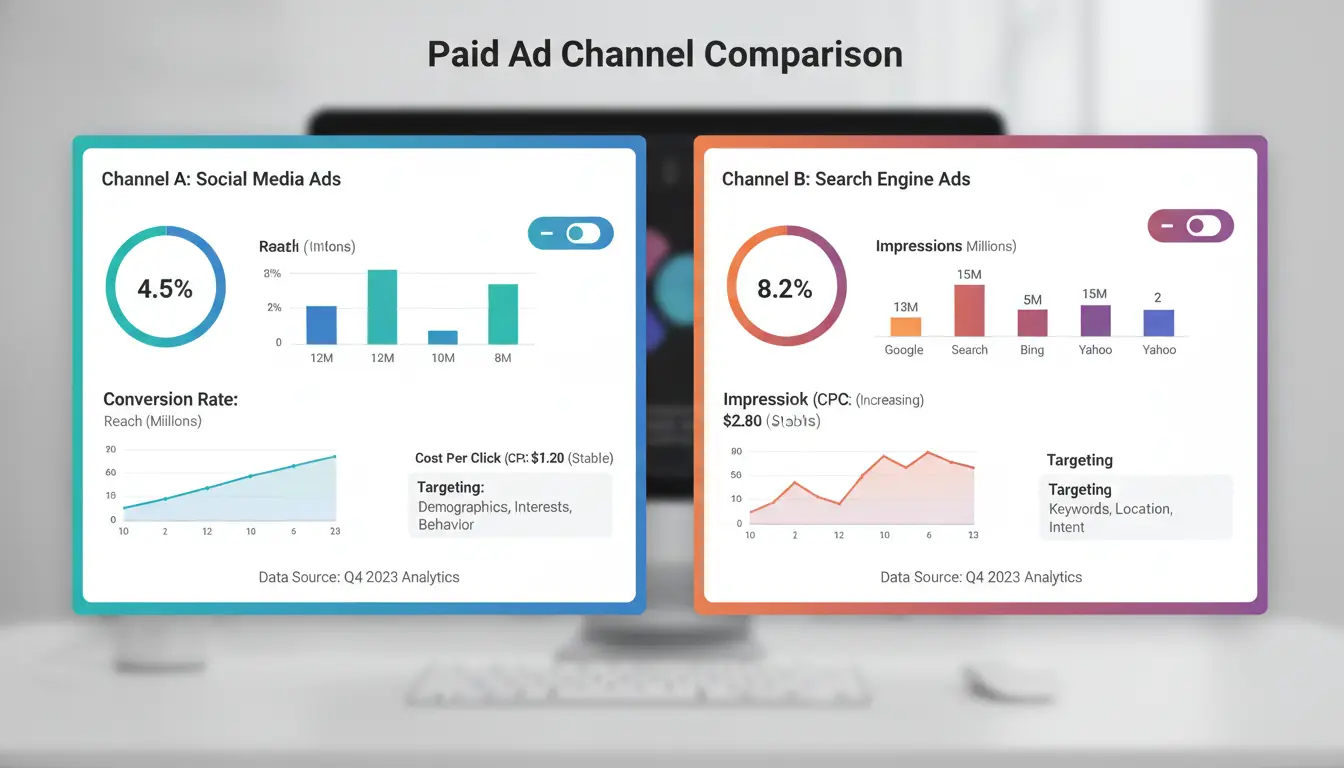
How to Safely Manage Multiple Ad Accounts and Reduce Platform Detection Risks
Why Managing Multiple Accounts Gets Risky
Running several ad accounts, whether for your own brands or as an agency, means each login leaves traces. Platforms like Google Ads, Facebook Ads, and TikTok use IP, browser fingerprint, and session data to spot patterns. If two accounts share a fingerprint or IP, detection tools may flag them. The real risk shows up when team members share computers, copy cookies, or mix up login details. One mistake can link accounts, trigger bans, or lock you out of paid advertising platforms. For agencies, this can affect every client at once, not just a single campaign. Most teams don’t realize how easy it is to cross-contaminate account fingerprints during routine tasks.
Safer Workflows for Multi-Account Management
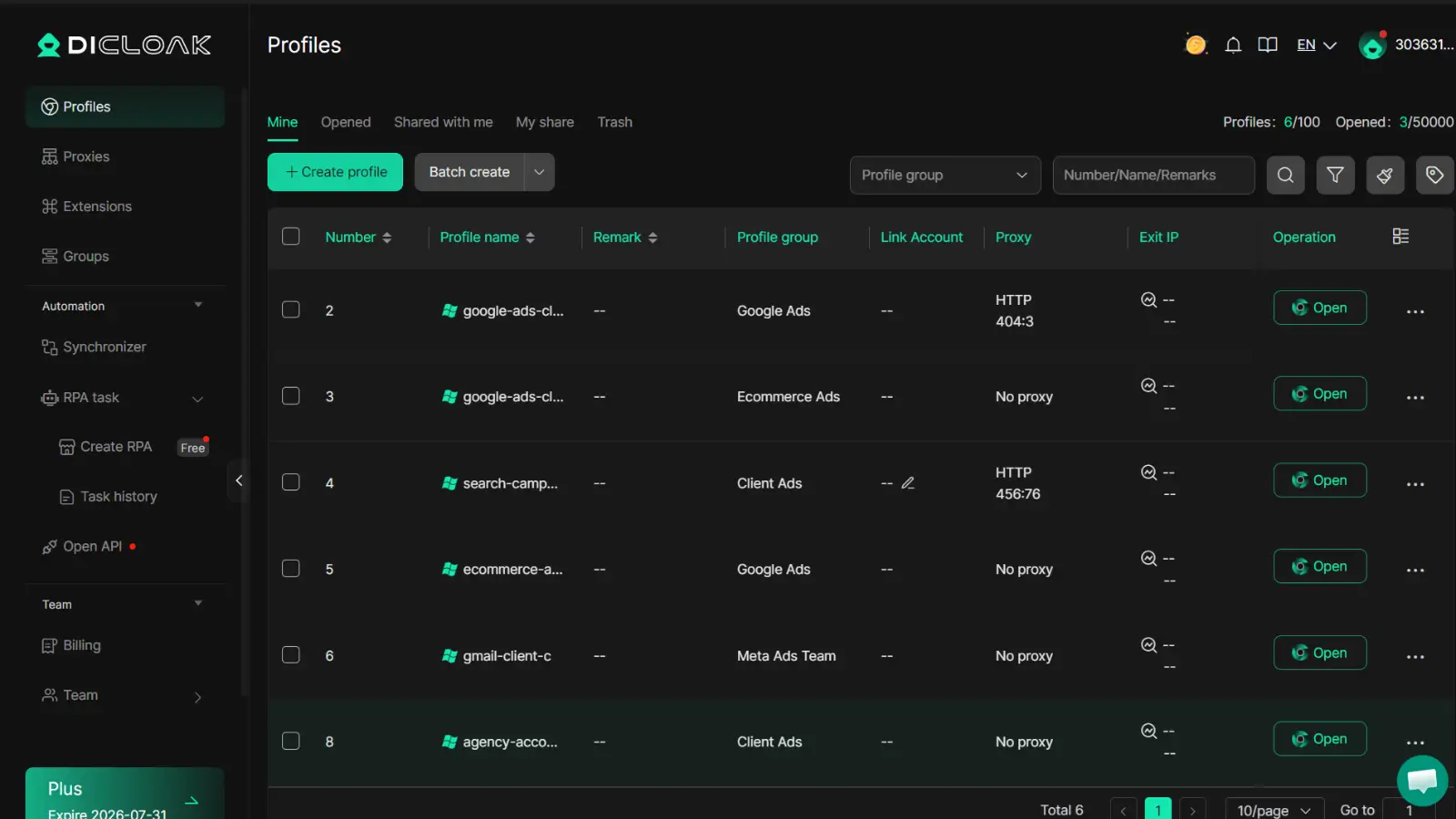
To reduce detection risk, you need to separate browser profiles for each account. This means each login gets its own fingerprint, proxy, and session data. Browser profile tools like DICloak let you set up isolated profiles, so Facebook, TikTok, and Google Ads competitors see each account as coming from a unique device. Integrating proxies for each account adds a layer of separation. Workflows should include clear rules for which team member handles which account, and avoid sharing passwords in chat apps. Using isolated environments makes it much harder for platforms to link accounts, the biggest step you can take to avoid bans when switching to a google ads alternative.
How DICloak Helps: Antidetect Browsers, Proxy Configuration, and Team Tools
You can use DICloak to create custom browser fingerprints for every account, bind proxies, and automate routine tasks. Bulk profile creation lets you handle dozens of accounts without repeating setup. Permission controls mean only assigned team members can access certain accounts, no accidental cross-login. RPA (robotic process automation) can fill forms, run scripts, or check login status. These tools keep session data, cookies, and fingerprints separated, so you can scale campaigns safely across alternatives to Google Ads. For teams comparing Google Ads competitors, this setup turns workflow risk into a manageable process.
What Steps Should You Follow When Switching Paid Ad Platforms?
Switching from Google Ads to a new paid advertising platform means more than just picking a cheaper option. You need to protect your campaigns, audiences, and account access. Teams handling Google Ads alternatives like Facebook Ads or TikTok risk losing control if migration steps are skipped or security gaps appear. Here’s a direct checklist.
Pre-Switch Checklist: What to Prepare
Start by exporting your audience segments and ad creatives. Make sure you have all tracking tags and conversion goals ready for the new platform. If you use Google Ads competitors, check their pixel or event tracking setup, it often differs from Google’s.
Migration Steps: Setting Up Accounts and Campaigns
Register each account with verified emails and phone numbers. Configure budgets and upload ads. For agencies, tools like DICloak let you create isolated browser profiles with unique fingerprints and proxy setups, so each ad account stays separated. This reduces ban risk and keeps client data safe during migration. Bulk operations and RPA automation speed up campaign setup across platforms.
Optimization: Testing, Monitoring, and Scaling
Run A/B tests with different creatives. Monitor conversion and spend daily. With DICloak, teams can assign permissions, share profiles securely, and scale operations without exposing accounts to platform detection, keeping control of every campaign is the single biggest safeguard.
Common Mistakes That Waste Budget When Trying Google Ads Alternatives
Switching to a google ads alternative sounds simple, but most teams lose money where they least expect. The move often comes with stricter rules, unpredictable ad approval, and audience shifts. If you skip the details, you risk burning through your budget with little to show for it. Here’s where mistakes stack up, and how to avoid them.
Overly Broad or Narrow Targeting
When you pick alternatives to Google Ads like Facebook Ads or TikTok Ads, audience targeting works differently. Setting your ads too broad means your message reaches people who aren’t likely to buy. Too narrow, and your campaign won’t get enough data to improve. Teams often spend hundreds just to realize their click-through rate dropped because the platform’s targeting logic doesn’t match Google’s.
- Missing the right audience wastes spend fast.
- Low conversion rates become the norm when you don’t test and adjust your targeting.
Ignoring Creative and Policy Moderation
Each paid advertising platform has its own ad review rules. Creative that worked in Google can get flagged or blocked in Google Ads competitors. If you don’t read the policy or watch for hidden moderation triggers, your ad might get rejected or your account suspended. The worst part, appeals can take days, sometimes weeks, and your campaign stops cold.
- Ad rejection means zero reach, even if your budget is live.
- Staying compliant requires checking each platform’s ad policies and adapting creative.
Scaling Too Early Without Stable Conversion Data
One of the most common budget drains with google ads alternative platforms is scaling before you have reliable performance data. If you double your spend after just a handful of conversions, you risk pouring money into campaigns that haven’t found their footing. Always build conversion data with small tests first, review results, and only scale when you see steady, repeatable success.
Rushing to scale before confirming conversion stability usually leads to wasted spend.
You can use browser profile tools like DICloak to keep accounts and campaigns isolated, making it easier to spot issues and avoid account bans.
When Google Ads Is Still the Best Choice: Deciding If Switching Makes Sense
Google Ads remains the main paid advertising platform for a reason. While new options keep appearing, not every business is ready to jump to a google ads alternative. Here’s how to judge if staying with Google Ads is the smarter move for your campaigns.
Cases Where Google Ads Outperforms Alternatives
If your goal is to reach users who are already searching for what you offer, Google Ads still leads. No other paid advertising platform matches its search intent targeting, people on Google are looking to buy or solve a problem now, not just scrolling. This often means higher conversion rates compared to Google Ads competitors like Facebook Ads or TikTok, which are stronger for awareness but weaker for bottom-funnel action.
For brands focused on visibility, Google’s reach spans across search, display, YouTube, and partner sites. Few alternatives to Google Ads can match the scale and data Google offers for audience targeting and reporting. This broad reach is hard to replace if you need both wide exposure and deep analytics.
| Platform |
Strengths |
Weaknesses |
| Google Ads |
Search intent, reach, analytics |
Account bans, rising costs |
| Facebook Ads |
Social targeting, engagement |
Lower buyer intent |
| TikTok |
Viral content, younger users |
Harder conversion tracking |
Source: Google Ads, Facebook Ads, TikTok Business
How to Decide: Balancing Risk, ROI, and Workflow
Switching to a google ads alternative makes sense if you’re locked out of your account, face repeat bans, or your audience isn’t on Google. But for most, the switch is not just about price. Weigh how much reliable traffic, conversion tracking, and reporting matter to your bottom line. Short-term savings from cheaper platforms may cost more in lost sales or data gaps. If your current workflow depends on Google’s data and toolset, moving away can break processes you rely on every day.
Hybrid Strategies: Using Google Ads Alongside Alternatives
Many teams now run Google Ads with other platforms at the same time. This spreads risk, helps test new audiences, and can boost total reach. The hard part is tracking results across platforms. Using browser profile tools like DICloak helps keep accounts, proxies, and logins separate, which matters when managing campaigns on both major and niche ad channels. Always compare attribution reports to see which channel is really driving results.
Frequently Asked Questions
Are Google Ads alternatives cheaper than Google Ads?
Many Google Ads alternatives, like Microsoft Ads or Meta Ads, offer lower minimum spends and flexible pricing. Some platforms let you start with just $5. Google Ads often requires higher budgets to compete. ROI can vary, but alternatives to Google Ads sometimes deliver better value for niche audiences or less competitive markets.
Can I run ads on multiple paid advertising platforms at the same time?
Yes, you can run ads across platforms like Facebook, Amazon, and Microsoft Ads together. You need to track results carefully and manage workflows to avoid confusion. Using tools like Google Analytics or ad managers helps you see which platform performs best. Managing campaigns on several platforms can boost your reach.
How do I avoid account bans when using Google Ads competitors?
To safely use Google Ads competitors, create isolated browser profiles and use proxies for each account. Always follow each platform’s rules and upload real information. Many paid advertising platforms, like Bing or Meta, may flag accounts for unusual activity, so keep your accounts separate and follow their guidelines.
Which Google Ads alternative is best for e-commerce?
For e-commerce, Amazon Ads and Meta Ads are top Google Ads alternatives. Amazon Ads reach shoppers ready to buy, while Meta Ads target product-focused audiences on Facebook and Instagram. Both platforms offer shopping-specific ad formats that help sellers boost sales and attract new customers.
Do I need proxies or antidetect browsers for safer ad management?
Using proxies and antidetect browsers is helpful, especially if you manage multiple accounts or use Google Ads competitors. They reduce detection risk and help prevent bans. These tools keep your activity separate, making it harder for paid advertising platforms to link your accounts and flag them for suspicious behavior.
Exploring alternatives to Google Ads empowers businesses to diversify their advertising strategies, reach new audiences, and potentially reduce costs. By considering different platforms, you can find solutions better tailored to your unique needs and goals. Try DICloak For Free
 Web Proxy Tools
 Free Tools
 Cookie Plugin
 UA Generator
 MAC Address Generator
 IP Generator
 IP Address List
 2FA Code Generator
 World Clock
 Anonymous Check
 WebRTC Leak Test
 UUID Generator
 Free Web Proxy Site
 Proxy Checker
 FB Ad Checker
 AI Web Scraping
 Free SMM Tools
 Twitter Shadowban Checker
 Instagram Name Checker
 UTM Generator
 Username Generator
 AI Hashtag Generator
 LinkedIn Headline Generator
 Social Media Image Resizer