Is your browser quietly exposing your data? BrowserLeaks is a well-known testing site that reveals fingerprinting details and hidden privacy leaks many users never notice. Knowing how browserleaks works—and how to prevent its tracking signals—is essential for anyone who relies on strong online privacy. Whether you are a privacy-focused user, a multi-account operator, a web scraper, a security researcher, or a developer, these leaks can impact your work. In this guide, you’ll learn how anti-detect tools like DICloak help mask your browser identity, reduce fingerprint traces, and stay protected from BrowserLeaks detection.
What Is BrowserLeaks?
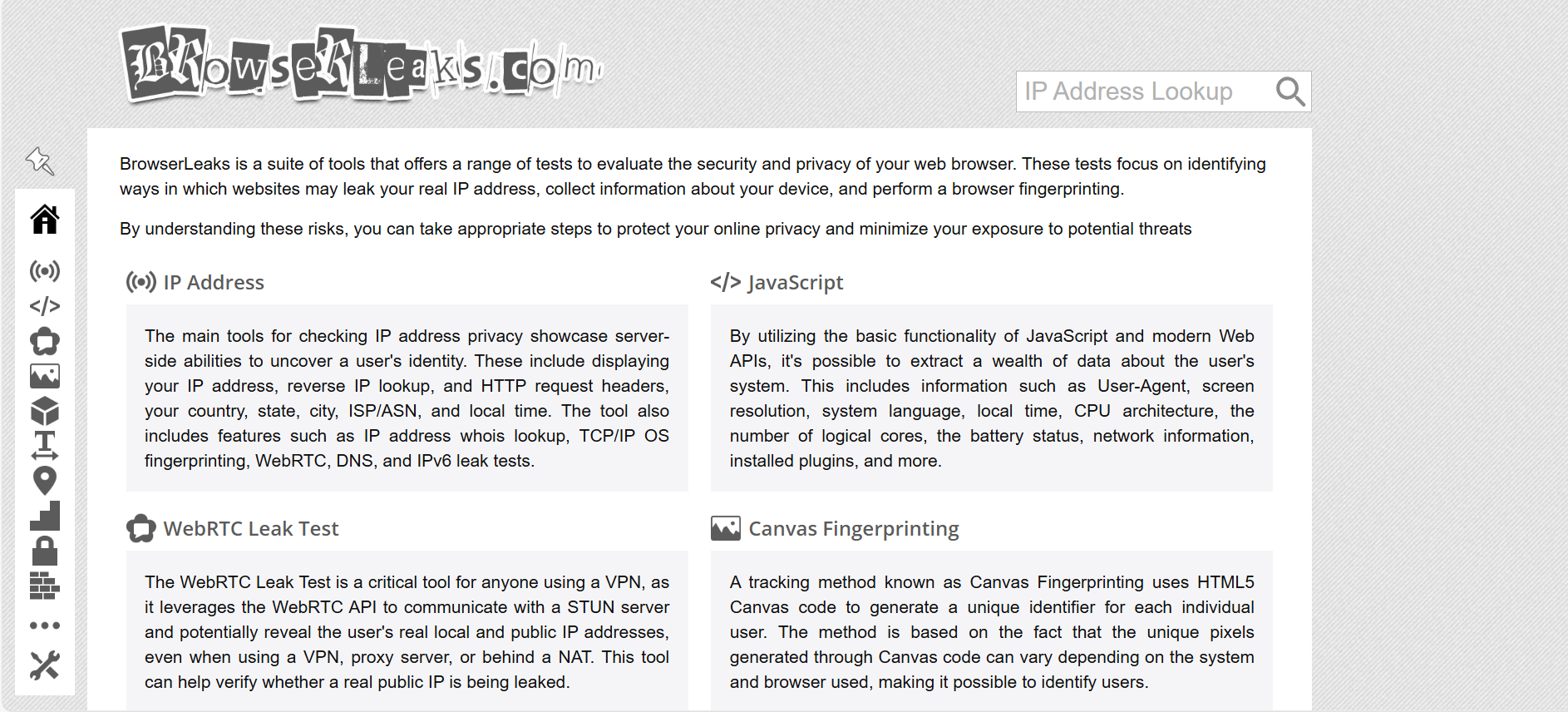
BrowserLeaks is an online testing site that shows how much information your browser exposes. It checks fingerprinting signals and possible privacy leaks. When you visit the site, it displays details your browser might reveal—your IP address, rough location, device setup, system info, and even your ISP. By showing these data points clearly, browserleaks helps you understand what your browser is leaking and gives you a chance to protect your digital identity.
Is browserleaks.com Safe?
Yes. browserleaks.com is safe to visit. It does not ask for personal data and does not store user information. The site runs tests for WebRTC, WebGL, DNS leaks, IP exposure, and other common privacy risks. These checks help you see whether your browser is secure or leaking sensitive details. It’s a useful tool for anyone who wants stronger privacy and fewer data leaks online.
How Browser Fingerprinting Works
Browser fingerprinting collects small details from your browser to build a nearly unique ID. browserleaks shows how this tracking happens by displaying the traits your browser shares when you visit a website. Understanding these signals helps you see what you’re exposing and how to reduce your online trace.
Device-Level Signals
Websites gather information from your device to identify patterns. Common examples include:
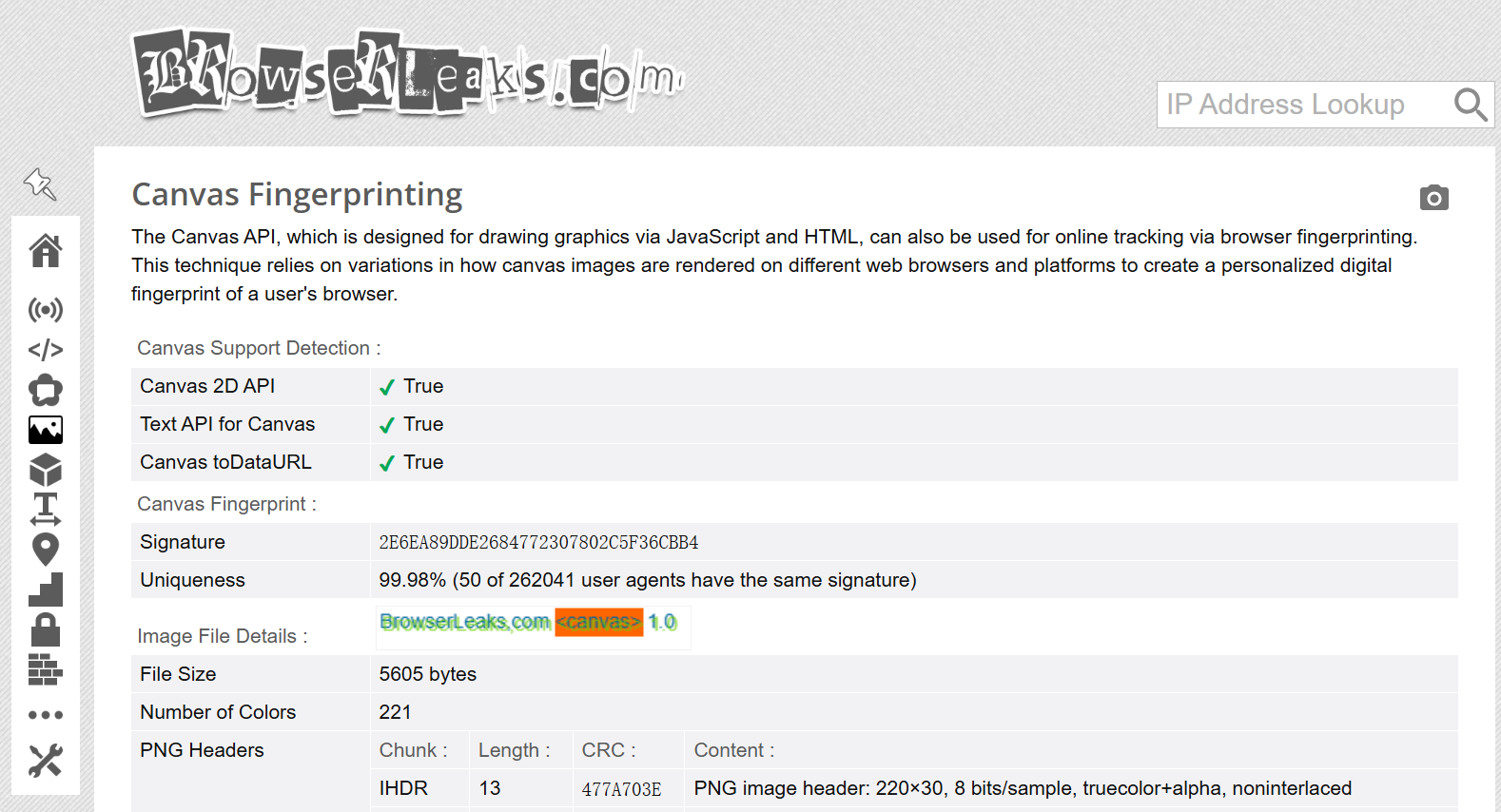
- Canvas Data: The HTML5 Canvas API draws an image to create a unique “canvas fingerprint.”
- WebGL Output: Reveals details about your GPU and graphics settings.
- Font List: Shows which system fonts you have and how they render.
- Location Access: The Geolocation API can share your approximate location.
- Screen Settings: Detects screen size and color depth.
- CSS Support: Reads your browser’s supported CSS features, which vary by version.
- Media Devices: Checks available audio and video input/output options.
Network-Related Clues
Your network setup can also reveal who you are:
- Public IP Address: Shows your IP and estimated location.
- DNS Details: Displays which DNS servers you use.
- WebRTC Exposure: Can leak local IP addresses.
- HTTP Header Data: Reveals your browser, system, and language settings.
- TLS Fingerprint: Uses methods like JA3 to identify your TLS handshake patterns.
Behavioral Identifiers
Some trackers watch how you behave, not just what device you use:
- Mouse Movement Patterns
- Scrolling Style
- Typing Rhythm (Keystrokes)
These actions create a behavior profile that can be used to track users across sessions.
Main Functions of BrowserLeaks
browserleaks reviews many parts of your browser to uncover possible privacy leaks. It looks at technical details, network signals, and fingerprint data that websites may use to track you.
IP & Network Exposure Tests
This test checks if your IP address, location, ISP, or network information is exposed. It also reveals leaks from WebRTC, DNS, or IPv6, which are common ways your data can accidentally leak online.
JavaScript System Details
Browserleaks uses JavaScript to read system traits like your user agent, screen size, battery status, operating system, plugins, and other details that can form a fingerprint.
Canvas Fingerprint Check
Using the HTML5 Canvas API, browserleaks generates a small image to see if your browser produces a unique result. This output can act as a canvas fingerprint.
WebGL Hardware Overview
This part inspects your WebGL support and often reveals GPU details, driver information, and other graphics data that help identify your device.
Font Fingerprint Scan
Browserleaks tests your system fonts and how they render. These small differences can create a font-based fingerprint.
Location Handling Test
The Geolocation API section shows how your browser responds to location requests and what level of precision it shares.
Content Filter Detection
This feature checks whether your browser uses ad blockers, privacy filters, Tor settings, or similar tools that change how pages load.
SSL/TLS Client Information
browserleaks also reviews your TLS protocols, cipher suites, and how your browser handles mixed content, which can add to your fingerprint.
HTML5 Feature List
Lastly, it lists the HTML5 features supported by your browser, which often vary by browser type and version.
Tools to Check Your Browser Fingerprint and IP Exposure
While browserleaks is one of the most popular tools for checking your browser's privacy, it's a good idea to use other sites for a second opinion. Each tool offers a slightly different focus, helping you spot various leaks. Here are some additional options to consider:
Iphey
Iphey offers an in-depth report of your browser’s fingerprint. It checks for things like canvas fingerprints, WebRTC leaks, and IP address exposure, helping you understand what data your browser might be revealing.
Browserscan
Browserscan review your browser's security settings. It runs tests for DNS leaks, WebRTC, and WebGL, looking for weaknesses that could expose your identity or location.
PixelScan Leak Test
PixelScan checks for common data leaks like IP address, location, WebRTC, and canvas fingerprinting. It gives you a clear view of your browser's privacy risks.
AmIUnique
AmIUnique shows how easily your browser can be tracked. It uses techniques like canvas fingerprinting and font analysis to assess how unique and identifiable your browser is.
Whoer.net
Whoer.net tests for several privacy leaks, including IP exposure, DNS leaks, and WebRTC leaks, allowing you to quickly identify areas where your privacy may be at risk.
Outsmart BrowserLeaks with DICloak Anti-Detect Browser
DICloak is an advanced anti-detect browser designed to hide your true browser fingerprint. By using DICloak, tools like browserleaks will detect a different fingerprint than the one your real browser shows. DICloak generates unique, realistic browser profiles by using millions of real fingerprints collected from actual users. This allows you to mask your digital footprint, helping you browse the web more privately and avoid being tracked by websites and third parties. It’s especially helpful for managing multiple online accounts or collecting data from different sites while keeping your identity hidden.
Why Choose DICloak Antidetect Browsers for Your Business?
⚡The DICloak Antidetect Browser has become a global favorite for its unparalleled ability to efficiently and securely manage multiple accounts. Designed for professionals in social media management, affiliate marketing, traffic arbitrage, e-commerce, account farming, airdrops, and more, DICloak offers powerful features like RPA automation, bulk operations, and a window synchronizer. Additionally, it allows you to customize fingerprints and integrate proxies for each profile, ensuring top-level security and operational efficiency. It’s the ultimate tool for seamless, secure, and scalable operations.

What Makes DICloak Stand Out?
✅ Manage 1,000+ Accounts on One Device: Stop wasting money on extra hardware! DICloak allows you to manage multiple accounts on a single device, cutting costs and boosting efficiency.
✅ Guaranteed Account Safety, No Ban Risks: Every account gets its own isolated browser profile with custom fingerprints and IPs, drastically reducing the risk of bans. Your accounts, your control!
✅ Flexible Proxy Configuration for Maximum Performance: Seamlessly integrate with all major proxy protocols (HTTP/HTTPS, SOCKS5) and manage your proxy pool with bulk operations. No more struggling with IP management—DICloak has you covered.
✅ Streamlined Team Collaboration for Better Results: Easily manage your team with advanced tools like profile sharing, permission settings, data isolation, and operation logs. Your team works smarter, not harder.
✅ Automate the Grind with RPA: DICloak's built-in RPA saves you hours of manual work. Automate repetitive tasks, streamline workflows, and focus on what really matters—growing your business.
✅ Powerful Bulk Tools to Scale Your Operations: Create, import, and launch multiple browser profiles in one click. DICloak makes scaling your business as easy as it gets.
✅ Compatible with All Major Operating Systems: Based on the Chrome core, DICloak supports simulating Windows, Mac, iOS, Android, and Linux operating systems. No matter what platform you need, DICloak has you covered.
🔗 Ready to Get Started?
Visit the DICloak website to explore more details and choose the plan that’s right for you. Start for free today and experience the power of secure, efficient, and scalable multi-account management!
Conclusion: Safeguard Your Privacy with DICloak
In today’s digital age, your browser can expose more than you think—whether it’s your IP address, WebRTC leaks, or browser fingerprinting. Tools like browserleaks help you identify these risks.
To protect your privacy, use tools like DICloak. This anti-detect browser hides your real fingerprint, making it harder for trackers to identify you. Whether managing multiple accounts or browsing privately, DICloak helps keep your online activity secure.
Stay proactive and protect your digital footprint with the right tools.
 Web Proxy Tools
 Free Tools
 Cookie Plugin
 UA Generator
 MAC Address Generator
 IP Generator
 IP Address List
 2FA Code Generator
 World Clock
 Anonymous Check
 WebRTC Leak Test
 UUID Generator
 Free Web Proxy Site
 Proxy Checker
 FB Ad Checker
 AI Web Scraping
 Free SMM Tools
 Twitter Shadowban Checker
 Instagram Name Checker
 UTM Generator
 Username Generator
 AI Hashtag Generator
 LinkedIn Headline Generator
 Social Media Image Resizer