If you opened Facebook and saw a message saying your account was suspended, it can feel sudden and stressful. You may worry about your photos, messages, business pages, or ad accounts right away. The good news is that a suspension does not always mean your account is gone forever. In many cases, the real problem is a policy flag, a security check, or activity that Facebook sees as unusual. This guide will walk you through what a Facebook suspension means, how to check your account status, and the steps you can take to recover access in 2026. It will also show you what mistakes to avoid and how to lower the chance of this happening again.
Why Facebook Suspended My Account
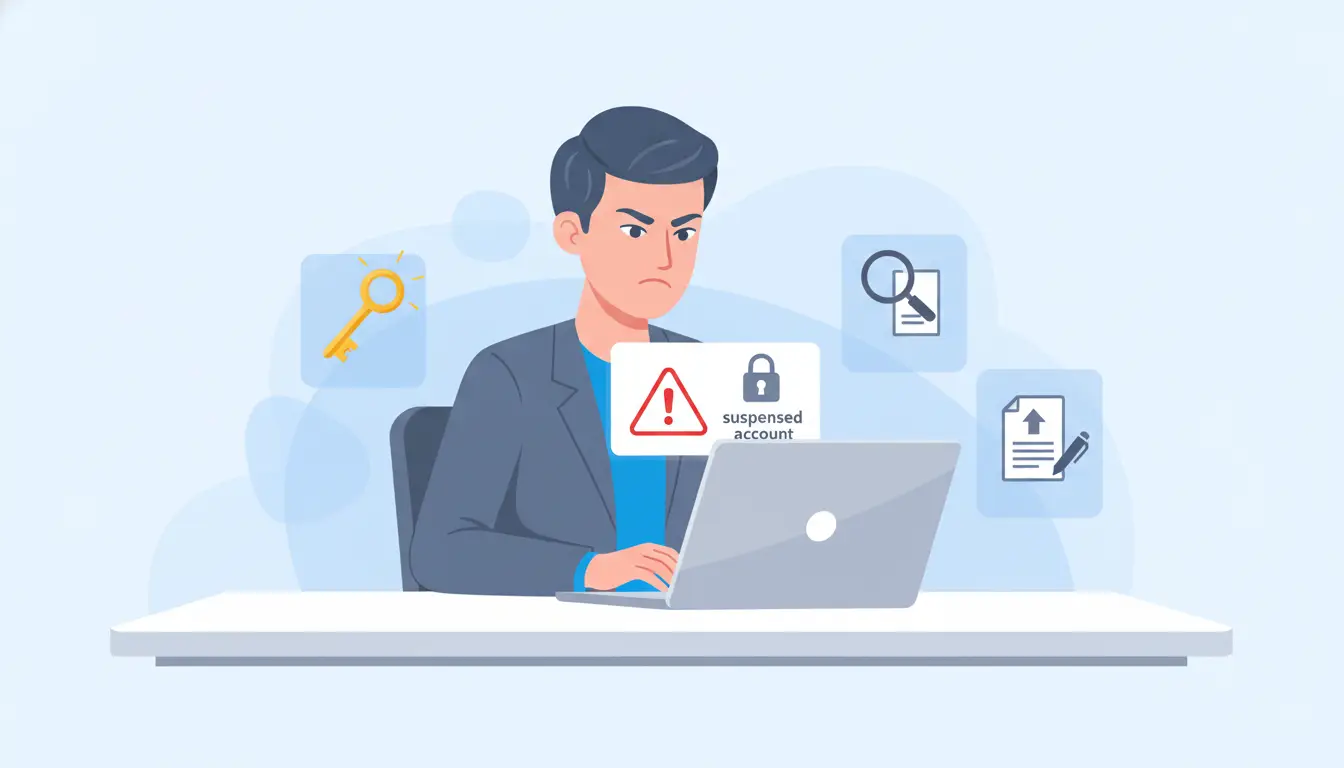
If you are searching “facebook suspended my account,” you are probably dealing with a stressful moment. The good news is that a suspension does not always mean your account is gone forever. Facebook says accounts can be suspended when the account or its activity may not follow its rules, and users can usually appeal within 180 days before the account becomes permanently disabled.
Before you try to recover the account, it helps to understand what may have caused the problem. In simple terms, Facebook usually acts for two reasons. The first is a possible rules violation. The second is activity that looks risky or unusual. These cases can feel the same to users, but they are not the same thing. Knowing the difference can help you choose the right next step and avoid making the situation worse.
Common reasons Facebook suspends accounts
One common reason is behavior that looks like spam or misuse. For example, if someone sends too many friend requests, posts the same thing again and again, or uses a feature too fast, Facebook may temporarily block or suspend the account. Facebook’s help pages also show that going too fast with certain actions can trigger temporary blocks.
Another common reason is a security concern. Facebook may react if a login suddenly comes from a new place, a new device, or a setup that does not look normal for that account. A simple example is this: you reset your password on your phone, then log in again on a hotel Wi-Fi network, then try again from a work laptop a few minutes later. That fast change can look risky to an automated system, even if you are the real owner. In some cases, Facebook may also limit access if the computer used to access the account may have malicious software.
Suspicious activity vs. policy violations
This difference matters because it changes how you should think about the problem. A policy violation is usually about what you did on the account. That may include spam-like actions, unsafe content, or repeated behavior that breaks Facebook’s rules. A suspicious activity case is more about how the account is being accessed. It may look like someone else is trying to use the account, or like the account environment changed too much in a short time.
Here is an easy way to think about it. If the problem started after a post, message, or repeated action, it may be a policy issue. If it started after strange logins, password resets, device changes, or security checks, it may be a suspicious activity issue. For example, if your account starts sending unusual messages after being hacked, Facebook may restrict it for safety reasons, even though you did not mean to break any rule. That is why some users feel, “facebook suspended my account for no reason,” when the real cause is a security flag, not bad intent.
Suspension, disablement, and deactivation: what’s the difference?
These words are often mixed up, but they do not mean the same thing. Suspension or disablement usually means Facebook restricted the account because of a rule or security concern. Facebook says a suspended account can usually be appealed, but if the user does not appeal within 180 days, or the appeal is not successful, the account may be permanently disabled.
Deactivation is different. That is usually something the user chooses. Facebook says a deactivated account can normally be turned back on by logging in again. So when people search “how to suspend my facebook account,” they often really mean how to deactivate it for a while. That is an important difference. A deactivated account usually needs a simple login to return. A suspended account may need an appeal and extra verification.
How to Confirm Your Facebook Account Status
After you ask, “facebook suspended my account,” do not guess. The best next step is to read the exact message on the login screen and then check Facebook’s status tools. Facebook has an Account Status area for Community Standards issues, and its Help Center also says that if your account is disabled, you will usually see a disabled message when you try to log in. That matters because the message often tells you whether the problem is a temporary block, a suspension, or a larger account review.
Warning signs that your account is suspended
The clearest warning sign is a message that appears when you try to log in. You may see language telling you the account is suspended, disabled, or temporarily blocked. Facebook also shows temporary block notices when it thinks a feature was used too fast or in a way that looks like misuse. In real life, this can happen after sending too many friend requests, posting the same thing again and again, or making too many quick actions in a short time.
Another sign is that Facebook suddenly limits what you can do, even if you can still reach part of the account. For example, you may be able to open Facebook but not post, message, run a page, or use a feature you normally use. That is why reading the on-screen notice carefully matters. A login error, a temporary block, and a full suspension may feel similar, but they do not always mean the same thing.
Where to check your account status
Start with the message you see when you try to sign in. Then check Account Status to review whether Facebook has taken action related to Community Standards. Facebook’s Help Center points users to this status area for checking account-related enforcement. If you manage a Page, Facebook also has a separate Page Status section where you can review violations and see more details. This helps you avoid mixing up a personal account problem with a Page problem.
A simple example: if your personal profile says it is under review, but your Page still shows its own status details, the issue may not be exactly the same across both assets. So before filing an appeal, check the status page first and write down what Facebook is actually flagging. That will make the next step much clearer.
What Facebook usually asks you to verify
In many cases, Facebook asks you to confirm that you are the real account owner. That may mean verifying a login attempt, confirming basic account details, or completing an identity check if the account is under review. Facebook’s help flow for disabled or suspended accounts and related access problems shows that verification is a normal part of recovery, especially when there is a security concern.
This is one reason users should not rush or submit random information. For example, if Facebook asks you to confirm identity after an unusual login, giving details that do not match the account can slow things down. It is better to follow the prompt you see, keep screenshots of each notice, and use the exact status page language when you move on to an appeal. That approach is much safer than guessing what went wrong.
How to Recover a Suspended Facebook Account
If you are stuck on “facebook suspended my account,” this is the part that matters most. Do not rush, and do not keep trying random fixes. Facebook’s current help page says you should log in first, because the appeal flow usually appears there. It also says you normally have 180 days to appeal a suspension before it becomes a permanent disablement.
How to submit an appeal step by step
Start by going to Facebook and trying to log in with the account that was suspended. If your account is eligible for review, Facebook says you will be prompted to appeal during the login flow. Follow the on-screen steps instead of searching for random third-party forms. That is the safest way to begin because the appeal path is tied to your exact account status.
If Facebook sends you into a security check, complete that first. Facebook’s identity-confirmation help page says users should log in and follow the instructions shown to confirm identity. In some cases, you may also be asked to upload an approved ID document, such as a passport or driver’s license.
A simple example helps here. Say you changed your password after a strange login, then Facebook suspended the account. In that case, your recovery path may include both an appeal and a security confirmation. So do not skip the security prompt just because you want to get to the appeal faster. If you cannot access the email address or phone number on the account, Facebook also points users to its account recovery flow to identify the account and try to regain access.
What to include in your appeal
Your appeal should be clear, short, and consistent. Explain what happened in plain language. If you believe the suspension came from suspicious logins, say that. If you think it followed a post, ad, or repeated action, say that instead. The goal is to help Facebook quickly understand whether this looks like a security problem or a policy misunderstanding. This is also why Facebook’s appeal and identity flows focus so much on confirming account ownership and matching details.
Include only information that helps your case. Good examples are the date you lost access, whether you recently changed your password, whether you saw unknown login activity, and whether the account may have been hacked. If Facebook asks for ID, make sure the document matches the name and details used on the account. If the problem started after you lost access to your login email or phone, mention that too and use Facebook’s recovery route for that issue.
A practical example: if your account was fine for years, then got flagged right after a password reset and login from a new device, your appeal should say exactly that. That kind of detail is more useful than writing an emotional message like “please fix this now.” Clear facts help more than long complaints.
How long Facebook may take to respond
Facebook does not publish one universal response time for every suspended personal account appeal on the main suspension help page. That means you should be careful with any article that promises an exact number of days. What Facebook does clearly say is that some security checks can delay access. For example, after certain security checks, you may need to wait 24 hours before you can log in again.
In real use, response time can vary based on what triggered the suspension and whether Facebook needs identity verification. If your case is simple, such as a basic security check, it may move faster. If Facebook needs to review documents or compare account details, it may take longer. The safest advice is to submit one accurate appeal, complete every requested verification step, keep screenshots of what Facebook shows you, and avoid sending conflicting information through repeated attempts. Facebook’s own guidance centers on following the login-based appeal and recovery flow, not on opening many separate requests.
How to Recover a Suspended Facebook Account
If you are dealing with “facebook suspended my account,” start with the official path, not random online fixes. When Facebook restricts an account or feature, it often shows the next step on the login screen, and it may also show a temporary block message if activity looked too fast or unusual.
How to submit an appeal step by step
First, try to log in to the affected account. Read the message carefully and follow the on-screen steps. If Facebook shows a review, security check, or recovery prompt, do that first before trying anything else. This matters because the system usually connects the appeal path to the account itself.
What to include in your appeal
Keep your appeal short and clear. State when you lost access, whether you saw strange login activity, and whether the problem started after a password reset, device change, or unusual login. For example, if you were traveling, changed your password, and then saw “facebook suspended my account,” say that plainly. Also, when users search “how to suspend my facebook account,” they often actually mean how to deactivate it, so make sure your appeal explains that this was a real suspension, not a choice you made yourself.
How long Facebook may take to respond
There is no single public response time that fits every case. Some cases move faster, while others take longer if Facebook wants more review or verification. The best move is to send one accurate appeal, follow the prompt shown in your account, and avoid submitting different stories again and again.
What to Do If Facebook Suspended Your Account by Mistake
If you feel “facebook suspended my account” but you did not break any rules, do not send a rushed appeal. A better move is to explain why the suspension may be a mistake and support that with clear facts. Facebook says suspended accounts can be appealed through the login flow, and users usually have 180 days to do that before the account may be permanently disabled.
How to explain your case clearly
Keep your message simple. Say when you lost access, what happened right before the suspension, and why you believe the account was flagged by mistake. For example, if you changed your password, logged in from a new device, and then saw “facebook suspended my account,” say that directly. If you were actually looking for “how to suspend my facebook account,” that is different, because user deactivation is not the same as Facebook suspending an account.
What evidence can help your appeal
Useful evidence includes screenshots of the warning, details about recent password resets, strange login attempts, or signs that the account may have been hacked or phished. Facebook’s help pages also point users to hacked-account recovery and identity confirmation when security issues are involved, which shows that proof of account ownership can matter in a mistaken suspension case.
What to do if you still get no response
If Facebook does not respond right away, do not keep sending different stories. Follow the same login-based recovery path, complete any identity or security check Facebook shows, and keep your records ready. If the issue looks more like a hacked or compromised account than a true policy violation, use Facebook’s hacked-account recovery route instead of treating it like a normal appeal.
Mistakes That Can Make Recovery Harder
When people see “facebook suspended my account,” they often react fast and make the problem worse. That is why this step matters. During recovery, the goal is to stay clear, consistent, and close to Facebook’s official flow. Facebook’s help pages focus on using the login-based recovery process, and its Terms also say users must not have previously disabled accounts that broke the law or Facebook policies.
Why creating a new account can backfire
Making a new account may feel like the fastest fix, but it can create more trouble. Facebook does not allow fake or impostor profiles, and its Terms say users must not have had an account previously disabled for violations of law or policy. In simple terms, if your original account is still under review, opening a new one can make your situation look less clear, not more clear. For example, if Facebook is still checking ownership of your old account, a second account can complicate that story.
Why repeated appeal submissions can hurt clarity
It is usually better to follow the recovery steps shown on the suspended account than to keep trying new routes. Facebook’s guidance points users back to the account-based appeal or review flow. If you keep submitting new explanations, screenshots, or requests in different ways, your case can become harder to follow. A stronger approach is one clear appeal with one consistent explanation.
Why wrong or inconsistent information causes delays
Wrong details can slow recovery fast. If Facebook asks you to verify identity, confirm a security event, or explain suspicious activity, the information needs to match your account history. For example, if you say the problem started after a password reset, but later say it started after a content warning, that mixed story can weaken your appeal. The same is true if you use the phrase “how to suspend my facebook account” when you really mean Facebook suspended it for you. Deactivation by choice and suspension by Facebook are not the same thing, so clear wording matters.
How to Prevent Another Facebook Suspension
After recovery, the goal is simple: keep the account secure and keep your login pattern stable. If you went through “facebook suspended my account,” you do not want to trigger another review because of avoidable security problems or messy account use. Facebook recommends stronger account security tools like password protection, login alerts, and two-factor authentication.
Secure your account after recovery
Start with the basics. Change your password, turn on two-factor authentication, and enable alerts for unrecognized logins. If you think the account was hacked or phished, Facebook also tells users to remove unauthorized devices and review account activity. A simple example is this: if someone logged into your account from a device you do not recognize, fixing the password alone is not enough. You should also remove that session and secure the account fully.
Avoid login behavior that looks risky
Try not to make sudden changes that make the account look unusual. For example, logging in from several devices or locations in a short time, especially right after a password reset, can create extra security friction. Facebook specifically advises users recovering hacked accounts to use a device they have used to log into Facebook before, which shows that consistent login history can matter.
Keep devices, sessions, and account use organized
Keep your account use clean and predictable. Do not mix trusted and untrusted devices, and do not leave old sessions active if you no longer use them. If you were really searching “how to suspend my facebook account,” that usually means deactivating it by choice. But if the real problem was “facebook suspended my account,” staying organized after recovery is the better long-term fix. Clean session management, login alerts, and stronger security settings make it easier to avoid another account scare.
A More Stable Way to Manage Access After Recovery
After recovery, the next goal is to keep your account use clean and consistent. If you have already dealt with “facebook suspended my account,” a tool like DICloak can work as a stability layer after recovery, especially if you use shared devices or manage more than one account. DICloak says its browser is built around isolated profiles, proxy support, and team access controls, which can help reduce simple session mix-ups and keep account use more organized.
Reduce shared-device and session mix-ups
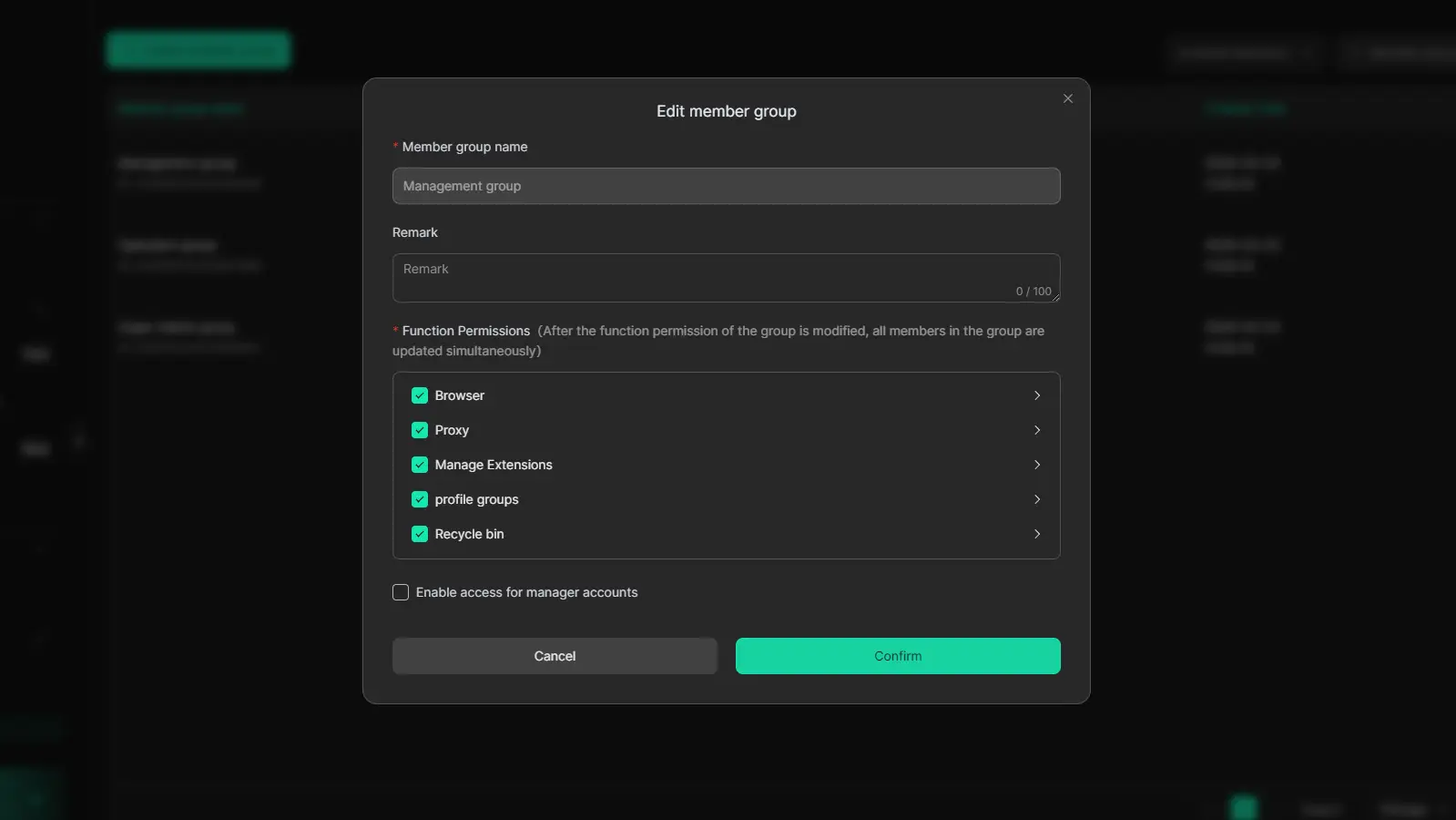
DICloak includes features like member permissions and Web Element Hider, which are designed to make shared account access more controlled. That can be useful for teams that want to reduce accidental clicks, unwanted setting changes, or exposure of sensitive page elements.
Keep account environments separate and consistent
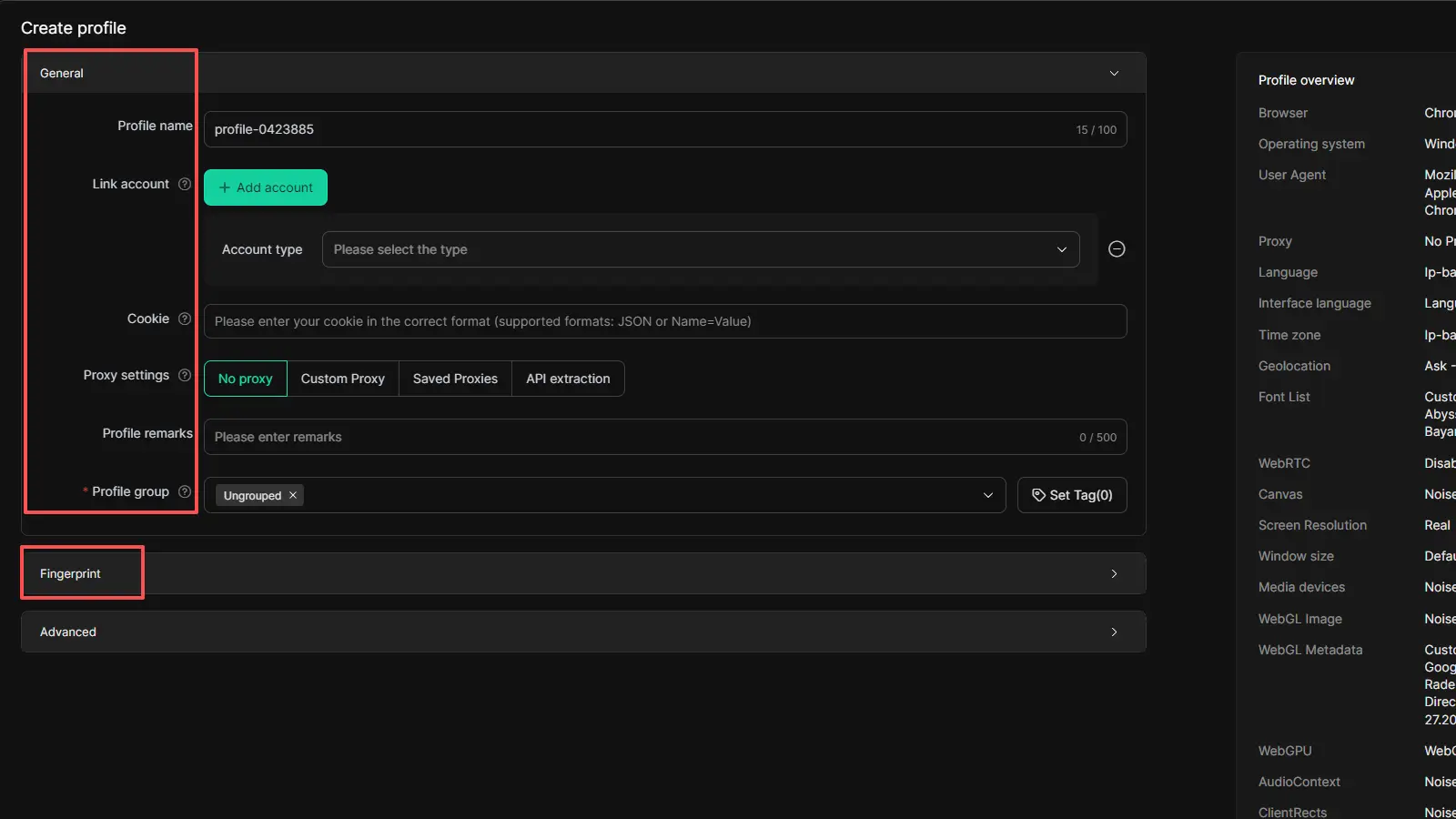
One of DICloak’s main functions is profile isolation. Its product page says each browser profile can keep its own cookies, fingerprint settings, and proxy setup, which helps separate one account environment from another instead of mixing everything in one regular browser.
Lower avoidable login-risk signals after password resets
After a password reset or recovery review, stable access matters. DICloak’s website access restrictions and security protection mode are described as ways to keep the browser profile more controlled by limiting risky changes such as unwanted site access or extension changes. It is best framed as a post-recovery management tool, not a replacement for Facebook’s official verification or appeal process.
FAQs about Facebook Suspended My Account
Q1: Can I recover my Facebook account without uploading ID?
Yes, sometimes. If facebook suspended my account because of a basic security check, Facebook may only ask you to confirm your email, phone number, login attempt, or recent activity. But in some cases, Facebook may ask for ID to confirm that you are the real account owner.
Q2: What if Facebook does not respond to my appeal?
If facebook suspended my account and Facebook does not reply right away, do not keep sending different appeals again and again. It is better to go back to the same login and recovery flow, check for new prompts, and complete any security steps Facebook shows. Some security checks can also delay access for a short time.
Q3: Why does Facebook suspend new accounts so quickly?
New accounts can be suspended faster because they do not have much trust history yet. If a new account sends too many requests, changes devices or locations too quickly, or shows activity that looks unusual, Facebook may flag it sooner. This is why some users search facebook suspended my account soon after creating an account.
Q4: Can a hacked account look like a suspended account?
Yes. A hacked account can look like a suspended account because unusual logins, password changes, or strange activity can trigger Facebook’s security systems. If facebook suspended my account right after suspicious behavior, the problem may be a hacked-account issue instead of a normal policy violation.
Q5: Can I still access my Page or ads if my personal account is suspended?
Maybe. Personal account restrictions, Page restrictions, and ad account restrictions are related, but they are not always the same issue. If facebook suspended my account, you should check your personal account status, Page status, and business asset status separately, because Meta provides different review paths for these areas.
Conclusion
Seeing the message “facebook suspended my account” can feel overwhelming, but it does not always mean your account is gone for good. In many cases, the real issue is a security check, unusual login activity, or a review that needs the right appeal and the right evidence. The key is to stay calm, follow Facebook’s official recovery steps, and avoid mistakes that make the process harder. Once you regain access, stronger account security and a more stable login setup can also help reduce the chance of facing the same problem again.
 Web Proxy Tools
 Free Tools
 Cookie Plugin
 UA Generator
 MAC Address Generator
 IP Generator
 IP Address List
 2FA Code Generator
 World Clock
 Anonymous Check
 WebRTC Leak Test
 UUID Generator
 Free Web Proxy Site
 Proxy Checker
 FB Ad Checker
 AI Web Scraping
 Free SMM Tools
 Twitter Shadowban Checker
 Instagram Name Checker
 UTM Generator
 Username Generator
 AI Hashtag Generator
 LinkedIn Headline Generator
 Social Media Image Resizer