Most students run into the same problem: you want full ChatGPT features, but the $20/month price for Plus stings when you’re living on a student budget. You search for a chatgpt student discount and find discussions about ChatGPT Plus student discount, cheaper ChatGPT student pricing, or special AI student discounts, yet nothing official shows up on OpenAI’s site.
A lot of people try workarounds: sharing logins with friends, using campus emails hoping for a hidden deal, or buying “discounted” accounts from resellers. The real risk isn’t just wasting money. Account sharing can lead to sudden logouts, frozen access, or even getting locked out if OpenAI flags unusual activity. Those reseller “deals” often don’t survive the first password reset or device check.
The truth is, there’s no advertised student pricing for ChatGPT as of July 2026. That doesn’t mean you’re out of options, just that the safe, working methods look different than most blog posts suggest. Some students save money by splitting a Plus plan inside a trusted group, but only if they carefully manage device logins and payment control. Others use alternative AI tools that do offer student deals, or stick with GPT-3.5 for free.
If you’re tired of dead ends and want to know what actually works (and what gets you banned), here’s what to focus on now.
What Actually Exists: ChatGPT Student Discount in 2026
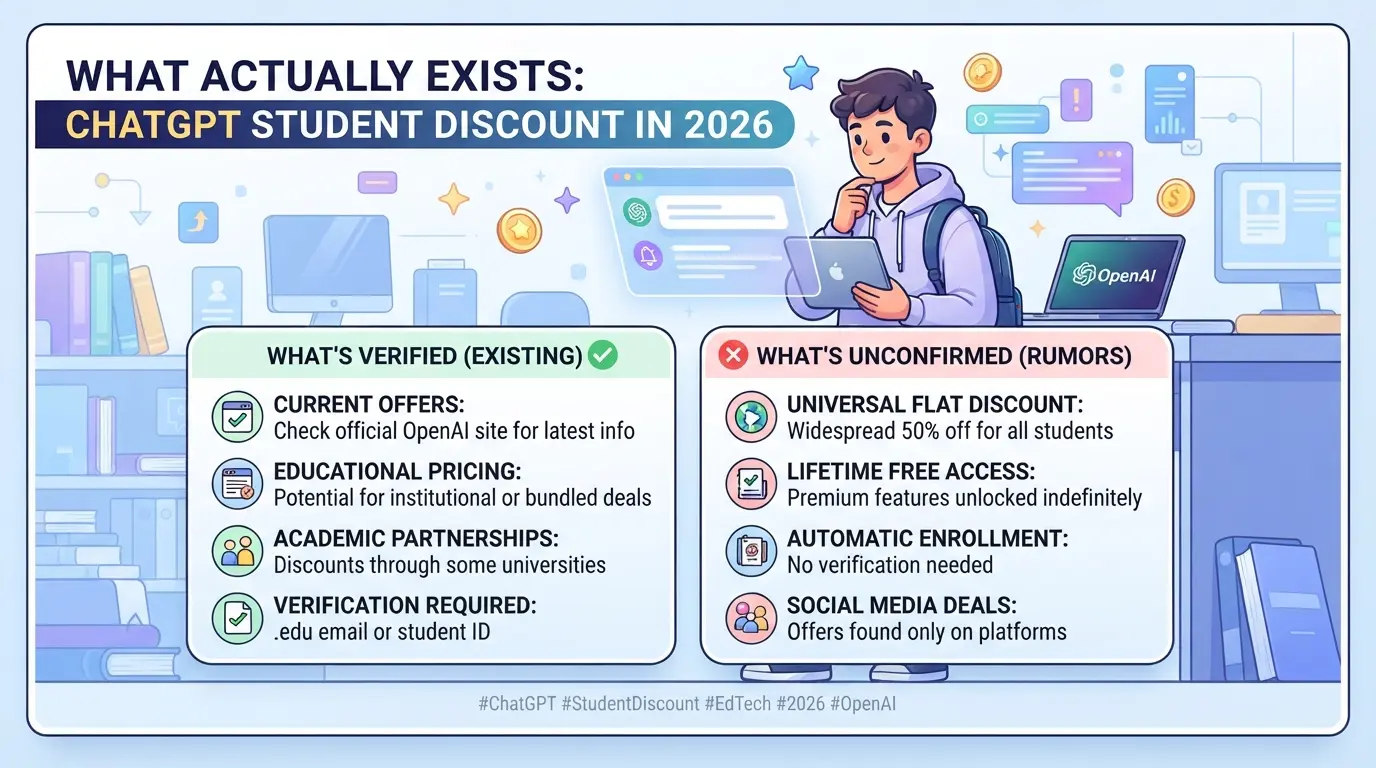
There is no official ChatGPT student discount as of July 2026. OpenAI does not advertise any student pricing, education offer, or campus-wide deal for ChatGPT Plus. If you see a site or seller promising a student deal, read the details carefully before you pay.
Has OpenAI Offered a Student Discount for ChatGPT Plus?
OpenAI has never launched a public student discount for ChatGPT Plus. In past years, there were limited university pilots for educators, never a general student rate. The only official ChatGPT pricing is the $20/month Plus plan for everyone.
What Is Free for Students on ChatGPT?
Students can use ChatGPT’s free version (GPT-3.5) with a basic OpenAI account. This tier lets you chat, ask questions, and do most homework-level tasks at no cost. However, you won’t get faster responses, priority access, or advanced features like uploading files or using GPT-4. The free tier also hits rate limits during busy times, if you see a message that “ChatGPT is at capacity,” just waiting 10-20 minutes often works. Don’t expect plugins, image generation, or custom instructions. For example, if you try to summarize a long PDF or add a file, the system will return an upgrade prompt. Free ChatGPT covers most simple research or study needs, but you’ll run into blocks on more demanding school projects. If you need guaranteed access or complex outputs for group work or coding, only the paid Plus plan can handle that reliably.
How to Spot Fake or Risky Student Discount Offers
- No .edu or official OpenAI link: Real student deals would come from your school or OpenAI, not Telegram, Discord, or unofficial shops.
- “Lifetime” or under-$10 deals: These often resell cracked accounts or use stolen cards, access will vanish after a password reset or audit.
- No refund, no payment control: If you can’t manage billing yourself, the seller keeps all the power. That’s a red flag for future lockouts.
If you keep searching for “student deals,” you’ll mostly find risky workarounds or scams. The next step is understanding why OpenAI hasn’t rolled out real student pricing and what safer options students actually use.
Why Most Students Can't Get an Official ChatGPT Discount, and What to Do Instead
The main reason students struggle to get an official ChatGPT student discount is simple: OpenAI doesn’t run or advertise student pricing for ChatGPT Plus in 2026. Students searching for deals end up chasing expired links or risky third-party offers, so the real question is how to avoid wasted effort and what safe options are left.
Why OpenAI Limits Student Discounts
OpenAI avoids student pricing mostly for business and technical reasons. With millions of active users, the company focuses on stable billing and platform quality. Managing student verification at scale is expensive and prone to abuse, especially when many schools lack unified email systems. The risk of account sharing and fake signups outweighs the benefits for OpenAI, so they stick to standard pricing.
Safer Alternatives: Free AI Tools for Students
If you’re blocked from ChatGPT Plus, free AI platforms are the next safest bet. Google Gemini, Claude, and Microsoft Copilot each offer no-cost access with fewer restrictions. Gemini’s free version handles short prompts well but cuts off on longer tasks. Claude gives strong summaries but limits uploads. Copilot lets you generate drafts and code but won’t match GPT-4’s depth. The catch: all these tools log activity for analytics, so privacy isn’t perfect. If you’re working on sensitive projects, stick to browser incognito mode or local tools. Many students jump between these free options, when one hits a limit, they switch. The biggest failure mode is relying on a single tool and getting locked out mid-assignment. Here’s how the free platforms stack up:
| Platform |
Free Access |
GPT-4 Level |
Limits |
Student Pricing |
| ChatGPT 3.5 |
Yes |
No |
Lower quality |
None |
| Gemini |
Yes |
No |
Prompt length |
None |
| Claude |
Yes |
No |
Upload limits |
None |
| Copilot |
Yes |
No |
Usage caps |
None |
When Paid Upgrades Make Sense for Students
Scan these points before paying for an upgrade:
- You need GPT-4 for advanced tasks, like complex essays or coding projects, and free tools aren’t cutting it.
- Your group can split the cost safely, meaning all users trust each other with payment and device control.
- You’re tired of switching platforms and want stable access, even if it costs $20/month.
How to Check If a ChatGPT Student Discount Is Genuine
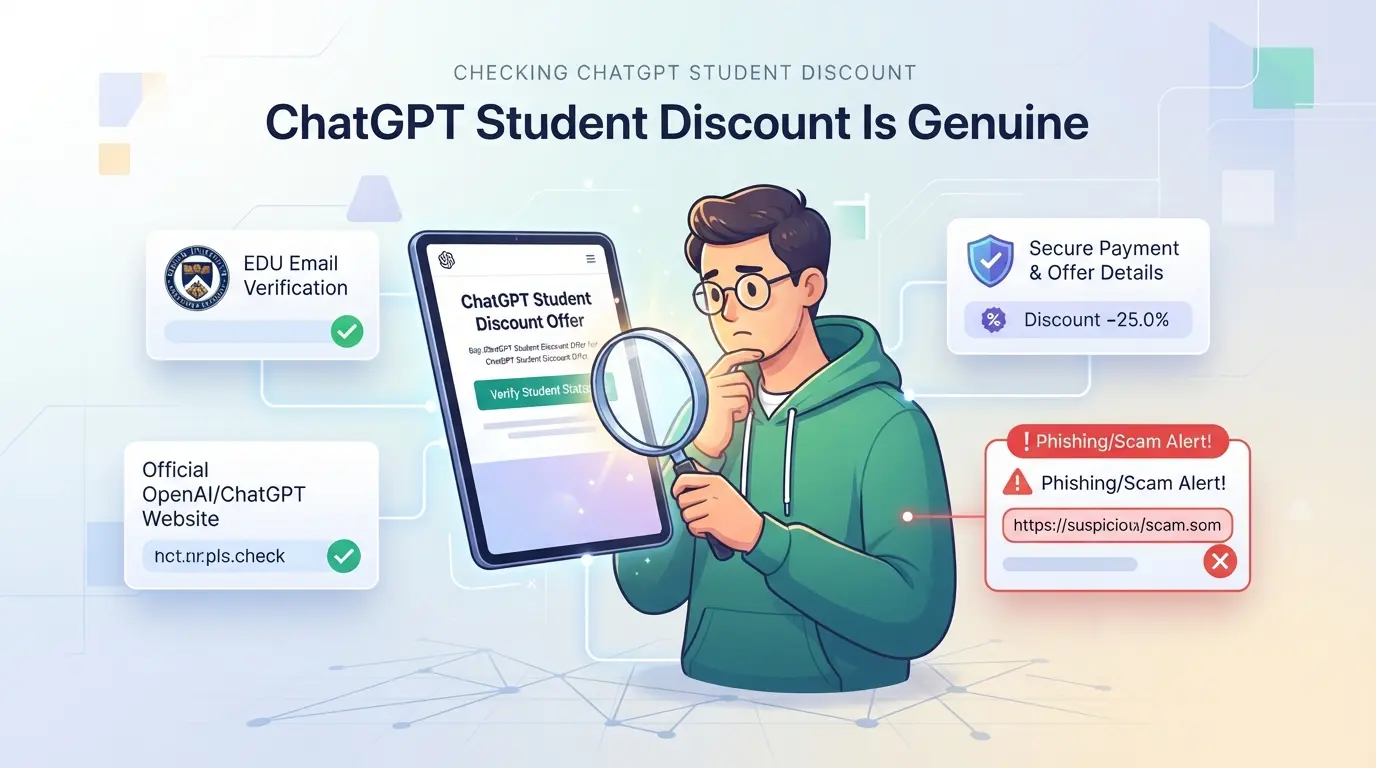
Most "student deals" for ChatGPT you find online aren’t real. If you want to avoid losing money or risking your account, you need to check the offer’s source before you click or pay.
Step-by-Step: Verifying Official Offers
The only trusted place for ChatGPT student pricing is the official OpenAI website. Ignore offers from Telegram channels, Discord servers, or random forums, none of these are official. If a discount isn’t shown in your ChatGPT billing panel or on OpenAI’s help docs, it’s not real. When in doubt, search for “ChatGPT education offer” directly on OpenAI’s site.
Red Flags: Signs of a Scam or Risky Seller
- Codes that never work on the official ChatGPT checkout
- Payment asked up front via PayPal, gift card, or crypto
- No written confirmation from OpenAI or visible pricing page
What to Do If You Get Scammed
If you’ve paid for a fake ChatGPT Plus student discount, act fast, most scammers vanish after payment.
- Cancel payment immediately if possible (PayPal “Goods & Services” gives some protection)
- Change your ChatGPT password if you gave login info
- Report the incident to OpenAI and your bank or payment provider
How Students Usually Share ChatGPT Accounts, and the Risks Involved
Students often split a ChatGPT Plus subscription to save money or work together on group projects. This seems cheaper at first, but informal sharing usually leads to new problems instead of real savings.
Why Account Sharing Happens Among Students
Most students share accounts because official chatgpt student discount offers don't exist. When a team needs premium features for a short project, pooling funds or passing a login feels like the fastest workaround. The risk: shared control often means shared trouble if anything goes wrong.
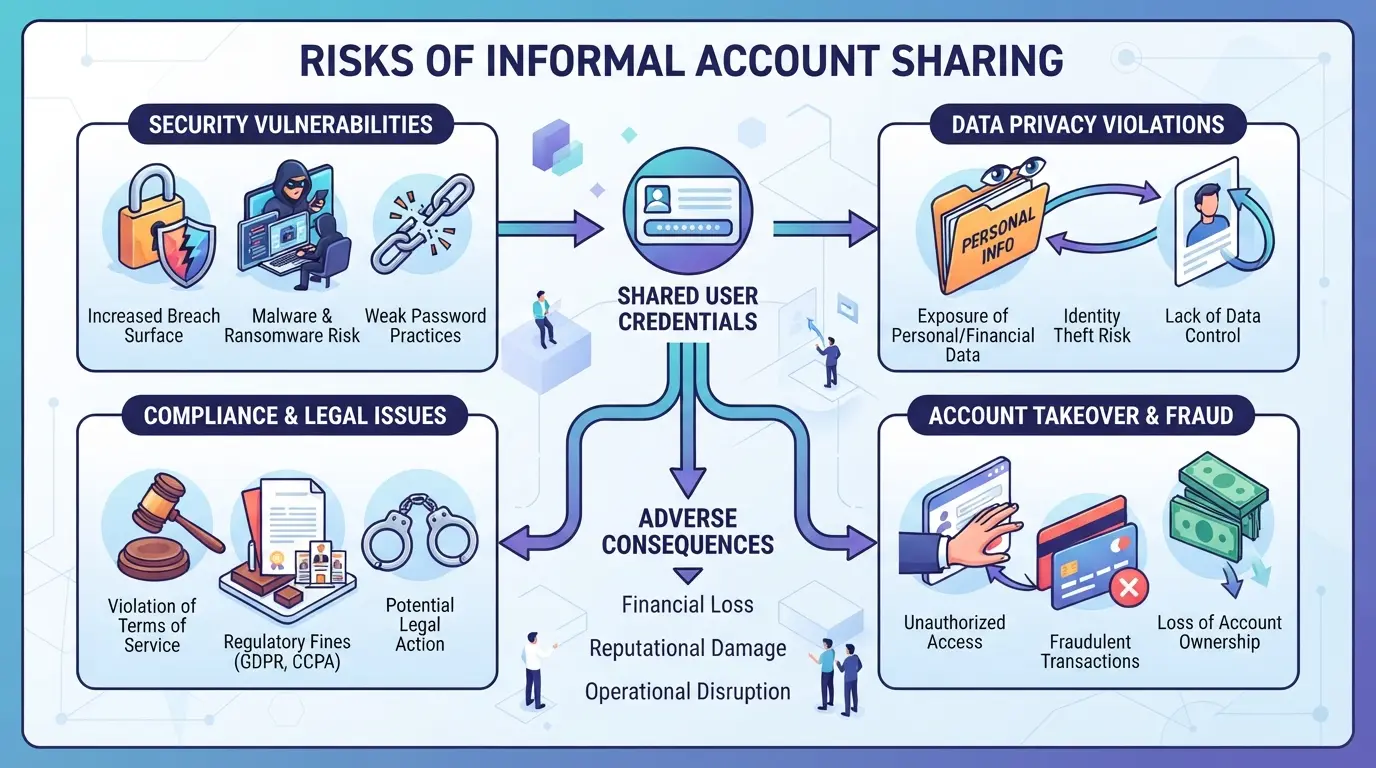
Risks: Account Bans, Security Leaks, and Workflow Problems
Account sharing is flagged quickly by OpenAI.
- Expect surprise logouts, flagged sessions, or even permanent bans if the system spots two users in different locations.
- The safer move is to use separate free accounts or check if your school has an official OpenAI education partnership.
Common Mistakes That Trigger Account Restrictions
Most bans happen when two people log in from different countries or when the browser/device fingerprint keeps changing. If you must share, keep logins on one device, and never give out the main password or payment info. Even one slip can mean losing access for everyone.
How Teams Can Share Platform Accounts More Safely with DICloak
If you’ve tried splitting a ChatGPT Plus subscription with friends or classmates, you probably hit the same pitfalls: mixed login locations, account lockouts, and confusion about who can change settings. For teams who also need to share other platform accounts, like for a group project, research tool, or budget-saving setup, DICloak offers a way to keep browser profiles and team access organized. It doesn’t change platform pricing or create a hidden chatgpt student discount, but it does handle the messy workflow side that usually causes problems.
Unified IP and Fingerprint for Account Sharing
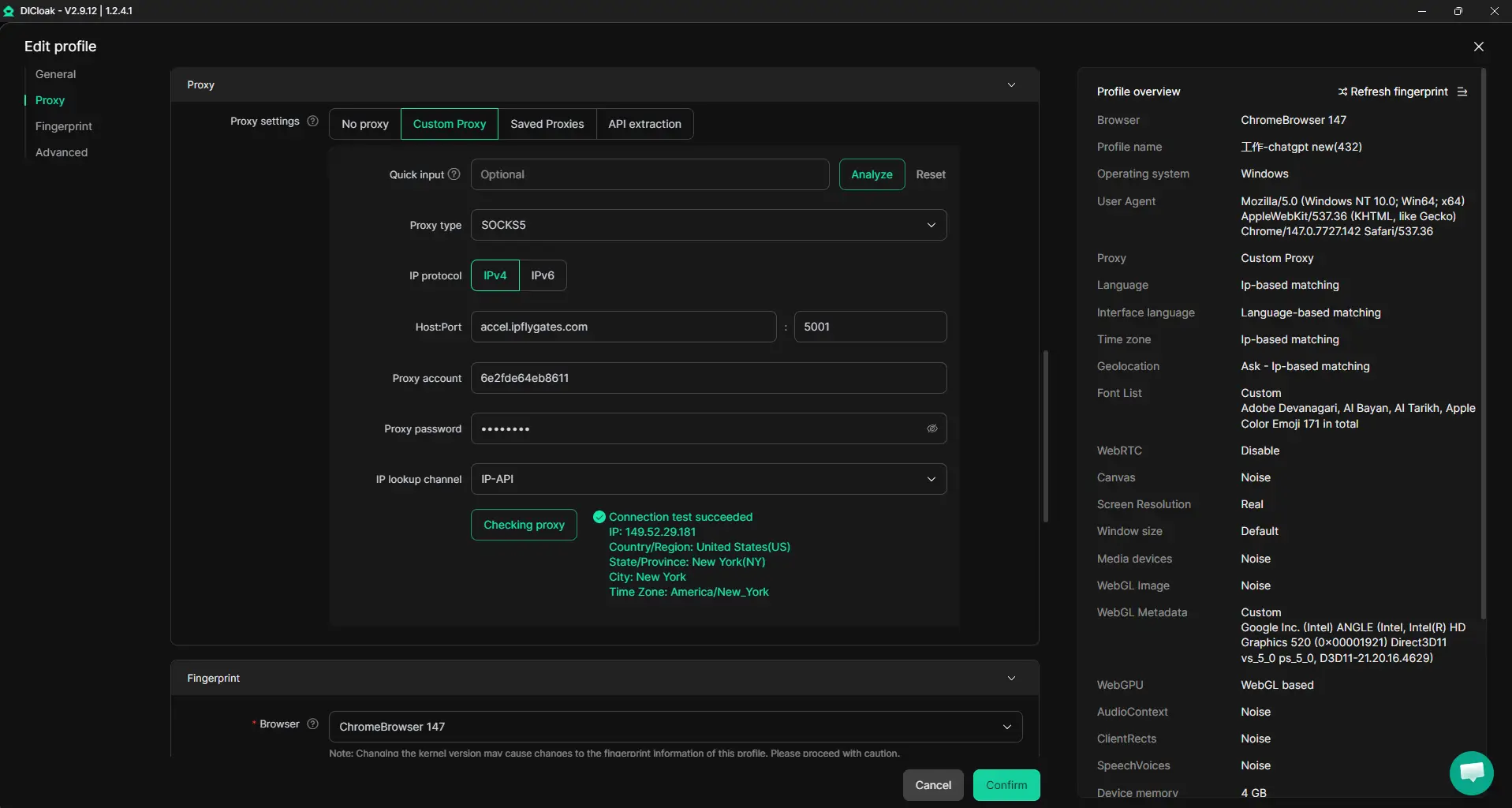
Teams often trip up when different members log into a shared account from random devices, triggering security checks or forced logouts. With DICloak, an admin can set up a single shared browser profile, configure its fingerprint and proxy (which must be provided by the team), and distribute access to the right members. Everyone uses the same browser profile and network path, so platform checks see consistent signals, at least on the browser and IP layer. The real win is that you avoid the chaos of mismatched device histories and scattered geolocations, which are the most common reason accounts get flagged. Keep in mind, though, that all members must use this same profile and proxy; it doesn’t override platform-side decisions or guarantee safe passage.
Account Security for Shared Tool Accounts
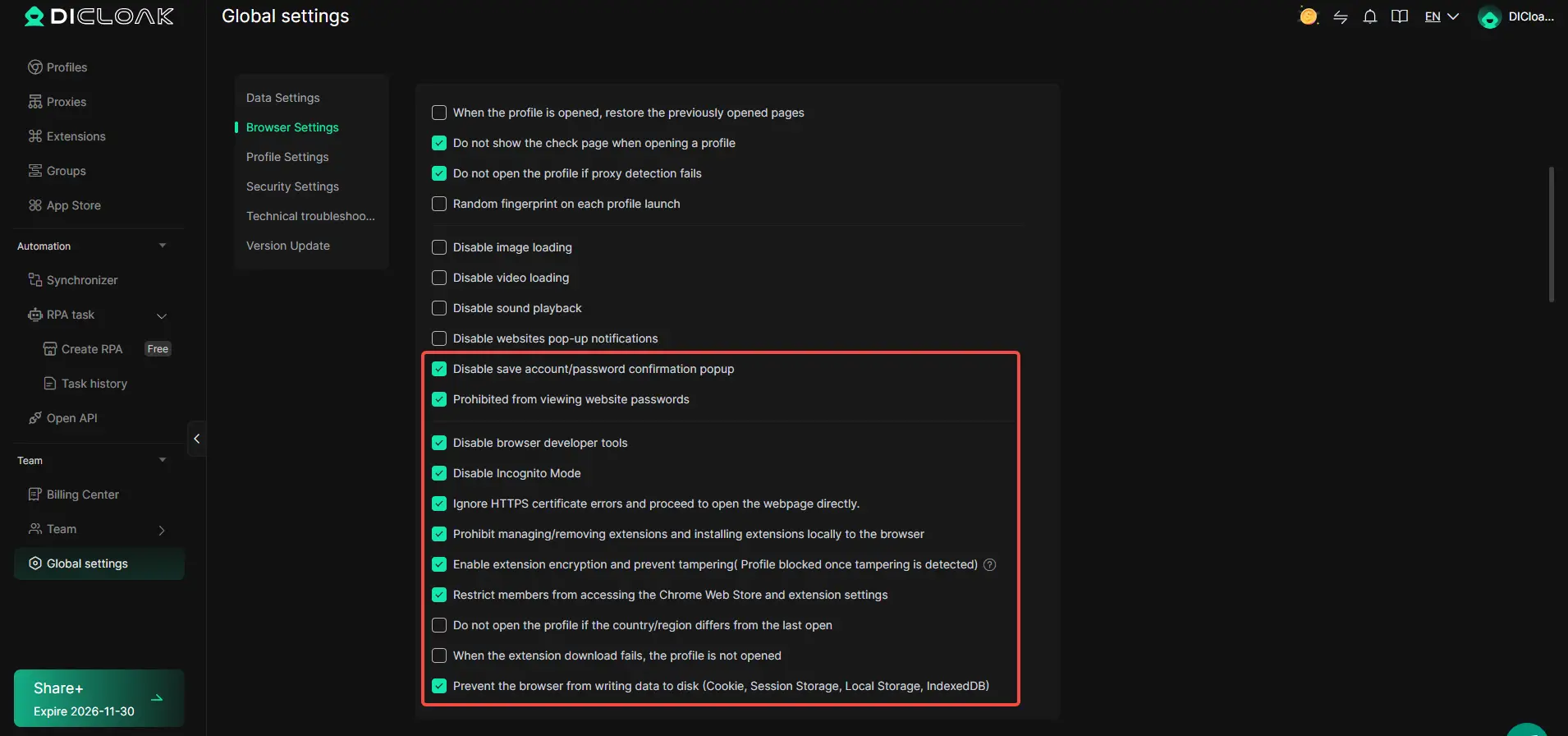
Handing out a login isn’t enough, if passwords or cookies leak, someone can hijack the account or tamper with settings. Admins can use DICloak security settings to limit what members can view, copy, or change inside the browser profile. For example, password and cookie protection stops members from seeing or exporting sensitive login data, while page restrictions block access to account-management URLs. Extension controls hide or lock down tools that could expose credentials. The scope is limited to browser-profile access; it does not change the connected SaaS tool’s own security.
Team Collaboration and Permissions
Accidental clicks or deliberate changes can ruin a shared account, especially when too many people have full access. Admins can group members, set which browser profiles each group can use, and restrict fields or actions to keep workflows tight. For a student team, this means only the project lead sees payment info, while others just access what’s needed for research or writing. This setup applies to DICloak workspace controls, not to roles or settings inside the platform account itself.

If you’re weighing whether to buy, share, or stick with free tools next, the way you organize access can make or break your workflow.
How to Decide: Buying, Sharing, or Using Free AI Tools as a Student
If you’re stuck between paying, sharing, or sticking to free tools, pick based on what you actually need and what you can risk. Don’t just chase a “chatgpt student discount”, focus on what helps you get your work done without losing access or money.
Checklist: When Buying Makes Sense
- Write down what features you need, like file upload, longer memory, or plugins. If you only use simple chat, paid plans may be overkill.
- Check your real budget. If you can’t cover $20/month yourself, wait for official ChatGPT Plus pricing to drop or look for short-term upgrades.
- Ask: Would losing access next week be a problem? If yes, buy only from the main platform. Third-party deals often fail after a password reset or device check.
- If you need stable access for research or projects, paying for your own plan is the only way to control your account and avoid sudden bans.
Checklist: When Sharing Is Practical
- Only share inside a small, trusted group, classmates or a project team you know well.
- Set ground rules: who pays, who logs in, and how to handle password changes.
- If you see unexpected logouts or device warnings, stop sharing, someone’s breaking the session rules.
Checklist: When Free Tools Are Enough
Sometimes you don’t need to pay at all. For basic Q&A or short essays, GPT-3.5 or free alternatives get the job done.
- Try free tools first, if they cover your daily needs, skip upgrading.
- Watch for message or speed limits. If you hit a block, that’s the sign to consider paying.
- Never enter private data in free accounts; they may not keep your info safe.
Common Pitfalls: Why Students Lose Access or Get Banned
Top Mistakes: Buying from Unverified Sellers
Picking a “cheap” ChatGPT student discount from random sellers usually ends one of two ways: fake login info or a short-lived account that gets locked after payment.
Top Mistakes: Sharing Accounts Without Proper Controls
Sharing a paid ChatGPT account with friends can backfire fast, OpenAI often flags strange device or location changes.
- Account gets logged out or banned mid-semester
- Safer: limit logins to trusted devices, rotate passwords after group members leave
Top Mistakes: Ignoring Platform Terms
Breaking platform rules, even just by sharing or reselling, can get all linked accounts banned, not just the one you paid for. Always check the terms before trusting a discount offer.
Frequently Asked Questions About chatgpt student discount
Is there a ChatGPT Plus student discount in 2026?
As of 2026, OpenAI does not offer an official chatgpt student discount for ChatGPT Plus. Students pay the same $20 per month as everyone else. Sometimes, schools or universities may provide access through group licenses, but there is no direct student pricing or education offer from OpenAI right now.
How can students get ChatGPT cheaper or free?
Students can use the free ChatGPT (GPT-3.5) version at chat.openai.com. Some colleges partner with OpenAI to give students free Plus access, so check with your school. Free AI chatbots like Google Gemini, Microsoft Copilot, or Perplexity AI are also good alternatives for student use.
Is it safe to buy ChatGPT accounts from third-party sellers?
It is not safe. Buying ChatGPT accounts from unofficial sellers is risky. Many third-party sellers scam buyers, and OpenAI can ban accounts bought this way. Always sign up directly on OpenAI’s website to keep your account secure and avoid losing access or personal data.
Can students share ChatGPT accounts without getting banned?
Sharing ChatGPT accounts goes against OpenAI’s terms of service. If OpenAI detects multiple users on one account, they may suspend or ban it. Instead, students should each create their own free account or use shared access provided by their school, if available.
What are the best free AI tools for students in 2026?
Top free AI tools for students include Google Gemini, Microsoft Copilot, and Perplexity AI. These platforms offer free access to advanced language models, research tools, and writing help. Each has different strengths, but all give reliable, no-cost AI support for schoolwork.
Students interested in leveraging advanced AI tools for their studies should check current eligibility requirements and sign up with their valid academic credentials. Taking advantage of available offers can make these resources more accessible and affordable throughout the school year. Try DICloak For Free
 Web Proxy Tools
 Free Tools
 Cookie Plugin
 UA Generator
 MAC Address Generator
 IP Generator
 IP Address List
 2FA Code Generator
 World Clock
 Anonymous Check
 WebRTC Leak Test
 UUID Generator
 Free Web Proxy Site
 Proxy Checker
 FB Ad Checker
 AI Web Scraping
 Free SMM Tools
 Twitter Shadowban Checker
 Instagram Name Checker
 UTM Generator
 Username Generator
 AI Hashtag Generator
 LinkedIn Headline Generator
 Social Media Image Resizer