Being locked out when you can't login eBay seller account stops sales, delays shipments, and puts your store at risk. One wrong password can trigger a verification loop, while a failed security check might block you for hours, even if you know the answer. If you manage several stores, things get even messier: switching profiles or devices often brings up new login challenges, from two-step codes that never arrive to sudden “account locked” warnings.
Most guides focus on password resets and browser cache, but the real trouble often comes from less obvious places. Device fingerprint mismatches, hidden IP changes, or even old cookies can set off security measures you can’t just click through. It’s not just about “forgot password”, sometimes, even after changing your password, eBay still treats you as a stranger.
What actually works is knowing where login failures start, what eBay checks in the background, and how to clear or reset the right data, without making things worse. You’ll see why some fixes only work once, and what steps actually unlock the account for good. If you’re handling multiple accounts, or you’ve already lost access more than once, you’ll find out which steps to skip and which to follow in order.
Start with the quick checks below, before you trigger another lockout.
Why eBay Seller Logins Fail: The Most Common Causes in 2026
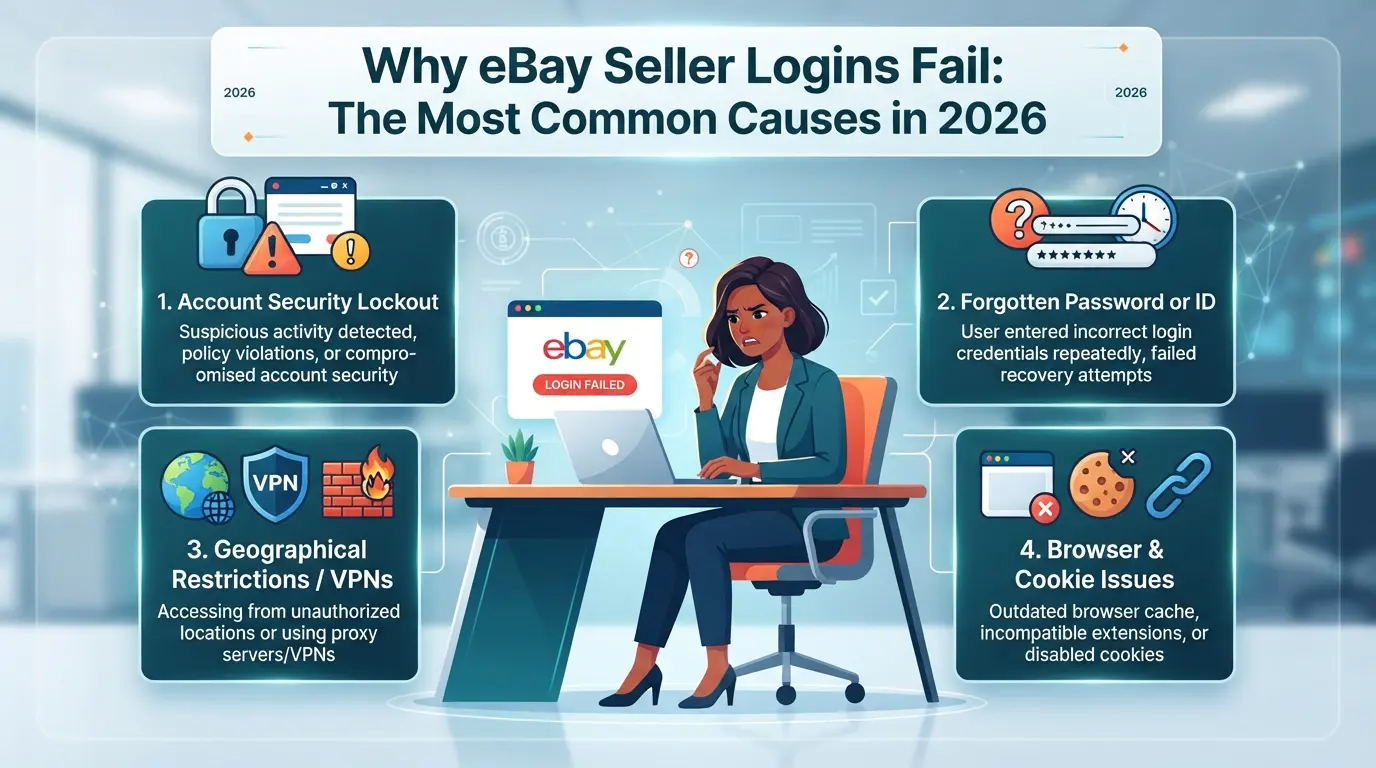
Most eBay seller login failures trace back to five causes: account restrictions, credential errors, security checks, browser or app issues, and problems from switching devices or sharing access. Knowing which one fits your case stops wasted resets and avoids getting locked out again.
Account Restrictions, Suspensions, or Holds
If your account has a restriction, suspension, or hold, you won’t be able to log in until the issue is resolved. This often happens after a policy violation, overdue seller fees, or when eBay flags suspicious activity. Watch for account alerts or direct messages, eBay usually sends a clear notification and a link to start an appeal.
Incorrect Passwords, Usernames, or Email Addresses
Most people check their password first, but login failures can come from small details. Typos in your username or email are common, especially if you use multiple eBay accounts. Password managers can autofill the wrong credentials if you have similar account names stored. For example, logging into a business account with your personal email triggers a failed login, then, after two more tries, eBay may prompt a security check or lock you out for 24 hours. If you reset your password but still can’t sign in, double-check the account identifier on the reset page. Getting this wrong can loop you into repeated failure, as each reset only applies to the typed-in account.
Security Checks, Device Recognition, and Location Flags
Unusual login attempts from a new device or location will trigger eBay’s security checks. Even if your credentials are correct, eBay might ask for a verification code via email or SMS. Entering the code wrong twice will usually force a full password reset.
Browser, App, and Network Compatibility Issues
Trying to log in on an outdated browser, a mismatched app version, or with cookies disabled often causes silent failures, sometimes you see a blank page or a loop back to the login screen. Switching devices without clearing old sessions can also lead to “unexpected error” banners that don’t explain the real cause.
Multiple Accounts or Shared Access Problems
Quick mini-checklist for team and multi-account logins:
- Switched IP address or device in one session? eBay may log all users out.
- Using shared credentials? Conflicting sessions can trigger instant security holds.
- Did another team member change the password or recovery info today? That breaks your login until you refresh credentials.
Pinpointing the failure type now sets up a cleaner fix in the next step.
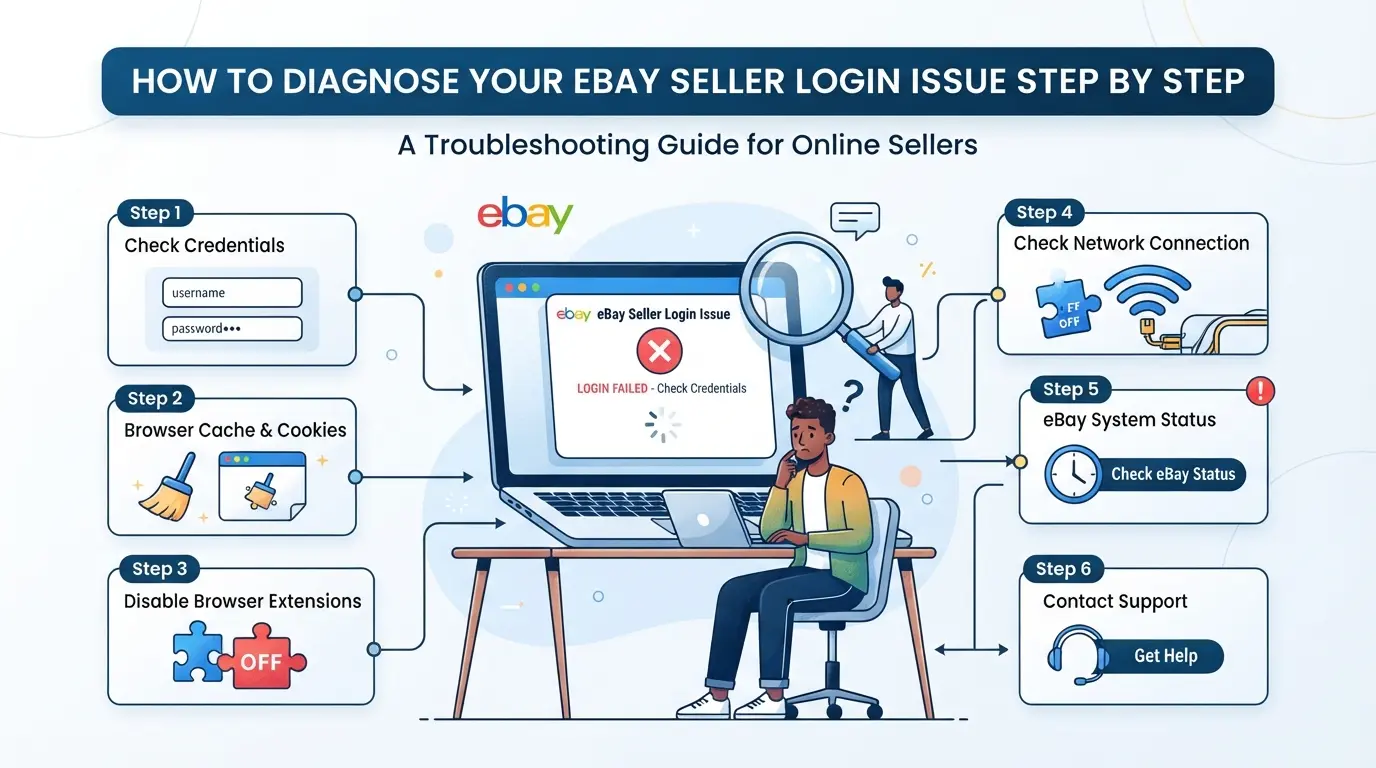
How to Diagnose Your eBay Seller Login Issue Step by Step
If you can’t login to your eBay seller account, don’t just keep retrying your password or switching browsers at random. The fastest way to fix the problem is to pinpoint exactly which layer is blocking you, error messages, credentials, security checks, browser or network, or account status. Here’s how to break it down step by step before things get worse.
Step 1: Check for Error Messages and eBay Notifications
- Read the exact error message on the login page, terms like “account locked,” “suspended,” or “incorrect password” point to different problems.
- Click any “Learn More” or “See Details” link; eBay sometimes shows extra info in a pop-up or sidebar.
- Open your email and SMS linked to the account. Look for recent messages from eBay with subject lines like “Action Required” or “Security Alert.”
- If you only see a blank reload or endless spinner, skip to step 4, this usually means a browser or network issue.
Step 2: Test Your Credentials and Account Recovery Options
- Enter your username and password slowly, typos cause more failed logins than most people expect.
- If you get a password error, use “Forgot password?” to reset. Watch your email and phone for the reset link or code.
- If recovery fails (no reset email/SMS arrives, or you’re told your info doesn’t match), your contact details may have changed or the account is restricted.
Step 3: Review Security Checks and Device/Location Prompts
- If you see a code prompt, enter the code from your email, phone, or authenticator app quickly, codes often expire in 5 minutes.
- For “We noticed suspicious activity” alerts, check if eBay is asking you to approve a login via their app or confirm a new device.
- If you’re stuck on a loop asking for 2FA but never get the code, check that your device is connected and notifications are on.
Step 4: Inspect Browser, App, and Network Settings
- Clear your browser’s cache and cookies, old data can keep you stuck on the same error page even after fixing the root problem.
- Disable any proxy or custom firewall settings. eBay often flags unknown proxies or blocked ports as suspicious, which can block logins.
- Try a different browser or device. If one works but another doesn’t, the issue is local, not with your account.
Step 5: Consider Account Restrictions or Team Access Issues
- Log in from a private/incognito window. If you get a message about “account restricted” or “suspended,” you need to address the restriction, not just your login.
- If you share the account with a team, check if someone else changed credentials or triggered a lockout. Coordinate before more people attempt access, multiple failed logins in a row can escalate the block.
If you reach this step and still can’t sign in, it usually points to a restriction or suspension. That’s where things get trickier, next, you’ll need to check what kind of block you’re dealing with and what actions are left.
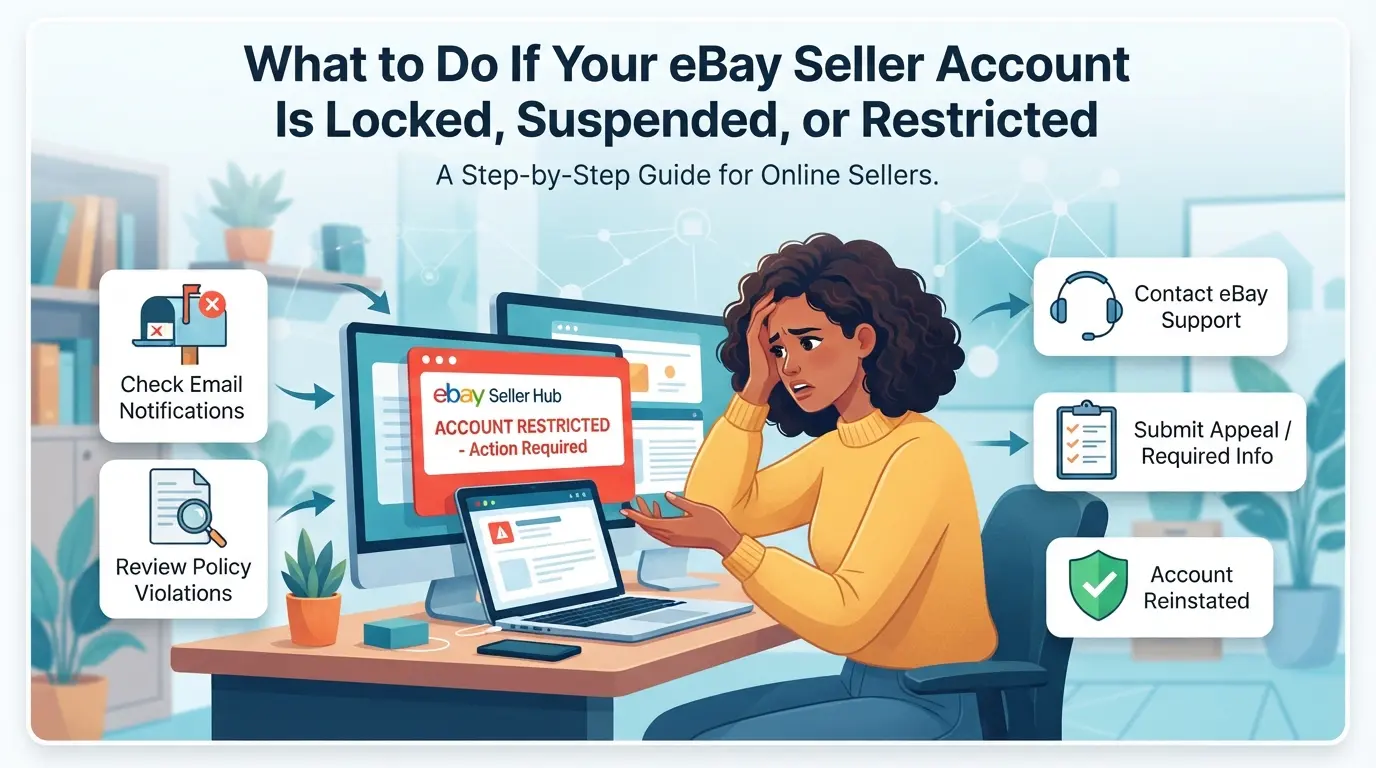
What to Do If Your eBay Seller Account Is Locked, Suspended, or Restricted
If you can't login to your eBay seller account because of a lock, suspension, or restriction, act fast, fixing the wrong thing can make the block last longer or trigger more checks. Don’t guess at random resets or keep retrying old passwords. The right move depends on why your account was flagged.
Identify the Reason for the Restriction
Check your email for eBay’s official notice, almost every restriction comes with a message. Look for subject lines with “Action Needed,” “Account Hold,” or “Suspension.” Security triggers often reference unusual activity, while policy violations mention listings, invoices, or feedback. If you can sign in at all, notifications may also show in your Messages center.
Follow eBay's Account Recovery or Appeal Process
- Use the exact recovery or appeal link in eBay’s email/message; avoid search engine “support” links.
- Gather and submit only the requested documents (photo ID, business license, etc.).
- Track your submission, response times usually run 24-72 hours, but weekend requests can take longer.
Avoid Common Mistakes That Delay Recovery
Trying to log in over and over, especially from new devices or via random proxies, raises new flags and resets your review period. One failed attempt from a mismatched device can push your case to manual review, adding days or weeks to the process.
When to Contact eBay Support Directly
If the status hasn’t changed after 72 hours, or your account is business-critical, contact eBay support with these ready:
- Your account username, registered email, and ticket/case number if you have one.
- Screenshots of any error messages or lockout screens.
- All official communication from eBay, including subject lines and sender details.
If you follow these steps, you’ll avoid common missteps and get to the next fixable cause, browser or device problems, faster.
How to Fix eBay Seller Login Issues Caused by Browser, Device, or Network Problems
Most eBay seller login errors come from small technical glitches you can fix in minutes, if you know what to reset. Start here before escalating.
Update or Switch Your Browser and App
- Use a browser or app version on eBay’s approved list for 2026, older versions can fail silently.
- Clear cache and all cookies for eBay.com. Stale cookies often keep redirecting you to error pages, even after an account reset.
- Try a different browser or device if you still cannot sign in. Sometimes, hidden browser extensions or settings block login scripts.
Check Proxy, Firewall, and Network Settings
- Disable any active proxy or custom DNS. eBay often flags proxy IPs, causing login loops or security challenges.
- Switch to a mobile data connection or a different Wi-Fi network, office or café firewalls sometimes block eBay completely.
- If you use a proxy, verify it matches your usual location. A mismatch usually triggers extra verification or blocks.
Resolve Device Recognition and Location Conflicts
- Stick to the same device and location as your last successful login, switching both at once is a common red flag.
- If forced to switch, expect a verification prompt. Complete it in one session or you risk a temporary lockout.
- Avoid rapid device hopping, eBay’s system treats multiple login attempts from new devices as suspicious.
How to Prevent Future eBay Seller Login Problems: Safer Multi-Account and Team Workflows
If you want to avoid “can’t login eBay seller account” headaches, you need to control more than just passwords. Consistent device setups, smart account separation, and careful IP handling stop most recurring lockouts, especially when you manage more than one account or have a team.
Maintain Consistent Login Environments
eBay tracks your device, browser, and IP, change any one too often and you’ll land in extra security checks, sometimes instant lockout. Use the same computer, browser profile, and network for each account. If you must switch, make only one change at a time and watch for new 2FA or email verifications. The fastest way to trigger a review is logging in from a “new” setup after a recent password change.
Separate Accounts and Assign Clear Access Roles
- Set up a unique login for each seller account, never mix stores in one browser session.
- Make sure every team member has their own device and access credentials.
- Remove shared logins; instead, document who has access to what, and update when team changes happen.
Use Trusted Proxies and Avoid Suspicious IP Changes
Pick proxy providers with a track record in e-commerce, not just the cheapest option. Sudden or frequent IP changes, especially from distant countries or mobile networks, flag your account for review. If you’re forced to change IPs, stick to the same city and keep the pattern steady over time.
Keep Security Settings and Recovery Info Updated
Resetting passwords only when forced isn’t enough. Make it routine to check all recovery options and security settings. If your contact info changes, update it before the old one expires.
- Change passwords every 90 days, not just after a lockout.
- Enable two-factor authentication on every seller account you manage.
- Review and update recovery email and phone numbers at least twice a year.
Teams who skip these steps often find accounts locked out after staff leave, or see new logins blocked because eBay detects a mismatch. Building these routines now makes it much less likely you’ll get stuck outside your own accounts, especially as your store count or team grows.
How E-Commerce Teams Manage Multiple eBay Seller Accounts More Safely with DICloak
Once you’ve handled the basics of login hygiene, managing more than one eBay seller account, especially as a team, brings a new set of risks. Mixing up browser storage, reusing device settings, or letting team members access the wrong account can all trigger security checks or lead to the “can’t login eBay seller account” headache. Teams looking for a more organized, risk-aware workflow use DICloak to keep each seller account’s browser profile, network, and access rules separate.
Separate Each eBay Seller Account with Isolated Browser Profiles and Custom Fingerprints
Operators can create a dedicated browser profile for each eBay seller account in DICloak. Every profile stores its own session, cookies, and browser-identification signals, like system version, user agent, language, and time zone. This setup means that logging into one account won’t cross over to another, so team members avoid accidental mix-ups and can keep each account’s environment consistent across sessions. The scope covers only browser profiles and fingerprint signals, not account data or listings inside eBay. 
User-Provided Proxy Configuration for Assigned Profiles
Some eBay workflows need a stable network signature. Operators can assign a user-owned proxy, HTTP, HTTPS, or SOCKS5, to each browser profile in DICloak, matching the usual login location for that seller account. Each proxy gets tested for connectivity before use, and switching between proxies or local connections is done per profile. It’s up to the operator to check proxy quality and fit; DICloak just stores and applies the settings. 
Control Team Member Permissions and Access to Seller Accounts
Admins can set which team members see which profiles, limit which actions each member can take, and hide non-essential data fields. For example, a shipping assistant might only open the shipping account profile, while a manager can access all profiles and settings. These controls apply only inside DICloak, real platform permissions on eBay stay unchanged. 
If login issues keep recurring even after this setup, the next step is to review where to escalate and how to avoid mistakes when contacting eBay support.
When to Seek Direct Help: Contacting eBay Support and Avoiding Costly Mistakes
Knowing when to stop troubleshooting and contact eBay support can save days of frustration, especially if you can't login eBay seller account after repeated efforts. Trying to fix every problem yourself risks making the issue worse.
Signs You Need Direct eBay Support
If your seller account shows technical errors that don’t clear after basic steps, or if eBay asks for documents to lift a hold, self-help ends there. Pushing past these warnings often leads to longer restrictions, get official help before you trigger another lockout.
How to Prepare for a Support Call or Ticket
Missing paperwork or unclear explanations can delay your case for weeks.
- Trying to reset passwords without checking for pending holds or ID requests wastes time and may create new login blocks.
- The safer move: Gather proof of identity, account details, and screenshots showing the problem. Write a short, clear summary, avoid rambling or blaming.
Mistakes That Can Make Recovery Harder
Repeated failed logins or switching devices during troubleshooting make your account look suspicious. This can trigger extra security checks or extend your restriction period. Stick to one device and one network until your access is restored, changing too much confuses eBay’s checks and slows recovery.
Summary: Building a Resilient eBay Seller Login Workflow for 2026
If you can't login eBay seller account, the safest approach is to rule out fast mistakes before changing settings or contacting support. This avoids extra lockouts and keeps recovery options open. Most lockouts start with mismatched fingerprints or stale cookies, not just wrong passwords.
Key Takeaways for eBay Seller Login Success
- Double-check device, proxy, and browser fingerprints match your past login patterns before every sign-in.
- Clear cookies and cache only after exporting critical data; missing this step can force identity rechecks.
- Use a dedicated browser profile for each account, never mix accounts on the same browser session.
Frequently Asked Questions About can't login eBay seller account
Why does eBay say my seller account doesn't exist or is disabled?
If you can't login eBay seller account and see messages saying your account doesn’t exist or is disabled, it’s likely suspended, closed, or flagged for policy or security reasons. Check your email for notices from eBay or log in to see alerts. Account issues often relate to unpaid fees, policy violations, or suspicious activity.
Can I recover my eBay seller account if I lost access to my email or phone?
Yes, but you must verify your identity with eBay support. Prepare documents like government ID, proof of address, or recent transaction details. Contact eBay through their help center and explain your situation. Recovery may take several days, especially if security reviews are needed.
Does using a proxy affect my ability to login to eBay as a seller?
Using proxies can cause ebay seller login problems. If you switch IPs often, or use low-quality proxies, eBay may block your access or trigger security checks. Stick to reputable, consistent proxies from the same region as your account to avoid access issues.
How can I safely manage multiple eBay seller accounts without triggering restrictions?
To manage more than one eBay seller account, use separate browser profiles for each. Keep IP addresses consistent for each account and avoid logging in from shared devices. Do not mix logins or share credentials. This reduces the risk of ebay seller account access issues and prevents linking accounts.
What should I do if my team members are locked out of our eBay seller account?
If your team cannot sign in to eBay seller center, review any recent changes in devices or IP addresses. Make sure each member has approved access. Coordinate with your team and contact eBay support if needed. Explain the access problem and provide details to help resolve it quickly.
If standard troubleshooting steps haven't resolved your login issue, consider using secure tools or services that can help protect your access and information. Taking prompt action can minimize disruption to your selling activities and keep your account safe. Try DICloak For Free
 Web Proxy Tools
 Free Tools
 Cookie Plugin
 UA Generator
 MAC Address Generator
 IP Generator
 IP Address List
 2FA Code Generator
 World Clock
 Anonymous Check
 WebRTC Leak Test
 UUID Generator
 Free Web Proxy Site
 Proxy Checker
 FB Ad Checker
 AI Web Scraping
 Free SMM Tools
 Twitter Shadowban Checker
 Instagram Name Checker
 UTM Generator
 Username Generator
 AI Hashtag Generator
 LinkedIn Headline Generator
 Social Media Image Resizer