A single negative review on Amazon can sink a new seller’s product ranking overnight, while on eBay, low feedback often means your listing won’t even get noticed. That’s the reality thousands of e-commerce sellers face when deciding between these two giants. The debate, amazon vs ebay, isn’t just about fees or audience size. It’s about how each platform shapes risk, controls your visibility, and limits what you can actually earn.
Buyers feel the difference, too. Amazon’s Buy Box algorithm can hide better deals in favor of Prime listings, as explained on Amazon Seller Central. On eBay, finding genuine products can take extra steps because listings are less standardized, something eBay’s own help resources admit is part of the open marketplace model. Whether you’re launching your first store or hunting for a rare item, the amazon versus ebay choice changes your workflow, your profit margins, and even the kind of customer problems you’ll deal with.
This guide breaks down where each platform gives you an edge, where most newcomers get tripped up, and what real sellers wish they’d checked before picking sides. Before you list that first product or place your next bid, here’s what actually matters.
What Are the Real Differences Between Selling on Amazon and eBay?
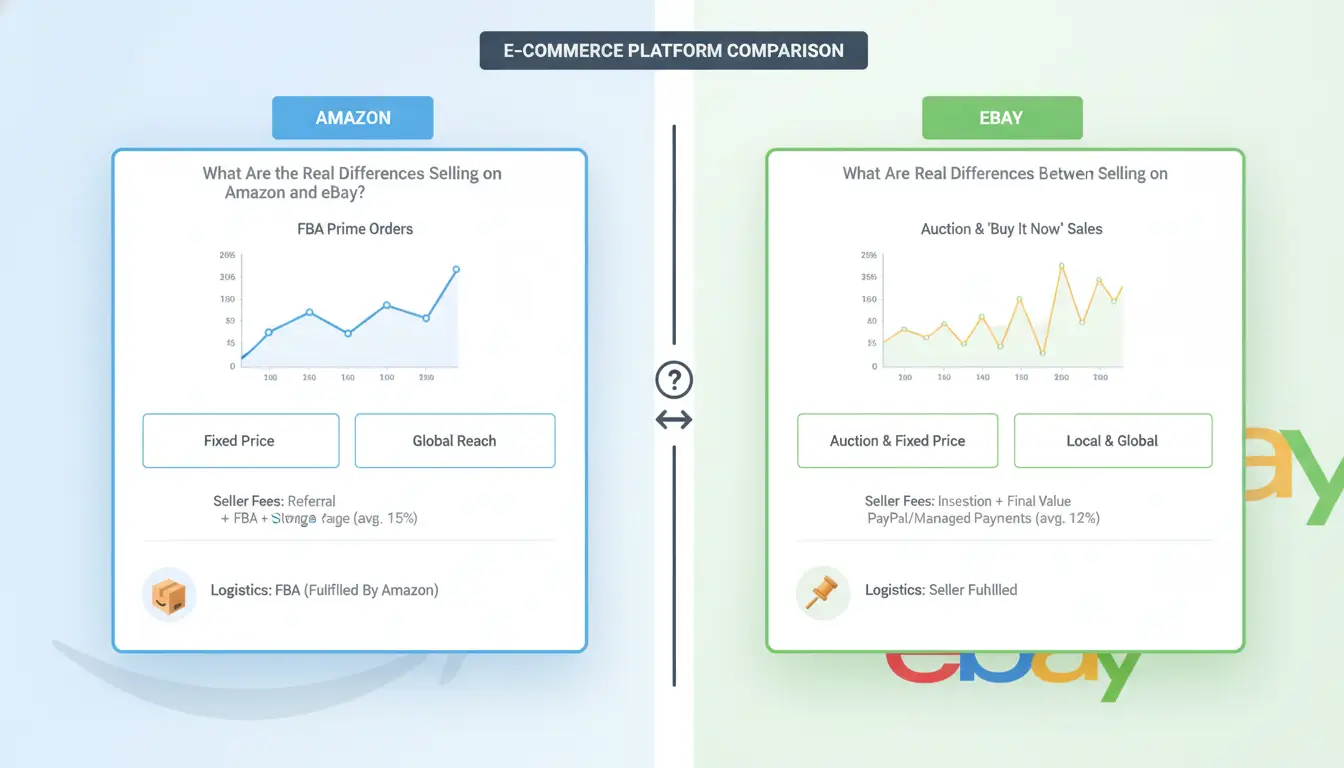
Selling on Amazon is not the same as selling on eBay. The differences run deeper than fees and website design. How each platform works shapes who succeeds, how you handle daily tasks, and what buyers expect. If you’re debating amazon vs ebay, don’t just look at the headlines, focus on how each site’s rules and culture will impact your business.
How Amazon and eBay Attract Different Types of Sellers and Buyers
Amazon has built its marketplace to favor brand consistency and fast delivery. When you list on Amazon, your product usually joins a shared catalog with strict rules on titles, descriptions, and images. This makes it easy for buyers to compare options, but harder for your listing to stand out unless you control the brand or win the Buy Box. Most Amazon shoppers expect new, factory-sealed items and Prime shipping. They often trust Amazon to handle problems directly, which means sellers have less direct contact with customers.
eBay, in contrast, started as an auction site and still encourages flexible listings. You can sell used, rare, or even broken items. Each listing is unique, photos and descriptions are up to you. The audience is more diverse: collectors, bargain hunters, and buyers looking for non-standard products. Sellers interact with buyers more often, especially when answering questions or resolving issues. This freedom means more control, but also more work.
How Each Platform Handles Payments, Shipping, and Customer Service
Amazon controls nearly every step after the sale. Payments are processed by Amazon, and Fulfillment by Amazon (FBA) lets you ship inventory to their warehouses. They handle picking, packing, shipping, and even customer returns. If something goes wrong, Amazon’s A-to-Z Guarantee gives buyers extra use. Sellers pay for this structure through fees but save time and avoid most direct disputes.
On eBay, you manage shipping and customer service yourself. Payments go through eBay’s managed payments, but you choose carriers and set return policies. Disputes are resolved through eBay’s case system, which can favor buyers or sellers depending on the situation. For a quick side-by-side, see the table below.
|
Amazon |
eBay |
| Listing Style |
Catalog-based, standardized |
Custom, flexible |
| Buyer Trust |
High (Amazon mediates) |
Varies, seller contact |
| Product Types |
Mostly new, branded |
New, used, rare, vintage |
| Shipping |
FBA or seller-fulfilled |
Seller-fulfilled |
| Customer Service |
Amazon handles most issues |
Seller handles most issues |
Source: Amazon Seller Central and eBay Seller Center
If you want structure and scale, Amazon wins. If you want more control and flexibility, eBay fits better. That’s why so many sellers try both before picking sides in the amazon versus ebay debate.
What Should You Check Before Choosing Amazon or eBay for Your Products?
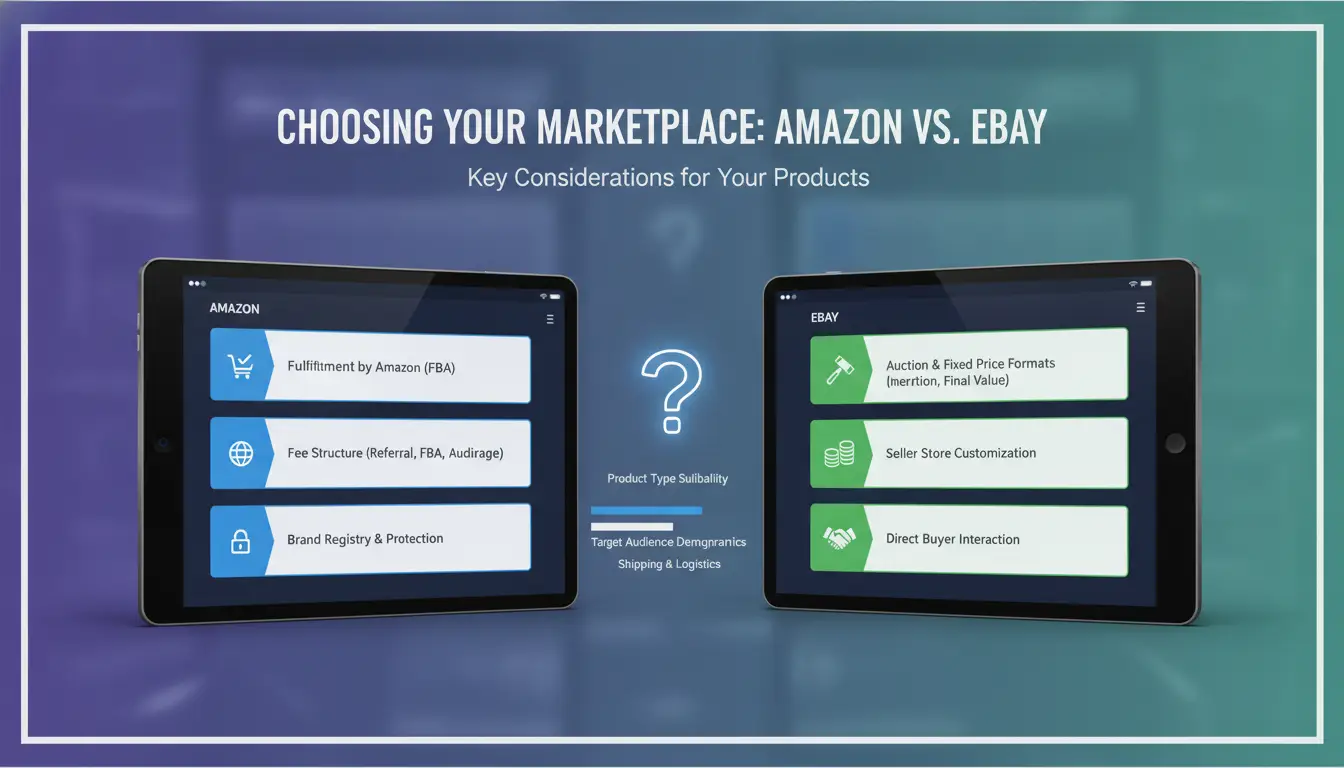
Picking between Amazon and eBay isn’t just about where you’ll get more buyers. The amazon vs ebay choice shapes what you can sell, how much control you have, and what rules you must follow. Before you list anything, you need to check if your product type fits the platform’s strengths and whether their rules block what you want to list.
Which Products Sell Best on Amazon vs eBay?
Product fit drives most profit and mistakes. Amazon is built for new, branded, and high-volume goods. If you’re selling electronics, household items, or anything with a UPC, Amazon gives you more reach and trust. Many buyers expect fast shipping and easy returns, as explained on Amazon Seller Central.
eBay stands out for used, rare, collectible, or niche items. Vintage sneakers, old tech, or limited-edition collectibles often move faster here. Listings can be auctions or fixed price, giving you flexibility if your item has uncertain value. Buyers on eBay hunt for deals and unique finds, as shown in eBay’s help resources.
| Product Type |
Amazon |
eBay |
| New, branded goods |
Strong |
Moderate |
| Used items |
Limited |
Strong |
| Collectibles/rare |
Weak |
Strong |
| High-volume inventory |
Strong |
Moderate |
Caption: Product type fit for amazon vs ebay, based on official platform guides.
How Platform Rules and Restrictions Affect What You Can List
Amazon has strict category and brand restrictions. You’ll often need approval to list electronics, beauty, or branded items. Their listing formats are fixed, no auctions. If you break rules, you risk suspension, so check Amazon’s policies.
eBay lets you list almost anything, but some categories (like vehicles or luxury goods) have extra steps. Listing formats include auction and buy-it-now. The biggest difference is how much freedom you have, eBay gives you more, but less protection if buyers dispute a sale.
If your product needs tight control or you want fast scaling, amazon or ebay rules will make or break your plan.
Why Do Sellers Struggle With Fees and Profit Margins on Amazon vs eBay?
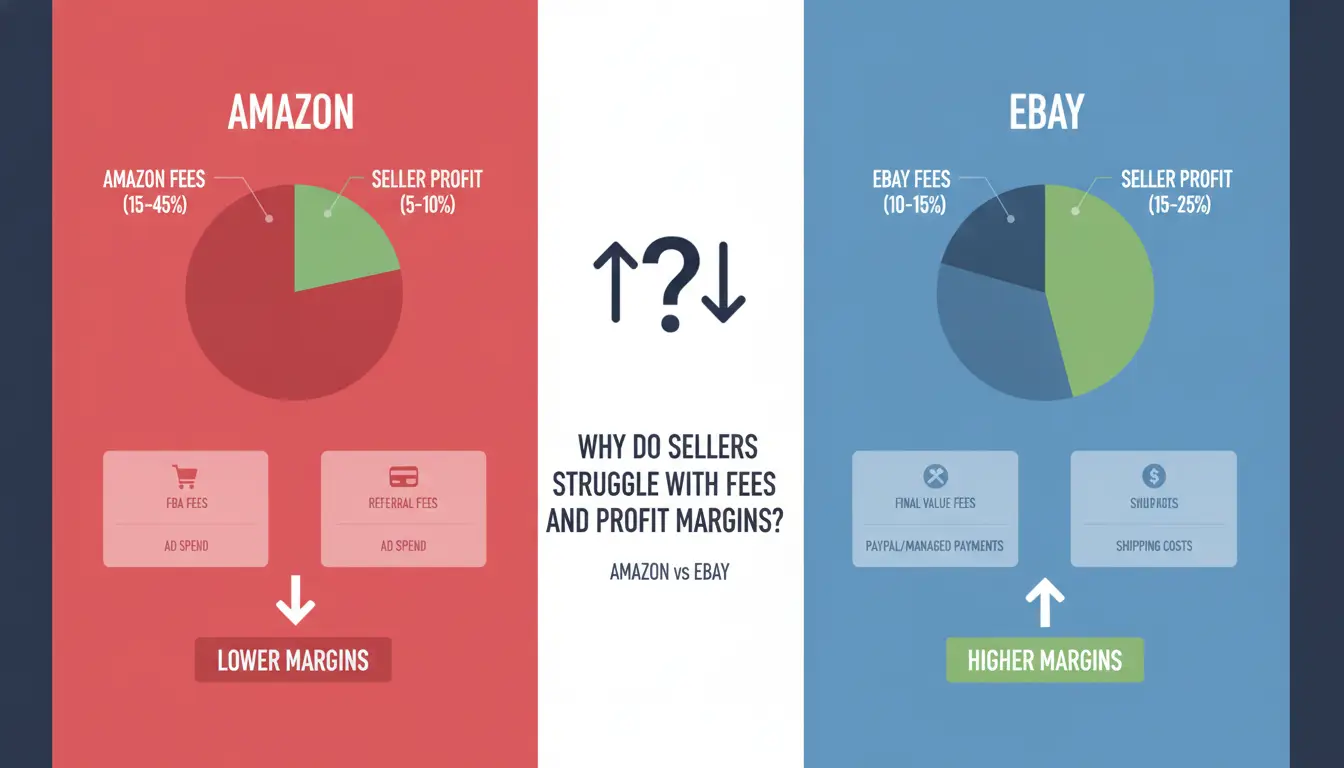
Fee confusion is one of the biggest reasons sellers end up with less profit than expected. On the surface, both platforms look similar, but when you dig into amazon vs ebay fee structures, the real costs can surprise even experienced sellers. If you just compare final sale percentages, you’ll miss hidden charges and the effects of fierce competition.
How Amazon and eBay Fee Structures Really Work
Amazon and eBay both charge listing and final value fees, but the details change depending on your selling plan and product category. Amazon’s Professional seller plan costs $39.99 per month, while eBay has no monthly fee unless you buy a Store subscription. Both platforms take a cut from each sale, Amazon’s referral fee is usually 8-15%, eBay’s final value fee runs 10-12%. But the real kicker is in fulfillment and shipping costs.
Amazon pushes sellers into its FBA (“Fulfillment by Amazon”) system, which means extra fees for storage, packing, and shipping. Even small items can rack up $1-4 in FBA fees per order. On eBay, you handle shipping yourself, so costs depend on how well you negotiate with carriers or use eBay’s shipping calculator.
| Fee Type |
Amazon |
eBay |
| Listing Fee |
None with Pro plan |
Free, up to 250/mo |
| Final Value Fee |
8-15% |
10-12% |
| Subscription |
$39.99/mo Pro plan |
Store: $4.95+/mo |
| Fulfillment |
FBA: $1-4/item |
Seller pays shipping |
Source: Amazon Seller Central and eBay Seller Help
Why Some Sellers Make Less Than Expected
Even after checking official fee tables, sellers often get tripped up by extra charges and price wars. Amazon’s FBA fees change based on size and season, so a small shift in product dimensions can cut profits. eBay’s promoted listings, shipping mistakes, or refund costs eat away at margins if you’re not careful.
The real squeeze comes from intense competition. On amazon versus ebay, sellers face automated repricing tools and aggressive undercutting. You might list a product for $20, but end up selling at $15 after chasing the Buy Box or matching eBay deals. Missing these hidden costs and not tracking your fees closely is the main reason profits shrink faster than expected.
What Risks and Common Mistakes Do New Sellers Face on Amazon and eBay?
New sellers on Amazon and eBay often jump in before spotting the traps that cost time, money, or even their store. The biggest risks look similar on both, but the way they show up can be different, knowing where most people trip can save you months of headaches. Here’s what actually derails new accounts and sales, no matter which side of the amazon vs ebay debate you land on.
Why Accounts Get Suspended or Restricted
The most common reason accounts get blocked is not reading the rules. On Amazon, even one policy slip, like listing a product in the wrong category or missing a required document, can trigger a suspension. Amazon checks for authenticity, so selling branded goods without proper invoices, or listing used items as new, often gets flagged. Amazon Seller Central has strict guidelines, and appeals are slow.
On eBay, rules seem looser, but new sellers face quick limits if buyers report counterfeit or misdescribed items. Linked accounts, using the same address, phone, or IP for more than one store, raise red flags on both platforms. Amazon is known for aggressive tracking; eBay uses pattern detection. Using the same device for several accounts, even by mistake, can risk all your stores. Some sellers use browser profile tools like DICloak for E-Commerce to avoid these links by running each store in its own profile.
| Risk Trigger |
Amazon |
eBay |
| Policy Violation |
Fast suspension |
Warning, then limit |
| Linked Accounts/IP |
Immediate ban |
Gradual restriction |
| Inauthentic/Fake Claims |
Blocks whole account |
Listing removal, limit |
| Slow Appeal Process |
Common |
Faster, but inconsistent |
Table: Main suspension triggers for amazon versus ebay. Sources: Amazon Seller Central, eBay Help
What Mistakes Lead to Lost Sales or Bad Reviews
Listing errors are the fastest way to lose sales. On Amazon, photos that don’t match the product or missing key specs cause buyers to skip your offer or leave bad reviews. eBay buyers expect honest descriptions, any hint of a bait-and-switch leads to returns and negative feedback. Shipping slow, using poor packaging, or not responding to buyer messages tanks your rating. On both, even one late shipment can hit your account health. Speed matters: Amazon expects tracking and quick delivery, while eBay buyers message directly if worried. Missing a message or sending the wrong item often costs more than the sale itself.
Buyers comparing ebay vs amazon options often check seller reviews first, so one careless listing or delay can push shoppers to the competition.
How Can You Manage Multiple Amazon and eBay Accounts Without Getting Banned?
Running several seller accounts gives you backup options and lets you test different products or pricing. But both Amazon and eBay use strict detection systems to catch duplicate or related accounts. If you want to build a real e-commerce business, especially if you’re comparing amazon vs ebay, or running both side by side, knowing how these systems work saves you from a fast ban.
What Triggers Platform Detection of Multiple Accounts
The biggest risk is leaving behind digital traces that link your accounts. Amazon and eBay both track browser fingerprints, IP addresses, and cookies. For example, logging into two accounts from the same computer, even in different browsers, can trigger a review. Shared Wi-Fi, using the same device for listing products, or copying browser profiles all leave patterns that Amazon Seller Central and eBay’s help center can spot.
Another common mistake is logging in from the same location or device your team uses for other accounts. Shared files, repeated images, or even the same product descriptions can connect your stores. Once flagged, both platforms can suspend every linked account, not just the one that slipped up.
Safer Ways to Separate and Operate Multiple Accounts
The most stable setup is treating each account as fully independent. That means using a different proxy (so each account gets its own IP address) and a separate browser profile for every login. You can use tools like DICloak for E-Commerce to set up isolated environments, each account gets its own fingerprint, cookies, and even device ID, all on one computer.
For teams, strict device hygiene matters. Assign accounts to specific staff and never mix logins on the same profile. Regularly clear session data and avoid copying product images between accounts. This workflow protects you whether you’re scaling on amazon versus ebay or running an ebay vs amazon test. One weak link, like a reused browser profile, can undo months of work.
When Does Using a Tool Like DICloak Make Multi-Account Selling on Amazon and eBay Safer and More Efficient?
Juggling stores on Amazon and eBay brings real risk: both platforms watch for linked accounts and can ban all your stores if they spot shared fingerprints or repeated IP addresses. That’s why sellers moving between amazon vs ebay often look for ways to separate their accounts, especially when scaling up or working with a team.
How DICloak’s Isolated Profiles and Proxy Integration Reduce Ban Risk
You can use DICloak to set up a unique browser profile for every Amazon or eBay account you run. Each profile has its own digital fingerprint, so Amazon and eBay systems see them as separate people. By binding a dedicated proxy to each profile, you avoid the common slip-up of reusing IP addresses, a problem that triggers bans for ebay vs amazon sellers managing more than one store.
How Teams Can Collaborate Safely and Automate Repetitive Tasks
When a team handles daily listing, shipping, and support, sharing login details the old way leads to mistakes. Tools like DICloak let you share profiles securely, set permissions, and track every action with audit logs. Bulk actions and RPA automation help you update listings or handle orders across dozens of accounts, saving hours while lowering error risk. Learn more about safe multi-account workflows at Amazon Seller Central and DICloak e-commerce features.
How Do Seller Workflows and Growth Strategies Differ on Amazon vs eBay?
The amazon vs ebay debate isn’t just about fees or audience size, it’s about how daily work, marketing, and growth play out. Sellers moving between these platforms quickly notice their routines shift. What actually changes is how you track inventory, handle pricing, run ads, and decide when to scale or cross-list.
What Daily Tasks and Tools Matter Most for Each Platform
Managing inventory feels strict on Amazon. You need to match listings to catalog standards, keep your stock synced, and use automated repricing tools if you want a shot at the Buy Box. Feedback is tied to your seller rating, so late shipments or missed responses can drop your ranking fast.
On eBay, you have more control over listing style but less automation. Inventory is manual unless you use third-party tools like eBay’s Seller Hub or ChannelAdvisor. Price changes are up to you, but it's easy to miss trends without real-time alerts. Feedback is public and detailed, so even one bad review can hurt.
Ad campaigns work differently too. Amazon sellers use Sponsored Products and rely on keyword targeting. Analytics come built-in, tracking clicks and conversions. eBay offers Promoted Listings but gives less granular data. Sellers often use external analytics tools to fill the gaps.
| Platform |
Inventory Management |
Repricing Tools |
Feedback System |
Ad Features |
| Amazon |
Catalog-matching, strict |
Automated, Buy Box |
Seller rating score |
Sponsored Products, built-in analytics |
| eBay |
Custom, manual or third-party |
Manual or third-party |
Public reviews |
Promoted Listings, limited analytics |
(Source: sell.amazon.com, ebay.com/help)
When to Expand to Both Platforms or Focus on One
Most sellers start with either amazon or ebay, but cross-listing isn’t always the next step. You’re ready to expand when your inventory is stable, you can handle separate order flows, and you have the time to track two sets of fees, policies, and customer issues.
The main risk is losing focus, managing two platforms at once can double mistakes, especially if you don’t use tools that sync inventory and automate order tracking. Rewards are clear: wider reach, more buyers, and less dependence on one site. But if your workflow isn’t tight, you risk overselling or missing shipments. Many sellers only expand after mastering one platform’s routine and building enough margin to absorb hiccups.
How Should You Decide Between Amazon and eBay for Your E-Commerce Goals?
Key Questions to Ask Before Committing
Start with your product. New, branded, or high-volume items fit Amazon’s rules and audience. Unique, used, or niche goods are often easier to list on eBay. Next, check your resources. Amazon’s FBA program handles shipping but charges extra fees. eBay sellers must manage shipping and customer messages themselves. Risk tolerance matters too, amazon vs ebay platforms handle account suspensions differently, and Amazon’s rules are stricter. For long-term growth, Amazon supports brand storefronts and ads, while eBay is better for flexible, small-scale selling.
When It Makes Sense to Use Both Platforms
Selling on both spreads your risk and reaches more buyers, but adds workflow headaches. You’ll track inventory, update listings, and answer support tickets in two places. Some sellers use DICloak to run accounts separately and avoid cross-platform bans. If your products are suited to both, running parallel shops can boost sales, but only if you’re ready for more work.
Frequently Asked Questions
Is it legal to sell on both Amazon and eBay at the same time?
Yes, it's legal to sell on both platforms. When comparing amazon vs ebay, each site has its own rules. You must follow Amazon’s policies and eBay’s guidelines. Don’t link your accounts or share login info between the sites. Sellers often use separate emails and devices to avoid account issues.
Can I use the same product listings and photos on Amazon or eBay?
You can use similar listings and photos, but amazon vs ebay have different requirements. Amazon needs white backgrounds and strict product details. eBay allows more description and creative photos. improve your listings for each audience and follow their image rules to boost sales and prevent listing removals.
How do returns and refunds differ between eBay vs Amazon?
Returns and refunds are handled differently. Amazon versus eBay shows Amazon has strict, buyer-focused rules with easy returns. eBay lets sellers set their own return policies, but clear communication is important. Amazon may issue refunds quickly, while eBay requires sellers to approve returns and manage disputes.
What are the best payment methods for sellers on Amazon vs eBay?
On amazon vs ebay, payment systems are not the same. Amazon pays sellers directly to their bank account after each sale. eBay uses managed payments that offer options like bank transfers, PayPal, or debit cards. Both platforms provide secure payouts, but eBay gives sellers more flexibility.
How can I avoid getting my accounts linked or banned when selling on both platforms?
To keep your amazon vs ebay accounts safe, use different browser profiles and separate IP addresses. Avoid logging into both accounts from the same device or Wi-Fi. Do not share account info or cross-promote listings. These steps help prevent account linking and reduce the risk of bans.
Ultimately, choosing between Amazon and eBay depends on your shopping preferences, whether you value the convenience and reliability of Amazon or the variety and auction features found on eBay. Both platforms offer unique benefits, so assessing your needs will help you make the right decision. Try DICloak For Free
 Web Proxy Tools
 Free Tools
 Cookie Plugin
 UA Generator
 MAC Address Generator
 IP Generator
 IP Address List
 2FA Code Generator
 World Clock
 Anonymous Check
 WebRTC Leak Test
 UUID Generator
 Free Web Proxy Site
 Proxy Checker
 FB Ad Checker
 AI Web Scraping
 Free SMM Tools
 Twitter Shadowban Checker
 Instagram Name Checker
 UTM Generator
 Username Generator
 AI Hashtag Generator
 LinkedIn Headline Generator
 Social Media Image Resizer