You log in to Facebook from a new browser profile, seconds later, your account is restricted. No warning, no clear reason, and the usual fixes don’t always work. For anyone running multiple accounts or managing business pages, this “facebook account restricted after login from a new browser profile” issue turns a simple switch of browsers or devices into a risk that can sink your day’s work.
The common advice says to clear cookies or just wait it out, but that rarely solves the core problem. The real trigger is often a mismatch in browser fingerprints, device signals, or location, not just the act of logging in from a different place. Even when you follow Facebook’s recovery steps, you can end up stuck at identity checks or waiting for a manual review that drags on for days.
What most users miss is that Facebook’s systems don’t just check your password, they analyze everything from your IP address and timezone to browser hardware details and login patterns. If your “new” profile looks nothing like your old one, or if your setup changes too much, you’re flagged as suspicious. Ignoring these details means you can trigger a facebook account restriction after new browser login even on your own device.
Start by understanding what Facebook actually checks when you log in from a fresh browser or device. That’s where the real fixes begin.
Why Does Facebook Restrict Accounts After Login from a New Browser Profile?
A Facebook account restriction right after logging in from a new browser or device almost always traces back to a mismatch in your digital “identity” signals. It’s not just about location, Facebook checks your device fingerprints, browser setup, and every login habit. Any sharp change can look like a hijack, even if you’re the real owner.
How Facebook Detects New Devices and Browser Profiles
- Facebook builds a device fingerprint using your browser version, operating system, screen size, and even installed fonts.
- IP address and geolocation are checked against past logins. A sudden city or country switch stands out.
- Hardware details (like number of CPU cores, memory, or GPU) are compared to your usual patterns.
Common Triggers for Immediate Account Restriction
Most users see a “facebook account restricted after login from a new browser profile” message when Facebook’s system flags their login as high risk. The fastest way to draw attention is by changing multiple signals at once: logging in from a fresh browser profile, connecting from a new IP address, and showing a different operating system or language setting than before. For example, if you always log in from a Chrome browser in New York but suddenly use a Windows device with a different resolution, Spanish language, and a proxy IP from Brazil, Facebook’s automated checks will almost always flag this as suspicious.
A less obvious trigger is when your browser profile has missing or generic fingerprint details, like “Unknown” device info, a blank font list, or disabled WebGL support. These oversights can look even more suspicious than a real device mismatch because attackers often try to hide their tracks the same way. If your environment seems too “clean” or mismatched, you get flagged faster than if you reused a slightly outdated profile. Sometimes, even logging in from your own device but after clearing all cookies, changing system time, or resetting your browser is enough to trip an automated review.
What Happens Next
Once flagged, Facebook can lock your account instantly, sometimes before the home page even loads. You might get a request to confirm your identity, recognize friends, or even upload an ID. If you skip any step, the restriction can last for days or weeks. The next section covers exactly what to do if this happens, and how to avoid the most common mistakes during the recovery process.
What to Do Immediately If Your Facebook Account Is Restricted
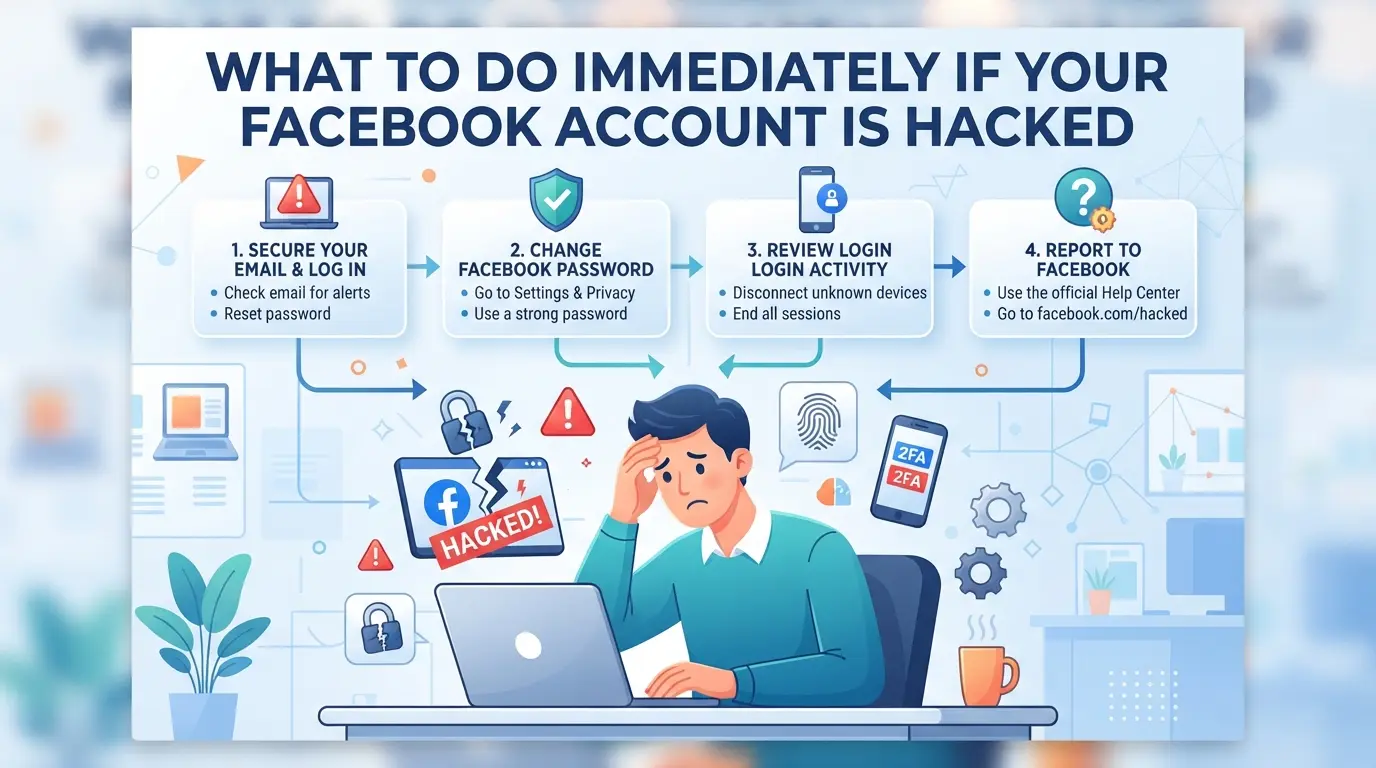
If your Facebook account was just restricted after logging in from a new browser profile, you have a short window to act. The right steps now can mean the difference between a quick unlock and a drawn-out review. Move fast, confirm exactly what’s happened, and don’t trigger extra checks by guessing.
Verify Facebook’s Official Notification and Reason
Check your Facebook notification or email inbox for the restriction alert. The platform usually shows a warning at login or sends an email with a brief reason, “unusual activity,” “suspected unauthorized access,” or a direct request for verification. Ignore third-party messages and focus only on what Facebook itself displays in your account or sends to your registered email.
Secure Your Account and Review Recent Activity
- Change your password using Facebook’s “Forgot Password” flow, even if you think you remember it.
- Check the “Where You’re Logged In” section under Settings > Security to spot any unfamiliar devices or sessions.
- Remove any browser sessions or devices you don’t recognize, especially those logged in around the restriction time.
Follow Facebook’s Recovery or Appeal Process
If Facebook asks for ID or verification, follow the prompts exactly, don’t refresh or use back buttons, which can freeze your session for hours. Expect the process to be strict if you logged in from a profile with mismatched device signals.
- Submit clear photos or scans of your ID if requested, matching your account’s name and details.
- Complete any extra checks (such as face recognition or friend verification) on the same device where you received the restriction notice.
- After submitting, watch both your email and Facebook notifications for status updates, manual reviews can take from a few minutes to several days, especially if the restriction was triggered by a dramatic change in browser fingerprint or IP.
If you’re stuck at the verification step or see error loops, wait before retrying, multiple failed recovery attempts in a short period can trigger a longer lockout.
The next section will break down the most common mistakes, like skipping security checks or using inconsistent device setups, that cause these restrictions in the first place. Knowing where things usually go wrong makes it easier to avoid a repeat.
What Mistakes and Missteps Most Often Lead to Facebook Restrictions
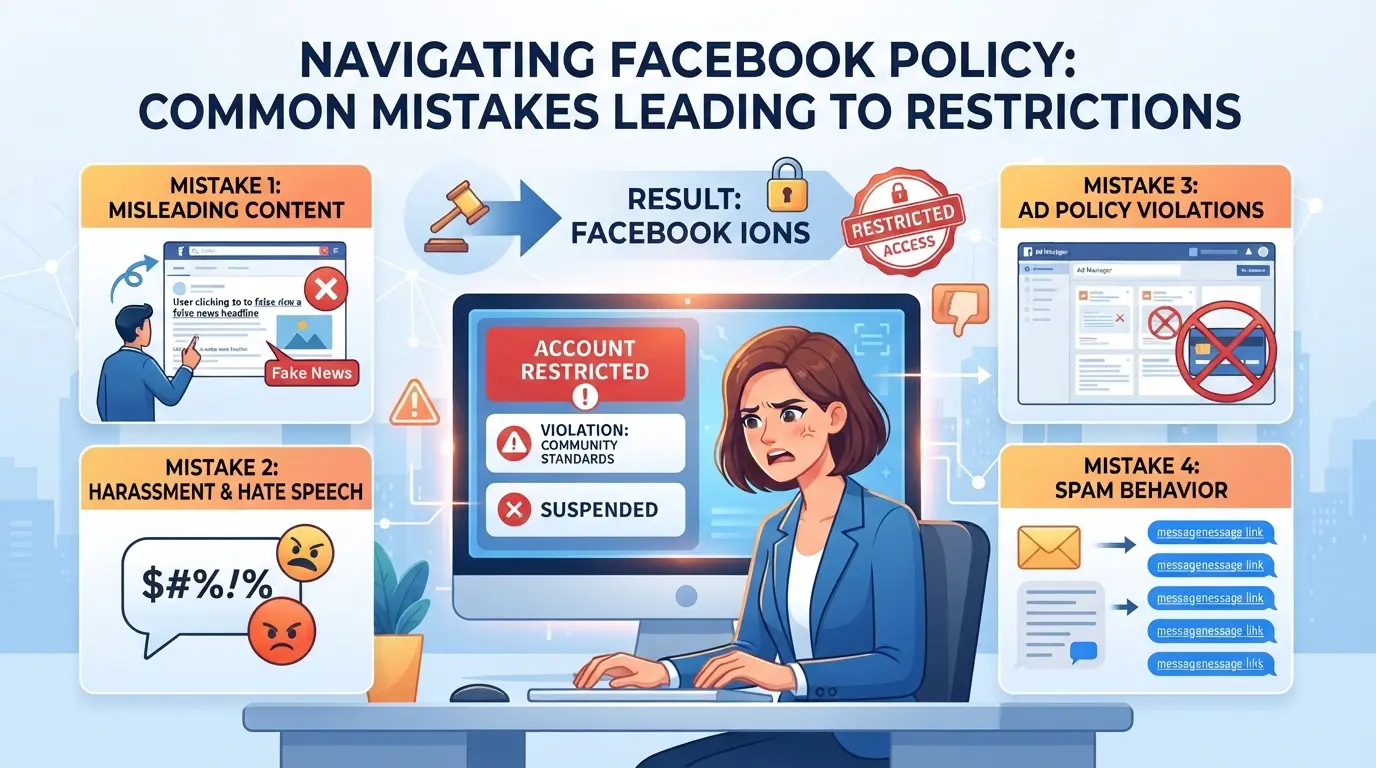
Logging in from a new browser profile can get your Facebook account restricted fast if you overlook device, IP, or browser signal mismatches. Most restrictions come down to three main mistakes that trip Facebook’s security systems.
Using Inconsistent or Untrusted Devices
Logging in on a borrowed or rarely used device, especially one with a totally new hardware fingerprint, raises a red flag. Even a legit account can get locked if Facebook sees a login from an unfamiliar environment.
Mixing IP Addresses or Locations Without Preparation
Jumping between IP addresses or suddenly logging in from a new country almost always looks suspicious.
- Facebook may freeze your account for review or force ID checks.
- Safer move: stick to one location per session and avoid rapid proxy or network changes.
Skipping Profile and Environment Consistency Checks
Changing browser settings, skipping timezone or language matching, or ignoring fingerprint signals like WebGL and fonts makes your login look fake. Facebook’s systems compare every detail, if you skip these checks, your chance of a restriction goes way up.
Most people think the password is all that matters, but the real gatekeepers are device and environment signals. Avoid these mistakes and you’ll have a much smoother time with new browser profiles. The next section covers how to set up your environment to avoid these triggers.
How to Avoid Facebook Account Restrictions When Using New Browser Profiles
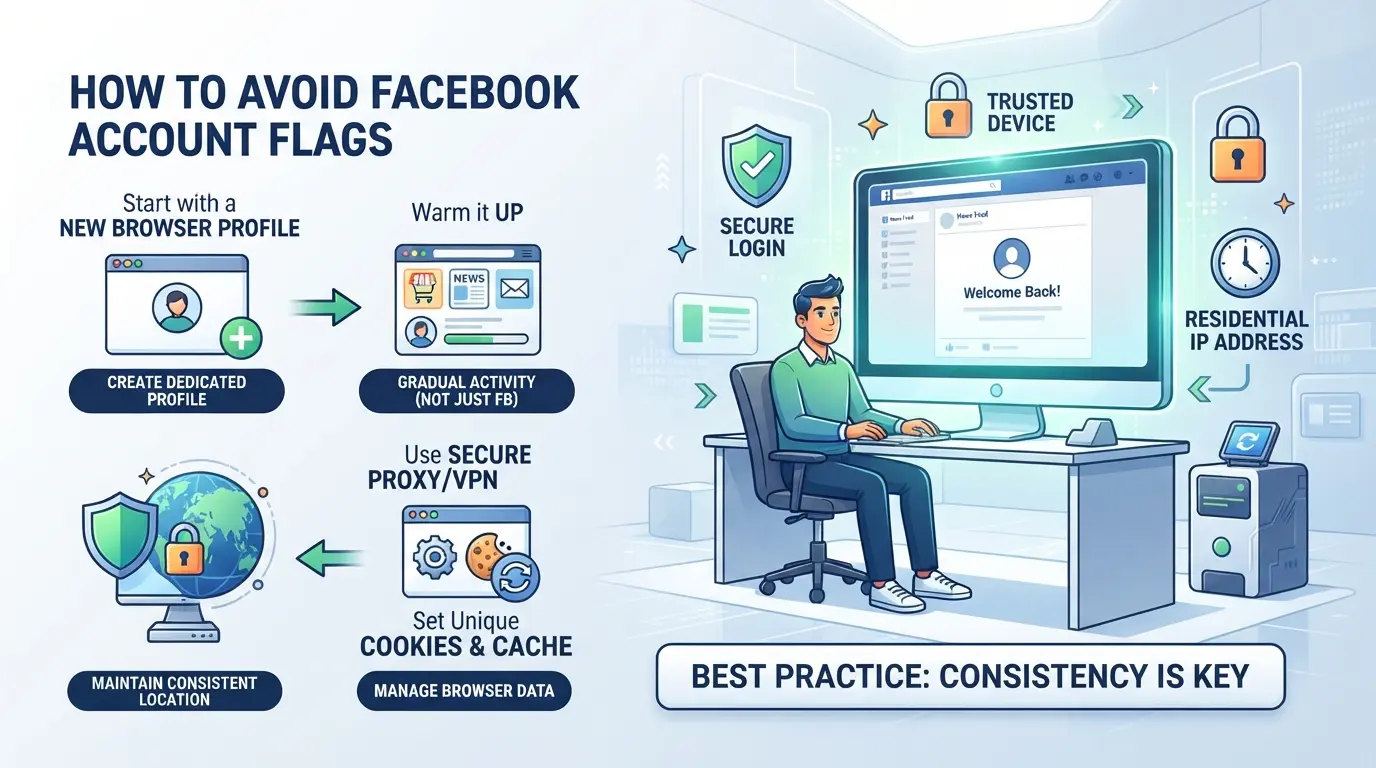
Most restrictions after logging in from a new browser profile come down to how different your signals look compared to your old setup. If you want to avoid getting locked out, you need to match what Facebook expects, before you ever click “Log In.” Here’s where the biggest gains and mistakes happen.
Prepare Your Browser Profile Before Logging In
- Copy the device type and OS: Set your new profile to match your usual computer or phone (Windows, Mac, iOS, Android). If your last session was on Windows, logging in from a fake Mac can trip alarms.
- Align browser version and User Agent: Use the same browser type and version as your last login. A sudden jump from Chrome 110 to Chrome 124, or a switch from Chrome to Firefox, often creates red flags.
- Set timezone and language: Make sure your timezone and browser language are the same as before. A US account logging in from a browser set to UTC+8 and Russian language looks suspicious.
- Review fingerprint signals: Check settings for screen size, fonts, and hardware details. If your new profile reports twice the RAM or a different screen resolution, Facebook can flag these as risks.
Use Consistent IP Addresses and Locations
- Choose a proxy with a stable location: Use an IP from the same city or state you last logged in from. Jumping from New York to Hong Kong overnight almost always triggers an alert.
- Stick to one IP during setup: Don’t rotate proxies or switch networks while logging in. Changing IP mid-session, Wi-Fi to mobile, proxy to local, breaks the pattern Facebook expects.
- Avoid datacenter proxies for old accounts: Residential proxies are less likely to get flagged as bots, especially with aged accounts. Datacenter IPs can be blacklisted or rate-limited.
Warm Up Accounts and Behave Naturally
- Log in, then pause: After your first login from the new profile, wait several minutes before doing anything. Rapid navigation looks automated and suspicious.
- Mimic real user actions: Start with small steps, scroll the feed, check notifications, like a post. Don’t rush to send messages or change settings.
- Avoid automation and scripts: Using bots, auto-clickers, or even fast copy-pasting right after a new login can lead to instant restrictions.
- Ramp up gradually: If you need to manage business pages or groups, wait a day or two after the first login before accessing these features.
If your profile gets flagged even after following these steps, the next section will break down how teams and social media managers can separate risk across accounts, so one restriction doesn’t bring down your whole workflow.
Managing Multiple Facebook Accounts in DICloak: Isolated Profiles and Proxy Setup
Teams and social media managers who handle multiple Facebook accounts need a workflow that keeps each login session separate and avoids the common pitfalls behind restriction events. After seeing how platform checks can trigger a facebook account restricted after login from a new browser profile, the next step is to use tools that support distinct, controlled environments for every account. DICloak fits this scene by letting operators set up browser profiles and proxy connections for each account, so no single session leaks storage or device signals to another. The scope stops at the browser-profile layer, DICloak does not manage Facebook accounts or change platform decisions.
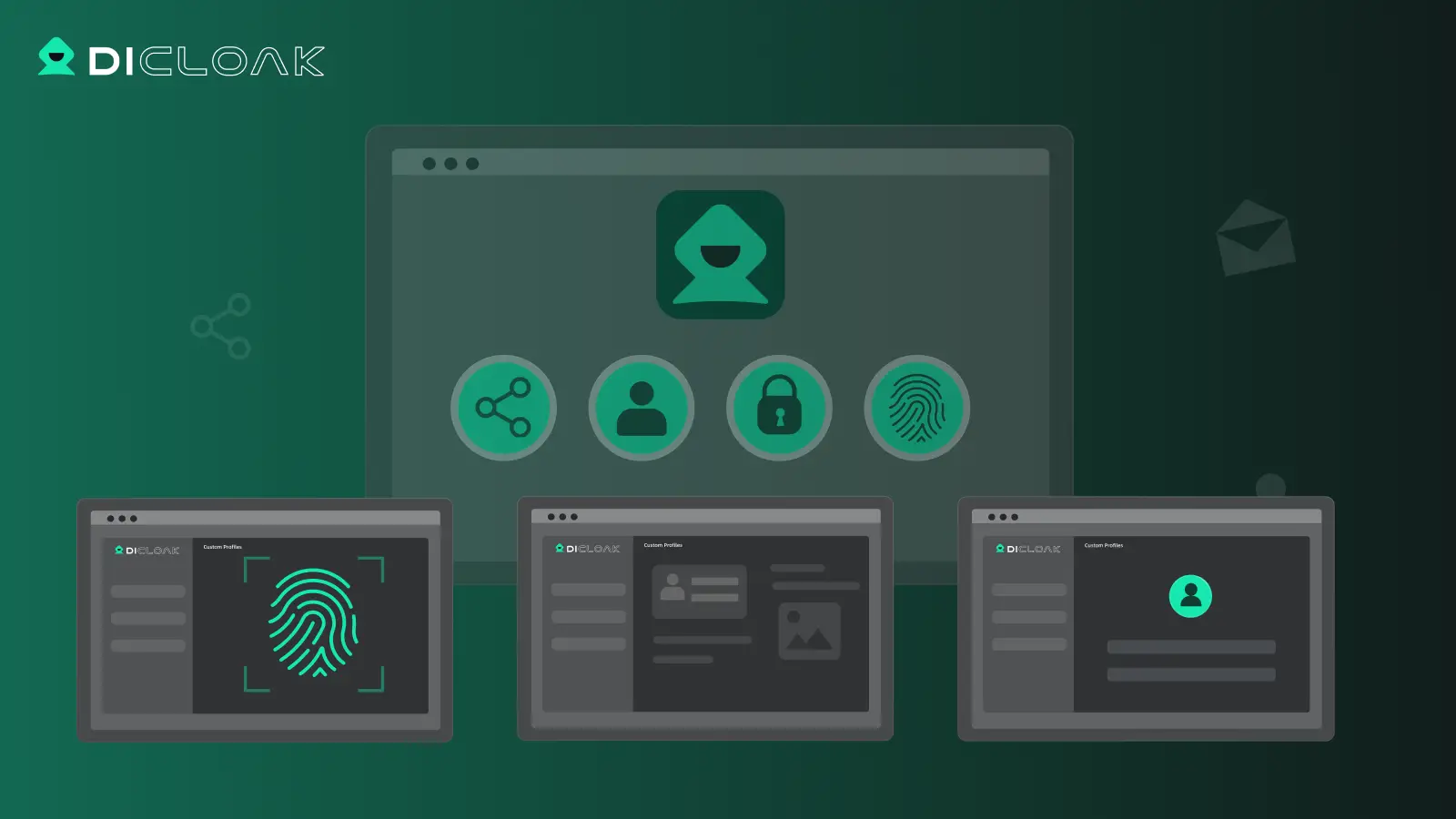
Setting Up Isolated Browser Profiles and Fingerprint Configuration in DICloak
Operators can create a dedicated browser profile in DICloak for each Facebook account, making sure each session uses its own storage and browser-identification signals. This step matters because Facebook looks beyond just IP or device, it also checks User Agent, reported operating system, timezone, language, and WebGL or canvas details. With DICloak, operators select which signals to report, adjust fingerprint settings, and keep each account’s login environment fully separate. This prevents accidental overlap, like logging into two accounts from the same browser context, which often triggers cross-account review. Teams don’t match fingerprints to accounts; they configure what each profile reports and keep workflows distinct. The setup is limited to browser profile isolation and signal control, it doesn’t promise platform acceptance or restriction avoidance.

Configuring Proxies for Each Facebook Account Profile in DICloak
For teams that need consistent, location-aware connections, operators can assign a user-provided proxy to each DICloak profile. This lets them test the proxy’s connection, check the detected IP and region, and decide if the setup fits their campaign or account workflow. If a Facebook account needs to appear from a specific country, the proxy can be matched to the profile before login. Operators handle proxy selection and setup, DICloak just stores and applies the configuration. The workflow doesn’t require unique proxies for every account, nor does it block reuse; those choices depend on the operator’s risk tolerance and platform requirements. DICloak does not supply proxies itself, and the scope is limited to managing browser-profile connections, not platform access or restriction status.

The next concern is how long a restriction lasts once triggered, knowing the timeline helps teams plan account recovery or decide when to switch workflows.
How Long Do Facebook Account Restrictions Last and What to Expect
Most facebook account restrictions after login from a new browser profile last between 24 hours and 7 days, but some stretch much longer if Facebook flags your activity as high risk. Expect to spend time waiting, quick fixes are rare once a manual review starts.
Typical Restriction Durations and Stages
- Temporary blocks: often 24-72 hours, lifted after simple verification
- Extended review: 3-7 days, sometimes longer if Facebook needs more checks
- Permanent: no clear end; appeals may take weeks or go unanswered
What Facebook Checks During Review or Appeal
During review, Facebook looks for matching personal info, consistent login patterns, and recent account activity. If your ID or location doesn’t line up with past data, or if you submit blurry photos, your appeal may stall. The fastest recoveries usually happen when your photo ID and login details match your account history.
When Creating a New Facebook Account Is (and Isn’t) the Right Solution
If your facebook account was restricted after login from a new browser profile, jumping straight to making a new account seems easy, but it rarely solves the real problem. Restrictions usually trace back to device signals or login patterns, not just one mistake. Before starting over, compare the risks and check if safer options fit your situation.
Risks of Creating a New Account Too Soon
| Option |
Main Risk |
Typical Outcome |
| Create new account immediately |
Linkage to old account via device/IP |
Fast restriction, flagged |
| Create new account later (after wait) |
Residual signals or cookies |
Possible restriction |
| Appeal/recover old account |
Time, possible denial |
Can restore access |
If you create a new account too soon, Facebook often links it to your restricted account, resulting in another instant block or restriction.
Safer Alternatives to Starting Over
Appealing your restriction is usually safer, even if it takes time. Improving your browser profile, proxy setup, or device fingerprint can prevent repeated flags. Only start over if your old account is unrecoverable and you’re confident your setup won’t trigger the same signals again.
Most users skip recovery steps because they seem slow, but starting over too quickly almost guarantees another facebook account restriction after new browser login.
Frequently Asked Questions About facebook account restricted after login from a new browser profile
Why does Facebook restrict my account after logging in from a new browser profile?
Facebook often flags logins from a new browser profile as suspicious. This is because changes in device, browser, or location can look like someone trying to hack your account. If you log in from a place or browser Facebook hasn’t seen before, it may restrict the account to prevent unauthorized access.
Can I recover my Facebook account if it was restricted after a new browser login?
Yes, most restrictions after a new browser login can be reversed. Facebook usually asks you to verify your identity or answer security questions. Follow the on-screen recovery steps. If you run into trouble, visit Facebook’s Help Center and use the appeal process to get your account back.
How can I avoid Facebook restrictions when managing multiple accounts?
To prevent facebook account restriction after new browser login, use isolated browser profiles for each account. Keep your proxy settings consistent and avoid logging in from unfamiliar devices or locations. Do not switch between accounts too quickly, as Facebook tracks sudden changes and may flag them as risky.
Is using a proxy safe for Facebook account management?
Using a proxy can help protect your account and keep your location stable. Make sure each account uses a dedicated proxy. Avoid sharing proxies between accounts, and keep your proxy settings consistent. Sudden changes in proxy or IP can trigger Facebook restrictions.
What should I do if Facebook keeps restricting my accounts?
If you keep seeing your facebook account restricted after login from a new browser profile, check your device, proxy, and browser setup. Make sure each account uses a unique profile and stable IP. Avoid logging in from public networks or devices you haven’t used before. Review your login patterns for actions that might trigger Facebook’s security alerts.
If you frequently encounter access issues due to browser or device changes, it's worth considering privacy tools that help you manage your digital fingerprint and avoid unnecessary account restrictions. Taking proactive steps can save time and frustration while keeping your online experience smooth. Try DICloak For Free
 Web Proxy Tools
 Free Tools
 Cookie Plugin
 UA Generator
 MAC Address Generator
 IP Generator
 IP Address List
 2FA Code Generator
 World Clock
 Anonymous Check
 WebRTC Leak Test
 UUID Generator
 Free Web Proxy Site
 Proxy Checker
 FB Ad Checker
 AI Web Scraping
 Free SMM Tools
 Twitter Shadowban Checker
 Instagram Name Checker
 UTM Generator
 Username Generator
 AI Hashtag Generator
 LinkedIn Headline Generator
 Social Media Image Resizer