Discovering a "LinkedIn Account Restricted" notification is more than a technical hurdle; for the modern professional, it is a critical security breach of your career infrastructure. In 2026, where your digital footprint is your primary currency, a restriction results in severed client pipelines, missed executive opportunities, and devastating business downtime. As an account security auditor, I see these flags not as random errors, but as the result of a platform utilizing increasingly predictive AI to safeguard its ecosystem. This guide provides a diagnostic path to understand why your digital identity was flagged and a surgical roadmap for recovery based on current platform behaviors.
Understanding the Types of LinkedIn Account Restrictions
LinkedIn’s enforcement hierarchy in 2026 is tiered, ranging from subtle usage caps to the total "digital death" of a profile. Understanding where you sit in this hierarchy is the first step of any audit.
Distinguishing Between Warnings and Limits
Early-stage intervention often comes as a "Free Commercial Use Limit" warning. This is triggered when the algorithm detects an unnatural volume of profile views outside your direct network. While not a "ban," it limits your visibility—hiding names of out-of-network professionals—until the next monthly cycle or until a Premium upgrade is detected. Minor rule violations, such as a spike in "I don't know this person" feedback, may also trigger notices designed to nudge your behavior back toward human-centric networking.
Temporary Restrictions vs. Permanent Account Bans
- Temporary Restrictions: These are tactical suspensions of specific features—such as the ability to send invitations or messages—or a total lockout lasting from a few days to several weeks. These are typically automated responses to suspicious login metadata or exceeding activity thresholds.
- Permanent Bans: The ultimate enforcement. This is the complete removal of your identity from the platform. A permanent ban results in the total loss of connections, messages, and historical data. In 2026, these are reserved for high-risk violations: identity misrepresentation, fraudulent activity, or persistent disregard for previous warnings.
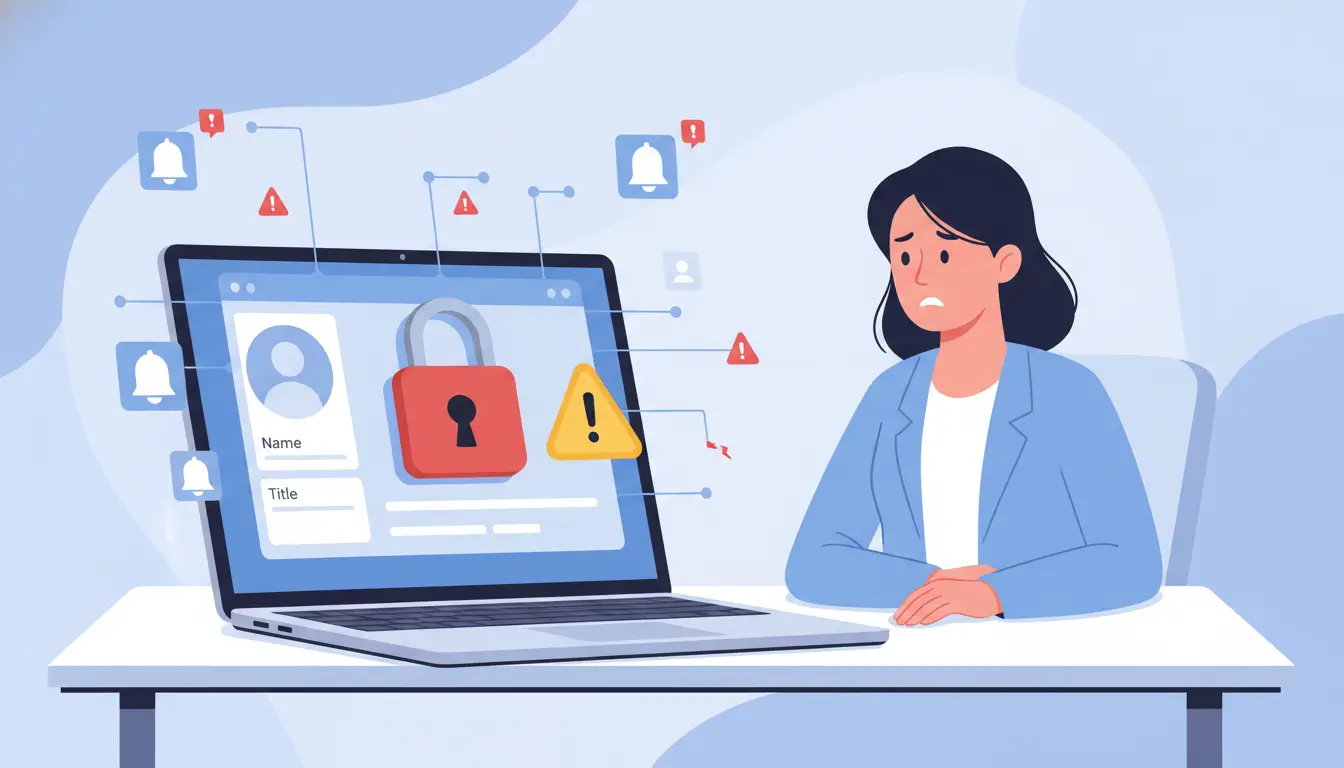
Common Behaviors That Trigger LinkedIn Account Flags
LinkedIn’s security algorithms no longer just watch what you do; they analyze your browser fingerprinting and session metadata to determine if you are a human or a script.
Connection Request Volume and Acceptance Rates
High-volume outreach is a high-risk activity. If your invitation acceptance rate drops below a certain threshold, or if users repeatedly flag your requests with "I don't know this person," your account’s "reputation score" plummets. In the eyes of the 2026 algorithm, this is a signal of spam behavior, leading to an immediate algorithmic footprint flag.
The Risks of Low-Quality Automation Tools
The "cheap" automation era is over. Most low-cost tools fail because they lack sophisticated IP protection and perform actions at an "unnatural pace." More importantly, they fail to mask your digital fingerprint—the unique combination of browser settings, extensions, and hardware signatures that LinkedIn’s AI uses to identify bot-driven sessions. When a tool uses a shared VPN IP or a generic browser profile, it creates a massive red flag in LinkedIn's security audits.
How to Recover From a Temporary LinkedIn Restriction
If you are currently facing a block, you must execute a "Fresh Start" protocol to prevent a permanent escalation.
Disconnecting Prohibited Tools and Clearing Footprints
Immediately disable all third-party extensions and browser-based automation. Clearing your browser cache and cookies is the bare minimum; however, for a true reset, a security auditor recommends moving your account to a clean environment, such as a dedicated DICloak profile. This ensures that no "residual tracking pixels" or local storage data from the restricted session can link your account to its previous "flagged" state. Do not attempt to restart any tools for at least seven days after access is restored.
The Importance of the Waiting Period
Patience is a security strategy. You must wait out the duration specified in your notification without attempting to circumvent the system. In 2026, LinkedIn’s predictive AI is highly sensitive to the creation of duplicate accounts during a restriction period. Attempting to "start over" while a ban is active is the fastest way to ensure both identities are permanently blacklisted via device-level fingerprinting.
Can You Actually Appeal a Permanent LinkedIn Ban?
Recovering a "deleted" account is high-stakes, but the 2026 protocol prioritizes Verified Identity.
Navigating the Official Support and Appeal Channels
- Account Recovery Appeal: Use the formal link provided on the restriction screen. In 2026, proactively offering to provide Government ID is often the only way to bypass automated rejections.
- Contact Form: Use the Help Center to submit a detailed case.
- X (Twitter) Escalation: Tagging @LinkedInHelp remains a viable path for human intervention when automated tickets stall.
Communication Strategies for Professional Appeals
Your appeal should be clinical and professional. Acknowledge any potential technical overlaps (e.g., "I was unaware my browser extension was performing unnatural background pings") and emphasize the business impact. An auditor’s tip: Highlight that you are willing to undergo Identity Verification to prove the account represents a real, professional entity. Honesty regarding your workflows often yields better results than generic denials.
Practical Steps to Avoid LinkedIn Restrictions in 2026
Prevention is about maintaining a high "Human-Score" within the algorithm.
Quality-First Networking and Personalized Invitations
Generic "growth" messages are now filtered as low-level spam. Your outreach must be high-signal.
- High-Risk (Generic): "Hi James, I’d love to connect and help you scale your business."
- Low-Risk (Security-First): "Hi James, your recent post on reply rates was insightful. I’ve actually just audited a security guide for sales teams on how to protect their LinkedIn reach while scaling—I’d love to get your thoughts on it."
Gradual Activity Scaling and Content Creation
New or recovered accounts require a "warm-up" phase. Increase your activity by no more than 10-15% weekly. Furthermore, frequent content creation acts as a human-verification signal. By sharing original articles and engaging with industry news, you provide the predictive AI with "human-like" data points that bots typically lack.
For lead-gen agencies and security-conscious professionals, standard browsers are no longer sufficient. The industry standard has shifted to DICloak, an antidetect browser that provides complete identity isolation.
Using DICloak to Separate Account Identities
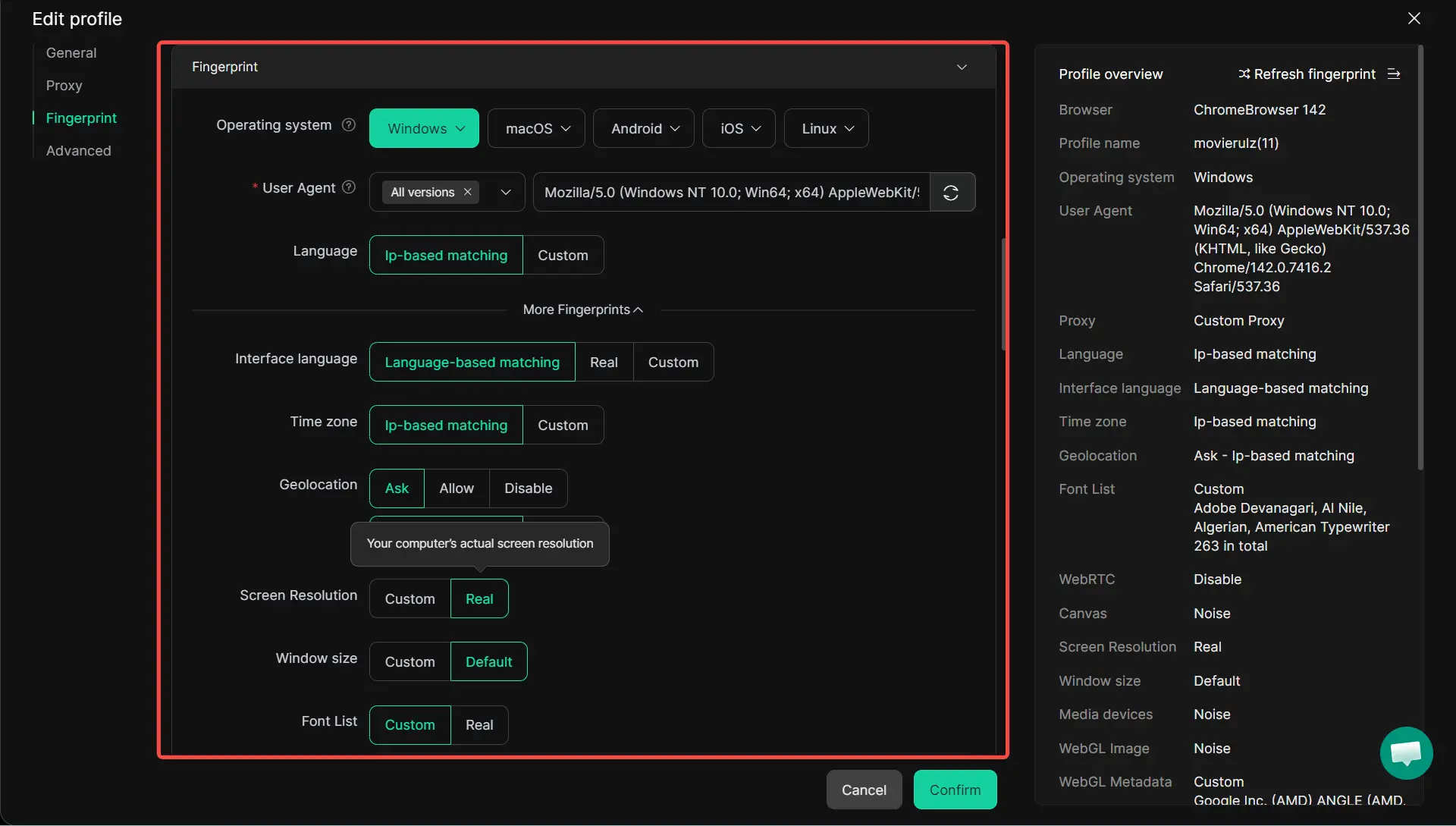
DICloak is engineered to bypass advanced browser fingerprinting, making each account appear to be running on a unique, physical device.
- Identity Isolation & Fingerprinting: DICloak creates distinct digital environments for each profile, ensuring a flag on one client account doesn't trigger a "chain reaction" across your entire agency.
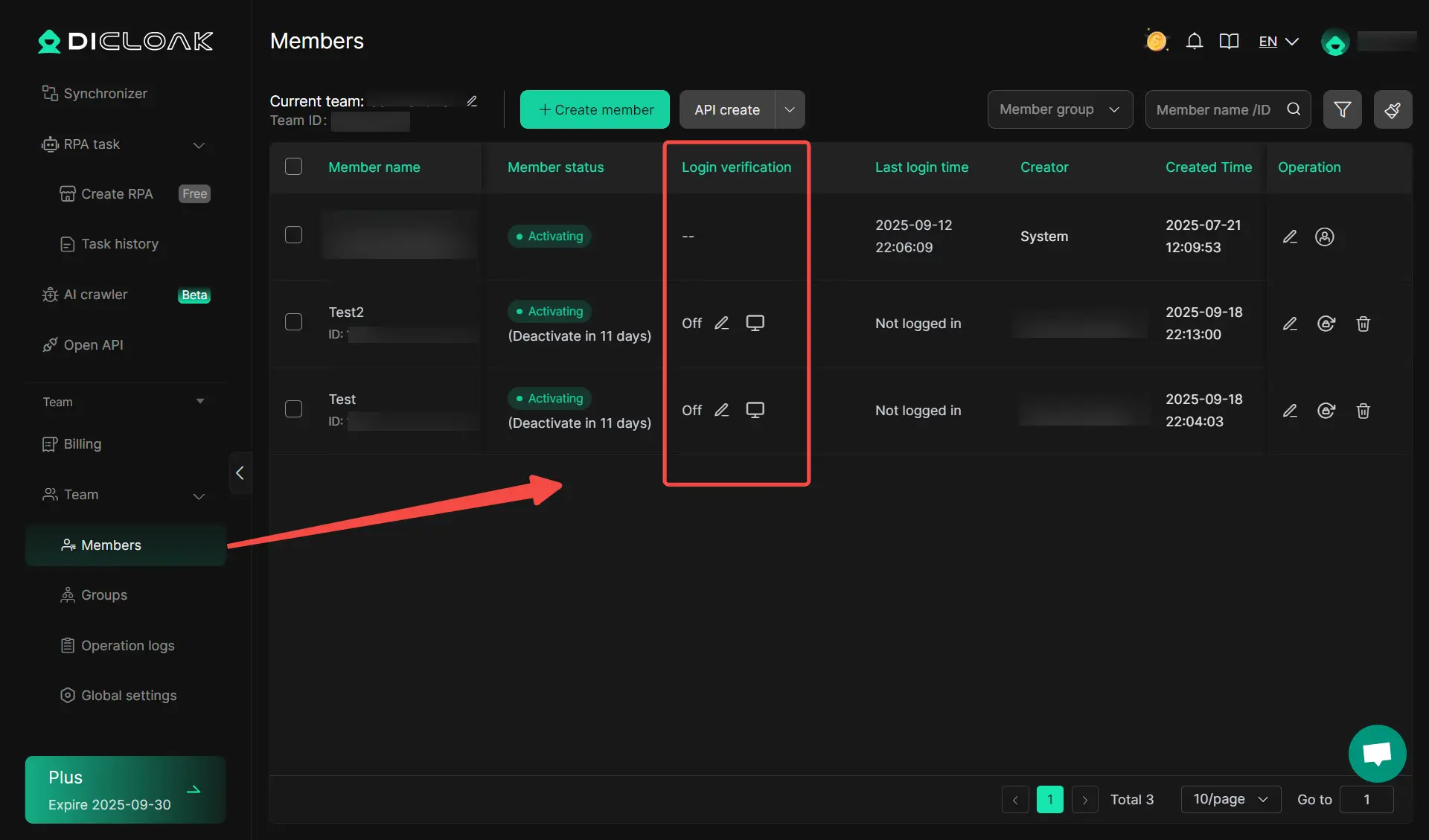
- Secure Team Collaboration: Experts use DICloak to manage multiple client accounts without ever sharing passwords. Through "session pausing" in the cloud, a VA can take over a session exactly where you left off, preventing "suspicious login" flags and 2FA triggers that occur when changing devices or locations.
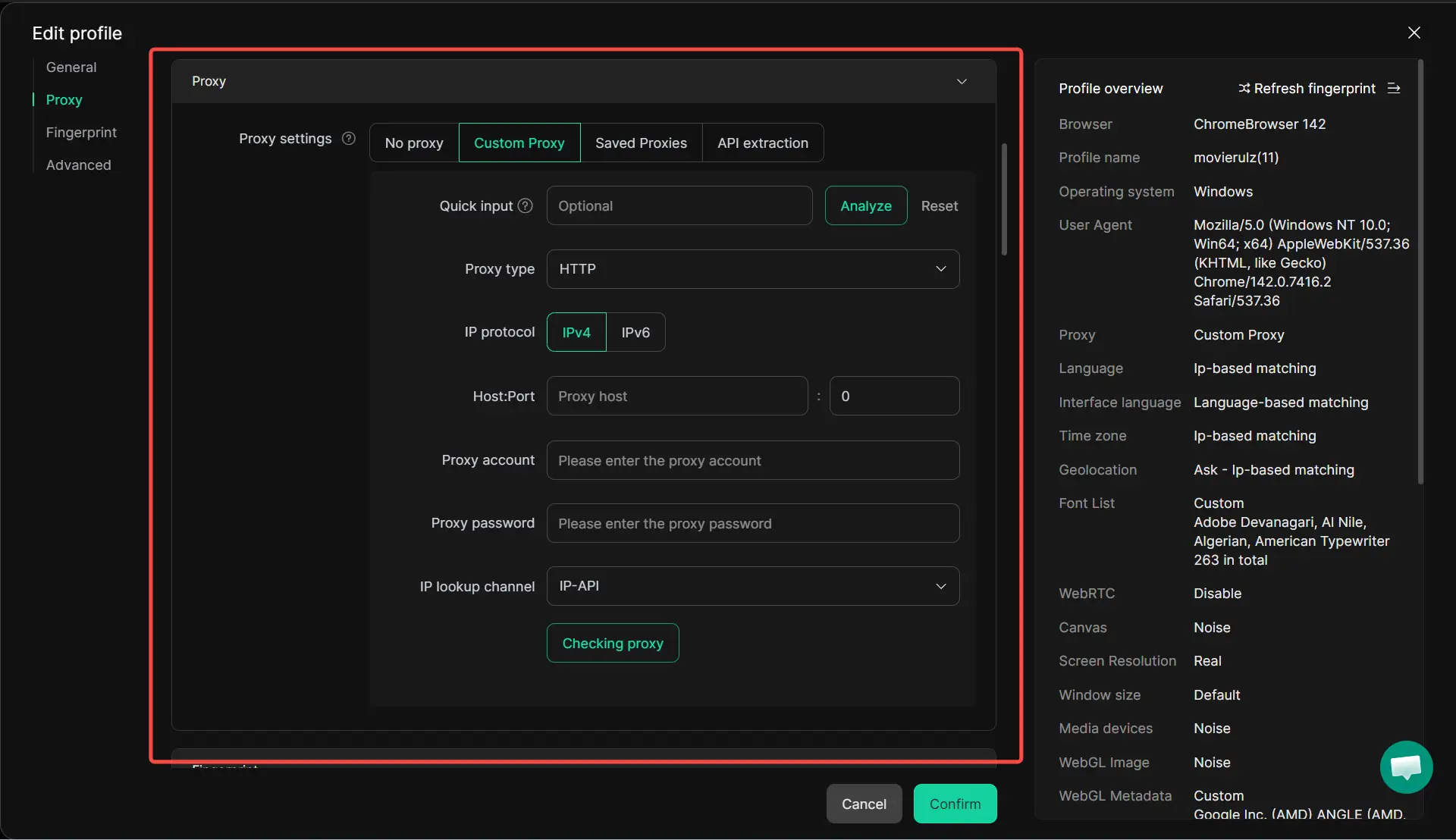
- Residential Proxy Configuration: DICloak allows you to assign a dedicated residential proxy IP to each profile. This gives each account a clean IP reputation, bypassing the data-center IP blocks common with standard VPNs.
- G2 Validated Performance: Named "Easiest to Use" by G2 users, DICloak is the professional's choice for bypassing weekly connection limits by safely distributing activity across multiple, isolated profiles.
Does LinkedIn Premium Prevent Account Restrictions?
Premium is a permission set, not an immunity shield.
Benefits of Premium for High-Volume Users
Subscriptions like Sales Navigator provide "legal" high-volume tools. Features like InMail and advanced filtering allow you to reach out to the market without triggering the "I don't know this person" feedback loop associated with standard connection requests.
Why Premium is Not a Shield Against Policy Violations
Paid accounts are audited by the same AI as free accounts. If a Sales Navigator user utilizes aggressive, non-human-mimicking automation or shares prohibited content, the account will be restricted. Premium grants you more "road," but you must still follow the "rules of the deive."
Conclusion
In 2026, LinkedIn account safety is a game of digital signatures. To stay active, you must appear as a high-value, authentic human participant. While recovery is a viable path for the patient, the superior strategy is protecting your digital infrastructure from the start. By focusing on personalized engagement, scaling with discipline, and using professional-grade tools like DICloak to manage your digital fingerprints, you can ensure your professional pipeline remains uninterrupted.
FAQ: What to Do if Your LinkedIn Account is Restricted in 2026
How long does a temporary LinkedIn restriction last?
Typically, it ranges from a few days to several weeks. The exact timeline is usually delivered via your registered email.
Will my connections be notified if my account is restricted?
No direct notification is sent. However, during a permanent ban, your profile effectively "vanishes," and existing message threads may show the user as "LinkedIn Member" (deactivated).
Can I create a new LinkedIn account after being banned?
It is highly risky. LinkedIn’s AI cross-references device metadata and IP reputation. Without a clean environment like DICloak, your new account will likely be linked to the banned one and restricted within hours.
Why did LinkedIn restrict me for "automated behavior" when I wasn't using tools?
The algorithm likely detected an "unnatural pace" of manual actions—such as opening 50 tabs in 60 seconds or sending 100 requests in a single hour. To an auditor, this is "human-bot" behavior.
Is it safe to use a VPN with LinkedIn?
Standard/Free VPNs are a major risk because their IPs are shared by thousands and often have a "poor reputation." A professional security setup uses DICloak with dedicated residential proxies to ensure each profile has a unique, clean IP address.
 Web Proxy Tools
 Free Tools
 Cookie Plugin
 UA Generator
 MAC Address Generator
 IP Generator
 IP Address List
 2FA Code Generator
 World Clock
 Anonymous Check
 WebRTC Leak Test
 UUID Generator
 Free Web Proxy Site
 Proxy Checker
 FB Ad Checker
 AI Web Scraping
 Free SMM Tools
 Twitter Shadowban Checker
 Instagram Name Checker
 UTM Generator
 Username Generator
 AI Hashtag Generator
 LinkedIn Headline Generator
 Social Media Image Resizer