If your TikTok videos are getting 0 views, you are not alone. This problem can happen for many reasons, including content issues, account settings, technical errors, or guideline limits. The good news is that most of these problems can be checked and improved. In this guide, we will look at the most common causes and the practical steps you can take to get your views moving again.
What Causes TikTok Videos to Get 0 Views?
If your TikTok videos are getting 0 views, the cause is usually not random. In most cases, it comes from 3 areas: the recommendation system, your privacy settings, or account restrictions. TikTok explains that video reach depends on signals like watch behavior, captions, hashtags, sounds, and user settings, so a post may stay invisible if the system cannot clearly match it to viewers.
How TikTok's Algorithm Affects Visibility
TikTok does not push every new video to a wide audience right away. It first looks at signals that help it understand the video. These include content details and early user response. If a video has a weak opening, unclear topic, or mismatched tags, it may not enter normal distribution fast enough. That is one common reason people feel their TikTok video got 0 views. TikTok also says some accounts or posts may be less eligible for recommendation, which can reduce reach even more.
Why Privacy Settings Might Be Limiting Your Reach
Sometimes the problem is much simpler. Your post may not be public. TikTok allows each video to be shared with Everyone, Friends, Followers, or Only you, depending on account type and age settings. If a video is posted with a limited audience, low or zero reach is expected. Many creators miss this and think the platform is blocking them, when the real issue is just post visibility.
Could Your Account Be Shadowbanned
Many users call this a TikTok shadowban, but TikTok describes it as being ineligible for recommendation. TikTok says this can happen when an account repeatedly posts content that is unsuitable for the For You feed. In that case, videos may stop appearing in recommendations and become harder to find in search. If your recent posts all stall at very low numbers and you also received warnings or removals, account status may be the real reason behind your 0 views on TikTok.
How to Identify Technical Issues Impacting Views
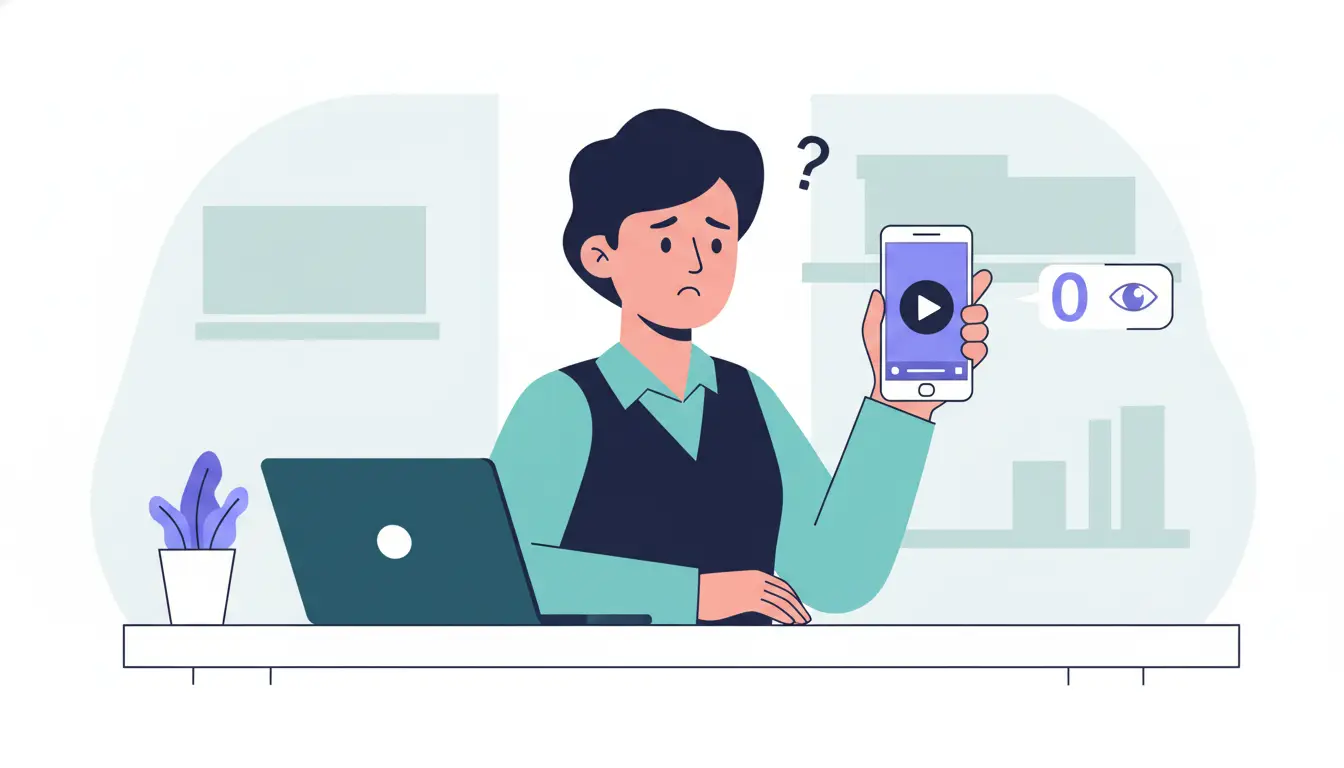
Sometimes, a video may be delayed in review, fail during upload, or get stuck because of an app glitch. TikTok also allows users to report app problems inside Settings, which shows that posting issues do happen on the platform.
What to Do If Your Video Is Stuck "Under Review"
If your video is marked under review, TikTok Trust and Safety team may be checking whether the content should be removed or made ineligible for the For You feed. This can happen right after upload, after a report, or when a video starts getting more attention. If that happens, do not keep reposting the same clip right away. First, check whether TikTok sent you a notice in the app. You can also open the post’s analytics or insights to see whether TikTok explains why the post is limited.
How to Clear Cache and Resolve Glitches
If the app is lagging, not updating views, or freezing during posting, the issue may be a temporary glitch. In that case, start with simple checks: close and reopen TikTok, make sure the app is updated, and test whether other posts load normally. If the problem continues, go to Settings and privacy > Report a problem and follow TikTok’s troubleshooting steps or contact helpdesk support. This is often more useful than guessing whether you have been shadowbanned.
Why Video Upload Errors Can Occur
A TikTok upload error can happen when the app fails before the post is fully processed. In practice, this may come from app bugs, connection issues, or a review delay after upload. The result is simple: the video appears posted, but views do not move as expected. If your post does not process normally, do not assume the algorithm rejected it. Check whether the video is still under review, whether the app is showing a system issue, and whether TikTok support gives you a way to report the problem.
Improving Content Quality to Boost Views
If your TikTok videos are getting 0 views, content quality is one of the first things to fix.
How to Use Trending Sounds Effectively
Trending sounds can help, but only when they match the video. TikTok says video information includes sounds, so audio is one of the clues the platform uses to understand and recommend content. A trending sound works best when it fits the topic, mood, and pace of the video.
For example, if you post a quick “before and after” clip, a fast-moving sound may help the video feel more native to the feed. But if you add a random trending sound that does not fit, it can make the post feel forced and lower watch time.
Why Video Length and Format Matter
Video length and format matter because they affect how easy the content is to watch. TikTok allows different video lengths, but not every idea needs a long video. In many cases, a shorter clip is easier to finish, and stronger completion signals can help with reach. TikTok also shows that creators can choose video length inside the app, and vertical video is recommended in TikTok’s own upload guidance for creator products. So if a video feels too slow, too long, or awkwardly framed, people may leave before the main point starts.
How Engaging Content Drives More Views
Engaging content gets more views because TikTok’s system pays attention to actions like watching, liking, sharing, following, and commenting. A simple example is helpful here. If a video opens with a clear problem, shows the result early, and keeps each second moving, people are more likely to stay. That gives TikTok stronger evidence that the post is worth showing to more users. But if the first few seconds are confusing or slow, people scroll away, and the video may stall.
Adjusting Your Posting Strategy for Better Results
A weak posting rhythm can make a good video underperform. TikTok’s own guidance tells creators to post high-quality content on a regular basis and use analytics to understand their audience and top posts. So if your TikTok videos are getting 0 views, your timing and consistency are worth checking before you assume the content itself is the problem.
There is no single best time that works for every account. TikTok Studio shows activity times of your viewers, which is the most useful place to start. If your audience is most active in the evening, posting at noon may hurt early performance. Broad industry studies can give rough patterns, but your own viewer data matters more than a generic chart.
If you are just getting started and do not have enough account data yet, these common posting windows can be a useful starting point:
- Monday: 7 a.m., 11 a.m., 10 p.m.
- Tuesday: 2:30 a.m., 4 a.m., 7 p.m.
- Wednesday: 8 a.m., 9 a.m., 11 p.m.
- Thursday: 9 a.m., 12 p.m., 6 p.m.
- Friday: 6 a.m., 1 p.m., 4 p.m.
- Saturday: 11 a.m., 3 p.m., 8 p.m.
- Sunday: 9 a.m., 10 a.m., 4 p.m.
How Often Should You Post to Maximize Engagement?
TikTok does not give one fixed rule for every creator, but it does recommend posting regularly. For most people, that means choosing a schedule you can actually keep without lowering quality. Some newer studies suggest that posting several times per week can work well, but posting more only helps if each video is still clear, watchable, and on-topic. A rushed schedule can fill your account with weak posts, and that usually does not help reach.
Why Consistency Is Key to Growing Your Audience
Consistency helps in two ways. First, it gives TikTok more chances to understand your content and connect it with the right viewers. Second, it helps your audience know what to expect from you. TikTok’s help center specifically tells creators to post regularly and review analytics, which shows that growth usually comes from repeat patterns, not random bursts of activity. A creator who posts useful videos every week often has a better chance than someone who posts five times in one day and then disappears.
Understanding TikTok's Community Guidelines
Posting at the right time and staying consistent can help, but those steps do not solve every problem. Sometimes a creator does everything “right” on the surface and still gets very low reach. When that happens, the next thing to check is whether the content itself is running into TikTok’s Community Guidelines.
What Rules You Might Be Violating Unknowingly
This is where many creators get confused. A video does not always need to be fully deleted to lose reach. TikTok says some posts can be judged ineligible for the For You feed, even when they are still on your account. That means a creator may think the post is live and normal, while TikTok is quietly limiting how widely it can be shown. This can happen when content is reviewed at upload, after a report, or after it starts getting more attention.
How Copyright Issues Can Affect Your Videos
Copyright is another issue that creators often overlook. A video may look fine, but if it uses audio or clips that create an intellectual property problem, performance can still be affected. TikTok’s support options include cases like a sound being removed from a video, which shows that audio-related rights issues can directly affect what viewers see. So if a post suddenly loses sound, gets limited, or performs far worse than expected, copyright is one possible reason to check.
Why Following Guidelines Is Crucial for Visibility
This is why following the rules matters for growth, not just for account safety. TikTok says repeated posting of content that is unsuitable for the For You feed can make both your account and posts harder to recommend and harder to find in search. So after you improve your posting schedule, the next step is making sure your content is also safe for recommendation. Otherwise, even a strong posting strategy may not lead to better views.
How to Analyze and Improve Your TikTok Metrics
Once you have fixed posting habits and guideline risks, the next step is to look at your numbers.
Which Metrics Indicate Successful Engagement?
The most useful metrics are the ones that show whether people are staying and reacting. In TikTok Studio, creators can review views, engagement data, viewer insights, and activity times of viewers. These numbers help you tell the difference between a video that was shown but ignored and a video that truly connected. For example, a post with decent views but weak engagement may have a weak hook, while a post with strong engagement often shows that the topic, structure, or opening worked better.
How to Track and Interpret Your Video Performance
The best way to track performance is to stop looking at one post in isolation. TikTok Studio lets you review your post analytics, your top or trending posts, and audience engagement over time. TikTok also offers Creator Search Insights, where you can track how your posts perform in search results and compare date ranges such as the last 7 days or 14 days. This helps you spot patterns. For example, if your videos do better in search than in the For You feed, your topic may be strong, but your opening may not be strong enough for fast scrolling audiences.
Why Monitoring Analytics Helps Improve Strategy
Analytics help because they turn content improvement into a real process. TikTok explicitly recommends reviewing analytics to understand top trending posts and audience engagement. That means your strategy should come from evidence, not from random changes. If one type of video gets stronger response, clearer watch patterns, or better timing with your audience’s active hours, that gives you a practical direction for the next post. Over time, checking analytics regularly helps you post with more purpose and avoid repeating the same weak format.
Common Misconceptions About TikTok Views
After checking your content, timing, and analytics, it also helps to clear up a few common myths.
Why Deleting and Reuploading Might Not Help
A lot of people think the fastest fix is to delete a post and upload it again. Sometimes that feels logical, but it does not solve the real issue if the problem is weak content, low recommendation eligibility, or account status. TikTok’s public guidance explains reposting and removing reposts, but it does not say that deleting and reuploading your own video will reset distribution in a helpful way. If the same post had a weak hook, poor watch time, or a policy risk the first time, posting it again often brings the same result.
How Misunderstanding the Algorithm Can Mislead
Another common mistake is thinking TikTok uses one fixed rule for every account. It does not. TikTok says recommendations are based on signals like user interactions and interests, which means performance can change from one audience to another. A video may not fail because the platform “hates” your account. It may simply be a weak fit for the viewers who first saw it. When creators misunderstand this, they often blame the algorithm instead of improving the opening, topic, or overall clarity of the video.
What Myths About TikTok Views Are False?
One false myth is that 0 views on TikTok always means a shadowban. TikTok’s actual language is usually about content or accounts being ineligible for recommendation, and it says users can be notified when that happens.
Another myth is that one bad post ruins an account forever. In practice, TikTok gives creators analytics tools and appeal paths, which shows that performance should be judged over patterns, not one upload. The most useful approach is checking your account status, reading your analytics, and improving each post based on real signals.
How to Boost Your TikTok videos Using Account Management Tool
For creators, agencies, or sellers managing more than one account, staying consistent can get messy fast. That is where tools like DICloak become useful. DICloak helps users manage multiple TikTok accounts in separate browser profiles, making it easier to organize posting work, reduce account mix-ups, and keep daily operations more efficient.
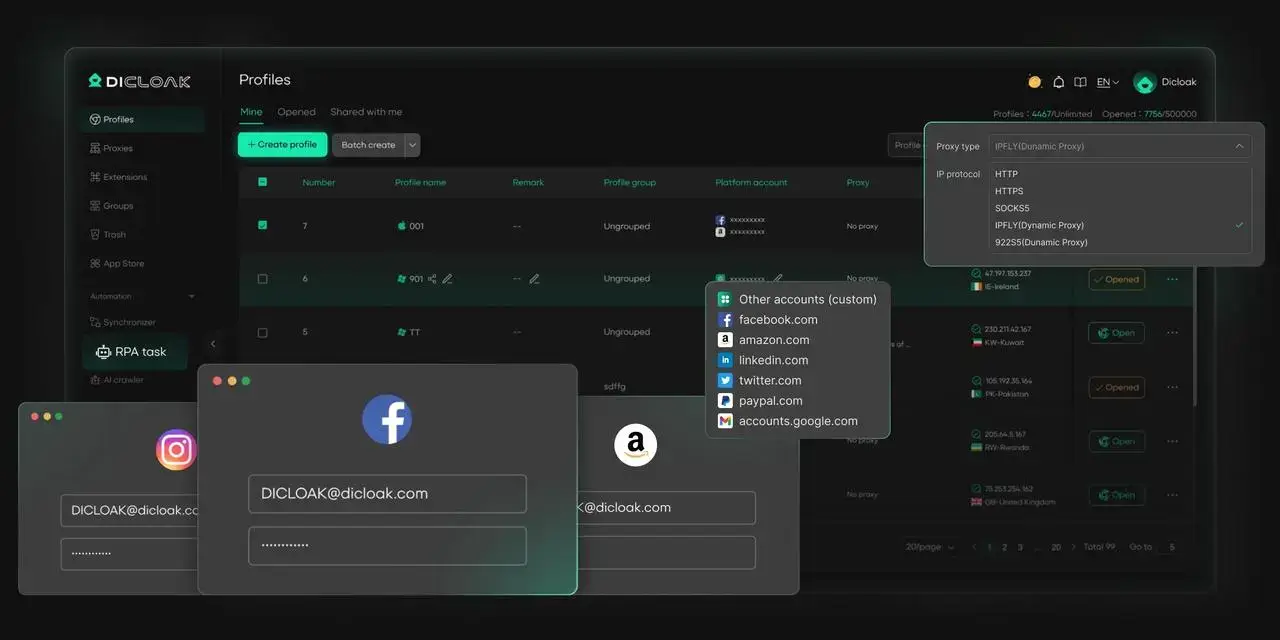
Key Features of DICloak for Managing TikTok Accounts
- Secure Each Account with Unique Fingerprints
- Run Multiple Accounts on One Device
- Maintain Natural, Consistent Activity Across Accounts
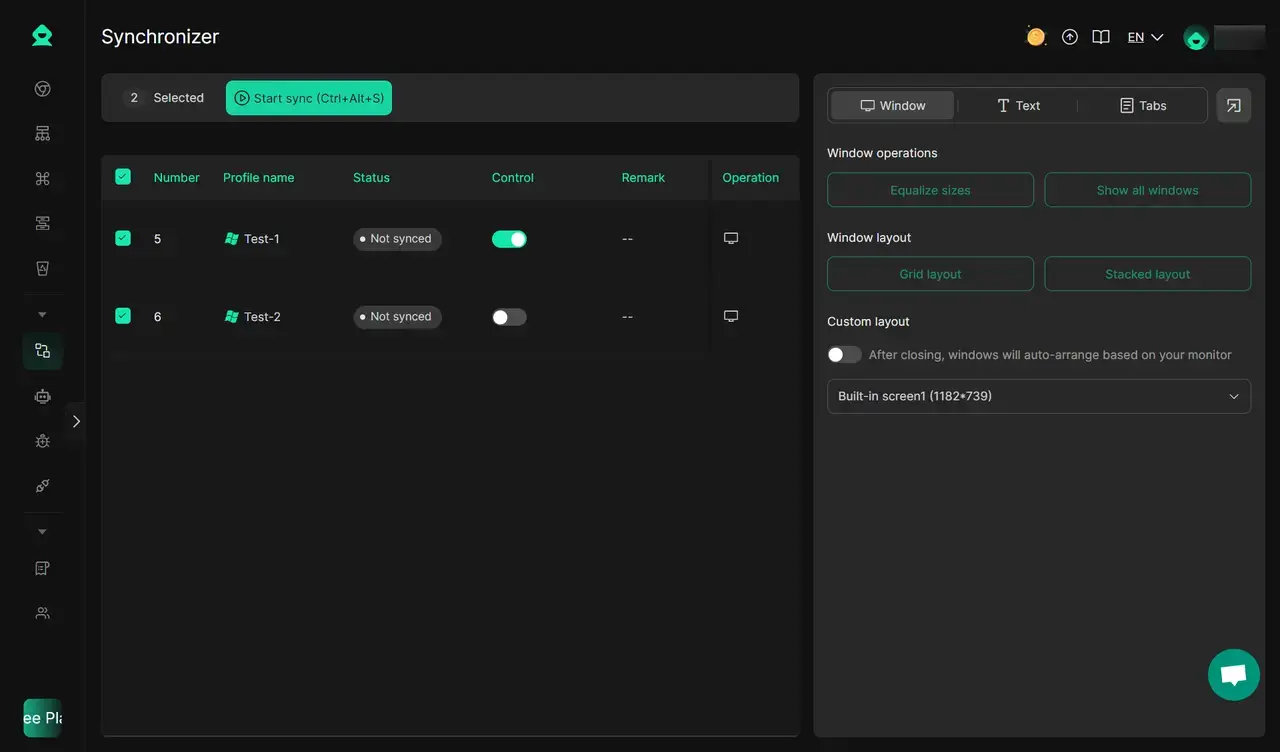
You can also keep your accounts active and engaging with DICloak’s built-in automation tools. Multi-Window Synchronizer also supports you like, comment, and follow across multiple profiles and platforms simultaneously, mimicking real user behavior for safe social media browsing.
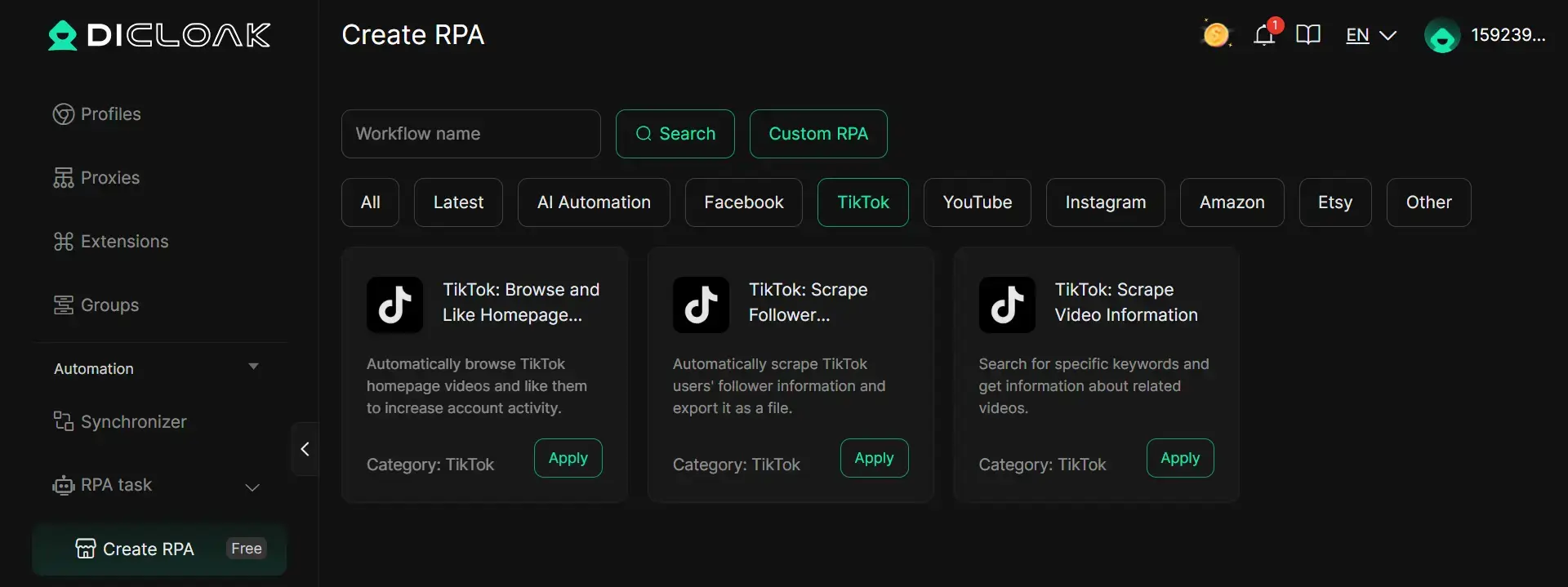
Also, you can try ready-to-use TikTok RPA templates in DICloak to automate tasks such as browsing and liking homepage videos, scraping follower data, and collecting video information.
FAQs
Should I Use Hashtags to Increase Views?
Yes, but do not treat hashtags like a magic fix. TikTok says video information can include captions, sounds, and hashtags, which means hashtags help the platform understand what your post is about. That can support discovery, especially when the tags clearly match the topic. But weak content will not perform well just because you added more hashtags. It is better to use a few relevant hashtags than a long list of random trending ones.
Can Collaborations Help Boost My TikTok Views?
Yes, they can. TikTok’s own creator guidance says you can reach wider audiences by working with similar creators and using formats like Duet, Stitch, and TikTok LIVE. Collaborations help because they expose your content to people who already care about the same niche. This usually works best when the partnership feels natural and the topic fits both creators.
What Happens If My Video Gets 0 Views After 24 Hours?
If a video still has 0 views after 24 hours, do not jump straight to the shadowban conclusion. First check whether the post is public, whether the upload finished correctly, and whether your account has any recommendation or policy notices. TikTok says post visibility settings control who can see a post, and it also says recommendations depend on engagement and interest signals. So after 24 hours, the most practical move is to check privacy, account status, and video quality before reposting.
How Does TikTok's Sandbox Period Affect New Accounts?
“Sandbox period” is a common creator term, but I could not verify it as an official TikTok support term. A safer way to explain it is this: TikTok says the For You feed is personalized and starts learning from user interests and engagement signals, including what people watch, like, and interact with. So new accounts may need time to build clearer content signals and audience matching, but that is not the same as TikTok officially stating that every new account goes through a fixed “sandbox” stage.
Is It Better to Post Videos Privately First?
Usually, no. There is no official TikTok guidance showing that posting privately first helps a video perform better later. TikTok’s privacy pages make clear that visibility settings determine who can see a post, and private videos are limited by those settings. So if your goal is reach, posting privately first is not a reliable growth tactic. It is more useful for testing how the post looks, not for boosting distribution.
Conclusion
Getting 0 views on TikTok does not always mean your account is broken. In many cases, the real issue is a mix of content quality, posting strategy, technical problems, or limited recommendation eligibility. The key is to stop guessing and start checking each part step by step. Once you understand what is blocking your reach, it becomes much easier to improve your results over time.
 Web Proxy Tools
 Free Tools
 Cookie Plugin
 UA Generator
 MAC Address Generator
 IP Generator
 IP Address List
 2FA Code Generator
 World Clock
 Anonymous Check
 WebRTC Leak Test
 UUID Generator
 Free Web Proxy Site
 Proxy Checker
 FB Ad Checker
 AI Web Scraping
 Free SMM Tools
 Twitter Shadowban Checker
 Instagram Name Checker
 UTM Generator
 Username Generator
 AI Hashtag Generator
 LinkedIn Headline Generator
 Social Media Image Resizer