Trying to run automatic Instagram likes on more than one account? You’re not the only one stuck balancing quick growth with the risk of being flagged. Instagram likes automation tempts marketers with faster engagement, but the platform’s detection systems are getting better at spotting patterns that look unnatural. Even if auto-like instagram posts help boost your numbers, the wrong setup can quietly trigger account restrictions, shadowbans, or outright bans, especially when you juggle several accounts from the same device.
It’s easy to think automation is just a timesaver, but the real headache comes when Instagram’s algorithms link your accounts or catch you repeating the same actions across profiles. The usual mistake is copying a basic auto-like setup across every account, hoping it will fly under the radar. That approach worked years ago, but now you’ll see warning banners, login challenges, or activity blocks before you even notice something’s wrong.
What most guides skip is how to build a workflow that keeps each account’s activity separate and natural. That means handling browser fingerprints, session data, and proxy setups for every account, otherwise, your automation leaves obvious traces. Even small details like timing, comment variation, and engagement order can decide whether your accounts stay active or get flagged.
Before jumping into setup, check what Instagram’s detection actually looks for, and learn which automation risks are avoidable, and which aren’t.
What Are Automatic Instagram Likes and How Do They Work in 2026?
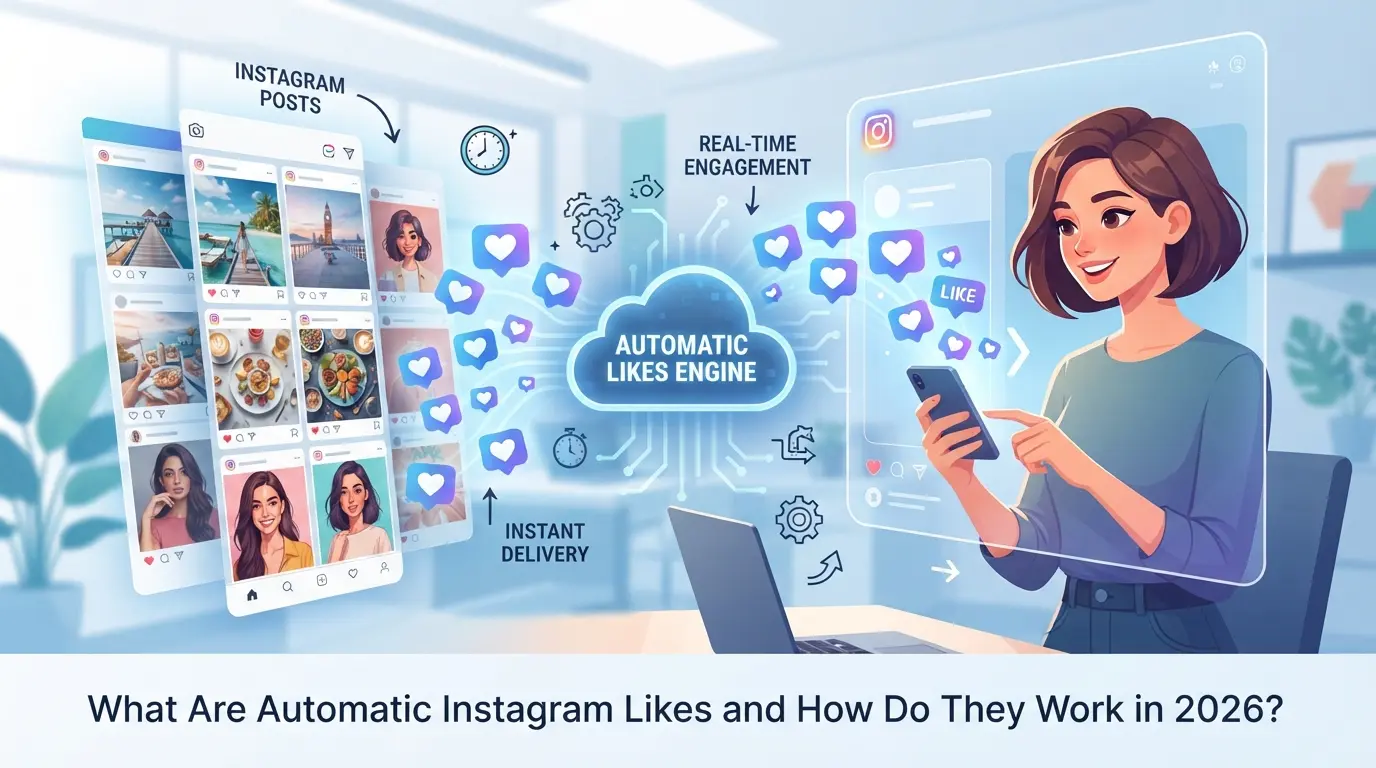
Automatic Instagram likes are services or tools that trigger “like” actions on posts without manual taps. In 2026, this usually means running background automation that interacts with content as if a real user pressed the button, but at scale and often across multiple accounts.
The Evolution of Instagram Like Automation
Instagram’s crackdown on automation has ramped up since 2020. Tools that once worked with simple scripts or basic browser plugins now get blocked in hours, not days. Meta’s backend tracks more account signals, making it much harder to repeat the same “auto-like” trick from a few years ago.
How Automatic Likes Are Delivered
There are two main ways these likes appear: API-based and browser-based automation. API-based tools connect straight to Instagram’s backend but now trigger instant detection unless whitelisted, most public APIs are long dead or blacklisted. Browser-based solutions mimic user clicks and page loads through real browsers or “headless” versions, often using automation frameworks or dedicated software. Subscription services sell likes from a pool of accounts, promising hands-off delivery for a monthly fee, while self-run tools require users to maintain their own IP addresses, session cookies, and device fingerprints. The tradeoff is control versus risk: using a cheap bulk-like service may flood your post with likes, but those patterns are easy for Instagram to spot and ban. Running your own automation means more setup, unique proxies, rotating device profiles, and throttled actions, but you see what happens under the hood and can adjust when something breaks. A common failure mode: a user sets up auto-like on five accounts from the same IP and device, and all five get activity blocks within hours.
What Triggers Detection in 2026
- Likes land in bursts, not natural waves (pattern mismatch)
- Multiple accounts hit from the same device, IP, or browser fingerprint
- Session cookies, user agents, or action timing don’t match typical human use
Most bans now come not from the tool itself, but from the combination of signals stacking up, Instagram’s detection looks for patterns across accounts, not just single events.
Before you try any auto-like approach, check how detection works and what the service actually does behind the scenes. Next, break down what to check before picking any automatic like provider or tool.
What Should You Check Before Using Any Automatic Instagram Likes Service?
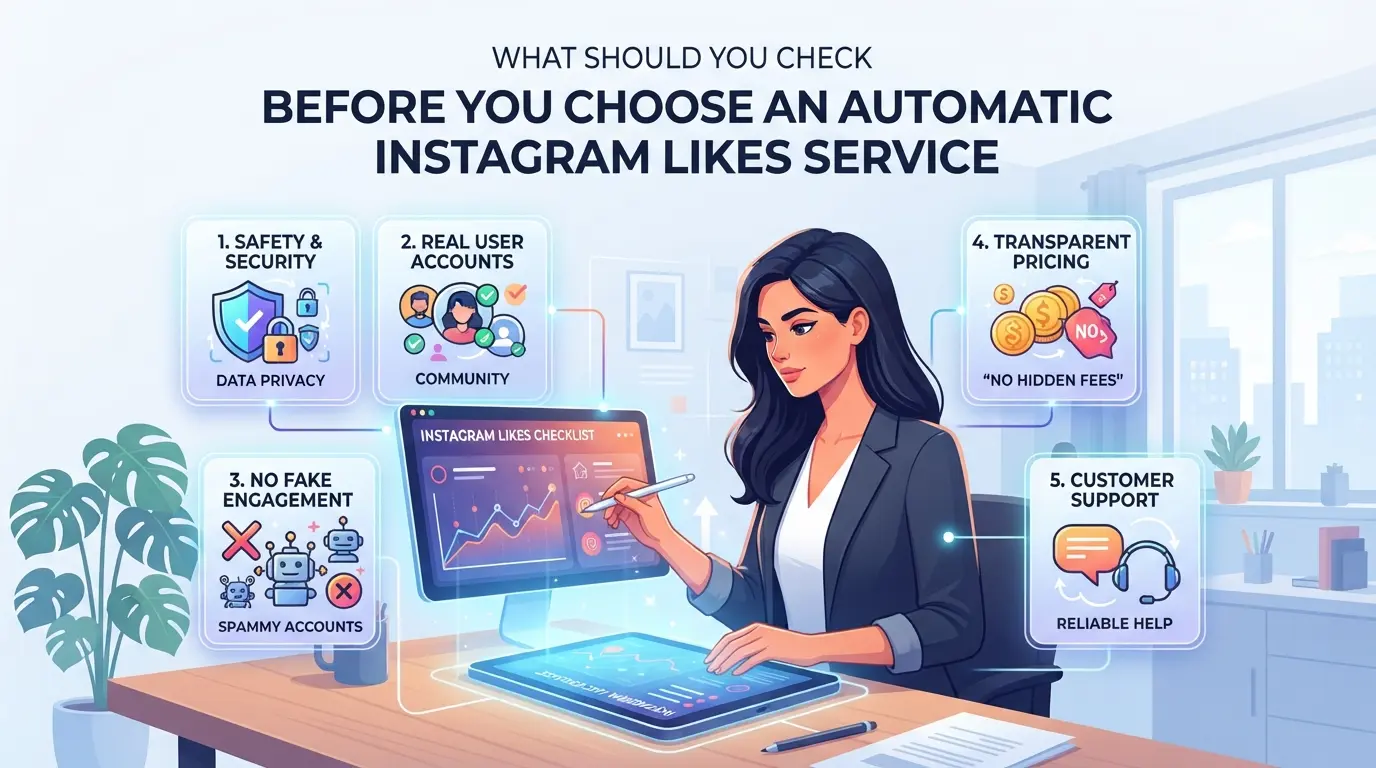
Jumping into auto-like tools without checking the basics is how most accounts end up flagged or banned. If you want to automate Instagram likes and avoid the usual traps, start by vetting the service, not just the price or follower count. Below, you’ll find concrete checks and warning signs that matter more than any sales page claim.
How to Spot Risky or Fake Auto-Like Providers
The fastest way to get your account flagged is to sign up with a service promising “instant, unlimited likes” or “100% undetectable automation.” Real Instagram likes don’t show up in bulk seconds after you post, and legit providers are upfront about how their system works. If you see vague claims, missing contact info, or reviews that look copy-pasted, treat it as a red flag. Fake auto-like services often use low-quality bot accounts. If the likes appear from profiles with no posts, generic usernames, or all activity from the same region, Instagram’s detection systems spot the pattern quickly.
What Data and Access You’re Really Giving Up
Before you connect any auto-like tool, check what you’re actually handing over:
- Does the service require your Instagram password or OAuth login?
- Will it access your DMs, photos, or contacts beyond just liking posts?
- Can you remove its access instantly if something goes wrong?
These checks matter because a breach or data leak can lock you out faster than any ban. If a tool can’t explain its access needs in plain language, skip it.
How to Assess Platform Safety and Compliance
Instagram’s terms ban most forms of automation, especially on actions like likes and follows. If a tool claims to be “safe,” check for actual proof, not just claims. Here’s what to confirm before using any service:
- Does the provider document how they avoid detection (rotating IPs, browser fingerprints, etc.)?
- Has the tool been updated to match Instagram’s current detection methods in 2026?
- What is the service’s support plan if your account is locked or flagged?
If you skip these checks, you risk losing your account with no warning. Most bans won’t be reversed, even if you appeal.
Once you know the real risks and warning signs, you’ll be better prepared for the next step: understanding exactly why Instagram flags or bans accounts using automation.
Why Do Accounts Get Flagged or Banned When Using Auto Likes?
Instagram flags accounts for one main reason: automation leaves patterns and technical traces that real users rarely produce. The platform now catches most shortcuts, so if your auto-like setup isn’t careful, you’ll see restrictions before you notice any boost.
Technical Signals: IP, Device, and Fingerprint Issues
Instagram’s detection starts with technical clues. If you re-use the same IP address or proxy for several accounts, those profiles get linked instantly. Browser fingerprinting goes even deeper: matching device details, fonts, and OS settings across accounts lets Instagram spot clusters, even if usernames differ. One mistake, like copying a browser profile or skipping a unique proxy, can get your entire group flagged.
Behavior Patterns That Trigger Instagram’s Detection
The real tripwire is behavior. Automatic instagram likes often trigger bans when too many likes happen too fast or on a schedule that’s impossible for a human. For example, if six accounts like the same posts at 2:03am every night, Instagram’s anti-spam engine flags the pattern. A typical failure looks like this: your tool runs likes every 30 seconds for hours, with no variation, and across accounts that never interact otherwise. That’s not natural, real users pause, scroll, skip, and mix actions. If your automation runs faster than a person could scroll and tap, you’re almost guaranteed to get blocked. It’s safer to stagger actions and randomize timing, but even then, copying the same routine across accounts increases risk.
What Happens After Detection: Shadowbans, Blocks, and Permanent Bans
- Shadowban: Your posts stop appearing in hashtags or feeds, but you can still log in. Most users miss this for days.
- Temporary block: You get a pop-up or email saying certain actions (like liking or commenting) are disabled for 24-72 hours.
- Permanent ban: Login fails with “account disabled” or “violated terms” messages, appeals rarely reverse this.
It usually starts with a warning or action block. If you ignore it and keep automating, restrictions get harsher. Once your account is banned, recovery is almost impossible.
The next step is building a safer workflow, so you need to set up automation that doesn’t trip these detection triggers.
How to Set Up Automatic Instagram Likes More Safely: Step-by-Step in 2026
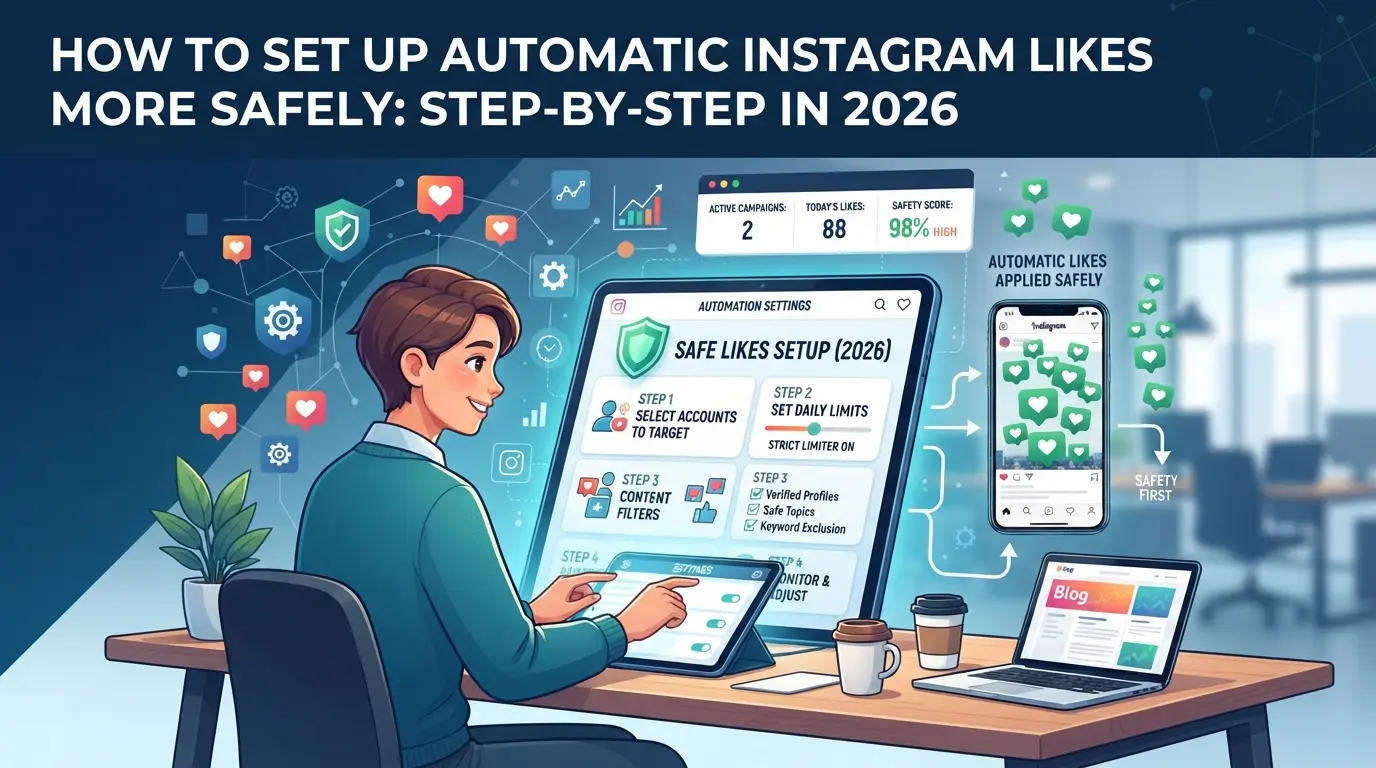
The usual copy-paste bot scripts get flagged fast. If you want your likes automation to survive, build your workflow with isolation, natural timing, and clear warning checks, don’t rush setup or reuse shortcuts.
Choosing the Right Automation Tool or Service
- Pick browser-based automation that keeps each account in a separate environment. API-only tools often trigger bulk bans.
- Make sure your tool supports unique browser fingerprints and session isolation.
- Avoid services that bundle all activity through one backend, Instagram can link accounts by shared infrastructure.
The safest workflow uses browser isolation, not just random delays or proxy rotation.
Configuring Proxies and Browser Environments
- Assign a unique proxy to each Instagram account. Never share proxies between accounts, even one overlap can link your profiles.
- Set up browser profiles so each account has its own fingerprint. This stops Instagram from detecting multiple logins from the same device.
- Test each profile: log in, browse for two minutes, and check if you get a challenge or warning. If you do, replace the proxy or adjust fingerprint settings.
Setting Realistic Like Patterns and Schedules
- Set likes per hour below typical human levels, never start with 40+ likes in the first hour.
- Use random intervals, not fixed schedules. Bots that hit at the same minute every day look fake.
- Mix in other actions, like scrolling or commenting, between likes. If your script only likes, it’s easier to spot.
Monitoring for Warnings and Adjusting Quickly
- Check Instagram notifications daily for “action blocked” or login challenges.
- If you get flagged, pause automation for 48 hours, clear session data, and restart with slower activity.
- Review logs weekly, if more than one account shows blocks, your setup needs a reset.
These steps give you control, but running multiple accounts brings extra risks. Next, see how to handle those risks when scaling automation.
When Managing Multiple Instagram Accounts, How Can You Reduce Automation Risks?
If you run several Instagram accounts, using the same automation setup everywhere is the fastest way to get them all flagged. The safest path is to keep accounts fully separated, workflows, browser sessions, and proxy setups should never overlap.
Why Workflow Separation Matters for Multi-Account Safety
Running multiple accounts in a shared environment leaves obvious footprints. Instagram can spot patterns like shared cookies, device IDs, or IP addresses, then link your accounts together for review or restriction. Keeping each account’s workflow truly isolated cuts cross-account risk at the root.
Best Practices for Proxy and Fingerprint Assignment
Assign one unique proxy and browser fingerprint to each account. Don’t re-use the same proxy, even for a few accounts, Instagram often groups accounts by IP and device type. For example, logging into five accounts from the same residential proxy and a cloned user agent usually leads to at least two getting locked within a week. If you rotate proxies too often, that’s also a red flag; stick to one stable setup per account. The biggest mistake is running accounts in separate tabs but sharing the same browser profile or device. That still leaks enough data for Instagram to connect them.
Team Collaboration and Access Control
- Always assign accounts to individual operators, avoid shared logins or group sessions.
- Limit who can view or interact with each account’s automation settings.
- Review team activity logs often so mistakes get spotted before they spread.
Failing to separate access means one person’s error or a simple copy-paste can link all your work. Even one cross-login can trigger security checks on every account involved. If you’re managing client accounts, this kind of slip can end the relationship fast.
How to Use DICloak to Manage Multiple Instagram Accounts and Automate Engagement Safely
For teams and advanced users who manage several Instagram accounts, keeping workflows clean and separated matters more than ever. The main mistake is running all accounts through the same browser and network, which leaves obvious traces. If you need to automate engagement, like setting up automatic instagram likes, what counts is isolating every account’s environment, connection, and task schedule. DICloak gives operators the controls to build this kind of workflow without mixing sessions or device signals.
Isolating Instagram Accounts with Separate Browser Profiles and Fingerprint Configuration
Operators can create a dedicated DICloak browser profile for each Instagram account. This means every session gets its own storage, fingerprint settings, and browser signals, such as OS, timezone, and User Agent. When each profile reports a consistent environment, Instagram sees less overlap between accounts. The scope is limited to browser-profile access; it does not change the connected SaaS tool or manage platform engagement directly.

Assigning User-Owned Proxies to Each Profile
Every account should have a stable, separate network connection. Operators can add a user-owned HTTP, HTTPS, or SOCKS5 proxy to each DICloak profile, then check the exit IP and region before logging in. This keeps network traces from crossing between accounts. Testing the proxy connection inside DICloak helps avoid accidental IP overlaps, but proxy quality and compliance stay in the user’s hands.

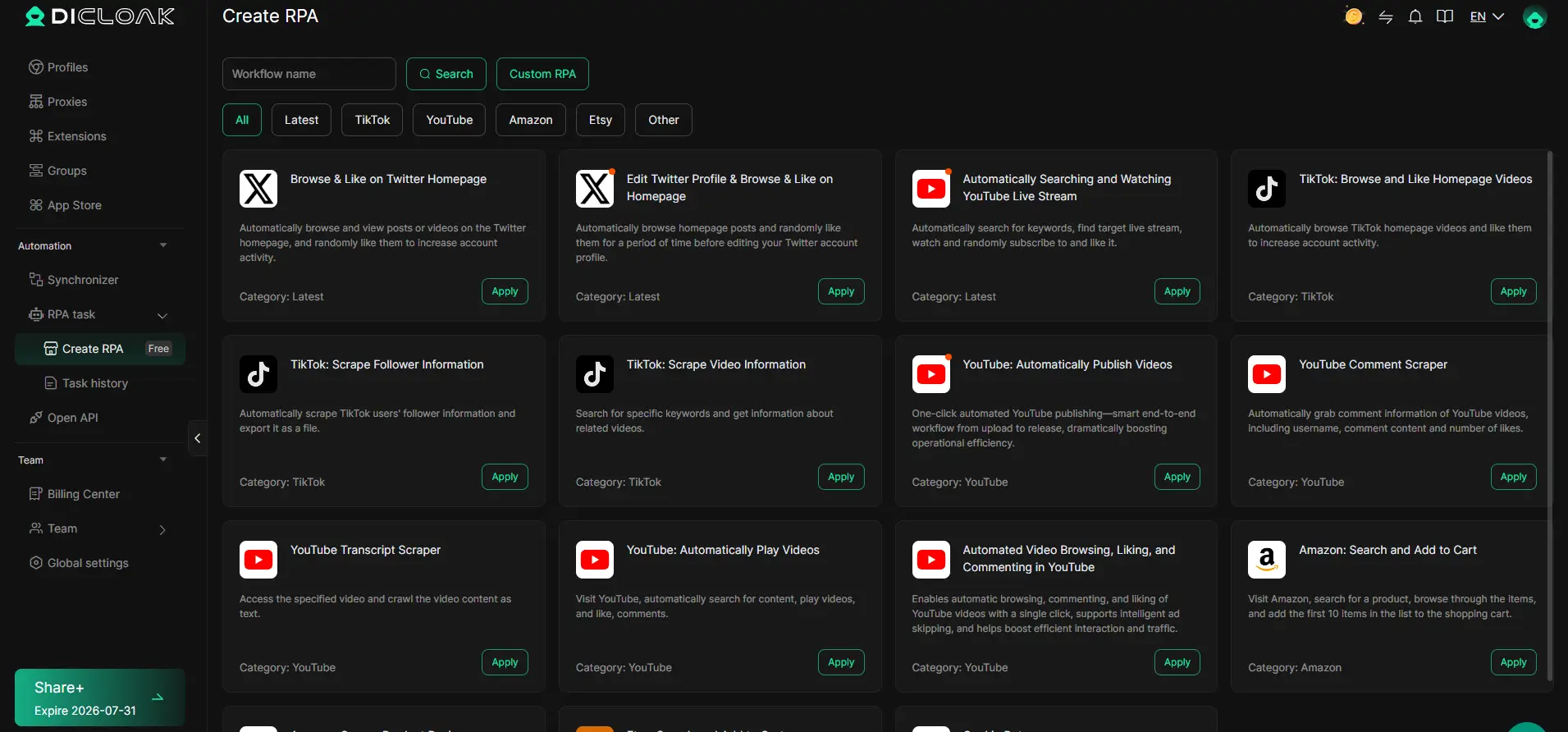
Automating Routine Engagement Tasks with DICloak RPA
Manual engagement is slow and inconsistent, especially across several accounts. Operators can set up a repeatable RPA task in DICloak, for instance, scheduling approved browser actions for each profile. Every run generates logs and live status, letting admins review what happened and catch mistakes early. RPA is only for permitted workflow automation; the operator must design tasks that match platform rules and check results after each run.
If your accounts start showing warning banners or login issues, it’s time to reevaluate whether automation, even with strict workflow separation, fits your risk tolerance.
When Is It Better to Avoid Automatic Instagram Likes Altogether?
Some situations make automation a bad bet, even the best setup can backfire if the account is too sensitive or the risks are too high.
High-Risk Scenarios for Automation
If you’re running a brand, influencer, or verified account, or working with new profiles or accounts with any prior bans, stay away from instagram auto likes. Getting flagged here can mean instant restrictions or public loss of reputation.
Why Organic Engagement Sometimes Wins
Shortcuts can hurt more than help when trust matters.
- Paid or automated likes on fragile accounts often trigger shadowbans or lost reach.
- Building real community with manual, organic engagement keeps your audience, and Instagram’s system, on your side.
Frequently Asked Questions About automatic instagram likes
Is it legal to use automatic Instagram likes in 2026?
Legality depends on both your country’s laws and Instagram’s terms of service. Many countries do not have laws against using automatic instagram likes, but Instagram’s rules usually prohibit automation. Violating these terms can result in account penalties. Always check local laws and Instagram’s current policies before using automation tools.
Can using auto-like tools get all my Instagram accounts banned?
Yes, if your accounts are not properly isolated, Instagram may detect connections and ban them all. Cross-linking happens if you use the same device, IP, or email. To avoid mass bans, use unique credentials, separate proxies, and avoid logging into multiple accounts from the same place.
Do I need a proxy for every Instagram account I automate?
For safety, you should use a unique proxy for each account you automate. This helps keep accounts separated and lowers the risk of Instagram linking them together. Without individual proxies, accounts may get flagged or banned for suspicious activity or violating instagram likes automation rules.
How can I tell if an auto-like service is using real accounts or bots?
Check if the service is open about their methods. Real accounts usually have profile photos, posts, and natural engagement. Bots show patterns like instant likes, empty profiles, or sudden drops in engagement. Test the service with a small order to see the quality of likes and user profiles.
What should I do if my account gets flagged after using auto likes?
Stop all automation right away. Review any recent changes, like new tools or settings. Wait before posting again. Use Instagram’s appeal process if needed, and follow any recovery steps they provide. This can help you restore access and avoid further penalties.
Now is the time to weigh your options and consider whether automating your engagement aligns with your goals on social media. Take a closer look at available tools to ensure they fit your needs and privacy standards before making your choice. Try DICloak For Free
 Web Proxy Tools
 Free Tools
 Cookie Plugin
 UA Generator
 MAC Address Generator
 IP Generator
 IP Address List
 2FA Code Generator
 World Clock
 Anonymous Check
 WebRTC Leak Test
 UUID Generator
 Free Web Proxy Site
 Proxy Checker
 FB Ad Checker
 AI Web Scraping
 Free SMM Tools
 Twitter Shadowban Checker
 Instagram Name Checker
 UTM Generator
 Username Generator
 AI Hashtag Generator
 LinkedIn Headline Generator
 Social Media Image Resizer