YouTube growth can feel like a grind, especially when your channel stalls under 100 subscribers and real viewers barely notice your uploads. It’s no surprise that more creators consider whether to buy youtube subscribers or try services that promise to quickly increase YouTube channel subscribers. The pitch is everywhere: a few clicks, instant social proof, and your channel finally looks “legit.”
Here’s where things get messy. Buying subscribers can trigger fake engagement, break YouTube’s terms, or leave you with inflated numbers but zero real interaction. Most sellers won’t warn you that purchased subscribers often disappear, or that your channel could face restrictions if the growth pattern looks unnatural. The risk isn’t just wasting cash, it’s hurting your channel’s long-term performance.
Still, not every approach is equal. Some platforms, like FansAI, use gradual delivery and high-retention profiles, making the boost appear more real to YouTube’s system. But even the best service can’t fix a weak channel or guarantee real views and comments. If you skip the basics, clean branding, solid videos, and organic engagement, no subscriber count will help you in the long run. The smart play is to treat paid boosts as a test, not a shortcut.
Before you decide to purchase YouTube subscribers, check these key points first, missing just one can cost you more than you expect.
What to Check Before You Buy YouTube Subscribers
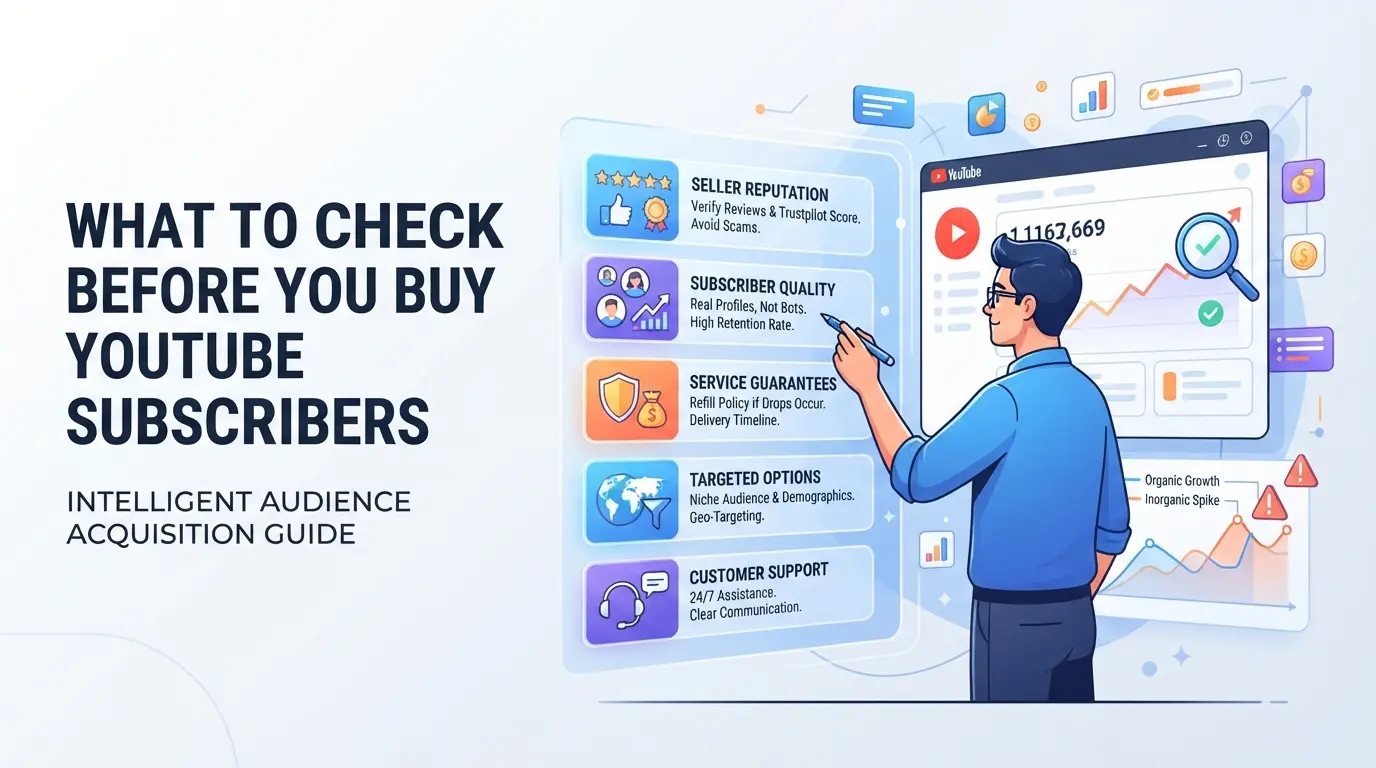
Buying subscribers without checking for warning signs is the fastest way to waste money, or put your channel at risk. The real cost isn’t the fee, but the damage if you pick the wrong service. Before you pay, run through these checks, missing even one can get your channel flagged or leave you with nothing to show for it.
How to Spot Fake Subscriber Services
If a site promises instant delivery or “real” subscribers at rock-bottom prices, pause, these are classic signs of fake subscriber providers. Real growth takes time. When you see blanket guarantees (“100% safe”, “never drop”), or notice the subscriber count jumps in minutes, that usually means bots or recycled accounts. No honest service can promise that everyone will stick around forever. Most scams also hide behind fake reviews or never show verified results. If you can’t find real customer feedback, especially with screenshots or unedited video proof, the risk of getting burned goes way up.
What Real Subscriber Growth Looks Like
- Subscriber numbers rise gradually over several days, not hours.
- Most new subscribers have public profiles with history (not blank or newly created accounts).
- Boosted channels see real engagement, watch time, likes, and comments, not just a static number.
Red Flags Before You Pay
Some services make it hard to get your money back or even try to steal your channel. Here’s what to look for before you send any payment:
- No clear refund or replacement policy listed on the site.
- The provider asks for your YouTube password or channel login, never share this.
- Checkout uses untraceable payment methods (crypto only, no receipts), or the contact info looks generic or copy-pasted.
If you skip these checks, you risk paying for fake accounts that vanish after a few days, or worse, having your own channel compromised. Bots or stolen accounts may be wiped out in the next YouTube sweep, taking your money and sometimes your channel with them.
The way subscriber boosts are delivered is what often gets channels flagged or sees numbers drop unexpectedly. That’s why, before you even look at pricing, it’s worth understanding how “bad” subscriber services give themselves away, so you don’t end up dealing with the fallout.
Why Some Bought Subscribers Disappear or Get Your Channel Flagged
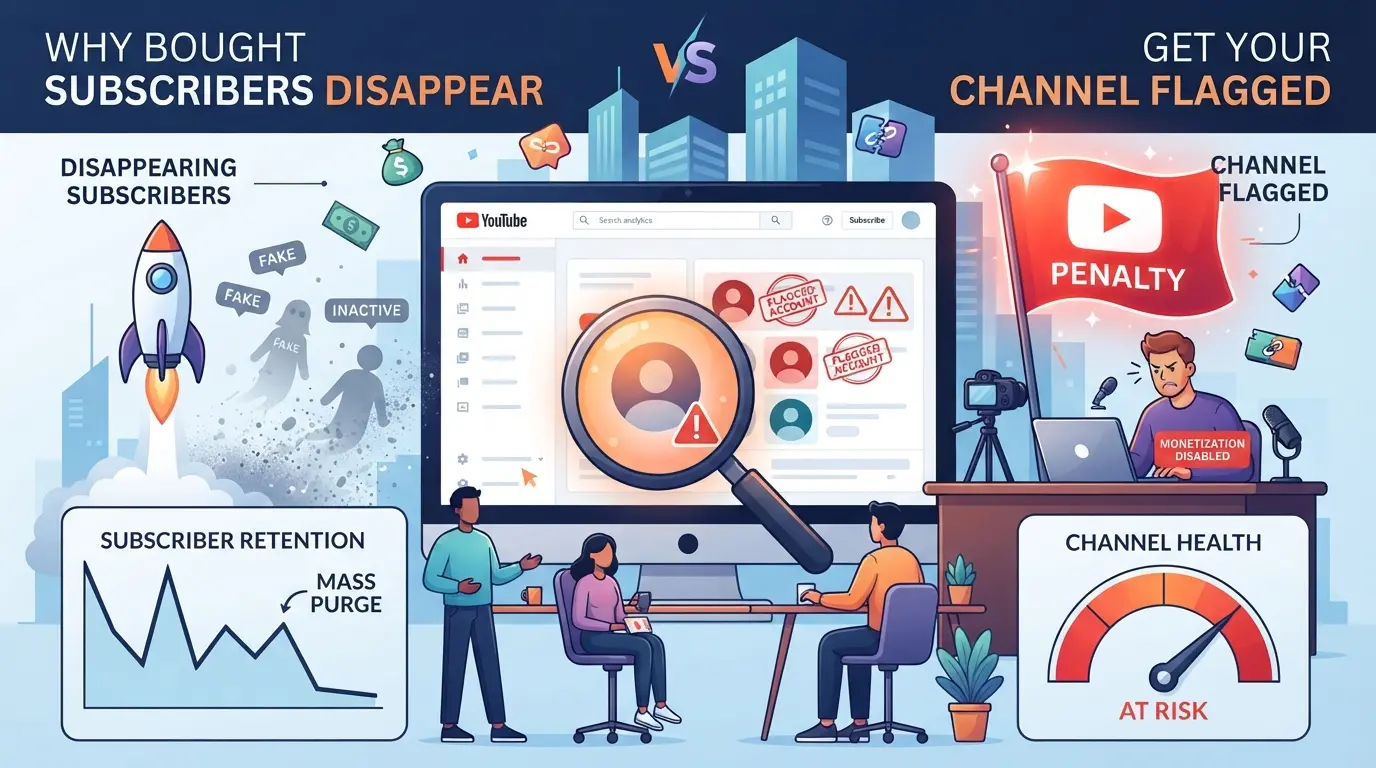
Many users find that after they buy YouTube subscribers, the count quickly drops or the channel faces new limits. This isn’t just bad luck, YouTube’s system is built to spot fake growth and act fast if something looks off.
How YouTube Detects Fake Subscribers
YouTube tracks subscriber activity with automated tools. The system checks for mass sign-ups from the same device, sudden spikes that don’t match your channel’s usual traffic, or subscribers who never watch a single video. These patterns often trigger a review or instant removal.
What Happens When Subscribers Are Removed
When YouTube spots a batch of fake or low-quality accounts tied to your channel, those subscribers disappear, sometimes overnight. You may see your total drop by the exact number you bought, or even more if YouTube links other suspicious activity. If the platform thinks you’re trying to game the system, you might get a warning notice through YouTube Studio. In tougher cases, channels have lost access to features like live streaming or been locked out of monetization reviews for months. Buying subscribers can also hurt your real engagement rate: if you suddenly add 1,000 subscribers but still get only 10 comments, YouTube may see your channel as low quality and stop suggesting your videos. One user reported buying “high-retention” subscribers from a popular service, only to lose them all within 72 hours, and their next upload saw views drop by 60% compared to previous videos.
Why Some Channels Get Shadowbanned or Demonetized
- Sudden bursts of fake subscribers, especially when the channel is small, often lead to loss of reach in recommendations.
- Monetization requests get rejected if YouTube finds clear evidence of bought or non-genuine engagement.
- Accounts under review may stop appearing in search results, sometimes for weeks, without any formal notification.
The key takeaway: YouTube’s system doesn’t just remove fake subscribers, it can punish your whole channel if the boost looks unnatural or affects engagement stats. This risk is why checking a service’s delivery speed and retention claims matters before you pay. Next, you’ll see how to spot scam services before they hurt your channel.
How to Tell If a YouTube Subscriber Service Is Legit or a Scam
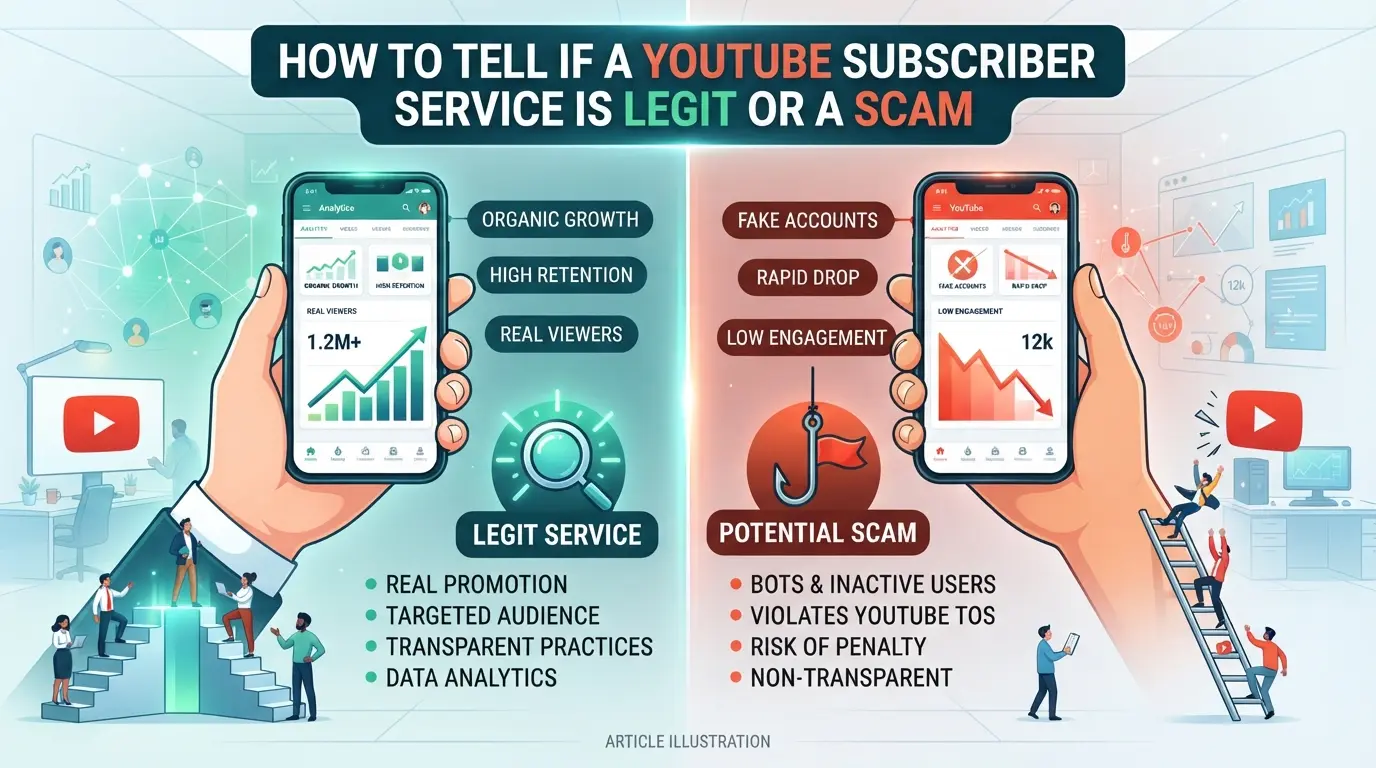
A real subscriber service is rare, most are either low-quality resellers or outright scams. The fastest way to protect your money and channel is to check for clear proof, not just flashy claims or fake social proof. One missed detail can mean wasted cash, vanished subscribers, or account trouble that’s hard to reverse.
What to Look for in Real Reviews
Don’t just trust the reviews on the seller’s own site. Scam operations pack their pages with fake testimonials and five-star ratings that mean nothing. Instead, check third-party review platforms like Trustpilot or Reddit for posts from actual buyers. Real reviews often mention timing, retention, and customer support, if every review is generic or copied, that’s a red flag. Verified purchase feedback, where possible, shows the user actually went through with the transaction.
How to Check for Secure Payment Methods
Scam sites often push you to pay in ways that can’t be reversed or disputed. Before you pay:
- Confirm the site uses trusted payment processors with clear buyer protection (like PayPal or Stripe).
- Avoid services that only accept crypto or wire transfers, these offer no recourse if you get scammed.
- Look for checkout pages with HTTPS and visible security seals.
Why Transparency About Delivery Matters
Legit services lay out exactly how and when subscribers will be delivered, and don’t need your YouTube password, if you’re asked for it, walk away. A real provider is upfront about timelines and what you’ll get.
- Delivery times should be listed in detail (e.g., “100 subs over 48 hours,” not “instant”).
- The service should clearly state they won’t ask for your password or login access.
- There should be open communication, if you email support, you should get a clear reply within a day, not silence or evasive answers.
Buying YouTube subscribers is risky even when you pick carefully, but skipping these checks exposes you to scams that can cost you more than just money. With these vetting steps in place, you’ll see what really happens after you pay, not just what the sales page promises.
What Actually Happens After You Buy YouTube Subscribers
Buying subscribers changes your channel stats fast, but what happens next depends on how YouTube’s system reads those changes. Here’s what you’ll see, both good and bad, right after the purchase and in the weeks after.
Short-Term Effects: Subscriber Count and Engagement
You’ll see your subscriber number jump, often within hours or days. But if your video views and comments don’t rise along with that count, the gap becomes obvious to anyone looking closely.
Long-Term Effects: Channel Health and Growth
Channels that rely on bought subscribers often hit a wall. After a few weeks, some subscribers may disappear as YouTube removes inactive or fake accounts. More important, the algorithm can notice when your engagement rate (likes, comments, watch time) doesn’t match your subscriber count. For example, a channel that gains 2,000 subscribers overnight but keeps getting only 20 views per video is likely to stop getting recommended. Monetization can stall, and in tougher cases, YouTube may flag or limit your channel.
What to Monitor After Purchase
- Check subscriber retention: If you see sudden drops, that’s usually YouTube cleaning up fake accounts.
- Watch engagement rates: If likes and comments stay low while subscribers rise, your channel could stop getting recommended.
- Look for warning messages: Any alerts about suspicious activity or “invalid traffic” are a red flag, stop paid campaigns and review your channel’s health.
Quick changes in subscriber numbers might feel good at first, but real growth shows up in views and interaction, not just stats on your dashboard. If you don’t see those gains, it’s a sign to adjust your approach. Next, you’ll want to know what to change right after buying subscribers to keep your channel safe.
What to Change Right After Buying Subscribers to Reduce Risk
After you buy YouTube subscribers, the next 48 hours matter most. Small mistakes now can tip YouTube’s system to flag your account or wipe out your new numbers. You want your channel to look active and real, not just bigger overnight.
How to Adjust Your Channel Activity
- Upload a new video within 24 hours, This shifts attention from your subscriber count to fresh content. If you skip this, your metrics will look off: a sudden jump in followers but no new uploads.
- Reply to recent comments, Channels that talk back look more real. Ignoring your comment section after a big subscriber bump can make the boost look fake.
- Keep your upload schedule steady for the next week, If you usually post weekly, stick to it. Pausing uploads right now can cause the new numbers to drop or trigger review.
What to Avoid Doing Immediately After Purchase
- Don’t change your channel name, logo, or description, Major changes right after a subscriber spike often trip YouTube’s fraud filters. Wait at least three days.
- Avoid deleting videos in bulk, Mass removals look like you’re hiding something. If you must remove a video, space them out.
- Don’t buy more subscribers right away, Stacking purchases back-to-back is a common reason for mass removals.
How to Monitor for Unusual Account Activity
- Check your email for login alerts, If you get notices about logins you don’t recognize, secure your account. A service that asks for your password may have leaked it.
- Watch your subscriber analytics, Look for sudden drops. If you lose more than 20% in 48 hours, the batch was likely low quality.
- Review comment and watch time stats, If engagement stays flat while subscribers jump, pause all paid campaigns. This mismatch is a red flag for future restrictions.
If you act fast and keep your channel looking natural, you reduce the odds of losing subscribers or facing account flags.
How to Manage Multiple YouTube Accounts and Subscriber Campaigns More Safely with DICloak
If you manage more than one YouTube account for subscriber campaigns, keeping sessions separate and actions organized can make the difference between a smooth workflow and a mess of accidental cross-links. Buying YouTube subscribers is one thing, handling ten channels without tripping over yourself is another. For teams or operators running multiple accounts, DICloak supports safer, more structured browser management that sidesteps common pitfalls.
Set Up Separate Browser Profiles and Fingerprints for Each Account
Operators can create a new browser profile in DICloak for each YouTube account and adjust fingerprint settings, like reported operating system, time zone, and screen resolution, to fit the usual environment for that account. This keeps storage, cookies, and browser signals separate, reducing risk of accidental overlap. DICloak’s scope here is limited to browser-profile setup; it does not manage YouTube accounts or content itself.

User-Provided Proxy Configuration for Assigned Profiles
If the workflow requires, you can assign your own HTTP, HTTPS, or SOCKS5 proxy to each DICloak profile. After adding proxy details, test the connection, DICloak shows you the exit IP and region before you even open the account. The choice and quality of proxies stay in your hands; DICloak only stores and applies them per profile.

Use the Window Synchronizer for Efficient Multi-Account Actions
Manual repetition across accounts is where mistakes creep in. With DICloak’s Window Synchronizer, operators can mirror live actions, like navigation and text input, from a master window to selected YouTube account profiles. This keeps setup or campaign steps consistent without running scripts or leaving actions unattended.
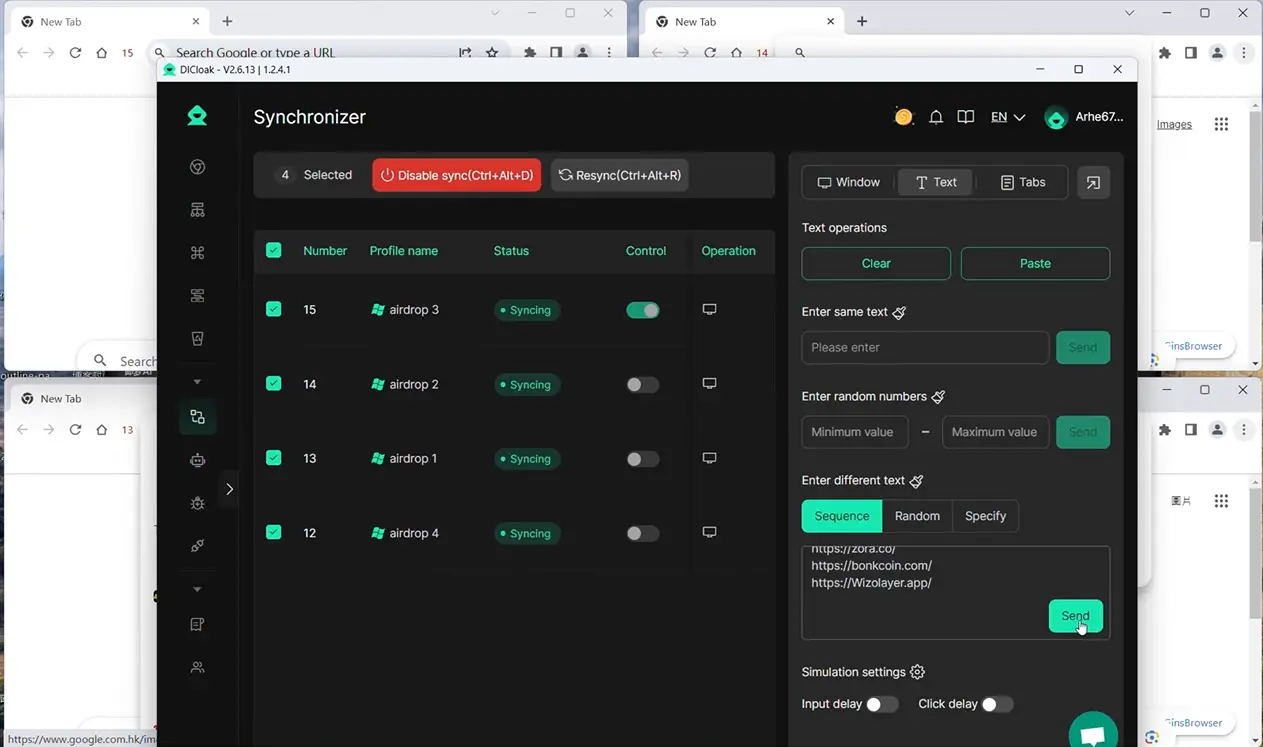
If you’re ready to move beyond paid subscriber boosts, the next section covers safer alternatives for building real, lasting growth.
When Buying Subscribers Is the Wrong Choice: Safer Alternatives for Real Growth
Jumping to paid subscribers can backfire, especially if your channel lacks real views, engagement, or a niche audience. Here’s how the risks stack up and what to do instead.
When Buying Subscribers Backfires
| Scenario |
What Happens |
Long-Term Result |
| No real content or views |
Subscribers vanish |
Channel gets flagged |
| Fast, large subscriber spike |
YouTube detects manipulation |
Reach drops, limits hit |
| Low engagement post-purchase |
Few likes, no comments |
Growth stalls |
If you skip organic value, purchased numbers only raise red flags.
Organic Growth Strategies That Work in 2026
Focus on what YouTube rewards, steady uploads, quality shorts, and real comments. Collaborate with related creators and answer questions in your niche. These moves drive steady, lasting growth.
How to Tell If an Alternative Is Safer
Real services don’t promise overnight results or ask for your login. Avoid schemes that swap fake engagement or run “subscriber for subscriber” exchanges, these burn trust and reach fast.
Frequently Asked Questions About buy youtube subscribers
Is it legal to buy YouTube subscribers in 2026?
The legality of buying YouTube subscribers depends on your country’s rules, but it’s always against YouTube’s own terms of service. If you get caught, YouTube can take down your channel or remove subscribers. Some countries might treat this as fraud, so always check your local laws before you try to buy youtube subscribers.
Can YouTube detect if I bought subscribers?
Yes, YouTube uses advanced algorithms to spot fake or low-quality subscribers. If you suddenly get a lot of new subscribers with no real views or comments, YouTube will likely remove them. The platform also tracks patterns like repeated IP addresses and similar account activity.
Will buying subscribers help my channel get monetized?
Buying subscribers doesn’t guarantee monetization. YouTube checks for real engagement, like watch time and comments. If your channel has fake subscribers but low views, your application for the YouTube Partner Program can get rejected. It’s better to focus on building an audience with real interest in your content.
How many subscribers should I buy to look natural?
There’s no safe number when you purchase YouTube subscribers. Sudden jumps in your subscriber count look suspicious to both viewers and YouTube. This can trigger an audit and lead to subscriber removals or account penalties. Slow, steady growth from real engagement is always the safest option.
Can I use the same device for multiple YouTube accounts safely?
You can manage several accounts on one device if you use separate browser profiles, unique proxies, and avoid letting browser fingerprints overlap. This helps keep each account’s identity separate and reduces the risk of being flagged for suspicious activity. Always follow safe account management practices.
Consider your goals and evaluate all options before making a commitment to grow your channel. Taking a thoughtful approach can help ensure your decisions lead to long-term engagement and genuine audience development. Try DICloak For Free
 Web Proxy Tools
 Free Tools
 Cookie Plugin
 UA Generator
 MAC Address Generator
 IP Generator
 IP Address List
 2FA Code Generator
 World Clock
 Anonymous Check
 WebRTC Leak Test
 UUID Generator
 Free Web Proxy Site
 Proxy Checker
 FB Ad Checker
 AI Web Scraping
 Free SMM Tools
 Twitter Shadowban Checker
 Instagram Name Checker
 UTM Generator
 Username Generator
 AI Hashtag Generator
 LinkedIn Headline Generator
 Social Media Image Resizer