Strategic Introduction to the Next Generation of IP Infrastructure
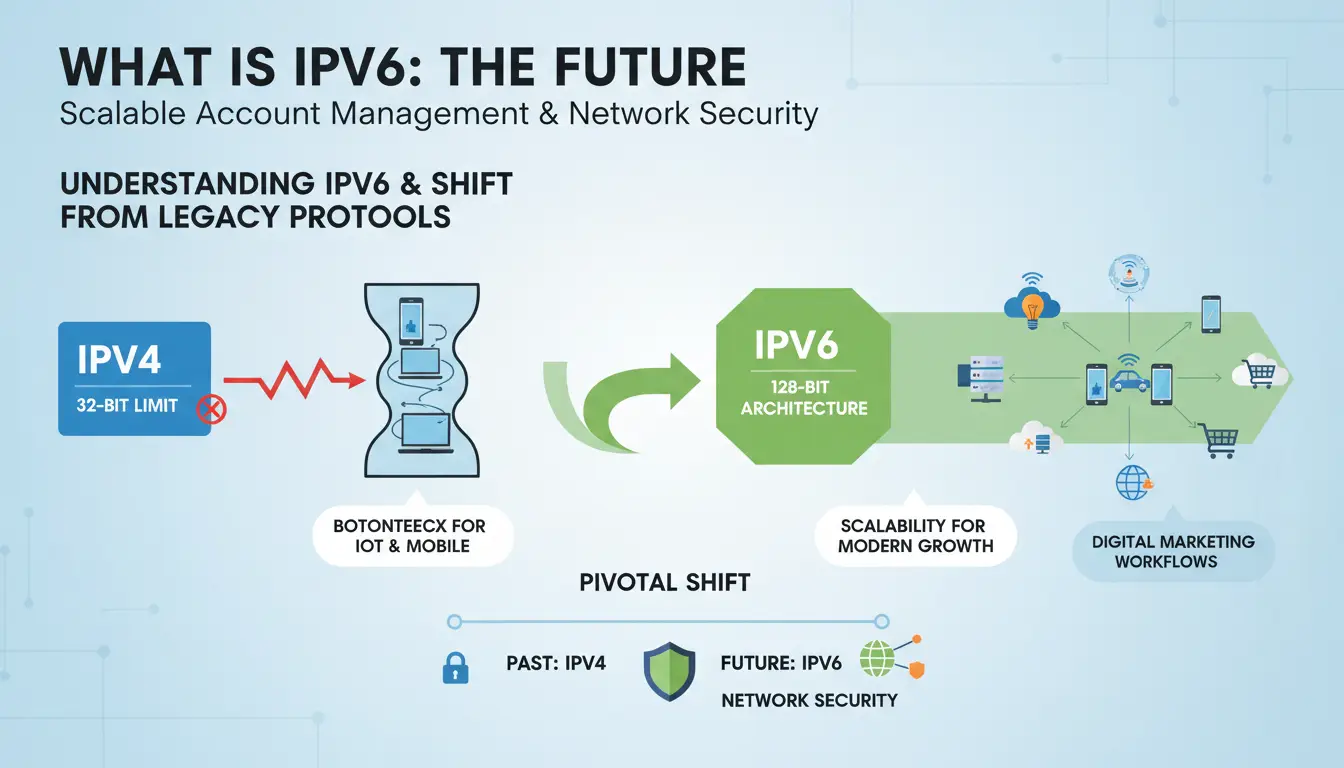
As a digital growth infrastructure expert, I view the transition from IPv4 to IPv6 not merely as a technical upgrade, but as a critical risk mitigation strategy. IPv4, governed by a 32-bit architecture, provides a finite pool of approximately 4.3 billion addresses. This space is exhausted. In high-volume operations—such as managing e-commerce or social media account portfolios—reliance on this depleted pool leads to "Reputational Decay."
When multiple users are forced into narrow, shared IPv4 pools, your accounts suffer from the "bad neighbor effect," where the actions of others negatively impact your IP reputation and trust scores. IPv6 utilizes a 128-bit framework, offering a nearly limitless address space. Adopting IPv6 is now a standard industry practice to avoid network-level flags and ensure the long-term integrity of digital assets.
Understanding What is IPv6 and the Shift from Legacy Protocols
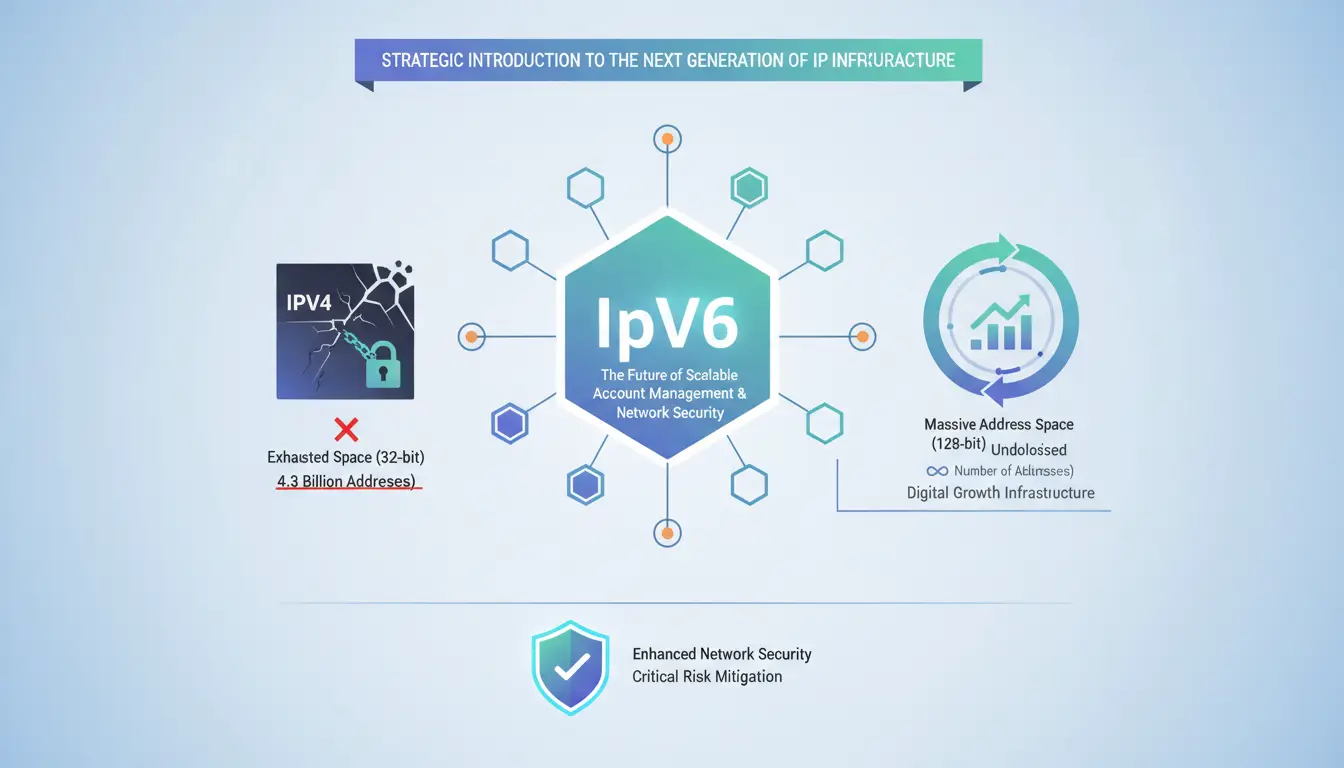
The primary purpose of IPv6 is to provide the infrastructure necessary for the explosion of IoT, mobile devices, and complex digital marketing workflows. While IPv4’s 32-bit limit created a bottleneck, IPv6’s 128-bit architecture provides the scalability required for modern growth.
A pivotal shift in this protocol is the "Direct Connection" mechanism. In the legacy IPv4 environment, Network Address Translation (NAT) was required to mask multiple devices behind a single public IP. IPv6 eliminates the need for NAT, restoring the principle of direct end-to-end connectivity. For growth experts, this means moving away from "noisy" shared signatures toward a cleaner, unique network path for every digital profile.
Pro-Tip: Proxy Management and Network Signatures Native IPv6 support in modern proxy management is essential to prevent "leaky" network signatures. A protocol mismatch—where a browser profile expects IPv6 but is routed through an IPv4-only proxy—can trigger advanced detection systems, revealing the underlying local network configuration and compromising account security.
The Structural Anatomy: How What is IPv6 Addresses are Constructed
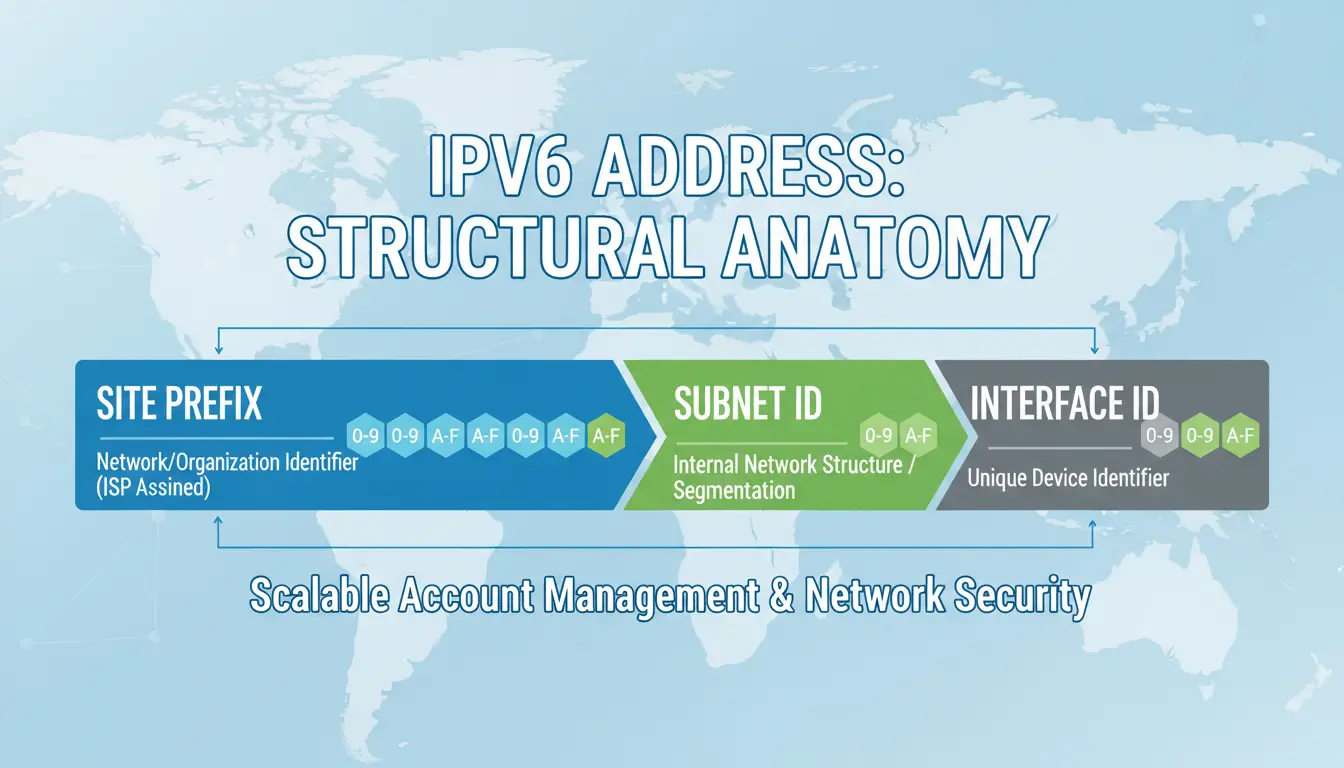
An IPv6 address is a sophisticated identifier composed of three primary segments designed for granular network control:
- Site Prefix: The network or organization identifier, typically assigned by an ISP.
- Subnet ID: Describes the internal network structure, allowing organizations to segment their infrastructure efficiently.
- Interface ID: A unique identifier for a specific device, ensuring accurate identification on the global network.
The 128-Bit Hierarchical Framework
The 128 bits of an IPv6 address are logically divided into 8 groups of 16 bits each. This hierarchical structure allows for more efficient data routing and reduces the size of routing tables globally compared to the fragmented IPv4 space.
Hexadecimal Representation and Notation Rules
Two critical rules exist for shortening these long strings: 1. Remove Leading Zeros: Within any group, leading zeros can be omitted (e.g., 0001 becomes 1). 2. The Double Colon (::): Consecutive groups of zeros can be replaced by ::, but this symbol can only be used once per representation.
Warning on Notation: Misapplying the :: symbol will distort the address length and lead to routing errors. For example, the notation 200F::AB00/56 is invalid because it removes zeros necessary for the full length of the address without adhering to the strict placement rules.
Example:
- Full Address:
1080:0000:0000:0070:0000:0989:CB45:345F
- Shortened Address:
1080::70:0:989:CB45:345F
Understanding Address Prefixes and CIDR Notation
Similar to CIDR in IPv4, IPv6 uses the IPv6-address/prefix-length syntax. The prefix length (e.g., /64) defines how many bits are allocated to the network portion. This is vital for professional account management, as it allows analysts to bind specific account clusters to distinct subnets.
Comparative Analysis: Manual Network Configuration vs. DICloak Automation
| Feature |
Standard/Manual Methods |
DICloak Integration |
| Fingerprint Isolation |
Difficult to align network protocol with browser identity. |
Ensures Fingerprint Parity where the browser profile matches IPv6 protocol characteristics. |
| Proxy Management |
Manual entry of credentials; prone to protocol leaks. |
Native support for dual-stack (IPv4/IPv6) proxy configuration |
Technical Breakdown of IPv6 Address Classifications
Operating at scale requires an understanding of the three primary IPv6 address types:
- Global Unicast Address: The equivalent of a "Public IP." Routable on the global internet, these typically begin with the prefix
2001:.
- Unique Local Address: Used for internal communication. These are not routable globally, start with
fd00::/8, and ensure internal privacy.
- Link-Local Address: Required for every interface to function within a local network segment. These start with
fe80:: and are essential for internal device discovery.
Operational Scenario: A professional growth team might utilize Unique Local Addresses for secure internal data sharing between automated scripts while using Global Unicast Addresses for external traffic and account management to maintain high trust scores.
How What is IPv6 Technology Enhances Account Integrity and Security
IPv6 was engineered with integrated security features, including native support for authentication and encryption.
H3: Eliminating NAT-Related Detection Risks
The "A-ha!" moment for cybersecurity analysts is the move from a Many-to-One (IPv4/NAT) relationship to a One-to-One (IPv6) relationship. In IPv4, NAT masks hundreds of users behind one IP, creating "neighbor noise." When one user triggers a security flag, every account on that IP suffers. IPv6’s direct connection provides a clean, 1:1 path between the account and the server, effectively isolating your IP reputation from the "bad neighbor" effect.
H3: Advanced Support for Mobile and IoT Workflows
IPv6’s Stateless Address Autoconfiguration (SLAAC) simplifies the administration of large-scale mobile account operations. This ensures continuous, stable connectivity—a critical factor for mobile-first platforms that are sensitive to frequent IP changes or "leaky" proxy signatures.
Pro-Tip: Proxy Consistency Never mix residential and datacenter proxies within the same IPv6 prefix. Sophisticated detection systems analyze the "type" of the prefix; inconsistency between your browser fingerprint and the IP's registration data will lower your trust scores.
Transition Strategies: Migrating from IPv4 to IPv6
H3: Migration Method 1: Automatic Addressing
- Identify: Determine which segments of your network configuration require IPv6 support.
- Generate: Use automatic conversion tools to generate corresponding IPv6 addresses from your existing IPv4 pool.
- Configure: Update routers to support the 128-bit format.
- Validate: Confirm connection via the new protocol using external diagnostics.
H3: Migration Method 2: Software and Tools
- Access: Utilize online conversion software or dedicated subnet tools.
- Input: Enter your target IPv4 addresses into the converter to receive the valid IPv6 equivalent.
- Update: Apply these new addresses to your proxy management or device settings.
- Audit: Perform a final check to ensure the network operates correctly without falling back to IPv4.
H3: Legacy Compatibility: Converting IPv6 back to IPv4
When working with legacy systems that only support IPv4, analysts must manually convert the first four parts of the IPv6 address to decimal. 1. Identify the first 4 segments of the IPv6 address. 2. Convert these hexadecimal segments into their decimal equivalents. 3. Combine the converted parts to create a functional IPv4 address for legacy interface compatibility.
H3: Dual-Stack Concept
To ensure zero downtime, most modern infrastructures utilize a "Dual-Stack" configuration. This allows devices to process both IPv4 and IPv6 packets simultaneously, providing a bridge while the global ecosystem moves away from legacy protocols.
H3: Diagnostic Procedures for Connection Readiness
Before launching a high-value account cluster, verify your readiness using these three tools: * test-ipv6.com: Validates support from your ISP and identifies your public address. * ipv6test.google.com: A quick Google-native tool to verify if your device can reach IPv6-enabled services. * ipv6-test.com: Provides a comprehensive analysis of protocol priority and browser preference.
Professional Implementation: Managing What is IPv6 in Multi-Account Environments
Adopting IPv6: Pros and Cons
Pros:
- Scalability: Virtually unlimited address supply.
- Routing Efficiency: Hierarchical structure reduces latency.
- 1:1 Integrity: Eliminates NAT-related "neighbor noise."
Cons:
- ISP Limitations: Native support is not yet universal.
- Larger Fingerprint Surface: Because IPv6 provides more granular data, it creates a larger surface for fingerprinting. This makes using an anti-detect browser like DICloak essential to ensure your browser profile and IP signature are perfectly aligned.
Real-World Scenario: If you manage 50 social media accounts, binding each profile to a distinct IPv6 prefix—rather than sharing a single NAT-masked IPv4—removes the "cluster" signature. If one account is flagged, the other 49 remain safe because they do not share the same identifying network path.
Frequently Asked Questions About What is IPv6
How many bits are in an IPv6 address?
An IPv6 address is 128 bits long, compared to the 32 bits used in IPv4.
Why is IPv6 necessary if IPv4 still works?
IPv4 is exhausted. IPv6 is required to accommodate the growth of devices and to provide cleaner, more secure routing architectures.
Do all ISPs support IPv6?
Not yet. Adoption is increasing, but availability varies by provider.
What is the difference between Public and Private (Link-Local) addresses?
Global Unicast addresses (2001:) are public and routable. Link-Local addresses (fe80::) are private and used only for communication within a single local network segment.
How are IPv6 addresses written?
They are written in hexadecimal format, divided into eight groups of four characters, separated by colons.
 Web Proxy Tools
 Free Tools
 Cookie Plugin
 UA Generator
 MAC Address Generator
 IP Generator
 IP Address List
 2FA Code Generator
 World Clock
 Anonymous Check
 WebRTC Leak Test
 UUID Generator
 Free Web Proxy Site
 Proxy Checker
 FB Ad Checker
 AI Web Scraping
 Free SMM Tools
 Twitter Shadowban Checker
 Instagram Name Checker
 UTM Generator
 Username Generator
 AI Hashtag Generator
 LinkedIn Headline Generator
 Social Media Image Resizer