When you browse the internet, websites track you in ways far more advanced than just cookies. They can identify you through your "browser fingerprint," a unique digital signature created by your device and software settings. Tools like BrowserScan exist to show you just how unique and trackable your fingerprint is. This article will explain what BrowserScan is, how to use it, and most importantly, how to use its insights to protect your online privacy.
What is a Browser Fingerprint?
A browser fingerprint is a unique profile of your device created by combining dozens of data points from your browser and operating system. Websites collect this information to identify and track you, even if you clear your cookies. This method is used for everything from targeted advertising to fraud detection.
Examples of the data collected to create your fingerprint include:
- Browser version and operating system
- Screen resolution and language settings
- Installed fonts and plugins
- Time zone
- WebGL and canvas rendering patterns
Understanding about BrowserScan
What is BrowserScan?
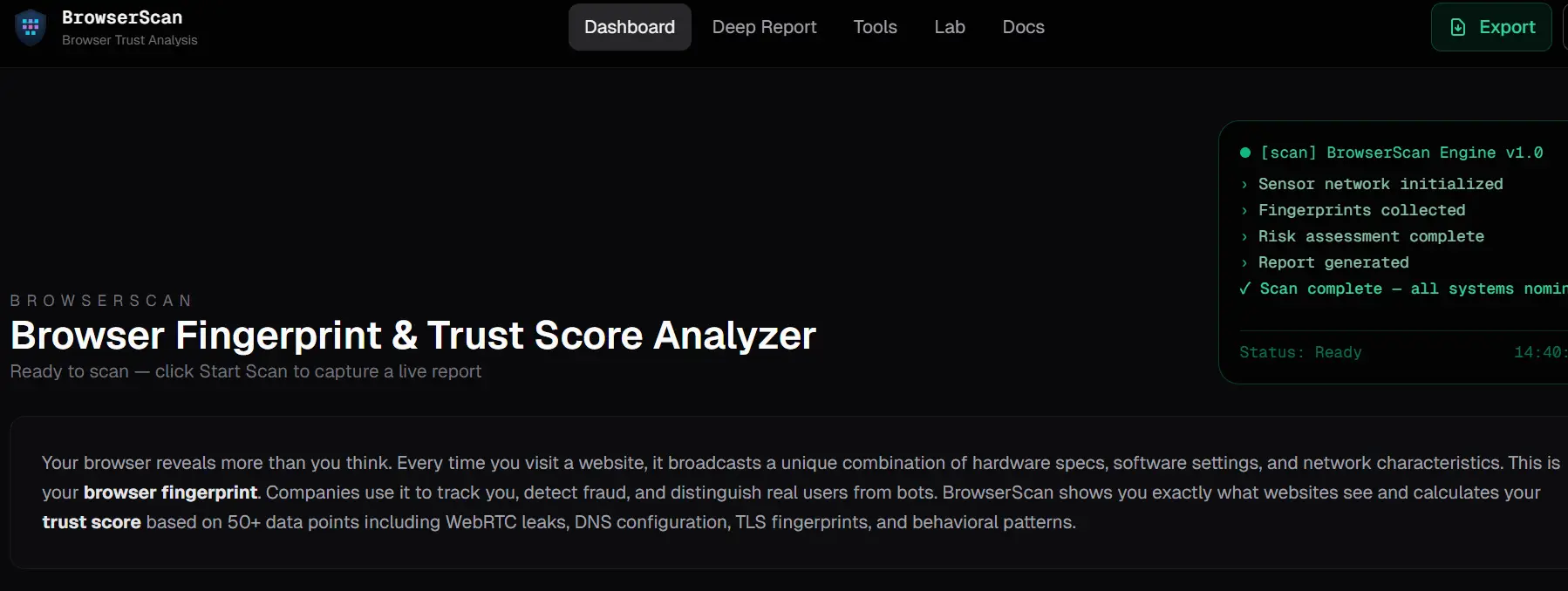
BrowserScan is a diagnostic tool designed to reveal what information your browser and network connection are exposing to the websites you visit. Its primary function is to act as a mirror, showing you exactly how identifiable and trackable you are online. Instead of anonymizing your connection, it gives you a clear snapshot of your current digital footprint.
How Does BrowserScan Work?
When you run a test,BrowserScan analyzes several key areas:
- Browser Fingerprint: Checks key attributes like your user agent, installed fonts, time zone, screen resolution, and audio context. Crucially, it analyzes how rendering technologies like WebGL and canvas generate unique patterns that act as a digital signature.
- IP & Network Data: Examines your public IP address, ISP, and checks your DNS resolvers to detect leaks that could expose your true location even when using a proxy.
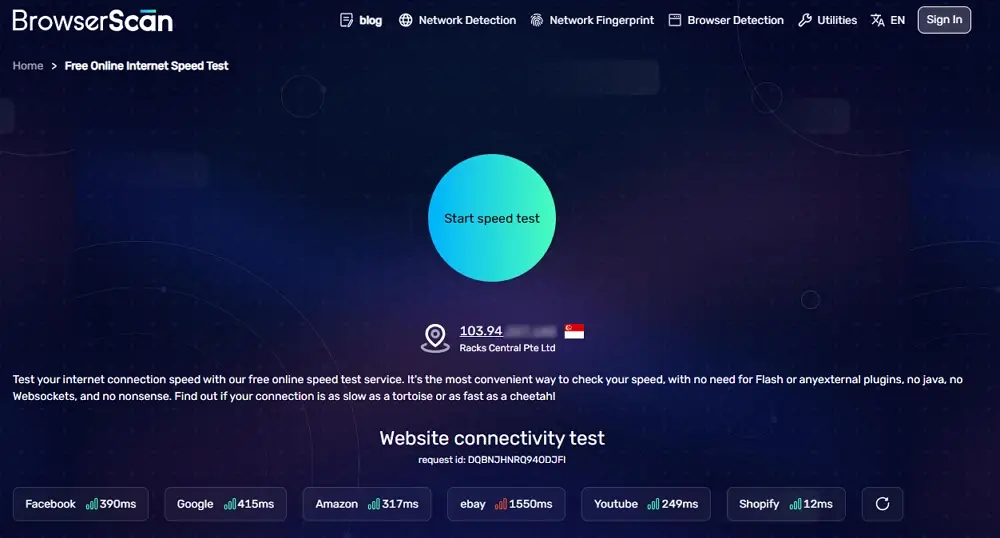
- Internet Speed: Measures your connection's download and upload speeds, along with latency.
- Open Ports: Scans for open ports on your device, which could represent a potential security risk if not properly configured.
Why You Should Use a Tool like BrowserScan
Understanding your digital footprint is crucial for a wide range of users. While the goals may differ, the core need is the same: knowing how your browser is seen and tracked online. BrowserScan helps turn an invisible problem into clear, actionable insights.
For Privacy-Conscious Individuals
Know What Data You’re Exposing Online
Many users assume private browsing or basic settings are enough. In reality, websites can still collect detailed fingerprint data.
With BrowserScan, you can
• See what device and browser details are being leaked
• Identify tracking signals you didn’t know existed
• Understand your real privacy level during normal browsing
This awareness is the first step toward better online privacy control.
For Affiliate Marketers, Media Buyers, and E-Commerce Sellers
Avoid Account Bans and Platform Restrictions
Managing multiple accounts across platforms like ad networks or e-commerce sites carries high risk if environments look similar.
BrowserScan helps you
• Check whether multiple profiles appear linked
• Verify if fingerprints look natural and unique
• Reduce detection risks before accounts go live
This makes BrowserScan a valuable pre-check tool for safer multi-account operations.
For Digital Agencies
Protect Client Accounts with Clean Browser Environments
Agencies often manage dozens or even hundreds of client accounts. A single fingerprint mistake can affect multiple assets.
Using BrowserScan allows agencies to
• Validate that each client runs in a separate environment
• Detect suspicious overlaps between browser profiles
• Maintain long-term account health and trust
It adds an extra layer of protection for both clients and agencies.
For Web Scrapers and Automation Users
Test Detectability Before Getting Blocked
Scraping failures often happen because browser fingerprints are too obvious.
BrowserScan enables you to
• Check if your setup looks automated or unnatural
• Identify weak fingerprint signals that trigger blocks
• Improve anonymity before running large-scale tasks
This reduces wasted resources and unexpected blocks.
A Simple Tool with Broad Use Cases
No matter your role, BrowserScan works as a diagnostic tool that shows how websites truly see your browser. Once you understand the risks, you can take steps to fix them and protect your digital identity more effectively.
How to Use BrowserScan Effectively: A Step-by-Step Guide
Using BrowserScan is simple, but the real power comes from acting on its results. This guide shows you how to test your setup and then use an antidetect browser to improve your privacy.
- Go to the BrowserScan website. The site automatically runs a full scan to show you all the identifiers your browser reveals in real-time.
- Review the results. Scroll down the page to see a detailed breakdown of your browser fingerprint, IP address, network data, and other connection details.
- Identify uniqueness. If BrowserScan shows a highly unique fingerprint, it means your online activities can be easily tracked and linked together across different websites.
- Take action with DICloak. Use an antidetect browser like DICloak to create separate, isolated browsing profiles. DICloak allows you to customize and manage critical fingerprint parameters to reduce your trackability and appear as a different user for each profile.
- Re-check your setup. Open
BrowserScan within one of your new DICloak profiles to confirm that your new fingerprint appears different and less unique, verifying that your privacy measures are effective.
From Diagnosis to Protection: Why BrowserScan Users Need DICloak
BrowserScan is an excellent tool for identifying a problem—it shows you how you are being tracked. However, it does not solve the problem. For true privacy and effective multi-account management, you need a proactive tool like an antidetect browser. DICloak is the solution that provides the protection and control needed to act on BrowserScan's insights.
⚡The DICloak Antidetect Browser has become a global favorite for its unparalleled ability to efficiently and securely manage multiple accounts. Designed for professionals in social media management, and more, DICloak offers powerful features like RPA automation, bulk operations, and a synchronizer. Additionally, it allows you to customize fingerprints and integrate proxies for each profile, ensuring top-level security and operational efficiency. It’s the ultimate tool for seamless, secure, and scalable operations.

What Makes DICloak Stand Out?
✅ Manage 1,000+ Accounts on One Device: Stop wasting money on extra hardware! DICloak allows you to manage multiple accounts on a single device, cutting costs and boosting efficiency.
✅ Guaranteed Account Safety, No Ban Risks: Every account gets its own isolated browser profile with custom fingerprints and IPs, drastically reducing the risk of bans. Your accounts, your control!
✅ Flexible Proxy Configuration for Maximum Performance: Seamlessly integrate with all major proxy protocols (HTTP/HTTPS, SOCKS5) and manage your proxy pool with bulk operations. No more struggling with IP management—DICloak has you covered.
✅ Streamlined Team Collaboration for Better Results: Easily manage your team with advanced tools like profile sharing, permission settings, data isolation, and operation logs. Your team works smarter, not harder.
✅ Automate the Grind with RPA: DICloak's built-in RPA saves you hours of manual work. Automate repetitive tasks, streamline workflows, and focus on what really matters—growing your business.
✅ Powerful Bulk Tools to Scale Your Operations: Create, import, and launch multiple browser profiles in one click. DICloak makes scaling your business as easy as it gets.
✅ Compatible with All Major Operating Systems: Based on the Chrome core, DICloak supports simulating Windows, Mac, iOS, Android, and Linux operating systems. No matter what platform you need, DICloak has you covered.
🔗 Ready to Get Started?
Visit the DICloak website to explore more details and choose the plan that’s right for you. Start for free today and experience the power of secure, efficient, and scalable multi-account management!
Frequently Asked Questions about BrowserScan
1.What is BrowserScan.net?
BrowserScan.net is a free online tool that detects a browser's unique fingerprint. It does this by collecting various details about your device and browser, such as screen resolution, installed plugins, user agent, and time zone, to show you how you appear to websites.
2.What kind of information does BrowserScan collect?
BrowserScan collects a wide range of data points to create a fingerprint, including your browser version, operating system, installed fonts, language settings, device type, screen resolution, and more.
3.Is browser fingerprinting legal?
Browser fingerprinting is generally legal and is often used for legitimate purposes like online security and fraud detection. However, privacy regulations such as GDPR may require websites to inform users and obtain consent if the fingerprinting data is used for tracking and advertising purposes.
4.How can I prevent my device from being fingerprinted?
You can take several steps to reduce your uniqueness, such as using privacy-focused browsers like Brave, disabling plugins, and using extensions that block trackers. However, these methods are often incomplete and can sometimes make your fingerprint even more unusual. The most effective method is to use an antidetect browser like DICloak, which allows you to create and manage multiple, unique browser fingerprints, giving you full control over how you appear online.
5.How is an antidetect browser like DICloak different from a regular browser?
Unlike standard browsers like Chrome or Firefox, DICloak is a specialized tool designed for multi-account management and online privacy. It offers advanced features like bulk settings to manage many profiles at once, and the ability to modify core fingerprint elements. It also allows you to configure custom proxies for each profile, creating completely isolated browsing environments to prevent account linking.
Conclusion
BrowserScan is an essential diagnostic tool for anyone who wants to understand what their browser reveals about them online. It provides a clear, unfiltered look at your digital fingerprint. However, knowing the problem is only the first step. To truly protect your privacy, manage multiple accounts safely, and prevent tracking, you need a proactive solution.
Take control of your digital identity today. Try DICloak to move from diagnosis to active protection and browse with confidence.
 Web Proxy Tools
 Free Tools
 Cookie Plugin
 UA Generator
 MAC Address Generator
 IP Generator
 IP Address List
 2FA Code Generator
 World Clock
 Anonymous Check
 WebRTC Leak Test
 UUID Generator
 Free Web Proxy Site
 Proxy Checker
 FB Ad Checker
 AI Web Scraping
 Free SMM Tools
 Twitter Shadowban Checker
 Instagram Name Checker
 UTM Generator
 Username Generator
 AI Hashtag Generator
 LinkedIn Headline Generator
 Social Media Image Resizer