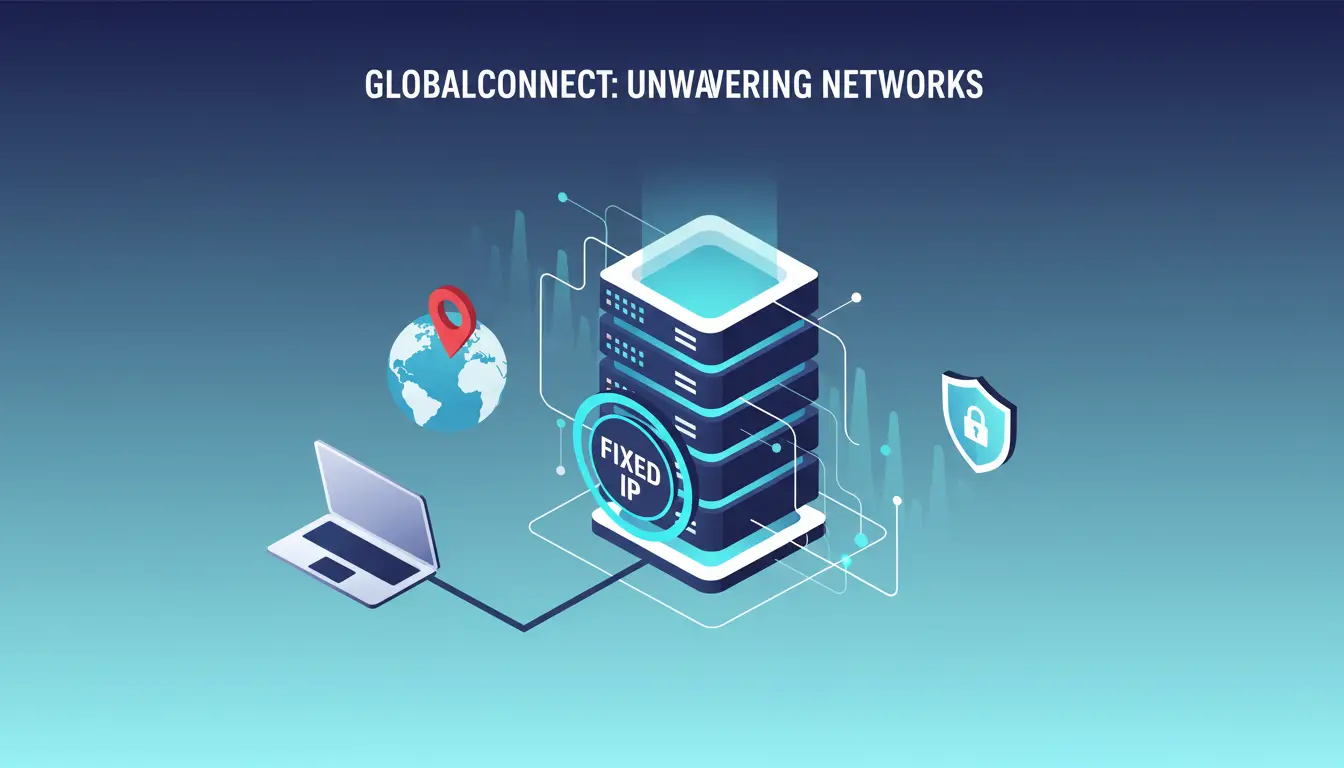
A fixed IP is an IP address that stays the same instead of changing over time. You may also see it called a static IP. Still, a fixed IP is not always the best choice for everyone. It can cost more, create more setup work, and make your network easier to target if security is weak. That is why this guide will explain what is a fixed ip, how it compares with a dynamic IP, when it helps most, what risks it brings, and how to decide if it is the right fit for your needs in 2026.
What Is a Fixed IP Address?
If you are asking what is a fixed ip, the simple answer is this: it is an IP address that stays the same instead of changing often. Many people also call it a static IP. This matters because a fixed IP gives your device or network one stable address, which makes it easier to connect to the same system again and again. AWS, for example, describes an Elastic IP as a static public IPv4 address that stays associated until you change it.
What does a fixed IP mean in simple terms?
Think of a fixed IP like a business address that does not move. If your office, server, or camera system always uses the same address, other people and devices can find it more easily. That is why fixed IPs are often used for remote access, hosting, and allowlist-based security. In Windows, Microsoft explains that IP settings can be set manually instead of being assigned automatically by DHCP, which is one common way a fixed IP is used.
A simple example helps. Imagine you want to connect to your office server from home every day. If the address keeps changing, you have to keep checking it. If the address stays fixed, the connection is much easier to manage. That is one reason people who ask how to get a fixed ip are often trying to solve a remote access or network setup problem.
Is a fixed IP the same as a static IP?
In most normal use, yes. A fixed IP and a static IP usually mean the same thing: an address that does not change on its own. Different providers and guides may use different words, but for most users, the idea is the same. AWS uses the term “static public IPv4 address” for Elastic IPs, while Windows settings describe manual IP assignment instead of automatic DHCP assignment. Both point to the same core idea of a stable address.
How is a fixed IP different from a dynamic IP?
The main difference is stability. A dynamic IP is assigned automatically and may change over time. Microsoft says DHCP automatically assigns IP addresses to devices on a network and recommends it in many cases because it is easier to manage. A fixed IP, by contrast, is set manually or reserved so it stays the same.
For most home users, a dynamic IP is enough because it works with less setup. But for a business server, remote desktop setup, or a system that needs trusted access from the same address, a fixed IP can be much more useful. So when someone asks what is a fixed ip, the easiest way to explain it is this: it is the steady, predictable version of an IP address, while a dynamic IP is the one that may change when the network changes.
Why Do Some Users Need a Fixed IP Address?
Now that the basic answer to what is a fixed ip is clear, the next question is: who actually needs one? For many people, a dynamic IP works fine. But some users need a fixed IP because they want a stable address that other systems can trust again and again. That is especially useful for remote access, servers, and security rules based on allowlists.
What problems can a fixed IP solve for businesses?
A fixed IP can solve a simple but important business problem: changing addresses create extra work. If a company needs partners, staff, or clients to connect to the same system every day, a stable IP makes that easier.A fixed IP solves that by keeping the source or destination address consistent. That is one reason people who search how to get a fixed ip are often trying to support a real business workflow, not just a home network tweak.
How does a fixed IP help with remote work or server access?
A fixed IP also helps when people need to reach the same office system from outside the office. Remote access works better when the address stays predictable. For example, if a team uses remote desktop or a private file server, a fixed IP can make setup easier because the staff always connect to the same address. Without that, the connection details may need to be updated when the IP changes. So while what is a fixed ip starts as a definition question, it often becomes a practical access question very quickly.
Which industries rely most on fixed IPs?
Industries that depend on secure remote access, hosted services, and IP-based rules tend to rely on fixed IPs the most. That often includes IT teams, managed service providers, finance, security monitoring, video systems, and businesses that run file transfer or customer-facing servers.
In short, not everyone needs a fixed IP. But if a job depends on trusted access, stable connections, or simple allowlist rules, a fixed IP can save time and reduce connection problems. That is where its value becomes very real.
What Are the Risks of Using a Fixed IP Address?
A fixed IP can be useful, but it also comes with trade-offs. After learning what is a fixed ip and why some users need one, it is just as important to understand the risks. The biggest issues are easier targeting, less privacy, and higher cost.
Why can a fixed IP be easier to target?
A fixed IP is easier to target because it stays in one place. If an attacker, scanner, or unwanted bot already knows the address, they can keep coming back to the same target. With a dynamic IP, the address may change later, which can make that target less predictable. This does not mean a fixed IP is unsafe by itself, but it does mean security matters more. For example, if a company uses one fixed IP for remote access and leaves weak firewall rules in place, that same address can stay visible for repeated attack attempts.
Why can a fixed IP be easier to target?
A fixed IP is easier to target because it stays in one place. If an attacker, scanner, or unwanted bot already knows the address, they can keep coming back to the same target. With a dynamic IP, the address may change later, which can make that target less predictable. This does not mean a fixed IP is unsafe by itself, but it does mean security matters more. For example, if a company uses one fixed IP for remote access and leaves weak firewall rules in place, that same address can stay visible for repeated attack attempts.
How to Set Up a Fixed IP Address
After comparing fixed and dynamic IPs, the next question is practical: how to get a fixed ip on your own network. In most cases, there are two common ways to do it. You can set the IP manually on the device, or you can reserve the address in the router so the same device keeps getting the same IP. Microsoft recommends DHCP for easier management in many cases, but it also explains how to switch to manual IP settings when needed.
How do you set up a fixed IP on Windows?
On Windows, go to Settings > Network & internet, choose your Wi-Fi or Ethernet connection, then find IP assignment and click Edit. There, you can change the setting from Automatic (DHCP) to Manual, turn on IPv4, and enter the IP address, subnet mask, gateway, and DNS values. Microsoft lists these steps in its Windows network settings guide.
How do you set up a fixed IP on macOS?
On macOS, Apple says to open Apple menu > System Settings > Network, choose the network connection, click Details, then open TCP/IP. From there, you can use the Configure IPv4 menu and choose a manual option, then enter the IP information your network needs. Apple’s support guide also explains a related option called Using DHCP with manual address for cases where the network gives you a specific IP through DHCP.
How do you set up a fixed IP on macOS?
On macOS, Apple says to open Apple menu > System Settings > Network, choose the network connection, click Details, then open TCP/IP. From there, you can use the Configure IPv4 menu and choose a manual option, then enter the IP information your network needs. Apple’s support guide also explains a related option called Using DHCP with manual address for cases where the network gives you a specific IP through DHCP.
What router settings matter most?
The most important router setting is usually DHCP reservation or static DHCP. This tells the router to always give the same IP address to the same device based on its MAC address or client ID. Cisco’s small-business router documentation describes static DHCP as a way to assign a specific IP to a client so it keeps the same address over time.
For most home and small-office users, this is the cleaner option. Instead of changing settings on every device, you reserve one address in the router and let DHCP handle the rest. That reduces mistakes and makes it easier to manage printers, cameras, NAS boxes, or office PCs that need a stable address. So if you are wondering how to get a fixed ip, start by checking whether your router supports DHCP reservation before setting every device by hand.
What Mistakes Should You Avoid When Using a Fixed IP?
Once you learn how to get a fixed ip, the next step is using it the right way. A fixed IP can be helpful, but small mistakes can create security and network problems fast. The most common ones are weak protection, bad configuration, and false ideas about what a fixed IP can actually do.
Why is it risky to use a fixed IP without strong security?
A fixed IP is riskier without strong security because the same address stays visible over time. If someone already knows that address, they can keep targeting the same system. NIST’s enterprise network guidance explains that firewalls are used to control traffic between network locations, and CISA’s ransomware guidance stresses core protections like strong access control, monitoring, and layered defenses. In simple terms, a fixed IP is not the problem by itself, but a fixed IP with weak protection is much easier to abuse.
How can bad setup cause network problems?
Bad setup can break the network even if the IP itself is correct. Microsoft says duplicate IP address conflicts can happen when a static IP is used inside a DHCP network without excluding that address from the DHCP range. That can lead to devices fighting over the same address or losing stable access.
What are common myths about fixed IPs?
One common myth is that a fixed IP is always better for everyone. That is not true. Fortinet says individuals usually do not need a static IP, while businesses often do because they host services or need stable access. Another myth is that a fixed IP automatically improves privacy. In reality, the stable address can make a connection easier to recognize over time. A third myth is that you must use a fixed IP for every remote setup, when in some cases services like Dynamic DNS can help by updating a domain name when the IP changes.
So the safer way to think about it is simple: a fixed IP is a tool, not an upgrade for every situation. It works best when you truly need stable access, clear allowlist rules, or hosted services. If not, a dynamic IP may be easier to manage and less exposed.
Is a Fixed IP Right for You in 2026?
After learning what is a fixed ip, the last big question is whether you really need one. A fixed IP is useful when you need a stable address for remote access, hosting, or allowlist-based security. But it is not automatically the best choice for every user.
What should you consider before paying for one?
Start with the real reason you want it. If you only browse, stream, and use normal apps, a fixed IP may add cost without adding much value. A simple example helps. If you run a small server, need reliable remote access, or use firewall allowlists, paying for a fixed IP may make sense.
How do your internet habits affect the choice?
Your daily internet habits matter more than many people expect. If your usage is mostly home-based and low-maintenance, a dynamic IP is often enough. Fortinet says dynamic IPs are generally better suited for home networks and personal internet use, while static IPs fit more demanding business cases. But if you often connect to the same office system, host services, or need a stable address that others can trust, a fixed IP can save time. That is why many people move from asking what is a fixed ip to asking how to get a fixed ip only after they run into a real access problem.
What alternatives may work better for some users?
For some users, the better option is not a fixed IP at all. Cloudflare explains that Dynamic DNS (DDNS) can keep DNS records updated even when the public IP changes, which helps people reach a home server or service through the same domain name without needing a permanent IP.
In other cases, cloud tools may help more than a residential fixed IP. AWS Elastic IPs provide a static public IPv4 address in cloud environments, and Cloudflare Tunnels offer another approach for reaching self-hosted services without opening ports or exposing the home IP directly.
So the best choice in 2026 is simple: pick a fixed IP only when stable access is truly part of the job. If not, a dynamic IP plus a tool like DDNS may be easier, cheaper, and good enough for what you actually do.
A fixed IP can make access more stable, but it does not solve every workflow problem by itself. When several accounts or tasks need to be handled at the same time, organization matters too. In that kind of setup, DICloak can work as a supporting tool.
Managing multiple fixed IP environments more cleanly
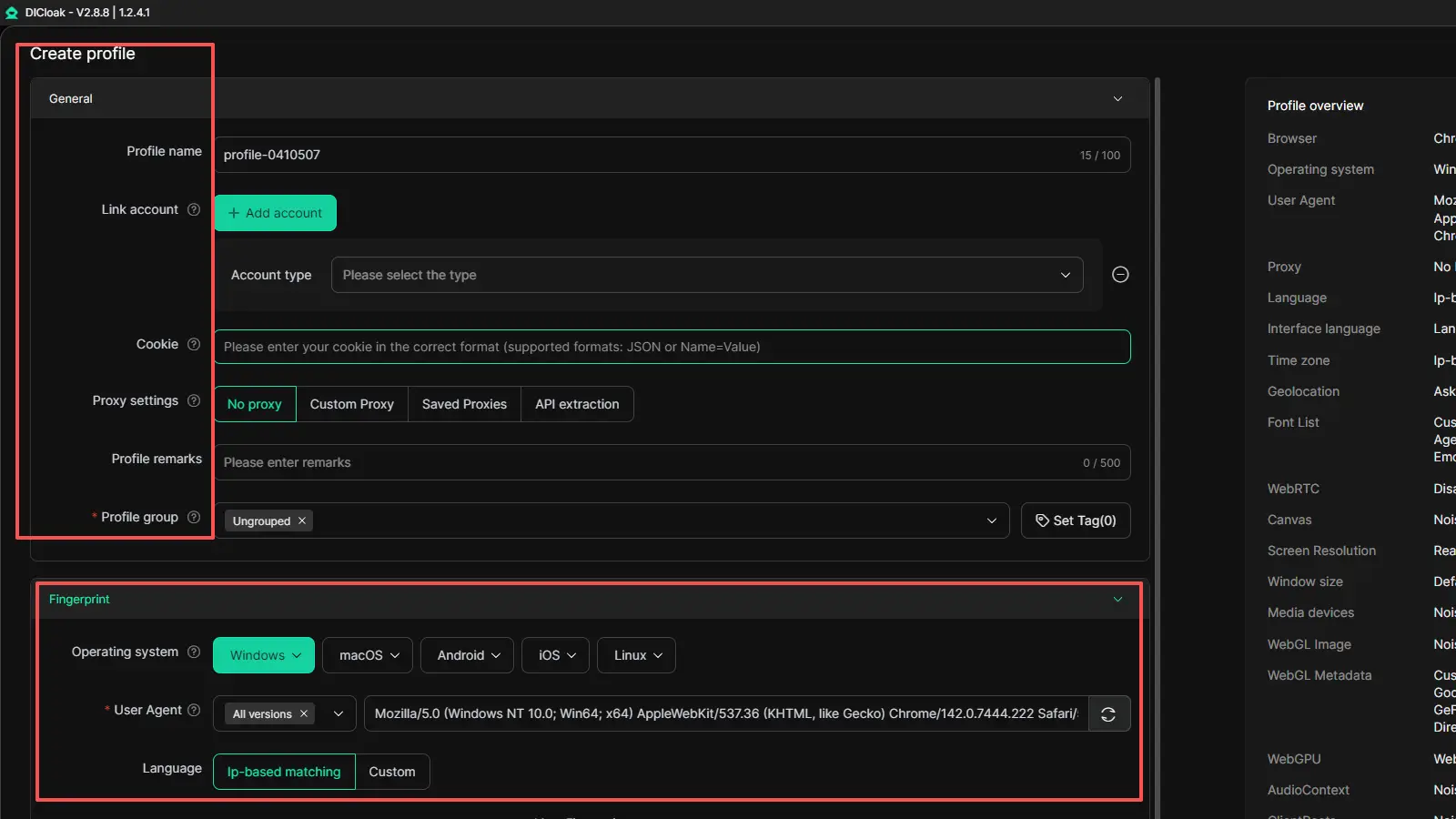
DICloak uses isolated browser profiles, so different account environments do not get mixed together in one browser session. That can make fixed IP-based work easier to organize day to day.
Improving security for fixed IP-based tasks
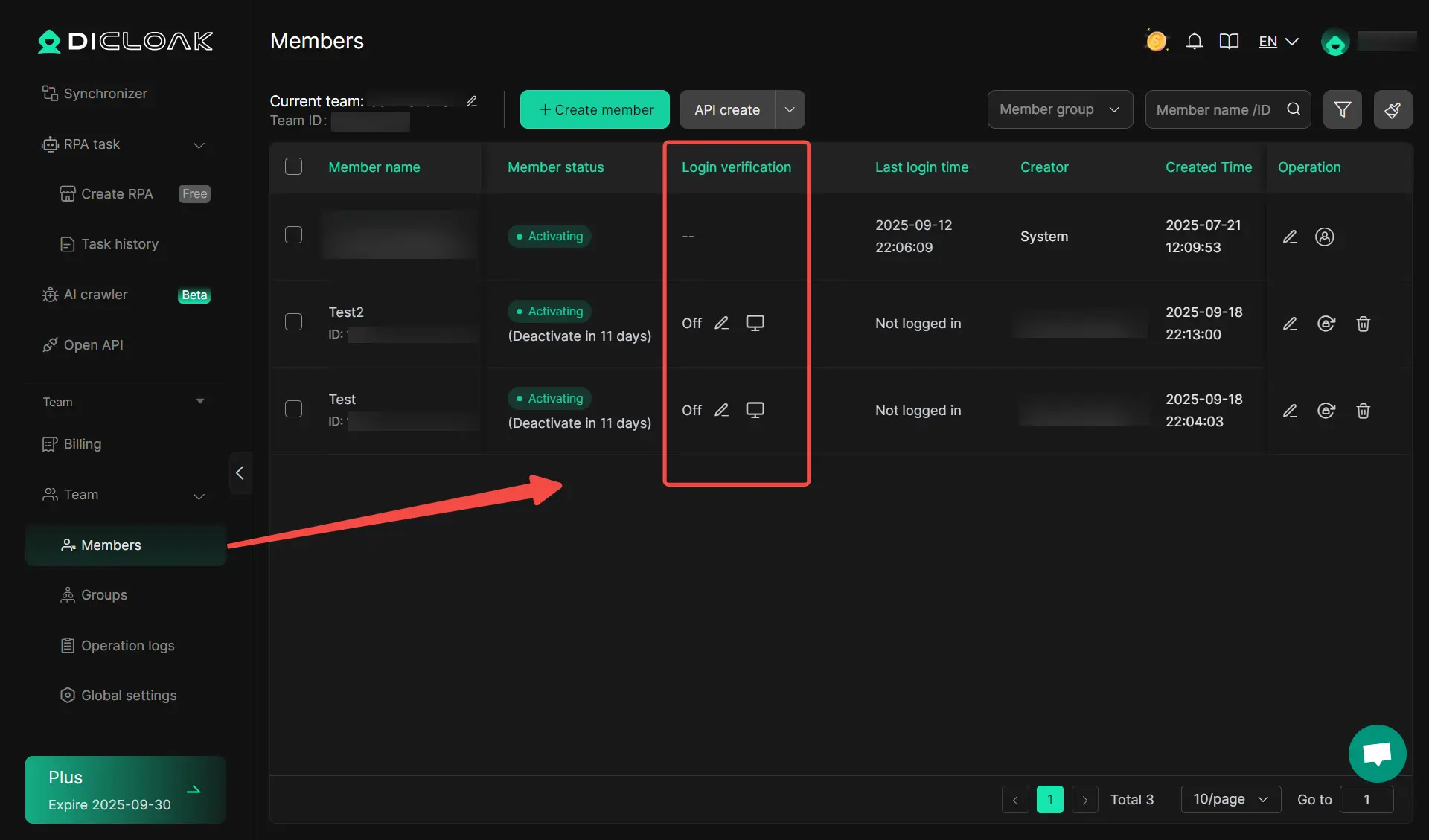
It also includes permission controls, website access restrictions, and Security Protection Mode. For teams or shared workflows, that can help reduce mistakes and make sensitive tasks easier to manage.
Using DICloak for flexible proxy and profile setup
DICloak also supports user profile-level proxy setup and bulk profile management. This gives users more flexibility when they want to keep different tasks separated and easier to control.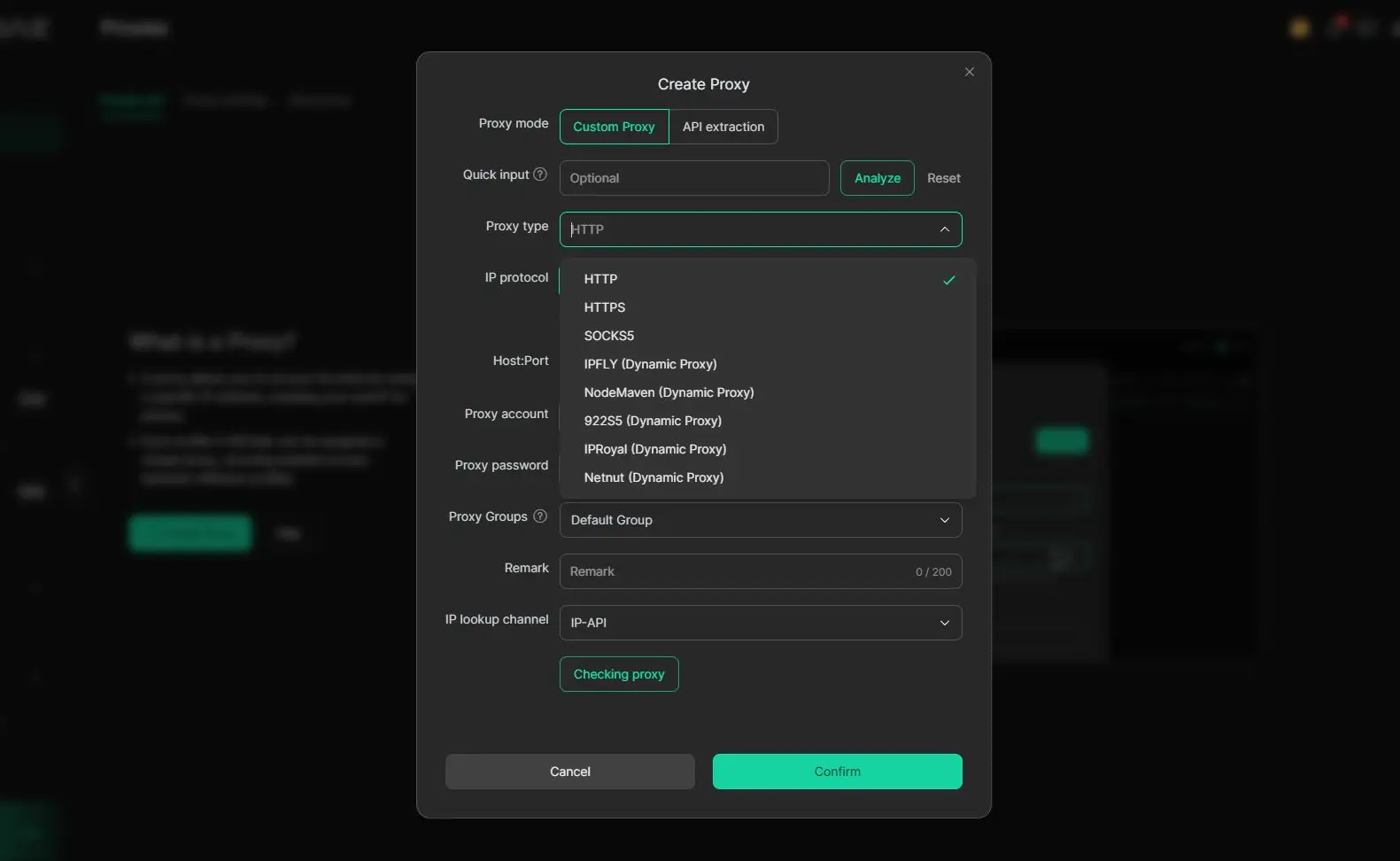
FAQ About What Is a Fixed IP
Q1: What is a fixed IP in simple terms?
A fixed IP is an IP address that stays the same instead of changing over time. In most cases, people use fixed IP and static IP to mean the same thing.
Q2: Why would someone need a fixed IP address?
A user may need a fixed IP for remote access, server hosting, security allowlists, or business systems that work better with one stable address. This is one of the main reasons people search what is a fixed ip.
Q3: Is a fixed IP better than a dynamic IP?
A fixed IP is better when you need stability and predictable access. A dynamic IP is often better for normal home use because it needs less setup and usually costs less.
Q4: How do you get a fixed IP from your provider?
If you want to know how to get a fixed ip, the usual way is to ask your internet provider if they offer static or fixed IP service. In some cases, it may only be available on certain plans, especially business plans.
Q5: Does a fixed IP create security risks?
Yes, a fixed IP can create extra risk if security is weak, because the same address stays visible over time. That is why firewalls, strong passwords, and good network setup matter when using a fixed IP.
Conclusion
If you have been asking what is a fixed ip, the short answer is simple: it is an IP address that stays the same and gives you more stable access than a dynamic IP. That can be very useful for remote work, servers, security rules, and other tasks that depend on a trusted address. At the same time, a fixed IP can cost more, reduce privacy, and need stronger protection. In 2026, the best choice depends on how you use the internet each day and whether a stable address will actually solve a real problem for you.
 Web Proxy Tools
 Free Tools
 Cookie Plugin
 UA Generator
 MAC Address Generator
 IP Generator
 IP Address List
 2FA Code Generator
 World Clock
 Anonymous Check
 WebRTC Leak Test
 UUID Generator
 Free Web Proxy Site
 Proxy Checker
 FB Ad Checker
 AI Web Scraping
 Free SMM Tools
 Twitter Shadowban Checker
 Instagram Name Checker
 UTM Generator
 Username Generator
 AI Hashtag Generator
 LinkedIn Headline Generator
 Social Media Image Resizer