If you have ever wondered what restricted on Instagram means, you are not alone. Many users see strange changes in comments, messages, or account activity, but they are not sure what is really happening. In 2026, Instagram’s restrict feature is still one of the most misunderstood tools on the platform. This article explains what restricted on Instagram means, how it works, how to tell if it affects you, and when it may be a better choice than blocking.
Why Users Get Restricted on Instagram
Most people do not get restricted on Instagram because of one single big mistake. It often happens after a pattern of actions starts to look unsafe, spammy, or too aggressive. In 2026, Instagram still uses account rules, spam detection, and review systems to limit behavior that may harm other users or break its Terms of Use.
Common Actions Leading to Restrictions
A user can get restricted on Instagram after doing too much, too fast. This often includes mass following, mass liking, posting the same comment again and again, sending many DMs in a short time, or using tools that create fake engagement.
A simple example is a new account that follows 150 people in one hour, drops the same promo comment under many Reels, and sends “check my page” to strangers. That account may not get banned right away, but Instagram may slow it down, block actions, or flag it for review. Another common case is logging in through suspicious third-party tools that scrape or automate actions. Instagram also says accounts can be restricted when it detects activity that goes against its rules for accessing platform data.
How Instagram Detects Problematic Behavior
Instagram does not rely only on one post or one report. Its help and policy pages show that the platform uses account activity signals to detect spam, harmful conduct, fake engagement, and suspicious access patterns. It also gives users tools to report abuse, spam, and scams, which can add more review signals.
In practice, Instagram may look at patterns. Did the account suddenly start following many people? Is it posting the same text everywhere? Is it sending message requests that feel like spam? Is it tied to suspicious apps, scraping behavior, or fake engagement methods?
For example, imagine a small shop account that used to post two times a week. Then, after buying a growth tool, it starts liking hundreds of posts a day and auto-sending DMs to new followers. Even if the owner thinks this is “just marketing,” Instagram may read that change as automated or deceptive behavior. That is often how a normal account ends up restricted on Instagram without fully understanding why.
Immediate Risks of Being Restricted
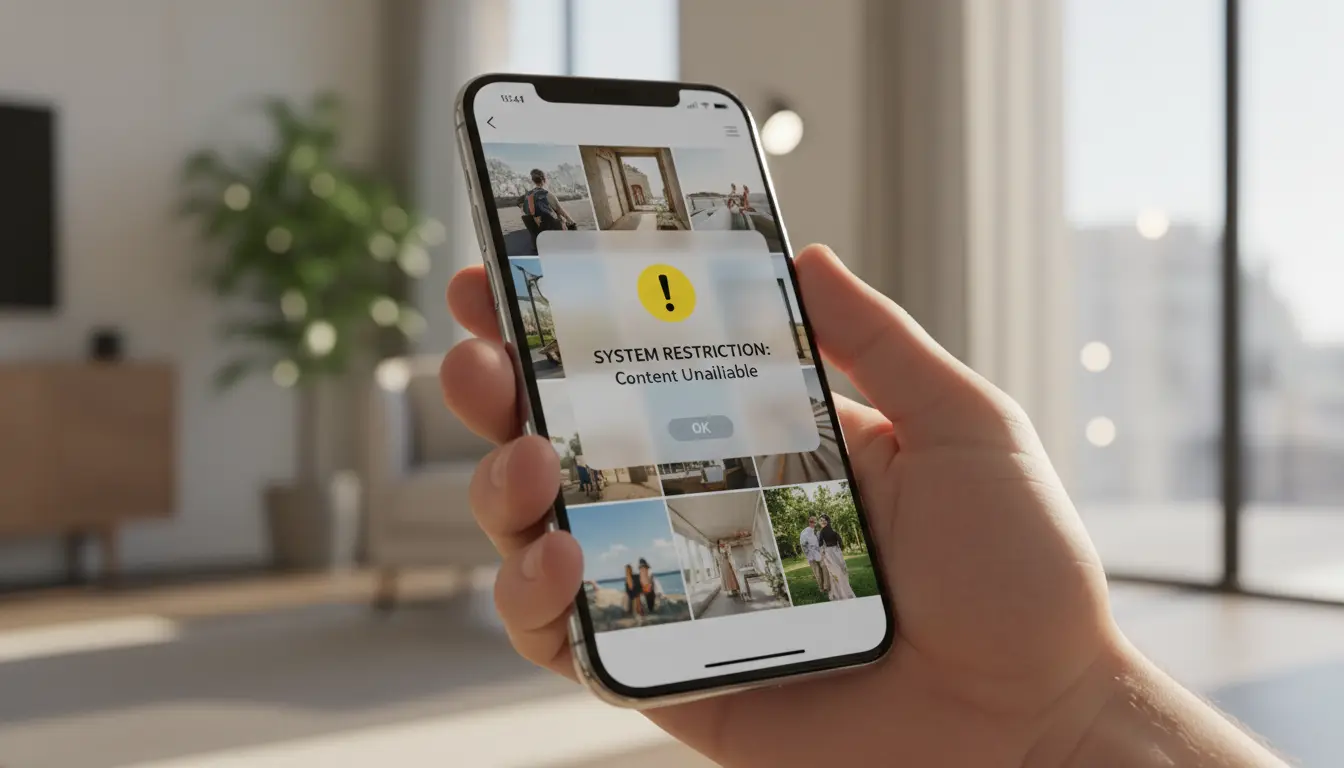
The first risk is loss of normal account function. A restricted on Instagram account may hit action blocks, lose reach, face review warnings, or see content removed if it breaks Community Standards. Instagram also lets users check Account Status to see whether content or account standing has been affected.
The second risk is that one restriction can turn into a bigger trust problem. If Instagram removes content or gives a strike, that can affect how safely the account is treated later. The platform now explains that users may be able to remove a first-time strike in some cases, which shows that enforcement is not only about one post, but also about account history.
The third risk is practical. Growth slows down. Replies get missed. New followers stop coming in. A creator may think “my content is bad,” when the real issue is account limitation. A business page may think “Instagram is broken,” when the problem is repeated behavior that triggered review. So when people ask what does restricted on Instagram mean, the short answer is this: it usually means Instagram no longer fully trusts part of your behavior, and that trust problem can hurt visibility, engagement, and account stability if you do not fix the cause.
How to Avoid Getting Restricted on Instagram
Most users do not plan to break the rules. They just move too fast, repeat the same actions, or miss small warning signs. If you want to avoid getting restricted on Instagram, the safest approach is to act like a real person, slow down, and check your account health often.
Safe Practices for Commenting and Messaging
A simple way to avoid getting restricted on Instagram is to keep your comments and messages natural. For example, do not post the same line like “nice post, check DM” under ten different posts. Do not send the same sales message to a long list of strangers. Even if the message itself is not rude, the pattern can still look spam. Meta also says spam includes deceptive or annoying content designed to drive engagement in misleading ways.
A safer habit is to write different comments for different posts. Keep them short, but relevant. If you send DMs, send fewer at a time and make sure they match the person and the conversation. For instance, a fitness coach replying to a follower’s question with a direct, personal answer is much safer than blasting the same promo text to fifty people in one hour. That difference matters when Instagram tries to tell real interaction from spam-like behavior.
Understanding Instagram's Community Guidelines
Many people only read the rules after a problem starts. That is usually too late. If you want to stay safe, you need a basic understanding of Instagram’s Community Guidelines before your account gets flagged.
Instagram’s guidelines focus on safety, authenticity, and respectful use. The platform says users should not artificially collect likes, followers, shares, or comments, and should not post repetitive content or contact people again and again for commercial purposes without consent. That matters because many users ask what restricted on Instagram means only after they have already crossed one of these lines without noticing it.
How to Monitor Your Account Activity for Safety
The best time to check your account is before a bigger restriction happens. Instagram provides an Account Status area where users can see whether content may go against its rules and whether that may lead to limits on the account. If you think Instagram made a mistake, you can also request a review and track that request in Account Status or Support Inbox.
This matters in real use. Let’s say your comments start disappearing, your reach drops, or you suddenly cannot complete normal actions. Many users guess. They think the app is broken. But a safer move is to check Account Status first, review recent content, and look for anything that may have triggered a warning. That gives you a clearer answer than just posting more and hoping the problem goes away.
It also helps to watch your own habits. Ask simple questions. Did you follow too many people today? Did you copy and paste the same message? Did you connect a risky third-party tool? Did your activity suddenly jump far above your normal level? These small checks can help you catch a problem early.
Steps to Restrict Someone on Instagram
If someone is making you feel uncomfortable, but you do not want to block them, the restrict feature is often a better middle option. It gives you more distance without creating such a direct break. That is also why many users who ask what restricted on Instagram means eventually want to know how to use the feature themselves.
Using the Restrict Feature in Direct Messages
One easy way to restrict someone is from your direct messages. Open the chat, tap the person’s name at the top, and look for the restrict option in the settings. This is often the fastest choice when the problem starts in DMs and you want to limit the interaction right away.
After that, the chat no longer feels as direct as before. New messages from that person are handled with more distance, which can make the situation easier to manage. For many users, this is enough to reduce pressure without taking the stronger step of blocking the account.
Restricting Users from Your Profile Settings
You can also restrict someone from their profile. Visit the account, open the menu, and choose the restricted option there. This path is useful when the issue is not mainly about messages, but about comments, profile activity, or repeated unwanted interaction.
Many people do not realize this feature is available outside DMs. In real use, that makes it more flexible. If someone keeps showing up in ways that feel annoying or uncomfortable, restricting them from the profile can be the cleaner option.
How to Unrestrict Someone Safely
If things calm down later, you can also remove the restriction. The unrestrict option is usually found through the same account settings flow. That means the feature is easy to reverse if you decide normal interaction is no longer a problem.
Still, it is better not to do this too quickly. If the person’s behavior was stressful before, giving full access back too early may bring the same problem again. A safer approach is to unrestrict only when you feel sure the situation has actually changed.
What Happens When You Restrict Someone?
Restrict is designed to create distance without making the action as obvious as a block. The person can still find your account and usually still interact in limited ways, but you gain more control over what reaches you and what becomes visible to others. On Instagram, restrict mainly changes how comments and direct messages are handled.
Changes in Comment Visibility and Interaction
When you restrict someone, their comments do not appear in the normal public way right away. You get more control over whether those comments should be visible on your post. That is why restrict is often used when someone is being annoying, passive-aggressive, or repeatedly crossing the line in comments, but blocking feels too extreme.
In real use, this means the interaction becomes much quieter. The person may still leave a comment, but you are no longer forced to let that comment sit openly on your post like before. For many users, this is the main reason the feature feels useful. It lowers pressure without turning the situation into a direct conflict.
Impact on Direct Messages and Notifications
Restrict also changes how messages reach you. Direct messages from a restricted person are moved out of the main inbox and sent to Message Requests instead. That creates a buffer. You do not have to deal with the conversation in the same immediate way, and the contact feels less direct than before.
This is especially helpful when someone keeps messaging in a way that feels uncomfortable, pushy, or unwanted. Instead of fully blocking them, you can reduce their access and make the account easier to manage. That middle step is a big part of what restricted on Instagram means in practice.
How Restriction Affects Story Views
Restriction is mostly about comments and messages, not full profile invisibility. It is different from blocking. A restricted person may still be able to view your stories if your account settings allow them to see your content. Instagram’s restrict feature is described around comment control and message handling, while story reply controls are managed through separate story settings.
So if someone is restricted, that does not automatically mean they stop seeing your stories. The bigger change is that their ways of interacting with you become more limited and easier for you to manage. If you want to control story access itself, that usually requires a different privacy setting, not just restriction.
How to Tell If You've Been Restricted on Instagram
It can be hard to tell if someone has restricted you on Instagram because the feature is meant to be quiet. Unlike a block, it does not fully cut off access. Most of the clues are indirect, which is why many users end up guessing instead of knowing for sure.
Signs Your Comments Are Hidden
One common sign is that your comments no longer seem to get normal engagement. If you leave a comment and it gets no reply, no reaction, and no visible interaction over time, there is a chance the other person is controlling whether that comment is shown. With restriction, comment visibility can be limited in a way that gives the other user more control over what appears publicly.
That does not prove you were restricted on Instagram, since people can also ignore comments for normal reasons. Still, if this keeps happening only with one account, it can feel like a pattern rather than bad luck.
Checking Message Delivery Status
Messages can also feel different when you may have been restricted. A person who restricts you can push your future messages out of their main inbox and into Message Requests. That means your message may still go through, but the interaction can feel slower, colder, or absent.
In real use, this often shows up as a chat that suddenly feels dead. Your messages are sent, but replies stop, and the conversation no longer moves the way it used to. That still is not absolute proof, but it is one of the more common signs people notice.
Changes in Story Visibility
Story access usually does not change in the same direct way. Restrict is mainly tied to comments and messages, not full story removal. So if you can still view someone’s story, that does not mean you were not restricted. Story replies are handled through a separate story reply setting, which means someone can limit interaction there in other ways too.
This is why the feature confuses so many users. You may still see the person’s content, but the way your comments and messages are handled can be very different. In practice, that is often the clearest answer to what restricted on Instagram means from the other side.
Restrict vs. Block: Which Is Better for You?
Restrict and block are both privacy tools, but they solve different problems. Restrict is better when you want less pressure without fully cutting the person off. Block is stronger. It stops the person from finding your profile, posts, or stories, while restrict is more about quietly controlling comments and messages.
Comparing Privacy Levels and User Interaction
The main difference is how visible the boundary feels. With restrict, the other person can still interact in limited ways, but you get more control over what reaches you. Their comments can be held back, and their future messages are pushed away from your main inbox. With block, the separation is much clearer because the person can no longer find your profile, posts, or story in the normal way.
Situations Where Blocking Is More Effective
Blocking is usually the better option when the problem is serious, repeated, or clearly unwanted. If someone is harassing you, watching your account too closely, or refusing to stop after softer boundaries, block gives stronger protection. It is also the cleaner choice when you do not want the person seeing your content at all. Instagram also notes that when you block someone, their likes and comments are removed from your photos and videos, which makes block feel more final.
When Restriction Offers Better Control
Restrict is often better when you want distance without starting a direct conflict. It works well for awkward social situations, mild harassment, passive-aggressive comments, or unwanted messages that are annoying but not severe enough for a full block. In that kind of case, restrict gives you quieter control. That is often the better answer for users who want to manage the situation without making the break obvious.
Scenarios Where Restricting Is the Best Option
Restrict works best when you want more control, but do not want to turn the situation into an open fight. It is a useful middle step for unwanted comments, awkward messages, or low-level harassment. Instagram presents restrict as a safety tool for handling these kinds of situations more quietly.
Managing Harassment Without Confrontation
Restrict is often the better choice when someone is bothering you, but blocking feels too direct. Maybe the person is leaving rude comments, sending uncomfortable messages, or trying to get your attention in a way that feels stressful. In that kind of case, restrict helps create distance without making the break obvious right away.
Protecting Your Mental Health on Social Media
Not every harmful interaction is serious enough for a full block, but that does not mean you have to keep dealing with it. Restrict can help reduce daily stress by giving you more space from comments and messages that drain your energy. Instagram groups restrict with other safety tools meant to help people feel safer and more in control online.
Balancing Privacy with Engagement
Sometimes you still want to stay active, keep your account open, and avoid cutting people off too fast. That is where restrict can be more useful than block. It lets you protect your space while keeping the account running normally for everyone else. This balance is a big reason why many users see restrict as the better option for social, work, or creator accounts.
How DICloak Supports Safer Instagram Account Management
When people manage more than one Instagram workflow, the risk often does not come from one post or one comment. It usually comes from confusion, mixed sessions, repeated manual actions, or account environments that do not stay consistent. In that kind of setup, users often need a cleaner way to separate accounts, reduce avoidable mistakes, and keep daily work more organized. DICloak is built around isolated browser profiles, automation tools, and activity support features that can help with that kind of account management.
Managing Multiple Accounts Safely and Securely
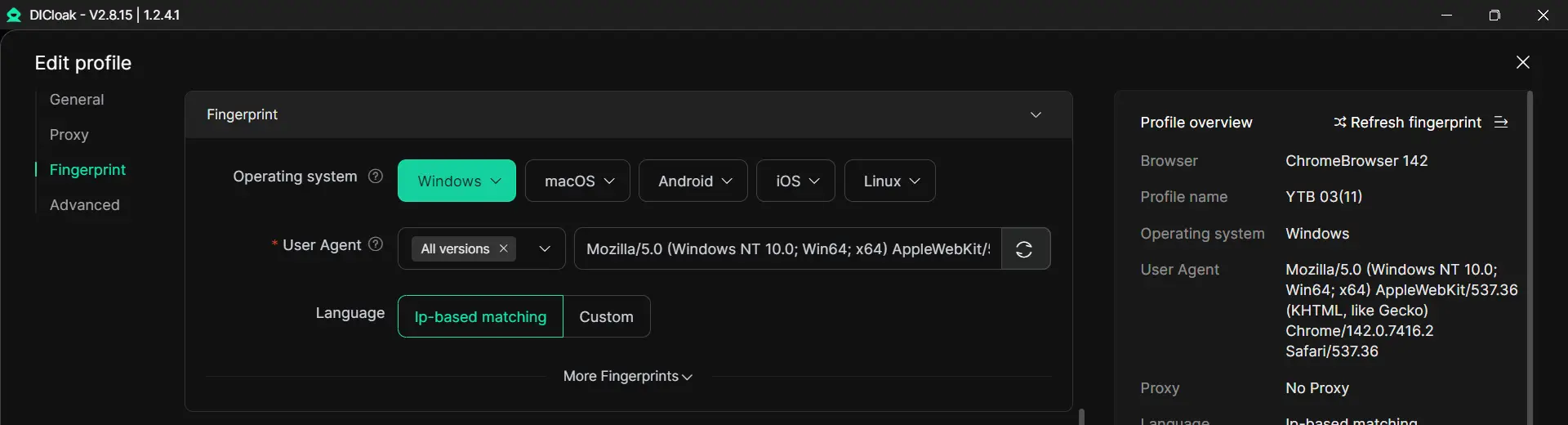
People who handle multiple Instagram accounts often run into problems when different accounts share the same browser profile, cookies, or login patterns. With DICloak, users can create separate browser profiles with unique fingerprints and isolated sessions, which makes multi-account work more organized and may help reduce cross-account confusion or suspicious overlaps.
Automating Actions to Reduce Manual Errors
Many Instagram problems start with manual overuse. People comment too fast, switch accounts too often, repeat the same steps, or make avoidable mistakes when trying to manage everything by hand.
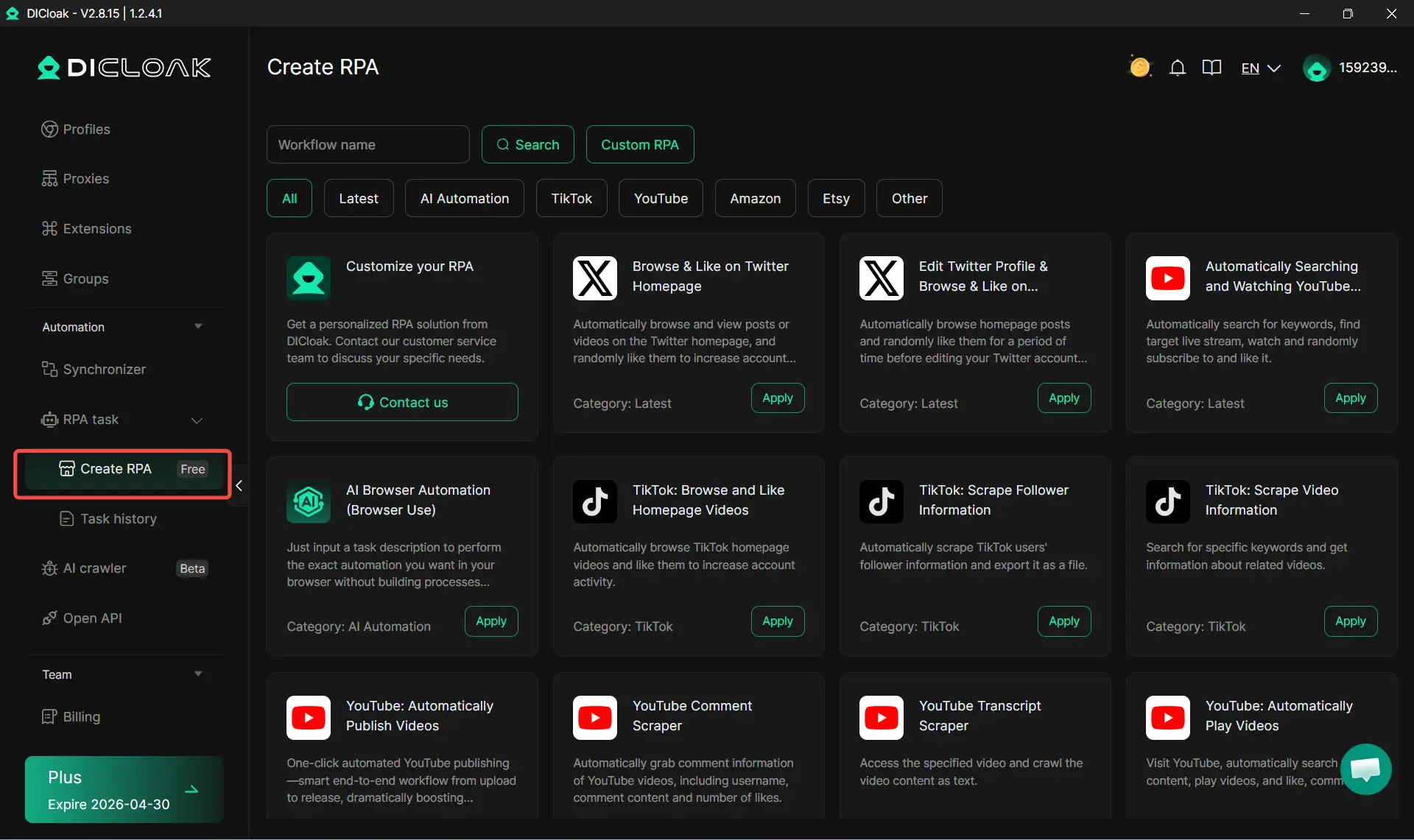
With DICloak, users can rely on RPA tools and synchronizer to handle repetitive tasks in a more consistent way. The value here is not simply speed. It is also about reducing messy habits, lowering repeated manual errors, and keeping account operations more stable across daily work.
Monitoring Account Activity with AI Tools
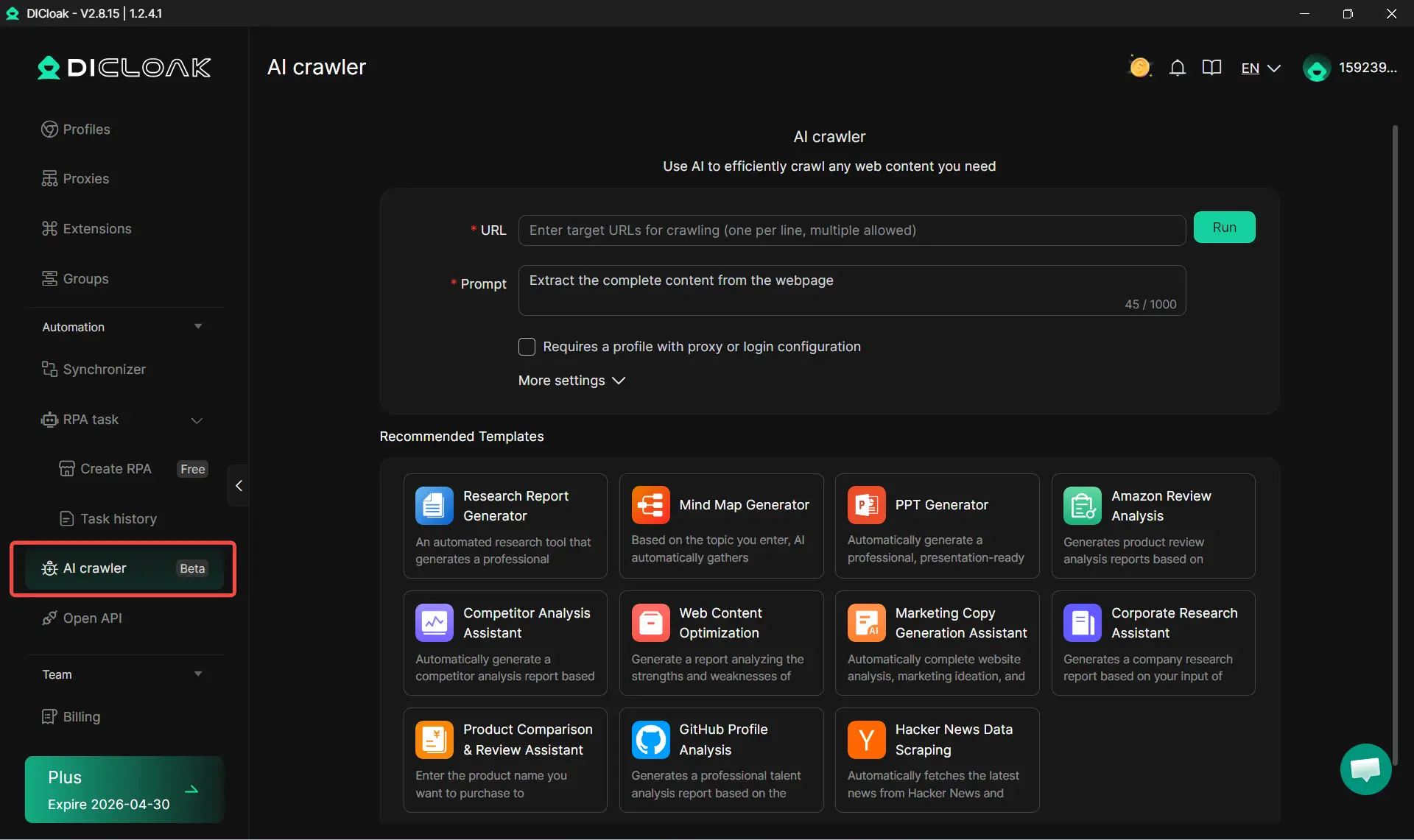
When users manage several accounts at once, it becomes harder to keep track of patterns, content ideas, and workflow signals by hand. Instead of relying only on memory or scattered notes, users can use AI crawler to collect information, organize tasks, and spot issues earlier.
FAQs
What does restricted on Instagram mean for comments and messages?
Many users want to know what restricted on Instagram really changes. In most cases, it affects how comments and direct messages are handled. A restricted user may still interact with your account, but their comments and messages are managed in a more limited way.
How can I tell if I have been restricted on Instagram?
It is not always easy to confirm if you have been restricted on Instagram because the feature is designed to be subtle. Common signs include comments that seem hidden, messages that get no response, and interactions that suddenly feel different with one specific account.
Can restricted on Instagram still let someone see my profile and posts?
Yes, in many cases, restricted on Instagram does not fully hide your profile or posts from the other person. Restrict is different from block. It is mainly used to control interaction rather than completely remove access to your content.
Is restricted on Instagram the same as being blocked?
No, restricted on Instagram is not the same as being blocked. Blocking creates a much stronger separation. Restrict gives the account owner more control over comments, messages, and interaction, while block is meant to cut off access more directly.
How long does restricted on Instagram last?
Restricted on Instagram usually lasts until the person who applied it decides to remove it. It is not normally something that disappears automatically after a set number of days, so the restriction can stay in place until it is changed manually.
Conclusion
Restricted on Instagram is a quiet way to control unwanted interaction without fully blocking someone. It can change how comments and messages are handled, help users create more space, and offer a softer option in stressful situations. At the same time, if your own account gets limited, it may point to spam-like behavior, risky activity, or account patterns that need attention. By understanding how restriction works and using Instagram more carefully, users can protect their privacy, reduce mistakes, and manage their accounts with more confidence.
 Web Proxy Tools
 Free Tools
 Cookie Plugin
 UA Generator
 MAC Address Generator
 IP Generator
 IP Address List
 2FA Code Generator
 World Clock
 Anonymous Check
 WebRTC Leak Test
 UUID Generator
 Free Web Proxy Site
 Proxy Checker
 FB Ad Checker
 AI Web Scraping
 Free SMM Tools
 Twitter Shadowban Checker
 Instagram Name Checker
 UTM Generator
 Username Generator
 AI Hashtag Generator
 LinkedIn Headline Generator
 Social Media Image Resizer