LinkedIn offers several Premium tiers crafted to suit the requirements of diverse professionals. This guide outlines methods to obtain LinkedIn Premium at no cost, allowing you to explore its benefits without opening your wallet.
Grasping LinkedIn Premium Options
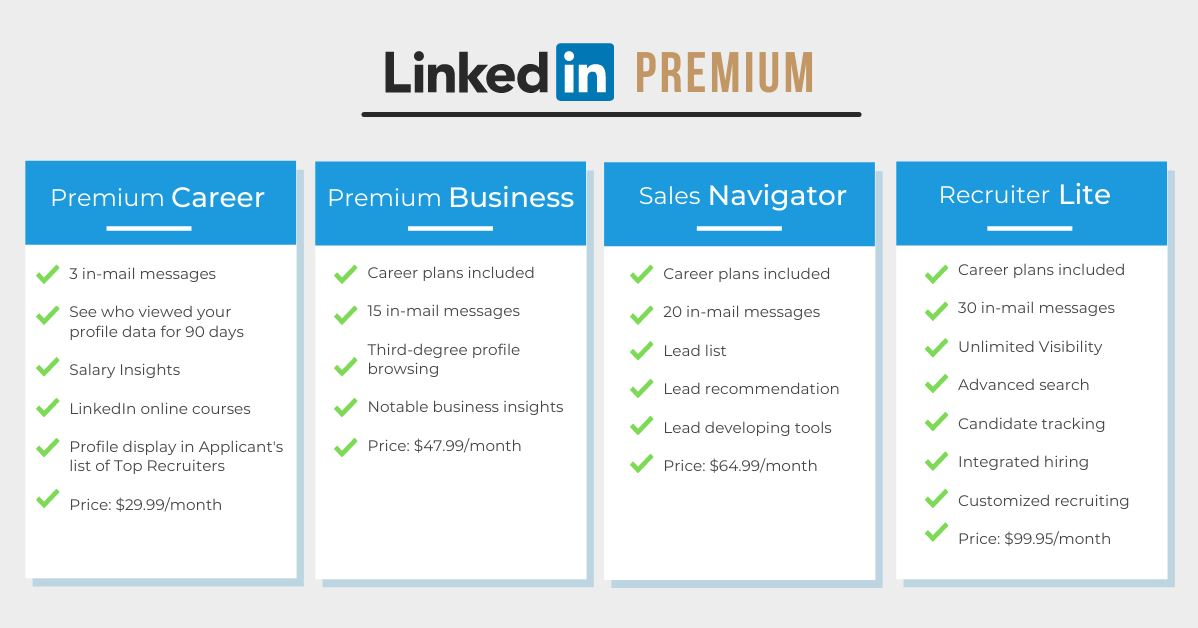
LinkedIn Sales Navigator
Sales Navigator is an excellent utility crafted specifically for sales personnel. It furnishes advanced capacities for identifying and managing prospects, which can significantly improve a sales representative's capacity to engage potential clientele and broaden their professional reach.
Key Features & Advantages: Sophisticated search functions, prospect suggestions, and seamless CRM integration. Best Suited For: Sales professionals, business development executives.
LinkedIn Premium Business
This LinkedIn Premium tier helps business owners and senior managers get LinkedIn Premium for free, expand their professional network, and gain insights into market trends and company activities. It enables informed strategic decisions using current industry data and organizational metrics.
Key Benefits: Business intelligence, increased profile visibility, and access to Premium Learning modules. Best Suited For: Entrepreneurs, business owners, and senior managers.
LinkedIn Premium Career
Premium Career is designed for individuals actively hunting for new employment or planning a professional pivot. This tier supplies instruments and market understanding to help job seekers attract recruiters' attention and gain a better grasp of the employment landscape.
Key Features & Advantages: Job market intelligence, applicant statistics, and InMail credits. Best Suited For: Those seeking employment, individuals changing career paths.
LinkedIn Recruiter
Recruiter is a potent instrument for those in hiring roles. It offers advanced selection and filtering tools, enabling recruiters to locate, engage, and monitor top talent effectively.
Key Features & Advantages: Advanced candidate sourcing, job promotion tools, and applicant tracking systems. Best Suited For: Recruiters, hiring managers.
LinkedIn Learning
LinkedIn Learning hosts a vast collection of courses for professionals keen on acquiring new proficiencies and advancing their careers. Whether your focus is management or coding, there is relevant material available.
Key Features & Advantages: Entry to thousands of skill-building and professional development educational modules. Best Suited For: Perpetual learners, professionals focused on skill upgrades.
Why People Seeking Free LinkedIn Premium Access
Overcoming Restrictions
Many people desire complimentary LinkedIn Premium access to move beyond the limitations of a basic account, such as a finite number of InMails deliverable monthly or restricted usage of search filters. A Premium subscription grants unrestricted use of these features, alongside others that facilitate easier contact with prospective contacts or collaborators.
Lead Acquisition
For sales teams and recruiters, LinkedIn Premium delivers powerful methods for generating leads. Complimentary entry permits them to test various instruments without initial outlay, letting them gauge the efficacy of Premium functions in boosting their sales or hiring effectiveness.
Recruitment Edge
Recruiters benefit from LinkedIn Premium’s superior candidate discovery capabilities and InMail options to connect with prime talent. Free access allows them to evaluate these instruments and their effect on hiring success before committing financially.
The LinkedIn Premium Complimentary Trial
If finding out how to secure LinkedIn Premium at no charge is your goal, you can always opt into the LinkedIn Premium Free Trial. This trial is universally available and grants a full month to sample the prime aspects of a Premium subscription.
Here’s how to utilize this chance:
- Navigate to the LinkedIn Premium Page: Go to the Premium section within your LinkedIn account. Here, you can review the different Premium packages offered, such as Sales Navigator, Premium Business, Premium Career, or Recruiter.
- Select Your Preferred Premium Tier: Choose the Premium membership that best aligns with your professional requirements. Each package boasts distinct features tailored for specific users, whether you are in sales, business management, job searching, or talent acquisition.
- Tap “Start My Free Month”: After selecting your desired package, click the “Start My Free Month” button. You will then be prompted to input your payment credentials.
- Provide Payment Information: Submit your credit card details. Rest assured, you won't be charged right away. The payment information is collected to ensure a seamless upgrade should you choose to continue the membership post-trial.
- Begin Your Free Access: Upon entering your payment data, you instantly gain entry to LinkedIn Premium functionalities for one month.
Be mindful that an individual can typically utilize LinkedIn's complimentary offering just once every year. If you have already exhausted your free trial, you must wait 12 months for eligibility to restart it.
Bonus: A 50% LinkedIn Premium Reduction for Two Months
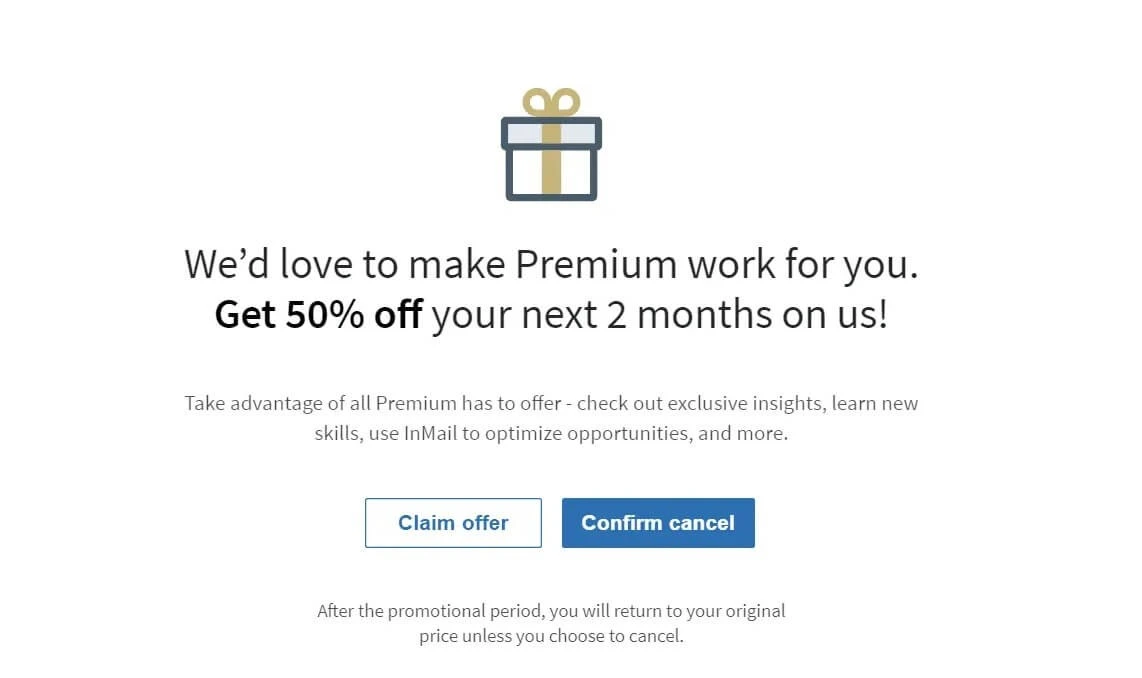
If you’re hesitant to pay full price, you can get LinkedIn Premium for free for a limited time by taking advantage of a 50% discount for two months. This lets you explore Premium features without committing to the full cost. Here’s how:
1.Access Your Settings & Privacy Portal:
- Go to your LinkedIn profile page.
- Select the “Me” icon at the top.
- Choose “Settings & Privacy” from the displayed list.
2.Go to Subscriptions & Payments Area:
- Within the Settings & Privacy menu, locate the “Subscriptions & payments” section.
- Click to “Manage Premium account.”
3.Initiate Cancellation:
- Click the “Cancel Subscription” option. This is a vital action as it triggers LinkedIn’s mechanism for offering incentives to remain.
4.Proceed Through Cancellation Steps:
- A new interface will appear, guiding you through the final steps of the cancellation. Follow the on-screen instructions.
5.State Your Reason for Leaving:
- LinkedIn will inquire why you wish to terminate the subscription. Select the response indicating that the cost is too high.
5.Receive Your Discount Proposal:
- After indicating the expense is prohibitive, LinkedIn will extend an offer for a 50% price cut for two months. Accept this deal to enjoy premium services at a diminished rate.
Free LinkedIn Premium for Students
To get LinkedIn Premium for free as a student, start by exploring LinkedIn’s student discount and rebate programs. While LinkedIn typically provides a 30-day trial for first-time users, students may qualify for special promotions that offer up to six months of complimentary access.
To take advantage of these offers, ensure your LinkedIn profile is fully updated, then check the Premium section for student-specific deals. Many universities partner with LinkedIn to provide extended trial periods, so verify if your school participates.
With LinkedIn Premium, you gain access to valuable features like InMail, profile analytics, and LinkedIn Learning—helping you advance your career or job search at no cost or at a significantly reduced price.
Free LinkedIn Premium via LinkedIn Staff
Nearly all LinkedIn employees receive a six-month complimentary LinkedIn Premium membership, making it a valuable staff perk. To help the wider community, some employees share these access codes, allowing others to get LinkedIn Premium for free.
However, there are usually specific requirements or conditions that must be met to claim a free LinkedIn Premium voucher.
Locating LinkedIn Staff Distributing Premium Codes
To find a LinkedIn employee giving away free LinkedIn Premium vouchers, follow these steps:
- Use Your LinkedIn Search Bar: Type in relevant hashtags like #linkedinpremium or #plusonepledge.
- Filter by Posts: Narrow the results by selecting “Posts” to view related updates.
- Order by Most Current: Sorting by recent posts helps you spot the newest announcements from LinkedIn employees offering premium access.
Contacting LinkedIn Personnel
Once you find a post from a LinkedIn employee offering a free Premium membership, you can reach out. However, it is important to approach this respectfully and sincerely.
- Be Transparent and Precise: Clearly articulate your justification for needing a LinkedIn Premium subscription. Offer specific context about your situation and how having LinkedIn Premium would aid your career development.
- Demonstrate Your Need: Illustrating a genuine requirement and detailing your intended use of the subscription can make a convincing case. For instance, you might be a job seeker needing advanced search tools or a professional aiming to complete LinkedIn Learning courses to elevate your skills.
- Safeguard Your Details: Never disclose your login information or any excessively private data. A LinkedIn employee simply provides the coupon code. If they request your account credentials to log in, treat this as a potential deception.
Free LinkedIn Premium for Military Veterans
LinkedIn offers U.S. military veterans a full year of complimentary LinkedIn Premium, allowing them to get LinkedIn Premium for free. This program, powered by LinkedIn’s partnership with SheerID for identity verification, helps veterans advance their careers and professional skills. Access includes over 16,000 LinkedIn Learning courses, and eligible military spouses can also benefit from this offer.
Application Process:
1.Navigate to the Veterans Subscription Link: Head to the dedicated webpage for veteran subscriptions on LinkedIn.
2.Complete the Necessary Form: Fill in your required details, such as:
- Military branch
- Given name
- Family name
- Date of birth
- Separation date
- Electronic mail address
3.Confirm Your Military Status: SheerID will validate your military standing to confirm your eligibility.
Suggestions for a Smooth Application:
- Revise Your LinkedIn Profile: Before submitting your application, make certain your LinkedIn profile explicitly mentions your veteran status or military background. This can bolster your profile's trustworthiness and simplify the verification stage.
- End Current Memberships: If you currently hold a LinkedIn Premium complimentary trial or paid plan, you must terminate it prior to seeking enrollment in the veteran scheme.
Free LinkedIn Premium for Qualified Journalists
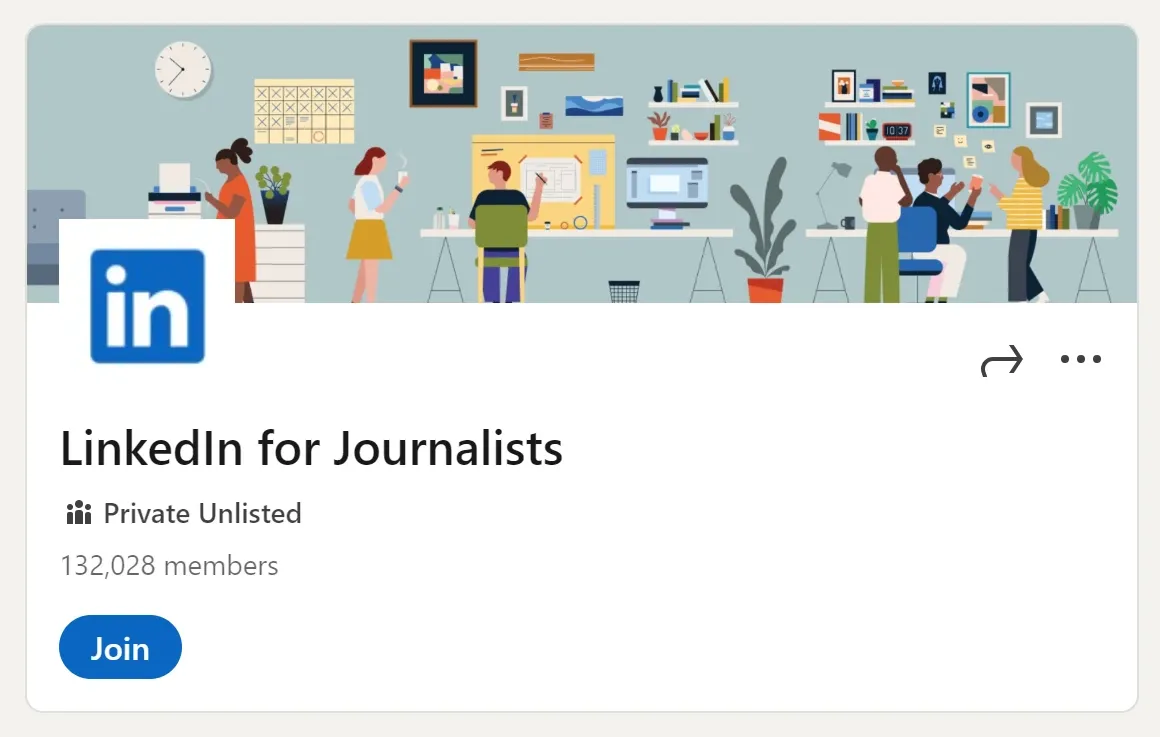
LinkedIn provides accredited journalists with an excellent opportunity to get LinkedIn Premium for free, connecting them with a professional community, expert insights, and online seminars. This promotion is renewed quarterly, and journalists can reapply annually.
Benefits include:
- Journalist Network: Connect with media professionals and industry experts.
- Insights: Access valuable information to improve reporting and research.
- Webinars: Join exclusive online sessions designed to enhance journalistic skills.
- Complimentary LinkedIn Premium Business: Enjoy a 12-month LinkedIn Premium Business subscription with advanced analytics, increased profile visibility, and more.
Eligibility Criteria
To qualify for the free LinkedIn Premium Business subscription and participate in the webinars, you must meet these criteria:
- Membership in the LinkedIn for Journalists Community: Membership in this journalist group is mandatory for webinar attendance.
- Demonstrated Journalism Career: Your LinkedIn profile must clearly illustrate your career path within journalism.
How to Apply
- Join the LinkedIn for Journalists Group: Ensure you are enrolled in the journalist community on LinkedIn.
- Update Your Profile: Make sure your profile prominently showcases your journalism work and experience.
- Watch for Application Periods: Pay close attention to the application window, which opens every three months. Check the LinkedIn for Journalists page for updates and application access.
Free LinkedIn Premium Career for Visual Studio Users
Visual Studio Dev Essentials is a developer initiative established by Microsoft, offering numerous perks, including access to various training materials and software tools.
A beneficial aspect is that all Visual Studio Dev Essential members receive free entry to LinkedIn Learning via a LinkedIn Premium Career plan.
Benefits of This Offer:
- Access to LinkedIn Learning Material: Gain entry to thousands of professional growth courses across numerous disciplines.
- Skill Enhancement and Credentials: Elevate your abilities and earn certifications that can boost your LinkedIn presence.
- No Payment Details Needed: The promotion lasts for one month, and you can commence the subscription without inputting any credit card information.
Steps to Obtain Free LinkedIn Learning:
- Establish a Microsoft Account: If necessary, sign up for a Microsoft account.
- Enroll in Visual Studio Dev Essentials: Go to the Visual Studio Dev Essentials site and select the “Join Now” option to register.
- Go to the Benefits Section: Once registered, access the Benefits area inside the Visual Studio Dev Essentials dashboard.
- Activate the LinkedIn Learning Perk: Locate the LinkedIn Learning promotion and click the “Activate” button.
- Finalize Activation on LinkedIn: After clicking Activate, you’ll be rerouted to the LinkedIn page to finalize the activation of your free LinkedIn Premium Career membership.
LinkedIn Learning Free Via Your Local Library Membership
Did you know many public libraries collaborate with LinkedIn to offer no-cost access to LinkedIn Learning?
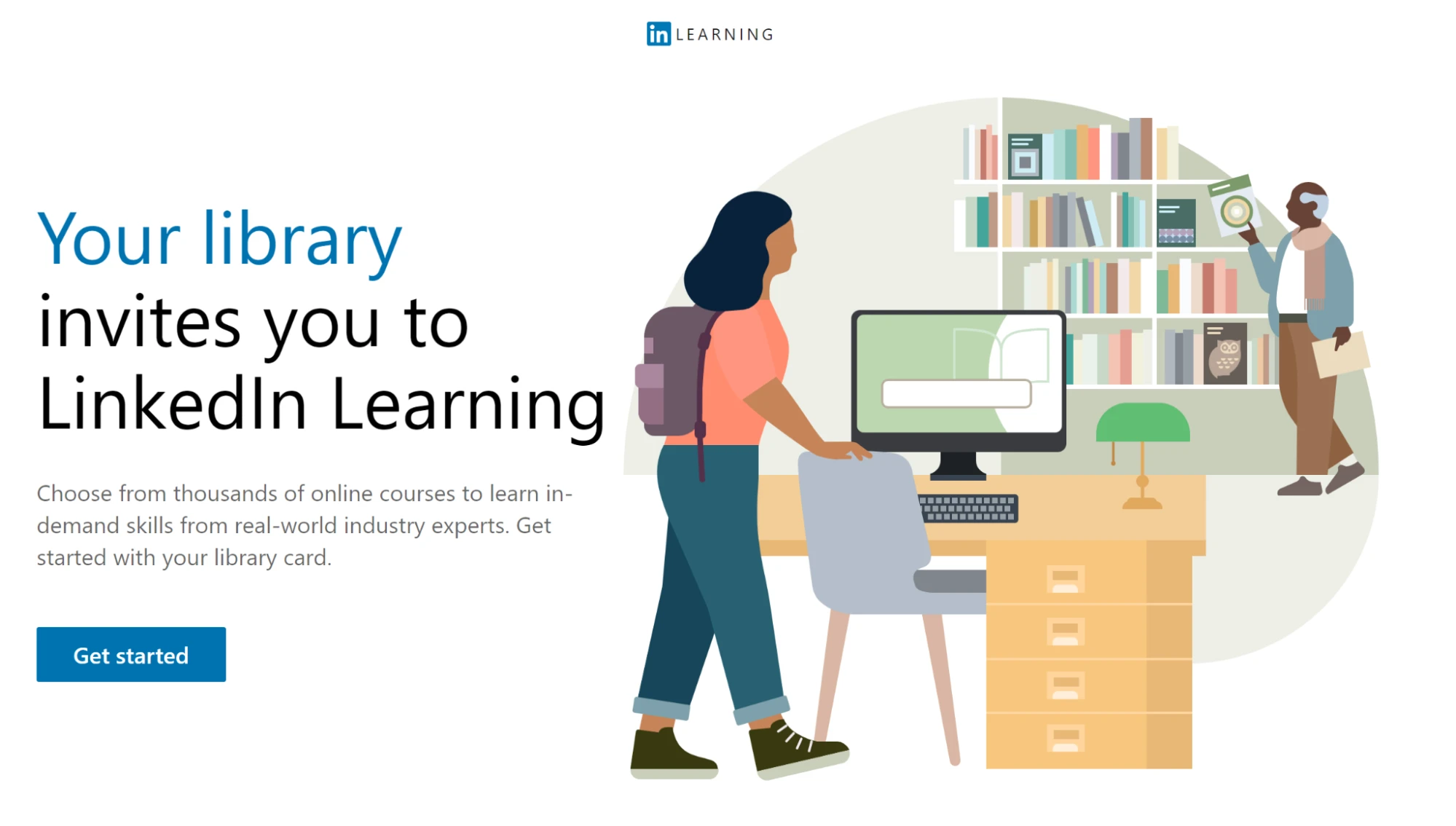
This means you can tap into thousands of professional development modules without any expense, simply by using your public library membership card.
Accessing Free LinkedIn Learning with Your Library Card:
- Acquire Your Library Card and PIN: Confirm you possess your local library card and its corresponding Personal Identification Number. If you lack a card, visit your local library to sign up—this is an excellent chance to rediscover what your library offers.
- Go to the LinkedIn Learning Library Portal: Navigate to this link to reach your library's specific LinkedIn Learning access point.
- Begin: Click the “Get started” prompt.
- Input Your Credentials: Enter your library card number and PIN when prompted.
- Access LinkedIn Learning: Once validated, you will have unrestricted entry to LinkedIn Learning's vast course catalog.
Free LinkedIn Sales Navigator Through Referrals
Beyond initiating the standard one-month Sales Navigator trial, you can secure an additional two months of complimentary use of Sales Navigator via the Sales Navigator Referral scheme. This system lets your existing contacts endorse you, thus extending your utilization of this powerful application.
How to Obtain a Sales Navigator Referral
Here is the two-step process for a contact to give you a Sales Navigator referral, or for you to do the same for connections:
- Access the Referrals Button:
- The referring party must go to the Sales Navigator platform and click the “Referrals” button.
- Submit the Referral:
- Enter the name of the individual they intend to recommend for the free LinkedIn Premium feature.
- Click the “Send” button.
Each Sales Navigator subscriber has the ability to send up to 10 referrals.
After these actions are completed, the referred party will receive a confirmation email containing a link to access the activation page.
Requirements to Receive the 2-Month Sales Navigator Complimentary Period
Certain conditions must be satisfied to qualify for a two-month free Sales Navigator subscription through this referral system:
- First-Degree Link: You must be a direct (first-degree) contact of the referrer.
- No Current Premium Membership: You must not currently subscribe to any LinkedIn Premium service.
- No Recent Free Trials: You must not have utilized a LinkedIn Premium free trial within the last year.
DICloak: Manage Multiple LinkedIn Profiles Instead of LinkedIn Premium
For peak LinkedIn effectiveness, marketers, recruiters, and lead generation firms utilize antidetect browsers. These contemporary utilities enable businesses to effortlessly oversee extra LinkedIn accounts while avoiding limitations and restrictions.
DICloak lets you launch as many as 100 LinkedIn accounts for the cost equivalent to a single paid LinkedIn plan.
What Exactly is an Antidetect Browser?
An antidetect browser looks like Chrome but includes advanced fingerprint management, letting you evade tracking on platforms like LinkedIn, Facebook, crypto, and betting sites—almost as securely as using separate hardware.
DICloak allows each account its own browser instance and proxy, clearly labeled for easy management. Originally an antidetect tool, it’s now widely used by lead generation, HR, and staffing agencies to run multiple LinkedIn accounts safely, avoiding bans and limits. Just 3–5 well-managed accounts can replace LinkedIn Premium at little or no cost.
With multi-user workspaces and layered permissions, DICloak also streamlines team collaboration. While it doesn’t offer automation, it simplifies managing multiple accounts, passwords, 2FA, and team access efficiently and affordably.
Why Choose DICloak Antidetect Browsers for Your Business?
⚡The DICloak Antidetect Browser has become a global favorite for its unparalleled ability to efficiently and securely manage multiple accounts. Designed for professionals in social media management, affiliate marketing, traffic arbitrage, e-commerce, account farming, airdrops, and more, DICloak offers powerful features like RPA automation, bulk operations, and a synchronizer. Additionally, it allows you to customize fingerprints and integrate proxies for each profile, ensuring top-level security and operational efficiency. It’s the ultimate tool for seamless, secure, and scalable operations.

What Makes DICloak Stand Out?
✅ Manage 1,000+ Accounts on One Device: Stop wasting money on extra hardware! DICloak allows you to manage multiple accounts on a single device, cutting costs and boosting efficiency.
✅ Guaranteed Account Safety, No Ban Risks: Every account gets its own isolated browser profile with custom fingerprints and IPs, drastically reducing the risk of bans. Your accounts, your control!
✅ Flexible Proxy Configuration for Maximum Performance: Seamlessly integrate with all major proxy protocols (HTTP/HTTPS, SOCKS5) and manage your proxy pool with bulk operations. No more struggling with IP management—DICloak has you covered.
✅ Streamlined Team Collaboration for Better Results: Easily manage your team with advanced tools like profile sharing, permission settings, data isolation, and operation logs. Your team works smarter, not harder.
✅ Automate the Grind with RPA: DICloak's built-in RPA saves you hours of manual work. Automate repetitive tasks, streamline workflows, and focus on what really matters—growing your business.
✅ Powerful Bulk Tools to Scale Your Operations: Create, import, and launch multiple browser profiles in one click. DICloak makes scaling your business as easy as it gets.
✅ Compatible with All Major Operating Systems: Based on the Chrome core, DICloak supports simulating Windows, Mac, iOS, Android, and Linux operating systems. No matter what platform you need, DICloak has you covered.
🔗 Ready to Get Started?
Visit the DICloak website to explore more details and choose the plan that’s right for you. Start for free today and experience the power of secure, efficient, and scalable multi-account management!
FAQs
1.Is it really possible to get LinkedIn Premium for free without using a credit card
Yes, some official programs and trials allow you to get LinkedIn Premium for free without providing payment details. Always check LinkedIn’s verified offers.
2.How long can I access LinkedIn Premium for free through trials or special programs?
Access periods vary—from a one-month trial to multi-month programs for students, veterans, or library members. Duration depends on eligibility.
3.Will getting LinkedIn Premium for free affect my existing LinkedIn account?
No, official free access options don’t compromise your account. They provide full Premium features while keeping your profile safe.
4.Are there alternative ways to simulate LinkedIn Premium benefits for free?
Yes, managing multiple LinkedIn profiles smartly, networking strategically, and using tools like DICloak can replicate some Premium advantages without paying.
5.Can I get LinkedIn Premium for free repeatedly after a trial ends?
Not directly. Free trials are typically one-time per account, but combining official programs or new accounts under verified programs can extend free access safely.
Conclusion
There are multiple legitimate ways to get LinkedIn Premium for free, from complimentary trials and student programs to benefits for veterans, journalists, and library members. Additionally, tools like DICloak allow you to manage multiple LinkedIn accounts efficiently, offering an alternative to traditional Premium subscriptions. By exploring these options, you can unlock LinkedIn’s advanced features, boost your networking, and enhance your career opportunities—all without paying for a full Premium plan.
 Web Proxy Tools
 Free Tools
 Cookie Plugin
 UA Generator
 MAC Address Generator
 IP Generator
 IP Address List
 2FA Code Generator
 World Clock
 Anonymous Check
 WebRTC Leak Test
 UUID Generator
 Free Web Proxy Site
 Proxy Checker
 FB Ad Checker
 AI Web Scraping
 Free SMM Tools
 Twitter Shadowban Checker
 Instagram Name Checker
 UTM Generator
 Username Generator
 AI Hashtag Generator
 LinkedIn Headline Generator
 Social Media Image Resizer