Most people think clearing cookies is enough to stay private online. In reality, it is not. Today’s websites can recognize you by looking at your browser and device details. This process is called fingerprinting, and it works quietly in the background. You may never log in, yet the site still knows it is you.
This is where a fingerprint spoofer comes into the picture. Instead of letting your real browser signals speak for you, fingerprint spoofing changes how those signals appear. The goal is simple: look less unique and harder to track.
In this guide, we break down fingerprint spoofing in a clear and practical way. You will learn how fingerprinting works, what techniques are used to spoof it, why people rely on these tools, and what risks and limits you should understand. Whether you care about privacy, automation, or avoiding constant tracking, this article will help you see how fingerprint spoofers fit into the modern web.
Understanding Fingerprint Spoofing
Before diving into tools and techniques, it is important to understand what fingerprint spoofing really means and how fingerprinting works in practice. Many people know about cookies, but fingerprinting goes much deeper. Once you understand the basics, it becomes easier to see why a fingerprint spoofer exists and what problems it can and cannot solve.
What is Fingerprint Spoofing?
Fingerprint spoofing is the practice of changing or masking the digital signals that a browser or device sends to websites. These signals are used to recognize users across sessions. A fingerprint spoofer tries to make those signals look different, or at least less unique.
You can think of fingerprint spoofing like wearing plain clothes in a crowd. You are still present, but you blend in better. The goal is not to disappear. The goal is to avoid standing out.
You may also see the phrase spoofering fingerprints in online discussions. It usually refers to the same idea: altering fingerprint data so tracking systems have a harder time linking visits together.
Tools that act as a fingerprint spoofer often adjust browser settings, system details, or rendering behavior. This includes how your browser draws images, reports screen size, or exposes language and time settings. These changes reduce how stable your fingerprint looks over time.
How Fingerprinting Works
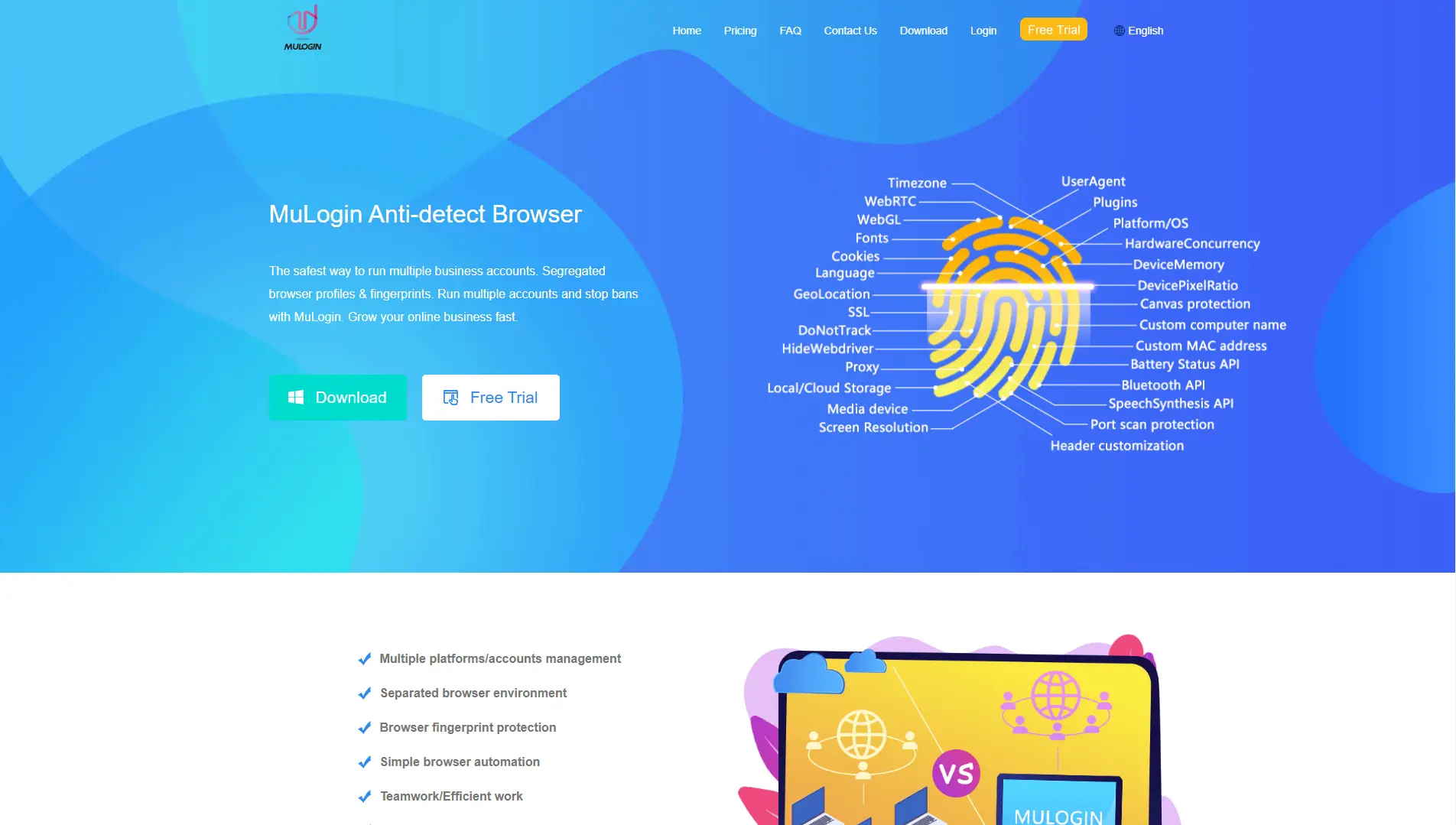
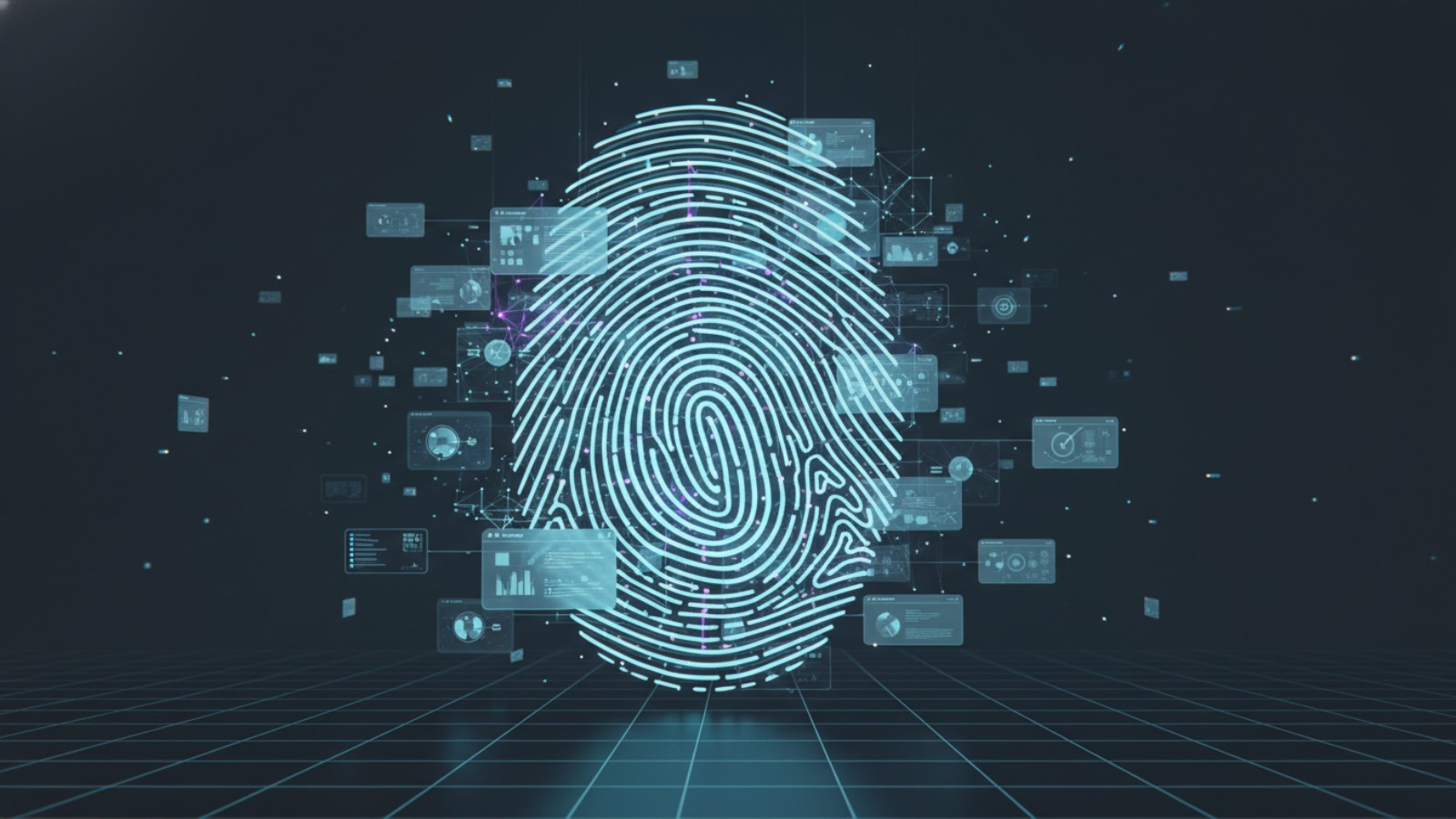
Fingerprinting works by collecting many small details and combining them into one profile. Each detail may look harmless alone. Together, they can become very identifying.
For example, a website can read:
- Your browser type and version
- Your operating system
- Your screen size and color depth
- Your language and timezone
Even if millions of users share some of these values, the full combination can be rare. Research shows that many browsers are still highly unique, even without cookies.
A simple real-world test is Electronic Frontier Foundation’s Cover Your Tracks tool. It shows how unique your browser looks based on fingerprint data. Many users are surprised to see they can be recognized even in private mode.
Another clear example is window size. If your browser window has an uncommon size, it becomes a strong identifier. Tor Browser reduces this risk with a feature called Letterboxing, which forces users into shared size groups. This makes fingerprinting less precise.
Types of Fingerprinting
Fingerprinting is often divided into two main categories. Each one focuses on different signals.
Browser Fingerprinting
Browser fingerprinting looks at what your browser exposes through web features. This is the most common type used on websites today.
Typical browser fingerprint signals include:
- User agent and OS information
- Language and timezone
- Installed fonts
- Graphics and audio rendering behavior
A well-known example is Canvas and WebGL fingerprinting. A website asks your browser to draw text or a 3D image in the background. The result can differ slightly based on your device, drivers, and fonts. Those differences become part of your fingerprint.
Because of this, many fingerprint spoofer tools focus heavily on browser-level protections.
Device Fingerprinting
Device fingerprinting goes beyond the browser. It tries to recognize the device itself, even if the browser changes.
Device-level signals may include:
- Screen resolution and hardware hints
- System performance characteristics
- Font and graphics stack behavior
- Regional and locale settings
Some tracking systems use these signals to keep identification stable across sessions. Clearing cookies does not remove this data. This is why device fingerprinting is often discussed in fraud prevention and security research.
In simple terms:
- Browser fingerprinting focuses on the software layer
- Device fingerprinting focuses on the underlying system
Understanding this difference helps explain why spoofering fingerprint data is complex, and why no fingerprint spoofer can offer perfect or risk-free protection.
Techniques for Spoofing Fingerprints
Now that we understand what fingerprinting is and why fingerprints can identify users, the next step is to see how fingerprint spoofing is done in practice. A fingerprint spoofer does not rely on one single trick. Instead, it adjusts several signals together, so the browser or device looks more common and less unique.
It is important to remember one thing: no fingerprint spoofer can change everything perfectly. Most techniques reduce risk, not remove it. Knowing how these techniques work helps you understand both their value and their limits.
Common Spoofing Techniques
Most fingerprint spoofer tools use a mix of the techniques below. Each one targets a different part of the fingerprint.
User-Agent Spoofing
The User-Agent tells a website what browser and operating system you are using. For example, it may say “Chrome on Windows” or “Safari on macOS.”
User-Agent spoofing changes this value. A fingerprint spoofer may report a more common browser version instead of your real one. This helps avoid standing out.
If you use a rare browser version or an old system, you may look unusual. By reporting a popular version, you blend in with a larger group of users.
However, User-Agent spoofing alone is not enough. If the User-Agent says “Windows,” but other signals look like macOS, websites can spot the mismatch. This is why modern fingerprint spoofer tools adjust multiple signals at the same time.
Canvas Fingerprinting Manipulation
Canvas fingerprinting is based on how your browser draws hidden images or text. Small differences in fonts, graphics cards, and drivers can change the final result.
To reduce this risk, a fingerprint spoofer may:
- Slightly modify the canvas output
- Add small, consistent noise
- Return a standardized result
For example, two laptops with different GPUs may draw the same shape with tiny visual differences. Canvas manipulation smooths out those differences so the output looks less unique.
Privacy research and browser tests show that canvas data can be very stable over time, which is why many fingerprint spoofing tools focus heavily on this area.
WebRTC IP Spoofing
WebRTC is a browser feature used for real-time communication, like video calls. The problem is that it can sometimes expose local or internal IP addresses, even when other protections are in place.
WebRTC IP spoofing limits or masks this behavior. A fingerprint spoofer may block WebRTC leaks or control what IP data is shared.
For instance, users thought their location was hidden, but a website still detected their real network through WebRTC. This led to unexpected tracking. Managing WebRTC behavior helps reduce this risk, especially in privacy-focused setups.
JavaScript-Based API Alterations
Many fingerprint signals come from JavaScript APIs. These APIs report data like:
- Screen size
- Timezone
- Hardware hints
- Media device lists
A fingerprint spoofer can intercept or adjust these API responses. Instead of returning raw system values, it returns controlled ones.
For example, if JavaScript asks for your screen width, the spoofer may return a rounded or standardized number. This reduces precision and makes users harder to separate.
This technique must be used carefully. If values change too often or look unrealistic, detection systems may flag them as suspicious.
Tools and Frameworks for Fingerprint Spoofing
Different tools apply the techniques above in different ways. Some are simple. Others are designed for advanced use cases.
Browser Extensions
Browser extensions are the easiest entry point. They often focus on one or two areas, such as User-Agent changes or basic canvas control.
Extensions are simple to install, but they have limits. They usually cannot control deep browser behavior. Because of this, extensions alone are rarely a full fingerprint spoofer solution.
They can still be useful for learning how spoofering fingerprint techniques work at a basic level.
Anti-Detect Browsers like DICloak
Anti-detect browsers are built specifically to manage fingerprint data. Tools like DICloak create isolated browser profiles, each with its own controlled fingerprint.
A fingerprint spoofer inside an anti-detect browser works at a deeper level. It aligns browser signals so they stay consistent. This includes:
- Browser and OS details
- Canvas and WebGL behavior
- Language, timezone, and screen values
For example, instead of changing one value at random, DICloak ensures the full profile looks like a real, common device. This reduces conflicts between signals and lowers detection risk.
These tools are often used in professional environments where consistency and control matter more than quick changes.
Automation Tools (Selenium, Puppeteer, Playwright)
Automation frameworks like Selenium, Puppeteer, and Playwright are often mentioned in fingerprint discussions. On their own, they are not fingerprint spoofers.
By default, automation tools can actually make fingerprinting easier, because they expose clear automation signals. To reduce this, developers combine them with controlled browser profiles or anti-detect browsers.
For example, an automated script may run inside a browser profile that already has a stable fingerprint. In this setup, the fingerprint spoofer handles identity signals, while automation handles actions.
This approach shows an important lesson: spoofing fingerprints is about environment control, not just scripts.
Understanding these techniques explains why fingerprint spoofing is complex. A fingerprint spoofer must balance realism, stability, and privacy at the same time. In the next section, we can look at the reasons why use a fingerprint spoofer.
Reasons for Using a Fingerprint Spoofer
After understanding how fingerprint spoofing techniques work, the next question becomes clear: why do people actually use a fingerprint spoofer in real life?
The reasons are practical. Modern platforms track users very closely. Browser fingerprints connect sessions, accounts, and behavior over time. Below are the most common reasons, explained in a simple and realistic way.
Enhancing Privacy and Anonymity
One of the main reasons people use a fingerprint spoofer is to protect personal privacy.
Today, tracking goes far beyond cookies. Websites build long-term profiles using browser and device fingerprints. These profiles can follow users across sessions, even when they log out or clear browser data.
For example, a user may regularly read news, health content, or sensitive topics. Over time, the same fingerprint allows websites to recognize repeated visits and build an interest profile in the background.
By spoofering fingerprint data, users reduce how stable their identity appears. Their browser looks more generic and less predictable. This makes profiling harder and limits how much information is tied to one digital identity.
This is why journalists, researchers, and privacy-focused users often care about fingerprint spoofing. It is not about hiding activity. It is about reducing silent tracking.
Web Scraping and Automation Needs
Another common reason is automation and web scraping.
Many businesses collect public data for market research, price tracking, or trend analysis. Automation tools help scale this work, but they also create repeatable patterns that websites can detect.
For example, a data team may run scripts to collect product prices from public pages. After some time, access becomes limited. The website is not only checking traffic volume. It is also linking requests through the same browser fingerprint.
In this situation, a fingerprint spoofer helps by creating separate and realistic browser profiles. Each session looks like a normal user with a consistent setup. This reduces bot-like signals and lowers the chance of blocks.
Here, fingerprint spoofing is about stability and accuracy, not abuse.
Managing Multiple Accounts Without Getting Banned
Managing multiple accounts is one of the most common real-world uses of a fingerprint spoofer.
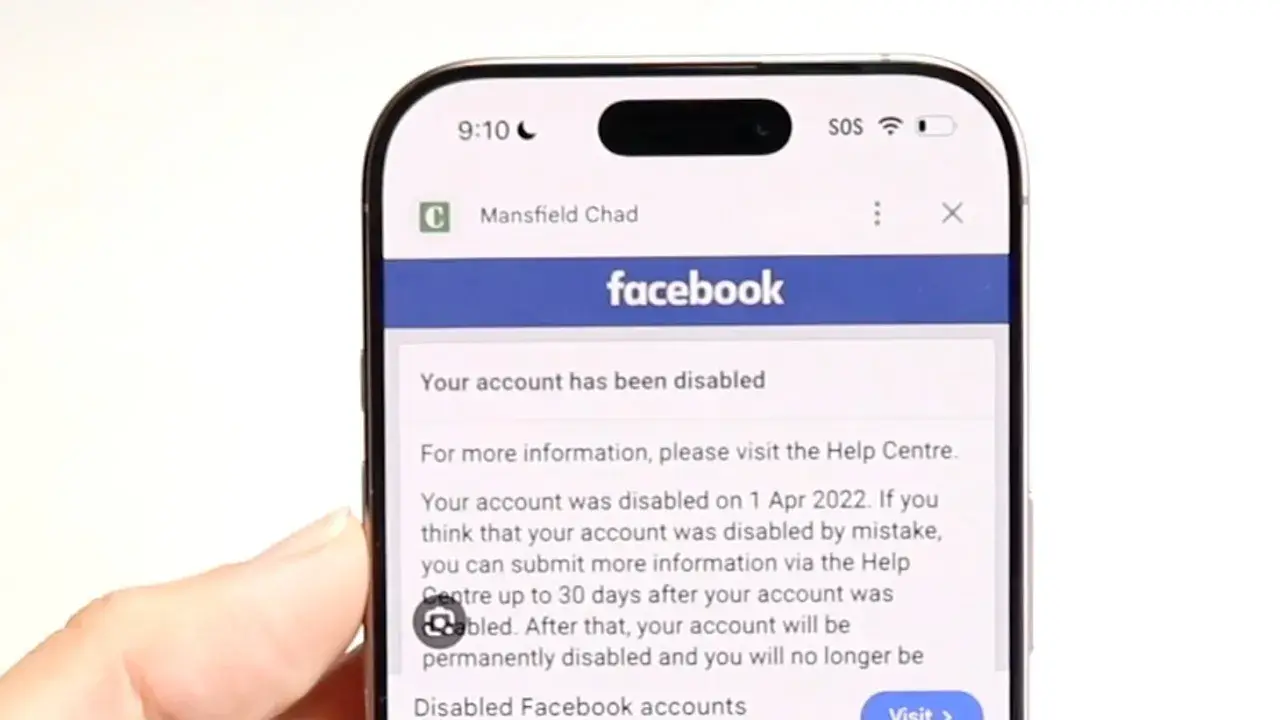
Platforms such as Facebook, TikTok, Amazon, and Pinterest are very strict about multi-account activity. When several accounts share the same browser fingerprint, they can be linked together.
In real situations, this often leads to increased security checks, account flags, or full bans across related accounts.
A fingerprint spoofer helps separate these identities. Each account runs in its own isolated environment with its own fingerprint. To the platform, each login looks like a different user on a different device.
This does not guarantee safety. But without fingerprint separation, the risk of linking is much higher. That is why many multi-account users treat fingerprint spoofing as a basic requirement, not an optional feature.
Avoiding CAPTCHAs and Bot Detection
Another practical reason is avoiding constant CAPTCHAs and bot detection challenges.
Many websites rely on fingerprinting to detect automation or suspicious behavior. When a fingerprint looks rare, unstable, or inconsistent, security systems react.
Users often experience repeated CAPTCHA tests, temporary blocks, or limited access as a result.
A well-configured fingerprint spoofer helps by making the browser look normal and common. When fingerprints match real user patterns, security systems are less likely to trigger.
This does not mean breaking security systems. It means blending in with typical traffic. Poorly spoofed fingerprints can actually increase detection risk, which is why realism and consistency matter more than random changes.
In short, people use a fingerprint spoofer because the modern web remembers too much. Whether the goal is privacy, automation reliability, multi-account safety, or fewer security interruptions, fingerprint spoofing is about controlling how you appear online, not disappearing.
Challenges and Best Practices in Fingerprint Spoofing
After seeing why people use a fingerprint spoofer, it is just as important to understand the challenges. Fingerprint spoofing is not magic. It has limits, risks, and responsibilities. Using it the wrong way can increase detection instead of reducing it.
This section explains what can go wrong, how to use fingerprint spoofing more safely, and where ethical lines matter.
Detection Risks and Evasion Techniques
The biggest challenge in fingerprint spoofing is detection.
Modern platforms do not look at one signal alone. They compare many signals at once. When values do not match, systems raise alerts. This is often called an inconsistency check.
For example, a browser may claim to be:
- Windows with Chrome But other signals may look like:
- macOS font behavior
- Linux-style graphics output
This mismatch stands out. In practice, it can lead to more CAPTCHAs, extra verification, or account flags.
Another common risk is over-randomization. Some users think changing everything on every visit is safer. In reality, this creates unstable fingerprints. Websites notice when too many values change too often.
This is why many experts agree on one point: A fingerprint spoofer works best when it creates stable and realistic profiles, not constant chaos.
In short, spoofering fingerprint data is about consistency, not tricks.
Best Practices for Effective Spoofing
To reduce risk, fingerprint spoofing should follow a few clear principles.
First, keep fingerprints consistent. Each browser profile should look like one real device over time. Sudden changes in system details are a warning sign.
Second, avoid rare setups. Using uncommon screen sizes, exotic languages, or outdated browsers can make you stand out. A good fingerprint spoofer aims to blend into large user groups.
Third, separate environments properly. When managing multiple sessions or accounts, each one should have its own isolated browser profile. Sharing fingerprints across contexts defeats the purpose.
For example, professionals who manage multiple workflows often assign:
- One profile per task
- One fingerprint per identity
This approach lowers linking risk and keeps behavior predictable.
Finally, remember that no fingerprint spoofer is perfect. It reduces exposure, but it does not remove all tracking. Understanding limits is part of using the tool correctly.
Ethical Considerations in Fingerprint Spoofing
Fingerprint spoofing also raises ethical questions.
Using a fingerprint spoofer for privacy is widely seen as reasonable. Many people want to avoid excessive tracking, profiling, or data collection they do not agree with.
However, problems arise when fingerprint spoofing is used to:
- Impersonate others
- Bypass platform rules intentionally
- Enable fraud or abuse
Most platforms clearly state what they allow and what they do not. Ignoring those rules can lead to serious consequences, regardless of the tools used.
A responsible way to think about spoofering fingerprint techniques is this: Use them to protect yourself, not to harm others or break trust.
What's more, transparency matters. Ethical use builds long-term safety. Misuse often leads to stronger detection systems and more restrictions for everyone.
In summary, fingerprint spoofing comes with trade-offs. A fingerprint spoofer can improve privacy and stability, but only when used carefully, consistently, and responsibly.
In the next section, we will look at real-world use cases and limitations, and explain when fingerprint spoofing helps—and when it does not.
Applying Fingerprint Spoofing in a Controlled Environment with DICloak
After learning about fingerprint spoofing techniques and best practices, the next step is applying them in a stable and realistic environment. This is where an antidetect browser environment such as DICloak becomes useful, especially for users who need strong fingerprint separation and control.
Key functional advantages include:
- Isolated Browser Profiles Each browser profile runs in a fully separated environment. Fingerprints do not leak between profiles. User agents, screen resolutions, WebRTC settings, and hardware-related signals stay isolated. This makes every profile appear like a different physical device, not just a new browser session.
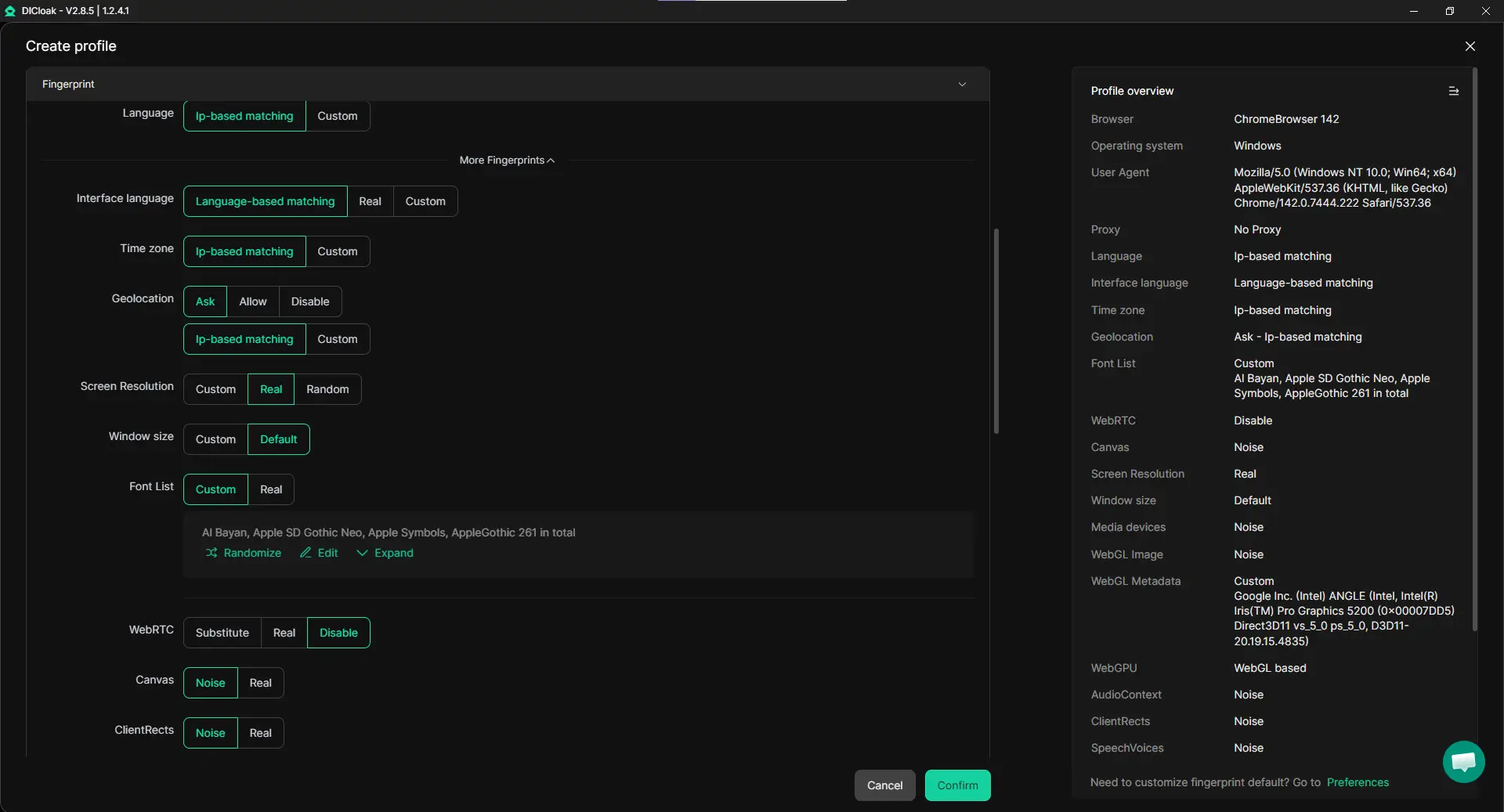
- Stable Fingerprint Consistency Instead of changing fingerprint values randomly, each profile keeps a consistent fingerprint over time. This matches real user behavior and reduces detection risk. It follows the core principle discussed earlier: effective fingerprint spoofing relies on stability, not constant change.
- Custom Proxy Configuration per Profile Different proxy IPs can be assigned to different browser profiles. Each fingerprint stays aligned with its network location. This helps avoid common mismatch issues, such as a browser showing one region while the IP shows another. In practice, this makes spoofering fingerprint data more realistic and harder to flag.
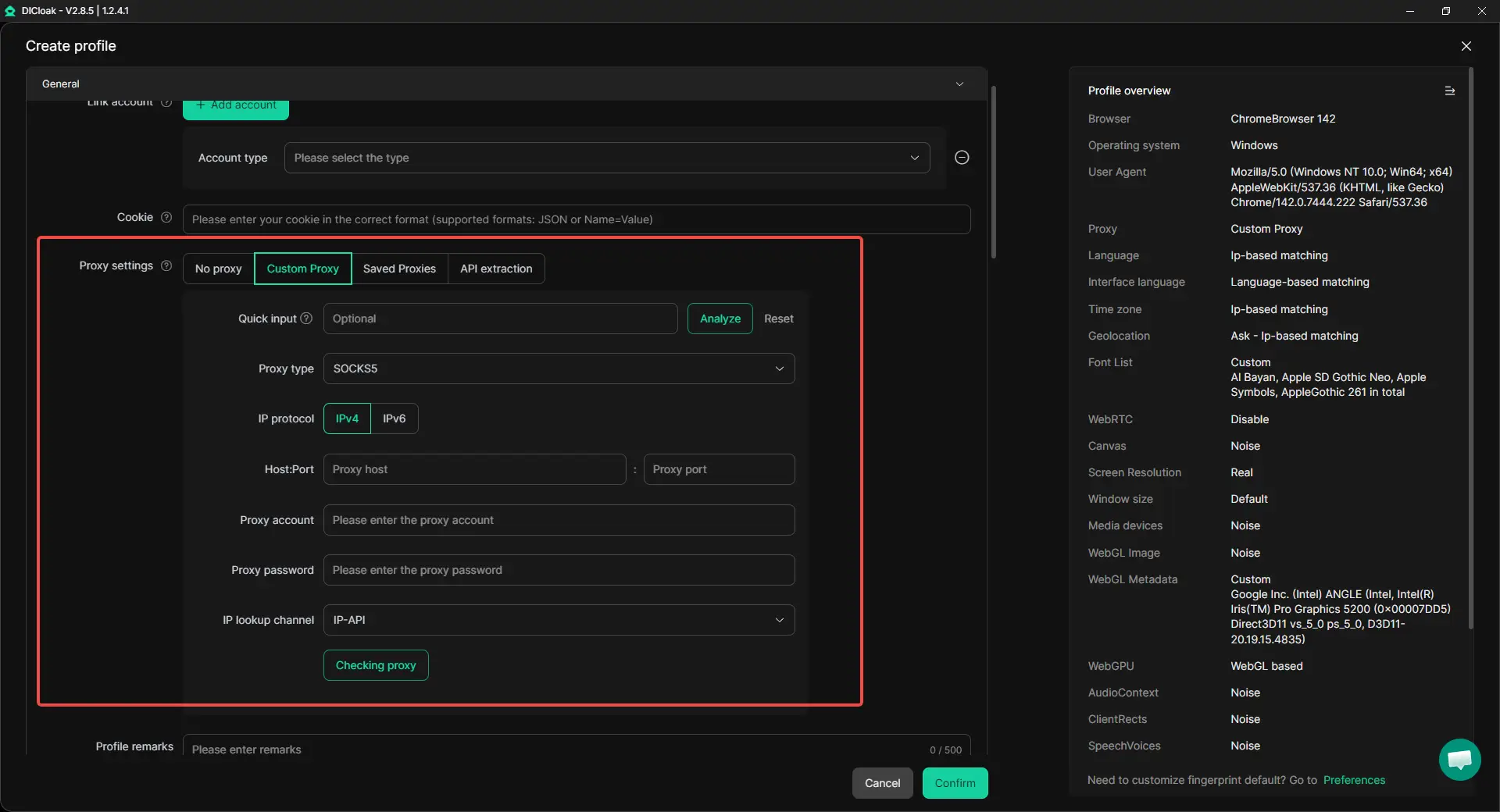
- Multi-Account Environment Separation When managing multiple accounts, each account can stay bound to one dedicated browser profile. Fingerprints, cookies, and local data remain separate. This greatly reduces the risk of account linking caused by shared browser signals.
- Scalable Setup from One Interface Hundreds of isolated profiles can be managed from one place. Each one behaves like an independent browser on a different machine. This supports privacy-focused browsing, automation workflows, and structured multi-account use without manual fingerprint tuning.

Together, these features support the main idea of this guide: a fingerprint spoofer works best when it is part of a well-isolated, consistent, and realistic browser profile, rather than a collection of random spoofing tricks.
Conclusion
Browser fingerprinting is now a core part of how the web tracks users. Even without cookies, devices can be recognized through small technical signals. This is why a fingerprint spoofer has become important for people who care about privacy and control.
In this guide, we explained how fingerprinting works, the main spoofing techniques, and why users rely on them in real situations. A fingerprint spoofer helps make a browser look more common and less unique, which reduces tracking and profiling over time.
However, fingerprint spoofing is not perfect. Poor setups can increase detection instead of reducing it. The safest approach focuses on stable, realistic environments and responsible use. When used with care, a fingerprint spoofer can be a practical tool for improving online privacy in today’s tracking-heavy web.
Frequently Asked Questions About Fingerprint Spoofers
What is a fingerprint spoofer and how does it work?
A fingerprint spoofer is a tool that changes or controls the digital signals your browser or device sends to websites. These signals form a browser or device fingerprint. Instead of letting real system data leak, a fingerprint spoofer returns controlled values, such as browser type, screen size, or rendering behavior. This makes tracking and linking sessions harder.
Is using a fingerprint spoofer legal?
Using a fingerprint spoofer for privacy protection is legal in most regions. Many people use it to reduce tracking, profiling, or excessive data collection. However, legality also depends on how the tool is used. Using fingerprint spoofing to commit fraud or break platform rules may violate terms of service or local laws. Responsible use is important.
Can a fingerprint spoofer fully prevent tracking?
No fingerprint spoofer can block all tracking. Fingerprinting relies on many signals working together. A fingerprint spoofer reduces how stable and unique those signals appear, but it does not make a user invisible. It lowers risk, not eliminates it. Consistency and realistic setups matter more than random changes.
Why do websites detect poorly configured fingerprint spoofers?
Detection often happens when fingerprint data looks unrealistic or inconsistent. For example, if a browser reports one operating system but shows hardware signals from another, systems may flag it. A good fingerprint spoofer focuses on stable and common fingerprints instead of changing values too often.
Who should consider using a fingerprint spoofer?
A fingerprint spoofer is commonly used by:
- Privacy-conscious users
- Researchers and journalists
- Automation and data collection teams
- Users managing multiple online identities
It is most useful when privacy, stability, and separation matter. For casual browsing, built-in browser protections may already be enough.
 Web Proxy Tools
 Free Tools
 Cookie Plugin
 UA Generator
 MAC Address Generator
 IP Generator
 IP Address List
 2FA Code Generator
 World Clock
 Anonymous Check
 WebRTC Leak Test
 UUID Generator
 Free Web Proxy Site
 Proxy Checker
 FB Ad Checker
 AI Web Scraping
 Free SMM Tools
 Twitter Shadowban Checker
 Instagram Name Checker
 UTM Generator
 Username Generator
 AI Hashtag Generator
 LinkedIn Headline Generator
 Social Media Image Resizer