Thordata supplies cutting-edge IP proxy services combined with efficient tools for comprehensive data gathering. This tutorial highlights Thordata's key strengths and details the integration process for Thordata proxies in DICloak.
Thordata’s core features
Thordata's IP proxy selections open doors to the digital space, supplying versatile, top-tier IP assets that enable reliable entry in multiple situations. Ideal for overseeing various profiles or pulling extensive information, Thordata's proxies are built for dependability and productivity.
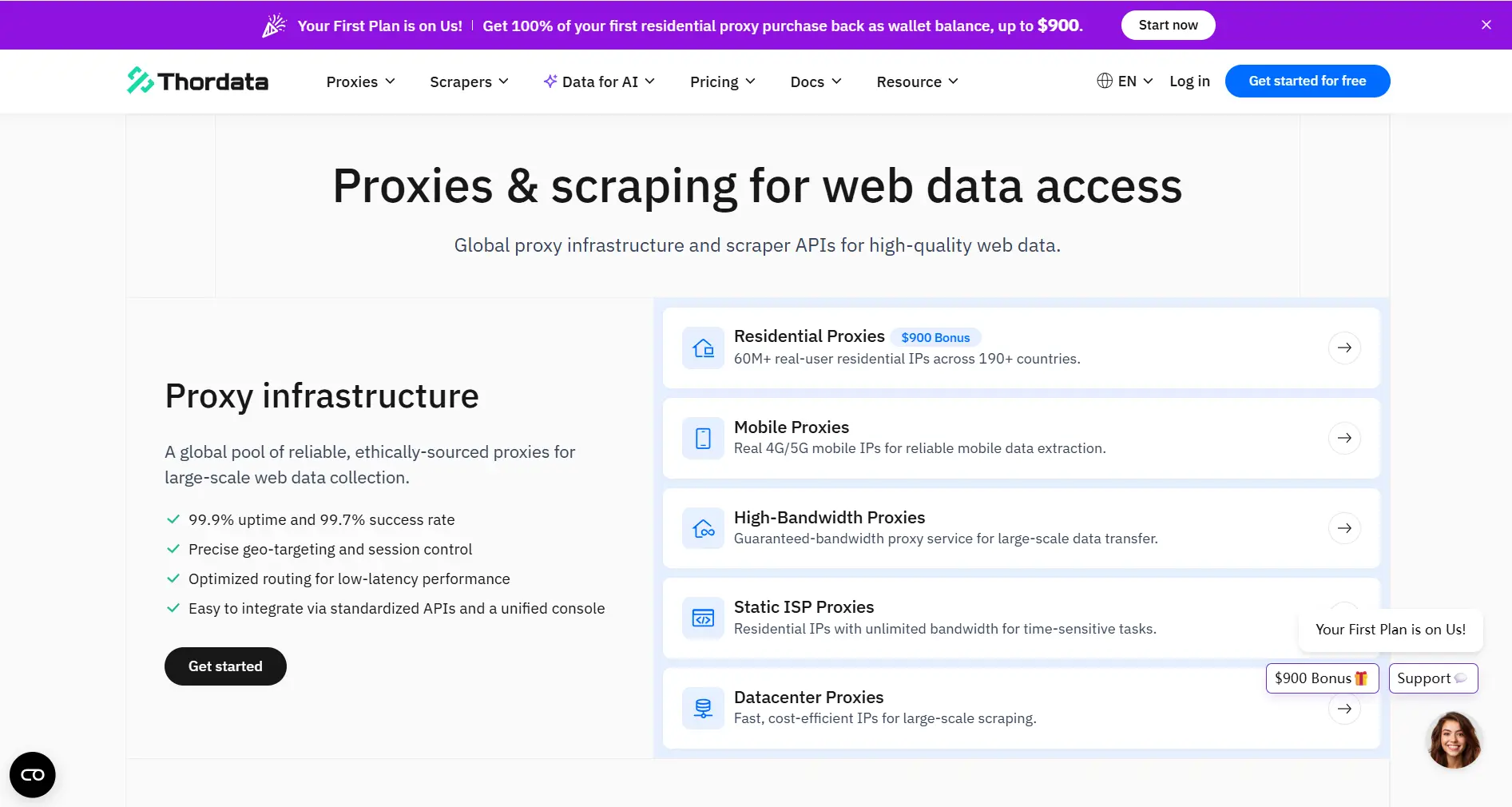
Rotating Residential Proxy: Mimicking Diverse Real User Behaviors
A rotating residential proxy shifts IP addresses regularly, sourced from legitimate household connections, excelling in managing varied anti-detection demands.
Core Values
- Superior privacy via IP cycling: Each link or query can employ a new IP, imitating actions from many authentic individuals and evading restrictions from consistent source usage.
- Increased reliability: Drawn from real home internet, these IPs mimic typical consumer patterns, allowing passage through systems that scrutinize non-household signals, especially on social platforms and retail sites.
In real-world scenarios, rotating residential proxies from Thordata perform exceptionally in cases needing prolonged invisibility, like monitoring tools for industry patterns or automated interactions on networks.
Datacenter and mobile proxies: Tailored for Productivity and Evasion Strategies
- Datacenter Proxy: Known for exceptional capacity, cost savings, and expansion potential, Thordata's datacenter proxies suit broad information assembly, batch registrations, and flow control. The blended rotating and exclusive format equilibriums protection and swiftness, lowering expenses for voluminous efforts.
- Mobile Proxy: Relies on carrier-sourced mobile IPs to replicate true mobile dynamics. Its flexibility and concealment shine in demanding evasion jobs like mobile material acquisition, ad assessments, and app reviews. Collaborations with international operators supply inherent IPs for robust avoidance.
These proxy categories address different demands: datacenter for sheer power in extensive scraping, and mobile for detailed, device-oriented concealment. Firms employing Thordata's datacenter proxies note up to 50% quicker information retrieval periods, while mobile types cut restriction incidences by 40% in app simulation evaluations.
Thordata’s unique advantage – more than just a proxy
Thordata surpasses conventional proxy delivery by incorporating sophisticated scraping instruments and personalized data offerings, converting intricate data processes into optimized, unified procedures.
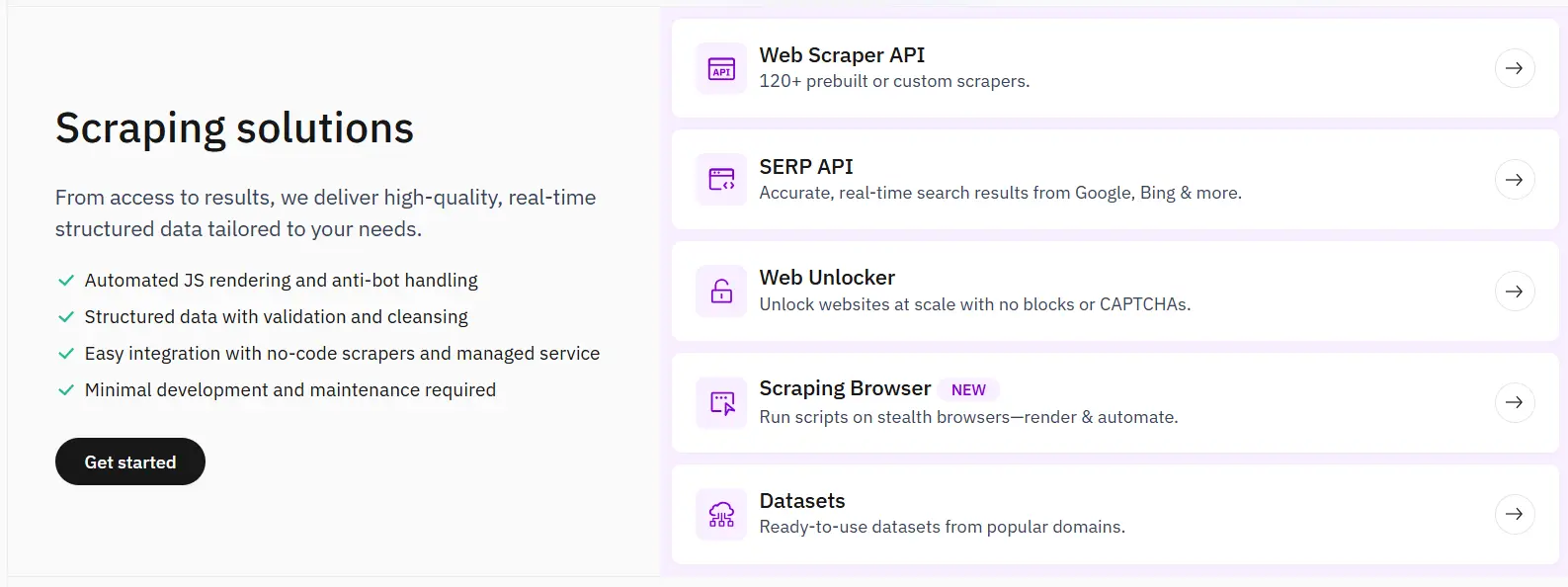
Scrape solutions: Surmount every technical hurdle
- Web Unlocker: Tackles advanced anti-scrape defenses like those from Akamai or PerimeterX by emulating browser contexts, autonomously overseeing scripts, captchas, and identifiers to obtain blocked material.
- Browser APIs: Supplies overseen, business-grade options aligned with Puppeteer and Selenium. It abstracts infrastructure complications, permitting groups to pioneer instead of debug.
- Video Data API: Unites video location, retrieval, transcription, and metadata into a single endpoint, simplifying AI training, opinion evaluation, and material organization with little work.
These offerings allow users to conquer obstacles like throttling and bot identification, with achievement levels surpassing 95% in actual implementations.
Customized Datasets: Immediate, Actionable Knowledge
For those without technical resources but requiring exact data, Thordata's bespoke dataset service supplies prepared outputs. Specialists construct adapted crawlers, refine the data, and confirm it for precision.
Core Values
- Rapid provision: Obtain complete datasets minus the bother of development, accelerating determinations.
- Eliminate reliances: Circumvent expensive, obsolete external origins with budget-friendly, current data customized to your field.
- Establish market edges: Accumulate proprietary datasets for thorough examination, promoting distinct benefits in investigation, documentation, and tactics.
Clients utilizing Thordata's datasets observe 30% enhancements in sector prediction precision, underscoring the service's worth in rivalrous fields.
How to configure Thordata proxy?
Go to DICloak’s official website and download the client that matches your operating system. This guide uses Windows as an example. Install the program and create an account to get started.
 Access Thordata's primary portal to enroll and sign in. Pick your preferred proxy category, decide on a package in the pricing area, and enroll. The illustration uses Rotating Residential Proxy, but comparable for others. Within Thordata's control panel, visit Users or Whitelist to form a proxy user or include your IP in the whitelist.
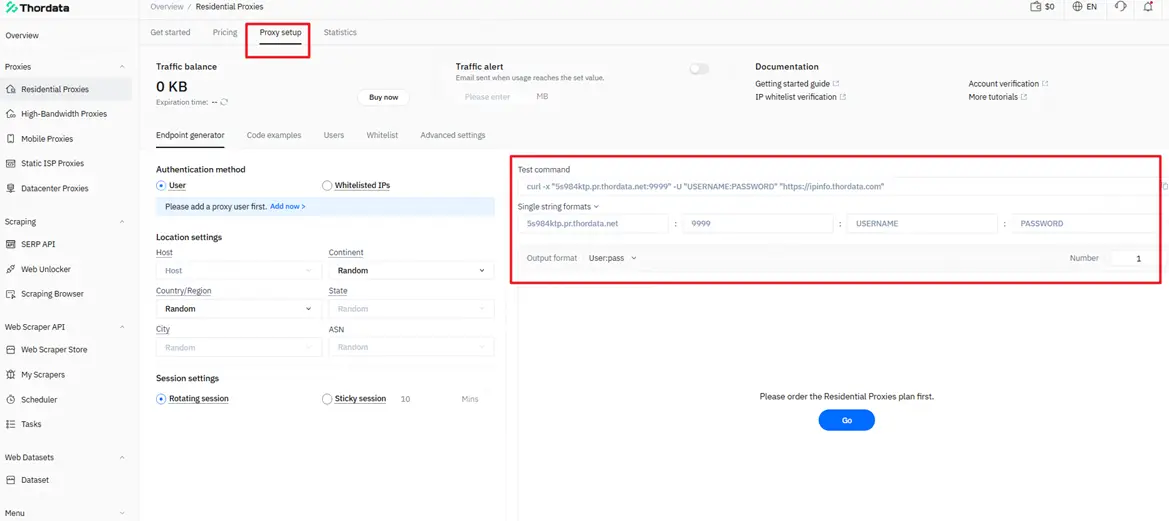
Advance to the Endpoint Generator. On the left, designate the user or whitelist validation, then define location settings. In the Endpoint Output List on the right, secure your proxy specifics (format: hostname:port:username:password). Note: Certain packages might not accommodate whitelist IPs.
Start the DICloak client, authenticate, and proceed to Profile Management → Create Profile.

In the Create Profile window, specify name, account, cookies, etc., and opt for Custom Proxy, inserting Thordata proxy info into Host:Port (hostname:port:username:password)—it auto-resolves. Click Check Proxy — once approved, your IP will be verified. Then confirm to save the profile.
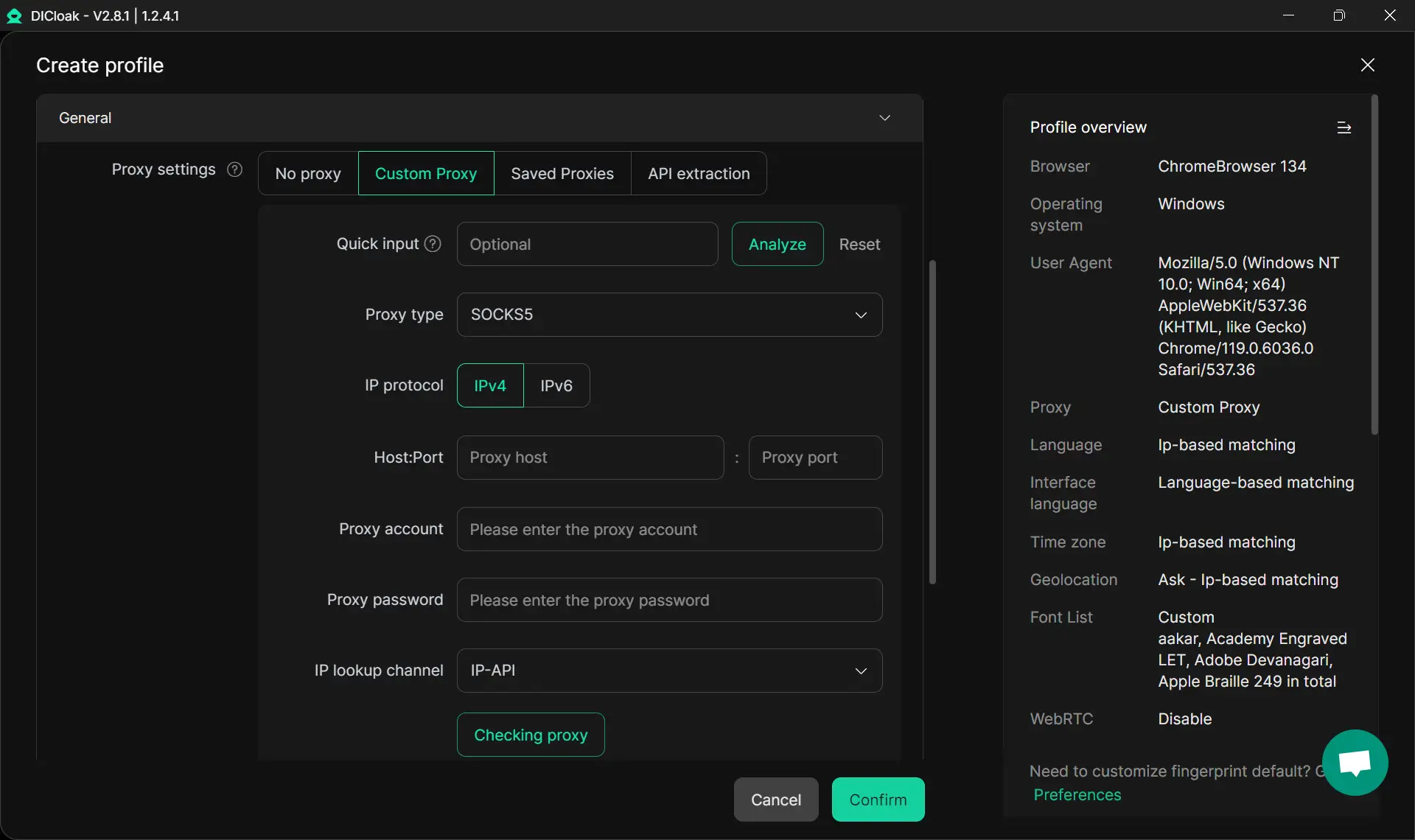 After setup, select your configured browser profile to start using it.
Conclusion
Thordata transcends a proxy supplier—it's your all-encompassing data partner. Selecting Thordata signifies embracing:
- Elite IP assets: International scope for seamless tasks.
- Robust technical aids: Overcome scraping barriers effortlessly.
- Unified service delivery: From proxies to datasets, address every data necessity.
- Foreseeable expense structure: Pay-per-use to enhance returns minus waste.
Choose Thordata for empowered data handling and forward-thinking insights.
 Web Proxy Tools
 Free Tools
 Cookie Plugin
 UA Generator
 MAC Address Generator
 IP Generator
 IP Address List
 2FA Code Generator
 World Clock
 Anonymous Check
 WebRTC Leak Test
 UUID Generator
 Free Web Proxy Site
 Proxy Checker
 FB Ad Checker
 AI Web Scraping
 Free SMM Tools
 Twitter Shadowban Checker
 Instagram Name Checker
 UTM Generator
 Username Generator
 AI Hashtag Generator
 LinkedIn Headline Generator
 Social Media Image Resizer