Have you ever come across a hilarious or meaningful GIF on X (formerly Twitter) and wished you could save it for later? Whether it's for a creative project, social media post, or just a collection of your favorite reactions, downloading GIFs from X isn't always as straightforward as it should be. X doesn’t provide a direct “Download GIF” button, which can make the process frustrating for users. But don’t worry—this guide will show you the easiest and most effective ways to save GIFs from X, using the best tools and techniques available in 2025.
From device-specific methods to online tools and browser extensions, we’ll walk you through various ways to download GIFs on your phone or desktop. Plus, we’ll introduce how combining an X GIF downloader with advanced tools like DICloak can help you safely manage multiple accounts and automate your workflow. If you’ve ever wanted to download GIFs quickly and securely, you’re in the right place. Let’s dive in!
What is an X GIF Downloader?
An X GIF downloader is a tool that helps you save animated GIFs from X (formerly Twitter). X doesn’t allow you to save GIFs directly, often treating them as small video files (.mp4) instead of GIFs.
An X GIF downloader can be a website, app, or browser extension. You simply paste the tweet link containing the GIF, and the tool gives you a download option. Some tools let you choose between saving it as an MP4 or converting it to a true GIF file.
Why would someone want to download a GIF from X? There are several reasons:
- Sharing and Reuse: Downloading GIFs lets you easily share them with friends, post on social media, or use in group chats like WhatsApp.
- Favorite Memes and Reactions: Save GIFs that capture emotions or humor, so you can access your favorite moments anytime.
- Creating Your Own Content: Download GIFs to remix or include in videos or posts for your projects.
- Offline Viewing: Save GIFs for offline access, useful when traveling or in areas with poor internet.
- Archiving Content: Download GIFs to organize and keep content for personal use, research, or inspiration.
An X GIF downloader is essential for anyone who wants to save animated GIFs from X and use them in various ways. Whether it’s for fun, creative purposes, or just keeping your favorite moments, these downloaders give users the ability to keep the content they love in a more accessible format.
Why Do You Need an X GIF Downloader?
Twitter (now X) doesn’t offer a native “Download GIF” button, which can be frustrating for users who want to save and reuse animated GIFs. Instead, X converts all GIFs to MP4 format when they are uploaded to the platform. This optimization helps with performance and loading speed but also limits your ability to download the GIF directly.
What does this mean for you?
- Right-clicking won’t work: If you try to right-click on a GIF, you won’t get the option to save the animated file. Instead, you’ll either get a still image or a broken link.
- You need special tools: If you want to save the animated GIF, you need an X GIF downloader to fetch the MP4 file and convert it back into a true GIF format.
- Building a media library: If you're collecting memes, curating a library of GIFs for personal or marketing use, or archiving content, relying on an X GIF downloader becomes essential.
An X GIF downloader makes it easy to save the animated content you love and use it in your projects or for future reference. Whether for fun, creativity, or organizing content, these downloaders help streamline the process, turning the hassle of saving GIFs into something quick and easy.
Methods for Downloading GIFs Using an X GIF Downloader
Now that you know why you need an X GIF downloader, let’s dive into how you can actually download GIFs from X (formerly Twitter) using various methods across different devices. Whether you're on your phone or desktop, you can save the animated GIFs you love quickly and easily.
Device-Specific Instructions
You can download GIFs on both phones and computers. Below are the step-by-step instructions based on your device.
Downloading GIFs on iPhone
To save a GIF on your iPhone, you’ll need a third-party tool like GIFwrapped:
- Download GIFwrapped from the App Store.
- Open the X app and find the GIF you want to save.
- Copy the GIF's link by tapping the Share button and selecting Copy Link.
- Open GIFwrapped and paste the link into the search bar.
- Tap the Search button, and you’ll see the GIF in the app’s gallery.
- Select whether to save the GIF to your Library or Photos by tapping the Share icon.
- Your GIF is now saved and ready to use in your messages or social posts.
Downloading GIFs on Android
Android users can use an app like Tweet2GIF to save GIFs directly to their phone:
- Download Tweet2GIF from the Google Play Store.
- Open the X app on your Android phone and find the GIF you want to save.
- Tap the Share icon below the tweet.
- Choose “Share Via” from the pop-up menu, then tap on the Tweet2GIF icon.
- Tap Download GIF, and the GIF will save directly to your phone.
Downloading GIFs on Desktop (Windows and Mac)
On your computer, you can use an online downloader like Twitter Video Downloader to save GIFs as MP4s and convert them back into true GIFs.
- Open X in your web browser.
- Right-click on the GIF and select Copy Link.
- Go to Twitter Video Downloader or any similar website.
- Paste the tweet URL into the input field on the site.
- Click the Download button to save the GIF as an MP4 file.
- If you want the file as a true GIF, visit EZGIF, upload the MP4, and click Convert your GIF.
- Download the converted GIF file.
This method is effective for both Windows and Mac users. The steps are straightforward, and the tools are free to use.
Alternative Methods for Downloading GIFs
In addition to the device-specific methods, there are other ways to download GIFs from X that are simple and efficient.
Using Online GIF Downloader Tools
Online X GIF downloader tools are a great option for those who don’t want to install anything. You simply paste the tweet’s URL into the downloader’s site, and it will generate a link for you to download the GIF, usually in MP4 or GIF format. These tools work well on both phones and desktops and don’t require any installation.
Utilizing Browser Extensions
For users who frequently download GIFs, browser extensions like Video DownloadHelper can save time. These extensions automatically detect media on X and provide a one-click download option next to the GIF. They are convenient for quick downloads without needing to copy and paste links.
Employing Third‑Party Applications
You can also use third-party applications, such as XSave or GifSaver, to download GIFs directly to your phone. These apps are quick and easy, allowing you to paste a tweet link and download the GIF in just a few steps. They’re especially helpful for users who prefer a streamlined, app-based solution.
Using these various methods, you can easily download and save any GIF you find on X. Whether you prefer using online tools, browser extensions, or third-party apps, there are plenty of options available to suit your needs. The X GIF downloader tools are convenient, fast, and give you the flexibility to store your favorite animated GIFs for later use.
Best Tools and Apps for X GIF Downloader in 2026
If you're looking to save GIFs from X (formerly Twitter), there are several reliable tools that make downloading quick and easy. Below are some of the best X GIF downloader options in 2026, each with its own unique features to fit your needs.
Recommended Tools for Downloading GIFs
Here are some of the top tools to download GIFs and MP4s from X:
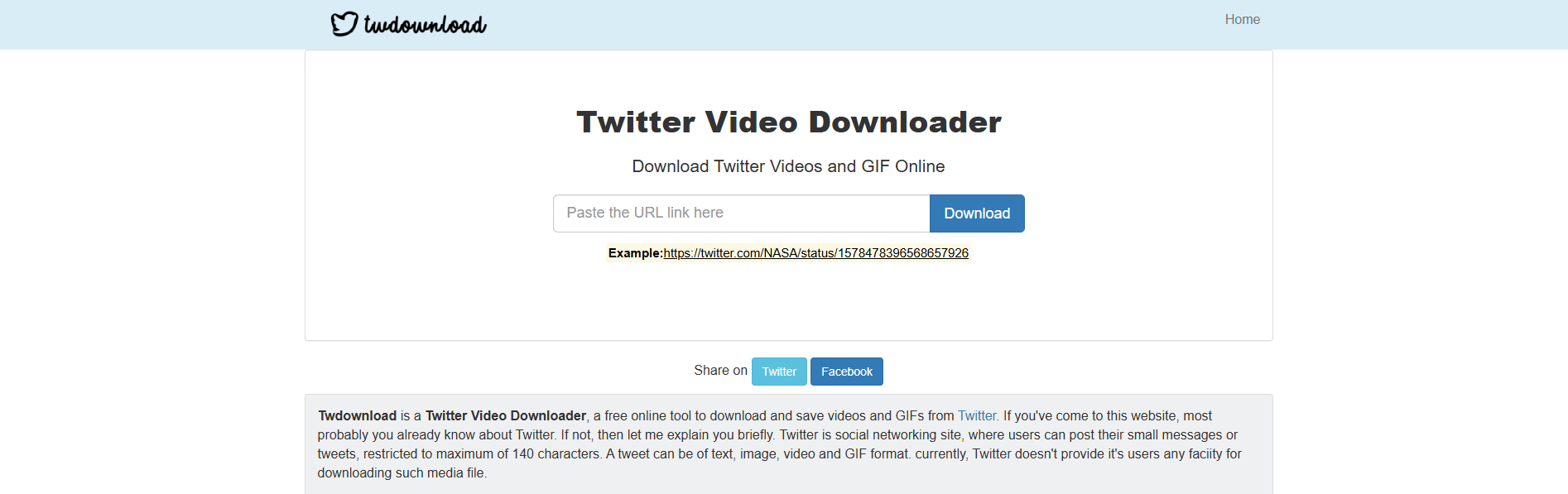
TWDownload (Web) — Simple and Fast
This tool is great for quick saves on your desktop. It’s incredibly easy to use:
- Download the tool
- Paste the tweet link
- Choose whether you want an MP4 or GIF
- Download instantly
TWDownload is perfect for users who need fast and hassle-free downloads.
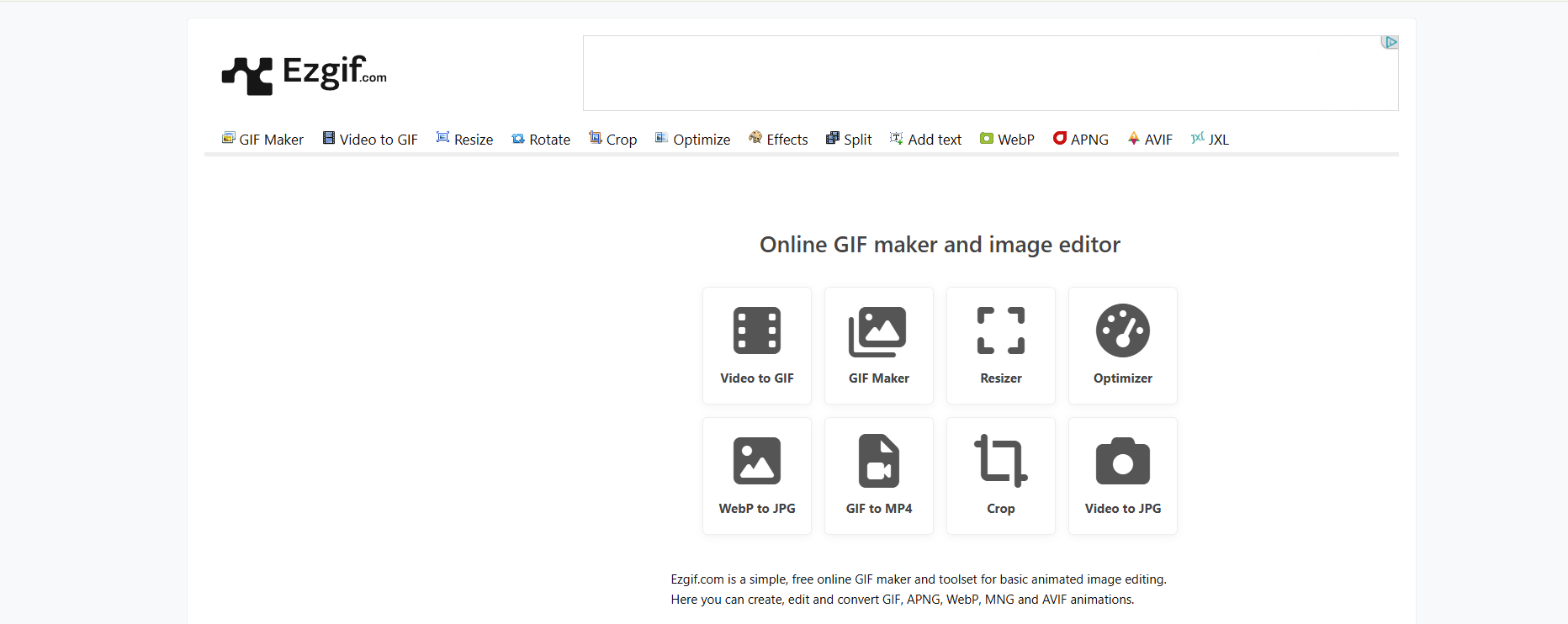
EZGIF (Web) — Ideal for Conversions
If you prefer to download the GIF as an MP4 first and then convert it back to GIF, EZGIF is a fantastic option. Here's how it works:
- Upload the MP4 or paste the link
- Trim, edit, or resize the GIF as needed
- Export it back to a GIF
EZGIF is one of the most flexible tools for customizing GIFs after downloading.
TwiMate (Android) — All‑in‑One Media Saver
If you’re on Android, TwiMate is an excellent choice. It supports all types of media (GIFs, images, and videos) and has some great features:
- Handles GIFs, images, and videos
- Supports batch downloads
- Light on ads
It’s perfect for users who save lots of content for posts or meme libraries.
GIFwrapped (iOS) — Smooth Apple-Friendly Workflow
For iOS users, GIFwrapped is the go‑to solution. It works well with Apple’s restrictions and offers a smooth workflow for saving GIFs:
- Paste the tweet link
- Automatically detects the GIF
- Saves the GIF directly to your library
This tool is clean, stable, and easy to use.
Chrome Extensions like Video DownloadHelper
If you're a frequent desktop user who needs to download GIFs from X, Video DownloadHelper is an excellent browser extension. It’s perfect for quick GIF downloads:
- Open the tweet with the GIF
- Click the Video DownloadHelper extension
- Download the MP4 file
- Convert to GIF if needed
This extension automatically detects media on the page, making it simple for users who frequently grab GIFs.
Comparison of Top GIF Downloaders
Here’s a comparison of some of the best X GIF downloader tools available:
| Tool |
Easy to Use |
Works on Phone |
Works on Desktop |
Extra Features |
| TWDownload |
✔️ |
✔️ |
✔️ |
Simple, fast, no installation needed |
| EZGIF |
✔️ |
✔️ |
✔️ |
Customizable GIF conversion options |
| TwiMate |
✔️ |
✔️ |
❌ |
Supports batch downloads, ad‑free |
| GIFwrapped |
✔️ |
✔️ |
❌ |
Apple‑friendly, saves directly to iPhone library |
| Video DownloadHelper (Extension) |
✔️ |
❌ |
✔️ |
Quick download and conversion to GIF |
Notes:
- Online tools like TWDownload and EZGIF are ideal if you don’t want to install anything and need quick access.
- Mobile apps like TwiMate and GIFwrapped are great for users who want an easy way to download GIFs directly to their phones.
- Browser extensions like Video DownloadHelper are perfect for frequent GIF downloaders who want a one-click solution on their desktop.
These X GIF downloader tools offer reliable ways to download and save GIFs from X. Whether you use a web tool, mobile app, or browser extension, there are options to suit all devices and preferences.
How DICloak Enhances Your X GIF Downloader Experience
If you're regularly downloading GIFs from X (formerly Twitter), especially from multiple accounts or at scale, you might face challenges such as account bans, rate-limiting, or detection. That’s where DICloak Antidetect Browser comes in, offering unique features like profile isolation, proxy configuration, and automation that help your X GIF downloader workflow runs smoothly and securely.

Why DICloak Is the Ideal Companion for X GIF Downloading
When you combine DICloak with an X GIF downloader, you can scale your GIF extraction safely and efficiently. Here's why:
Complete Profile Isolation
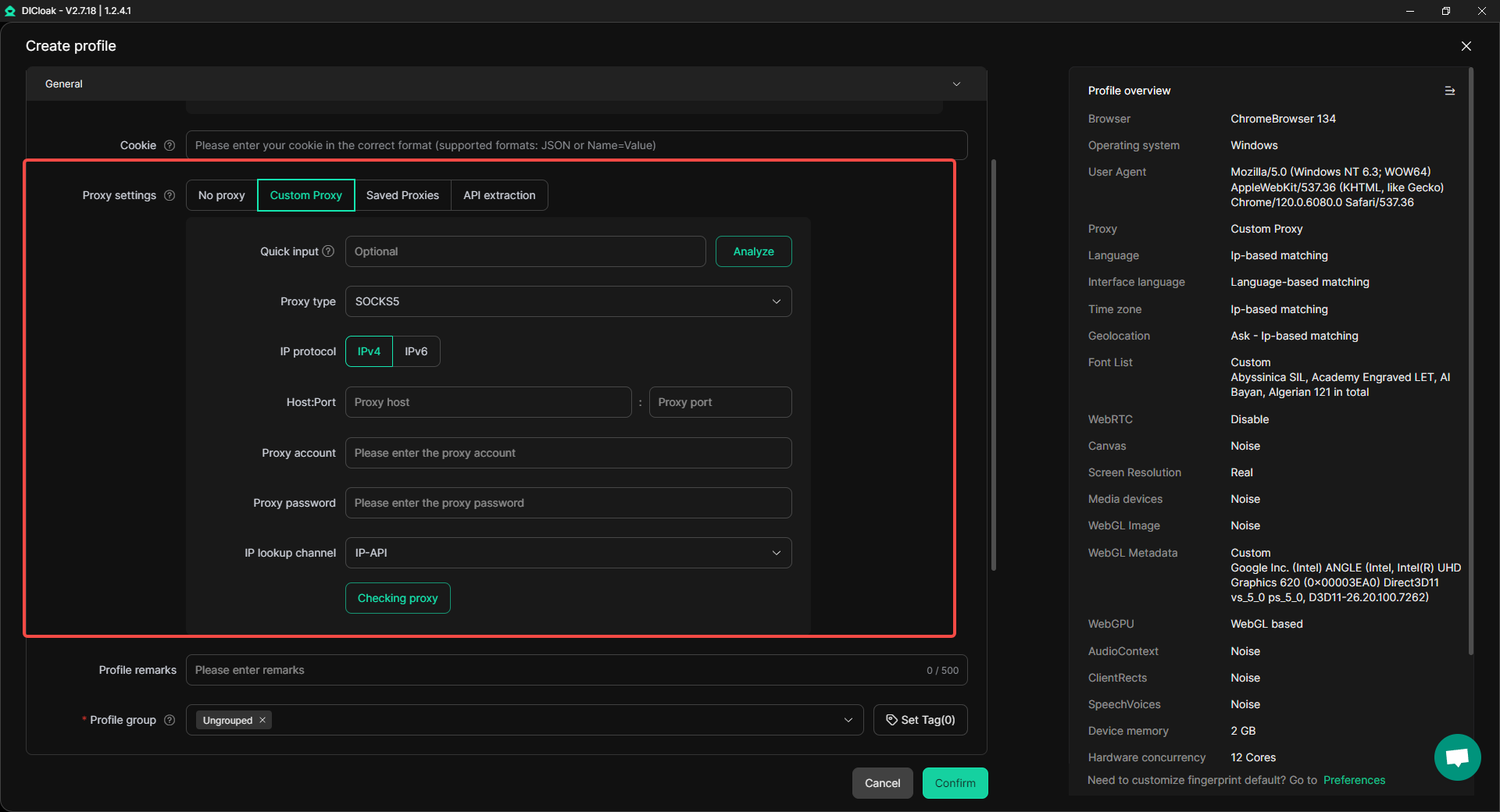
DICloak allows you to create fully isolated digital profiles. Each profile is treated like a separate device, with a unique browser fingerprint. This isolation ensures that even if you’re downloading GIFs from multiple accounts, there’s no risk of them being linked together or flagged by X. DICloak’s environment isolation means every account you manage looks like it’s operating from a different device, with its own cookies, browsing history, and hardware specs. This prevents cross‑contamination between accounts and ensures that each session is completely separate.
For example, when you use DICloak to manage multiple X accounts for downloading GIFs, each profile’s fingerprint — created from more than 55 customizable parameters like timezone, fonts, and WebGL — ensures that each account appears as a completely unique entity to X. This is particularly useful when you’re downloading GIFs for different projects or clients and want to avoid detection or bans.
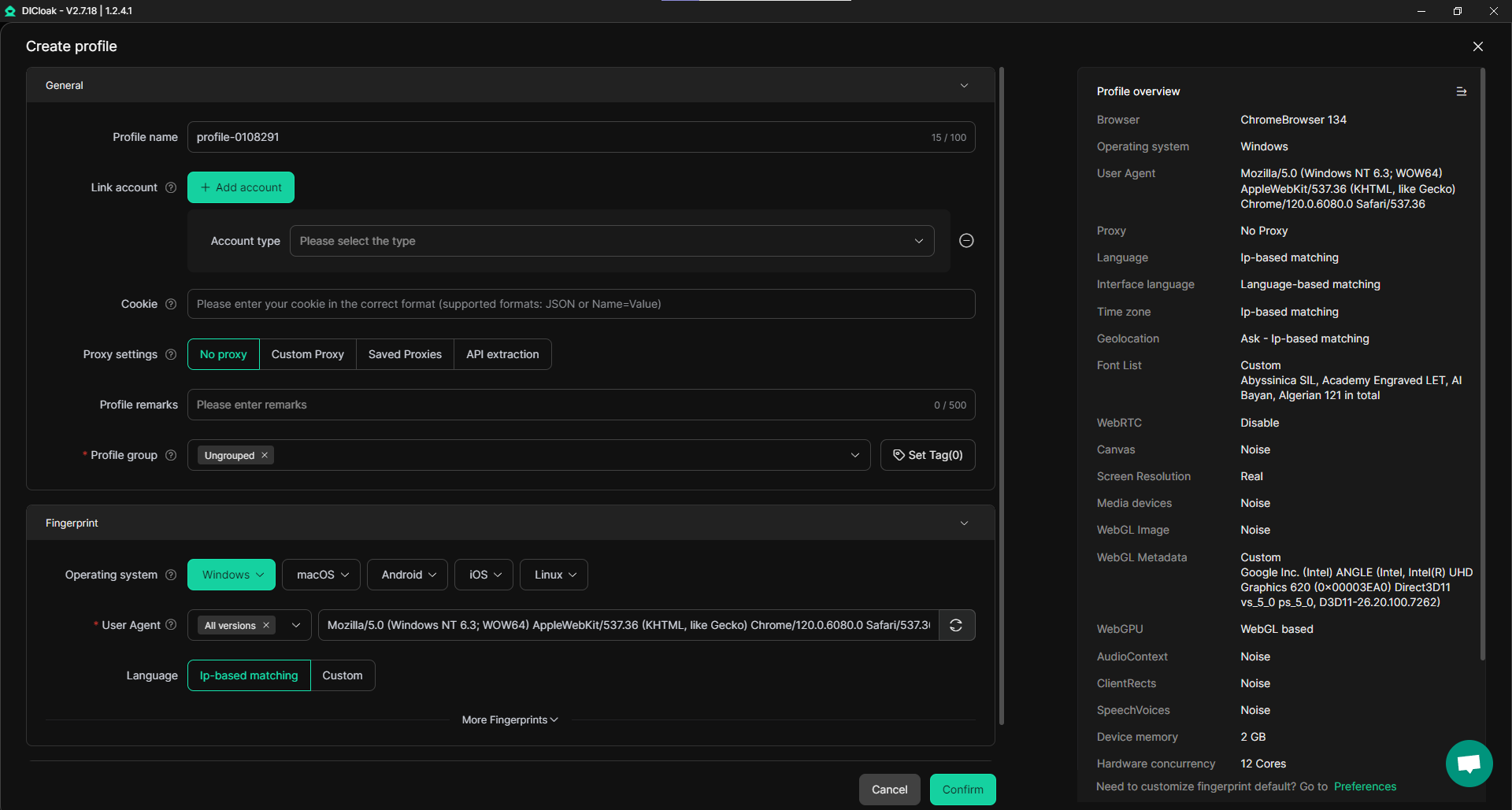
DICloak supports users with customizable proxy configurations. This means you can integrate your own proxies, giving you control over the IP addresses each profile uses. With access to a large pool of residential IPs, DICloak allows you to assign a different IP address to each profile, ensuring that each account works from a unique location and network identity.
This setup is crucial when you want to download region‑specific GIFs or access content restricted to certain areas. DICloak’s custom geolocation settings even let you target city‑level locations, providing precise control over where your profiles appear to be. This flexibility is particularly useful when downloading large batches of GIFs for different projects or targeting specific regional content.
Automating Your Workflow with Synchronizer
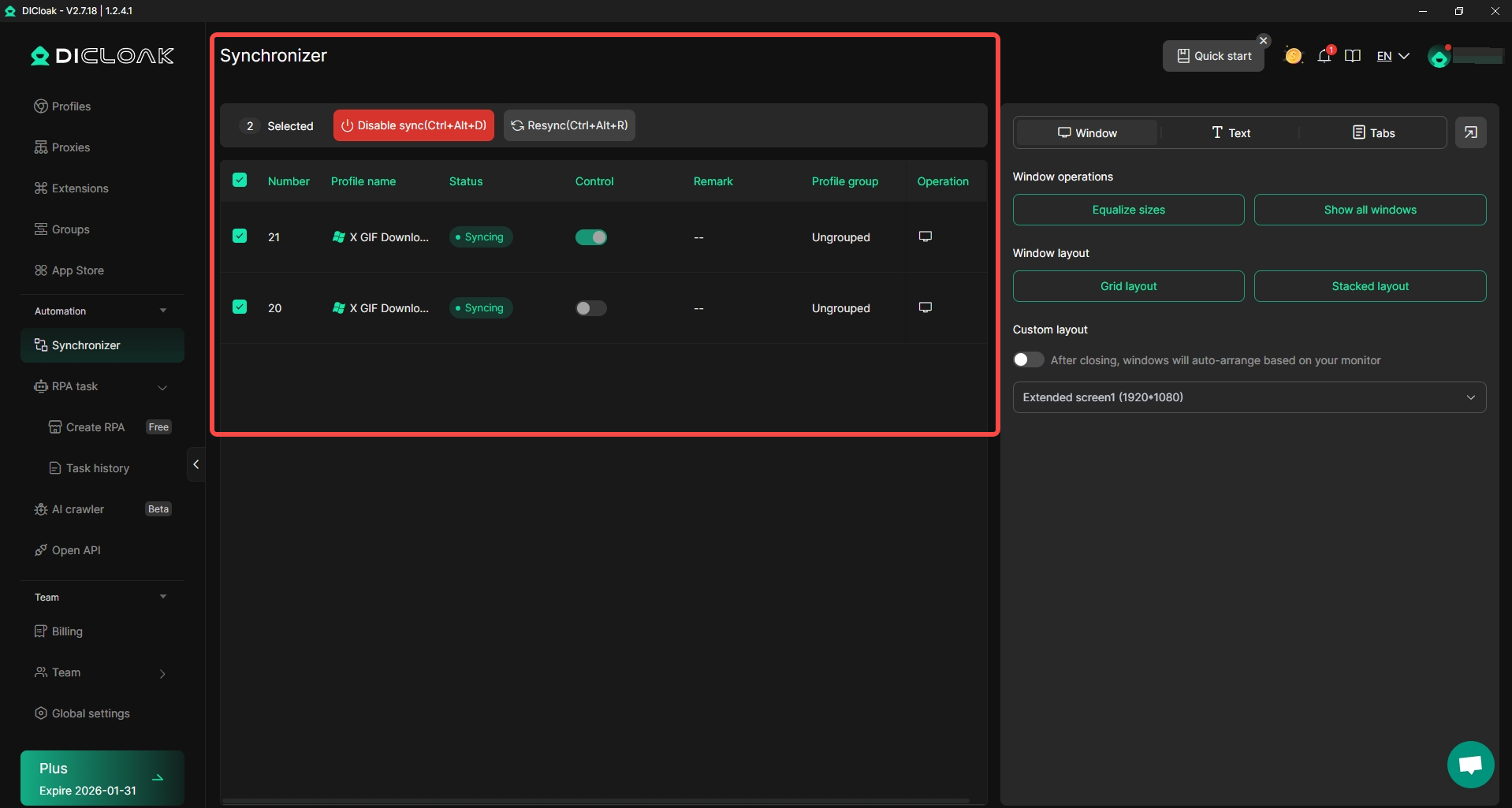
Managing multiple accounts for GIF downloading tasks can become overwhelming, especially when you’re automating processes like posting or data scraping. With DICloak’s Synchronizer feature, you can automate your browser tasks across multiple profiles seamlessly. Synchronizer allows you to link multiple DICloak profiles and synchronize their actions, so tasks like opening tabs, logging in, or interacting with a GIF downloader tool can happen simultaneously, without manual input.
For example, when you're downloading GIFs in bulk, you can synchronize multiple profiles, ensuring they operate at the same time without triggering red flags or CAPTCHA loops. This level of automation is critical when managing large‑scale media extraction, such as collecting GIFs for content libraries, tracking trends, or gathering tweet engagement data. Synchronizer makes it effortless to scale your workflow, saving you time and reducing the risk of detection.
Scalable and Safe Account Management
Whether you’re managing 2 accounts or 200, DICloak keeps things organized. With fully isolated browser profiles, each account operates as if it were on a separate device. DICloak’s scalable management makes it easy to manage multiple accounts without worrying about them being flagged or linked together.
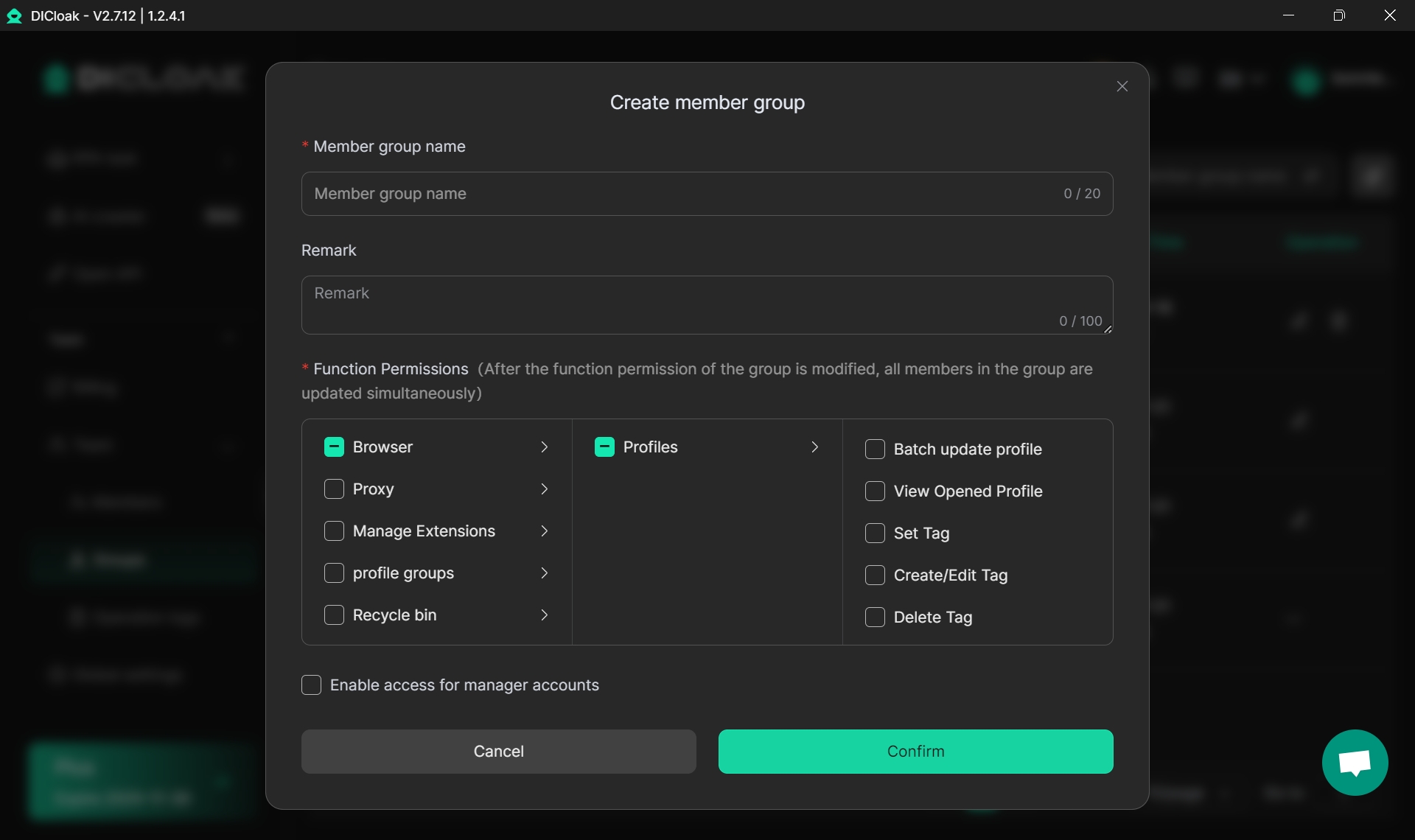
For teams or agencies handling large amounts of data or content, DICloak allows profiles to be stored in the cloud and shared with team members, with permission controls to ensure security. This makes DICloak an ideal tool for remote teams or agencies that need to manage multiple X accounts in a safe, streamlined manner.
In conclusion, if you're looking to download GIFs from X efficiently and without triggering bans or rate‑limits, combining an X GIF downloader with DICloak is the way to go. Its environment isolation, proxy configuration, automation capabilities, and scalable account management make DICloak the perfect tool for anyone working with multiple accounts or scaling their GIF extraction process. Whether you're a marketer, content creator, or social media manager, DICloak enhances your ability to download and organize GIFs safely and efficiently.
Conclusion
X GIF downloaders are essential tools for anyone who enjoys saving animated GIFs from X (formerly Twitter). Since X doesn't provide a native download button for GIFs, these tools allow users to easily download their favorite GIFs, whether for personal use, content creation, or archiving. With various methods available—whether on mobile or desktop—downloading GIFs is now quicker and simpler than ever.
The need for an X GIF downloader is clear: users can save GIFs for sharing with friends, creating content, or simply preserving memes and reactions. The process can be done using online tools, mobile apps, or browser extensions, depending on user preferences and devices. Additionally, integrating tools like DICloak enhances the experience by providing profile isolation, customizable proxy settings, and automation features. DICloak ensures that users can download GIFs safely across multiple accounts without risking detection, making it an ideal choice for those who manage multiple X profiles.
Whether you’re downloading GIFs for fun or as part of a larger project, using a reliable X GIF downloader will help streamline the process. With the right tools, downloading GIFs from X has never been easier or safer, giving you full control over your digital content. By following the methods and recommendations shared in this article, you can start downloading GIFs with confidence, ensuring a smooth and enjoyable experience every time.
FAQs About X GIF Downloader
Here are 5 frequently asked questions (FAQs) about using an X GIF downloader that can help you better understand how to download GIFs from X (formerly Twitter) and make the most of these tools.
What is an X GIF downloader, and how does it work?
An X GIF downloader is a tool that allows you to save animated GIFs from X (formerly Twitter). Since X doesn’t provide an easy way to download GIFs directly, these downloaders help you save GIFs by using the tweet link. Simply paste the link into the downloader, and it gives you options to save the GIF as an MP4 or GIF file. These tools work on both mobile and desktop devices.
Is it safe to use an X GIF downloader?
Yes, X GIF downloaders are generally safe when you use reputable tools. It’s important to choose a well-reviewed downloader, especially from trusted websites or app stores. Be cautious when downloading from unknown sources, as some tools may include ads or malicious software. Always ensure the tool you choose has positive reviews and a secure connection.
Can I use an X GIF downloader on my phone?
Yes, you can use an X GIF downloader on both Android and iPhone. Many tools are available as apps or through online websites, allowing you to save GIFs directly to your phone’s gallery. For Android, apps like Tweet2GIF are popular, while iPhone users can use apps like GIFwrapped to save GIFs. You can also use online downloader tools in your browser on both devices.
How do I download GIFs from X in bulk using an X GIF downloader?
If you need to download multiple GIFs from X, there are tools that support bulk downloads. Some apps and online downloaders allow you to paste multiple tweet URLs at once or download several GIFs in sequence. For advanced users, automation tools like DICloak can help you manage multiple accounts and automate the downloading process, making bulk downloads easier without triggering detection.
Can an X GIF downloader be used to convert MP4 to GIF?
Yes, many X GIF downloaders allow you to download GIFs as MP4 files and then convert them back to a GIF. Tools like EZGIF are specifically designed for this purpose, where you can upload the MP4 file, edit it, and convert it to a true GIF. This feature is useful when the downloaded file is in MP4 format, but you prefer to have it as an animated GIF instead.
 Web Proxy Tools
 Free Tools
 Cookie Plugin
 UA Generator
 MAC Address Generator
 IP Generator
 IP Address List
 2FA Code Generator
 World Clock
 Anonymous Check
 WebRTC Leak Test
 UUID Generator
 Free Web Proxy Site
 Proxy Checker
 FB Ad Checker
 AI Web Scraping
 Free SMM Tools
 Twitter Shadowban Checker
 Instagram Name Checker
 UTM Generator
 Username Generator
 AI Hashtag Generator
 LinkedIn Headline Generator
 Social Media Image Resizer