Most lead databases are expensive and outdated. Many cost $3,000–$20,000 per month and still give you old contacts that no longer convert. In fast-changing markets, that kind of data quickly loses value.
Linkedin scraping offers a smarter option. It lets you collect fresh, public data from Linkedin’s active users at a much lower cost. When done right, Linkedin scraping can pull real leads and even verified emails, not just profile links.
The problem is that most Linkedin scrapers do not work well. Many get blocked, break after updates, or export low-quality data. This guide shows you which Linkedin scraping tools actually work in 2026, how to use them safely, and how to build your own up-to-date lead database without wasting money or risking your accounts.
What is Linkedin Scraping?
Linkedin scraping means using tools or automation to collect data from Linkedin profiles and pages instead of copying it by hand. This data often includes names, job titles, companies, locations, and other public details. The goal of Linkedin scraping is to save time and turn scattered profile data into a clear list.
For example, a sales team may want a list of marketing managers in New York. Doing this manually could take days. With Linkedin scraping tools, they can scan public profiles in minutes and export the data to a spreadsheet or CRM. This helps teams focus on outreach instead of clicking profiles all day.
Linkedin scraping is widely used in sales, recruiting, and market research. When done correctly, it only collects publicly available information and respects privacy settings and local laws. Used this way, Linkedin scraping becomes a practical method to gather insights and support business growth efficiently.
Linkedin Scraping Tools Comparison Table in 2026
| Tool |
Best For |
Core Strength |
Scraping Depth |
Automation Level |
Skill Level |
| Skrapp |
Sales teams |
Verified business email extraction |
Low (contact-focused) |
Low |
Beginner |
| Octoparse AI |
Ops & research teams |
No-code RPA workflows |
High |
Very High |
Intermediate |
| Evaboot |
Sales Navigator users |
Clean lead exports |
Medium |
Low |
Beginner |
| PhantomBuster |
Growth & marketing teams |
Cloud automation workflows |
Medium–High |
High |
Intermediate |
| Linked Helper |
Recruiters & sales reps |
Scraping + outreach in one tool |
Medium |
High |
Intermediate |
| TexAu |
Agencies & advanced users |
Multi-platform automation |
Medium–High |
Very High |
Advanced |
| Captain Data |
RevOps & mid-large teams |
Structured, scalable workflows |
High |
High |
Intermediate–Advanced |
| Waalaxy |
Freelancers & small teams |
Easy prospecting |
Low |
Medium |
Beginner |
| Dux-Soup |
Sales teams |
Stable outreach campaigns |
Medium |
Medium |
Beginner–Intermediate |
| Dripify |
Sales teams & agencies |
Always-on cloud outreach |
Medium |
High |
Beginner–Intermediate |
| Meet Alfred |
Multi-channel outbound teams |
Unified outreach inbox |
Medium |
High |
Intermediate |
| La Growth Machine |
Agencies & outbound specialists |
High-reply multi-channel flows |
Medium |
High |
Intermediate |
| Surfe |
CRM-driven sales teams |
Real-time CRM enrichment |
Low–Medium |
Low |
Beginner |
| Bright Data |
Enterprises & developers |
Large-scale data infrastructure |
Very High |
Custom |
Advanced |
| ZenRows |
Startups & agencies (API) |
Anti-bot scraping API |
High |
Custom |
Advanced |
| Derrick |
Sheets-based teams |
Linkedin → Google Sheets |
Low–Medium |
Low |
Beginner |
| Scrapingdog |
Data & analytics teams |
Scalable Linkedin scraping API |
Very High |
Custom |
Advanced |
How to Use This Table (Reader Guidance)
- If your goal is email outreach, start with Skrapp or Evaboot
- If you need automation and repeatable workflows, look at PhantomBuster, TexAu, or Captain Data
- If you run agencies or outbound teams, La Growth Machine, Dripify, and Meet Alfred fit better
- If you are a developer or data team, Bright Data, ZenRows, or Scrapingdog are more suitable
- If you want something simple and low risk, Waalaxy, Dux-Soup, or Derrick are easier entry points
Best Linkedin Scraping Tools for 2026 (In-Depth Reviews)
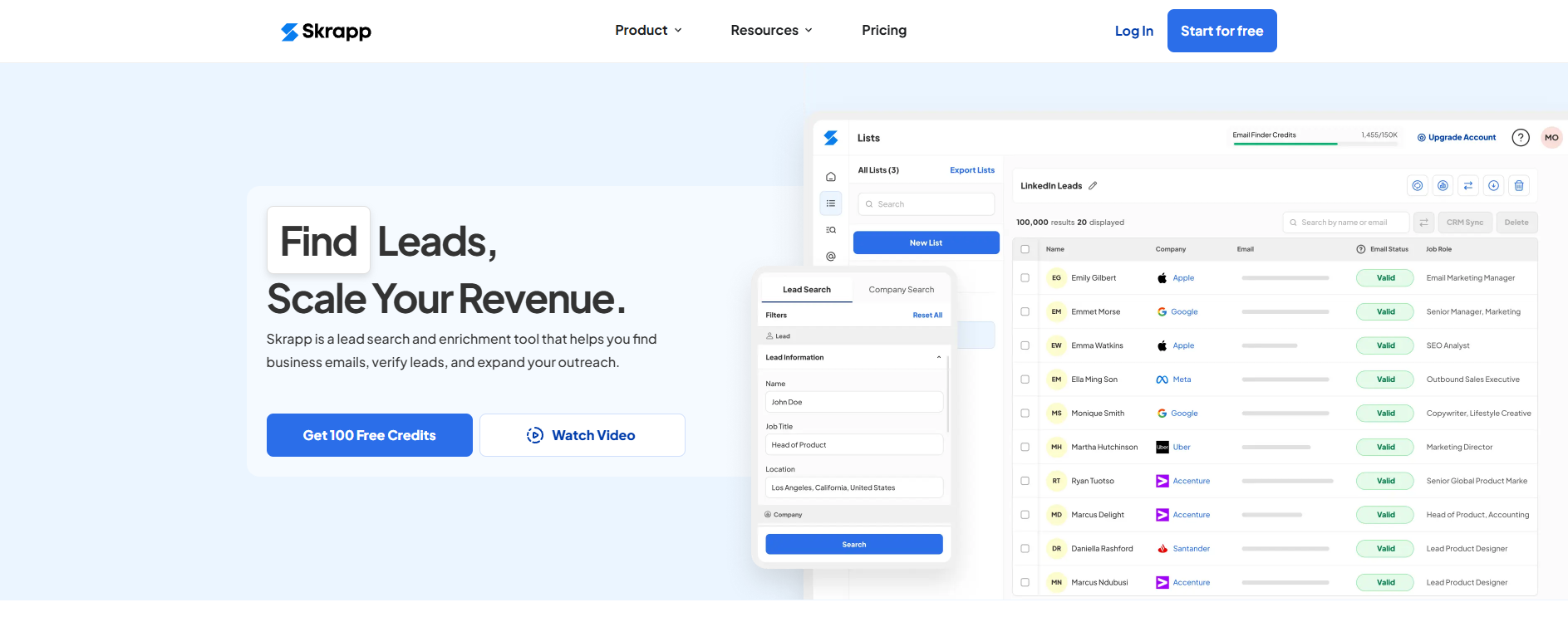
Skrapp is a Linkedin scraping tool focused on business email discovery. It is not designed to scrape every detail of a profile. Instead, it solves one clear problem: turning Linkedin profiles into usable contact data for outbound sales.
Many teams use Skrapp after they already have leads from Linkedin or Sales Navigator. The tool then helps bridge the gap between a profile and an email inbox.
Key features
- Chrome extension that works directly on Linkedin and Sales Navigator pages
- Bulk extraction of business emails from profile or company searches
- Real-time email verification to reduce bounce risk
- Domain-based employee search for company-level prospecting
- CSV export and API access for syncing with sales tools
Pros
- Very fast setup with almost no learning curve
- Email results are generally reliable for B2B roles
- Works smoothly with Sales Navigator workflows
Cons
- Limited profile data beyond contact details
- Email availability depends heavily on industry and company size
Best for Skrapp is best for sales teams and founders who already use Linkedin for prospecting and want to build outbound email lists without buying third-party databases.
2. Octoparse AI
Octoparse AI is closer to RPA software than a classic scraper. It treats Linkedin scraping as one step inside a longer automation flow, such as extract → clean → store → reuse.
This makes it powerful, but also more complex than plug-and-play tools.
Key features
- AI-assisted workflow builder for dynamic websites
- No-code interface with visual steps
- Desktop execution with control over timing and actions
- Data export to Excel, databases, or internal systems
Pros
- Very flexible for custom data logic
- Works well for repetitive research tasks
- Useful beyond Linkedin alone
Cons
- Requires setup time
- Too complex for simple lead lists
Best for Octoparse AI is best for operations and research teams that want Linkedin scraping as part of repeatable internal workflows, not just lead export.
3. Evaboot
Evaboot is built only for Linkedin Sales Navigator users. Its main value is not speed, but data quality. The tool focuses on exporting leads that are clean, formatted, and ready to use.
Key features
- One-click export from Sales Navigator searches
- Automatic cleanup of job titles, names, and symbols
- Detection of mismatched or irrelevant leads
- Email discovery with verification
- Built-in daily limits to reduce account stress
Pros
- Very clean CSV outputs
- Minimal setup and low error rate
- Reduces manual cleanup work
Cons
- Requires Sales Navigator
- Limited outside lead exporting
Best for Evaboot is best for B2B sales and recruiting teams that rely heavily on Sales Navigator and want ready-to-use lead lists without extra cleaning steps.
4. PhantomBuster
PhantomBuster is a cloud-based automation platform. Linkedin scraping is only one part of what it does. The real value lies in chaining multiple actions into repeatable workflows.
Key features
- Scraping of profiles, search results, event attendees, and post interactions
- Cloud execution with scheduled runs
- Workflow chaining across multiple actions
- CRM and spreadsheet integrations
Pros
- Very flexible automation logic
- No need to keep a local device running
- Suitable for recurring campaigns
Cons
- Requires learning time
- Pricing scales with usage
Best for PhantomBuster is best for growth and marketing teams that want to automate lead discovery on a weekly or daily basis, not just scrape once.
Linked Helper is a desktop-based Linkedin automation tool that includes Linkedin scraping as part of a broader outreach system. It focuses on simulating human behavior and controlling action timing.

Key features
- Profile data extraction to CSV
- Multi-step outreach sequences
- Built-in lead management system
- Email discovery with monthly credits
Pros
- Works across multiple Linkedin account types
- Detailed control over delays and limits
- Strong outreach automation
Cons
- Requires the computer to stay on
- Initial setup can feel complex
Best for Linked Helper is best for recruiters and sales teams that want scraping + outreach in one controlled desktop environment.
6. TexAu
TexAu is a large automation toolbox used for Linkedin scraping and cross-platform workflows. It is designed for users who want to connect Linkedin data with other tools.
Key features
- Large library of ready-made automations
- Email discovery and verification
- CRM and Zapier integrations
- Cloud and desktop execution options
Pros
- Powerful multi-step pipelines
- Works across many platforms
Cons
- Interface is not beginner-friendly
- Time-based pricing can run out quickly
Best for TexAu is best for advanced users and agencies building complex lead generation pipelines across multiple platforms.
7. Captain Data
Captain Data is designed for structured, repeatable Linkedin workflows at team and enterprise level.
Key features
- Dozens of Linkedin-specific extraction actions
- Advanced filtering (headcount, growth, roles)
- Account rotation and safety controls
- Google Sheets and CRM syncing
Pros
- Strong reliability for teams
- Good error handling
- Designed for scale
Cons
- Higher entry price
- Less flexible than DIY tools
Best for Captain Data is best for RevOps and growth teams that need consistent Linkedin scraping at scale with low manual effort.
8. Waalaxy
Waalaxy is a beginner-friendly Linkedin automation tool that includes light Linkedin scraping features. It does not aim to scrape large datasets. Instead, it focuses on helping users discover prospects and run simple outreach flows with minimal setup.
Many freelancers and small businesses choose Waalaxy because it removes technical barriers. You can start prospecting within minutes, even if you have never used scraping tools before.
Key features
- Chrome extension connected directly to Linkedin
- Basic extraction of profile and search result data
- Pre-built Linkedin outreach sequences
- Simple lead list management
- Optional email outreach on higher plans
Pros
- Very easy to use, even for non-technical users
- Fast onboarding with almost no configuration
- Good balance between automation and safety limits
Cons
- Limited control over scraping logic
- Not suitable for large-scale data collection
- Custom workflows are restricted
Best for Waalaxy is best for freelancers, solo founders, and small teams who want to use Linkedin scraping mainly to support basic prospecting and outreach, not deep data analysis.
9. Dux-Soup
Dux-Soup is one of the longest-running Linkedin automation tools on the market. It combines Linkedin scraping with outreach actions like profile visits, follow-ups, and drip campaigns.
Because it has been around for many years, it is widely used by sales professionals who prefer stable and predictable automation over cutting-edge features.
Key features
- Profile data scraping with tagging and notes
- Multi-step drip campaigns (visit, connect, message)
- Human-like delays and throttling
- CRM integrations for exporting scraped data
- Support for Linkedin Basic, Sales Navigator, and Recruiter
Pros
- Mature and well-tested tool
- Clear control over daily limits and actions
- Reliable for structured outreach campaigns
Cons
- Interface feels outdated
- Can slow down Linkedin browsing
- Desktop or browser-based modes require careful setup
Best for Dux-Soup is best for sales teams and business owners who use Linkedin scraping as part of repeatable outreach campaigns and value stability over advanced automation logic.
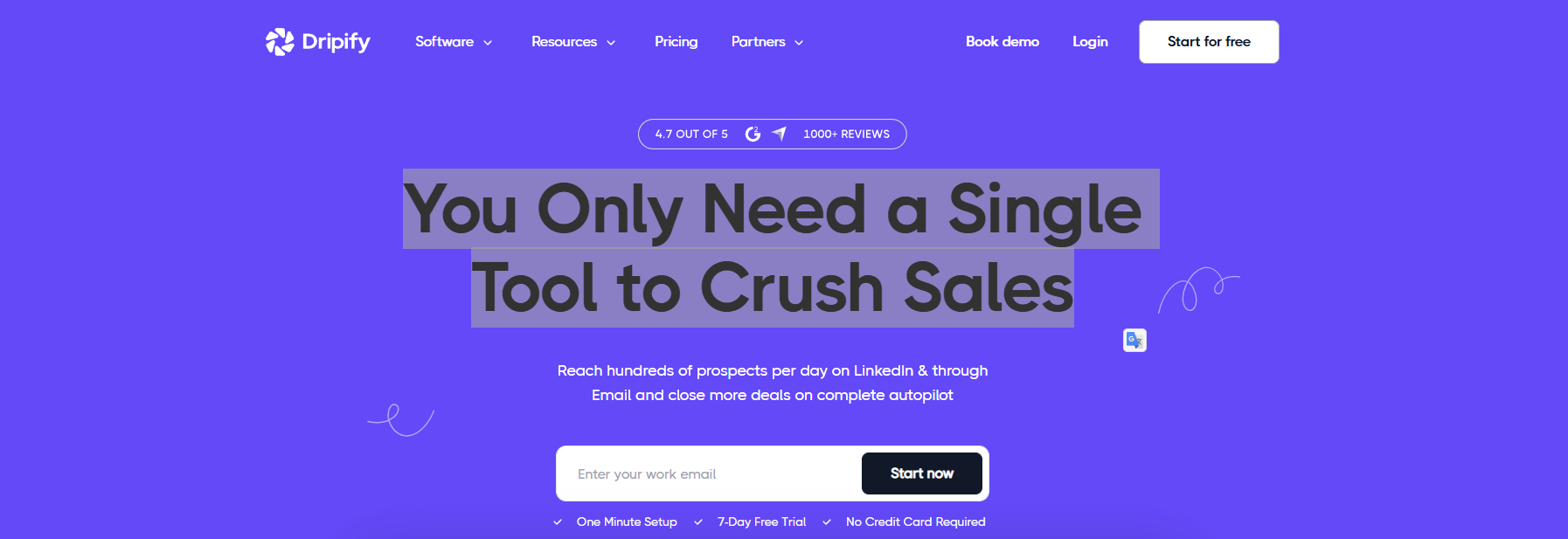
Dripify is a cloud-based Linkedin automation platform designed for teams that want campaigns to run continuously. Linkedin scraping here is mainly used to feed always-on outreach sequences, rather than for bulk data exports.
Because it runs in the cloud, Dripify removes the need to keep a computer online, which is a key reason many teams switch to it.
Key features
- Cloud-hosted Linkedin automation
- Profile and search result data extraction
- Conditional drip campaigns with delays
- Human-behavior simulation to reduce detection risk
- Team roles and permissions on higher plans
Pros
- Campaigns run 24/7 without local devices
- Clean and modern interface
- Easy to manage multiple team members
Cons
- Pricing increases as usage grows
- Limited flexibility in workflow design
- Not built for deep data enrichment
Best for Dripify is best for sales teams and agencies that use Linkedin scraping to support continuous outbound campaigns, especially when reliability and uptime matter more than raw data volume.
11. Meet Alfred
Meet Alfred is a multi-channel outbound platform that uses Linkedin scraping as the data source for sales outreach. Instead of focusing on raw data volume, it helps teams turn Linkedin leads into structured campaigns across Linkedin, email, and X (Twitter).
It is often chosen by users who want fewer tools and a single place to manage conversations.
Key features
- Linkedin profile and search data extraction
- Automated connection requests and follow-ups
- Multi-channel campaigns (Linkedin, email, X)
- Built-in lead management and analytics dashboard
- Cloud-based execution
Pros
- Unified view of leads and conversations
- Easy campaign tracking for teams
- No local setup required
Cons
- Limited campaign customization
- Occasional account reauthorization issues
- Higher cost compared to single-purpose scrapers
Best for Meet Alfred is best for sales and marketing teams that want to use Linkedin scraping as part of a multi-channel outbound system, rather than just exporting data.
12. La Growth Machine
La Growth Machine is a relationship-first prospecting tool. It uses Linkedin scraping to identify leads, then focuses on warming them up before outreach. This includes likes, follows, and multi-channel contact.
It is designed for quality replies, not mass volume.
Key features
- Linkedin scraping for leads and companies
- Multi-channel sequences (Linkedin, email, X)
- Email enrichment with multiple verification sources
- Social warming actions before contact
- Unified inbox for all replies
Pros
- Strong reply rates due to warming logic
- Good balance between automation and personalization
- Works well for agency workflows
Cons
- More complex than basic tools
- Pricing is per identity, not per user
- Not ideal for very large lead volumes
Best for La Growth Machine is best for agencies and outbound teams that want to turn Linkedin scraping into high-quality conversations, not cold blasts.
13. Surfe
Surfe approaches Linkedin scraping differently. Instead of exporting large CSV files, it focuses on real-time CRM enrichment. Linkedin profiles become live CRM records.
This makes it more about accuracy than scale.
Key features
- One-click sync from Linkedin to CRM
- Verified email and phone number enrichment
- Automatic updates when profiles change jobs
- Works with major CRMs like HubSpot and Salesforce
Pros
- Very clean and accurate data
- Reduces manual CRM updates
- Useful for long sales cycles
Cons
- Not designed for mass scraping
- Daily usage limits on lower plans
- Chrome-extension only
Best for Surfe is best for sales teams with active CRMs that want Linkedin scraping to keep records accurate and up to date, not to scrape thousands of profiles at once.
14. Bright Data
Bright Data is an enterprise-grade scraping infrastructure provider. It does not focus on ease of use. Instead, it offers the tools needed to run Linkedin scraping at very large scale.
This includes proxies, APIs, and anti-blocking systems.
Key features
- Linkedin profile, company, job, and post scraping APIs
- Large residential, mobile, and ISP proxy network
- CAPTCHA and block handling
- Scheduled and recurring crawls
- Structured outputs like JSON and CSV
Pros
- Extremely reliable at scale
- High success rates for public data
- Strong compliance focus
Cons
- Requires technical expertise
- Higher cost than most tools
- Not beginner-friendly
Best for Bright Data is best for developers and enterprises running large-scale Linkedin scraping for analytics, market research, or data products.
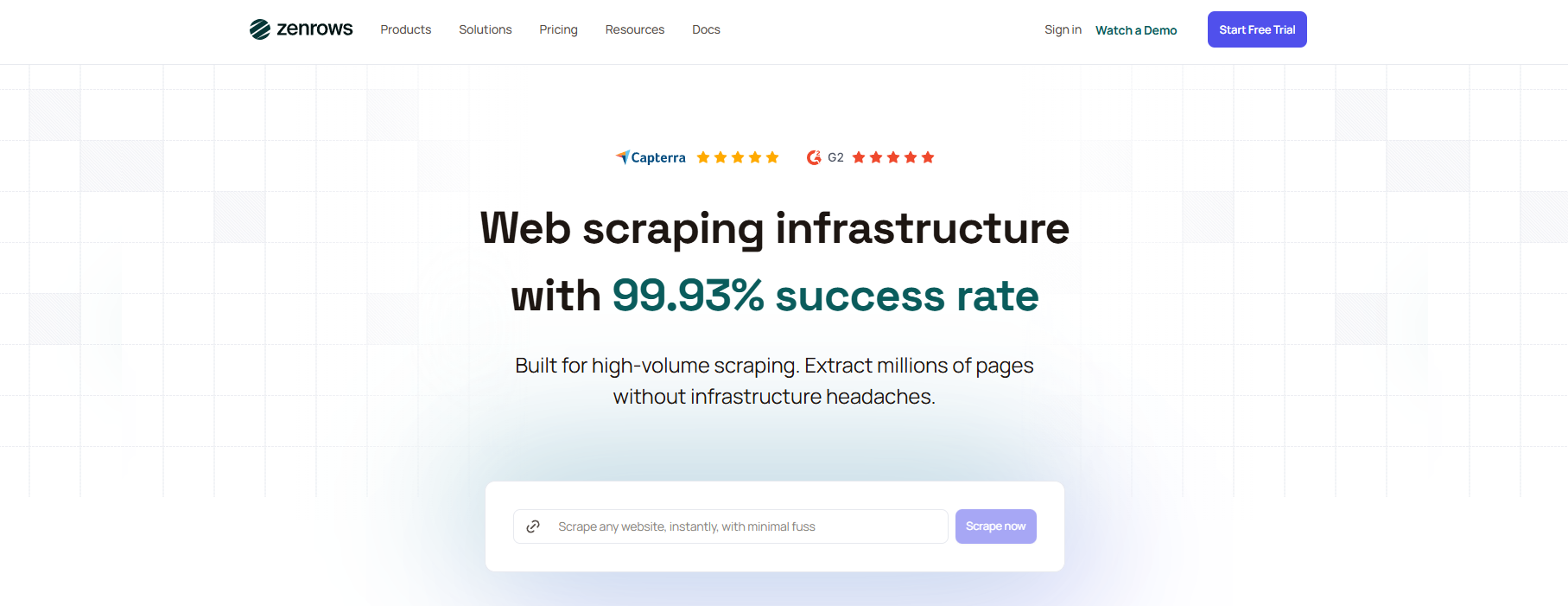
ZenRows is a developer-focused scraping API. It simplifies Linkedin scraping by handling JavaScript rendering, proxy rotation, and CAPTCHA challenges in one request. It is designed for speed of integration, not UI users.
Key features
- API-based Linkedin scraping
- Automatic JavaScript rendering
- Built-in proxy rotation and CAPTCHA handling
- Structured response output
Pros
- Fast setup for developers
- No need to manage proxies manually
- Good reliability for mid-scale scraping
Cons
- Costs increase with advanced features
- Not suitable for non-technical users
- Limited UI controls
Best for ZenRows is best for startups and agencies that want to implement Linkedin scraping through APIs without building full scraping infrastructure.
16. Derrick
Derrick is a Google Sheets–first Linkedin scraping tool. It is designed for users who manage leads directly inside spreadsheets instead of CRMs.
The focus is simplicity and visibility.
Key features
- Import Linkedin and Sales Navigator profiles into Sheets
- Email and data enrichment
- Automatic deduplication
- Real-time extraction
Pros
- Very easy to use
- No coding or setup needed
- Works well for small teams
Cons
- Limited outside Google Sheets
- Some features require paid plans
- Not built for automation at scale
Best for Derrick is best for sales reps and recruiters who want Linkedin scraping results directly inside Google Sheets with minimal setup.
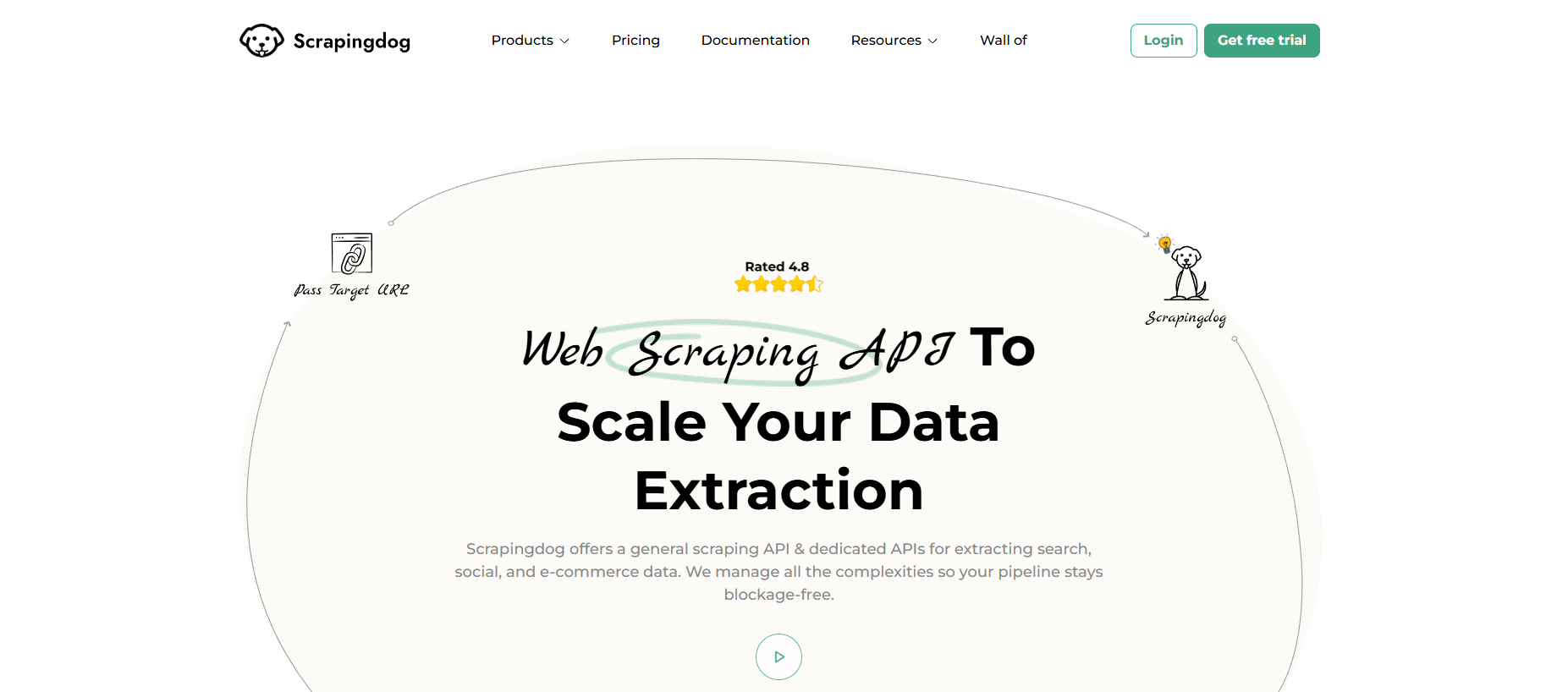
Scrapingdog is an API-based scraping service focused on public Linkedin data. It is designed for scale and reliability rather than UI-driven workflows.
Key features
- Linkedin profile and job scraping APIs
- Automatic blocking and CAPTCHA handling
- High-volume request support
- Structured JSON responses
Pros
- Scales well for large datasets
- Clear API documentation
- Good uptime for continuous scraping
Cons
- Requires technical skills
- Pricing increases with volume
- Not suitable for casual users
Best for Scrapingdog is best for data teams and developers using Linkedin scraping for job market analysis, trend tracking, or large public datasets.
Risks of Linkedin Scraping and How to Fix Them
After choosing a tool, the next reality check is risk. Linkedin scraping can save hours. But it can also cause account limits, messy data, and technical roadblocks. If you plan for these issues early, you will waste less time and lose fewer accounts.
Potential Account Bans and How to Avoid Them
The biggest risk in Linkedin scraping is an account restriction. Linkedin says it does not allow third-party tools that scrape or automate activity. It can restrict accounts when it detects “automated activity,” and it tells users to disable the software or extensions involved.
How to lower the risk (practical steps):
- Use fewer actions per day. Fast, repeatable patterns are easy to flag. Space actions out and avoid “bursts.”
- Avoid risky add-ons. Linkedin explicitly calls out crawlers, bots, plug-ins, and extensions that scrape or automate activity as prohibited.
- Warm up new accounts. A brand-new account that suddenly scrapes hundreds of profiles often triggers checks. Start small and increase slowly.
- Plan around connection limits. Linkedin invitation limits are tight (many sources cite about ~100 per week for many users), so scraping + outreach should respect those limits.
This is not only a legal or policy issue. It is a business risk. If your Linkedin access is blocked, your team loses leads and momentum.
Data Accuracy Concerns in Linkedin Scraping
Even when Linkedin scraping “works,” the data can be wrong or outdated. Linkedin is user-generated. People change jobs, update titles, use emojis, or write roles in different formats. Two profiles can describe the same job in totally different words.
How teams fix accuracy problems:
- Clean and normalize fields. Standardize titles (example: convert “VP, Sales 🇺🇸” to “VP Sales”).
- Deduplicate leads. The same person can appear in multiple searches.
- Spot-check a sample. Review 20–50 rows before you trust 5,000 rows.
- Prefer “intent signals” carefully. Likes and comments can be useful, but they also create noise. Treat them as “possible interest,” not proof.
A good Linkedin scraping process is not just “export.” It is export + clean + verify.
Technical Challenges: Handling Dynamic Content and CAPTCHA
Linkedin pages are dynamic. Much of the content loads with JavaScript after the page opens. That means simple scrapers may “see” empty pages or miss fields. This is why many teams use browser-based automation or rendering tools for JavaScript-heavy sites.
Then comes the next wall: CAPTCHA and bot detection. When a site thinks you are automated, it may slow you down, show CAPTCHA, or block requests. These defenses are common on modern sites, especially when requests look repetitive or come too fast.
For example, your scraper runs fine on day one, then Linkedin changes the page layout or adds extra checks. Suddenly your script fails, or your tool exports half the fields.
How to reduce technical failures:
- Expect page changes. Build scraping steps that are resilient, and test often.
- Use tools that handle JavaScript. If the page is JS-heavy, you need rendering support.
- Slow down and add retries. Many CAPTCHA triggers come from speed and repeated patterns.
In short, Linkedin scraping is not “set and forget.” It is a process that needs pacing, cleaning, and technical maintenance—especially in 2026.
Why choose DICloak Antidetect Browsers for your business?
⚡The DICloak Antidetect Browser has become a global favorite for its unparalleled ability to efficiently and securely manage multiple accounts. Designed for professionals in social media management and more, DICloak offers powerful features like RPA automation, bulk operations, and a synchronizer. Additionally, it allows you to customize fingerprints and integrate proxies for each profile, ensuring top-level security and operational efficiency. It’s the ultimate tool for seamless, secure, and scalable operations.
If your work needs multiple Linkedin profiles (for example, different clients or teams), the biggest risk is cross-account linking from shared cookies, local storage, and browser fingerprints. An antidetect browser like DICloak helps you run separate browser profiles with isolated storage and device signals.

What Makes DICloak Stand Out?
✅ Manage 1,000+ Accounts on One Device: Stop wasting money on extra hardware! DICloak allows you to manage multiple accounts on a single device, cutting costs and boosting efficiency.
✅ Guaranteed Account Safety, No Ban Risks: Every account gets its own isolated browser profile with custom fingerprints and IPs, drastically reducing the risk of bans. Your accounts, your control!
✅ Flexible Proxy Configuration for Maximum Performance: Seamlessly integrate with all major proxy protocols (HTTP/HTTPS, SOCKS5) and manage your proxy pool with bulk operations. No more struggling with IP management—DICloak has you covered.
✅ Streamlined Team Collaboration for Better Results: Easily manage your team with advanced tools like profile sharing, permission settings, data isolation, and operation logs. Your team works smarter, not harder.
✅ Automate the Grind with RPA: DICloak's built-in RPA saves you hours of manual work. Automate repetitive tasks, streamline workflows, and focus on what really matters—growing your business.
✅ Powerful Bulk Tools to Scale Your Operations: Create, import, and launch multiple browser profiles in one click. DICloak makes scaling your business as easy as it gets.
✅ Compatible with All Major Operating Systems: Based on the Chrome core, DICloak supports simulating Windows, Mac, iOS, Android, and Linux operating systems. No matter what platform you need, DICloak has you covered.
🔗 Ready to Get Started?
Visit the DICloak website to explore more details and choose the plan that’s right for you. Start for free today and experience the power of secure, efficient, and scalable multi-account management!
Conclusion
Linkedin scraping helps teams collect public Linkedin data faster for sales, recruiting, and research. But it also brings risks, such as account limits, bad data, and technical issues.
The safest way to use Linkedin scraping in 2026 is to go slow, collect only what you need, and clean your data. Use reliable tools, avoid aggressive automation, and respect Linkedin’s rules. If you manage multiple accounts, tools like DICloak can help keep profiles separated and reduce mistakes. Done right, Linkedin scraping can be useful and sustainable without putting your accounts or business at risk.
FAQs
Is Linkedin scraping legal in 2026?
Linkedin scraping may be legal when collecting public data, but it can still violate Linkedin’s Terms of Service. Laws vary by country, so always check local rules.
Can Linkedin scraping get my account banned?
Yes. Fast or aggressive Linkedin scraping can trigger limits or bans. Using low speeds and safe tools can reduce risk.
What data is safe to collect with Linkedin scraping?
Only public profile data, such as name, job title, company, and location. Avoid private or sensitive information.
Do I need technical skills for Linkedin scraping?
Not always. Many tools are beginner-friendly, but API-based scraping needs technical knowledge.
What should I do after Linkedin scraping?
Clean the data and import it into a CRM. The value comes from how you use the data, not just collecting it.
After Linkedin scraping, teams usually clean and analyze the data, then import it into CRM systems like HubSpot or Salesforce. This helps with lead scoring, market research, and outreach planning. Scraping is only the first step—the real value comes from how you use the data.
 Web Proxy Tools
 Free Tools
 Cookie Plugin
 UA Generator
 MAC Address Generator
 IP Generator
 IP Address List
 2FA Code Generator
 World Clock
 Anonymous Check
 WebRTC Leak Test
 UUID Generator
 Free Web Proxy Site
 Proxy Checker
 FB Ad Checker
 AI Web Scraping
 Free SMM Tools
 Twitter Shadowban Checker
 Instagram Name Checker
 UTM Generator
 Username Generator
 AI Hashtag Generator
 LinkedIn Headline Generator
 Social Media Image Resizer