Today, your every move online is being tracked — from the websites you visit to the ads that follow you around. While private browsing modes offer some protection, they’re no match for the sophisticated tracking technologies used by advertisers, data brokers, and even your own internet service provider. If you’re concerned about your online privacy and want to ensure your browsing habits remain anonymous, you need more than just a standard browser. In this guide, we’ll dive into the world of anonymous browsers, why they matter in 2026, and how they can help you reclaim control over your personal data. Whether you’re managing multiple online identities, protecting sensitive information, or just looking for a safer way to surf the web, this guide will help you choose the best anonymous browser for your needs. Let’s explore how you can protect your digital identity and browse the web with peace of mind.
Why Anonymous Browsing Matters in 2026
Let’s face it: private browsing is no longer a luxury — it's a necessity. The days of simply worrying about your search history are long gone. In 2026, every click, scroll, and login can be tracked, fingerprinted, or flagged — even when you think you're invisible.
The Truth Behind Online Privacy
Did you know that 83% of websites actively fingerprint users — even when you're using Incognito or Private Mode? The myth that “Incognito = anonymous” is far from true. Most private browsing modes only hide your activity from people who share your device, not from websites, your internet service provider (ISP), or data brokers.
This is a big deal because many users think they are fully anonymous in private browsing mode, but they’re not. Websites can still track you, and your online identity can be built using your browser fingerprint — the unique combination of your device, screen size, fonts, and browser settings.
Why Does This Matter?
The stakes are real, and here's why anonymous browsing is becoming essential in 2026. If you're searching for the best browser for anonymous browsing, it’s likely because you're:
- Tired of getting banned or shadowbanned on platforms like Instagram, TikTok, eBay, or forums.
- Managing multiple accounts for work, social media, affiliate marketing, or e-commerce (say goodbye to multi-account headaches).
- Worried about targeted ads following you around — like that pair of shoes you Googled once, now stalking you for weeks.
- Protecting sensitive research or business activity with dark web monitoring tools to identify exposed credentials, company data, or other information that may surface on hidden online networks.
And if you’re running a business or side hustle, one slip-up in privacy could cost you real money. Data tracking can lead to lost opportunities, or worse, compromised business security.
Tracking Technology Has Leveled Up
Old-school privacy tricks simply don’t cut it anymore. Websites have leveled up their tracking technology and are now using:
- Browser Fingerprinting: Websites build a unique profile of your device, browser, fonts, and settings, allowing them to recognize you no matter what IP address or VPN you use.
- Advanced Anti-Bot AI: Websites now use AI to detect unusual browsing behavior, block proxies and VPNs, and instantly ban suspicious accounts. These systems can detect “non-human” patterns in seconds.
This means that even if you change your IP address using a VPN or proxy, your browser fingerprint can still give you away. Incognito modes and basic privacy browsers don’t address this level of tracking.
Anonymous Browsing Is About More Than Privacy
Anonymous browsing goes beyond just hiding your search history. It's about:
- Freedom: Accessing the web without fear of tracking or bans. Browse freely without worrying about surveillance or being flagged.
- Control: Managing multiple online identities without the risk of them being linked together. Your activities stay separate, preventing bans or account suspensions.
- Security: Keeping your accounts, data, and money safe from prying eyes. Ensure your sensitive information stays confidential and secure.
The web is more useful — and more dangerous — than ever. If you want to truly browse anonymously in 2026, you need more than what Chrome, Safari, or Firefox offer out of the box. The advanced privacy tools in anonymous browsers are necessary for protecting your identity in today’s digital world.
Anonymous Browsing vs. Private Browsing
When most people think of online privacy, they often turn to Incognito or Private Browsing modes, assuming these modes offer true anonymity. However, while these modes may give the impression of privacy, they fall short when it comes to protecting you from advanced tracking methods. Let’s explore the differences in more detail.
Private Browsing Modes (Incognito/Private/InPrivate)
Private browsing modes, like Chrome’s Incognito, Firefox’s Private Browsing, or Edge’s InPrivate, serve an important purpose: they prevent your browser from saving certain data. This includes:
- Browsing history: It won’t show up in the browser history after you close the window.
- Cookies and site data: They are deleted at the end of your session.
- Temporary files and autofill information: Removed once the window is closed.
These modes are useful for keeping your activity private from others using your device. For instance, if you're using a shared computer, private mode will prevent the next person from seeing your browsing history. However, this mode only protects your data from others who have access to your device. It does not protect you from websites, advertisers, or even your Internet Service Provider (ISP). Here's what private browsing does not do:
- Your IP address remains visible: Websites and your ISP can still track your location and online activity.
- Your browser fingerprint stays exposed: All the unique characteristics of your browser and device can still be used to track you across websites.
- You’re still vulnerable to advanced tracking methods: Advertisers and data brokers can still collect data through tracking scripts, pixels, and cookies, despite the clearing process.
Anonymous Browsing
On the other hand, anonymous browsing goes a step further by hiding your identity from websites, advertisers, and even your ISP. While private browsing may only shield you from other users on your device, anonymous browsing provides full protection against the broader internet surveillance network. Here's how anonymous browsing works:
- IP Masking: A true anonymous browser hides your real IP address by using proxies, preventing websites from tracking your physical location or linking your activity to your IP. Some browsers even rotate IP addresses for each session, making it harder to track your online movements.
- Browser Fingerprint Protection: Unlike private browsing, which leaves your fingerprint exposed, anonymous browsers randomize or mask your device’s characteristics (like screen size, fonts, and plugins). This prevents websites from building a unique profile of you based on these details.
- Advanced Anti-Tracking Features: Anonymous browsers, like Tor, also block advanced tracking techniques, such as pixel tracking, supercookies, and browser fingerprinting. They often come with added features like the ability to block WebRTC or DNS leaks, which can expose your IP address even when using a proxy.
- Multi-Account Management: If you're managing multiple accounts for business or personal purposes, an anonymous browser allows you to keep each session completely isolated. Unlike regular browsers, which share cookies and logins across all sessions, anonymous browsers use separate profiles to prevent cross-contamination of data and reduce the risk of account linking or bans.
- Proxy Integration: Proxies are essential tools for achieving real anonymity, and the best anonymous browsers make it easy to use them. They support rotating IPs and ensure that there are no leaks, so your identity stays hidden at all times.
| Feature |
Private Browsing |
Anonymous Browsing |
| IP Address |
Visible to websites and ISP |
Hidden using proxies |
| Browser Fingerprinting |
Exposed, can still be tracked |
Randomized or masked to prevent tracking |
| Cookies and Data |
Cleared after session |
Isolated across sessions to prevent tracking |
| Protection from Tracking |
Limited (no protection from advanced tracking) |
Full protection, including fingerprinting and tracking prevention |
| Account Management |
Shared session data (cross-contamination) |
Isolated sessions for each account |
| Use Case |
Basic privacy on shared devices |
Full anonymity for personal, business, or sensitive browsing |
As we’ve shown, private browsing is useful for basic privacy on a shared device, but anonymous browsing is required for full privacy and security against modern tracking methods. If you're serious about protecting your identity online, a true anonymous browser is your best choice.
How Anonymous Browsers Work
Now that you know what an anonymous browser is and how it is different from private modes, let’s look at how these special browsers actually work. Understanding technology and privacy features helps you see why they protect you better than a standard browser.
The Technology Behind Anonymous Browsers
At the heart of many anonymous browsers is a technology called onion routing. This is the main method used by the well‑known Tor Browser to make your web activity hard to trace. Instead of sending your traffic straight from your device to a website, Tor sends it through a series of volunteer‑run servers, called relays or nodes. Each relay only knows a small part of the route, not the full path from you to the site. This makes it very difficult for anyone to track your real location or link your activity to you.
Here’s a simple way to imagine it:
- Your data enters the Tor network at the first relay.
- It hops through one or more middle relays.
- Finally, it exits to the internet from the last relay.
This process adds layers of encryption and is why Tor is named after an onion — many layers protect you. Websites only see the final relay’s address and not your real one. This keeps your identity and browsing habits private.
For many people, this matters a lot. For example, a human rights activist in a high‑risk country might use Tor to read news and communicate safely. It gives them a way to avoid surveillance when other methods fail. This is a real‑world reason why this technology is trusted by journalists and privacy advocates.
Security Features of Anonymous Browsers
Anonymous browsers offer essential security features to protect your privacy online, blocking ads and preventing tracking. Ad blockers stop ads that carry tracking scripts, reducing the risk of third-party tracking. For example, browsers like Brave block many trackers to keep your activity private.
Anti-tracking measures also protect you from advanced tracking techniques like browser fingerprinting, which uses your device details to create a unique profile. Anonymous browsers block known trackers, isolate cookies, and make users appear similar to each other to prevent fingerprinting. Tor Browser, for example, clears cookies and makes all users appear the same, enhancing privacy.
These security features make anonymous browsers far superior to regular browsers in protecting your identity and web habits, shielding you from advertisers, data brokers, and even state surveillance.
Top 9 Recommended Anonymous Browsers
When it comes to protecting your online privacy, choosing the right anonymous browser is crucial. Different browsers offer unique features designed to protect your identity and browsing habits, but not all are built the same. Here’s a breakdown of the top 9 recommended anonymous browsers, how they compare, and what makes each one stand out in the privacy world.
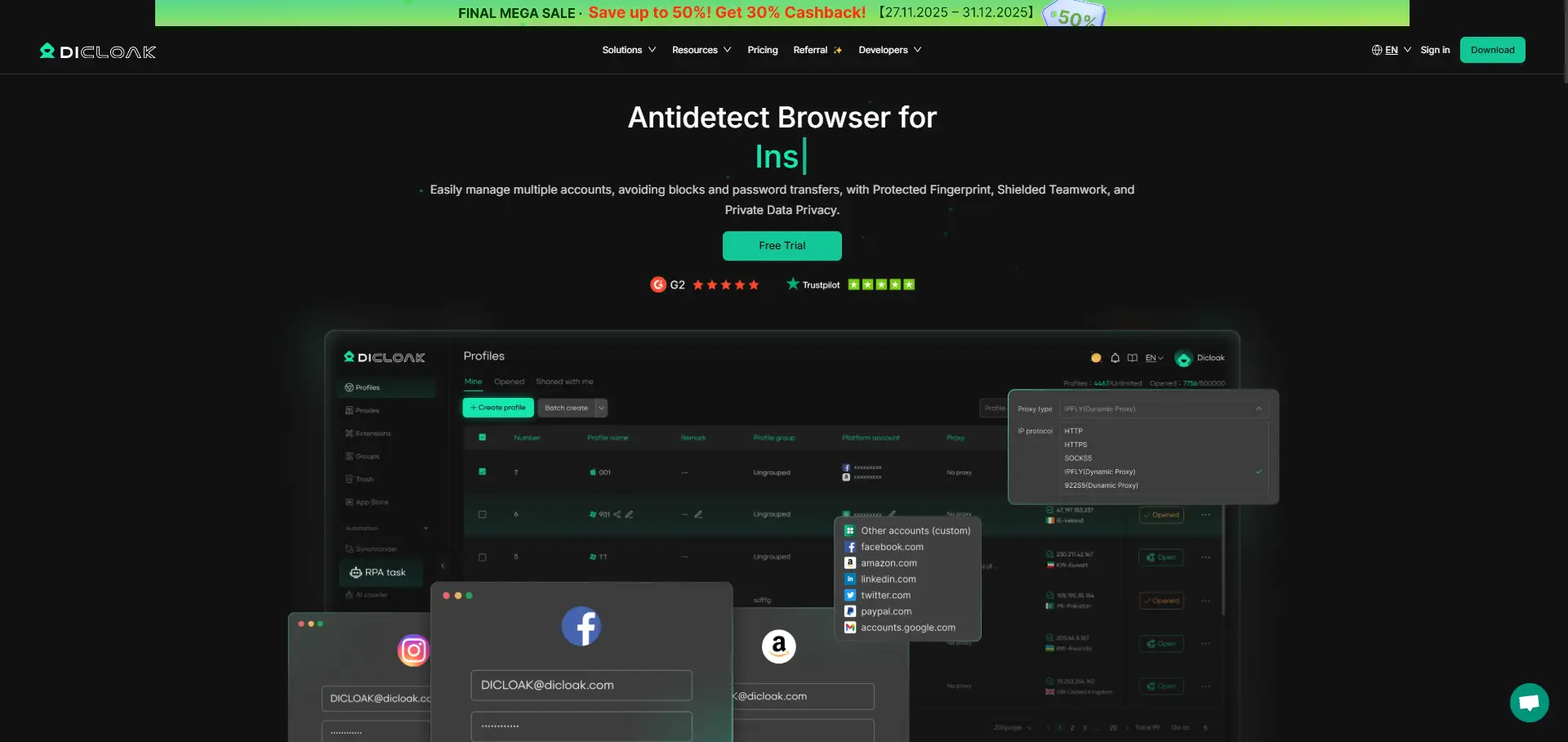
DICloak is a powerful anonymous browser designed for digital marketers, e‑commerce sellers, and privacy-focused users who need a secure environment for managing multiple accounts. Unlike traditional browsers, DICloak provides advanced fingerprint isolation for each browsing session, ensuring your identity stays hidden.
Key Features:
- Browser Fingerprint Masking: Changes device, browser, and OS fingerprints for each profile.
- IP Masking: Works with proxies to hide your real IP and protect your location.
- Multi-Account Management: Isolates each account to prevent cross‑profile contamination.
- Automation: Built-in scripts and workflows for digital marketers and business use.
Why DICloak Wins: DICloak’s multi‑account management and powerful anti‑detect features make it a favorite for professionals looking to stay anonymous while running multiple identities. Its easy setup and automation tools make it a great choice for anyone needing anonymity with a user‑friendly interface.
Multilogin is a well‑known antidetect browser that offers advanced privacy features for users looking to manage multiple accounts. It is widely used by digital marketers, e‑commerce businesses, and researchers for high‑volume account management while maintaining total privacy.

Key Features:
- Advanced Fingerprint Spoofing: Randomizes browser, device, and OS fingerprints.
- Multi‑Account Management: Run unlimited isolated sessions for each identity.
- Proxy Integration: Supports proxies for each profile with leak protection.
- Anti‑Ban and Anti‑Bot Features: Mimics human behavior to avoid detection.
Limitations:
- Higher Cost: Multilogin can be expensive compared to simpler alternatives, making it less ideal for casual users or those on a tight budget.
- Complexity for New Users: While the interface is user-friendly, new users might feel overwhelmed by the extensive features and customization options.
- Occasional Performance Lag: With a large number of profiles, some users report slower speeds and occasional lag when switching between accounts.
- Requires Steady Internet Connection: Due to the reliance on proxies and multi-session management, an unstable internet connection can disrupt performance.
3. Tor Browser
Tor Browser is the OG of anonymous browsing, offering the highest level of anonymity through onion routing. It routes your internet traffic through several volunteer-operated servers to make your real identity almost impossible to trace.
Key Features:
- IP Hiding: Routes traffic through Tor’s network of relays.
- Encryption: Encrypts your data at each relay point.
- Access to onion Sites: Allows access to dark web sites.
Limitations:
- Slow Speeds: Multi-hop routing can cause slower browsing speeds.
- Limited for Multi-Accounting: Not ideal for managing multiple accounts or e‑commerce.
4. Brave Browser & Firefox (with Privacy Add-Ons)
Both Brave Browser and Firefox (when paired with privacy add-ons) can provide enhanced privacy and security features. Brave comes with built-in ad blockers and tracker protection, while Firefox can be customized with privacy extensions like uBlock Origin and Privacy Badger.
Key Features:
- Ad and Tracker Blocking: Blocks ads and third-party trackers.
- Open Source (Firefox): Transparent and customizable.
- Private Tabs: Use private browsing modes to clear history.
Limitations:
- No Fingerprint Spoofing: Does not randomize your digital fingerprint.
- No Multi-Account Management: Limited to basic privacy use, not ideal for heavy use.
GoLogin is an antidetect browser that’s popular among users who need multi-account management and privacy for e‑commerce or digital marketing. It offers easy profile creation and allows you to automate tasks.
Key Features:
- Browser Fingerprint Customization: Allows you to modify your device’s fingerprint.
- Proxy Integration: Each profile can have its own proxy.
- Cloud Storage: Profile storage in the cloud for easy access and management.
Limitations:
- Basic Anti-Bot Protection: Not as advanced as Multilogin for bypassing tough platforms.
- UI Issues: Some users report occasional glitches with automation.
6. AdsPower
AdsPower is a Chinese-developed antidetect browser known for its multi-account management capabilities. It is especially popular among affiliate marketers, e-commerce sellers, and ad buyers managing several accounts on platforms like Facebook, Google, and TikTok.
Key Features:
- Browser Fingerprint and Isolation: Customize fingerprints for each profile.
- Batch Profile Management: Handle multiple accounts at once.
- Automation: Includes RPA and script support for scaling operations.
Limitations:
- Learning Curve: Requires time to master its advanced features.
- Support Issues: Some users report inconsistent support in English.
Incogniton is an antidetect browser designed for small businesses, freelancers, and affiliate marketers looking to manage multiple accounts without the need for complex setup.
Key Features:
- Browser Fingerprint Spoofing: Customizes device fingerprints for each profile.
- Proxy Management: Integrates proxies for each account.
- Session Isolation: Keeps account data separate.
Limitations:
- Fewer Advanced Features: Not as robust as Multilogin for bypassing tough security systems.
- Limited Automation: Less powerful than other browsers like AdsPower.
8. Kameleo
Kameleo is an antidetect browser aimed at web scraping and research users who need to hide their identity and emulate different browsers or devices.
Key Features:
- Advanced Fingerprint Control: Customize every detail of your browser’s fingerprint.
- Mobile Emulation: Emulate Android devices for mobile‑focused browsing.
- Proxy Integration: Connect different proxies for each session.
Limitations:
- Steeper Learning Curve: More technical than other browsers.
- Limited Team Features: Not optimized for large teams or business use.
MoreLogin is an emerging antidetect browser that is designed to help users manage multiple accounts with basic privacy features.
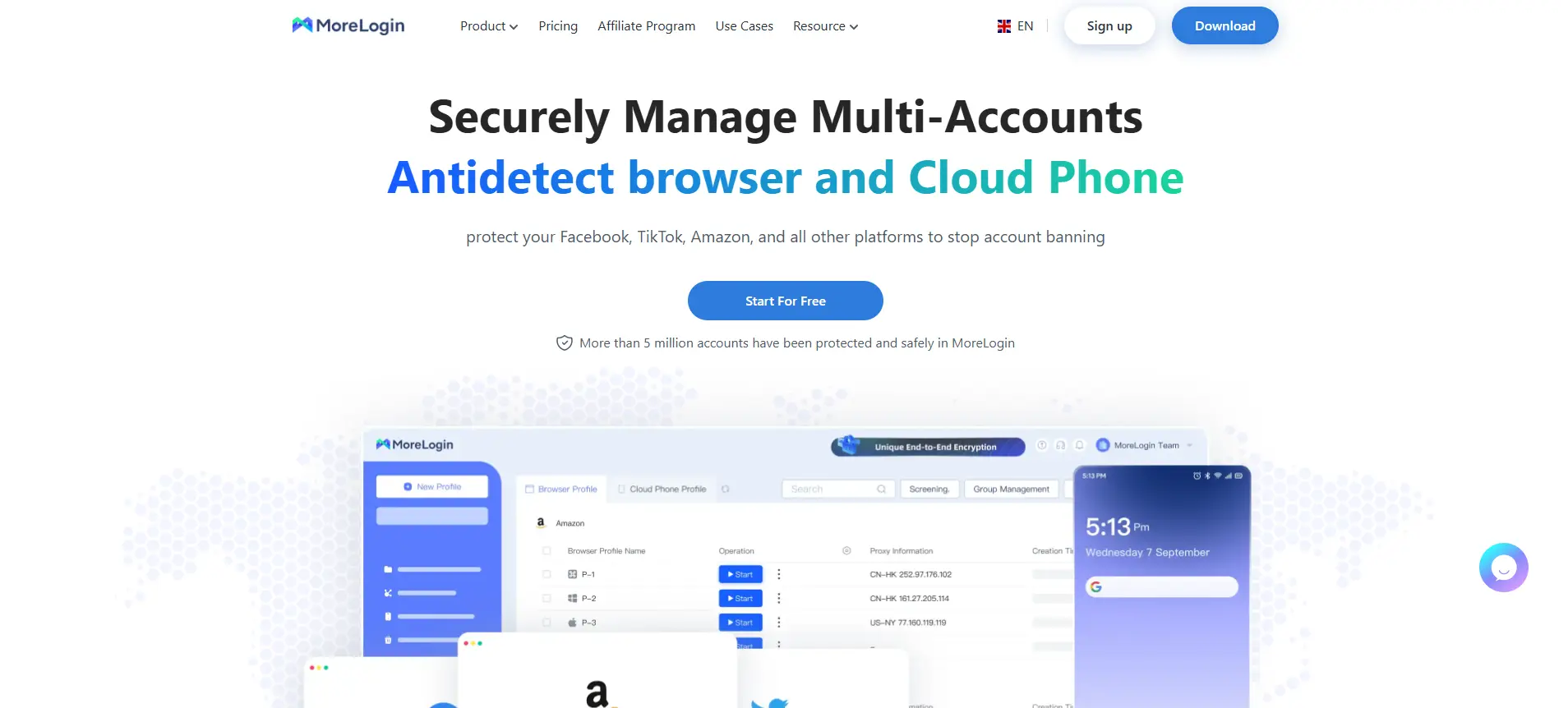
Key Features:
- Browser Fingerprint Customization: Modifies browser profiles to hide your real identity.
- Session Isolation: Keeps account data separate to avoid cross‑profile contamination.
- Team Collaboration: Includes cloud storage and sync for team use.
Limitations:
- Less Advanced Features: Doesn’t offer the advanced anti-bot tools found in Multilogin.
- Limited Reputation: Newer to the market, with less proven reliability.
Choosing the right anonymous browser depends on your needs. If you’re managing multiple accounts or working on high-volume projects, DICloak offers the best privacy features with multi-account management and profile isolation. Whether you’re handling sensitive business data or just looking to keep your online identity safe, DICloak provides the tools you need for secure, anonymous browsing.
Step‑by‑Step Guide for Using Anonymous Browser Like DiCloak
DICloak is a powerful anonymous browser designed to help you maintain complete privacy while managing multiple online identities. Here’s how you can install and configure DICloak on your device:
- Download and Install DICloak
- Visit the official DICloak website and download the installation file for your operating system (Windows or macOS).
- Once the download is complete, run the installer and follow the on-screen instructions to install DICloak on your device.
- Create an Account
- Open DICloak after installation and sign up for a new account if you don't have one.
- Enter your account details, and you’ll be able to access the DICloak dashboard, where you can manage multiple profiles.
- Set Up Your First Profile
- Click on Create Profile to start a new browsing session.
- In the profile setup, you can choose specific privacy settings like IP masking, fingerprint isolation, and proxy configurations.
- Customize your profile’s identity by selecting the right parameters for your needs (e.g., device type, browser version, and screen resolution). DICloak allows you to isolate every profile’s browsing activity from the others, preventing websites from linking them together.
- Start Browsing Anonymously
- Once your profile is set up, click on it to start the browsing session.
- DICloak will automatically configure your connection with the selected settings, ensuring your identity and online activities are hidden.
- You can create multiple profiles, each with its own distinct fingerprint, making it ideal for users managing different accounts on the same device.
Optimization Tips for Enhanced Privacy
To get the most out of DICloak and improve your online privacy even further, here are some key optimization tips:
- Adjust Your Browser Settings for Maximum Privacy
- Disable WebRTC: WebRTC leaks can expose your real IP address even if you are using a proxy. In the DICloak settings, make sure WebRTC is disabled to prevent such leaks.
- Turn Off Location Sharing: Many websites request your location. Disable location services within your browser settings to ensure your physical location stays private.
- Use Proxies for Extra Layer of Anonymity
- DICloak allows you to customize and configure proxies for each of your profiles. This gives you the flexibility to choose proxies that best suit your needs, whether for hiding your real IP address or using different locations for various sessions.
- You can set unique proxies for each browsing session, which helps to avoid any IP correlation between your different accounts. This is particularly useful when managing multiple social media profiles or running digital marketing campaigns, ensuring your traffic appears as if it’s coming from different locations.
- Regularly Clear Cache and Cookies
- To reduce the risk of your identity being linked to a session, clear cookies, cache, and browsing history regularly.
- DICloak automatically isolates each session and minimizes data leakage, but it’s a good habit to clear these regularly for enhanced privacy.
- Keep DICloak Updated
- Like any software, DICloak receives updates that fix bugs and enhance security features. Make sure you regularly check for and install updates to stay protected from emerging tracking methods.
- DICloak frequently releases security patches that improve its anti-fingerprinting capabilities and data protection features.
- Monitor Your Fingerprint with Testing Tools
- Use tools like IPhey to test your browser fingerprint and ensure it’s randomized enough to remain anonymous.
- If you notice any unique identifying factors, adjust your settings in DICloak to better disguise your profile.
What Makes DICloak Stand Out?
✅ Manage 1,000+ Accounts on One Device: Stop wasting money on extra hardware! DICloak allows you to manage multiple accounts on a single device, cutting costs and boosting efficiency.
✅ Guaranteed Account Safety, No Ban Risks: Every account gets its own isolated browser profile with custom fingerprints and IPs, drastically reducing the risk of bans. Your accounts, your control!
✅ Flexible Proxy Configuration for Maximum Performance: Seamlessly integrate with all major proxy protocols (HTTP/HTTPS, SOCKS5) and manage your proxy pool with bulk operations. No more struggling with IP management—DICloak has you covered.
✅ Streamlined Team Collaboration for Better Results: Easily manage your team with advanced tools like profile sharing, permission settings, data isolation, and operation logs. Your team works smarter, not harder.
✅ Automate the Grind with RPA: DICloak's built-in RPA saves you hours of manual work. Automate repetitive tasks, streamline workflows, and focus on what really matters—growing your business.
✅ Powerful Bulk Tools to Scale Your Operations: Create, import, and launch multiple browser profiles in one click. DICloak makes scaling your business as easy as it gets.
✅ Compatible with All Major Operating Systems: Based on the Chrome core, DICloak supports simulating Windows, Mac, iOS, Android, and Linux operating systems. No matter what platform you need, DICloak has you covered.

🔗 Ready to Get Started?
Visit the DICloak website to explore more details and choose the plan that’s right for you. Start for free today and experience the power of secure, efficient, and scalable multi-account management!
By following these steps and tips, you can effectively use DICloak to browse anonymously, protect your identity, and manage multiple accounts without risking exposure. It’s an ideal tool for anyone serious about online privacy, whether you're running a business, engaging in research, or just want to ensure that your personal data stays private.
Conclusion
Anonymous browsing is crucial for protecting your privacy as online tracking technologies evolve. Traditional private browsing modes no longer offer full anonymity, making it essential to choose the right anonymous browser. These browsers, like DICloak and Tor, hide your IP address, fingerprint, and activity using techniques like fingerprint masking and encryption.
DICloak stands out with features like multi-account management, profile isolation, fingerprint masking, and proxy integration, ensuring your identities stay separate and your data protected. Setting up DICloak is easy, and with regular updates and privacy settings, it offers enhanced security across multiple platforms.
To optimize privacy, disable tracking scripts, use proxies, and regularly clear cookies. Anonymous browsers are vital for avoiding tracking, managing identities, and safeguarding sensitive information. In 2026, investing in an anonymous browser like DICloak is essential for safe, private browsing.
FAQ
What is an anonymous browser and why do I need one?
An anonymous browser is designed to hide your identity and online activity, making it difficult for websites, trackers, and even your Internet Service Provider (ISP) to track your behavior. It provides an extra layer of protection for those who prioritize privacy and want to avoid being monitored while browsing. Whether you’re concerned about data collection, security, or protecting multiple online identities, an anonymous browser offers powerful tools to mask your digital footprint.
How do anonymous browsers protect my privacy?
Anonymous browsers use advanced technologies such as IP masking, fingerprint spoofing, and traffic encryption to ensure that your online activities are shielded from prying eyes. These browsers hide your real IP address and make it difficult for websites to build a unique browser fingerprint. They also block tracking scripts, preventing advertisers and data brokers from collecting data on your browsing habits. This makes it harder for anyone to trace your online actions back to you.
How is using an anonymous browser different from using private browsing mode?
While private browsing mode only prevents your device from storing browsing history, anonymous browsers take privacy a step further by preventing your identity from being tracked across different sites. Private browsing still exposes your IP address and can be easily tracked through browser fingerprinting. In contrast, an anonymous browser masks your IP, fingerprints, and even device settings, ensuring true anonymity online.
Can I manage multiple accounts with an anonymous browser?
Yes, many anonymous browsers, such as DICloak, allow you to manage multiple accounts securely. These browsers isolate each session to prevent cross‑profile contamination, so you can safely operate different accounts without the risk of being flagged for suspicious activity. Whether you’re managing social media accounts, business profiles, or digital marketing campaigns, an anonymous browser helps you avoid being linked across different platforms.
Are anonymous browsers completely secure?
While anonymous browsers offer enhanced privacy and security, they are not foolproof. They do a great job of hiding your IP address, browser fingerprint, and online activity, but other factors, such as user behavior and website vulnerabilities, can still compromise your anonymity. It’s essential to regularly update your browser, disable unneeded features, and avoid logging into accounts that reveal your real identity. For maximum security, consider combining your anonymous browser with proxy services.
 Web Proxy Tools
 Free Tools
 Cookie Plugin
 UA Generator
 MAC Address Generator
 IP Generator
 IP Address List
 2FA Code Generator
 World Clock
 Anonymous Check
 WebRTC Leak Test
 UUID Generator
 Free Web Proxy Site
 Proxy Checker
 FB Ad Checker
 AI Web Scraping
 Free SMM Tools
 Twitter Shadowban Checker
 Instagram Name Checker
 UTM Generator
 Username Generator
 AI Hashtag Generator
 LinkedIn Headline Generator
 Social Media Image Resizer