Many people start doing Shopee affiliate marketing but soon encounter a situation: links are sent, people click there, but the income is nowhere to be seen. Registering for a Shopee Affiliate is easy, but to make money from Shopee affiliate marketing, choosing products, understanding how to divide commissions, and knowing how to push links in the right place really determine the results. Many of you think that just spamming links is done, but in fact, doing Shopee affiliate marketing without understanding how to calculate rewards, tracking policies, or how to choose the right content for each channel, is easy to waste time and bring nothing.
The most common case is the case: Shopee affiliate links are distributed everywhere, but orders are not recorded, or the commission is reduced for unknown reasons. If you only rely on the commission table announced by Shopee, but ignore how the platform checks the source of visitors, the possibility of "doing it without making money" is very high. In addition, Shopee changes its policies regularly, making old tips often unapplicable.
This guide goes straight to the actual steps: from signing up for a Shopee Affiliate, choosing a product, creating a link, to how to check the results, and how to overcome tracking errors or reduce commissions. The goal is to help you avoid wasting time, know each step, and identify the most vulnerable points to lose money when doing Shopee affiliate marketing. Reading it all, you will determine how to start, test, and optimize each step to really get results.
First, it is necessary to understand how Shopee Affiliate operates and the conditions for your link to be truly recognized.
Things to Check Before Starting Shopee Affiliate Marketing
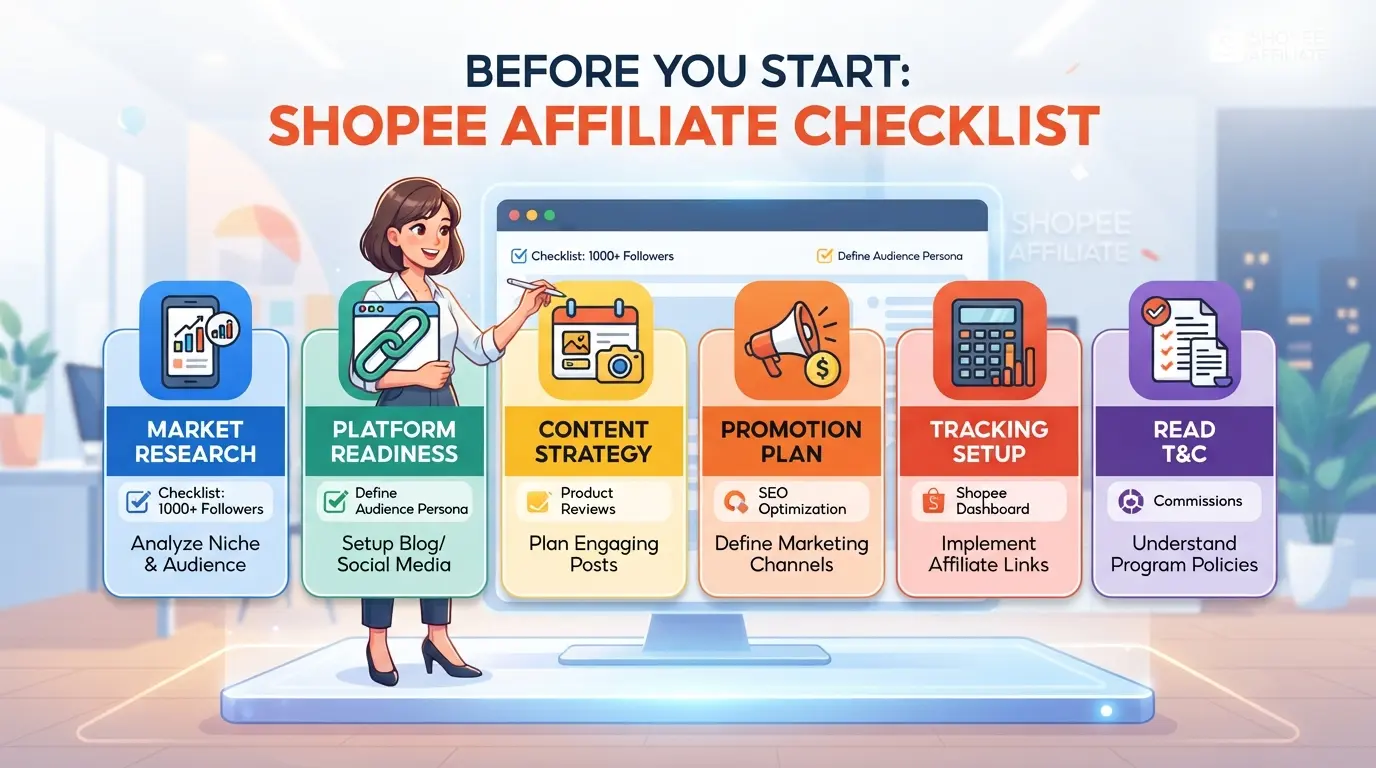
If you want to do Shopee affiliate marketing without making mistakes from the beginning, you need to carefully check three things: conditions for participation, how to register an account, and personal information security. If you miss a step, you are likely to experience the link not being recorded or the account being unexpectedly locked.
Conditions and regulations for participating in Shopee Affiliate
Not everyone who registers to Shopee Affiliate is approved, especially when Shopee is increasingly tightening regulations to limit fraud. Eligible people must be at least 18 years old, use real personal documents and not belong to prohibited groups (such as Shopee employees or have violated policies). Promotional content is also very tightly controlled, not spammed, not running ads on Shopee brand keywords and not using images that infringe copyright. If you use a website or fan page built by yourself, it must have clear contact information, not contain sensitive or fake content. For social media channels, the account must be public and have a history of normal operation, not newly created just to be an affiliate.
Steps to sign up for a Shopee Affiliate account
- Log in to the Shopee Affiliate page with a genuine Shopee account, not shared with a group purchase account.
- Submit sufficient personal information: ID card/passport, email, phone number must be authenticated and have never been locked.
- Select the promotion channel (website, TikTok, Facebook...) and declare clearly for Shopee to check before browsing.
Considerations for account information and security
Many people who haven't done it have gotten into trouble just because of being subjective when creating an account or sharing a device. To avoid losing control or being rejected from approval, it's a good idea to check each of the following points:
- Do not share emails, phone numbers, and devices with others when registering or logging in to Shopee Affiliates.
- Don't save your account on a public browser or let your passwords automatically save.
- Regularly check access and log out of devices that are no longer in use.
If you neglect these steps, the account may be locked in the future, or personal information will be exposed when Shopee checks the access history. Most of these errors are difficult to remove, especially when detecting the same information with other accounts.
With just one wrong step above, the possibility of being restricted or losing your account will increase sharply, and this is also the reason why many beginners have had difficulties right in the review round. The next section will delve into the reasons why affiliate accounts are easily locked or restricted that few people notice.
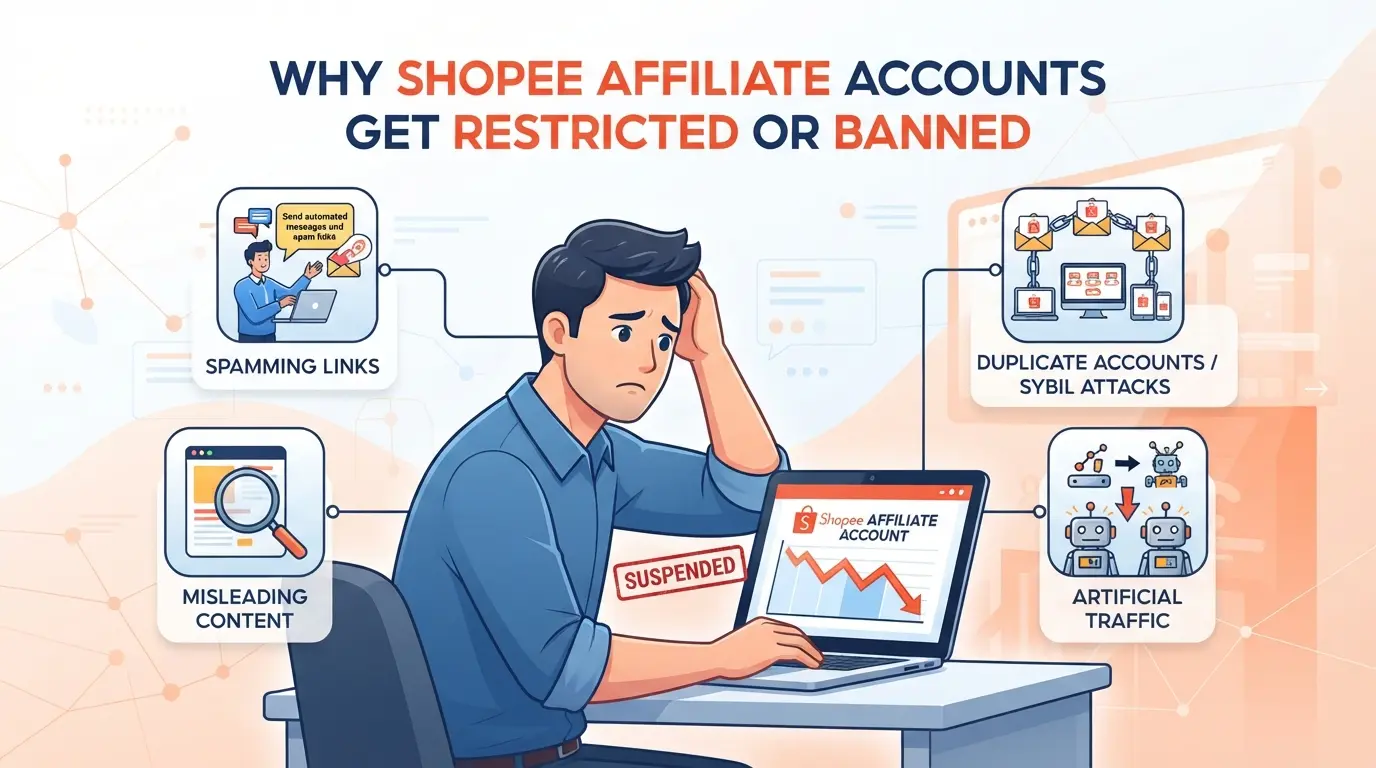
Why are so many Shopee affiliate marketers restricted or losing their accounts?
Most cases of Shopee Affiliate accounts being locked are related to the way it operates, not because the platform makes it difficult on its own. If you find that your account is restricted even though you don't realize any obvious errors, there is a high chance that you are entangled in one of the reasons below.
Common violations
Spamming marketing links or creating fake accounts are the two most common mistakes. Many people share links rampantly on chat groups, comments or use automated tools, leading to being recognized as spam by the system. In addition, creating multiple virtual accounts, placing orders through your own link, or letting many people share the same device is also easy for Shopee to lock out accounts after just a few days.
Signs of Shopee detection and handling
Shopee doesn't need to wait for someone to denounce it to handle it, the platform constantly scans for duplicate IPs, devices and cookies. If multiple accounts log in from the same machine or network, the system will automatically flag them. For example, the same laptop has just logged in to account A, and a few minutes later logs in to account B, even if you change browsers, cookies can still be traced. Some newcomers to Shopee affiliate marketing think that just deleting the history is done, but cookies and fingerprints are still saved. Abnormal orders are also easy to scrutinize: the conversion rate is too high, all orders are small or all orders are self-ordered, or there are many orders to the same address. When Shopee detects these signs, the account is often temporarily locked for verification, even without warning. In some cases, after only three orders, the account has lost access permanently, at this time, all commissions will also be retained.
Mistakes when operating multiple affiliate accounts
- Log in to multiple accounts on the same browser without wiping out traces
- Use one computer for both personal and team accounts, without separating the environment
- Order a trial order from accounts with the same device, same IP for test tracking
Just one of these three errors is enough to cause the entire set of accounts to be reviewed from the beginning.
The above mistakes are often overlooked because everyone thinks "others do it too". In fact, Shopee only needs to detect an abnormal link to be able to lock a series of related accounts. Knowing these points well, you will avoid the risk of losing both effort and commission. In order not to fall into the situation of "doing it without recording results", the next step is to carefully check how to create and manage affiliate marketing links so that they are clean and in accordance with regulations.
How to create and manage Shopee affiliate links effectively
If you want to make stable money with Shopee affiliate marketing, it's not just about creating links. You have to do the right step by step: from choosing the right product, creating the right link, sharing the right channel, to checking the effectiveness of the application. One wrong step is the effort that is considered to be pouring into the river.
How to create a Shopee affiliate link
- Log in to your Shopee Affiliate account, go to the "Create link" section.
- Choose the product on Shopee that you want to promote, pay attention to choosing a product with good reviews and a stable price.
- Paste the product link into the link generator, select "Create" to get a personal marketing link. If the system reports an error, try again with a different product or check if the account is eligible.
- Copy the link you just created, save it in an easy-to-find place. Don't mistakenly take the original Shopee link, because the system will not record a commission for you.
How to share links and follow effectively
- Paste the link on Facebook, Zalo, Telegram group, personal blog or personal website. Limit sending links to places where advertising is prohibited or easily marked as spam, because Shopee can block tracking.
- Go to your campaign management page to track clicks, orders, and commissions for each link. If you see an increase in clicks but no orders, check again to see if the link is blocked or if the customer completed a purchase through your link.
- Periodically check data, avoid losing orders due to tracking errors or sharing the wrong channel.
Common mistakes when creating and sharing links
- Taking the wrong Shopee original link, or copying the missing characters of the affiliate code, the system does not record it, you lose the commission.
- Sharing links to groups that do not allow advertising, or spamming too much => is easy to be locked out by Shopee or that platform and cut off tracking.
- Do not double-check the link before sharing, resulting in dead links, faulty redirect links, or sending the wrong product.
- Forgetting to save the history of the created link, until it needs to be checked, it cannot find the source of the click or the number of orders.
Good control of each step will help you avoid losing money, and at the same time prepare data for optimizing the commission rate in the following section.
Factors Affecting Commission Rates and Earnings from Shopee Affiliate Marketing
How Shopee calculates commissions for Affiliates
Shopee determines the commission rate based on each category and product type: for example, fashion is often higher than electronics, which can vary from 2% to more than 10%. Orders are only recorded as commissions when customers complete payment via a valid link and are not refunded within the specified time.
Factors that determine actual income
Not everyone who pulls a lot of clicks makes a lot of money. The actual income depends on the quality of traffic (real customers, not self-generated), the conversion rate from clicks to orders, and the average value of each order. There have been cases of running cheap ads, traffic increased sharply but all virtual clicks, in the end Shopee did not record commissions, lost money to run ads.
Common mistakes when expecting commissions
- Order yourself or ask acquaintances to click the link: the Shopee system often detects and excludes commissions in these cases.
- Running ads without controlling the click source: poor quality traffic can easily cause the commission to be locked.
- Overestimating the announced commission: in fact, only applications that meet the conditions are counted, the rest are easy to "empty-handed".
If you already understand these factors, the next step is to optimize how to operate when managing multiple accounts or working in a team.
Managing Multiple Shopee Affiliate Accounts and Teams: A Secure Solution with DICloak
After determining how to optimize commissions and checking the source of orders, those who operate multiple Shopee Affiliate accounts – especially when working as a team – will face a completely different set of risks than running a single account. In many cases, just by manipulating the wrong environment, sharing a browser, or leaving the same fingerprint, the risk of account linking and locking the entire system will increase sharply. If you are preparing to expand your Shopee affiliate marketing system or have assigned multiple people to operate at the same time, separating the working environment for each account, controlling proxies, and decentralizing member operations is a step that cannot be ignored.
Separating the work environment from profile and browser configurations
With the workflow of making multiple Shopee Affiliate accounts, sharing devices or mixing sessions just once forgetting to log out is enough for the accounts to be linked by the platform. The safe way is that each account is initialized with a separate browser profile on DICloak, then actively adjust the fingerprint for each profile: choose different operating systems, User Agents, geolocation and screen resolutions. This helps each account operate in a separate environment, limiting duplicate data when Shopee checks access parameters, if only one machine is used, the risk of keychain is very high. Note, this operation only stops at the browser layer, does not interfere with the data inside Shopee.

Set up proxies for each profile for IP separation
Many Shopee affiliate marketers are subjective when letting multiple accounts access from the same IP address or region, leading to Shopee detecting abnormal behavior. When separating each browser profile, operators can configure their own proxies for each profile on DICloak, enter proxy information (in the form of HTTP/HTTPS/SOCKS5), check the connection, check the outgoing IP and time zone. This helps each Shopee account operate as if it were in a different location, rather than overlapping logins on the same network. The quality of the proxies, location, and usage are completely controlled by you; DICloak only saves and applies the proxies you enter to each profile.

Decentralize and manage multi-account teams
When the team is larger, the risk of mistaken manipulation, information disclosure, or loss of access control is higher. Administrators can create a group of members on DICloak, set operation permissions for each group, specify which profiles are allowed to access or manipulate, and hide sensitive information fields from people who do not need to know. As a result, each member can only see the right part of their work, cannot access or change irrelevant profiles, minimizing the risk of leakage or wrong operation leading to the loss of the entire system. This permission only controls the scope of operation on DICloak, does not change the permissions inside the Shopee account.

Controlling the operating environment as above helps the team be more proactive, but the wrong operation at one point can still have consequences. Next are the practical mistakes when being a Shopee affiliate that many people subjectively ignore.
Shopee Affiliate Marketing Mistakes and Risks You Need to Avoid
As a Shopee affiliate marketer, just a small mistake is enough to make you lose all your commissions or get your account locked, especially if you're not familiar with how Shopee checks for fraud.
Spam errors, self-ordering, self-clicking links
Shopee detects the behavior of self-ordering, creating virtual traffic or spamming links will automatically cancel all related commissions and lock the account. Even if you only try a few times to "run the target", the system still records traces, the account is suspended, the commission does not return, all efforts are considered to be canceled. Don't think that Shopee does not check or only scan large accounts, in fact, the automatic filter will check anyone who shows signs of repeating abnormal actions.
Share devices, IPs, cookies for multiple accounts
- Always separate devices when logging in to each affiliate account.
- Check and delete browser cookies before transferring accounts.
- Restrict Wi-Fi network sharing for multiple accounts.
No decentralization, team control
Assigning an affiliate account to others to operate without control, or letting many people know the same login information, it is very easy to be mismanipulated or reveal management information.
- Explicitly divide access to each member.
- Track login and operation history.
- Change your password when a member leaves the group.
When to scale Shopee affiliate marketing and when to stop?
Once you know the common risks, the next question is: where should the system be strengthened, and when should it be proactively stopped before it sinks deeply?
Signs to expand the Shopee Affiliate system
Scaling should only be done when the operations team is well in control of the process, there are no major gaps in access or proxies, and the results have been recording stable commissions for at least 2 months or more. The table below helps you to make a quick comparison:
| Indications |
Scalable |
Should be stopped |
| Clear process, check log |
✔ |
✘ |
| Decentralized, proxy testing |
✔ |
✘ |
| Tracking errors, unusual commissions |
✘ |
✔ |
If all three of the first three lines lean toward the "Expandable" column, you can add more accounts or personnel without fear of workflow disruption.
Signs to stop or scale back
The account is locked constantly, it is not known who is doing the wrong operation, or the proxy is confused between profiles, the more it is expanded, the easier it is to lose it. Realizing that the control has exceeded the tolerance threshold, it is time to stop, review the process, and then continue to calculate.
Expand only when you have control over the workflow and access, otherwise, the bigger you get, the easier it is to lose everything.
Frequently Asked Questions About Shopee Affiliate Marketing
Does Shopee Affiliate Marketing Need Business Registration or License?
If you do Shopee affiliate marketing as an individual, there is usually no need to register a business. However, if you are a business or organization, you should have a legal business license. If the income is high, the individual still needs to declare and pay taxes in accordance with Vietnamese law.
Is it possible to do Shopee affiliate marketing on multiple accounts at the same time?
Shopee stipulates that each person should only use one Affiliate account. If you use multiple accounts at the same time, the risk of being locked or restricted is very high. For safe management, you should focus on one main account and absolutely do not create virtual orders yourself.
Does Shopee check IP and device when working as an affiliate?
Shopee has an IP and device testing system to detect abnormal signs such as logging in to multiple accounts from the same device or network. If detected, the account may be locked, losing commissions. It is recommended to use a private network and do not share the device with multiple accounts.
How to withdraw commission from Shopee Affiliate?
You need to link your bank account to your Shopee Affiliate account. When the balance reaches the minimum withdrawal amount, you request a withdrawal to the bank. The processing time is usually 3-7 business days. Please double-check your bank information to avoid losing your money.
Should I use proxies when operating multiple Shopee Affiliate accounts?
Using a proxy helps hide your IP address when you operate multiple accounts, reducing the risk of detection. It is recommended to choose quality proxies, avoid using them for free because they are easy to expose information. Configure proxies properly and check periodically to ensure stable and secure operation.
If you want to start making money with affiliate marketing on Shopee, invest in building a personal communication channel and choosing the right support tools to optimize efficiency. Don't forget to test modern link management platforms to improve customer outreach.
Try DICloak for free
 Web Proxy Tools
 Free Tools
 Cookie Plugin
 UA Generator
 MAC Address Generator
 IP Generator
 IP Address List
 2FA Code Generator
 World Clock
 Anonymous Check
 WebRTC Leak Test
 UUID Generator
 Free Web Proxy Site
 Proxy Checker
 FB Ad Checker
 AI Web Scraping
 Free SMM Tools
 Twitter Shadowban Checker
 Instagram Name Checker
 UTM Generator
 Username Generator
 AI Hashtag Generator
 LinkedIn Headline Generator
 Social Media Image Resizer