If your work involves running multiple ad accounts, managing client social profiles, testing affiliate offers across regions, or scaling an e-commerce storefront, you already spend a lot of effort keeping each profile isolated and clean. Fresh fingerprints, separate proxies, careful session hygiene. All of that work protects you from being detected and linked. None of it protects you if the password behind one of those accounts gets guessed, leaked, or reused somewhere else.
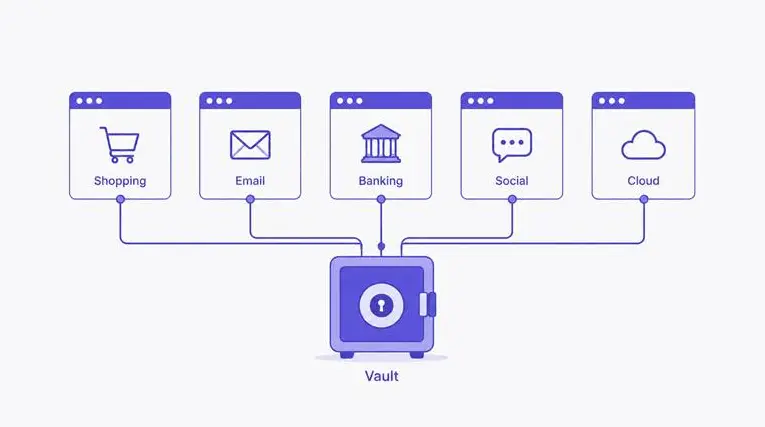
That's the gap a password manager is built to close. It generates a long, random password for every account you create, individually, so that a breach or a leaked credential list on one platform doesn't hand an attacker the keys to every other account tied to your business.
Isolation solves one problem, not the other
Profile isolation stops platforms from linking your accounts together through fingerprints, cookies, and browsing patterns. It's genuinely effective at that job. But isolation says nothing about what happens if the login credentials themselves are weak or repeated. If two of your accounts share the same password, and one of those services gets breached, that password ends up in a leaked database regardless of how well the browser fingerprint was spoofed.
DICloak's own recent security update added protections around extension tampering specifically because credentials, cookies, and account data are the actual target in most attacks, not the fingerprint layer. The same logic applies to the password on each individual account you run.
Where reused passwords quietly cause damage
| Situation |
Risk |
Better approach |
| Same password across ad accounts |
One leak exposes all linked accounts |
Unique password per profile |
| Password based on a brand or client name |
Easy to guess or pattern-match |
Long, random string with no logic |
| Shared team credentials in a spreadsheet |
Anyone with access can leak it |
Managed vault with per-user access |
| No password rotation after a breach alert |
Compromised accounts stay exposed |
Immediate rotation on the affected account only |
What changes once every account has its own password
Once each profile runs on a genuinely unique password, a leak on one platform stops being a threat to everything else you manage. Instead of scrambling to work out which of your forty accounts might share the exposed credential, you deal with exactly one. That alone turns a potential full-scale incident into a routine, contained fix.
It also removes a specific kind of operational risk that's easy to overlook: the habit of reusing a "safe enough" password across low-priority test accounts, which then quietly becomes the same password protecting something that actually matters, like a payment method or an admin login.
A baseline worth building into your workflow
The US Cybersecurity and Infrastructure Security Agency lists using a password manager as one of the core actions behind its Secure Our World guidance on strong passwords, specifically because generating and remembering a unique, long password for every account isn't realistic without one. That advice applies just as directly to someone running dozens of business accounts as it does to a single personal inbox, arguably more so, given how much is riding on each profile staying under your control.
Start by auditing which accounts currently share a password, prioritise the ones tied to payments or client access, and work through the rest as you log into them. It's a small habit to build, and it closes off one of the simplest ways an otherwise well-managed setup can still be compromised.
Fitting this into a multi-account workflow
The practical objection is usually time. Nobody managing dozens of profiles wants to manually invent a new password every time they spin up an account, and typing out a sixteen-character random string by hand is its own kind of tedious. This is really the whole point of a generator built into a password manager: it produces the string for you, on demand, and autofills it the next time you log in, so the process adds seconds rather than minutes to setting up a new profile.
The same tool also flags it clearly if a saved password turns up in a known data breach, which matters more at scale. Checking forty accounts one by one for exposure isn't realistic, but a single dashboard that surfaces the two or three that need attention is. That's the difference between reacting to a security incident after the fact and catching it before it becomes one.
 Web Proxy Tools
 Free Tools
 Cookie Plugin
 UA Generator
 MAC Address Generator
 IP Generator
 IP Address List
 2FA Code Generator
 World Clock
 Anonymous Check
 WebRTC Leak Test
 UUID Generator
 Free Web Proxy Site
 Proxy Checker
 FB Ad Checker
 AI Web Scraping
 Free SMM Tools
 Twitter Shadowban Checker
 Instagram Name Checker
 UTM Generator
 Username Generator
 AI Hashtag Generator
 LinkedIn Headline Generator
 Social Media Image Resizer