YouTube reported over 2 billion logged-in monthly users, yet people still run into “Video unavailable” and unstable playback during normal viewing. If you search for a free youtube proxy, options appear fast, but reliable streaming and account safety are harder than the signup page makes it look. A proxy can help with routing and access, but it can also expose your traffic, leak identity signals, or inject ads if the operator logs requests or modifies content, which is a known risk in open proxy networks described in the proxy server model. YouTube’s own playback troubleshooting guide also shows that connection path quality directly affects stream stability.
The key takeaway is simple: a free proxy is only useful if you test trust, speed, and identity leakage before daily use. You’ll see how to check DNS and WebRTC leaks, screen proxy red flags, and set up a cleaner browser profile flow with tools such as DICloak when account separation matters. Start with the safety checks, then move to performance tuning.
What Is a Free YouTube Proxy and When Does It Actually Help?
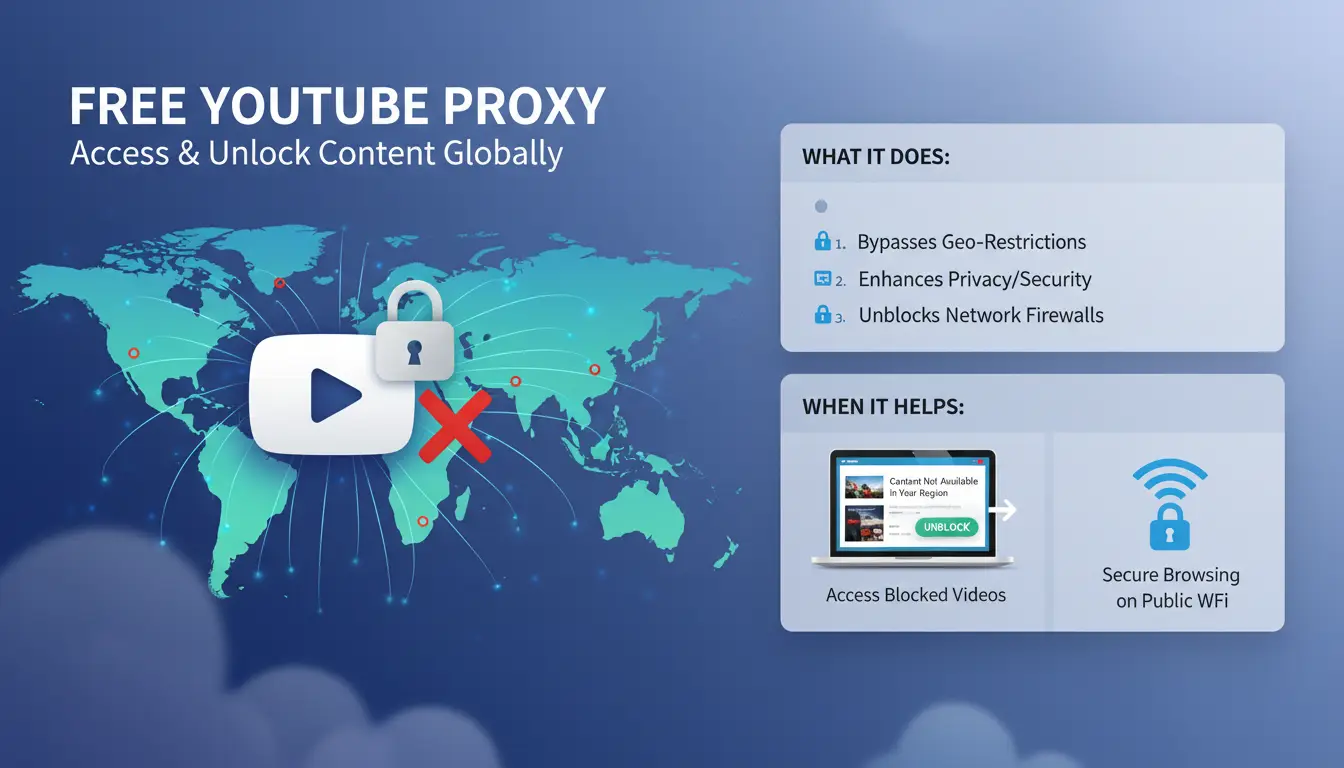
A free youtube proxy is a server that sits between your browser and YouTube. Your request goes to the proxy, then to YouTube, and the reply comes back through that same path. The proxy server model explains this flow in plain terms.
How a YouTube proxy routes your traffic
The path is simple: browser → proxy server → YouTube. A proxy can hide your public IP from YouTube and replace it with the proxy IP. That can change what access result you get on restricted networks.
It changes your visible IP, not your full identity. Sites can still read browser signals such as cookies or device fingerprint data if you keep the same browser setup.
Common situations where people use free YouTube proxies
People often try a free youtube proxy on school, office, or public Wi‑Fi where direct YouTube access is blocked or unstable. It can also help with basic privacy for casual viewing, since your home IP is not sent directly to YouTube.
This is useful for light tasks: checking a tutorial, watching short clips, or testing if a network path causes playback issues noted in YouTube playback troubleshooting.
What a free proxy cannot guarantee
A free proxy cannot promise stable HD playback, low latency, clean privacy handling, or steady uptime. Some nodes log traffic, inject ads, or stop working without notice.
| What it may help with |
What it cannot promise |
| Quick access on blocked networks |
Stable 1080p/4K streaming |
| Hiding your direct IP |
Full anonymity |
| Short-term casual viewing |
Long-term reliability |
If you handle separate YouTube accounts, you can use DICloak to isolate browser profiles and reduce account crossover risk.
What Risks Should You Check Before Using Any Free YouTube Proxy?
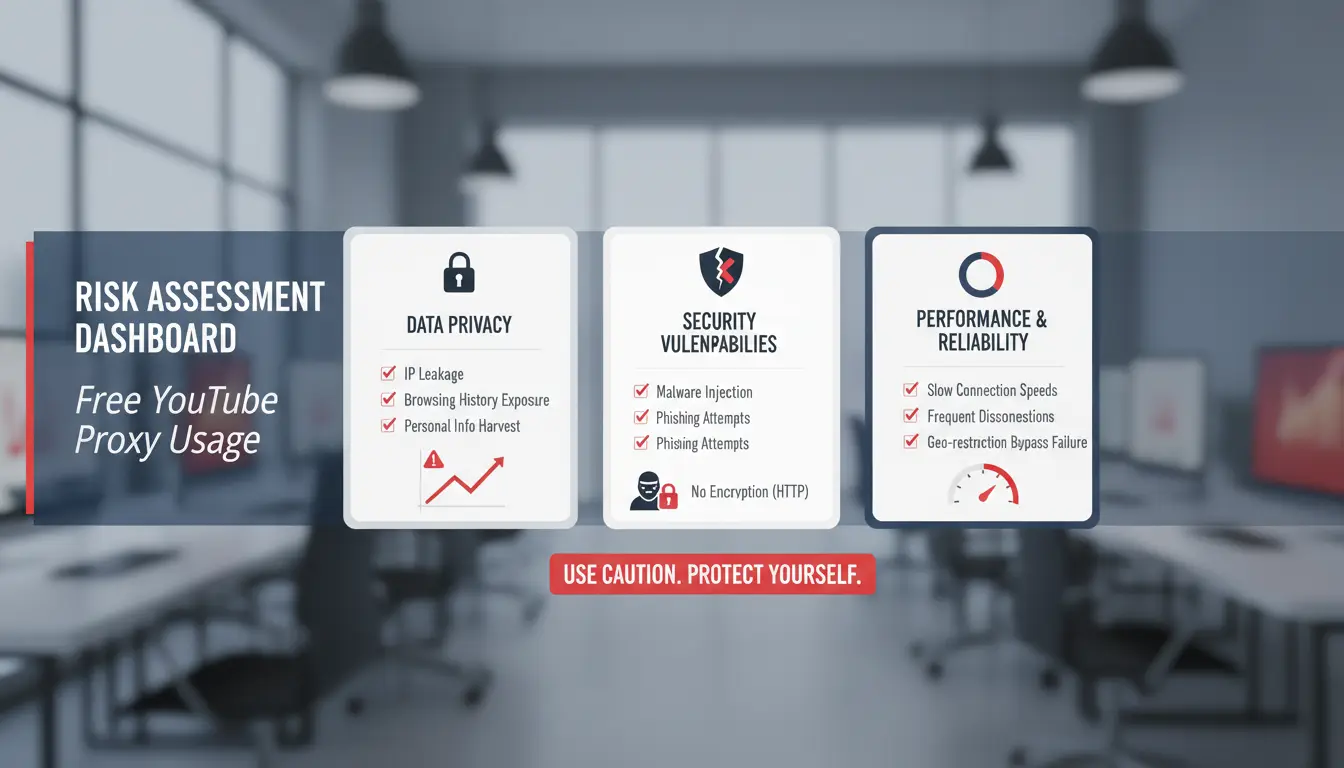
Before you trust any free youtube proxy, check safety before speed. A proxy can see your request path under the proxy server model, so a bad operator can log traffic or alter pages. If the site hides who runs it, treat it as unsafe and leave.
The biggest red flags on free proxy websites
Use this quick screen:
| Site signal |
Risk you take |
| No HTTPS |
Others on the path can read or change traffic |
| No policy page |
You cannot verify logging or data handling |
| No company or contact identity |
No accountability if abuse happens |
| Pop-ups plus forced “player update” download |
Malware or adware risk |
| Redirects to random domains |
Session theft or tracking injection |
Logging, tracking, and data exposure risks
A free proxy can record visited URLs, timestamps, IP, user-agent, and sometimes cookie headers. That data can link your browsing pattern back to you, even without a login. Login sessions need extra care. If you sign in to YouTube or Google through an untrusted proxy, exposed cookies can let others reuse that session. Stream quality also drops when the route is unstable, which aligns with YouTube’s playback troubleshooting guide. Run a browser leak check for DNS and WebRTC before regular use.
Security habits that reduce avoidable damage
Use a guest browser session for testing. Avoid payments, password resets, or channel admin work on unknown proxies. Clear cookies and site data right after each test run. If you handle separate accounts, you can use DICloak to keep isolated browser profiles with fixed proxy settings, which lowers cross-account mixups. Use the free youtube proxy only for low-risk viewing until it passes your checks.
How Do You Pick a Free YouTube Proxy That Is Fast Enough for Video?
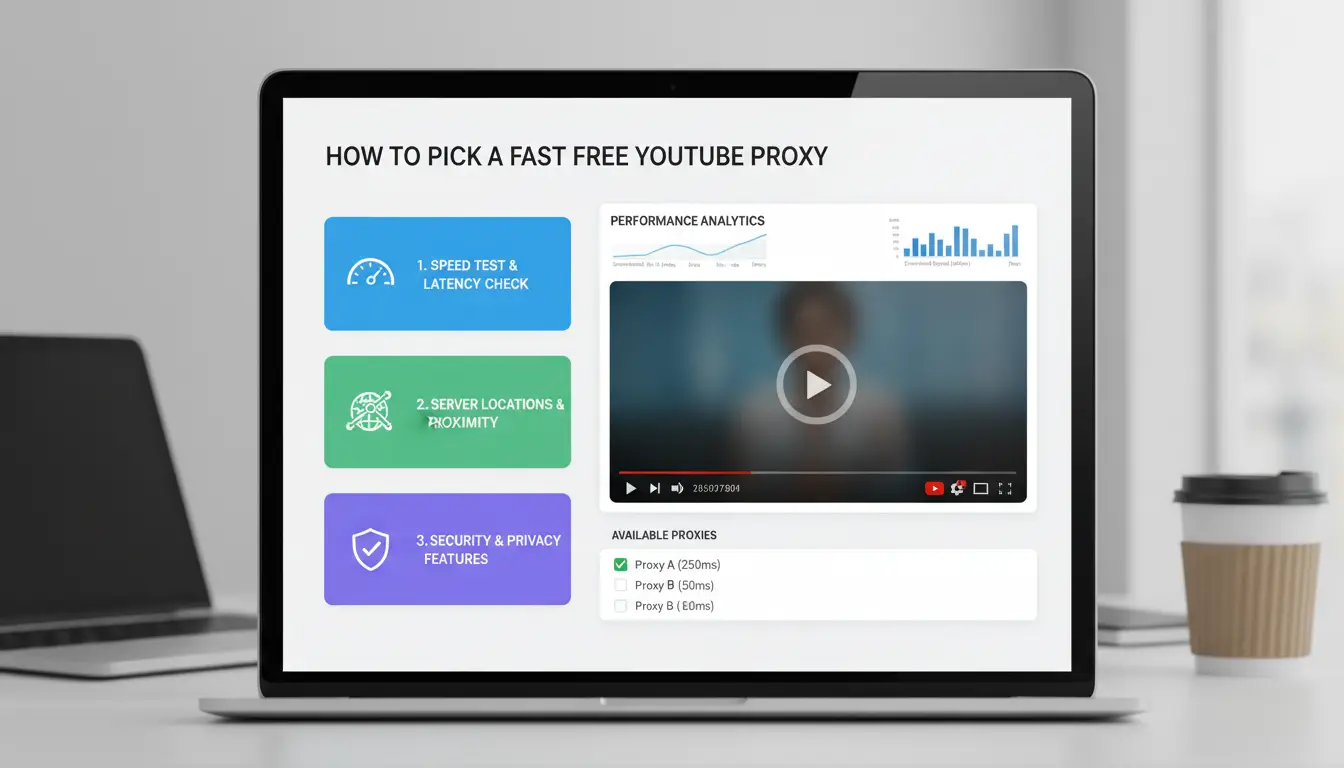
A free youtube proxy is only useful if it can hold a stable stream at your normal watch time. Don’t trust a single speed test. Test playback quality, delay, and behavior under load, then keep backup endpoints ready.
Speed factors that matter for YouTube playback
Server location still affects delay. A proxy in a nearby region usually gives lower ping and fewer stalls during evening traffic. If ping stays over 150 ms, you may see buffering jumps when switching to 1080p.
Bandwidth caps are another blocker. Some open proxies throttle after a short burst, so video starts fast, then drops quality. Check live playback with YouTube’s troubleshooting steps and watch if auto-quality keeps falling.
Treat “smooth for 10 minutes” as your minimum pass rule, not a 30-second load test.
A quick trust checklist before you click Play
Open proxies can log requests or inject ads, which is a known risk in the proxy server model. Use this quick screen before daily use:
| Check point |
Pass signal |
Red flag |
| Policy page |
Clear logging statement and update date |
No policy or vague text |
| Browser behavior |
No forced redirects |
Pop-ups, tab hijacks, script injection |
| Playback session |
Stable quality for 10+ min |
Rebuffer loops or sudden quality drops |
| Connection details |
DNS/WebRTC leak test stays clean |
Real IP or DNS exposed |
Testing method: shortlist, benchmark, and keep backups
Shortlist 3–5 proxies. Test each one for 10–15 minutes at your normal viewing hours, not off-peak only. Check startup delay, rebuffer count, and final resolution reached.
Keep 2–3 backup proxies ready. One endpoint can fail without warning. If you manage multiple accounts, you can use DICloak to keep separate browser profiles and proxy bindings during tests, which reduces cross-account mix-ups. This gives you a repeatable way to pick a stable free youtube proxy.
How to Use a Free YouTube Proxy on Desktop and Mobile (Step by Step)
A free youtube proxy can work for quick access, but only if you check safety before login. Use this workflow on desktop and mobile to reduce avoidable risk.
Step 1: Prepare a safer browsing environment
Create a separate browser profile just for proxy sessions. On desktop, add a new profile in Chrome or Edge. On mobile, use a separate browser app for proxy use, not your daily app.
Close unrelated tabs. Disable extensions that can read page data, especially coupon, downloader, and unknown ad tools. If you manage multiple accounts, you can use DICloak to keep sessions separated and reduce profile mix-ups.
Step 2: Connect and verify that the proxy is active
Apply the proxy in browser or device settings. Desktop: set proxy in OS network settings or browser tool. Mobile: set proxy under Wi-Fi network advanced settings, or use a trusted web proxy page.
Check your IP before and after with WhatIsMyIP. Then test leaks on BrowserLeaks WebRTC and BrowserLeaks DNS.
Do not sign in to your Google account until IP and leak checks pass. If your ISP DNS still appears, stop and switch proxy.
Step 3: Test playback quality and clean up after use
Open YouTube and play one 1080p video for 5 minutes. Seek forward 3 times. Turn subtitles on and switch 480p to 1080p once. If buffering repeats each minute, pick another proxy.
After testing, log out if you signed in. Clear cookies and site data for that proxy profile only. Close the profile or app. This keeps your main browsing session clean while you test a free youtube proxy.
Why Is YouTube Still Slow or Blocked Through a Proxy? Fixes That Work
A free youtube proxy may load the site but still fail during playback. Change one variable at a time so you can see what actually fixes the issue. Use YouTube’s own playback troubleshooting guide as a baseline check.
If videos buffer constantly
Start by switching to a less crowded proxy server. Then set playback to 360p or 480p for the first minute, and raise quality only after the stream stabilizes. Run two tests: one during peak evening hours and one early morning. If buffering appears only at busy times, your proxy node is overloaded, not your browser.
If YouTube pages load but videos fail
If the homepage works but the player stays black, check browser conflicts. Disable script blockers, ad blockers, and privacy extensions one by one, then reload. Clear YouTube cookies for a clean session. Some free nodes fail on media requests when old cookies and new IP signals clash. Try a different endpoint that supports HTTPS media delivery. YouTube pulls video chunks from multiple domains, so partial blocking can break playback even when search and comments work.
If access works one day and fails the next
Keep 2–3 backup proxies ready. Reusing one endpoint for long sessions can trigger temporary checks or blocks. Set a fallback routine: test backup A, then backup B, then a clean browser profile. You can use DICloak to keep separate browser profiles with different proxy settings, which helps when one free youtube proxy becomes unstable.
How to Manage Multiple YouTube Accounts with Proxies Without Linking Risks
Why multi-account YouTube workflows become risky fast
Running several channels on one browser can connect them through shared cookies, local storage, and device fingerprint signals. A proxy alone does not isolate those traces. If you switch accounts in one profile, YouTube can still see behavior links, even with a free youtube proxy.
IP drift also creates risk. If account A logs in from one country and account B uses the same browser fingerprint from another proxy endpoint minutes later, that pattern looks unnatural. You can review account and policy expectations in YouTube Help and YouTube policy pages. Use proxy basics to check how traffic routing works before daily use.
How DICloak reduces risk with isolated profiles and proxy binding
You can use DICloak to create one browser profile per YouTube account, then bind one dedicated proxy to each profile. This keeps cookies, sessions, and browser fingerprints separate by design.
A practical workflow:
- Create profile A/B/C, one account each.
- Bind a stable proxy endpoint to each profile.
- Keep login, uploads, and comments inside that profile only.
- Never cross-open two accounts in one profile.
One account = one profile = one proxy path is the rule that cuts linkage risk the most.
Team control features that prevent costly mistakes
Team errors usually happen during rushed handoffs. You can use DICloak role permissions so editors can post content but cannot change security settings. Shared profiles keep setup consistent across team members, and operation logs record who changed what and when.
For repeat tasks, use batch actions or RPA inside the assigned profile. That reduces manual copy-paste slips, mixed logins, and accidental posting from the wrong channel. If you test a free youtube proxy, test it in one low-risk profile before scaling to your full team flow.
Free vs Paid YouTube Proxies: When Is Free No Longer Worth It?
A free youtube proxy can work for short, low-risk tasks. It stops being worth it when buffering, random disconnects, or account checks start costing you work time.
Reliability and speed: real-world tradeoffs
Free endpoints are often crowded and unstable. That causes slower starts, bitrate drops, and session resets. YouTube confirms connection quality affects playback stability in its playback troubleshooting guide. Public proxy pools also change fast, which makes repeatable testing hard under the proxy server model.
Privacy and control differences that matter
| Area |
Free proxy |
Paid proxy |
Practical impact |
| Speed/uptime |
Shared, unpredictable |
More stable pools |
Fewer interrupted sessions |
| Privacy control |
Limited policy clarity |
Clearer terms, support |
Lower logging uncertainty |
| Identity consistency |
Rotating public IPs |
Dedicated or sticky options |
Fewer account trust issues |
| Team use |
No access control |
Managed seats and audit trails |
Safer shared workflows |
When teams run multiple channels, cross-account signals become the real risk. Tools like DICloak let you bind one proxy to one isolated browser profile with unique fingerprints, reducing accidental linkage between YouTube accounts.
You can use team permissions, shared profiles, and operation logs so editors and operators can work without losing control. Batch actions and RPA also reduce manual mistakes in repeated upload and login flows.
A simple decision rule by usage pattern
Use free for casual viewing or one-off checks. Move to paid once downtime or account flags start affecting daily output. If two people touch the same accounts each week, paid proxies plus profile isolation usually save more time than they cost.
What Legal and Policy Rules Should You Know Before Using YouTube Proxies?
Local laws and network rules can differ
A free youtube proxy can be legal in one place and blocked in another. Your country may limit traffic rerouting, and your school or employer may ban proxy use on its network. Check your local rules before you connect through any proxy node. Start with your institution’s acceptable use policy and your local cybercrime laws. If you are in the US, the Computer Fraud and Abuse Act is a common reference point.
YouTube terms and account safety implications
YouTube allows normal access tools, but it can act on suspicious behavior under the YouTube Terms of Service and Community Guidelines. Rapid IP shifts, repeated login challenges, or automated viewing patterns can trigger checks. Keep your access pattern stable and human. If you use a free youtube proxy, avoid account hopping and sudden region changes in short sessions.
Practical compliance habits for everyday users
Use proxies for lawful privacy and access needs, not for abuse, scraping, or fake engagement. Keep one browser profile per account. Keep session history clean and avoid shared logins. For team setups, you can use DICloak to separate browser fingerprints, bind each profile to a fixed proxy, and control member permissions. That lowers policy risk from mixed identities and accidental account overlap.
Frequently Asked Questions
Is a free youtube proxy safe for signing into my main Google account?
Use caution. A free youtube proxy can see your traffic path and may log session details. If the service is unknown, do not sign in to your main Google account. Use a separate browser profile, turn off password autofill, and keep 2-step verification on. Better yet, watch without logging in.
Can a free youtube proxy work on school or office networks every day?
No free youtube proxy works every day on school or office networks. Admins update filters, block new proxy domains, and restrict ports without notice. A server that loads YouTube in the morning can fail by afternoon after policy sync. Keep a short backup list and expect regular retesting.
Why does one free youtube proxy work on mobile but fail on desktop?
Mobile and desktop often use different browser settings. On desktop, extensions like ad blockers, script blockers, or privacy tools can break a free youtube proxy page. Old cookies or cached redirects can also loop errors. Mobile may use a cleaner session, so it works. Clear cookies and test with extensions off.
Does a free youtube proxy support Smart TV or streaming devices?
Support is limited. Most Smart TV and streaming apps do not offer manual proxy fields, so a free youtube proxy link cannot be set inside the app. You may route traffic at the router level, but that affects all devices and can cause login checks, app errors, or slower streams on the TV.
How often should I switch free youtube proxy servers for stable playback?
Switch when performance drops, not on a fixed timer. If videos buffer, quality keeps falling, or you see frequent CAPTCHA or 403 errors, change servers. Keep two or three backup free youtube proxy endpoints saved. Test each for a few minutes, then stay on the best one until issues return.
A free YouTube proxy can help you access videos more reliably and add a basic layer of privacy, but it works best when you choose a trusted service and understand its limits around speed, security, and account safety. The key is to treat a proxy as a practical access tool, not a full privacy solution, and pair it with smart browsing habits for the best results. Try DICloak For Free
 Web Proxy Tools
 Free Tools
 Cookie Plugin
 UA Generator
 MAC Address Generator
 IP Generator
 IP Address List
 2FA Code Generator
 World Clock
 Anonymous Check
 WebRTC Leak Test
 UUID Generator
 Free Web Proxy Site
 Proxy Checker
 FB Ad Checker
 AI Web Scraping
 Free SMM Tools
 Twitter Shadowban Checker
 Instagram Name Checker
 UTM Generator
 Username Generator
 AI Hashtag Generator
 LinkedIn Headline Generator
 Social Media Image Resizer