You buy proxies, plug them into your browser, and still get login checks, blocked sessions, or rate limits on day one. That usually means the issue is not “proxies in general,” but the wrong pool type, weak rotation rules, or setup mistakes inside your tool stack. If you are evaluating proxyempire, this guide gives you the practical path: what its proxy products are, how its pricing model is structured on the official pricing page, how to set up endpoints correctly, and how to test success before you scale usage.
You will also see where users get stuck most: sticky vs rotating sessions, country targeting that looks right but routes poorly, and authentication choices that break automation jobs. To keep terms clear, we align with the standard proxy server definition and basic HTTP authentication behavior, then map that directly to ProxyEmpire’s docs and dashboard flow on the official website.
The key takeaway is simple: stable results come from matching proxy type, session logic, and task pattern, not from buying the largest plan. Now start with the feature set that actually affects day-to-day outcomes.
What Is ProxyEmpire Best Used For?

ProxyEmpire fits teams that run repeatable, location-sensitive traffic at scale, then tune routing based on test results. If your workload is occasional and low risk, setup time can outweigh gains. Match proxy type and rotation rules to the task before you buy a larger plan. You can confirm current network types and session options in the ProxyEmpire dashboard docs.
Which tasks fit ProxyEmpire well
Use proxyempire when request patterns are steady and failures cost real time.
- Web scraping and data collection: good fit when you need country or city targeting, stable sessions for logged-in pages, and rotating IPs for public pages.
- Ad verification, e-commerce checks, and geo-testing: good fit when you must see localized prices, stock labels, or ad placements from specific regions.
Who should avoid ProxyEmpire for now
If your use case is simple, lighter tools or direct requests may be enough.
| Situation |
Better short-term path |
| Low-volume users who only need occasional IP changes |
Use a small static proxy pool or manual switching |
| Teams without a clear proxy rotation strategy |
Define routing rules and retry logic before adding paid proxy layers |
Without a plan for retries, backoff, and session reuse, paid proxies often fail in the same way as cheap ones.
How to define your success criteria first
Set pass/fail targets before setup so you can test quickly.
- Target sites, request volume, and concurrency: list domains, hourly request count, and parallel workers.
- Success rate, latency, and block-rate thresholds: set clear cutoffs, like minimum success rate, max response time, and max block rate per site.
Track these metrics daily in your job logs, then adjust session duration and country routing based on real failures.
How Do ProxyEmpire Proxy Types Differ in Real Use?
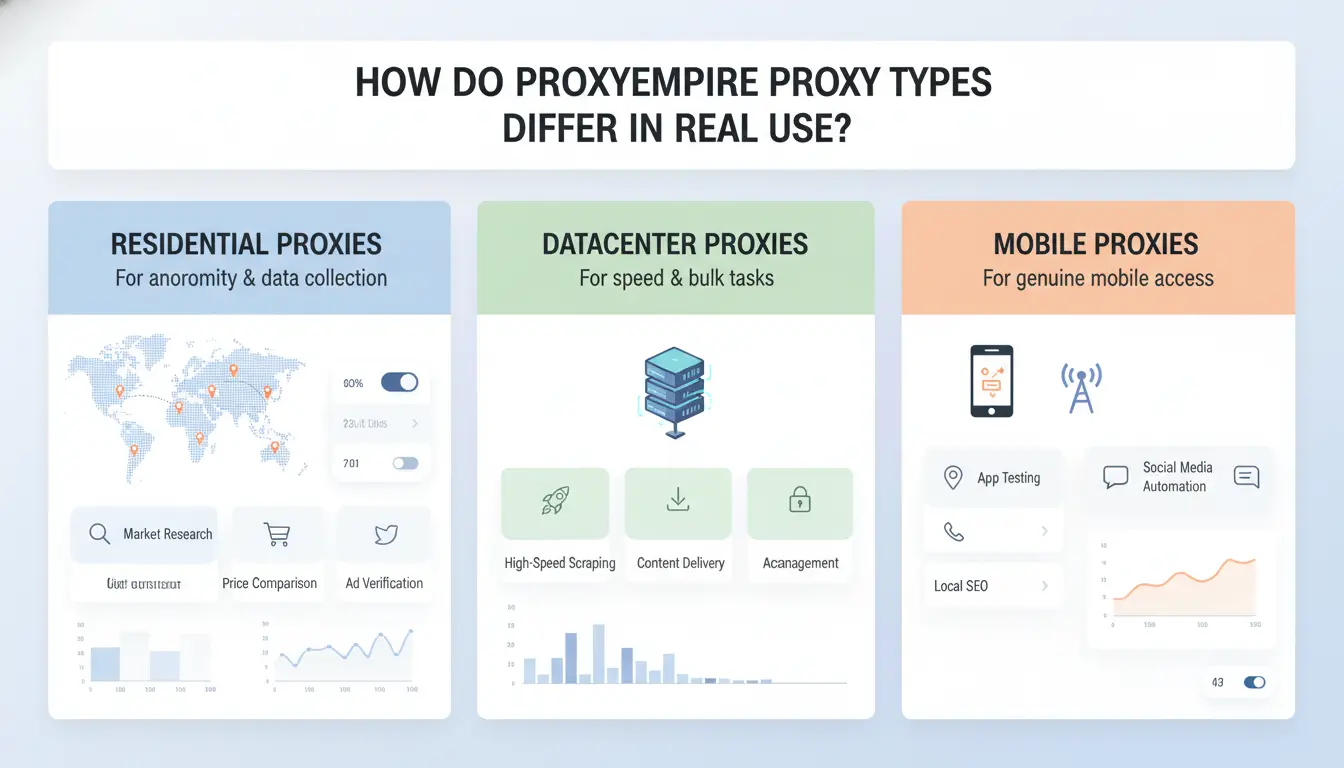
Pick by task risk, not by habit. On proxyempire, the same target can pass with mobile and fail with datacenter, even with clean session setup. If blocks are expensive, pay for trust; if retries are cheap, pay for speed.
| Type |
Trust level on strict sites |
Speed |
Cost trend |
Best fit |
Main risk |
| Residential |
High |
Medium |
Medium |
Account login, scraping with moderate limits |
Higher cost than datacenter |
| Mobile |
Very high |
Medium-low |
Highest |
Strict anti-bot targets, sensitive flows |
Cost can rise fast |
| Static residential |
High with stable identity |
Medium |
Medium-high |
Long sessions, account warm-up, cart flows |
Sticky IP can burn if flagged |
| Datacenter |
Low on strict sites |
High |
Lowest |
High-volume tasks on tolerant targets |
Fast block rate on strict platforms |
Residential vs mobile proxies: stability, trust, and price
Mobile IPs often blend into carrier traffic patterns, so they face fewer hard blocks on strict targets. Use them for sign-up, login recovery, or flows where one failed request can lock an account.
Residential usually gives better cost-performance for daily scraping, monitoring, and region checks. You get good trust without mobile-level spend. If your retry logic is solid, residential is the default starting point.
Static residential vs rotating sessions
Choose static residential when the task needs one identity for 10-30 minutes or longer, like checkout testing or account settings changes.
Use rotating sessions when each request can stand alone. Rotation reduces repeated fingerprint and IP patterns, which lowers detection risk during broad crawling.
Datacenter proxies: when speed matters more than trust
Datacenter fits high-throughput jobs: public pages, price checks, uptime probes, and cacheable endpoints. You can push more requests at lower cost.
On stricter platforms, expect challenge loops, soft bans, or empty responses. In those cases, switch to residential or mobile before scaling.
How Can You Test ProxyEmpire Before Committing?
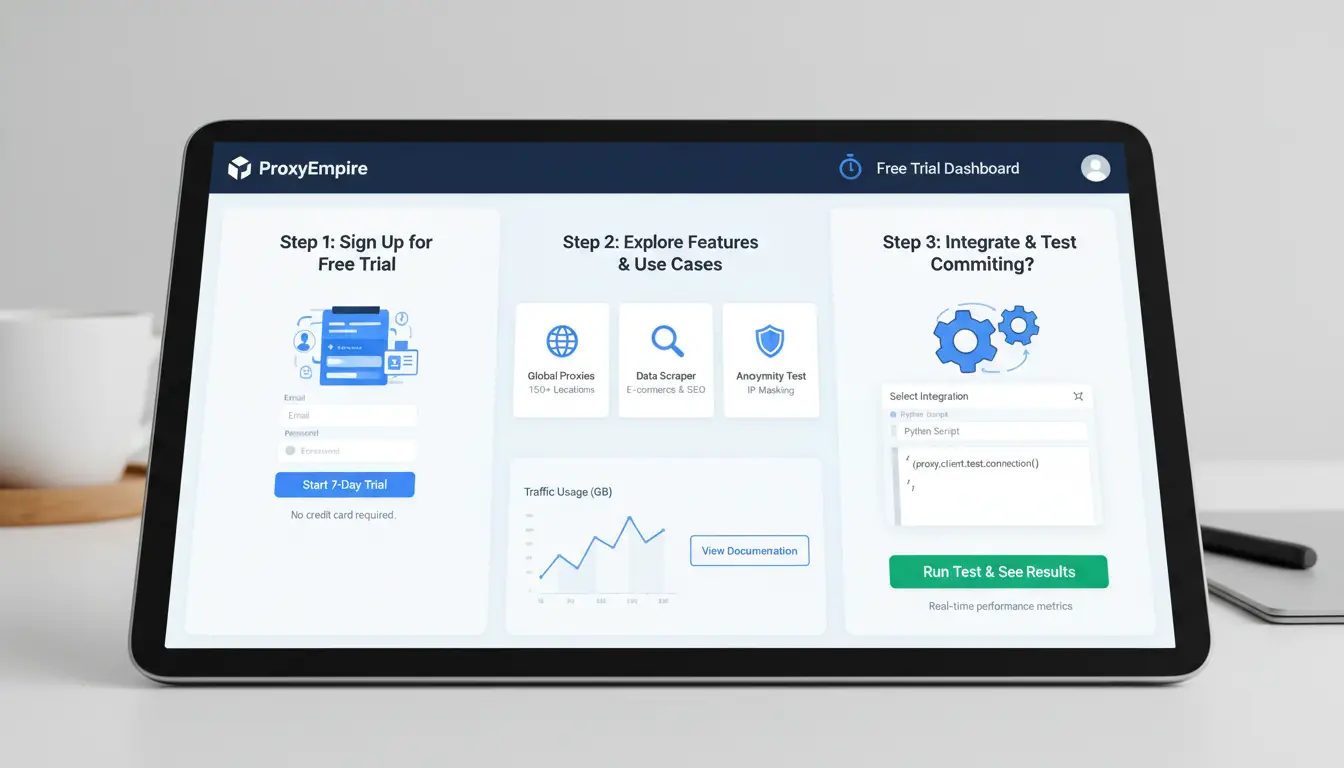
Skip sales claims and run a short trial with pass/fail rules. On proxyempire, test the exact workflow you plan to run later, not a generic speed check. If a proxy fails your real target flow, low price does not matter.
Build a 3-step proxy test plan
Start with a baseline: send 200 requests to a stable endpoint (for example, https://httpbin.org/ip). Track median latency, timeout rate, and connection errors. A practical cutoff is timeout rate under 2% and connection errors under 1%.
Move to target-site testing: run the same request volume by country and by proxy type (residential, mobile, datacenter if available in your plan). Keep headers, cookies, and auth method constant so results are comparable. For auth behavior, align with HTTP auth basics.
Close with a live task check: run one real automation job for 30–60 minutes using sticky and rotating sessions, then compare completion rate.
Key metrics to track in the first 48 hours
Track these every 4–6 hours:
| Metric |
Good early signal |
Warning signal |
| Success rate |
Stable across runs |
Drops in bursts |
| Retry rate |
Flat trend |
Keeps rising |
| Error-code mix |
Mostly 2xx/expected 4xx |
Growing 403/429/5xx |
| Cost per successful request |
Predictable |
Rising fast |
Use cost per successful request, not raw GB price. Two low-cost proxies can still lose money if retries explode.
Red flags that usually predict poor long-term performance
Watch for sharp quality drops during local peak hours. That often means route saturation.
Check country variance. If one country succeeds at 95% and another sits near 60% with the same setup, treat it as a routing quality issue, not a script bug.
If sticky sessions work but rotating fails hard, review session TTL, IP refresh timing, and target anti-bot sensitivity before scaling.
What Does ProxyEmpire Pricing Really Mean for Your Budget?
A posted plan price is only your entry cost. Your real budget is traffic used, success rate, and rework after blocks. On proxyempire plans, estimate spend per successful task, not per GB.
How bandwidth-based and proxy-type pricing affect total spend
Bandwidth billing means every retry burns budget. Mobile proxies often cost more per GB than residential or datacenter options on most proxy markets, and they may still need retries on strict targets. Session length also changes cost. Short rotating sessions can reduce bans on sensitive sites, but they can raise handshake and retry volume. Sticky sessions lower reconnect overhead, yet a bad sticky IP can waste traffic for longer.
How to calculate cost per successful outcome
Use this formula: Cost per success = (Total GB used × Plan $/GB + fixed monthly fees) ÷ successful outcomes.
Include failed requests, blocked sessions, and timeout retries. If your script needs 10,000 successful page loads, plan for real success rates from test runs, not ideal lab runs. A cheap per-GB rate loses fast when your success rate drops.
| Scenario |
Proxy type |
Success rate |
Monthly request attempts needed for 10,000 successes |
Spend trend |
| A |
Datacenter |
80% |
12,500 |
Lower traffic, lower rework |
| B |
Residential |
65% |
15,385 |
Mid traffic, more retries |
| C |
Mobile |
55% |
18,182 |
Highest traffic, highest retry burn |
When a cheaper plan becomes more expensive
Low-cost endpoints can fail in bursts. You then pay twice: extra traffic and operator time. Hidden costs show up in manual recovery, reruns, and broken automation windows. If one blocked run delays a daily job, that delay can cost more than the traffic itself. Track retry rate, block rate, and success per country each week. Adjust proxy type before you scale volume.
How Do You Set Up ProxyEmpire Correctly and Avoid Common Errors?
Start with one test task, not your full workload. In proxyempire, pick the proxy type that matches your job pattern, then lock session rules before you run automation. Most failures come from mismatched session settings, not from bad proxies.
Step-by-step setup for browser and automation tools
Choose one protocol (HTTP or SOCKS5) and keep it consistent per tool. Copy endpoint format exactly from the ProxyEmpire dashboard. Pick one auth method: user:pass or IP whitelist. Do not switch both during the same test cycle.
Use a quick validation flow:
- Check DNS resolution in your tool logs.
- Confirm country targeting with an IP check page.
- Run 10-20 requests and verify session behavior (sticky stays stable, rotating changes as expected).
If you need repeatable browser tests, save a fixed profile and retry the same URL set.
Common setup mistakes that trigger failures
Wrong credential format breaks login fast. Common issues: missing username zone, old password, or expired whitelist IP after network change. Another trap is mixing sticky and rotating rules across tasks that share one config file. A scraper that expects one identity fails when sessions rotate mid-flow.
Country mismatch also happens when endpoint says one region but your app overrides DNS or proxy rules locally.
Quick troubleshooting checklist
Check one request without proxy, then with proxy. If direct works and proxy fails at connect time, fix proxy config. If both connect but target returns blocks, you are likely hitting site defenses.
For auth errors, review HTTP auth status behavior and map the exact code (401, 403, 407). When you contact support, send timestamp, full endpoint format (mask password), target URL, and 3-5 raw error lines. This cuts debug time and gets faster fixes.
How Can Teams Use ProxyEmpire with Lower Account Risk at Scale?
Scaling account work with proxyempire fails when teams treat access like a shared login pool. The safer path is controlled identity: one account profile, one proxy route, one owner, clear logs, and repeatable actions.
Why multi-person handling increases risk
When two people open the same account from different machines, sites see mixed browser fingerprints and IP behavior. That mismatch can trigger checks, forced logouts, or hard restrictions. Risk also grows when team members share passwords in chat, reuse local browser profiles, or switch proxy settings by hand. You lose a clear trail of who changed what and when.
Permission sprawl causes silent damage. An intern with edit rights can change a proxy endpoint, and your automation jobs fail overnight. Without action logs, teams guess instead of fixing root causes.
How DICloak reduces operational risk with ProxyEmpire
You can use DICloak to create isolated browser profiles and bind each profile to a dedicated proxy session from ProxyEmpire. That keeps identity signals stable for each account.
You can use role-based permissions so people only get the access they need: view, operate, or admin. Profile sharing removes password passing, and operation logs record risky actions like proxy changes, cookie imports, and login retries. Stable profile-to-proxy binding plus audit logs is the control point that prevents most team-caused account incidents.

A repeatable team workflow for scale
Start from one approved template: browser settings, timezone, language, and proxy rule. Clone it with batch profile creation for each account owner.
Run a small pilot batch before full rollout. Track login success, challenge rate, and session drop rate daily. Then automate repetitive steps with RPA, such as opening target pages and status checks, to cut manual errors and keep behavior consistent.
ProxyEmpire vs Other Proxy Providers: What Should You Compare First?
Feature checklists miss the real issue: can your accounts stay stable on live targets. Compare proxyempire and peers by outcome, not by dashboard claims.
Quality signals that matter more than headline claims
Test two things on the same task set: country routing accuracy at peak hours, and block-rate behavior per target domain. Keep session type constant, then log success, retries, and hard blocks for 3-7 days. If your team runs multi-account workflows, you can use DICloak to map one account to one isolated browser profile and one dedicated proxy endpoint. This lowers cross-account linkage risk during repeated logins and task bursts.
Support and tooling differences that affect operations
Read the ProxyEmpire docs and run one API auth + rotation test before purchase. Judge support by incident response speed and debugging depth, not chat politeness. Tools like DICloak let you add role permissions and operation logs, so teammates can act fast without losing audit trails. Batch profile setup plus RPA cuts manual login mistakes that often trigger restrictions.
Decision matrix for shortlisting providers
| Use case |
Performance weight |
Cost weight |
Reliability weight |
| Login-heavy account ops |
40% |
20% |
40% |
| Data collection |
50% |
30% |
20% |
When Is ProxyEmpire Not the Right Choice?
If your setup is small and stable, proxyempire can be more than you need. Buy only what your task pattern can actually use each week.
Signs your workflow is too small for a premium proxy stack
If you run low request volume and only need one or two locations, a lighter setup is often easier to maintain. If no one else touches the workflow, and you do not run scripts or scheduled jobs, extra controls may sit unused.
When to choose a narrower provider or internal setup
For single-country niche tasks, a local provider with tighter regional routing can be simpler. If your company needs strict internal approval, custom logging, or private network rules, an internal proxy layer may be safer than outsourcing control.
A final decision checklist before you commit
| Check |
Pass rule |
| Speed and success rate |
Stable in your own test run |
| Support response |
Helpful before payment |
| True monthly cost |
Fits budget after add-ons |
| 6–12 month fit |
Can scale without full migration |
Frequently Asked Questions
Is proxyempire suitable for beginners with no proxy experience?
Yes. proxyempire can work well for beginners if you start small. Test one target site, one country, and a low request rate first. Track clear metrics like success rate, response time, and block rate. Use simple session rules at the start, then increase traffic only after results stay stable.
Does proxyempire work better with rotating or sticky sessions?
Use rotating sessions when you need wide coverage across many pages or products. Rotation spreads requests across many IPs and lowers repeated-IP patterns. Use sticky sessions for account logins, carts, or flows that need one identity for several minutes. In proxyempire, match session type to the task, not a single default.
How long should I test proxyempire before choosing a plan?
Run a real test for at least 48 to 72 hours. Include your actual target domains, endpoints, and request volume. Test during busy and quiet hours so you see true behavior, not a short lucky window. Review success rate, timeout rate, and cost per successful request before locking in a bigger plan.
Can I combine ProxyEmpire with automation tools safely?
Yes, if you control behavior carefully. Set sane request rates, cap retries, and add random delays so traffic does not look robotic. Keep browser and device fingerprints consistent within each session. Also separate jobs by target and country. This setup helps ProxyEmpire automation look normal and reduces avoidable blocks.
What is the fastest way to improve proxyempire results after setup?
Start with your logs. Group failures by error code, then tune the matching setting. If you see many 403s, adjust session type and headers. If you see timeouts, tune retry count and backoff. If geo errors appear, fix country routing. In proxyempire, these three changes usually improve results first.
ProxyEmpire stands out for users who need broad geo-targeting, stable residential and mobile proxy pools, and flexible plans that can scale with data collection, ad verification, or multi-account workflows. The key takeaway is to match its features, pricing, and performance to your specific use case so you get consistent results without overpaying.
Try DICloak For Free
 Web Proxy Tools
 Free Tools
 Cookie Plugin
 UA Generator
 MAC Address Generator
 IP Generator
 IP Address List
 2FA Code Generator
 World Clock
 Anonymous Check
 WebRTC Leak Test
 UUID Generator
 Free Web Proxy Site
 Proxy Checker
 FB Ad Checker
 AI Web Scraping
 Free SMM Tools
 Twitter Shadowban Checker
 Instagram Name Checker
 UTM Generator
 Username Generator
 AI Hashtag Generator
 LinkedIn Headline Generator
 Social Media Image Resizer