You buy a proxy plan for a launch week, then 30 minutes later your scraper starts failing with auth errors, dead IPs, and sudden blocks across target sites. That is usually not a coding issue. It is a seller quality issue. A reliable proxy seller should give stable endpoints, clean replacement terms, and clear limits before you pay, not after traffic fails. If a provider cannot explain pool type, rotation logic, and auth method in plain terms, treat that as a red flag.
This guide gives you a practical way to screen sellers fast: how to verify proxy server type (datacenter, residential, mobile), how to test for real uptime and response time, how to catch weak authentication setups tied to HTTP 407 errors, and how to read pricing rules that hide extra bandwidth charges. You will also get a short prepayment checklist you can run in under 20 minutes, plus post-purchase checks to confirm the pool performs under load. If you manage account operations with separate browser profiles, tools like DICloak can pair each profile with its own proxy setup to reduce cross-account risk. Start with the seller checks that expose bad inventory before money leaves your account.
What should you check before buying from a proxy seller?
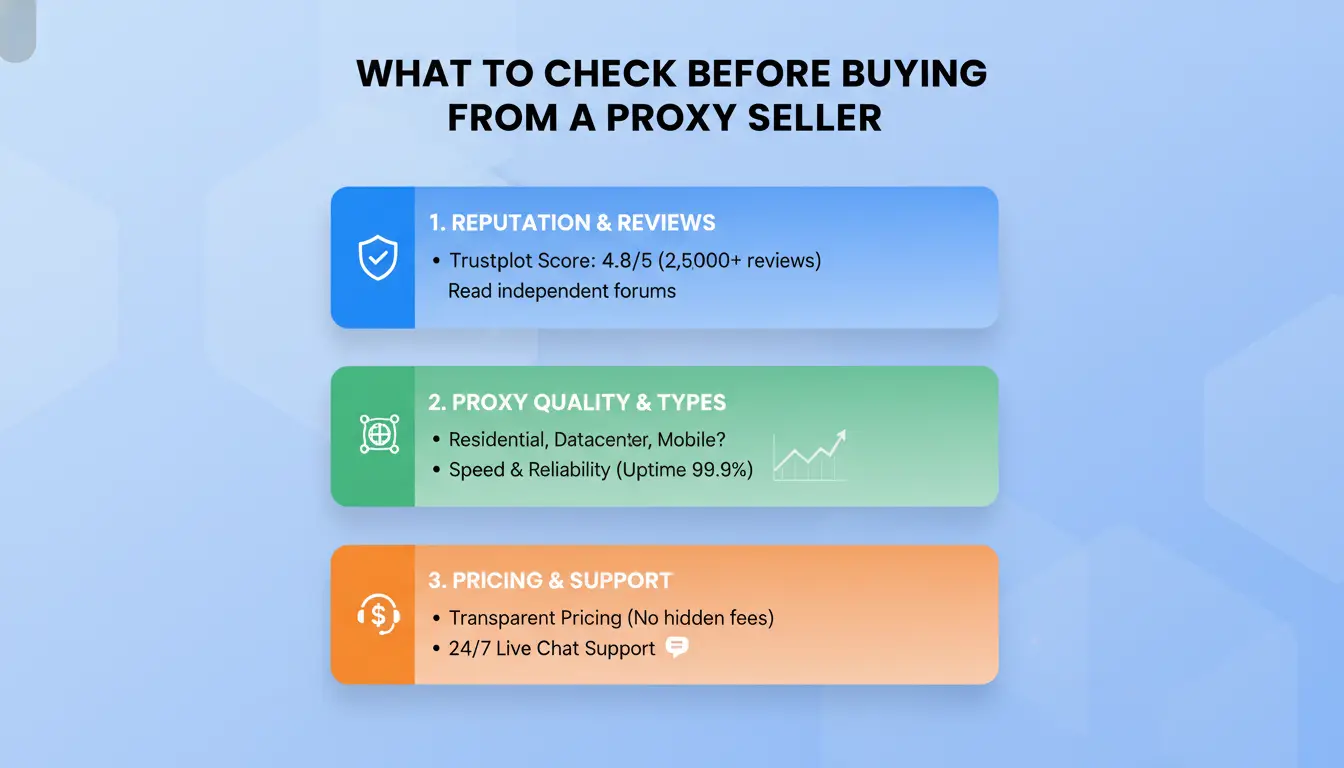
A fast pre-buy check saves budget and avoids dead inventory. Use this 20-minute flow before you pay any proxy seller.
Define your use case first: scraping, account management, or ad verification
Write down your task, target sites, monthly traffic, and peak concurrent connections. If you scrape public pages, datacenter IPs can work. For stricter anti-bot systems, residential or mobile IPs are often safer. For account management, map one account to one browser profile and one proxy endpoint. You can use DICloak to keep profiles separate and lower cross-account linkage risk. Set a hard estimate: GB per month, requests per minute, and session length. If you skip this, pricing and quality checks are guesswork.

Verify core seller details before checkout
Confirm live support before payment. Send two pre-sales questions and time replies. Ask for written policy on refunds, IP replacement, and uptime definition. If uptime is promised, ask how they measure it and what credit you get when it drops. Check if credentials are delivered instantly, by API, or manual ticket. Manual delivery can slow urgent work. Review billing rules for hidden costs like traffic overage, city-level targeting, or port-based add-ons.
Confirm technical fit to avoid immediate failure
Match protocol and auth to your tools. HTTP proxy and SOCKS support must be explicit, not implied.
| Check item |
What to confirm before paying |
| Protocol |
HTTP/HTTPS/SOCKS5 support in your client |
| Location |
Country or city coverage for target sites |
| Session control |
Sticky session duration and rotation rules |
| Authentication |
User/pass or IP whitelist; test for HTTP 407 errors |
How can you spot a risky proxy seller before you get scammed?
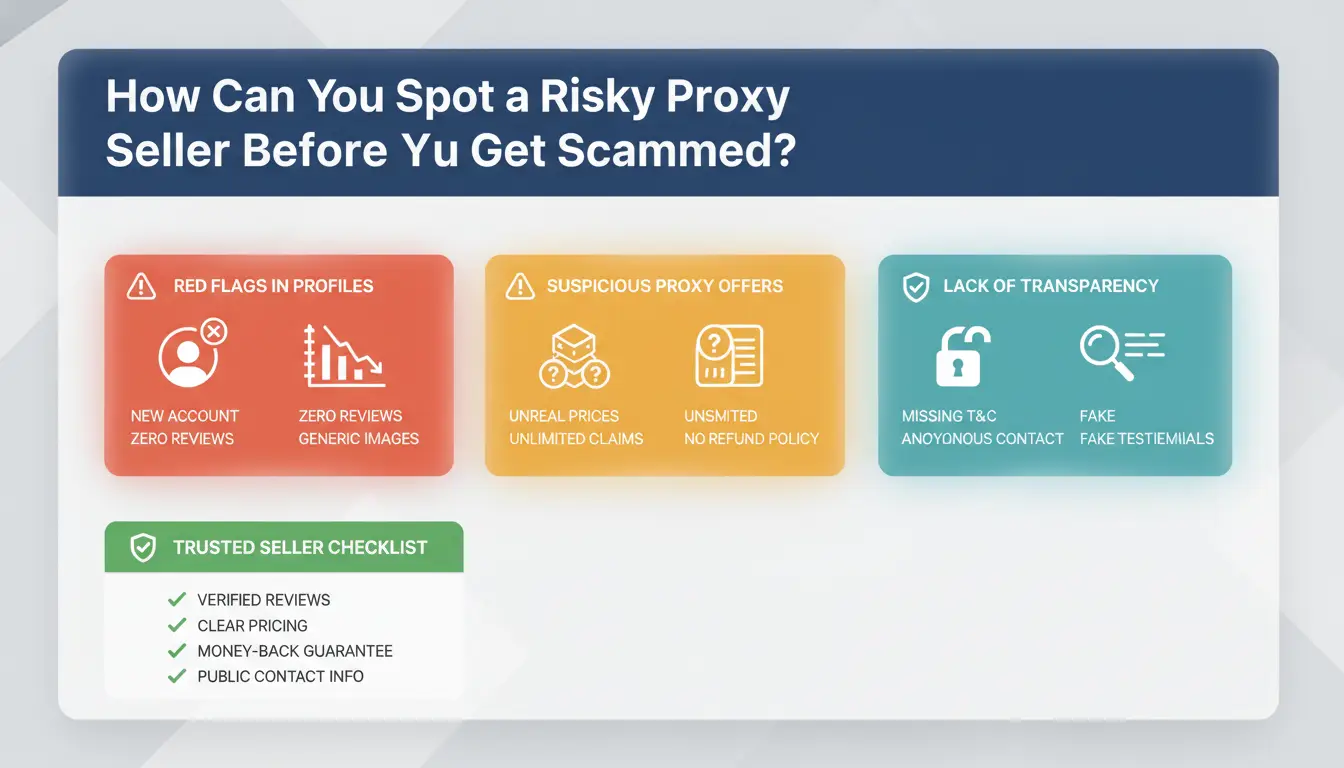
A bad deal usually shows warning signs before payment. The goal is to reject a risky proxy seller early, using checks you can finish in minutes.
Website and offer red flags that often signal trouble
If a site promises “100% success rate,” treat it as a sales trap. Proxy quality changes with target sites, blocks, and traffic patterns, so absolute claims are not realistic. Check for a real company trail: legal name, terms, refund rules, and abuse policy. Missing policy pages are a hard warning sign. You can also verify whether their proxy claims match basic definitions from Wikipedia’s proxy server page.
Sales behavior that predicts poor post-sale experience
Watch how the sales rep handles risk questions. If they push long prepayment and avoid trial access, step back. Ask direct questions: IP source, rotation logic, replacement window, and what triggers replacement denial. Vague answers now usually become support disputes later. If they cannot explain auth setup or keep blaming your tool for every HTTP 407 error, expect unstable support after checkout. No clear replacement rule before payment usually means no fair replacement after payment.
Review patterns that may be manipulated
Fake review campaigns leave patterns: repeated wording, same posting day, and accounts with no history. Cross-check feedback in independent places, not only on the seller’s own page. Look for technical details in user comments, not generic praise. If reviews look clean but community threads report fast bans and ignored tickets, trust the community pattern and skip that proxy seller.
Why do proxy seller prices vary so much?
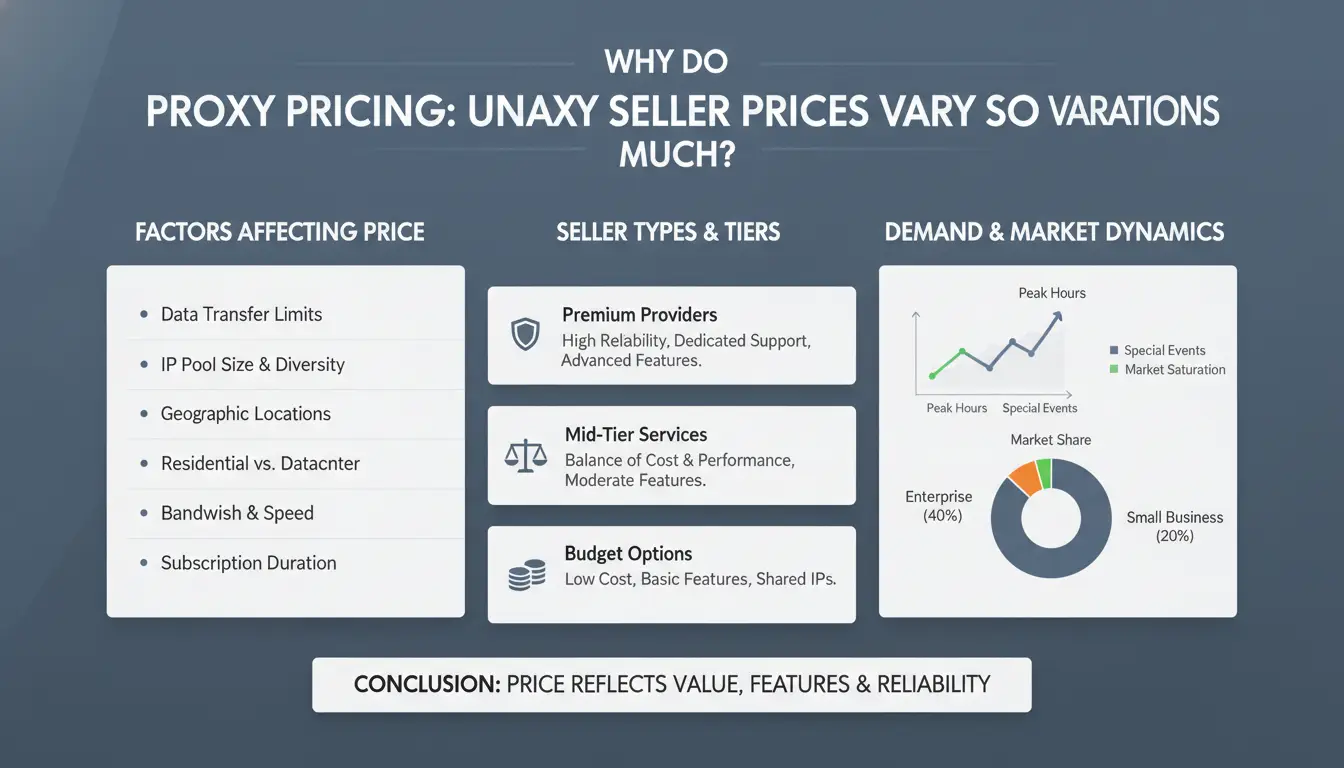
Price gaps usually come from what you are buying, how you are billed, and what limits are buried in the plan. A cheap listing can still cost more after overage, blocked targets, or fast IP burnout. If you compare one proxy server plan to another, check total monthly cost under your real traffic, not just the entry fee.
How proxy type changes cost and stability
Residential IPs come from home devices, so they blend in better but cost more. ISP proxies sit in data centers but use ISP-assigned ranges, so they often balance speed and trust. Datacenter proxies are usually the lowest cost and fastest, but sites flag them more often. Mobile proxies route through carrier networks and rotate IPs fast, so they are often the highest priced.
For account work, the fair price is the one that matches your block risk and retry cost, not the lowest line item.
How billing models affect your real monthly spend
Per-IP billing is predictable when usage is steady. Per-GB billing is flexible, but heavy scraping can spike cost. “Unlimited” plans often include fair-use rules, speed caps, or thread limits.
| Billing model |
Good fit |
Hidden cost risk |
| Per-IP |
Stable daily sessions |
Extra fee for replacements |
| Per-GB |
Burst traffic |
Bandwidth overage |
| Unlimited |
Long sessions |
Concurrency or speed caps |
A proxy seller with a low starter price can become expensive once bandwidth grows.
What hidden costs buyers often miss
Watch replacement policy details: some plans replace dead IPs only after a threshold. Check geo premiums for city or carrier targeting. Read thread limits and auth rules; weak setups can trigger HTTP 407 errors. If you run parallel accounts, you can use DICloak to bind each browser profile to its own proxy and reduce mix-ups.

Which proxy type is best for your specific task?
Pick proxy type by task risk, not by raw speed or headline price. A good proxy seller should map your use case before quoting plans.
| Task pattern |
Proxy type |
Why it fits |
Main risk to watch |
| High-volume public scraping |
Datacenter |
Fast response, lower cost per IP |
Higher block rate on strict platforms |
| Account actions on sensitive sites |
Residential or ISP |
Closer to normal user traffic |
Higher price, mixed pool quality |
| Sessions needing identity shifts |
Mobile |
Carrier IP rotation helps reset identity signals |
Slower speed, unstable latency |
Datacenter proxies: when speed matters more than trust score
Best-fit tasks: price checks, public SERP pulls, and bulk crawling where retries are acceptable. Typical detection risk: repeated requests from known server ranges. Mitigation: lower request rate, randomize headers, and spread traffic across subnets. If your block rate climbs, your cheap plan is no longer cheap.
Residential and ISP proxies: when legitimacy signals matter
These are often preferred for account login, ad verification, and region-locked checks, since traffic looks closer to household or fixed-user behavior. Balance quality and budget by buying a small test pool, then scaling only after pass rates stay stable for your real workflow. Paying for premium residential IPs without a test run is the fastest way to overpay. You can use DICloak to bind each browser profile to one proxy endpoint, which helps keep account sessions separate.
Mobile proxies: when you need frequent IP rotation
Use cases: social app research, anti-fraud testing, and tasks that need periodic identity refresh. Common pitfalls: rotation that is too frequent breaks sessions, and shared gateways can spike latency at peak hours. Ask for rotation controls, sticky session options, and a trial window before committing.
How should you test a proxy seller in the first 24 hours?
Buy a small sample pool, not a full plan. A good proxy seller should pass repeatable checks before you send bigger payments. Set pass/fail rules before you run tests so refund disputes stay factual.
Run baseline checks before production use
Run 100–300 requests per proxy target you care about. Log latency, success rate, and timeout ratio. Check IP country, city, and ASN stay consistent with what was sold. If a “US residential” pool flips to datacenter ASN ranges, flag it.
| Check |
Pass rule |
Fail signal |
| Median latency |
Close to your app limit |
Spikes that break task flow |
| Success rate |
Stable across repeated runs |
Large drops between runs |
| Timeout ratio |
Low and steady |
Bursts during normal load |
| IP geo + ASN |
Matches seller claim |
Mismatch or frequent drift |
Use public IP and ASN lookups such as WHOIS and ASN).
Test performance under realistic load
Test at the same thread count you will run in production. If you plan 50 concurrent tasks, test at 50. Track failures by subnet and location. Bad inventory often fails in clusters, not random single errors. Watch auth failures too, especially repeated HTTP 407 errors.
Document evidence for replacements or refunds
Keep raw logs, timestamps, request counts, and error codes. Save one clean report per test window. When escalating, send metrics: “22% timeout at 50 threads on subnet X,” not “proxies are bad.” This makes replacement requests faster and reduces back-and-forth.
How can teams use proxies safely when managing many accounts?
Team risk usually comes from patterns, not single actions. If two people touch the same account from different networks and browser states, platforms can link sessions fast. A reliable proxy seller helps, but seller quality alone does not protect daily operations. Your safety baseline is one account, one browser profile, one fixed proxy path, and controlled access logs.
Why shared devices and mixed sessions create risk
Shared laptops and mixed logins create unstable fingerprints. Screen size, fonts, timezone, and extensions can change between shifts. Pair that with frequent IP switching, and the account can look hijacked.
Access sharing without controls creates avoidable mistakes: wrong profile opened, wrong proxy assigned, or accidental cross-login. These are common in team handoffs, especially during peak hours.
How DICloak reduces multi-account and team-operation risk
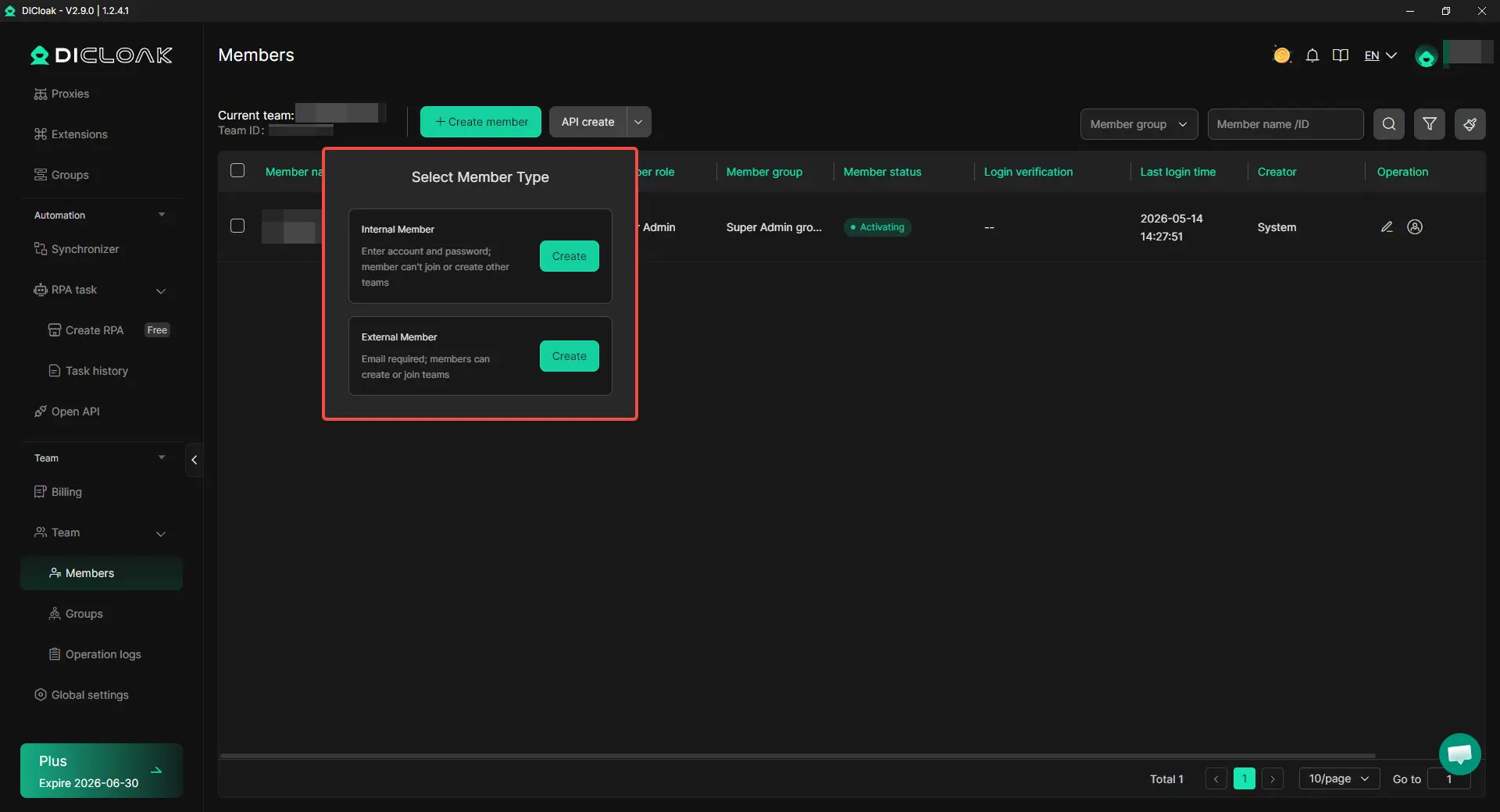
You can use DICloak to keep each account inside an isolated browser profile, then bind an independent proxy configuration to that profile. This lowers cross-account linkage risk from mixed browser states.
You can also set team permissions, share only specific profiles, and review operation logs. That gives clear accountability for who changed proxy settings, who logged in, and when actions happened.
A practical setup for safer daily execution
Assign one profile per account and lock fixed proxy rules per profile. Do not rotate team members across the same account in one day unless required.
Create a short runbook: login check, IP check, task execution, logout check. Use bulk actions for repeat edits, and use RPA for routine steps like opening target pages or filling fixed fields. This cuts manual slips and keeps behavior consistent across accounts.
What mistakes cause proxy projects to fail after purchase?
A good deal from a proxy seller can still fail fast after handoff. Most losses come from bad operating habits, not bad IPs alone. Teams often change too much, too soon, then cannot trace what caused blocks.
Over-rotating or under-rotating IPs
Rotation must match platform risk checks. Fast rotation can look unnatural; slow rotation can link sessions. Set rules by task type, then test in small batches. Tools like DICloak let you map one account to one isolated browser profile and bind one dedicated proxy, so fingerprint and IP stay consistent across logins.
Ignoring monitoring until accounts are already affected
If you wait for bans, recovery costs jump. Track weekly success rate, challenge rate, and ban rate in one sheet. Set replacement triggers before damage spreads. You can use DICloak team permissions, shared profiles, and operation logs to control who can edit settings and to audit risky actions quickly.
Buying too much before proving quality
Do a pilot, not a bulk buy. Start with a small pool, run milestone checks, then scale. After pilot results, renegotiate SLA terms with your proxy seller. Use DICloak bulk actions and RPA to standardize repeated steps and cut manual mistakes that trigger checks.
When should you switch proxy sellers or change your proxy strategy?
Stay with your current setup only while results stay stable. Switch when failure patterns repeat for 3-7 days in the same workflow after you rule out local app changes. A good proxy seller should show stable routing, quick replacements, and clear billing.
Operational signals that your current seller is no longer a fit
Watch your own logs, not just seller claims. If login or scrape success drops in a workflow that was steady last week, treat it as a warning. If replacement IPs fail in the same subnet, quality is likely weak. Support behavior is another trigger: slow replies, open tickets with no fix, or repeated “wait and retry” answers. If you keep hitting auth issues tied to HTTP 407 after correct credentials, change vendor or auth method.
How to compare a new proxy seller without repeating old mistakes
Run the same tests on both sellers: same targets, same request rate, same time window, same retry policy. Use a 24-72 hour test block before moving traffic.
| Check point |
Current seller |
New seller |
| Success rate on same task |
Track from your logs |
Track from same script |
| Median response time |
Same region test |
Same region test |
| Replacement speed |
Ticket to usable IP time |
Ticket to usable IP time |
| Real total cost |
Port + bandwidth + overage |
Port + bandwidth + overage |
Use proxy server type checks to confirm you are comparing like for like.
Build a backup plan to prevent service disruption
Keep one standby provider active with a small paid pool. Document cutover steps: credential swap, endpoint map, allowlist update, health check, rollback point.
If you run account profiles, you can use DICloak to bind each profile to its proxy and reduce migration mistakes.
Frequently Asked Questions
Is using a proxy seller legal for business activities?
Using a proxy seller can be legal when your actions follow local laws, privacy rules, and each platform’s terms of service. Check rules for data collection, ad verification, and account use before launch. Ask legal counsel for high-risk markets. Use proxies for compliant tasks, not fraud, spam, or bypassing clear restrictions.
How many proxies should a beginner buy from a proxy seller first?
Start with a small test batch from a proxy seller: usually 5–20 proxies, matched to your current account count and workflow. Run a 7–14 day test. Track login success, captcha frequency, and block rate. Scale only after results stay stable and support response times meet your target.
Can one proxy from a proxy seller be shared across many accounts?
Sharing one proxy across many accounts is high risk on sensitive platforms. Reused IPs can link accounts through login patterns, device signals, and timing. A safer setup is one-to-one mapping for important accounts, or small segmented groups for low-risk tasks. Good proxy seller plans support dedicated IP assignment.
What payment and refund terms should I request from a proxy seller?
Before paying in full, request a trial period, clear replacement SLA for dead IPs, and support response windows (for example, during business hours or 24/7). Get written refund rules: eligibility, proof needed, and processing time. Ask your proxy seller to confirm all terms in the invoice or contract.
How often should I re-evaluate my proxy seller performance?
Run weekly operational checks and a monthly strategic review. Weekly, monitor uptime, request success rate, average latency, and ban or challenge rate by platform. Monthly, compare cost per successful action and support quality against your baseline. If KPIs drop for two review cycles, pause scaling and open a remediation ticket.
Choosing the right proxy seller comes down to balancing trust, transparency, and performance, since low prices mean little if uptime, speed, and support are unreliable. Focus on verified reputation, clear policies, and scalable plans so your proxy setup stays stable as your needs grow.
Try DICloak For Free
 Web Proxy Tools
 Free Tools
 Cookie Plugin
 UA Generator
 MAC Address Generator
 IP Generator
 IP Address List
 2FA Code Generator
 World Clock
 Anonymous Check
 WebRTC Leak Test
 UUID Generator
 Free Web Proxy Site
 Proxy Checker
 FB Ad Checker
 AI Web Scraping
 Free SMM Tools
 Twitter Shadowban Checker
 Instagram Name Checker
 UTM Generator
 Username Generator
 AI Hashtag Generator
 LinkedIn Headline Generator
 Social Media Image Resizer