A growth team can lose a full day when ad events, CRM fields, and AI-generated audience rules drift after one connector update. That is the real problem behind meta ads ai connectors: they are not just “plug-ins,” they are data pipelines that can change targeting, reporting, and spend if mapping is wrong. Meta’s ad stack already depends on strict event signals through the Meta Pixel, server events through the Conversions API, and account-level controls in the Marketing API.
You need to know what each connector actually passes, where consent and permissions apply, and what breaks when a model writes bad payloads or sends duplicate events. You will learn how connectors are structured, how data moves between AI tools and Meta Ads, which failure points trigger bad optimization, and which safety checks to run before rollout. You will also get a practical safety baseline for access control, change logs, and rollback steps, aligned with Meta’s Business Tools Terms.
Start with the connector flow itself, because setup mistakes usually happen before any campaign goes live.
What are Meta Ads AI connectors, and what problem do they solve?
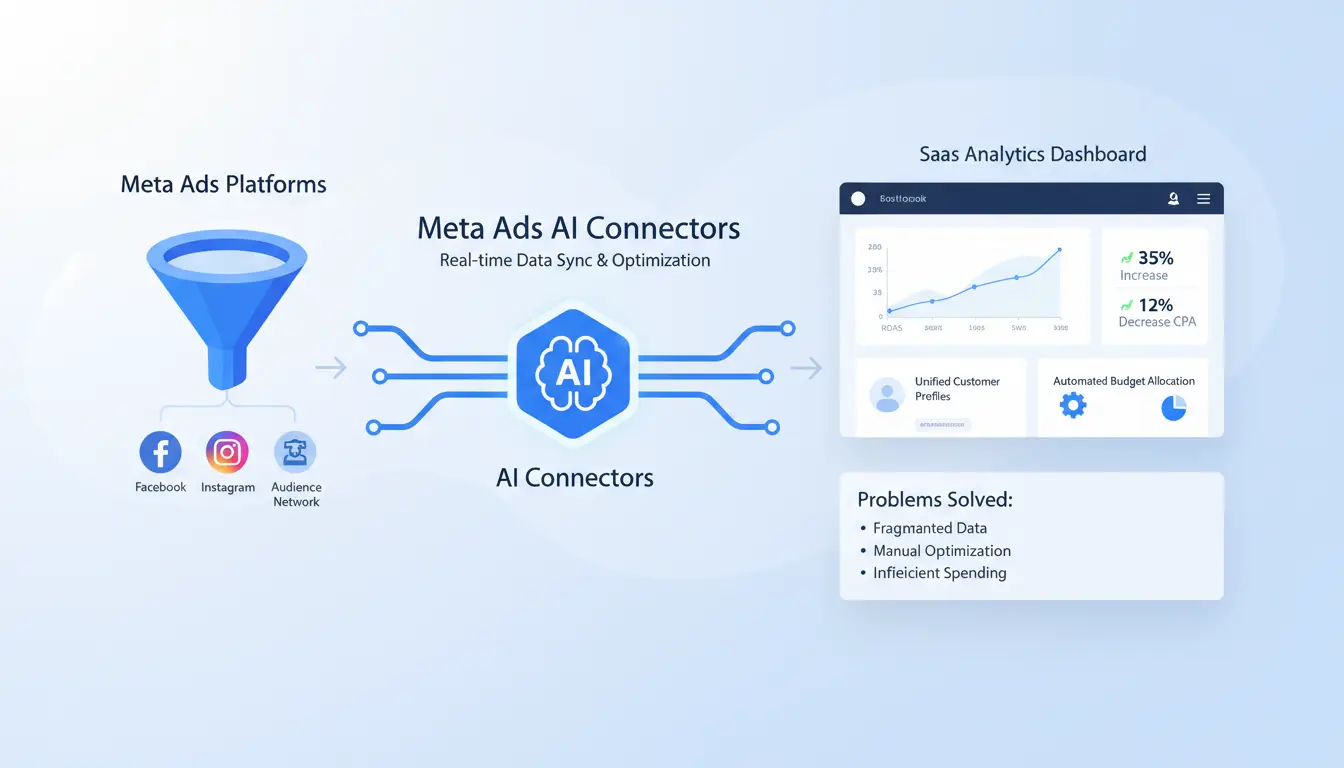
Meta ads ai connectors link your AI system to Meta ad data and write actions through approved APIs like the Marketing API and Conversions API. They solve a speed gap: teams read reports in one tool, then manually change budgets, audiences, or creative settings in another.
How a connector differs from a chatbot, plugin, or ad automation tool
A connector is a data bridge plus an action layer. If a tool cannot push controlled changes back to Meta, it is not a connector.
| Tool type |
Reads Meta data |
Writes changes to Meta |
Main use |
| Chatbot |
Sometimes |
No |
Q&A |
| Reporting plugin |
Yes |
No |
Dashboards |
| Ad automation tool |
Yes |
Yes |
Rules/workflows |
| AI connector |
Yes |
Yes |
AI-driven decisions with execution |
Which Meta Ads tasks connectors usually improve first
Teams usually start with insight pulls, anomaly flags, and creative diagnostics, then send reviewed updates to campaigns. This shortens decision cycles across analytics, creative, and media buying. Keep access and action scope aligned with Business Tools Terms.
When teams should not use a connector yet
Skip setup if event volume is thin, KPIs are unclear, or tracking quality is unstable. Also wait if no owner can manage permissions, change logs, and rollback. Without that control, bad payloads and duplicate events can hurt optimization fast.
How do Meta Ads AI connectors work behind the scenes?
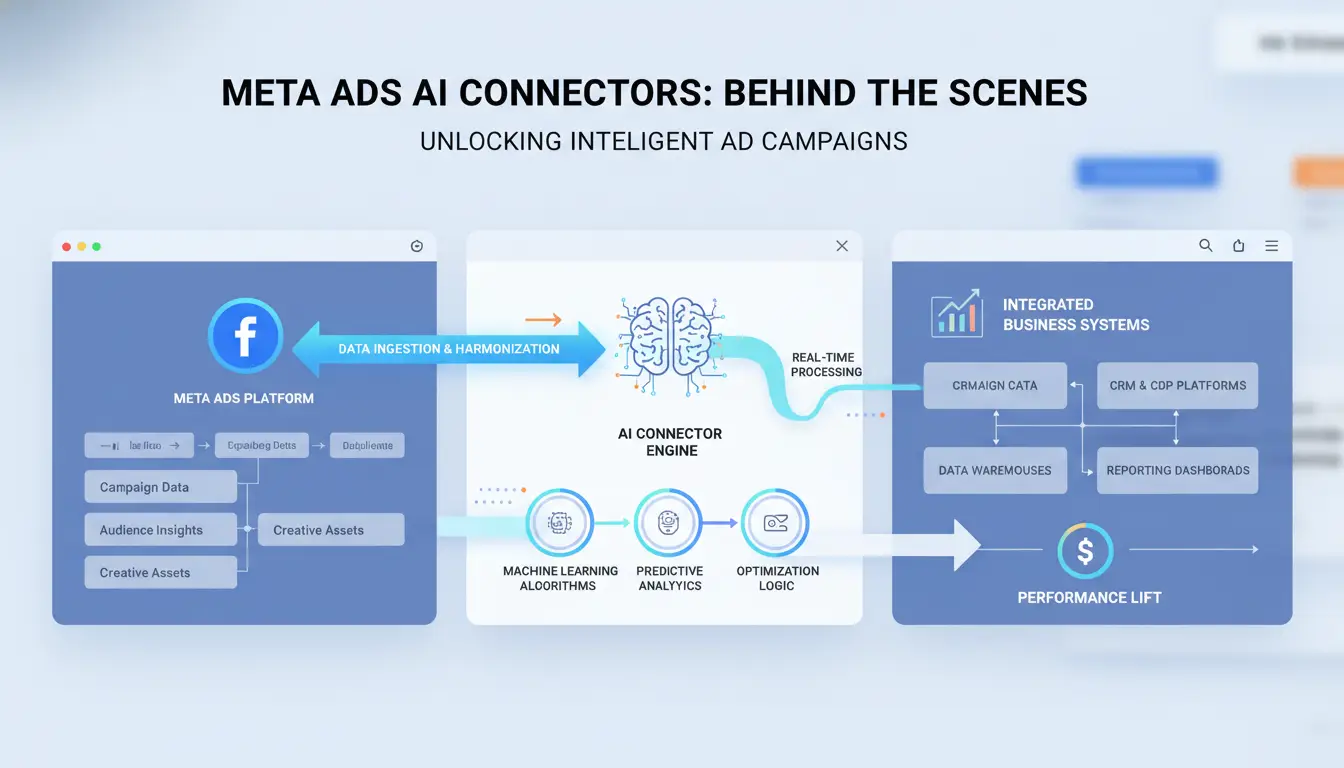
meta ads ai connectors usually run in four steps: connect, pull, map, and push. You authorize with a system user token in Meta Marketing API, pull approved fields, map them into the AI tool schema, then send outputs back as campaign edits or event payloads through Conversions API. If mapping is wrong, the model can write valid JSON with the wrong business meaning.
The standard data flow: account access, extraction, mapping, and output
Token scope controls what the connector can read or write. Extraction jobs fetch objects like campaigns, ad sets, ads, spend, and event signals. Mapping converts Meta field names into model inputs, such as objective, audience size, CPA, and attribution window. Output then posts updates, with logs tied to Business Tools Terms.
Real-time vs scheduled sync: what changes in results quality
| Sync mode |
Typical latency |
Main upside |
Main risk |
| Real-time webhook/API poll |
seconds to minutes |
Faster budget and bid reaction |
More API calls, faster rate-limit hits |
| Scheduled batch |
15 min to 24 h |
Lower call volume and cost |
Stale signals can misguide model output |
Permission scopes you must review before connecting
Check read-only vs write scopes before launch. Limit write access to specific ad accounts and business managers, not global org access. For teams, separate token owners from campaign approvers so bad model output cannot auto-publish without review.
What should you check before connecting an AI tool to Meta Ads?
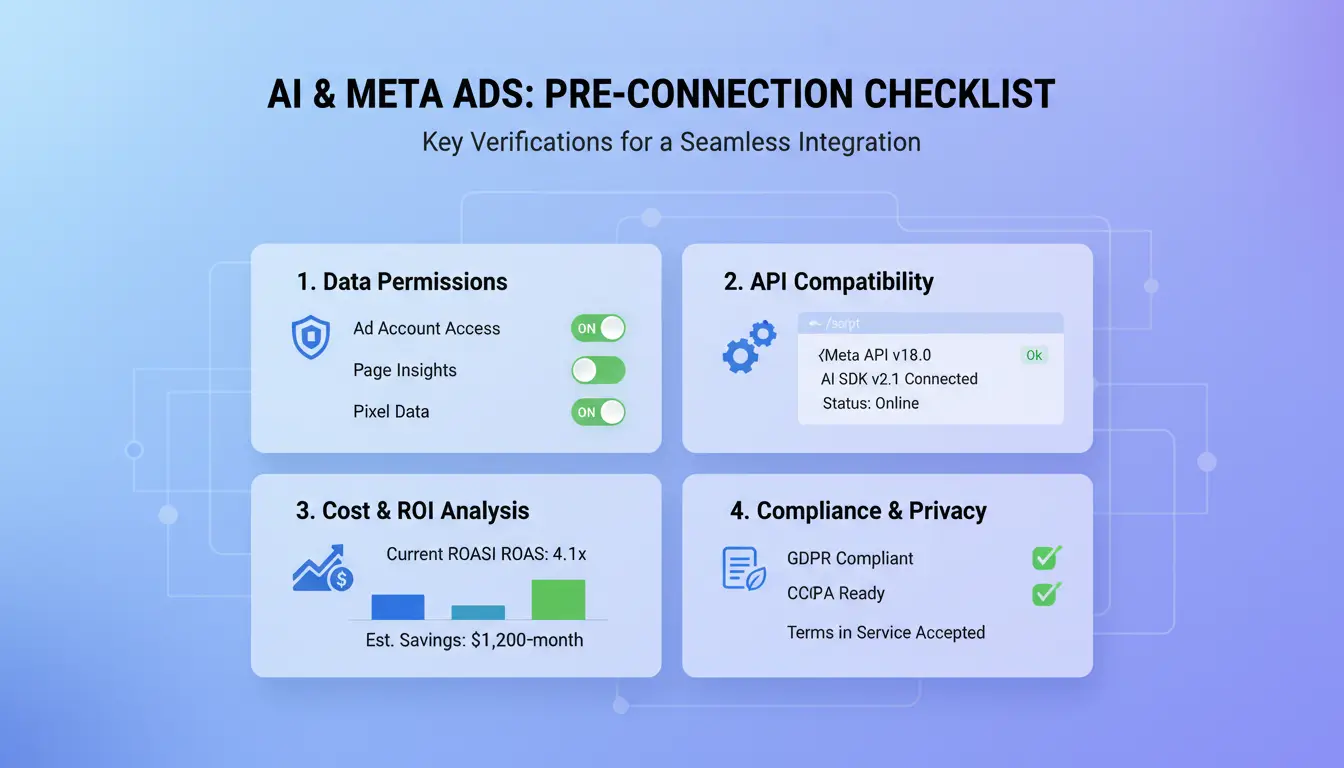
Before you connect any tool, map the full data path. With meta ads ai connectors, bad mapping can send wrong events, train delivery on noise, and waste spend fast. Use Meta’s event setup rules in Conversions API and permission limits in the Marketing API.
Data readiness checks: naming, conversion events, and attribution settings
Normalize campaign, ad set, and ad names before sync. Keep one naming rule for source, geo, offer, and creative type, or reports break in your BI layer. Validate Pixel and CAPI event parity: same event name, value, currency, and event time format. Check dedup keys (event_id) so browser and server events do not double count. Confirm attribution windows match your reporting plan in Meta Events Manager docs.
Security checks: account ownership, admin roles, and credential hygiene
Verify Business Manager ownership before connection. Give least-privilege roles only. Avoid shared logins. Store access tokens in a secret manager, set expiry alerts, and rotate tokens on a fixed schedule or after team changes. Review tool actions against Business Tools Terms.
Tool-fit checks: integration depth, destinations, and support quality
Check if the connector writes back to your warehouse or BI destination, not only Meta Ads. Test support response on one real sync error ticket before rollout; that predicts recovery speed when production sync fails.
How do you set up Meta Ads AI connectors step by step?
Treat setup as a controlled release, not a quick integration. With meta ads ai connectors, bad permissions or wrong field mapping can corrupt optimization data in hours.
Step 1–3: connect accounts, grant scope, and choose data destinations
Open Meta Business settings and confirm the exact ad account, pixel, and dataset you will connect in Meta Business Help Center. Select only assets tied to the campaigns you plan to sync. Approve only the minimum scopes needed for read access, campaign updates, and conversion writes through the Marketing API. Map each source (CRM, product feed, or event stream) to one destination path so ownership is clear.
Step 4–5: map fields, set sync schedule, and configure alerts
Map required fields one by one: campaign ID, ad set ID, ad ID, event name, event time, value, currency, and event ID. Keep naming consistent with your Conversions API event parameters. Set sync intervals based on risk: frequent for spend and pacing fields, slower for static metadata. Enable failure alerts for auth errors, schema mismatches, and duplicate event IDs.
Step 6: validate output quality before using AI recommendations
Run test pulls on 20–50 recent records before full rollout. Compare connector output with Ads Manager totals for spend, clicks, and conversions on the same date range. Only trust AI suggestions after parity checks pass and duplicate rates stay near zero across repeated syncs.
Which workflows get the biggest gains from Meta Ads AI connectors?
The fastest wins come from repeat tasks where teams lose hours in exports, checks, and rewrite cycles. If a workflow runs daily and touches 3+ campaigns, automate that before anything else. With meta ads ai connectors, you can move from “find issue” to “ship fix” in one loop, while still validating against Meta Marketing API limits and fields.
Creative testing loops: from ad data to AI insight to next variant
Connectors save time when your team reviews the same ad metrics each day. Pull CTR, CPC, and frequency into one prompt flow, then ask AI to suggest new hooks based on top performers.
- Detect fatigue patterns early
- Generate test angles from winning elements
Budget pacing and anomaly detection across campaigns
This is a quick-win use case for meta ads ai connectors in larger accounts. Set rules to alert when spend jumps outside your pacing range or when CPA drifts above target. Route alerts to the buyer with campaign ID, ad set, and change window.
- Flag spend spikes and CPA drift
- Prioritize interventions by impact
Cross-channel reporting for agencies and in-house teams
Reporting is a high-friction workflow. Connect Meta Ads data with CRM outcomes and analytics events, then draft weekly briefs automatically. You can map lead quality from your CRM and session behavior from Google Analytics 4 to ad sets without manual spreadsheet joins.
- Unify Meta Ads data with CRM or analytics tools
- Create weekly insight briefs automatically
Why do Meta Ads AI connectors fail, and how can you fix common issues fast?
Most meta ads ai connectors break at three points: access, data shape, or delivery speed. Start by isolating the failing stage in logs, then apply a focused fix instead of redoing the whole setup. If error type is unclear, pause write actions and run a read-only health check against the same token and account.
Auth and permission failures: expired tokens, revoked access, role mismatch
Common signals: sudden 401/403 errors, assets missing from sync, or events sent to the wrong ad account. Check token age, app mode, and business role scope in Meta Marketing API permissions. Fast recovery checklist:
- Refresh long-lived token and retest one endpoint
- Confirm system user still has asset access in Meta Business Manager
- Reconnect connector with least-privilege scopes, then re-enable writes
Data mismatches: timezone, attribution windows, and metric definitions
A connector can be “working” while reports still disagree. Compare timezone, currency, and attribution settings with Ads Reporting docs. Mismatch is expected if your AI tool uses click-time while Ads Manager shows conversion-time. It is problematic when event IDs drift, dedup fails, or one side truncates values.
Rate limits and sync delays: how to stabilize your pipeline
Watch for 429 errors and delayed backfills under Graph API rate limiting. Use smaller batches, queue retries with jitter, and spread sync jobs across time blocks. When throughput drops, export critical conversions from your warehouse and replay in ordered chunks. This keeps meta ads ai connectors stable during traffic spikes.
How can teams run multiple Meta ad accounts safely when using AI connectors?
With meta ads ai connectors, the real risk is not model output alone. It is team behavior across shared browsers, mixed permissions, and rushed handoffs. Keep each ad account in a separate working environment, and map every action to a named person. That aligns with Meta’s rules on access and business use in the Business Tools Terms and admin setup in Meta Business Help Center.
Where multi-user workflows break: shared logins, inconsistent environments, and access sprawl
Context switching between client accounts can trigger wrong pixel, wrong budget, or wrong destination URL edits. Manual handoffs make this worse: one person checks events in Meta Events Manager, another edits ads, and no one sees a full action trail. If login, environment, and permissions are shared, one small mistake can hit multiple accounts at once.
How DICloak helps: isolated browser fingerprints, profile-level proxy binding, and permission control
You can use DICloak to create one isolated profile per ad account or client, then bind a dedicated proxy to each profile. You can also set role-based access, so media buyers, analysts, and ops staff only see what they need. Operation logs support audit checks after connector changes.
How to apply it in practice: profile sharing, bulk operations, and RPA for repeat tasks
Share profiles instead of passwords. Run bulk checks for naming, budget caps, and tracking links before publish. Use RPA for repeat QA steps in meta ads ai connectors, so teams reduce manual errors and scale without exposing full credentials.
How do you choose between native Meta features, no-code connectors, and custom builds?
For meta ads ai connectors, pick by data complexity, team size, and who can maintain failures at 2 a.m.
| Option |
Use it when |
Tradeoff |
| Native Meta |
Basic events/reporting in Conversions API |
Limited custom logic |
| No-code |
Mid-volume flows, small ops team |
Connector limits |
| Custom |
Strict governance, high scale |
Ongoing engineering load |
When native Meta tools are enough
If you send standard events and only need stable optimization, native setup is usually enough. Choose the path your team can maintain weekly without extra hires.
When no-code connectors are the best fit
No-code fits teams that need speed with moderate mapping rules. For multi-user risk, you can use DICloak to map one ad account to one isolated browser profile, with profile-level proxies to avoid session mix-ups.
When custom pipelines are worth the cost
Custom builds fit strict approval flows and custom dedup logic. Tools like DICloak let you add role permissions, shared profiles, operation logs, bulk actions, and RPA so people can run connector tasks without sharing full credentials.
Frequently Asked Questions
Are meta ads ai connectors available to all ad accounts?
No. Access to meta ads ai connectors rolls out in stages. Availability can vary by region because of launch timing and local privacy rules. Business portfolios often see features before individual ad accounts. Some connectors are only offered through approved partner platforms. API permission tiers also matter, since advanced access unlocks more connector options than basic access.
Can meta ads ai connectors write changes back to campaigns or only read data?
Both models exist. Some meta ads ai connectors are read-only and only pull metrics like spend, CPC, and conversions. Others are write-enabled and can update budgets, bids, audiences, or ad status. Write actions require explicit scopes, such as ads management permissions. If a scope is missing, the connector can view data but cannot push campaign changes.
How often should meta ads ai connectors sync data for reliable optimization?
Use sync timing based on the task. For live monitoring, sync every 15–60 minutes. For anomaly alerts, use hourly checks to catch sudden spend or CPA spikes. For weekly reporting, one daily sync is enough. Keep within API rate limits by batching requests, limiting unnecessary fields, and staggering account-level sync schedules across clients.
Do meta ads ai connectors increase compliance risk for agencies handling client accounts?
They can increase risk when access is loose, but strong controls reduce it. Use least-privilege scopes, role-based access, and regular permission reviews. Keep audit trails for every data pull and write action. Confirm each client approves connector scopes in writing. Agencies should also show clear data-flow docs so clients know what is accessed, stored, and changed.
What skills are needed to manage meta ads ai connectors without a developer?
A non-developer can manage meta ads ai connectors with a practical skill set: map fields between systems, define key metrics clearly, and maintain clean permission settings. Run QA checks after each sync to confirm spend, attribution windows, and campaign IDs match. Learn basic troubleshooting, like token refresh, failed jobs, and API error message handling.
Meta Ads AI connectors make campaign management more efficient by unifying data, automating optimization, and helping teams act on insights faster across tools. The key takeaway is that choosing the right connector stack can improve targeting accuracy, reduce manual work, and create a more scalable performance marketing workflow. Try DICloak For Free
 Web Proxy Tools
 Free Tools
 Cookie Plugin
 UA Generator
 MAC Address Generator
 IP Generator
 IP Address List
 2FA Code Generator
 World Clock
 Anonymous Check
 WebRTC Leak Test
 UUID Generator
 Free Web Proxy Site
 Proxy Checker
 FB Ad Checker
 AI Web Scraping
 Free SMM Tools
 Twitter Shadowban Checker
 Instagram Name Checker
 UTM Generator
 Username Generator
 AI Hashtag Generator
 LinkedIn Headline Generator
 Social Media Image Resizer