As DICloak’s Final Mega Sale with up to 50% off enters its final stage, we're closing December with a series of key product updates across profiles, proxies, team management, global settings, and automation. These updates enhance security, improve workflow efficiency, and support more scalable multi-account management.
Key Takeaways
- Improved security and stealth with stronger cookie encryption and the Chrome 142 kernel update.
- Higher efficiency through batch proxy cleanup, manager access controls, and flexible local routing.
- Advanced automation enabled by headless browser support and MCP integration for AI-driven workflows.
Profiles Updates
Profiles gets stronger cookie encryption and the Chrome 142 update for improved fingerprint support, enhancing security and stealth.
Enhanced Cookie Protection ([Share+] Plan)
Cookie encryption has been upgraded to provide stronger security against credential theft.
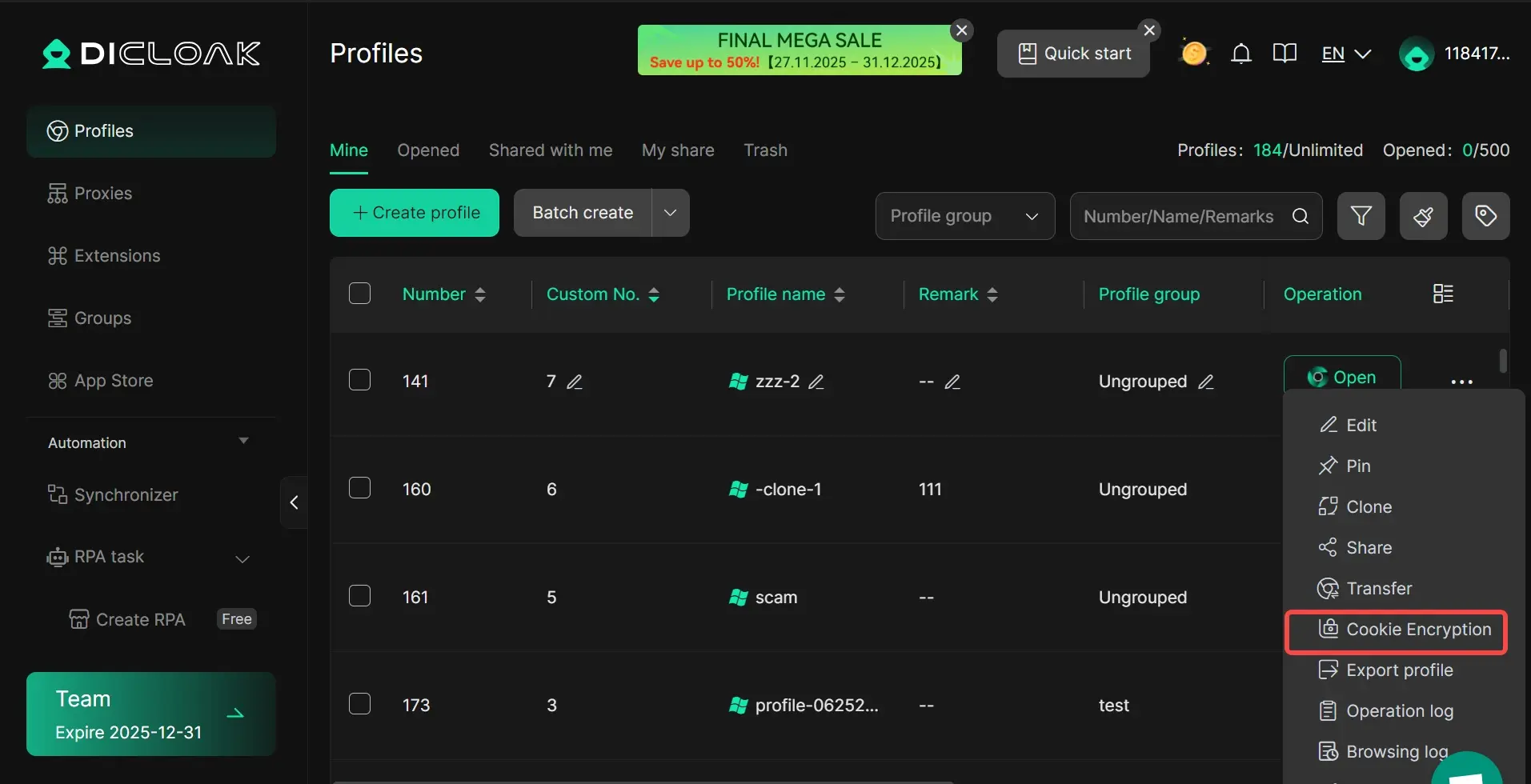
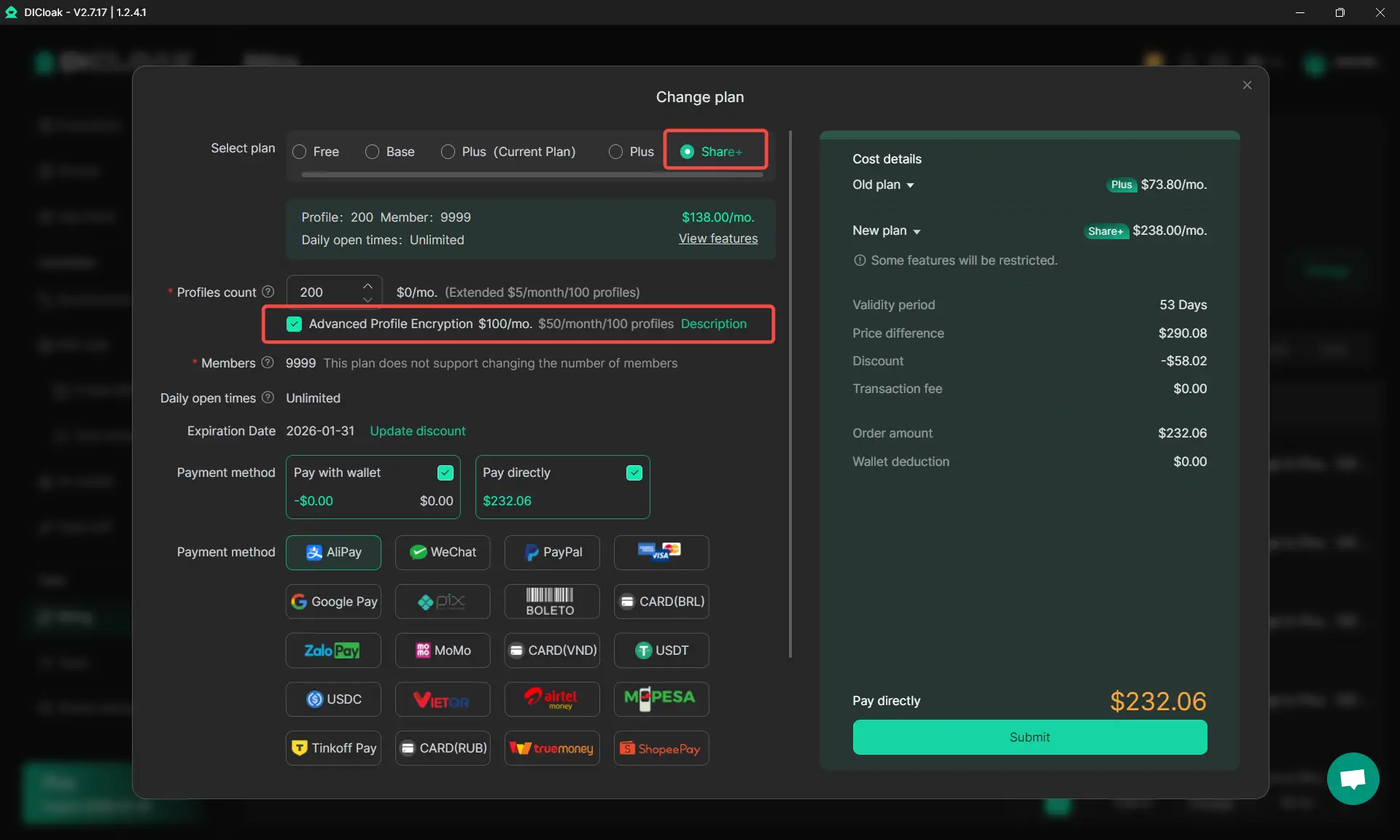
[Share+] Plan users can manually encrypt existing profiles via the edit menu, while new profiles automatically encrypt cookies, marked with a lock icon. Fees for advanced encryption depend on the number of profiles.
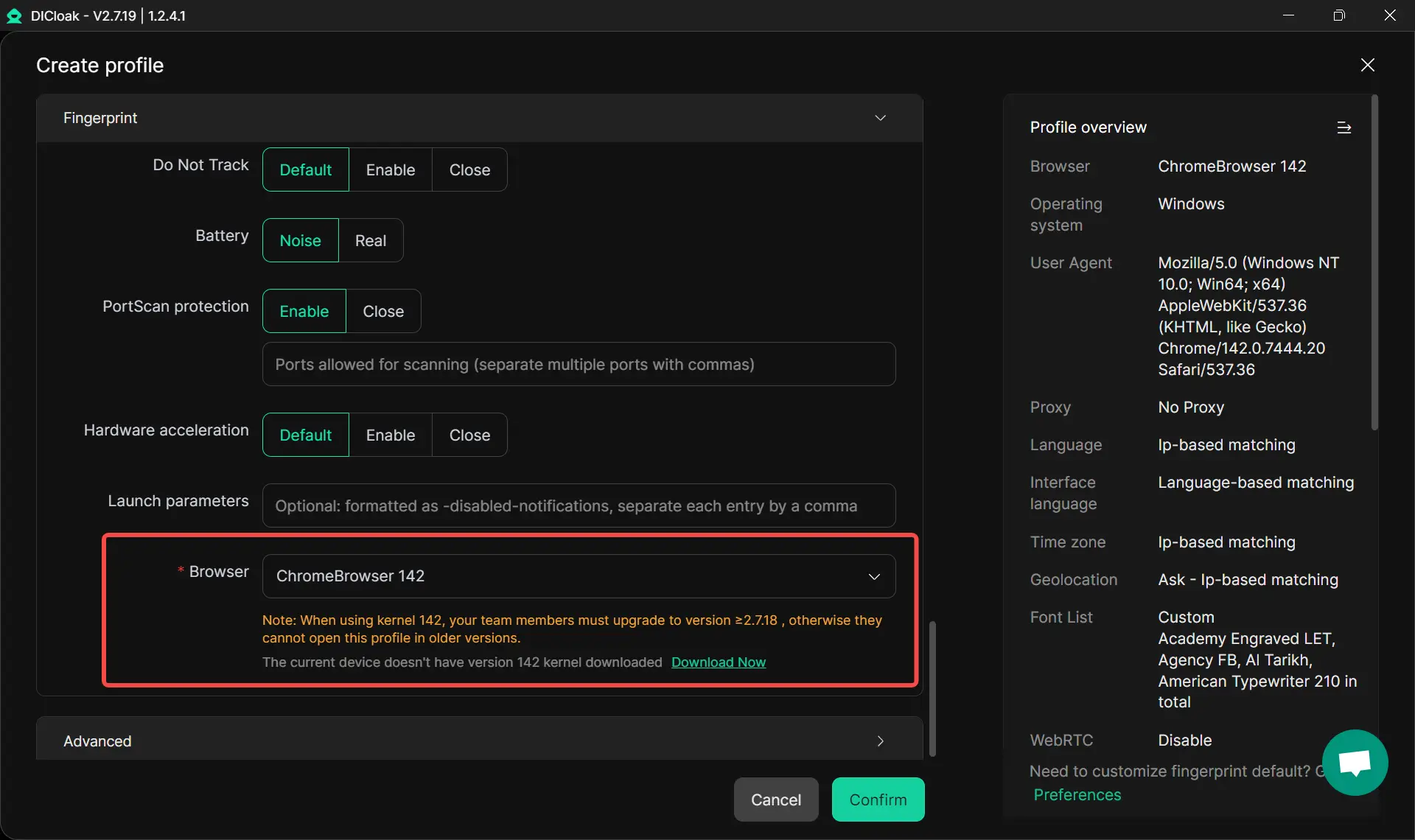
Chrome Kernel 142 – Improved Fingerprint Support
The Chrome 142 kernel update expands fingerprint compatibility, offering a wider range of browser signatures for better stealth and smoother access to online tools. Users can verify their kernel version on fingerprint detection sites.
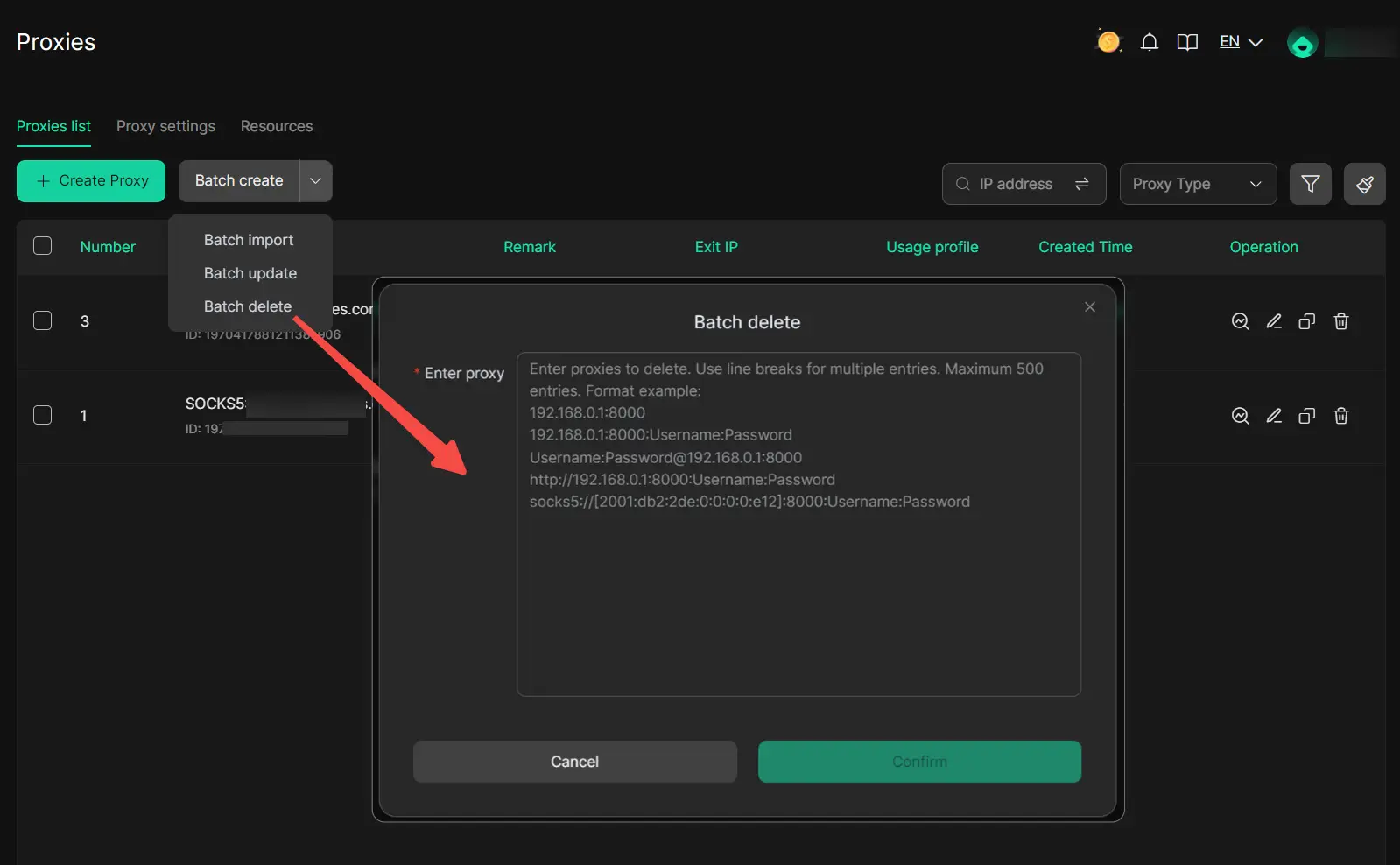
Proxies Settings: Batch Proxy Deletion
Users can now quickly remove multiple expired proxies by importing a list from their provider into DICloak’s batch deletion tool, streamlining proxy cleanup.
Team: Manager Access Control for Member Groups
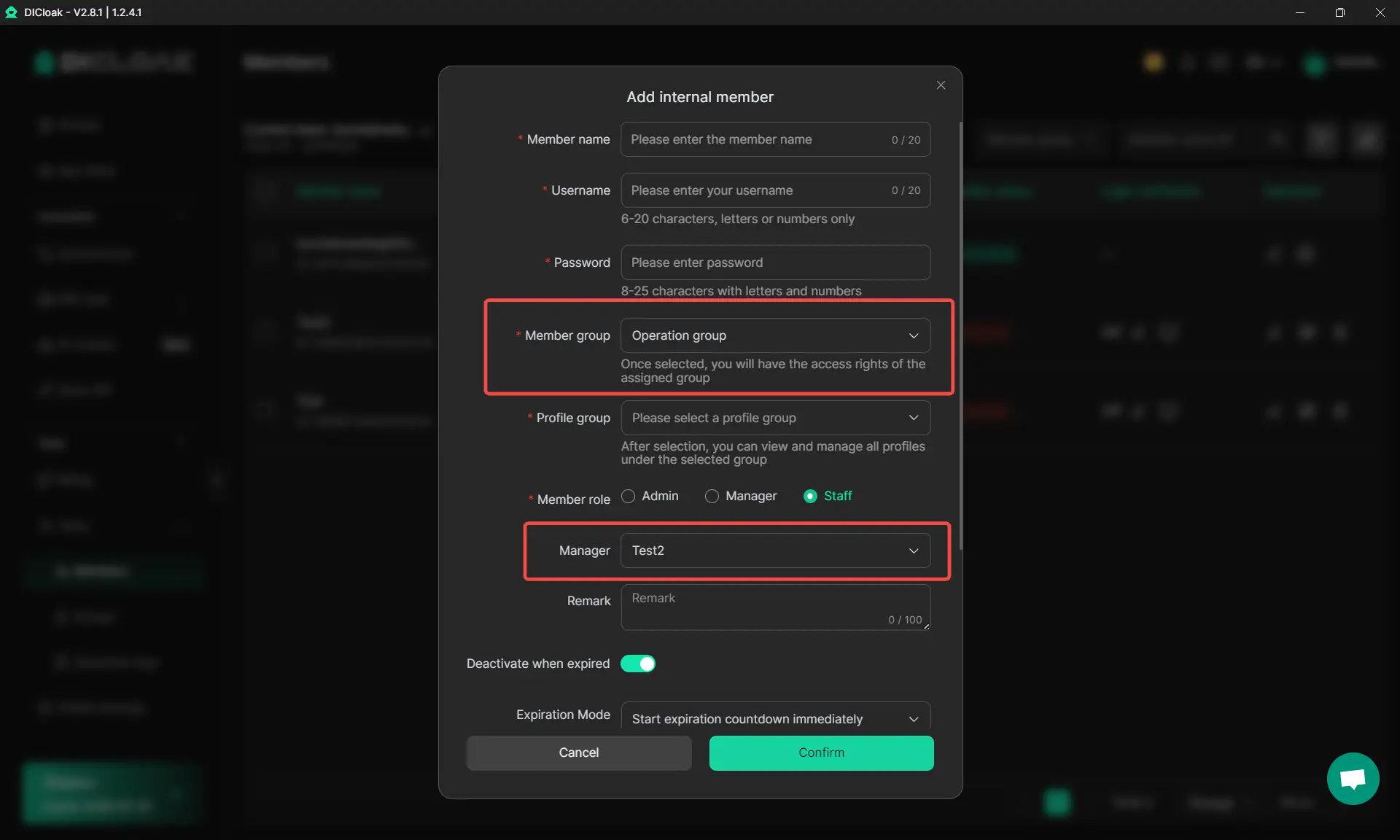
In Groups → Create/Edit Member Group, “Enable access for manager accounts” to restrict which groups a manager can assign new members to.
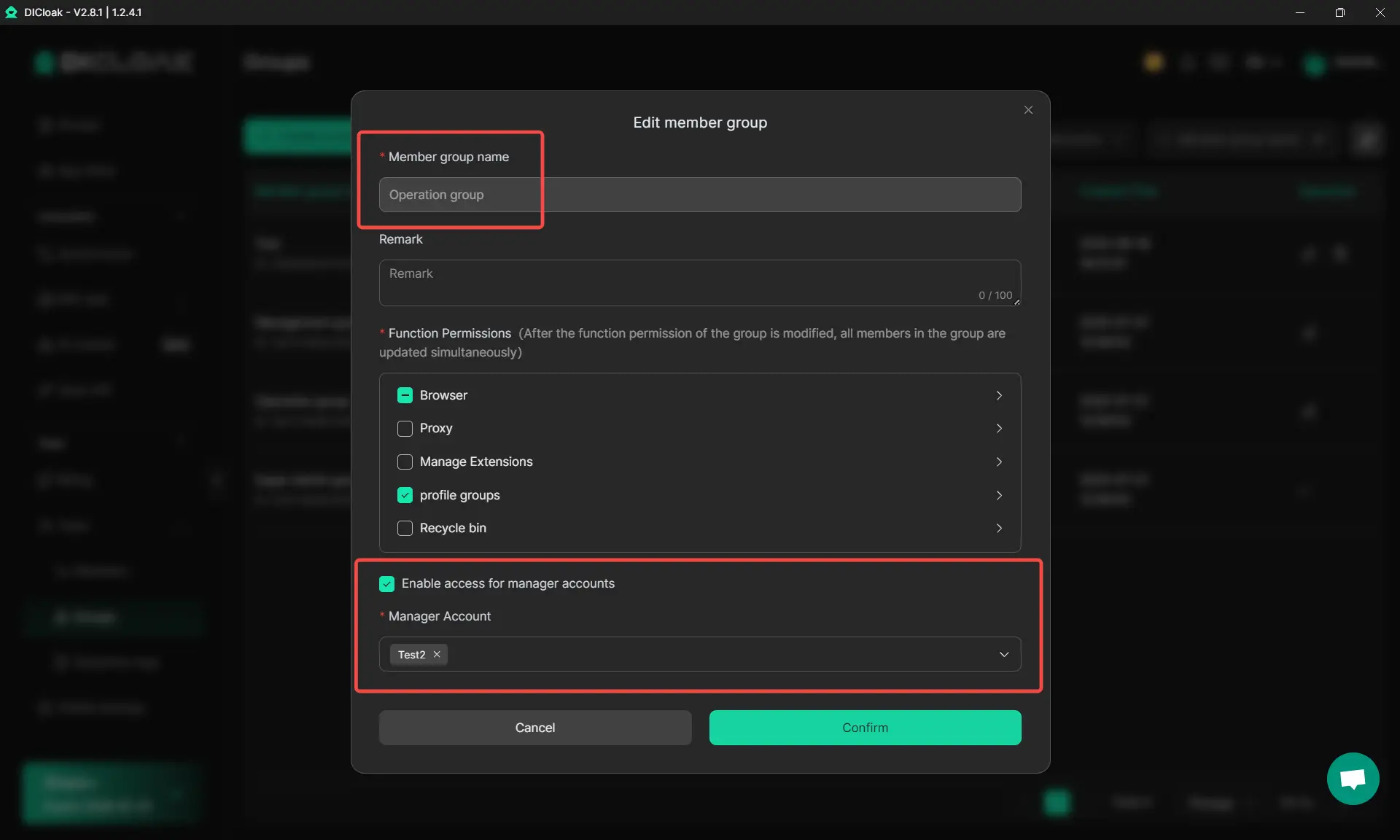
Managers can only view and assign groups they have permission for when creating new member accounts, enhancing team data isolation and security.
Global Settings: Local Network Access for Specified Websites
Users can now route specific websites through their local network while the browser uses a different global IP. Configure this in Global Settings → Browser Settings for flexible local access.

Automation & MCP Support
Headless Browser Support in Local API
The Local API now allows browsers to run in headless mode by setting a parameter in the request body. This is ideal for automation and background tasks, improving efficiency and reducing system resource usage. For more details, see the API documentation.

DICloak Supports MCP for Efficient Multi-Account Management
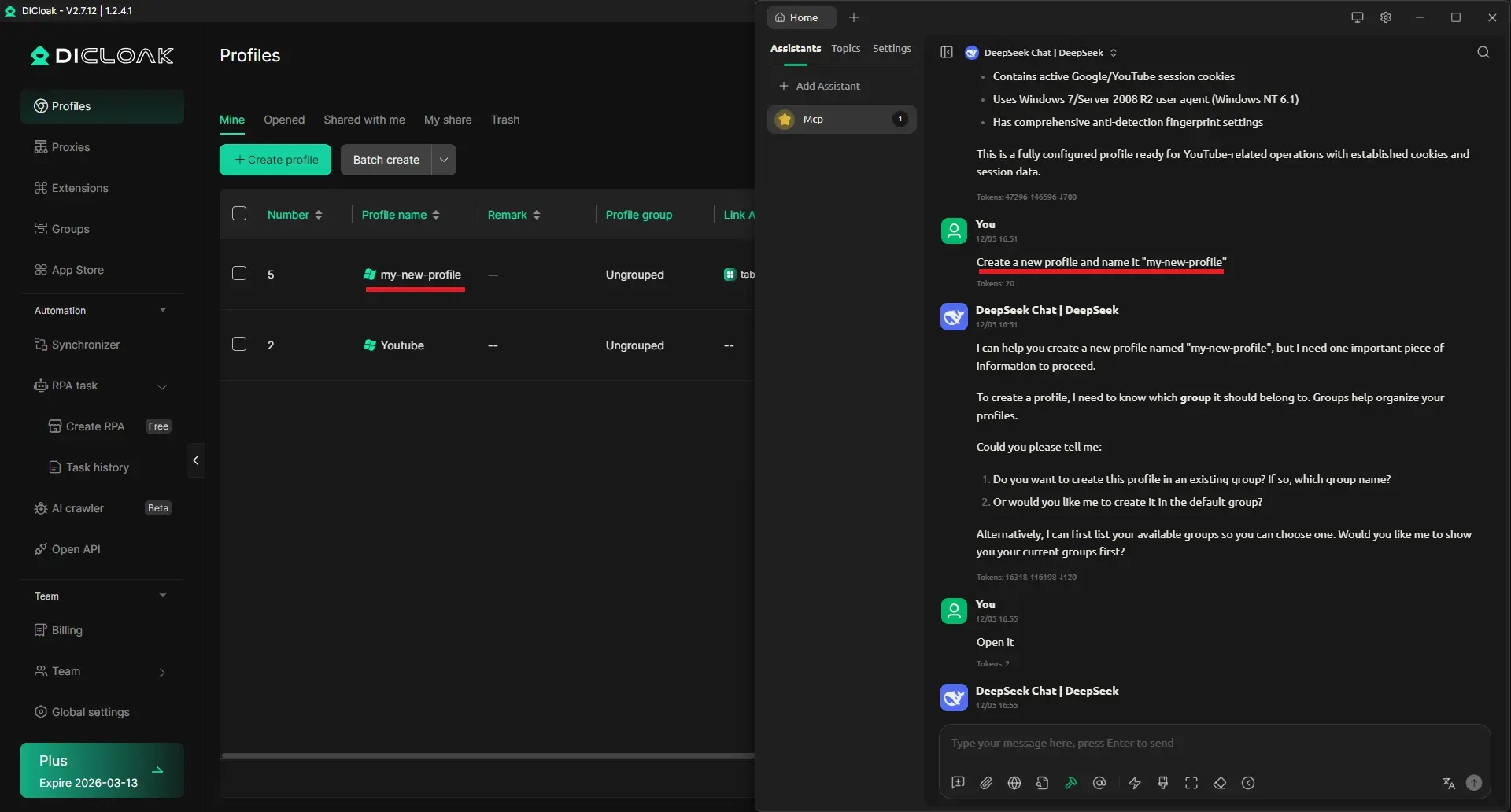
DICloak Browser now supports MCP (Model Context Protocol), allowing AI tools like ChatGPT or Claude to connect seamlessly to DICloak. With MCP, you can automate multi-profile workflows, manage social media accounts, handle proxies, and control member permissions—all from a single, centralized interface. This integration simplifies repetitive tasks, ensures consistent operations, and boosts overall efficiency for developers, AI users, and social media managers.
Don’t Miss Out on Our Limited-Time Offer
DICloak’s major promotion is coming to an end soon. Subscribe now to enjoy up to 50% off and take full advantage of the latest features and performance upgrades. Secure your plan before the offer expires!

 Web Proxy Tools
 Free Tools
 Cookie Plugin
 UA Generator
 MAC Address Generator
 IP Generator
 IP Address List
 2FA Code Generator
 World Clock
 Anonymous Check
 WebRTC Leak Test
 UUID Generator
 Free Web Proxy Site
 Proxy Checker
 FB Ad Checker
 AI Web Scraping
 Free SMM Tools
 Twitter Shadowban Checker
 Instagram Name Checker
 UTM Generator
 Username Generator
 AI Hashtag Generator
 LinkedIn Headline Generator
 Social Media Image Resizer