Snapchat problems can be annoying, especially when you do not know if the issue is with the app or with your own device. That is why many users ask the same question: is Snapchat down? In this guide, you will learn how to check Snapchat’s status, understand the most common causes, and try simple fixes that actually help.
How to Check If Snapchat Is Down
When Snapchat stops working, the first question is simple: is Snapchat down, or is the problem only on your side? The fastest way to tell is to check a few trusted places before you start changing settings on your phone.
Verify Snapchat’s Server Status
Start with outage trackers like Downdetector. If many users report problems at the same time, that is a strong sign the app may be having a wider outage. It is not perfect, but it is a fast first check. You should also look at Snapchat’s official Help Center and the official @snapchatsupport account on X, because Snapchat sometimes posts updates there when users are having issues.
A simple example: if you cannot send Snaps, but Downdetector shows a big spike and other users are posting the same problem, Snapchat is probably down. But if there is no outage trend and no official update, the issue may be your app, account, or internet connection.
Look for Social Media Trends
Another quick check is social media. Search terms like #SnapchatDown on X and look at recent posts. You can also check Reddit communities like r/SnapchatHelp to see whether many people are reporting the same bug, login issue, or loading problem. If lots of users describe the same issue within a short time, that usually points to a service problem, not just your phone.
Test Snapchat on Another Device or Network
If you still are not sure, test the app another way. Try logging in on another phone or tablet. Then switch from Wi-Fi to mobile data, or from mobile data to Wi-Fi. Snapchat’s own support pages suggest checking your connection this way when the app crashes, Snaps will not load, or login errors appear.
For example, if Snapchat fails on your home Wi-Fi but works on mobile data, the problem is likely your network, not Snapchat’s servers. If it fails on every device and every network, then it might be a breakdown.

Common Reasons for Snapchat Outages
The cause is not always the same. Sometimes the problem is on Snapchat’s side. Other times it comes from the app itself or from your internet connection. Knowing the difference can save a lot of time.
Server-Side Issues
One common reason is a server problem. This can happen during planned maintenance or an unexpected failure. When that happens, users may not be able to log in, send Snaps, load Stories, or use Chat normally. If many people report the same problem at the same time, that usually points to a wider outage rather than a problem with one phone.
Third-party service issues can also play a role. Large apps often depend on outside cloud systems to keep things running. So if a major cloud provider has a service issue, apps like Snapchat can also feel slow or stop working for some users. That is one reason why checking outage reports is helpful when you wonder, is Snapchat down.
App-Related Problems
Sometimes Snapchat is not fully down. The problem may come from the app version on your phone. Snapchat’s own support pages say users should update the app, restart it, and restart the device when features stop loading, the app crashes, or something does not respond normally.
A recent update can also cause bugs on some devices. For example, one user may install a new version and then find that Chat freezes or Stories will not open, while other users have no problem at all. Device or operating system compatibility can matter too. Snapchat also notes that some login errors can happen because the device does not meet its integrity requirements, which shows that not every access problem means is Snapchat down for everyone.
Network Connectivity Problems
A weak internet connection is one of the most common reasons Snapchat stops working. Snapchat’s help articles repeatedly tell users to switch between Wi-Fi and mobile data, move to a place with better service, and check whether the connection improves. That advice appears in its troubleshooting for crashes, login errors, Chat issues, and Snaps that will not send or load.
For example, if Snapchat works on mobile data but not on your home Wi-Fi, the problem is probably your network or local ISP, not Snapchat’s servers. But if it fails on both, that might be a problem from Snapchat. This small test is simple, but it often gives the clearest answer.
How to Fix Snapchat Not Working
And the next step is to try a few simple fixes:
Basic Troubleshooting Steps
- Restart the Snapchat app or your device Close the app fully, then open it again. If it still does not work, restart your phone. This can fix small bugs like messages not sending or Stories not loading.
- Update Snapchat to the latest version Go to the App Store or Google Play and check for updates. An old version may cause crashes or missing features.
- Clear the app cache (Android & iOS) This helps fix loading issues without deleting your data.
- On iPhone: Profile → Settings → App & Privacy → Clear Cache
- On Android: Profile → Settings → App & Privacy → Clear Data → Clear Cache For example, if Snaps load slowly, clearing cache can improve speed.
Advanced Solutions
- Check app permissions Make sure Snapchat can access your camera and microphone. If not, features like taking photos or videos may not work.
- Test your internet connection Switch between Wi-Fi and mobile data. If Snapchat works on one but not the other, your network may be a problem. You can also restart your router.
- Reinstall the Snapchat app If nothing works, delete and reinstall the app. This can fix deeper issues caused by bugs or corrupted files.
What to Do If Snapchat Is Only Down for You
Sometimes, after checking everything, you may realize something important. Snapchat is working fine for others, but not for you. At this point, the issue is probably on your device or account.
The good news is that this kind of problem is usually easier to fix.
- Log out and log back in This can refresh your session. For example, if messages are stuck or not sending, logging out can reset your account connection.
- Check your account status If you see login errors or unusual messages, your account may be temporarily locked. Try waiting a few hours or using Snapchat’s official unlock page.
- Turn off VPN or proxy services Snapchat may block or limit access from certain IP addresses. If you are using a VPN, turn it off and try again.
- Free up storage space If your phone is low on storage, apps may not work properly. Deleting unused apps or files can help Snapchat run smoothly.
- Update your phone’s system An outdated iOS or Android version can cause compatibility issues. Updating your system can fix crashes or loading problems.
- Close background apps Too many apps running at the same time can slow down Snapchat. Close unused apps and try again.
For example, if Snapchat works on your friend’s phone but not yours, and switching networks does not help, the issue is almost always your device or settings—not a full outage.
When Snapchat keeps showing errors, the problem is not always the app itself. In some cases, login issues, location limits, or repeated account checks may come from the browser profile, device signals, or network setup. A cleaner setup can make troubleshooting easier and more stable.
Manage Multiple Snapchat Accounts Securely
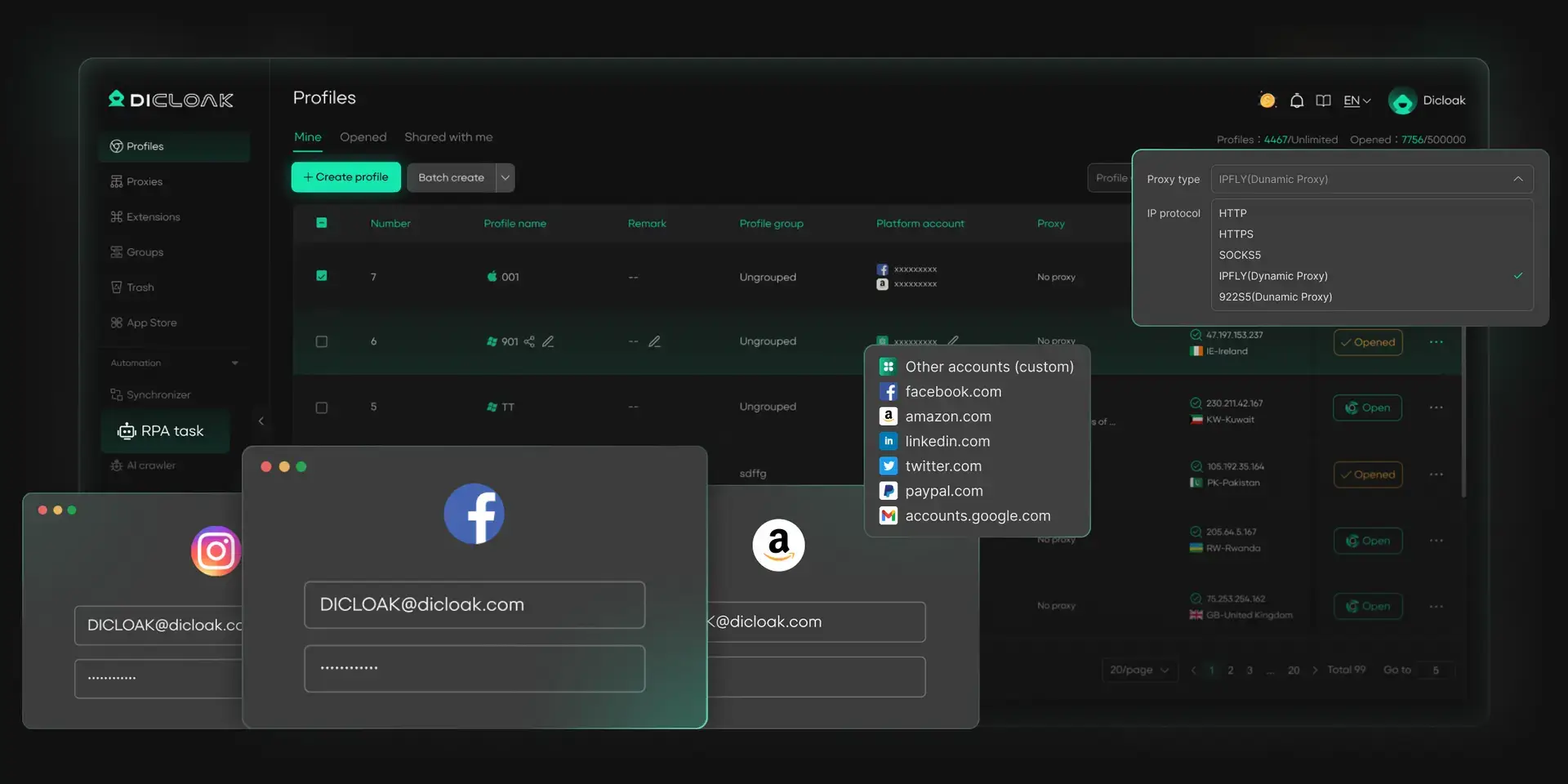
For users who manage multiple Snapchat account, keeping each account separate is very important. With DICloak, each profile runs in an isolated profile with its own fingerprint. This helps reduce account overlap and keeps operations more organized.
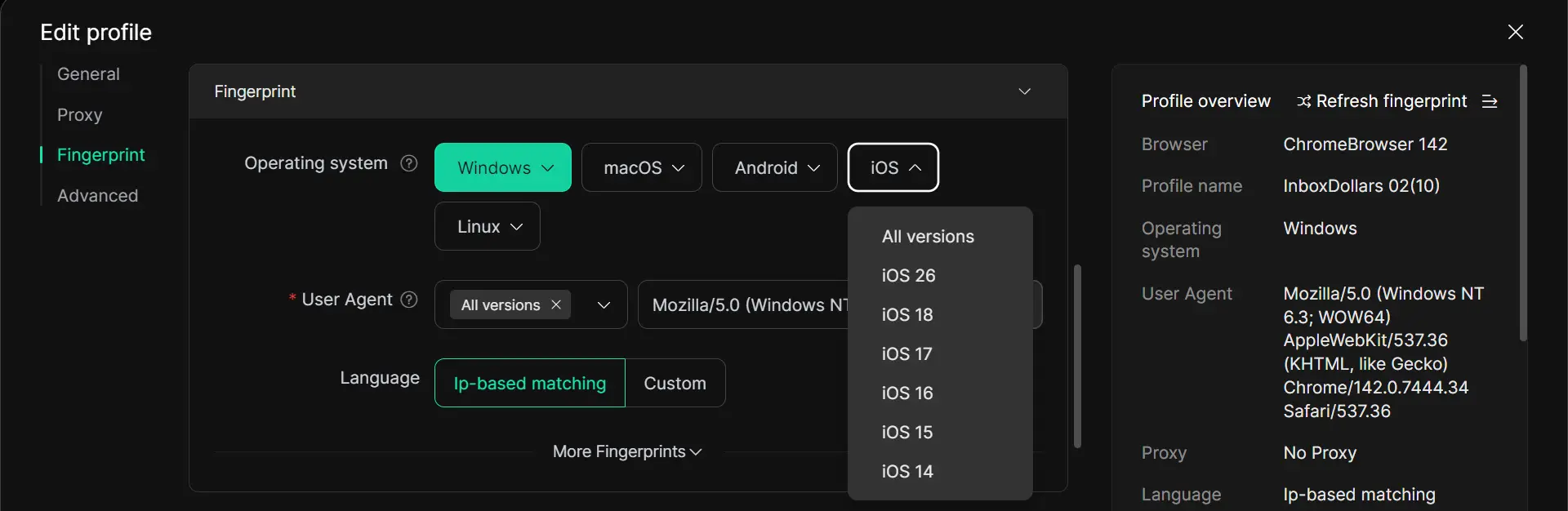
DICloak also supports simulating different operating systems, including iOS and Android, which is useful when you want a profile to look more like a mobile device environment instead of a normal desktop setup. This can be helpful for teams or marketers who need a more flexible way to access Snapchat across different account types.
For example, instead of logging several Snapchat accounts into the same browser, a user can open each account in a separate profile and assign a different mobile-style environment to each one. That makes account management cleaner and easier to control.
Optimize Network Settings with Custom Proxies
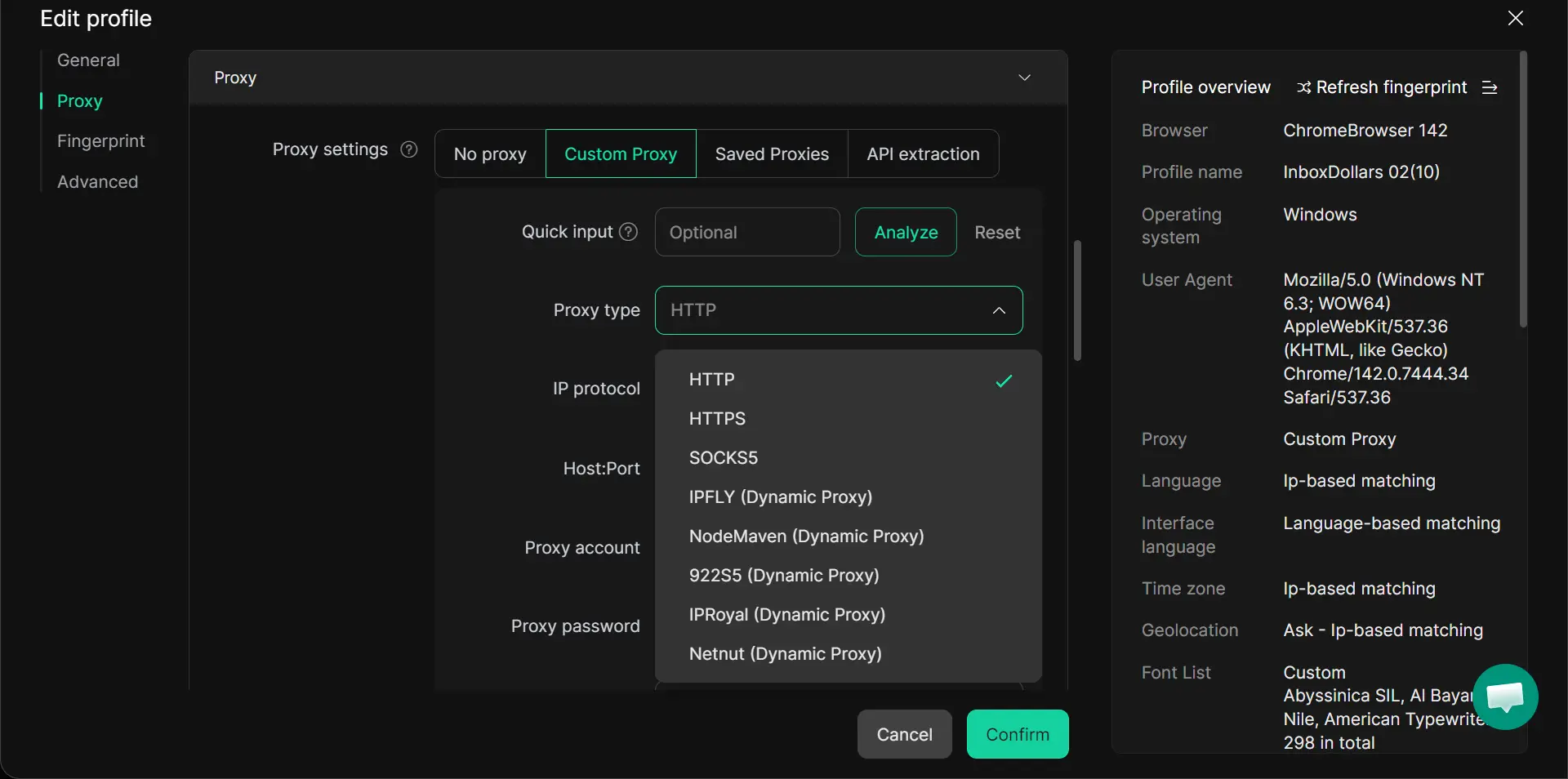
Network quality also affects how Snapchat works. If the IP is unstable or several accounts share the same connection, errors and verification checks may happen more often. DICloak supports flexible proxy configuration, including HTTP, HTTPS, and SOCKS5, and lets users assign different proxies to different profiles. This helps keep each account’s network setup separate and easier to manage at scale.
Conclusion
So, is Snapchat down? Sometimes yes, but not always. In many cases, the problem comes from your app, device, or internet connection instead of Snapchat’s servers. By checking the outage status, testing your setup, and using the right fixes, you can find the real cause faster and get Snapchat working again.
FAQs
How do I know if Snapchat is down or if it’s just me?
First, check Downdetector and Snapchat’s official support channels. If many users are reporting the same issue and Snapchat Support is posting updates, the problem is likely widespread. If Snapchat only fails on your phone, it is probably a local issue with your app, device, or network.
What should I do if Snapchat keeps crashing?
Start with the basics: update Snapchat, fully close and reopen the app, restart your device, and switch between Wi-Fi and mobile data. Snapchat’s help pages also recommend reporting the bug in the app if the problem continues after troubleshooting.
How long does it usually take for Snapchat to fix an outage?
There is no fixed time. Some issues are resolved quickly, while others take longer depending on the cause. Snapchat usually posts short status updates on its support accounts when it is aware of a problem and may post again once the issue is fixed.
Can I still use Snapchat during an outage?
Sometimes partly, yes. During some outages, one feature may fail while others still work. For example, Chat may break while the camera still opens, or Stories may load while messages do not send. It depends on what part of Snapchat is affected. This is why checking both the app and user reports is helpful.
Why does Snapchat stop working after an update?
A new update can introduce bugs or create compatibility problems on some devices. Snapchat recommends making sure the app is fully updated, restarting the app, and restarting the device when issues appear after an update. If the app still does not work right, you can report the problem to Snapchat.
 Web Proxy Tools
 Free Tools
 Cookie Plugin
 UA Generator
 MAC Address Generator
 IP Generator
 IP Address List
 2FA Code Generator
 World Clock
 Anonymous Check
 WebRTC Leak Test
 UUID Generator
 Free Web Proxy Site
 Proxy Checker
 FB Ad Checker
 AI Web Scraping
 Free SMM Tools
 Twitter Shadowban Checker
 Instagram Name Checker
 UTM Generator
 Username Generator
 AI Hashtag Generator
 LinkedIn Headline Generator
 Social Media Image Resizer